

About:
Keltner Channels EA on MT5: https://www.mql5.com/en/market/product/165072
The expert advisor fully automates trading based on the logic of the "Keltner Channels Buy Sell Alerts" indicator.
Trading logic
The EA opens, manages and closes trades using exactly the same signal and exit rules as the Keltner Channels Buy Sell Alerts indicator:
Entry
Buy signal: previous bar close > upper Keltner band
Sell signal: previous bar close < lower Keltner band
Exit (configurable via input parameter Exit_Mode)
Opposite band cross (default in indicator)
Mid-line (EMA) cross is selected as default in this EA
Return inside the channel (price returns between upper and lower bands)
Every trade uses ATR based stop loss placed at entry price ± (SL_ATR_Mult × ATR value).
Only one position is allowed at a time (no pyramiding). No take profit is used. Exit is performed only by one of the configured conditions or stop loss.
The EA does not draw any objects, channels or arrows on the chart and does not generate alerts. It is designed purely for automatic trading.
The EA menu is simple and intuitive as you can see bellow.
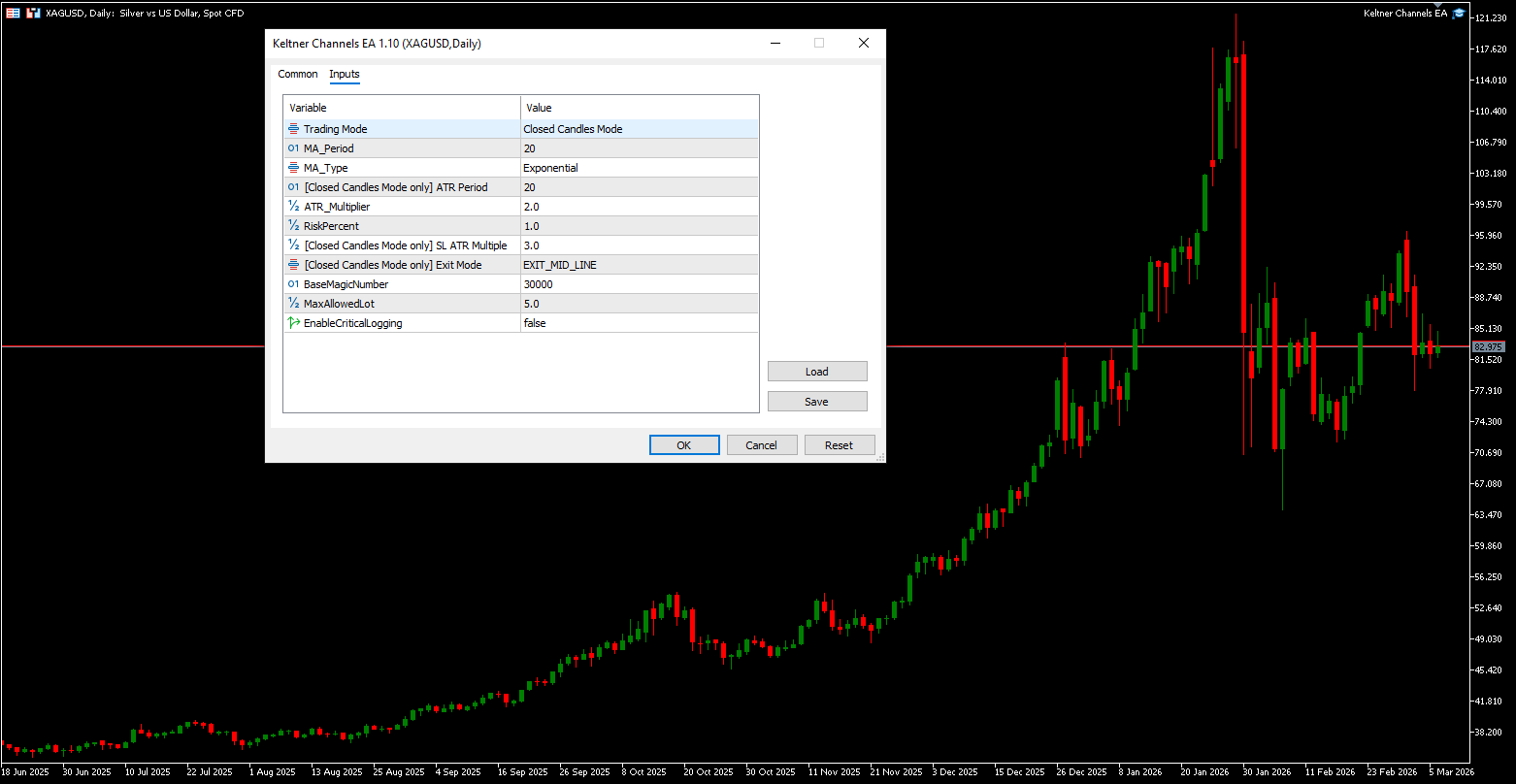
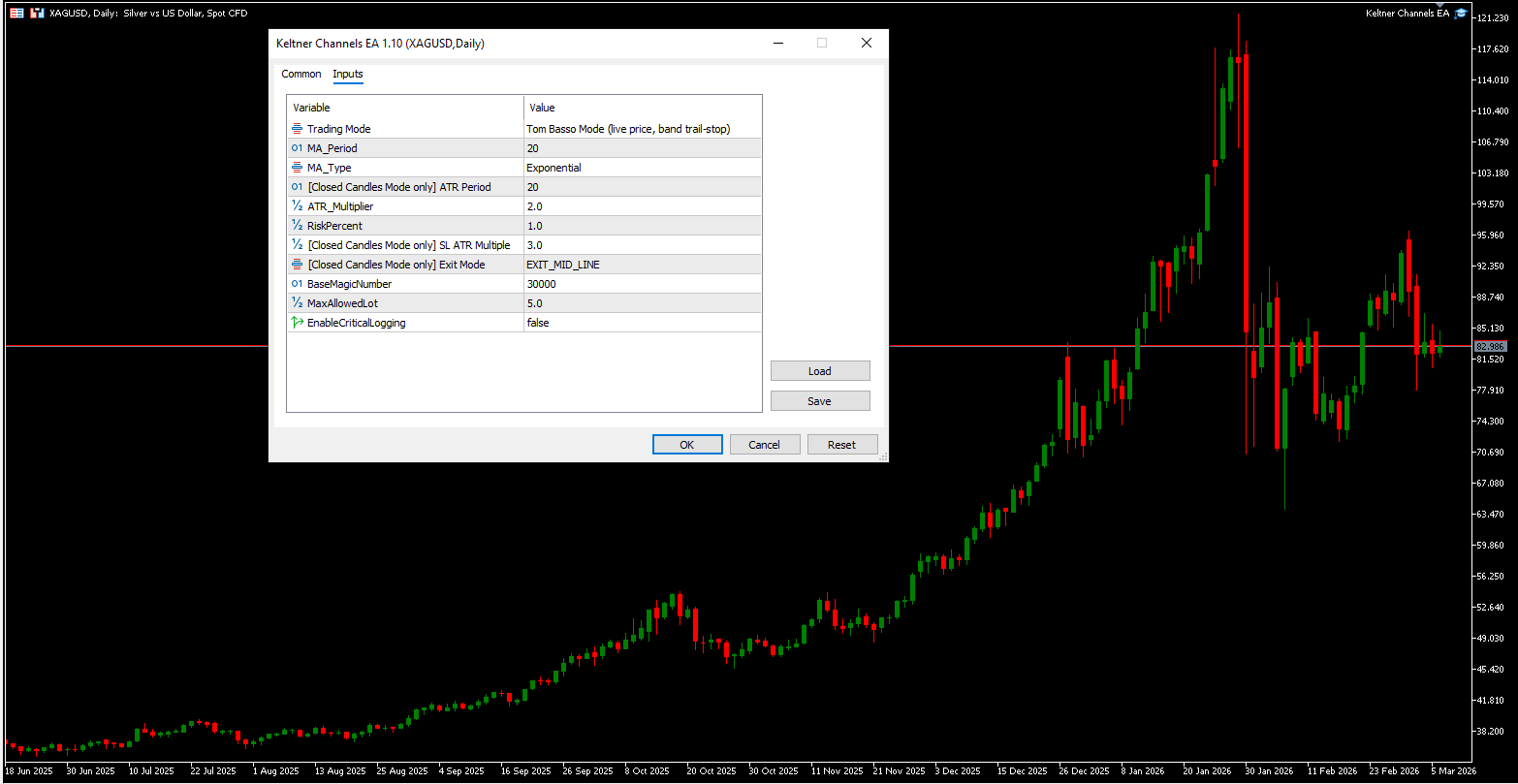
Input parameters (configurable when attaching to chart)
MA_Period (default 20) — period of the central moving average
MA_Type (default EMA) — type of moving average (EMA, SMA, SMMA, LWMA)
ATR_Period (default 20) — period for ATR calculation used in bands and stop loss
ATR_Multiplier (default 2.0) — multiplier for channel width (upper/lower bands)
RiskPercent (default 1.0) — percentage of current account balance risked per trade
SL_ATR_Mult (default 3.0) — multiplier for ATR based stop loss distance
Exit_Mode (default EXIT_MID_LINE) — position closing rule: opposite band, midline cross or return inside channel
MaxAllowedLot (default 5.0) — maximum allowed lot size (additional safety limit), but you can change it
MagicNumber (base 30000) — unique identifier for positions opened by this EA
EnableCriticalLogging — false but can be enabled if you want to see more messages in the experts tab
HistoryScanBars — when attached to a chart the EA analyzes the last 500 bars to identify a virtually open trade and if yes it won't place a trade until a fresh breakout signal occurs.
Version 1.10
Added Tom Basso Mode (now default) as a second trading mode alongside the original Closed Candles Mode.
Tom Basso Mode treats any live price breach beyond a Keltner band as a breakout signal, no waiting for a candle to close. A buy is triggered the moment ask crosses above the upper band; a sell when bid crosses below the lower band. The stop loss is placed at the opposite band and acts as a trailing stop, updating at each new bar open and moving only in the trader's favour. It never retraces even if volatility expands. The trade closes only when price hits the trailing stop, at which point a reversal in the opposite direction is evaluated on the next price movement.
Inputs labelled [Closed Candles Mode only] (ATR Period, SL ATR Multiple, and Exit Mode) apply exclusively to Closed Candles Mode and are ignored when Tom Basso Mode is active.
Important notes
The EA is designed to be attached to multiple charts / symbols simultaneously (XAUUSD, forex pairs, commodities, indices, etc.). Each instance uses a unique MagicNumber to avoid interference.
Risk management is balance based and recalculated before every trade.
No martingale, grid or other high risk methods are used.
Before using on a live account, test thoroughly in the Strategy Tester and on a demo account.
Trading involves risk of loss. Past performance is not indicative of future results.