How to Monitor Your MT5 Account With Telegram/Discord (Free Guide)

Stop getting stuck on the screen: a guide for traders on external alerts.
As algorithmic traders, we rely on the stability and performance of Expert Advisors (EAs). But how do you know if an EA has failed, experienced a high-risk event, or reached its profit target when you're not in front of your computer?
While MT5's built-in push notifications are useful, they have limitations. For truly flexible text alerts that facilitate team collaboration, you'll need to use WebHooks to send data to external messaging platforms like Telegram or Discord.
This free guide details two main methods for setting up advanced external alerts in MetaTrader 5.
1. Simple and easy-to-use integrated method: MT5 push notification
For basic notifications exclusive to mobile devices, MT5 offers a native push notification service. This is the simplest way to get started:
Setup steps:
-
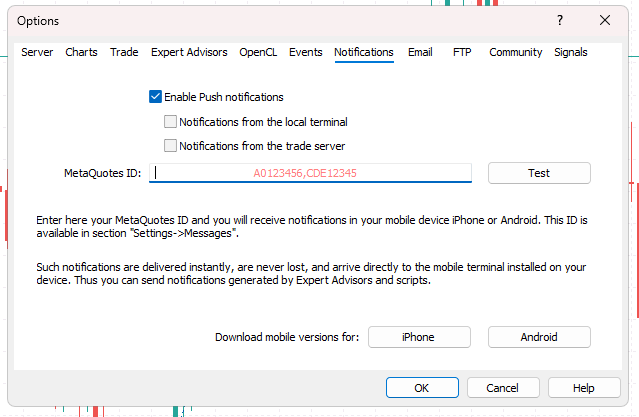
To obtain your MetaQuotes ID: Open the MT5 app on your smartphone and go to Settings → Messages and notifications . Your MetaQuotes ID (a long string of letters and numbers) will be displayed here. Copy this ID.
-
To enable notifications on your computer: Open the MT5 terminal on your desktop. Go to Tools → Options → Notifications tab.
-
Check the "Enable push notifications" box.
-
Paste the copied MetaQuotes ID into the specified field.
-
Click the "Test" button. You should immediately receive a test message in the MT5 app on your mobile phone.
-
How to activate the alarm:
-
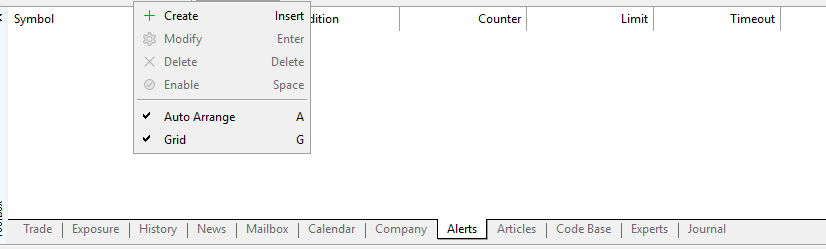
Manual alarm: In the toolbox window, go to the "Alarms" tab. Right-click and select "Create" .
-
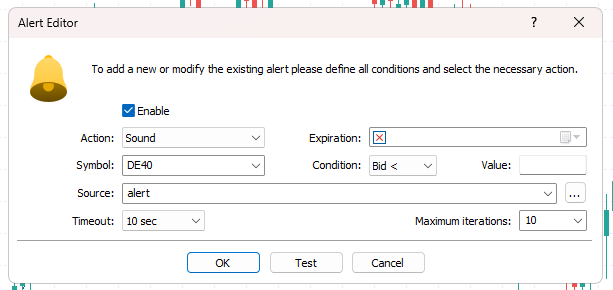
Define the conditions (for example, the price reaching a specific value). In the "Actions" tab, select "Notifications" .
-
-
-
MQL5/EA Alerts: If you are using an Expert Advisor (EA) or a custom indicator, you can trigger alerts in your code using the MQL5 SendNotification() function.
2. Advanced methods: Telegram and Discord WebHooks
If you need automatic and detailed alerts about opening/closing prices of trades, risk limits, or periodic reports, and if these alerts are sent to group chats or specific monitoring channels, you should use the WebRequest feature of MQL5 .
This requires a custom utility (EA or script) that can use WebHooks to communicate with the platform's API.
Part A: Preparing MT5 documents for external communication
To allow MT5 to send data to an external URL (such as the Telegram or Discord API), you must authorize the destination domain:
-
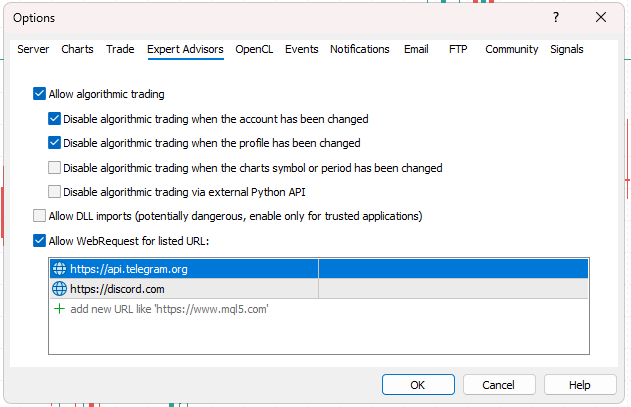
Open the MT5 terminal and navigate to "Tools" → "Options" .
-
Access the "Specialized Negotiation System" tab.
-
Select the "Allow web requests for the listed URLs" checkbox.
-
Please add the following API domain name in the box below:
-
Telegram API : https://api.telegram.org
-
Discord website:https://discord.com (or https://discordapp.com )
-
-
Click "OK" to save the changes.
-
Part Two: Establishing Communication Channels
You need to obtain a unique identifier (token or WebHook URL) from your chosen platform:
For Telegram (bot required)
-
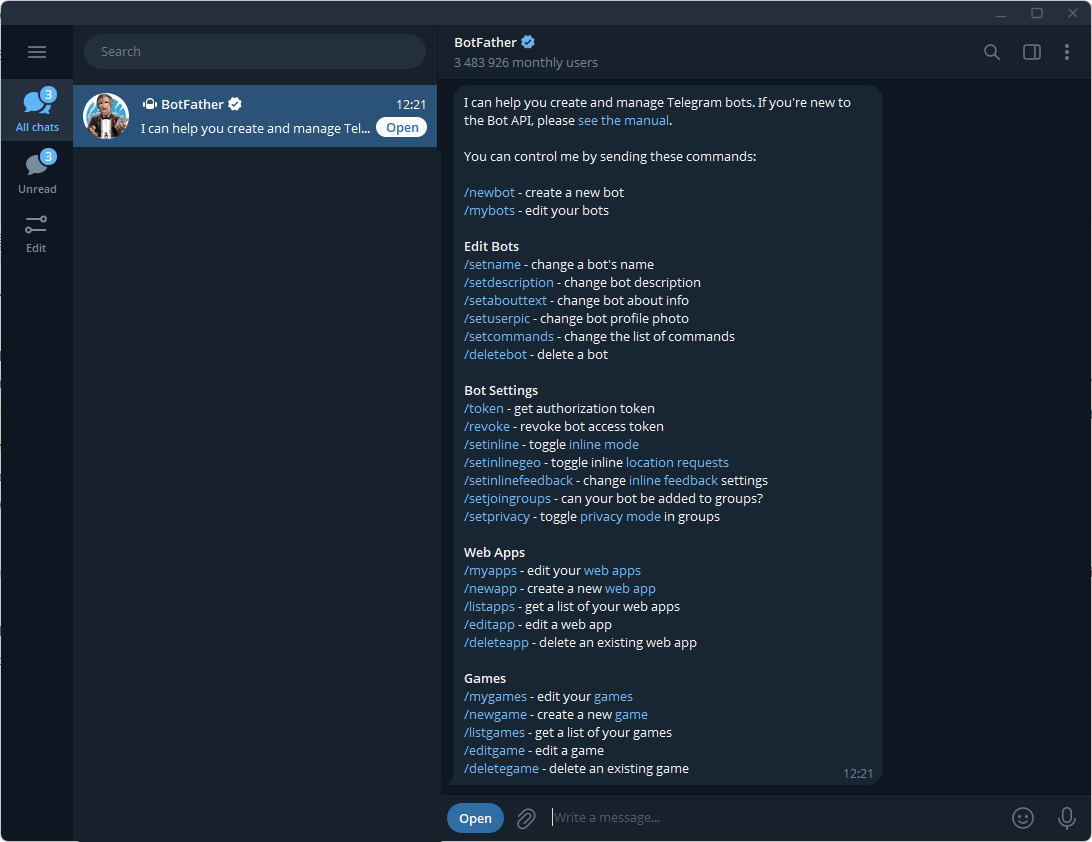
To create a bot: Open Telegram and search for @BotFather . Start a conversation using the /newbot command and follow the instructions. BotFather will provide a unique HTTP API token. Save this token.
-
-
Get the chat ID: Send a message to your new bot. Then, use another bot (like @userinfobot) or an external service to get the chat_id of the channel or group you want to receive notifications for.
For Discord (requires WebHook)
-
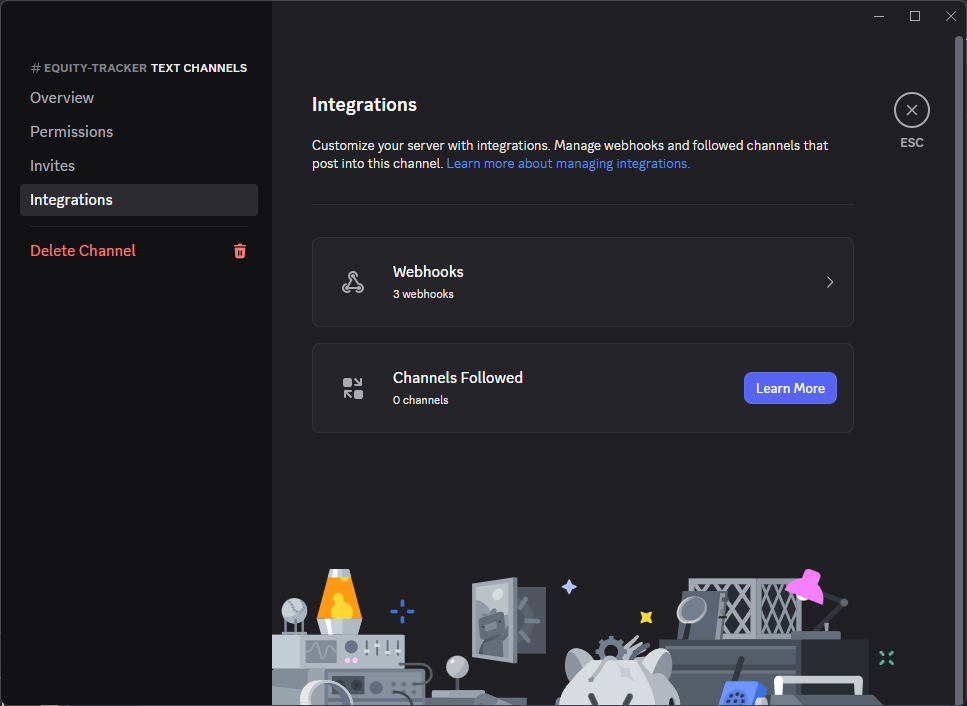
To create a WebHook: Open your Discord server. Right-click on the channel you want to receive notifications for, then go to Edit Channel → Integrations → WebHooks .
-
-
Click on "Create new webhook" → "Copy webhook URL" . This URL is your unique receiving address.
Part C: Sending data via MQL5 (code)
After obtaining the key (Token/URL) and configuring the MT5 WebRequest permissions, you will need a dedicated EA or script to format the trading/account data into an HTTP request and send it to the destination.
This is a crucial step. A comprehensive monitoring tool must be able to:
-
Identify transaction events (opening, closing, modification).
-
Format the data in an organized way (Discord uses JSON, Telegram uses URL parameters).
-
In MQL5, you can send messages immediately by executing the WebRequest function.
What's the next step?
While establishing a communication bridge is a good start, a reliable monitoring solution needs to do much more than simply send price alerts. It must also monitor:
-
Risk warning: An alert will be issued when there is a withdrawal of funds or when margin levels exceed key safety limits.
-
Uptime: Periodically send "heartbeat" messages to confirm that the EA is running.
-
Function: Automatically generate daily or weekly profit reports.
Developing all these features takes time. That's why I created Equity Tracker MT5 .
I've integrated all the features I personally need into this tool, from real-time trading alerts with optional screenshots to critical capital loss warnings. It handles all the complex WebHook logic, so you don't have to worry about it.
If you're ready to stop worrying about charts and upgrade to a complete monitoring system with all these features integrated, check out Equity Tracker MT5 here: https://www.mql5.com/en/market/product/155961 .
This is a tool I developed for my own use and now I'm sharing it with everyone.
A complete monitoring solution Equity Tracker MT5