

RiskKILLER AI, is our new EA project with Multi Assets Risk diversified, Bitcoin boosted and AI assisted Risk management.
[ Dedicated group | Version MT5 - MT4 ]
📌 The concept
📌 Specs and Signals
By default, the EA is
- M1
- BTC/USD, XAU/USD, EUR/USD, USD/JPY, US500
Update : 26/01/2026
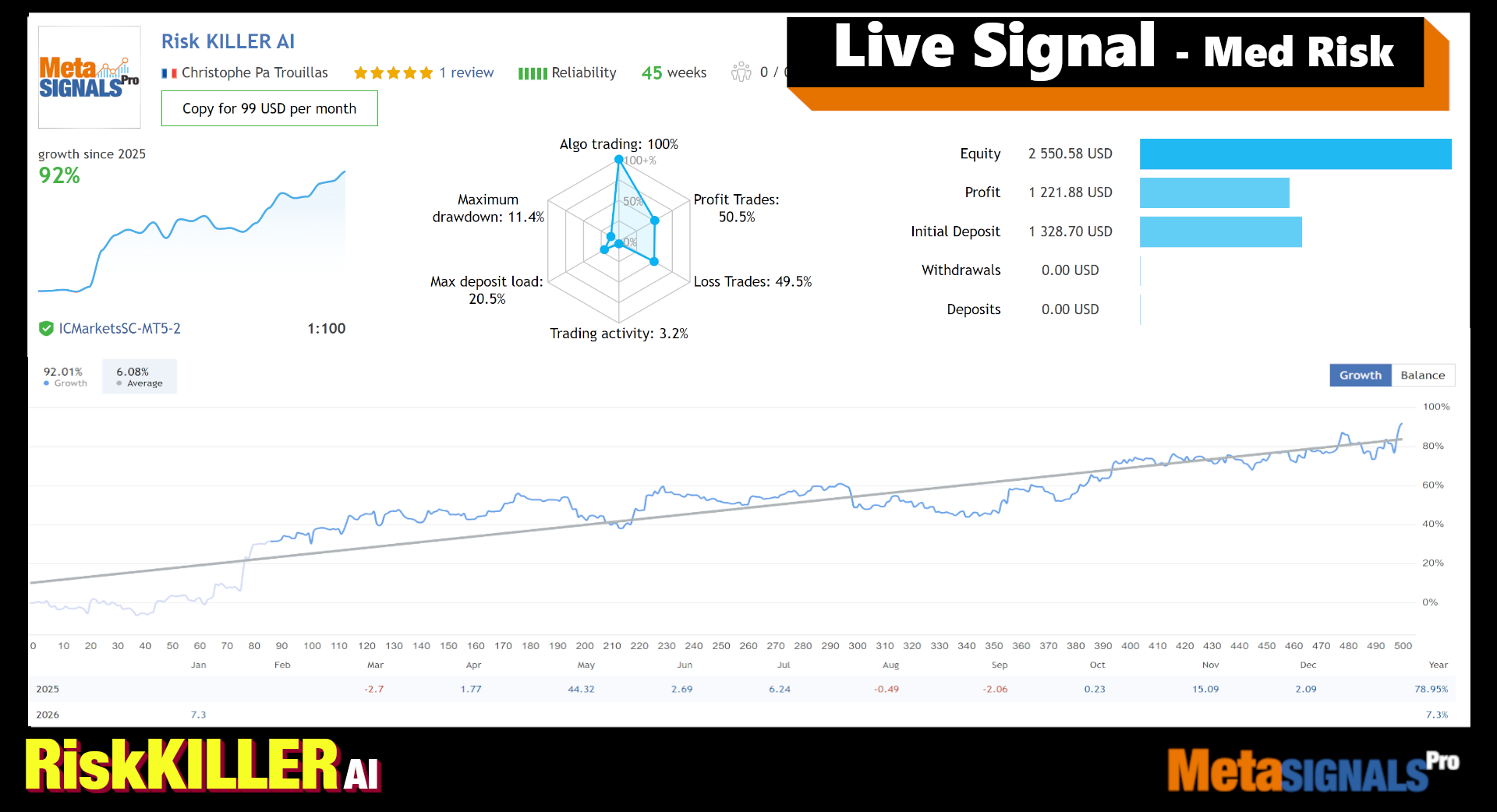
📌 Overview
RiskKILLER AI is a breakout scalping Expert Advisor (EA) designed to identify key levels for potential high-volatility moves, aiming for advantageous risk-reward trades. It minimizes risk by:
-
Trading in both directions.
-
Holding positions for short periods.
-
Using a stop-loss safety net.
-
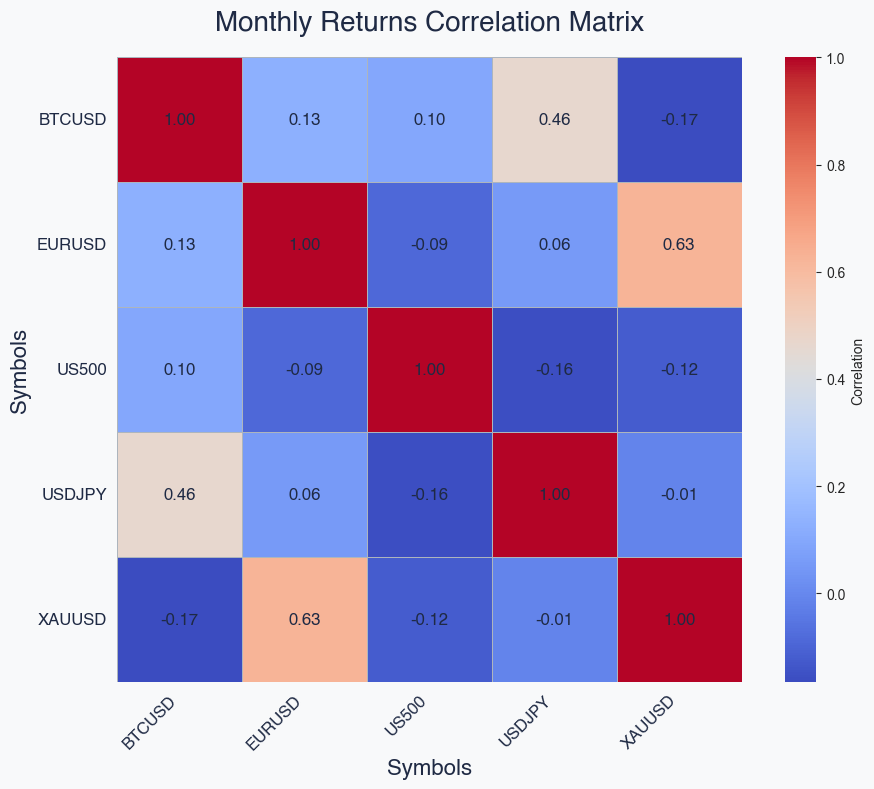
Distributing trades across 5 uncorrelated, popular markets.
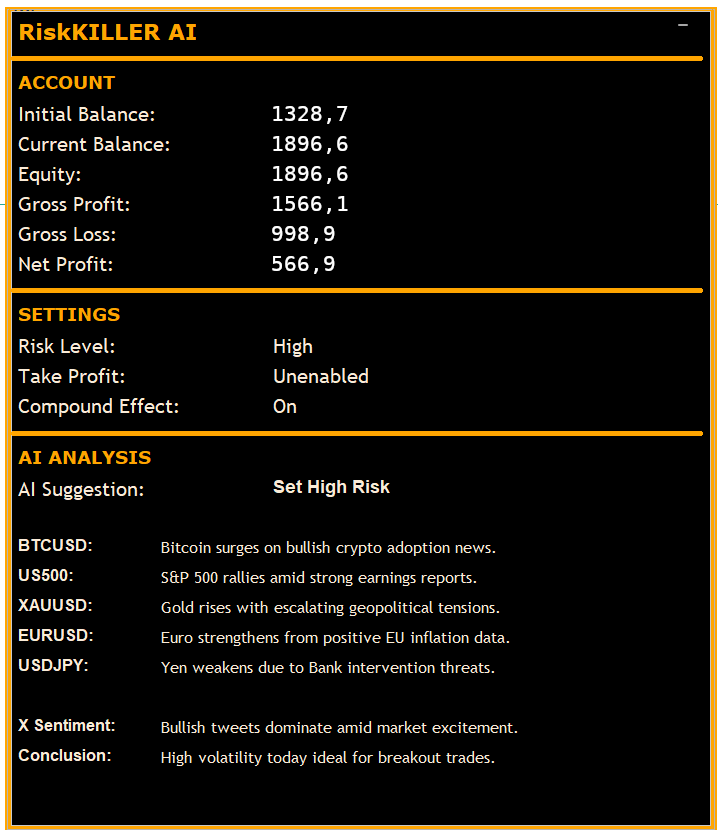
The EA includes AI assistance powered by the Grok3 model, acting as a risk manager. It analyzes real-time X/Twitter and news event sentiment to assess daily volatility and advises on adjusting the EA's risk settings based on its performance predictions.
📌 AI empowered Risk Management
📌 Uncorrelated pairs and asset
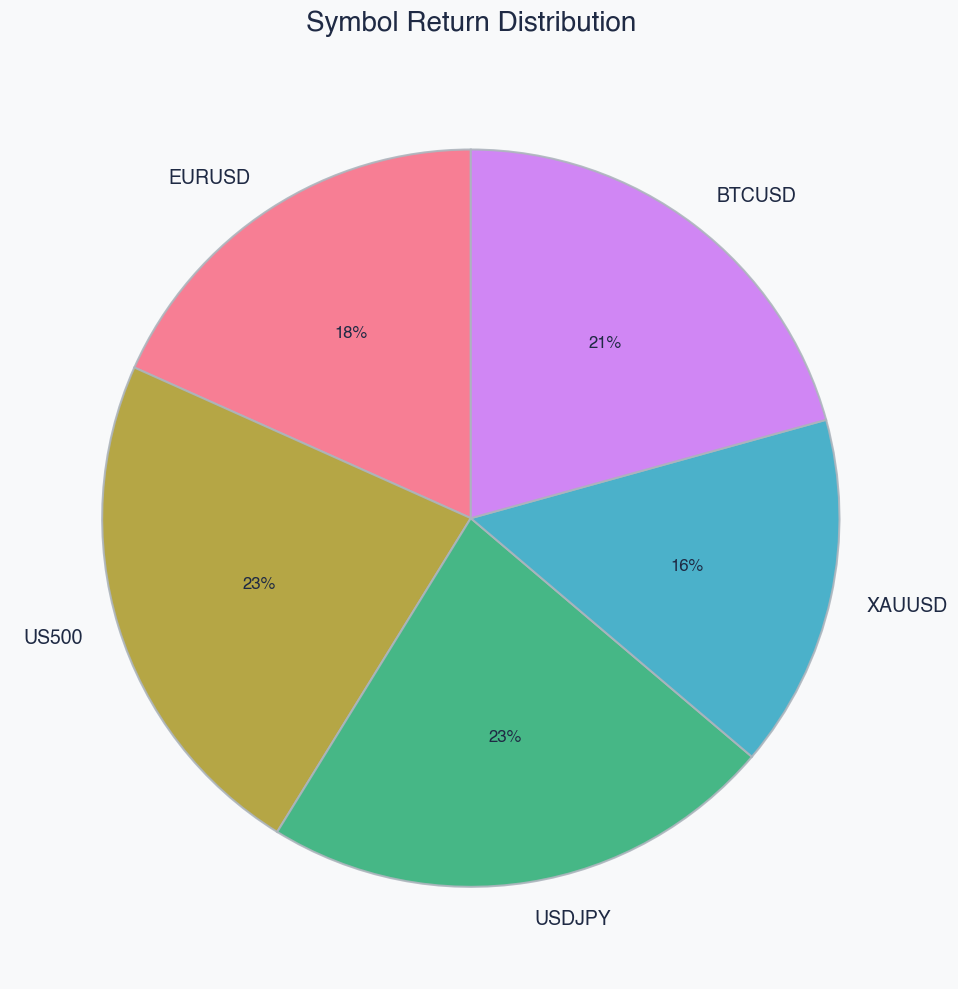
📌 Optimised weight of the uncorrelated assets
📌 Implementation
If you are new to mql5 please follow these steps to make your purchase
https://www.mql5.com/en/articles/498
Follow these steps to set up RiskKILLER AI:
-
Open your MT4 or MT5 terminal.
-
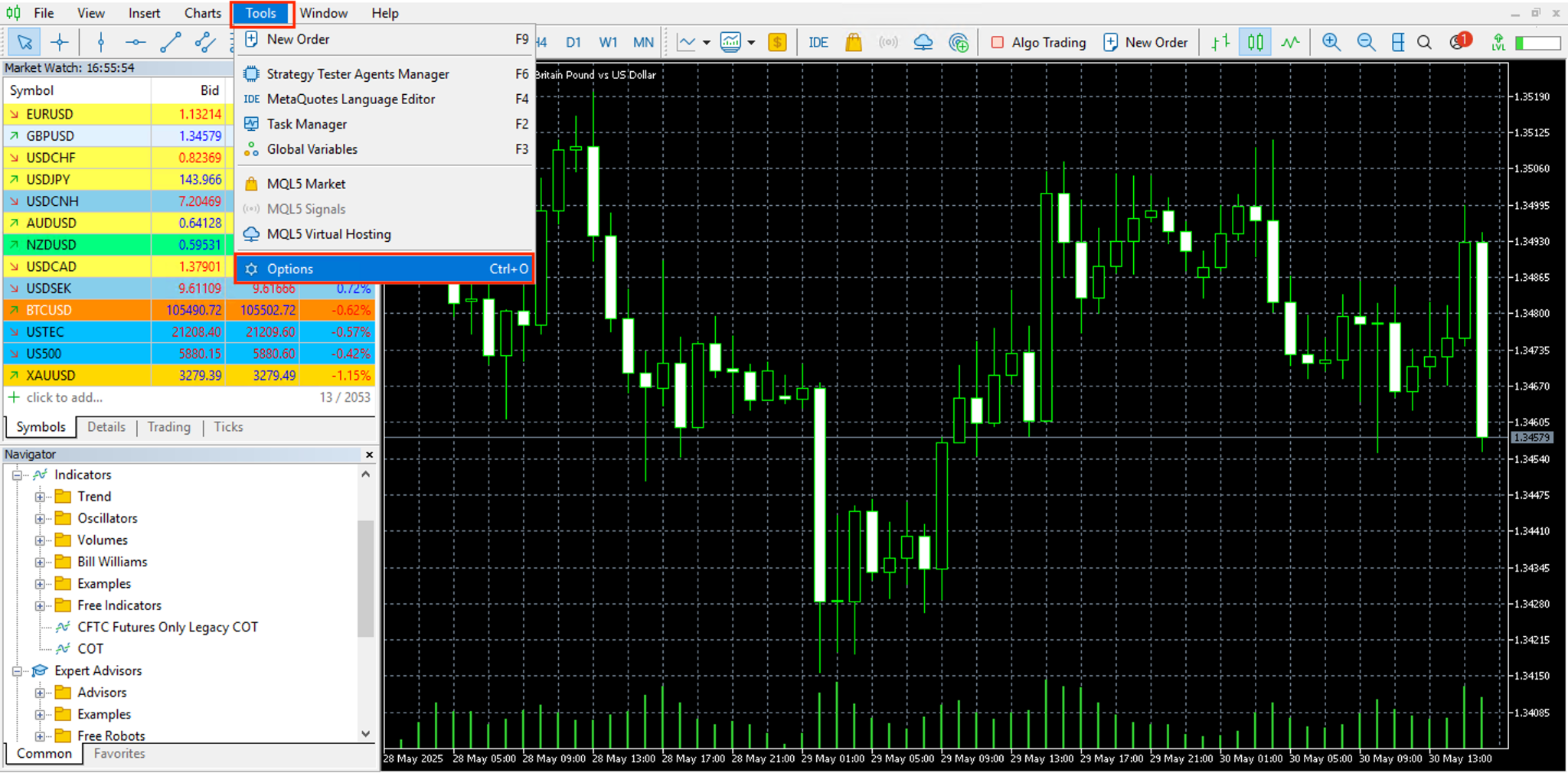
Navigate to Tools → Options → Expert Advisors.
-
Enable “Allow WebRequest for listed URLs”
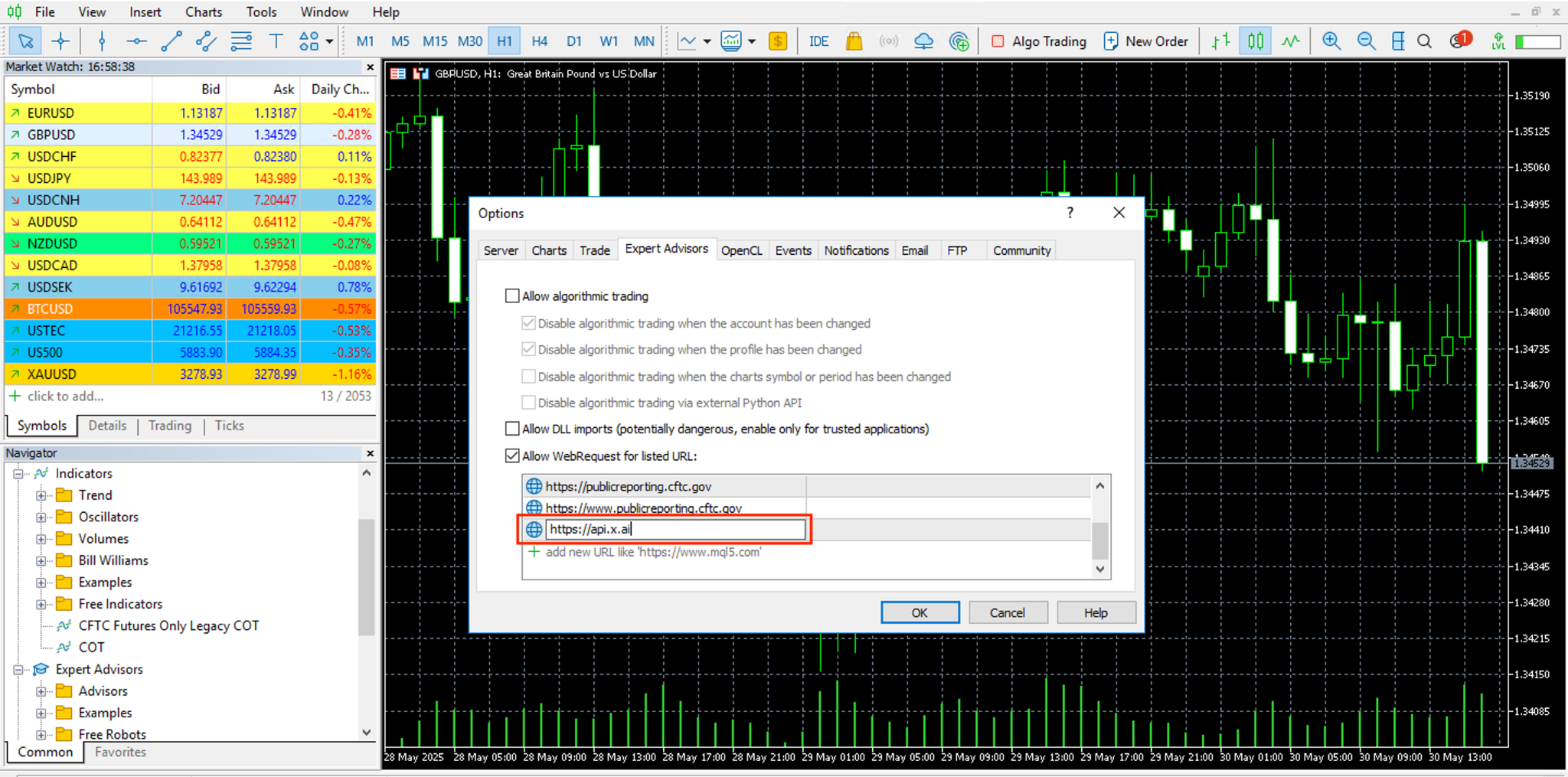
- Connect AI Grok3
-
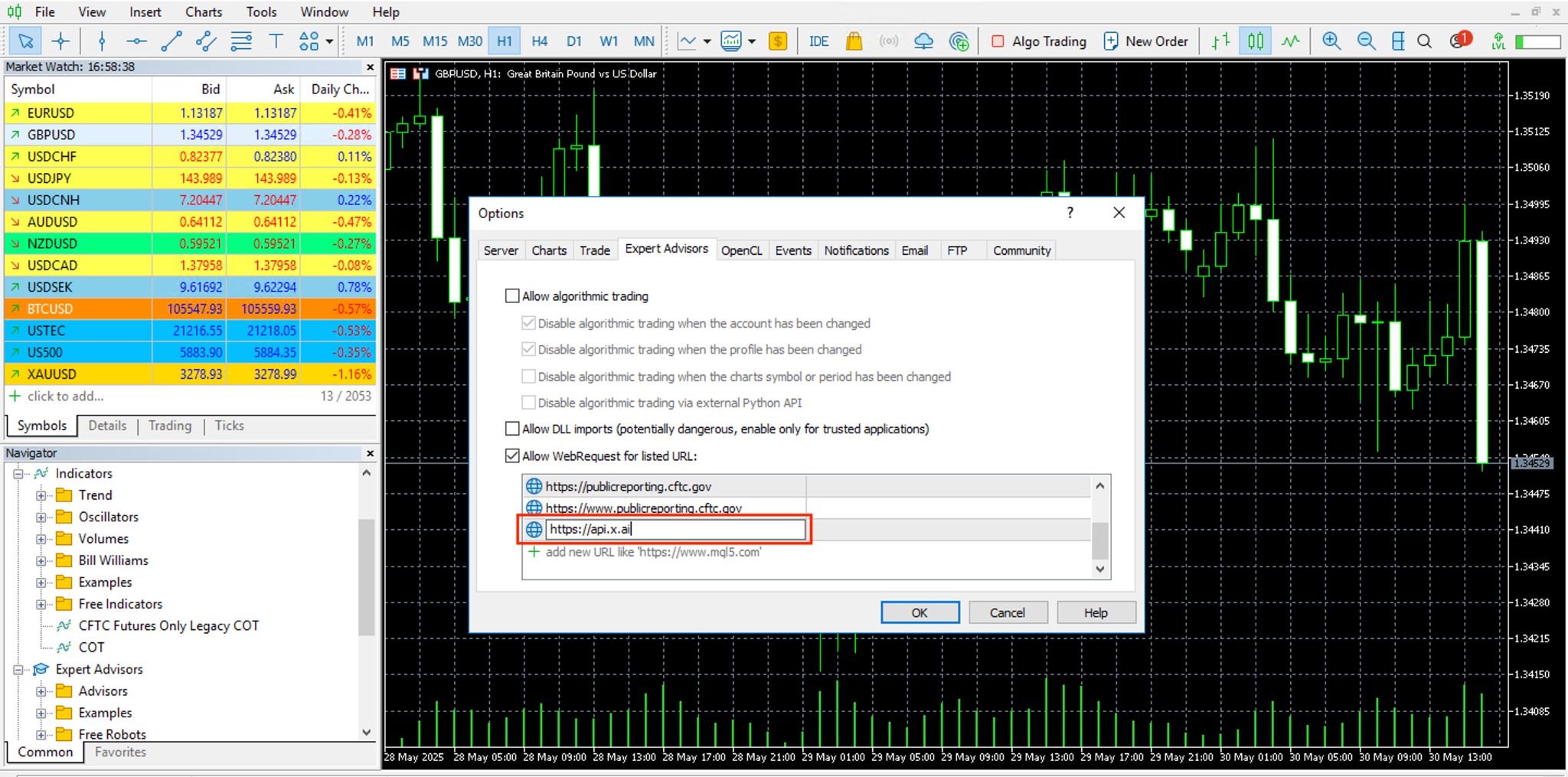
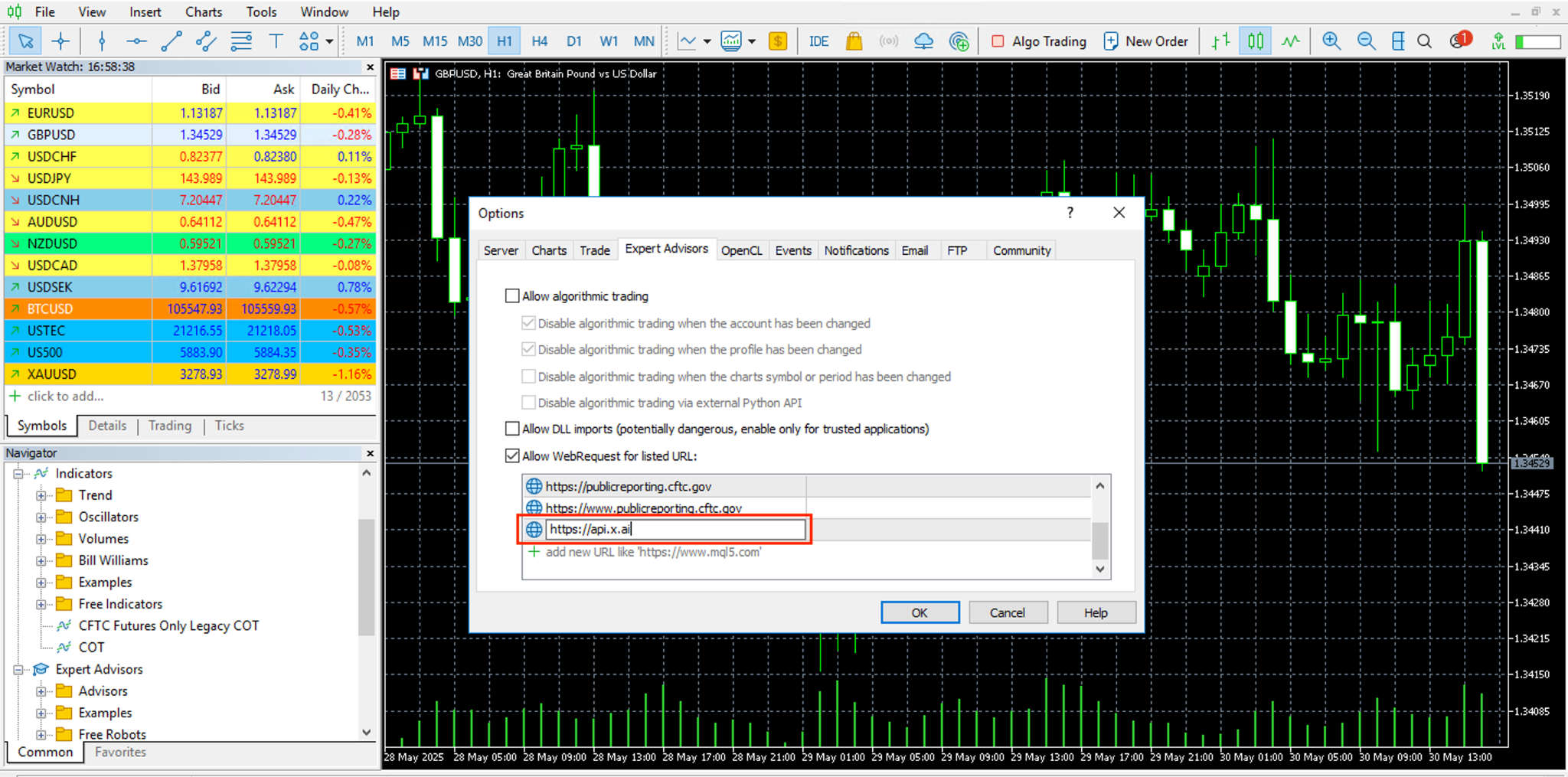
Add this url giving access to Grok3 AI: https://api.x.ai
-
Symbol Activation
Important:
-
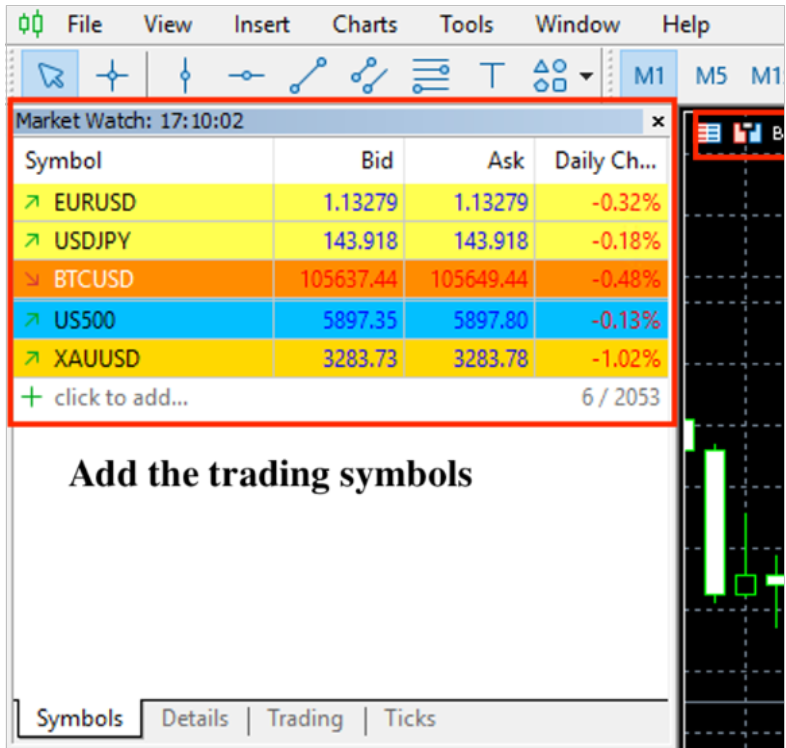
ensure that the trading asset symbols are added/shown in the Market Watch window of your MetaTrader terminal
-
this will enable your Expert Advisor (EA) to run on all chosen symbols simultaneously.
-
Symbol names
-
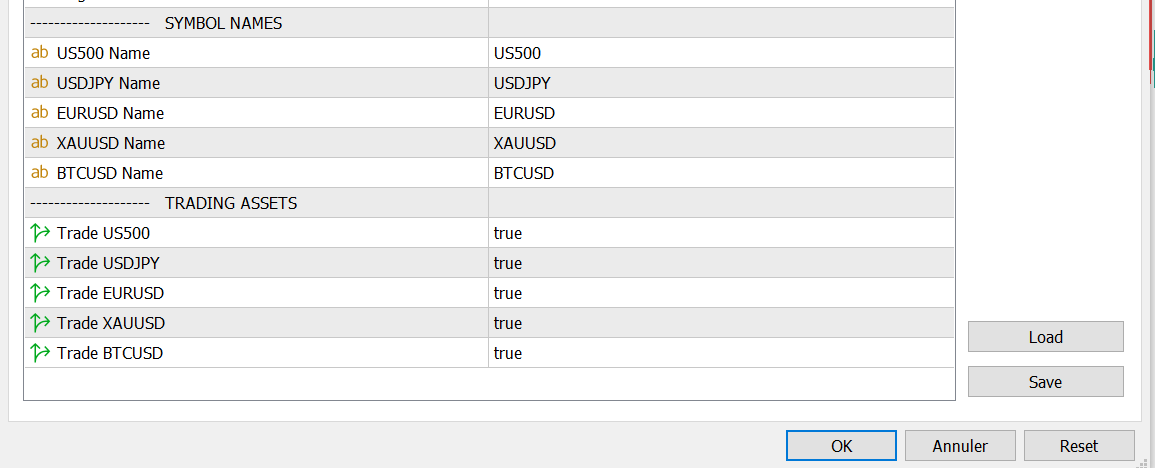
Enter the correct symbol names as per your broker’s conventions to ensure accurate trading. Symbol names may vary between brokers for the same ass
-
Here for IC-Markets EU
-
Attach the EA to charts based on your platform
-
MT5 Users :
-
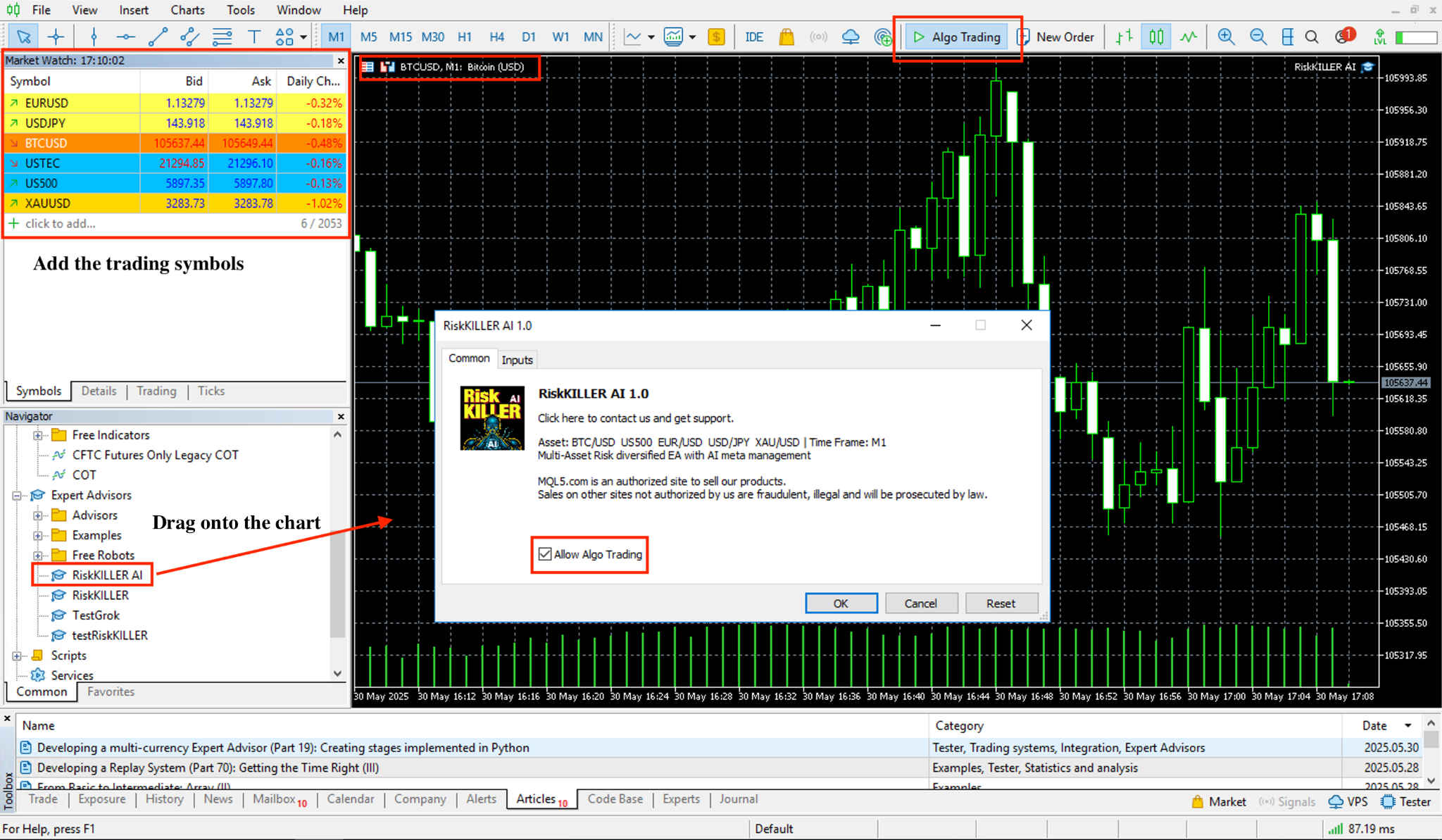
Attach the EA only to the BTCUSD M1 timeframe chart
-
The EA will launch automatically all selected assets the panel
-
-
MT4 Users : Attach the EA to each asset chart you wish to trade, one by one.
📌Our Commitments and backtest specs
This is what we will deliver:
💼 The highest Ethical and rigorous Standards in Backtesting
Our system adheres to strict backtesting protocols with
🔹 100% qualitative data with no omissions
🔹 zero deletion or manipulation of historical stop losses or take profits.
🔹 zero overfitting
🔹 validated walkforward simulation*
🔹 validated montecarlo simulation
📍 For more details
👉 or directly our product page
👉 Join our Public Group on algos:




