 MetaTrader 5
 Experts
 지표
지표
 라이브러리
라이브러리
 유틸리티
유틸리티
 위젯
위젯
 규칙
규칙
MetaTrader 5용 무료 트레이딩 유틸리티 - 9
 다음은 MetaTrader 5의 거래를 단순화하는 거래 프로그램입니다. 유틸리티의 설명과 목적을 읽으려면 유틸리티 위에 마우스를 놓으십시오.
This tool for the MetaTrader 5 trading platform allows setting the stop loss of open positions to breakeven (entry price) plus an adjustable distance in points. The stop loss is only adjusted if the position is already in profit.
Main functions:
Button: A button is displayed on the chart with the text "StopLoss to BreakEven". The color of the button can be customized, by default it is red.
User interaction: When you click the button, for all open positions that are in profit, the stop loss i
FREE

Elevate your trading precision with the ultimate Multi-Timeframe (MTF) Candle Countdown Monitor . Built for professional traders, this indicator is not just a standard timer—it is a powerful, fully interactive dashboard featuring a dynamic mini-chart, custom alerts, and a cutting-edge DPI-Aware Scaling Engine. Whether you are trading on a compact laptop or a massive 4K multi-monitor setup, this indicator perfectly adapts to your screen, providing a flawless visual experience. "Simplify your tra
FREE

Chart Sync MT5 Trading Capital P는 트레이딩 플랫폼 작업 공간의 연결된 창처럼 차트를 색상 그룹으로 연결합니다. 한 차트에서 심볼을 변경하면 다른 차트도 따라 바뀌고, 마우스를 움직이면 다른 차트에서도 십자선이 따라오며, 과거로 스크롤하면 다른 차트도 같은 날짜로 이동하고, 레벨을 그리면 해당 심볼의 연결된 모든 차트에 나타납니다. 무료이며 모든 기능을 제한 없이 사용할 수 있습니다. 동기화되는 항목 심볼: 그룹 내 어느 차트에서든 심볼을 변경하면 나머지 차트도 해당 심볼로 전환되며, 각 차트는 자체 시간 프레임을 유지합니다 시간 프레임(선택 사항, 멀티 타임프레임 레이아웃이 그대로 유지되도록 기본값은 꺼짐) 십자선: 점선 형태의 시간선이 다른 차트에서 마우스를 따라가고, 같은 심볼의 차트에서는 가격선도 따라갑니다 스크롤 위치: 한 차트에서 원하는 날짜로 스크롤하면 연결된 차트도 같은 날짜로 이동하며, 최신 위치로 돌아가면 함께 따라오고 자동 스크롤이 복원됩
FREE

MQLTeam Auto Select 는 마우스만 올려도 차트 객체를 선택합니다. 더블클릭 없이 끌기, 속성, Delete 삭제가 가능합니다. 또한 제공: MetaTrader 4용 MQLTeam Auto Select Auto Select 는 작은 차트 유틸리티입니다. 신호를 그리지 않고 주문을 넣지 않습니다. 한 번 붙이고 버튼을 초록으로 둔 채 선과 도형을 평소처럼 다루면 됩니다. 사용 방법 버튼: 표시는 오른쪽 아래에서 시작합니다. 초록=켜짐, 흐린 색=꺼짐. 표시는 같고 색만 바뀝니다. 버튼을 끌 수 있습니다. 이동: 올려 놓고 드래그. 속성: 올려 놓고 오른쪽 클릭. 삭제: 올려 놓고 Delete. 지원 객체 수평·수직선, 추세선, 앵커 2개인 피보나치, 간 선 도구, 사각형, 화살표, 텍스트, 일반 화면 라벨. 선택은 처음 두 시간/가격 앵커를 사용합니다. 현재 제한 앵커가 세 개 이상인 객체(채널, 삼각형, 피치포크 등)는 이 버전에서 선택되지 않습니다. 나중에 추가할 수
FREE

Korean Stochastic Cross Alert EA for MT5 Stochastic Cross Alert EA는 스토캐스틱(Stochastic) 지표 가 일반적인 과매수 또는 과매도 수준에 도달할 때 알림을 보내는 MetaTrader 5용 간단한 도구입니다. 차트를 계속 확인하지 않아도 지표 상태를 모니터링할 수 있습니다. 차트에 설치하면 EA가 스토캐스틱 값을 확인하고 중요한 수준을 돌파할 때 팝업 알림 을 표시합니다. 이를 통해 차트를 빠르게 확인하고 잠재적인 거래 기회를 평가할 수 있습니다. 기능 스토캐스틱이 과매수 수준(기본값 80)을 상향 돌파할 때 감지
스토캐스틱이 과매도 수준(기본값 20)을 하향 돌파할 때 감지
MetaTrader 5 팝업 알림
모든 심볼과 시간대에서 사용 가능
가볍고 사용하기 쉬움 작동 방식 EA는 차트의 스토캐스틱 지표를 모니터링합니다. 지표가 과매수 수준 위로 올라가거나 과매도 수준 아래로 내려가면 팝업 알림이 나타납니다. 스토캐스틱 설정
FREE

Pointer Sync is a pointer synchronizer between open charts. It makes the MT5 cross (activated by the middle mouse button) to be replicated on all open charts. In addition, it is possible to create horizontal lines (letter H) and vertical lines (letter V), very useful for studying. The appearance of the lines is customizable. Note: Synchronization is through the X and Y scale in pixels , not price and/or date. It is a simple and free utility. Enjoy!
This is a free indicator, but it took hours to
FREE

Nomad Trade Panel is a trade panel for MetaTrader 5 that works out the lot size from your stop loss and the risk you choose, then sends the order from the chart. It is for manual traders who decide the risk first and want to see what will be sent before they click.
It is a manual tool. It never opens, changes or closes anything by itself: every action starts with your click, a level you drag, or the close-all key (Ctrl+Shift+F, pressed twice).
To start: attach it to a chart, check the stop lo
FREE

The utility is a checklist where you can write all the rules of your trading system and keep it on the chart in front of your eyes. As a rule is executed, mark it with a tick. To the right of each rule, you can write the "strength" (percentage) of the rule. And if there is a tick next to the rule, then all "forces" are summed up in the "Total" line.
For the convenience of visual perception, you can set the color for displaying the “Total” value.
Panel options: Title - The title of the panel N
FREE

AI Economic Calendar News Filter reads MetaTrader 5's built-in live economic calendar and automatically protects your account around high-impact news events for the currencies involved in the chart's symbol. Key features: Uses the native MQL5 economic calendar (CalendarValueHistory) - no external news feed or subscription needed Automatically detects high-impact events for the symbol's base and profit currency Configurable blackout window before and after each event Optionally closes your own op
FREE

My Trade System MT5 is a trade management utility for MetaTrader 5 that lets you prepare and place trades directly from the chart. It combines adjustable Entry, Stop Loss and Take Profit levels with a compact dashboard. Orders can be prepared and adjusted directly from the chart without using the standard MetaTrader order window for every change. Trade Setup Stop Loss and Take Profit levels can be moved directly on the chart with the mouse. When using Limit or Stop orders, the Entry level can al
FREE

Adaptive ATR Trailing Stop (MT5)
Overview Adaptive ATR Trailing Stop is a utility Expert Advisor for MetaTrader 5 that manages stop loss levels for existing open positions. It uses the Average True Range (ATR) to calculate a volatility-based trailing distance.
This EA does not open trades. It only modifies the Stop Loss (SL) of existing positions and keeps the current Take Profit (TP) unchanged.
How it works - The EA runs on every tick of the chart where it is attached. - For each open posit
FREE

Bulk Comport Manager is an lightweight yet useful EA utility. It helps you: - Modify TP and SL in bulk according to price levels or pips (points). - Modify TP and SL for all positions or for individual BUY and SELL positions . - Close all BUY or SELL positions, or all positions . - Move to the break-even point when the price moves X points (set in the input). - Start trailing when the price moves X points (set in the input). - Set the trailing price increment (set in the input). - Minimize/Maxi
FREE

CC Cent 바스켓이 청산될 때마다 휴대폰으로 Telegram 메시지를 보내는 작은 읽기 전용 유틸리티이며, 선택적으로 일간 및 주간 수익 요약도 보냅니다. MT5를 열지 않고도 결과, 순이익, 오늘 합계를 확인할 수 있습니다. CC Cent(Cash Cow Cent) 전용 무료 보조 도구. 읽기 전용. 거래를 열거나, 닫거나, 수정하지 않습니다. CC Cent EA가 필요합니다: 마켓에서 CC Cent 받기
Notifier for CC Cent: 소젖을 짜는 순간을 바로 알려 드립니다. Notifier는 계좌 내역만 읽습니다. 주문을 내거나, 청산하거나, 변경할 수 없으므로 실계좌 옆에서 안전하게 실행할 수 있습니다.
메시지에 표시되는 내용 Result : WIN Net : +8.56 USC Basket : BUY 1 pos, 0.08 lot Close : 4,123.45 Duration : 1m Max DD : -12.40 USC (0.1%) Today : +42.15
FREE

G Spikes Trade Assistant G Spikes Trade Assistant is a MetaTrader 5 utility panel designed to help users manage manual trading actions more efficiently. It provides quick access to order execution, stop-loss settings, target-price settings, and position-management controls from the chart. Main features Buy and Sell market order buttons. Pending order options. Stop-loss and target-price management. Close All and selected close options. Customizable display settings and trade comments. Interface t
FREE
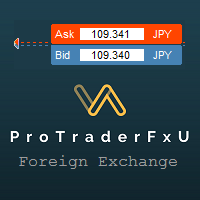
Description: - BidAskLine Indicator is very simple and easy, but each utility can be important in the probability that we will win in our trade. This utility Indicator shows lines and prices of the Bid, Ask and Spread. Input Parameters: - Visual Aspect Options : Select between 2 options with Box or Simple Style. - Parameters Bid Price : Select between show or hide line or box objects, change color, style or width line. - Parameters Ask Price : Select between show
FREE

ATC Currency Strength Meter는 USD, EUR, GBP, JPY, AUD, NZD, CAD 및 CHF를 하나의 패널에서 측정하고 가장 강한 것부터 가장 약한 것까지 순위를 매깁니다.
이 도구는 포지션 도구, 거래 관리 및 성과 분석과 함께 All In One Trade Management Panel MT5 의 일부이기도 합니다. 데모 계정용 무료 체험판 – 라이브 차트에서 사용해 보세요, 시간 제한 없음.
계산 방법:
• 강도는 선택한 캔들의 시가 이후 백분율 변화이며, 7개의 주요 USD 페어에서 가져옵니다.
• USD 강도는 다른 통화들의 대USD 움직임의 평균입니다.
• 브로커 심볼 접미사(예: EURUSD.m)는 자동으로 감지됩니다.
주요 기능:
• M15, H1, H4, D1 및 W1에 대한 타임프레임 버튼. 선택한 타임프레임은 각 차트에 대해 기억됩니다.
• 중앙 정렬된 막대가 있는 순위 행: 이익은 오른쪽으로 녹색, 손실은 왼쪽으로
FREE

Practice Prop Firm Challenges Risk-Free
Bneu Prop Firm Simulator FREE is a simulation utility for MetaTrader 5 that allows traders to practice prop firm challenges on demo accounts before risking real money on actual challenges. Track your progress, monitor rule compliance, and understand how prop firm rules work in real-time.
Why Use a Prop Firm Simulator?
- Practice challenge rules on demo accounts before paying for real challenges - Understand how daily loss and drawdown calculations work
FREE

TradePanel Pro v1.0 – Professional Manual Trading Panel for MT5 TradePanel Pro v1.0 is a professional, high-performance manual trading panel built exclusively for the MetaTrader 5 platform. Designed for speed and precision, it allows traders to execute trades instantly with a single click directly from the chart, eliminating the need for manual order calculations and repetitive trading dialogs. Featuring a modern, elegant dark-themed interface with fully adjustable scaling, TradePanel Pro maxim
FREE

Sessions and News Panel
An on-chart dashboard that shows the world's trading sessions and the economic
calendar in real time, plus an optional News Guard that can protect your account
around high-impact news.
This is a utility / information panel. It does NOT open trades on its own and it
is NOT a signal system. Its only trading action is the optional News Guard, which
can cancel pending orders and/or close open positions around scheduled news - and
only when you explicitly enable it.
-------
FREE

Enhance Your Trading with the Support and Resistance Alert! Ready to take your trading to the next level? Introducing the Support and Resistance Alert—the ultimate tool to precisely identify market turning points! Key Features: Dynamic Support and Resistance Lines: The indicator automatically draws support and resistance levels based on local lows and highs, giving you clear guidance on where the market is likely to reverse. Real-Time Alerts: Stay ahead of the market with customizable alerts. G
FREE

Product Description: Effortlessly bridge the gap between Binance and MetaTrader 5 with this sleek integration tool. Designed for traders who demand precision and real-time data, this product fetches live Binance chart information directly into MT5, enabling seamless technical analysis and strategy execution. Whether you're tracking candlestick patterns or refining your forex indicators, this tool ensures your MT5 environment stays synced with the crypto market pulse. Getting Started: Place the
FREE

UTS Zig_Zag Alert — Catch the Swings Before They Happen UTS Zig_Zag Alert is a professional-grade, dual-timeframe swing indicator designed to identify market reversals and continuations with pinpoint accuracy. Unlike standard ZigZag indicators that only show you where the price has been , the UTS Zig_Zag Alert uses a proprietary Fast and Slow period combination to highlight high-probability turning points in real time—and it will alert you the moment they happen. Whether you are trading Fore
FREE

TapTrade is a MetaTrader 5 chart trading assistant (Expert Advisor). It provides an on-chart control panel and draggable lines for Entry, Stop Loss, Take Profit, and Break-Even so you can place market and pending orders with clear risk control. Semi-manual: you decide when to click Place. No trading signals and no guaranteed profit. What it does Attach TapTrade to any chart. Choose order type (Buy/Sell Market, Limit, Stop), set risk mode and value, drag the chart lines to your levels, select TP
FREE

TerminalBridge Trade Copier TerminalBridge Trade Copier is a local MetaTrader 5 position copier designed to synchronize trading actions between two MT5 terminals running on the same Windows computer or VPS. One terminal operates as the MASTER and publishes position changes. The second terminal operates as the SLAVE and receives and processes these events through the shared MetaTrader Common Files folder. Both roles are included in the same EX5 file. Main Features Local MT5-to-MT5 position copyin
FREE

Dingji Risk Manager MT5
Formal Version V2.00
Author: Dingji [Download and Installation]
Download and install the current version from this product's MQL5 Market page or the MetaTrader 5 terminal. If the Market download is temporarily unavailable, retry from the terminal later. Do not obtain executable files from unofficial links. [Product Description]
Dingji Risk Manager MT5 is a MetaTrader 5 EA for trade planning, risk-based position sizing, order management and visual chart assistance. Enter
FREE

TimeBar TimeBar는 바가 닫힐 때까지 남은 시간과 바가 열린 후 경과된 시간, 현재 시간을 표시하는 간단한 정보 표시기입니다. 이해하기 쉽도록 두 가지 유형의 표시 모드가 추가되었습니다. 즉, 그래프 왼쪽 상단에 설명 형식으로 표시되거나 그래픽 개체 형식으로 표시됩니다.
장점 글꼴 선택 글꼴 크기. 아무거나 설정할 수 있습니다. 댓글보니 너무 작아서 개체를 이동할 수 있습니다. 언제든지 마우스를 두 번 클릭하여 선택하고 차트의 어느 위치로든 이동할 수 있으며 평소와 같이 계속 업데이트됩니다 시각적 경고. 현재 막대가 닫힐 때까지 지정된 시간(초)을 설정할 수 있으며, 해당 시간에 도달하면 설정에 지정된 경고 색상으로 변합니다 설정 표시할 시간을 선택합니다 각 시간의 색상(그래픽 개체의 경우) 바가 곧 닫힐 것임을 알려주는 알림입니다 귀하의 거래 시스템에 추가로 TimeBar 표시기를 사용하십시오.
시장에 있는 다른 제품도 사용해 보세요 https://www.mql5
FREE

제품 개요 차트 위의 모든 포지션에 대해 익절(TP) 및 손절(SL)을 일괄 설정할 수 있는 툴입니다. 개별 포지션을 수동으로 설정하는 번거로움을 없애고 신속한 리스크 관리를 지원합니다.
더욱 실전적인 일괄 관리와 자동 청산을 위해 "One Click Pro SL TP Batch Auto Close"를 사용해 보세요. https://www.mql5.com/ko/market/product/186278
조작 순서 1. 수치 입력: "ALL POSITIONS TP/SL" 영역 내에 있는 각 에디트 박스에 원하는 가격을 입력합니다. 2. 실행: "SET" 버튼을 클릭하면 모든 포지션에 일괄 적용됩니다. * 한쪽만 설정하려면 다른 한쪽은 빈칸으로 두고 실행하십시오. * 브로커의 스탑 레벨 제한 등으로 인해 실패한 티켓은 알람으로 알림이 전송됩니다.
버튼 기능 SET: 입력한 TP/SL 값을 모든 포지션에 일괄 적용합니다. [ < ]: 현재 시장 가격(Bid/Ask)을 에디
FREE

BE Line — Real-Time Breakeven Indicator for MT5 (Free, No License Required) Automatically calculates and draws a Breakeven (BE) horizontal line based on all open positions for the current symbol. Net Long (Buy bias) → Line draws at Bid . When Bid crosses above the line, you're in profit. Net Short (Sell bias) → Line draws at Ask . When Ask crosses below the line, you're in profit. Accounts for Swap and Commission automatically. Includes an info panel showing: BE Price, Position
FREE

Order Entry - Probably the easiest way to enter an order If you like this perhaps you might consider buying the pro version https://www.mql5.com/en/market/product/64353?source=Site +Profile+Seller An aid for entering orders. Features: * Drag & drop tool to adjust price, stop loss and take profit levels. * Calculates lot sizes automatically based on risk entered, currency pair and stop loss / price levels.
Description It enables you to visually enter a trade's price, stop loss and take profit
FREE

Trade Panel Manager — Master all trades in one dashboard Stop calculating volume manually, stop worrying about forgetting to set SL/TP. TTrade Panel Manager transforms MetaTrader 5 into a professional trading command center — drag and drop a few lines on the chart, the EA automatically calculates lot sizes according to your desired risk level, displaying SL/TP in pips and currency in real time, right before you press the button.
Why download now?
Accurate lot size calculation based on risk pe
FREE

A fast, chart-based MT5 trade manager with one-click BUY/SELL execution, editable Lot/SL/TP controls, and selective position-closing tools. One Click Trading MT5 is a lightweight trade-management Expert Advisor for MetaTrader 5. It is designed for traders who want to manage manual trades or trades opened by an EA directly from the chart, without repeatedly opening the Terminal window. The panel is draggable and automatically switches between light and dark modes based on the chart background. I
FREE

Bastion Daily Guard는 나쁜 하루로부터 계좌를 보호합니다. 하루 최대 거래 횟수와 일일 최대 드로다운, 두 가지 한도를 설정하면 Daily Guard가 다음 일일 리셋까지 계좌 전체에서 그 한도를 지키도록 합니다. 작동 방식 하루 최대 거래 횟수와 일일 최대 드로다운 %를 설정한 뒤 OK를 눌러 방어를 활성화합니다 일일 드로다운에는 청산된 거래와 보유 포지션의 평가 손익이 포함됩니다 입금과 출금은 수익이나 손실로 계산되지 않습니다 한도는 계좌의 모든 종목과 모든 거래에 적용되며, 휴대폰이나 다른 EA로 진입한 거래도 포함됩니다 오늘 진입한 거래만 오늘의 횟수를 사용합니다: 전날부터 보유한 포지션은 계산되지 않습니다 한도에 도달하면 일일 리셋까지 계좌가 잠깁니다 잠금 중에 진입한 모든 새 거래는 즉시 청산되고, 모든 새 대기 주문은 삭제됩니다 정확히 한도에 도달한 거래는 그대로 유지되며, 이미 보유하던 거래도 마찬가지입니다: 계속 직접 관리할 수 있습니다 거래를 청산해도
FREE

즉시 Telegram 알림. 차트에서 직접 가격 레벨을 설정하고 가격이 이를 돌파하면 메시지를 받으세요. 레벨 추가는 한 번의 클릭으로 가능합니다. 마우스로 라인을 드래그하여 원하는 가격 레벨을 정확하게 설정할 수 있습니다. 편리한 제어 패널: 모든 활성 알림이 목록에 표시됩니다
라인을 드래그하여 레벨을 수정할 수 있습니다
불필요한 알림은 한 번의 클릭으로 삭제할 수 있습니다
알림은 트리거된 후 자동으로 제거됩니다
차트에서 알림 라인을 숨기는 옵션
사용자 지정 알림 텍스트 지원 (예: crossed, reached, touched)
Dark/Light 모드 지원 작동 방식: Add Alert를 클릭
차트에 가격 레벨 라인이 표시됩니다
원하는 가격 레벨로 이동합니다
가격이 해당 레벨을 돌파하면 - Telegram에서 메시지를 받게 됩니다 간편한 설정: @BotFather를 통해 Telegram 봇을 생성하고 Bot Token을 획득하세요.
Telegram 채널(공개 또는 비공개)을 생
FREE

Overview
This Expert Advisor (EA) for MetaTrader 5 is a robust tool designed to optimize money and risk management. It allows users to calculate position sizes based on account balance, desired risk percentage, and trade parameters like stop loss and entry points. Additionally, it offers a clear view of reward-to-risk ratios and allows for the inclusion of broker commission, recalculating data accordingly.
Key Features
1. Risk-Based Position Sizing
The EA calculates position sizes by taking
FREE

The Close In Quick Script is an optimized, high-performance MQL5 script designed to swiftly close all open positions for the current chart's symbol on the MetaTrader 5 platform. Engineered for speed and reliability, it leverages asynchronous trading, minimal system checks, and robust error handling to ensure seamless trade closure. Whether you're a day trader, scalper, or portfolio manager, this script is an essential tool for efficiently managing and exiting trades. Key Features: Asynchronous t
FREE

Pending Stop Order Trailing Et - is a utility for automatic trailing of pending orders (Buy Stop and Sell Stop) in MetaTrader 5.
It dynamically adjusts pending order prices following the market until activation, helping to achieve better entry levels and reduce poor entries.
The tool is designed for both manual and semi-automated trading workflows.
STANDALONE & INTEGRATION
The utility works fully in standalone mode and performs its core trailing function on any symbol without additiona
FREE

Slave Link >> https://www.mql5.com/en/market/product/160092
CopyTrade Server is a lightweight, reliable local trade copier for MetaTrader 5 that mirrors positions from a Master account to one or more Slave accounts using a fast shared-file mechanism. It is designed for signal providers, account managers, and traders who need precise synchronization of trades with flexible delay and lot control.
Main concept Role: Works as the Slave side of a local copy trading setup and receives trades fro
FREE

This indicator builds a live correlation matrix from the symbols currently selected in Market Watch . It calculates Pearson correlation on simple returns over a user-defined lookback and displays the results in a clean, auto-sized grid. Positive correlations appear in green, negative in red, and near-zero values stay neutral. An optional automatic timeframe scanner cycles through only the timeframes you enable (M1, M5, M15, M30, H1, H4, D1, W1, MN1), updating the entire matrix at a set interval.
FREE

EasyTrade Pro - MT5 수동 트레이딩 패널 EasyTrade Pro와 함께 더 빠르고, 더 간편하며, 더 효율적으로 거래하세요. EasyTrade Pro는 빠른 주문 실행과 중요한 시장 정보를 차트에서 바로 확인하고자 하는 트레이더를 위해 설계된 가볍고 직관적인 수동 트레이딩 패널입니다. 복잡한 설정이 필요 없습니다. 불필요한 지표도 없습니다. 매일 실제로 필요한 기능만 제공합니다. 주요 기능 원클릭 BUY / SELL 주문 모든 포지션 일괄 청산 Stop Loss 및 Take Profit 설정 Break Even 기능 Trailing Stop 기능 빠른 로트 크기 프리셋 실시간 Open P/L 표시 일일 수익 추적 승률(Win Rate) 통계 Profit Factor 통계 실시간 스프레드 모니터링 시장 세션 표시 현재 캔들 카운트다운 타이머 깔끔하고 컴팩트한 인터페이스 추천 대상 스캘퍼 데이 트레이더 수동 트레이더 XA
FREE
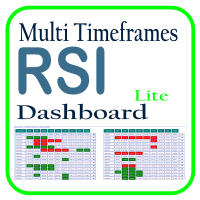
Optimize your trading analysis with the RSI Multitimeframe Dashboard, a powerful tool designed to streamline RSI monitoring across all timeframes and symbols listed in your Market Watch. This dashboard delivers real-time insights and alerts, making it essential for traders who rely on RSI to identify potential market entries and exits. Key features include: Comprehensive RSI Overview : Instantly view RSI values for every timeframe across all Market Watch symbols, making multi-timeframe analysis
FREE

` Account Limit Guard MT5 ` is a free account-level daily limit protection utility for MetaTrader 5.
It is not a trading strategy, does not open trades, does not generate signals, and does not rely on any specific indicator. Its purpose is simple: monitor your account-level daily loss and automatically apply protection once your configured limit is reached.
For prop / funded-challenge traders Need more than a daily-loss cap? Prop Firm Risk Guardian (MT5) is the full prop-challenge p
FREE

Advanced Signals Pro v10.0 is a professional-grade, all-in-one trading dashboard that combines 11 powerful technical indicators into a single, elegant interface. Monitor multiple symbols simultaneously, receive instant buy/sell signals with calculated targets, and make informed trading decisions with confidence. adjust parameters as you wish and if you want to see detailed analysis for any pair double click on it you will get tp , sl and support and resistance and accurate signal Whether you're
FREE

AlsoSell Cockpit은 분석, 수량 계산, 실행, 관리, 복기까지 트레이딩의 모든 과정을 차트 위 하나의 세련된 패널에 담았습니다. 차트를 벗어날 필요가 없습니다.
주문 및 실행 - 원클릭 시장가 BUY / SELL, 리스크 기준 자동 랏 계산. - 차트 플래너: 진입, 손절, 익절 라인을 차트에서 직접 드래그하세요. 랏은 손절 거리와 리스크 %로 실시간 계산되며, 손익비와 도달 시 정확한 손익($)이 드래그 중에 실시간으로 표시됩니다. - 스마트 실행: EXECUTE가 진입 위치에 따라 시장가 또는 대기 주문(지정가 / 역지정가)을 자동으로 선택합니다. - 가격 검증(SL/TP 방향 + 브로커 최소 손절 거리)으로 잘못된 주문을 전송 전에 차단합니다. - 리버스: 순포지션을 청산하고 반대 방향으로 원클릭 전환. - 유연한 랏 관리: 리스크 % 자동 또는 패널의 수동 랏 스테퍼. - 모든 주문에 매직 넘버와 코멘트를 부여해 깔끔하게 추적합니다.
포지션 관리 - 원클릭 청
FREE

Assistant Trader MT5 Check Pro version with OCO feature and fluid drawings : Assistant Trader Pro MT5 | Buy Trading Utility for MetaTrader 5 Assistant Trader MT5 is a MetaTrader 5 manual trading assistant for fast multi-leg order execution. It is built for traders who need to copy signal levels, split entries into legs, and manage trades with less delay.
Detailed Introduction
Assistant Trader MT5 provides a compact chart dashboard for placing and managing multi-leg trades in MT5. It is intende
FREE

This indicator show the candle remaining time on the chart and/or in the corner of the window. It also display notificaton (popup and push) when a new candle is formed (optional). You configure the timer on candles and at chart corner. I don't need to explain the functions because are very simple. MT4 version: https://www.mql5.com/en/market/product/38677 Any doubt or suggestion please contact us. Enjoy!
This is a free indicator, but it took hours to develop. If you want to pay me a coffee, I a
FREE

Multi currency and multi timeframe scanner. Scans all instruments in "market watch" and gives either pc-alert or push-notification to the phone on a breakout. A breakout is by default defined as when a candle becomes longer than three ATR with a period of 300.
If you have the need for a custom buildt scanner, to scan for your particular setup. Please add a personal jobb under the Freelance section.
Functionality
Has spread filter , to not open stupid mega spread crypto currency charts. Has lo
FREE

EA交易快捷助手 —— 专为 MetaTrader 5 打造的硬件交易利器 本工具专为配合实体快捷键盘设计,将 MT5 的核心交易指令集中映射至硬件实体按键。无需频繁移动鼠标找寻按钮,助你在行情剧烈波动时实现毫秒级订单执行与快速风险规避。 核心功能与优势 毫秒级极速响应 :实体按键物理触发,极大缩短交易决策与订单送达服务器之间的时间差。 一键快捷交易 :支持一键市价买入、卖出、一键平仓、持仓锁仓及手数快速微调。 防误触安全锁 :内置安全锁定机制,有效规避手滑或误触造成的非预期建仓。 完全合规无 DLL :采用纯正 MQL5 原生逻辑编写, 不依赖任何第三方 DLL 文件 ,确保账户资金与平台安全。 快捷键默认映射 (Key Mapping) Key A / F1 :按预设手数一键买入 (Buy) Key B / F2 :按预设手数一键卖出 (Sell) Key C / F3 :一键平仓当前图表品种的所有持仓 (Close Current) Key D / F4 :一键平仓账户内所有品种持仓 (Close All) Key Up / Down :快速增减下一次下单的手数步长 输入参数
FREE

Local Account Monitor MT5 is a read-only local monitoring utility for traders who run multiple MetaTrader terminals on the same PC or the same Windows VPS . It combines Agent mode and Dashboard mode so you can monitor local accounts from one place, spot stale terminals quickly, review account health states, and inspect risk details without switching between many terminals. Public channel: CLICK HERE
What it is for Monitoring multiple local MT5 terminals from one dashboard Quickly identifying
FREE

This Expert Advisor provides an advanced on-chart trading panel designed for discretionary traders. It simplifies position sizing, risk management, and trade execution directly from the chart without manual calculations.
Key Features On-chart trading panel Fixed lot and balance percentage risk mode Risk-based lot calculation using stop loss Market and pending order execution Partial close management Break-even automation Trailing stop control Equity protection system Daily loss lock S
FREE

Kalman Forecast Helper is an advanced MQL5 Expert Advisor component designed to generate adaptive market forecasts, trend predictions, and trading signals for FX and other financial time series. Powered by a proprietary Kalman filtering engine, the helper continuously analyzes incoming market data and delivers actionable forecast information that can be integrated directly into Expert Advisors, indicators, or quantitative trading systems. After each update, the helper provides: Multi-horizon for
FREE

This utility automates Take Profit (TP) and Stop Loss (SL) levels for your trades, calculated in Money (Example : if you type 10, it means 10USD) . It ensures consistent risk management for all your positions. Crucial Note for Manual Traders: If you intend to use this utility on trades opened manually (without an Expert Advisor), you must change the 'Magic Number' setting to 0 (zero) . This allows the utility to correctly identify and manage your manual orders.
FREE

Arixis Backtest Inspector — Go Beyond the Final Profit
Arixis Backtest Inspector is a professional MetaTrader 5 analysis tool designed to help traders understand the real structure behind historical trading results. Instead of focusing only on net profit, win rate or profit factor, it examines how results are distributed over time and how dependent a strategy may be on a small number of exceptional trades or trading days. The tool analyzes trade performance, winning and losing streaks, closed-e
FREE

Indicator Trader EA v1.0 for MetaTrader 5
Universal EA that bridges any custom indicator's signals to automated trading
XAUUSD · Major Forex Pairs · Crypto | All Timeframes M1 ~ D1
Overview Indicator Trader EA is a universal Expert Advisor that automatically executes buy and sell orders based on signal buffers from any custom indicator.
With a single EA, you can connect any commercial indicator (SuperScalp Pro, Trend 7Filter Pro, etc.) directly — no extra coding required. Simply configur
FREE

One Click Trade Manager Panel – fast manual trading utility for MetaTrader 5
One Click Trade Manager is a compact on-chart control panel that lets you open, manage and close trades with a single click. It does not trade automatically: every order is placed only when you press a button, so you stay in full control.
MAIN FEATURES • One-click BUY and SELL with preset Stop Loss and Take Profit • Adjustable lot size directly on the panel (+ / - buttons) • Optional Risk % mode: lot size is calculat
FREE

미국 동부 시간(ET)을 표시하는 간단한 시계. 미국 시장 거래 시간과 자동 동기화. 매초 업데이트.
Full description: ClockET — 현재 날짜와 시간을 미국 동부 시간(ET) 기준으로 차트에 직접 표시하는 경량 인디케이터. 수동으로 시간대를 계산할 필요 없이 미국 세션이 어느 시점에 있는지 항상 정확히 알 수 있습니다.
표시 내용
• 실시간 시계 — 요일, 월, 날짜, ET 시간을 매초 업데이트하여 표시 (예: "Thu Jul 24 07:36:45 ET") • 중앙 정렬 라벨 — 차트 하단에 표시되며, 차트 크기 변경 시 자동으로 재중앙 정렬 • 자동 서머타임(DST) 감지 — 미국 공식 서머타임 일정(3월 둘째 주 일요일 ~ 11월 첫째 주 일요일)에 따라 EDT(UTC-4)와 EST(UTC-5)를 자동 전환 — 연 2회 수동 조정 불필요
설정
• 글꼴 크기, 색상, 이름 — 시계 외관 커스터마이즈 • Y축 오프셋 — 차트 하단으로부터의 수직 위치
FREE

Broker Clock and New York Session answers a question every MetaTrader user meets sooner or later: what time is it on my broker's server, and what time is it in New York? Broker servers run on many different clocks: UTC all year, GMT+2/+3 following US summer time, or GMT+2/+3 following European summer time. For a few weeks every spring and autumn, when the US and Europe change their clocks on different dates, a fixed offset is wrong by one hour. This indicator finds the right one for you. What it
FREE

Unified Scroll – Effortless Multi-Timeframe Chart Synchronization (MQL5)
Tired of manually scrolling through multiple charts? Unified Scroll is the ultimate MQL5 utility that instantly syncs scrolling and panning across all charts of the same symbol—regardless of timeframe. No more misaligned charts, no more wasted time. Just smooth, synchronized analysis at your fingertips.
Seamless Scrolling & Panning – Move one chart, and all others follow in real time .
Works with Any Sym
FREE

Account Guard Daily Limit is the free version of Account Guard. It watches the whole account and enforces two rules: a daily loss limit and a maximum drawdown. It opens no trades of its own. It works for manual trades and for any EA on the account. The panel shows the state, the day result against the limit, and how much room is left above the drawdown floor. The two rules Daily loss limit in percent of the initial balance. When it is hit, every position and pending order is closed. Any trad
FREE

거래 시각화 도구(TVIZ) 설명
제공된 코드는 MetaTrader 가격 차트에 과거 및 현재 거래 데이터를 직접 표시하는 매우 효율적인 대화형 유틸리티인 거래 시각화 도구(TVIZ)를 나타냅니다. 전문 개발자와 외환 트레이더에게 터미널의 기록 탭에서 원시 거래 내역 데이터를 검토하는 것은 지루하고 가격 움직임과 시각적으로 단절된 느낌을 줄 수 있습니다. 전체 거래 내역을 차트에 표시하여 거래 데이터를 생생하게 보여주는 다른 시장 솔루션과 마찬가지로, 이 스크립트는 정확한 진입 및 청산 시점을 캔들스틱에 직접 표시하여 이러한 격차를 해소합니다. 수치 거래 데이터를 명확하고 시각적인 형식으로 변환함으로써 알고리즘 개발자와 수동 트레이더는 전략 진입의 정확성, 청산의 효율성, 그리고 전반적인 시장 타이밍을 즉시 평가할 수 있습니다. 따라서 Expert Advisor(EA) 디버깅이나 주말 수동 거래 일지 작성에 필수적인 도구입니다.
이 지표는 MetaTrader의 객체 생성 기능을
FREE

펀디드 계좌와 챌린지 계좌의 한도 안에 머무르도록 돕습니다. Prop Firm Risk Guardian은 규정 위반까지 정확히 얼마나 남았는지, 그리고 지금 이 순간 자신의 규칙이 허용하는 최대 랏이 얼마인지를 실시간으로 보여주는 절제 관리 패널입니다.
챌린지를 끝장내는 세 가지 숫자를 추적합니다. 한도 대비 일일 손실(남은 버퍼와 리셋 카운트다운 포함), 트레일링 하이워터마크(high-water mark) 기준 또는 초기 자본 기준 고정 방식의 최대 드로다운(패널에서 바로 전환 가능), 그리고 수익 목표 달성률입니다. SAFE, CAUTION, LOCKDOWN 중 하나의 단일 상태가 상태 표시 띠와 강조 색을 바꿔, 위험을 한눈에 체감하게 합니다.
핵심은 MAX LOT NOW입니다. 지금 이 순간 자신의 규칙이 허용하는 최대 랏입니다. 잔고 대비 거래당 리스크 비율과, 구속력 있는 한도까지 남은 여유분에 버퍼 비율을 곱한 값, 이 두 금액 중 작은 쪽을 플랫폼 자체의 손익 계산
FREE

Crystal Copycat ULTIMATE 는 MT5 간 초고속·안정적 거래 복사 를 실현하는 전문가용 EA입니다. 자산 관리자, 프로프 펌, 시그널 제공자, 고급 트레이더를 위해 설계되었습니다.
속도, 정확성, 리스크 관리의 완벽 조합. 주요 기능: MASTER 모드 : 시장가·예약주문·수정·종료 등 모든 신호 전송 SLAVE 모드 : 실시간 수신·즉시 실행 스마트 로트 배율 : 고정, 자산비율, SL 기반 리스크 %
안전한 리스크 관리 : 최대 손실, 최소 자산, 거래별 최대 리스크 심볼 매핑 : 후행 문자 자동 인식 + 사용자 지정 설정 파일 방식 통신 : DLL 불필요, 자동 복구 및 경고 시스템 포함 차트 내 대시보드 : 신호 수, 성공률, 리스크 상태, 파일 오류 표시 사용 용도: MT5 사이의 거래 복사, prop 계좌 운용, 시그널 서비스, 여러 브로커 전략.
FREE

You can use this tool to create as many pending orders (limit order) as you want in one button press. All inputs must be in points. You can use this useful tool when such as FED speech times. User Inputs:
MagicNumber = Magic number DeviationPoint = Deviation point number for limit orders Level = You can choise how many level do you want to create pending orders. BuyOrder = true/false SellOrder = true/false StartDistance = Distance between each level. StepDistance = Distance to be added increment
FREE

A. Chart Manager: Designed by an experienced trader and web performance engineer. Developed and built with performance, speed and optimization in mind. Uses unique clean outline of events, even when there are multiple events. Restyles your chart with one of five color themes when you click it. Removes background images and the objects other tools leave on the chart. Never removes the rectangle labels that Expert Advisor panels are built from. Shows or hides the grid, volumes, trade levels, price
FREE

ChartControl은 빠른 수동 차트 탐색을 위한 가벼운 유틸리티 지표입니다. 키보드 단축키로 현재 차트의 심볼 과 타임프레임 을 전환할 수 있어, 마우스 클릭 없이 빠르게 시장을 스캔하기에 좋습니다. 본 제품은 EX5(컴파일 파일) 로만 배포됩니다. 주요 기능 Market Watch 목록을 이용한 빠른 심볼 전환 미리 정의된 세트(M1…MN1)로 빠른 타임프레임 전환 CPU 사용 최소(계산 없음, 그리기 없음) 마우스/메뉴로 심볼/타임프레임을 바꿔도 자동 동기화 단축키 A — 이전 심볼(Market Watch) D — 다음 심볼(Market Watch) W — 다음 타임프레임(더 큰 주기) S — 이전 타임프레임(더 작은 주기) 타임프레임 순서:
M1 → M5 → M15 → M30 → H1 → H4 → D1 → W1 → MN1 사용 방법 어떤 차트든 지표를 적용 차트를 한 번 클릭해 포커스를 맞춤 A / D / W / S 로 심볼/타임프레임 전환 참고 심볼 전환은 Market
FREE

EA Master Version any Follow Copy Account (Acc. Number) need a open MT Terminal, download multiple times Step1: Open Master MT5 Terminal = install master- Version (on any Symbol just one Time) Step2: Open Follower MT5 Terminal = install follower- Version (on any Symbol just one Time) Step3: all Trades from any Symbol or any Robot are copy now to follow- Terminal immediately for simple copy set on Chart and Start no optimization. This Robot is a Trade Copier for MT5 that automa
FREE

## Version 2.50
I created this EA with the intention of making it free for everyone to use. It serves as a tool to assist in trading with money management, entering order lots according to a percentage of the account balance, and automatically setting TP/SL based on high/low prices.
In Version 2.50, The Auto TP/SL feature adjusts from the Line In (entry point), and Auto price in this version only shifts the entry line to the current price. Input settings: Ato update SL/TP Line >>> In version
FREE

Reward Multiplier is a semi-automatic trade manager based on pyramid trading that opens additional orders with the running profit of your trades to maximize return exponentially without increasing the risk.Unlike other similar EAs, this tool shows potential profit/loss and reward to risk ratio before even entering the first trade! Download full version here ( In the mini version. Starting lot is fixed at 0.01 (or minimum allowed lot size ) Guide + tips here MT4 version here You only open the
FREE

Limiter Drawdown EA – Automatic Account Protection for MetaTrader 5
Description
Limiter Drawdown EA is a lightweight risk management tool for MetaTrader 5.
It monitors your account drawdown in real time and will automatically close all open trades once the threshold you define is reached. This provides a reliable safeguard for any trading strategy. Main Functions Monitors equity versus balance continuously Closes all positions when your chosen drawdown percentage is reached Optionally removes
FREE

Floating Profit Dashboard is a real-time on-chart P/L monitor for MetaTrader 5 — built for traders who want instant visibility of their account performance without constantly checking the Toolbox. The panel displays live floating profit and loss directly on the chart, updating on every tick and every second, with intelligent colour coding — green when you're in profit, red when in drawdown. Features: Live Floating P/L — Total profit displayed in your account currency (£, $, €, ¥ and mor
FREE

Max Drawdown Guardian watches your equity against the drawdown rule you trade under and acts before the rule is broken.
What it does - Static or trailing drawdown, measured from initial balance, peak equity or highest closed balance. A trailing limit can stop at the initial balance. - Eight ready-made rule presets (for example 10% static, 5% trailing from peak equity), or your own percentage or money amount. - Two warnings before the limit, at 50% and 75% by default, sent as a pop-up, a push n
FREE
MetaTrader 마켓 - 트레이더를 위한 로봇 및 기술 지표는 거래 터미널에서 바로 사용할 수 있습니다.
The MQL5.community 결제 시스템은 MQL5.com 사이트의 모든 등록된 사용자가 MetaTrader 서비스에서 트랜잭션을 수행할 수 있습니다. 여러분께서는 WebMoney, 페이팔, 또는 은행 카드를 통해 자금을 예치하거나 인출하실 수 있습니다.
