 MetaTrader 5
 エキスパート
 インディケータ
 ライブラリ
ライブラリ
 ユーティリティ
 ウィジェット
 ルール
ルール
YouTubeにあるマーケットチュートリアルビデオをご覧ください
ロボットや指標を購入する
仮想ホスティングで
EAを実行
EAを実行
ロボットや指標を購入前にテストする
マーケットで収入を得る
販売のためにプロダクトをプレゼンテーションする方法
MetaTrader 5版無料取引ユーティリティ - 9
 以下はMetaTrader5での取引を簡素化する取引プログラムです。ユーティリティにカーソルを合わせると、その説明と目的が表示されます。
It is a panel that seems common, however, far beyond those of additional buttons for closing multiple orders, it is essential for those using the offline charts generators for Renko, Range, Ticks, and similars because in the Metatrader 5 does not allow the manual operation of orders in these charts that are generated synthetically. The "TRADE PANEL" makes it very easy to handle both orders executed to the market and the placing of pending orders, offering practically the same immediate action
FREE

Nomad Trade Panel is a trade panel for MetaTrader 5 that works out the lot size from your stop loss and the risk you choose, then sends the order from the chart. It is for manual traders who decide the risk first and want to see what will be sent before they click.
It is a manual tool. It never opens, changes or closes anything by itself: every action starts with your click, a level you drag, or the close-all key (Ctrl+Shift+F, pressed twice).
To start: attach it to a chart, check the stop lo
FREE

Order Entry - Probably the easiest way to enter an order If you like this perhaps you might consider buying the pro version https://www.mql5.com/en/market/product/64353?source=Site +Profile+Seller An aid for entering orders. Features: * Drag & drop tool to adjust price, stop loss and take profit levels. * Calculates lot sizes automatically based on risk entered, currency pair and stop loss / price levels.
Description It enables you to visually enter a trade's price, stop loss and take profit
FREE

Noetrix Partial Entry
Noetrix Partial Entry is a visual scale-in planning utility for MetaTrader 5. It helps discretionary traders build and manage a staggered pending-entry plan directly on the chart.
The utility does not generate trading signals and does not place orders automatically. A plan is sent only after an explicit click on PLACE ALL and, by default, a confirmation dialog.
MAIN FEATURES
• Build from 1 to 5 Buy Limit or Sell Limit entries. • Split a total volume across the enabled e
FREE

Trader Toolkit Panel An all-in-one manual trading panel that helps you size, place, and manage your trades from a single window. It does not trade automatically and gives no buy/sell signals — you stay in full control. Think of it as a control panel for disciplined, manual trading. What it does Position Calculator — Enter your risk percentage and stop distance, and the panel instantly shows the correct lot size, your risk in account currency, and your reward-to-risk ratio. No more manual math or
FREE

HM(水平マークアップ)は、水平レベルの手動マーキング用に設計されています。 マークアップには、レベルとその価格値が含まれています。 線の太さと色、および価格の値は設定で設定されます。 レベルは、時間枠にローカルに配置することも、すべての時間枠に対して公に設定することもできます。
彼の仕事はとても簡単です:
1)-あなたがレベルをマークアップするために設定で設定したキーを押してください;
2)-行を目的の場所に持ってきます;
3)-マウスの右ボタンをクリックすると、レベルがリンクされています。
将来的には、これらのレベルを移動して調整することができます。
チャートから削除された後、インジケータはそれ自体のレベルをきれいにしません。 それらは手動で削除する必要があります。
最も効果的なアプリケーションは、選択した取引商品の異なる設定を持つ複数のHMSを一度に使用することです。
入力:
線のスタイル-線のスタイル
線幅-線の太さ
マークスタイル-値札のサイズ
Mark offset(ピクセル)-画面の左端に対するオフセットをマークします
線の色-線とラ
FREE

AutoSLTP Assistant — Automated Trade Management Short Description AutoSLTP Assistant automatically manages Stop Loss, Take Profit, Break-Even, Trailing Stop and Partial Close for your existing MT5 positions. Fully configurable and compatible with manual trades, signals and other Expert Advisors. Full Description Automated trade management without changing your entry strategy. AutoSLTP Assistant monitors your existing positions and applies your predefined risk-management rules automatically. It d
FREE

Custom Symbol Creator Overview Custom Symbol Creator is a utility for MetaTrader designed to create custom symbols based on historical market data. The utility prepares symbols that can be used for chart replay, manual backtesting, and market behavior analysis. This tool does not analyze price data, does not generate trading signals, and does not execute or manage trades. Purpose The purpose of this utility is to manage chart data by generating custom symbols that allow controlled historical pl
FREE

This EA generates custom Heiken Ashi bars (Standard or Smoothed) on a separate symbol. Below is a guide for using the EA effectively with each input setting: 1. HeikenAshiType input ENUM_HEIKEN_ASHI HeikenAshiType = HEIKEN_STANDARD; Options: HEIKEN_STANDARD or HEIKEN_SMOOTHED Use: Choose the type of Heiken Ashi to generate: HEIKEN_STANDARD for traditional Heiken Ashi bars. HEIKEN_SMOOTHED for smoothed versions using MA filters. 2. SmoothingPeriod input int SmoothingPeriod = 7; Use: Applies only
FREE

Price Ray indicator is a utility that will improve the way you trade. Primarily, it shows the Bid, Ask or Last price as a line ray which beams till the current candle, last visible chart candle or extended to all candle bars. The enhanced features in this indicator provide information in an area where you focus most, right next to the current candle. You can select text to be shown above or below the Price ray. The indicator is fully customizable, allowing it to fit any strategy requirements. Th
FREE

Copy trades with ease using the MetaTrader5 trade copier - the quickest and easiest way to copy transactions between different MetaTrader 5 accounts! This innovative tool allows you to locally copy trades in any direction and quantity, giving you full control over your investments.
Attention!
You need to download the Trade Copier Slave mq5 file as well to run this EA. Download it from here https://www.mql5.com/en/market/product/96541
Designed to work on both Windows PC and Windows VPS, this
FREE

Limiter Drawdown EA – Automatic Account Protection for MetaTrader 5
Description
Limiter Drawdown EA is a lightweight risk management tool for MetaTrader 5.
It monitors your account drawdown in real time and will automatically close all open trades once the threshold you define is reached. This provides a reliable safeguard for any trading strategy. Main Functions Monitors equity versus balance continuously Closes all positions when your chosen drawdown percentage is reached Optionally removes
FREE

News Guard & Slippage Shield Overview This Expert Advisor is a protective utility for MetaTrader 5 accounts. It pauses trading around high-impact news releases and automatically closes any position that fills with excessive slippage. It runs at account level, so it can protect every Expert Advisor and Magic Number on the same account, not only trades it opens itself. The EA does not place any trades of its own. It is designed to run alongside your existing trading robots as a risk-control layer.
FREE

JYPF Trade Panel is a professional, interactive trading assistant for MT5. It features dynamic 3-line synchronization (Entry/SL/TP) with "Instant Click-and-Drag" technology. Avoid mouse blockages with our cutting-edge translucent trend-zone visualization. Real-time floating profit/loss projections and Risk-to-Reward (R:R) ratios are calculated instantly on your chart. Complete with one-click break-even, 50% partial close, trailing pips, and global equity protection—the ultimate toolkit for scalp
FREE

Reward Multiplier is a semi-automatic trade manager based on pyramid trading that opens additional orders with the running profit of your trades to maximize return exponentially without increasing the risk.Unlike other similar EAs, this tool shows potential profit/loss and reward to risk ratio before even entering the first trade! Download full version here ( In the mini version. Starting lot is fixed at 0.01 (or minimum allowed lot size ) Guide + tips here MT4 version here You only open the
FREE

Propfirm Metrics は、プロップファームのトレーダー向けに設計されたシンプルな読み取り専用ダッシュボードです。MetaTrader 5 上で重要な口座指標を簡単に確認できます。
残高、エクイティ、含み損益、当日の損益、残りの日次および総ドローダウン、コンシステンシールール、取引日数、利益目標までの進捗など、現在の口座状況をわかりやすく表示します。
使用しているプロップファームのルールを入力するだけで、Propfirm Metrics が必要な数値を自動的に計算し、見やすいパネルに表示します。
主な機能:
• 日次および総ドローダウンの監視 • 残りのドローダウンをリアルタイム表示 • 当日の利益と含み損益 • コンシステンシールールの監視 • 最高利益日とコンシステンシー達成に必要な利益 • 取引日、利益日、条件達成日のカウント • 利益目標への進捗表示 • 日次リセット時刻の設定 • プロップファームの制限を自由に設定可能 • すべてのシンボルとEAを含むMT5口座全体を監視
Propfirm Metrics は読み取り専用です。取引の開始、決済、変更は一切
FREE

Close All and Orders Close All and Orders by SRBT is a manual trading utility for MetaTrader 5. Its compact chart panel provides three buttons for closing positions and deleting pending orders across the current trading account. Use it to manage exits from one chart, close positions with positive floating profit, or remove pending orders without closing existing positions. Three buttons, three actions CLOSE ALL (pos + orders) — Requests closure of all open positions, then requests deletion of al
FREE

Buffer Finder MT5
Is a custom technical Utility for MetaTrader 5, designed to inspect and analyze buffers of other indicators for EA integration, signal detection, or debugging. Support and questions via MQL5 product comments. For questions, updates, and to connect with other traders, join my official MQL5 group ForexEAandMore Major update in Version 1.2 All update Infos in the first comment. You can check now the indicator directly without loading in the chart by filling the exact indicator
FREE

Lot Size Calculator, Risk Manager and Trade Panel for MetaTrader 5
Lot Size Calculator Risk Manager Panel MT5 (This is the free edition of Lot Architect PRO ) is a trading utility for MetaTrader 5 that combines a lot size calculator, position size calculator, risk manager and trade panel in one chart-based interface. The utility calculates position size from a selected risk value and displays the planned trade information before order execution. Entry, Stop Loss and Take Profit levels can be en
FREE

MSMO Lot Pilot は、MetaTrader 5 向けの取引前ロットサイズ計算ツール兼情報パネルです。手動で取引を行う前に、「選択したリスクに対して、どのロットサイズが適切か?」という実用的な問いに答えるためのツールです。
Risk Percent、シンボルのポイント(points)単位で予定している Stop Loss 距離、および Account Base を設定します。MSMO Lot Pilot は、ブローカーから提供されるシンボル仕様を使用してロットサイズを計算し、最終的に正規化された取引量に対する推定 Actual Risk を表示します。
MSMO Lot Pilot は、計算および情報表示のみを目的としたユーティリティです。取引の新規発注、決済、変更、管理は行わず、買いまたは売りのシグナルも提供しません。
## 主な機能
- リスクに基づくロットサイズ計算 - Account Base として Balance、Equity、Lower B/E、または Higher B/E を選択可能 - 推定 Actual Risk を金額およびパーセントで表示 -
FREE

Elevate your trading precision with the ultimate Multi-Timeframe (MTF) Candle Countdown Monitor . Built for professional traders, this indicator is not just a standard timer—it is a powerful, fully interactive dashboard featuring a dynamic mini-chart, custom alerts, and a cutting-edge DPI-Aware Scaling Engine. Whether you are trading on a compact laptop or a massive 4K multi-monitor setup, this indicator perfectly adapts to your screen, providing a flawless visual experience. "Simplify your tra
FREE
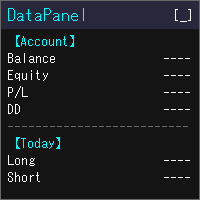
DataPanel は、口座の状態をチャートの上にまとめて表示するEAです。 注文は一切出さず、DLLも使いません。 もともとは、他のEAを動かしている口座の様子をひと目で見たくてClaude Codeで作成しました。 いろいろ追加した結果情報量が多くなりましたが、必要な情報のみ表示できるので必要に応じて設定で変更してください。
見られるもの 残高、有効証拠金、評価損益、証拠金維持率 残高と有効証拠金のドローダウン(最大値と発生した時刻)。入出金とクレジットはドローダウンに含めません 今日・今週・今月・今年・全期間の損益(ロング/ショート別)と成長率 勝率、プロフィットファクター、期待値、連勝・連敗、平均保有時間、スワップや手数料などのコスト マジックナンバー別・通貨ペア別の損益と、取引した通貨ペアの割合 ポジション一覧、損益分岐レート、ロスカットまでの余裕 経済指標(国や重要度を選べます)、当日の祝日、レート一覧、通貨の強弱、市場セッション 同じPCで動いている他のMT5も含めた、リアル口座の損益の合計(他のMT5でもDataPanelを起動している必要があります) 使い勝手 金額は
FREE

Risk Calculator Panel shows the correct lot size for your risk before you open a trade. Drag the Stop Loss line on the chart, and the panel updates immediately. What the panel shows Lot size for your risk, rounded down to the broker's lot step Money at risk and potential profit in account currency Stop loss and take profit distance in points Reward:risk ratio Required margin and free margin after the trade How to use Attach the indicator to any chart. Drag the red SL line (and the green TP line)
FREE

` Account Limit Guard MT5 ` is a free account-level daily limit protection utility for MetaTrader 5.
It is not a trading strategy, does not open trades, does not generate signals, and does not rely on any specific indicator. Its purpose is simple: monitor your account-level daily loss and automatically apply protection once your configured limit is reached.
For prop / funded-challenge traders Need more than a daily-loss cap? Prop Firm Risk Guardian (MT5) is the full prop-challenge p
FREE

Helios Smart Position Manager 概要 Helios Smart Position Manager は MetaTrader 5 向けのプロフェッショナルなトレード同期ツールです。いずれかのポジションのストップロスまたはテイクプロフィットを変更すると、EAが自動的にその変更を検出し、同一シンボルの他のすべてのポジションに適用します。これにより、各ポジションを個別に手動で更新する必要がなくなり、同一銘柄で複数のポジションを管理する際の時間の節約とミスの防止が実現します。 仕組み EAはすべての未決済ポジションを継続的に監視し、現在のストップロスおよびテイクプロフィットのレベルのスナップショットを保持します。いずれかのポジションのSLまたはTPが変更されたことを検出すると、同一シンボルの他のすべてのポジションを特定し、同じ変更を自動的に適用します。同期は一度に一つの変更を処理し、競合を防ぐために内蔵のクールダウン期間を設け、同期ループを避けるために直前に変更したポジションはスキップします。 ストップロスとテイクプロフィットの変更はそれぞれ独立して検出されます。スト
FREE

Trade Projector by Chart Reporter Plan the trade on the chart before you place it. Trade Projector is a MetaTrader 5 chart workspace for turning a trade idea into a clear, reviewable plan. Set the direction, place the Entry, Stop Loss and Take Profit levels, inspect the projected risk and reward, then choose whether to send a market or pending order. Make the decision visible Chart-native trade plan: Entry, Stop Loss and Take Profit levels are visible and draggable on the active chart. Risk and
FREE

InnovaDash ロットサイズ計算ツール: ワンクリック・リスク管理端末 ロットサイズを当てずっぽうで決めたり、想定以上のリスクを負うのはもうやめましょう。InnovaDashロットサイズ計算ツールは、プロレベルのリスク管理と迅速な注文執行をMT5チャートに直接もたらすために設計された、正確でコンパクトな取引ユーティリティです。 InnovaDash Analyticsのチームによって構築されたこのツールは、あなたのようなトレーダーのために完全に無料でリリースされています。 迅速な執行を必要とするスキャルパーであれ、エントリーを計画するスイングトレーダーであれ、このツールはリアルタイムの市場データ、Bid/Askスプレッド、およびシンボルのティックバリューに基づいて、リスクの計算を瞬時に処理します。 主な機能 動的なリスク計算: 資金のリスク許容度を正確に選択できます。口座残高に対する正確なリスクパーセンテージ(%)か、固定の金額($)を切り替えて使用できます。 スマートレベル検出 (SL & TP): ストップロス (SL): ポイント単位で距離を入力するか、正確な価格を入力しま
FREE
MT5 Terminal Copy for Copying MT5 Terminals This Expert Advisor (EA) allows you to copy trading activities between different MT5 terminals. It provides a simple and efficient solution for traders who want to duplicate positions or strategies in real-time across different accounts or devices. The EA can run on a main terminal and automatically replicate trades on other connected accounts. Ideal for copy trading or testing strategies on multiple accounts simultaneously. Main Features: Real-time C
FREE

Trade Analyzer & SL TP Optimizer MetaTrader 5 用 実トレード分析・Stop Loss / Take Profit 最適化ツール Trade Analyzer & SL TP Optimizer は、実際の取引履歴を詳しく分析するための MetaTrader 5 ツールです。 通常の取引履歴では、エントリー価格、決済価格、最終的な損益を確認できます。 このツールではさらに、各エントリー後に価格が実際にどのように動いたのかを分析し、取引中に何が起きていたのかを確認できます。 裁量トレードだけでなく、Expert Advisor による取引も分析できます。 Magic Number を使用して、複数の戦略を個別に分析することも可能です。 主な分析項目 Trade Analyzer & SL TP Optimizer では、以下のような情報を分析できます。 エントリー後の実際の価格推移 ポジションに対して最大でどれだけ不利に動いたか ポジションに対して最大でどれだけ有利に動いたか 決済効率 利用できた値動きと実際の利益の比較 利益として確保できなか
FREE

BOLETA ATA is a quick-execution trading panel for MetaTrader 5, built for manual traders who want to buy, sell, and manage positions without leaving the chart. Compact, straightforward, and with built-in protection automations. Main Panel Stop Loss and Take Profit with an on/off checkbox and an editable field — click and type the value directly, no need to open settings Lot size field (Qty) , editable at any time 3 clickable lot presets : a single click applies the value to the Qty field; a doub
FREE

Tick History Loader is an essential auxiliary tool that downloads the full available tick history for any symbol in your MT5 terminal. The script performs a deep synchronization with the trading server, sequentially requesting and saving the entire tick history from the earliest available date. This is necessary for the correct operation of advanced analytical tools that require complete market data. The obtained tick history serves as the basis for building custom charts with a timeframe in sec
FREE

Crystal Copycat ULTIMATE v4.00 – プロ仕様 MT5 トレードコピーツール 概要
Crystal Copycat ULTIMATE v4.00 は MetaTrader 5 用の高性能トレードコピーツールです。 MT5 のローカル Common フォルダを介して動作し、 DLL や外部 API を必要としません。複数アカウントや VPS 環境での運用に最適です。 主な機能 デュアルモード : MASTER: 注文送信・修正・クローズ。 SLAVE: 受信注文を即時実行、リスク管理内蔵。 ボリュームスケーリング : 固定ロット、エクイティ比率、リスク % (SL ベース ) 。 リスク管理 : 最大ドローダウン保護、エクイティ監視、取引ごとのリスク制限。 注文カバー : 成行、指値 / 逆指値、修正、削除、 CLOSE_ALL 。 シンボルマッピング : 自動 / 手動対応、ブローカー接尾辞対応。 ファイル通信 : ローカル動作、リトライ・リカバリ機能、ループ防止。 ダッシュボード : 送信済 / 受信済注文、リスク状況、取引状態表示。 利用シーン 複数
FREE

Boleta Prime Essential — one-click trading panel for MetaTrader 5 Open trades with the right lot size in one click. Boleta Prime Essential automatically calculates your position size from the risk percentage you choose and sends the order with stop loss and take profit already set. Features
• One-click market buy and sell
• Risk calculator: enter the account % and stop in points, and the panel calculates the lot
• Automatic stop loss and take profit, re-anchored to the actual fill price (exact
FREE

TradeBox - Trade Statistics & Costs Panel for MetaTrader 5
NOTES - The report reflects the history available in your account for the selected magic and period. - On accounts with a very long history the first calculation may take a moment; the panel then refreshes periodically. - Does not trade: in the Strategy Tester there are no trades and no profit curve; check the panel screenshots instead. - The "Parameters" tab of the product lists the panel settings (language, filter, panel, tabs/scrol
FREE

Drag the stop loss line to your level and the panel works out the lot size for the risk you set, from your broker's own contract size. FEATURES Entry, stop loss and take profit lines you drag. Lot size normalised to the broker's minimum, maximum and step. Risk as a percentage of balance or equity, fixed cash, or fixed lot. Live risk to reward ratio. HOW TO USE IT 1. Attach it to a chart and drag the three lines. 2. Set the risk basis and value in the inputs. 3. Read the lot size from the panel.
FREE

One bad day ends most prop firm challenges. EdgeProof Daily Loss Guardian watches your equity in real time, warns you early, and closes everything before your daily loss limit is hit. Free.
WHY TRADERS FAIL CHALLENGES Most challenges are not lost to a bad strategy. They are lost to one emotional day: a loss, a revenge trade, a bigger lot, and the daily limit is gone. Daily Loss Guardian is a simple safety net that does not get emotional.
WHAT IT DOES - Tracks today's result on the whole accoun
FREE

designed to help traders monitor the long and short swap rates of available trading instruments through a clear, organized on-chart table. Its primary purpose is to make overnight financing costs and potential swap credits easier to observe across multiple symbols without repeatedly opening individual instrument specifications. By presenting swap information in a centralized display, the application helps traders incorporate holding costs into their market analysis and trade planning. Key Benef
FREE
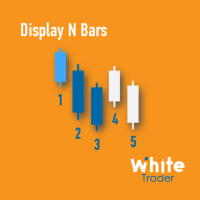
The Display N Bars utility is a simple tool designed to help identify candles.
If a trader tries to share knowledge with a colleague but it is difficult to pinpoint exactly the desired candle, just say the corresponding candle number.
The candle count is reset every day.
Seeking to offer a good customization the inputs are:
Display type -> Display only odd, only odd, or both candles?
Direction -> Horizontal or Vertical?
Display multiples of: (display frequency) -> Display all number
FREE

Overview Simple Trade Panel EA is a clean, lightweight trade assistant designed for manual traders who want fast and visual order placement directly from the chart.
No more fiddling with order windows – place Market and Pending orders, adjust Stop Loss & Take Profit using draggable horizontal lines, and instantly see your risk/reward ratio, point distance, and dollar value.
The panel features a modern “dirty pastel” color scheme that perfectly fits light chart themes, and can be hidden with
FREE
Script to load history of a symbol on determined timeframe (default M1).
It is extracted from the MQL5 documentation:
https://www.mql5.com/en/docs/series/timeseries_access
Adapted by Renato Fiche Junior #melhoresferramentas #renato #larissasihle #aguiatraders
Parâmetros de Entrada
- Start datetime : the initial datetime from the history will be loaded - Timeframe to be loaded: period that will be loaded
FREE

RADAH Dashboard is an advanced performance analytics utility for MetaTrader 5, designed to transform your account history into a clear, organized and interactive trading performance overview.
It does not open, modify or close trades. Its purpose is exclusively analytical, allowing you to review the performance of the entire account, a specific symbol, or a strategy identified by its Magic Number.
Chart View
Visualize your trading performance through an integrated balance/equity performance c
FREE

FKG Trade Manager – Professional Risk & Order Management EA FKG Trade Manager is an advanced, multi-language trade management Expert Advisor designed to give traders full control over their positions, risk exposure, and order execution. Built with a clean, dark-themed movable UI panel directly on the chart, it eliminates emotional decision-making and automates routine trade management tasks. Key Features Quick Partial Close Buttons (10%, 20%, 50%): Instantly secure partial profits with a single
FREE

[概要] Dynamic Price Countdown は、現在のローソク足が閉じるまでの残り時間を現在の価格のすぐ横に表示する、MT5に不可欠なインジケーターです。チャートの隅に固定された静的なタイマーとは異なり、このインジケーターはリアルタイムの価格の動きに動的に追従します。これにより、トレーダーは完璧なエントリータイミングを逃すことなく、チャートの最も重要な部分に完全に集中することができます。 [主な機能] 動的な価格追従: カウントダウンタイマーは現在のBid価格に自動的に追従し、設定した正確な距離を維持します。 スムーズなティックフリータイマー: 内部の1秒タイマーを使用することで、ティックの流入が非常に少ない低ボラティリティの期間でも、カウントダウンがスムーズかつ正確に実行されます。 完全なカスタマイズ性: テキストのサイズ、色、および正確なX/Y座標のオフセットを調整して、個人のチャート設定と解像度に完全に一致させることができます。 [パラメーター設定] Font Size (フォントサイズ): カウントダウンテキストのサイズを調整します。 Font Co
FREE

このツールは、MT5の経済指標の使いやすさを向上させ、データをMT4とシームレスに共有できるという2つの大きなメリットを提供します。例えば、10年以上前の経済指標データをトレーニングやバックテストで効果的に使用することができます。また、MT4の PracticeSimulator とも互換性があり、過去データを使用したトレード練習からMT4での本番トレードまで活用できる貴重なツールです。 MT4で経済指標をシームレスに共有するために 。 >> MT4版 MT5経済指標の向上 過去データへのアクセス : 10年以上前のイベントを含む経済指標データを分析し、詳細なバックテストと履歴のレビューが可能です。 カスタマイズ可能な表示 : 経済指標はチャート上に目立たず表示され、背景に溶け込むように調整できます。 自動タイム調整 : タイムゾーンやサマータイムを自動的に調整し、過去のイベントの正確な表示を保証します。 MT4の互換性とメリット シームレスなデータ共有 : MT5の経済指標データを直接MT4チャートで使用し、本番トレードや練習に対応します。 PracticeSimulatorとの統合
FREE
This indicator allows to hide ZigZag indicator (on all MT4 timeframes) from a date define by the user with the vertical line. This indicator can be use with other "Hidden Indicators". Indicator Inputs: Depth Deviation Backstep Information on "ZigZag" indicator is available here: https://www.mql5.com/en/articles/1537 ************************************************************* Hey traders!! Give me your feeds! We are a community here and we have the same objective.... make some money from th
FREE

The Equity Closer Bot is a custom MetaTrader 5 (MT5) Expert Advisor (EA) designed to help traders manage their account equity levels automatically. It monitors the account's equity in real-time and closes all open trades when the equity reaches user-defined thresholds. This bot is ideal for traders who want to enforce strict risk management rules, protect their account from excessive losses, or lock in profits at specific equity levels. Key Features Dual Equity Thresholds : Below Equity Clos
FREE

Ritz Conspiracy 16 – 多層型マーケット・インテリジェンス・システム Ritz Conspiracy 16 は、16種類の主要テクニカル指標を
1つの統合ビジュアルパネルにまとめた 多層型マーケット分析インジケーター です。 マーケット・インテリジェンスの概念に基づいて設計され、
トレンド、ボラティリティ、モメンタム、出来高、価格構造など、
あらゆる角度から市場の挙動を司令室のように読み取ります。 “コンスピラシー(共謀)” 的アプローチにより、
16のアルゴリズムが生み出す小さな手がかりをつなぎ合わせ、
市場が本当に向かおうとしている力学を一つの大きな絵として描き出します。 最終的に、各テクニカルカテゴリに対する BUY/SELL の確率パーセンテージ を
リアルタイムで、かつ適応的に、非常に情報量豊かに表示します。 Ritz Conspiracy 16 の内部構造 1つのインジケーター、6つの主要カテゴリ、16の分析エンジン。 1. TREND インテリジェンス クラシック指標と適応型指標を組み合わせ、
トレンドの方向性と強さを捉える層。 Moving Aver
FREE

The Close In Quick Script is an optimized, high-performance MQL5 script designed to swiftly close all open positions for the current chart's symbol on the MetaTrader 5 platform. Engineered for speed and reliability, it leverages asynchronous trading, minimal system checks, and robust error handling to ensure seamless trade closure. Whether you're a day trader, scalper, or portfolio manager, this script is an essential tool for efficiently managing and exiting trades. Key Features: Asynchronous t
FREE

ChartControl は、手動で素早くチャートを操作するための軽量ユーティリティ・インジケーターです。キーボードのホットキーで現在のチャートの シンボル と 時間足(タイムフレーム) を切り替えられるため、マウス操作なしで素早いマーケットスキャンに最適です。 本製品は EX5(コンパイル済み) のみで配布されます。 主な特徴 Market Watch のリストを使った高速なシンボル切替 事前定義セット(M1…MN1)による高速な時間足切替 CPU負荷が最小(計算なし、描画なし) 手動変更(マウス/メニュー)時の自動同期 ホットキー A — 前のシンボル(Market Watch) D — 次のシンボル(Market Watch) W — 次の時間足(より大きい) S — 前の時間足(より小さい) 時間足の順序:
M1 → M5 → M15 → M30 → H1 → H4 → D1 → W1 → MN1 使い方 インジケーターを任意のチャートに適用 チャートを1回クリックしてフォーカスを当てる A / D / W / S でシンボル/時間足を切替 注意 シンボル切替は Market
FREE

This indicator displays a customizable checklist directly on your chart, helping you stay disciplined and organized during trading. You can define your own list of tasks, position it anywhere on the screen, and adjust the appearance to match your setup. It’s ideal for pre-trade routines, strategy rules, or reminders to follow your trading plan. The indicator automatically manages and cleans up its text labels, ensuring no leftover objects remain when it is removed or updated.
FREE

# MiniBull Guard v1.30
## Never trade without a stop again.
**You open the trade. MiniBull Guard sets the stop, shows the risk and keeps your head clear.**
- **No more naked positions.** Every new trade gets a stop loss within moments, even when you forget, hesitate or trade from your phone. - **A stop the market can breathe around.** Sized from real volatility (ATR) by default, or from a distance you choose. - **Know your loss before it happens.** In money and in percent of your equity, not
FREE

Account Performance Report turns the history of your account into one HTML report that you open in any browser: balance and drawdown, the result of each Expert Advisor and each symbol, a daily P&L calendar, monthly returns and the usual statistics. The main figures are also shown on the chart, and the report is kept up to date while the terminal runs. How To Use Attach Account Performance Report to any chart of the account. It does not trade, so any symbol and timeframe will do. The report is wr
FREE

EMA Line Visualizer with Trend Analysis Description:
The Exponential Moving Average (EMA) Line Visualizer EA plots multiple EMAs on your chart (25, 50, 100, 200, and a custom EMA) and analyzes real-time trend direction. It detects whether the market is currently in an Uptrend , Downtrend , or Flat condition based on the latest EMA relationships. Features: Multi-EMA Display
Plot multiple EMAs with customizable periods. Custom Colors
Set distinct colors for each EMA line for better visual trac
FREE

Enhance Your Trading with the Support and Resistance Alert! Ready to take your trading to the next level? Introducing the Support and Resistance Alert—the ultimate tool to precisely identify market turning points! Key Features: Dynamic Support and Resistance Lines: The indicator automatically draws support and resistance levels based on local lows and highs, giving you clear guidance on where the market is likely to reverse. Real-Time Alerts: Stay ahead of the market with customizable alerts. G
FREE

EA交易快捷助手 —— 专为 MetaTrader 5 打造的硬件交易利器 本工具专为配合实体快捷键盘设计,将 MT5 的核心交易指令集中映射至硬件实体按键。无需频繁移动鼠标找寻按钮,助你在行情剧烈波动时实现毫秒级订单执行与快速风险规避。 核心功能与优势 毫秒级极速响应 :实体按键物理触发,极大缩短交易决策与订单送达服务器之间的时间差。 一键快捷交易 :支持一键市价买入、卖出、一键平仓、持仓锁仓及手数快速微调。 防误触安全锁 :内置安全锁定机制,有效规避手滑或误触造成的非预期建仓。 完全合规无 DLL :采用纯正 MQL5 原生逻辑编写, 不依赖任何第三方 DLL 文件 ,确保账户资金与平台安全。 快捷键默认映射 (Key Mapping) Key A / F1 :按预设手数一键买入 (Buy) Key B / F2 :按预设手数一键卖出 (Sell) Key C / F3 :一键平仓当前图表品种的所有持仓 (Close Current) Key D / F4 :一键平仓账户内所有品种持仓 (Close All) Key Up / Down :快速增减下一次下单的手数步长 输入参数
FREE
A simple button to completely close all existing open trades (both Buy and Sell) on the current chart .
Warning : Once the button is pressed, all open trades on the current chart will be deleted immediately without any more questions or dialogue.
Use this utility very carefully. We recommend that you do a trial of removing open trades on a demo account first, before trying to use this utility on a real account.
FREE

QuickTrade Manager for MT5 Professional One-Click Trade Execution & Management Panel for MetaTrader 5 Trade faster. Manage smarter. Execute with precision. QuickTrade Manager is a powerful chart-side trading panel built for traders who want instant execution, cleaner workflow, and precise control over every position directly from the chart. No more slow manual adjustments.
No more cluttered order management. Everything you need is in one professional panel . NEW IN THIS VERSION Modern Profession
FREE

Flexible Copy Trade EA: The Premier MetaTrader Multi-Account Synchronizer Streamline your trading operations with the most reliable, high-speed trade copier designed for the modern MetaTrader environment.
Whether you are managing multiple accounts, coordinating a trading team, or looking to mirror signals across different terminals with near-zero latency, Flexible Copy Trade EA is your enterprise-grade solution. It offers seamless, lightning-fast synchronization regardless of the broker or acco
FREE

Overview Trade Signal Manager Ultimate v7.0 connects MetaTrader 5 to Telegram, enabling you to share professionally formatted trading signals with your group or channel in seconds. The system auto-detects all open positions, displays them on a clean on-chart dashboard, and lets you select and send signals with a single click. No manual typing, formatting, or data transcription required. How It Works The dashboard displays all open positions with complete details including symbol, direction, lot
FREE

This tool for the MetaTrader 5 trading platform allows setting the stop loss of open positions to breakeven (entry price) plus an adjustable distance in points. The stop loss is only adjusted if the position is already in profit.
Main functions:
Button: A button is displayed on the chart with the text "StopLoss to BreakEven". The color of the button can be customized, by default it is red.
User interaction: When you click the button, for all open positions that are in profit, the stop loss i
FREE

Overview
This Expert Advisor (EA) for MetaTrader 5 is a robust tool designed to optimize money and risk management. It allows users to calculate position sizes based on account balance, desired risk percentage, and trade parameters like stop loss and entry points. Additionally, it offers a clear view of reward-to-risk ratios and allows for the inclusion of broker commission, recalculating data accordingly.
Key Features
1. Risk-Based Position Sizing
The EA calculates position sizes by taking
FREE

AI Smart Risk Trade Manager is a professional trade-management utility panel for MetaTrader 5. It does not open trades on its own signal - instead it gives you a one-click, risk-based way to enter the market and then automatically manages every open position (yours or from any other EA) with breakeven, trailing and partial-close logic. Key features: One-click BUY / SELL panel buttons that size the position automatically from your chosen risk percent of account balance Automatic Stop Loss and Tak
FREE

A fast, chart-based MT5 trade manager with one-click BUY/SELL execution, editable Lot/SL/TP controls, and selective position-closing tools. One Click Trading MT5 is a lightweight trade-management Expert Advisor for MetaTrader 5. It is designed for traders who want to manage manual trades or trades opened by an EA directly from the chart, without repeatedly opening the Terminal window. The panel is draggable and automatically switches between light and dark modes based on the chart background. I
FREE

製品説明 Local Trade Copier and Safety Manager は、同一のPCまたはVPS内にある異なるMetaTrader 5端末間で、超高速にトレードをコピーするために設計された高度なユーティリティです。クラウドベースのシステムとは異なり、このソフトウェアはバイナリファイルを介したローカル通信を使用するため、遅延を最小限に抑え、完全なデータセキュリティを保証します。 独自のSL/TP同期テクノロジー 本EAが市場にある他のすべてのコピーソフトと一線を画すのは、保護レベル(決済逆指値・指値)を管理する革新的な手法にあります。 距離ベースの同期(価格ベースではない) : 一般的なコピーソフトとは異なり、本ソフトウェアはマスターの価格に基づいてストップロス(SL)やテイクプロフィット(TP)を設定しません。異なるブローカー間で絶対価格をコピーすると、価格の乖離やスプレッドの差により、スレーブ側のストップが狭すぎたり広すぎたりする致命的なエラーが頻繁に発生します。当システムは、マスターのエントリー価格からの正確なポイント距離を計算し、それをスレーブ側で比例的に再現しま
FREE

A simple script which will trigger a download of your broker's tick data for a specific trading instrument.
Simply add to your chart and it will start the process. You may add the script to multiple charts, enabling you to download tick data for more than one instrument at a time After a short period, the script will stop running and remove itself from your chart. Following this, it may take a few more minutes to finish downloading the tick data.
The Tick Data folder can be found via MetaTrad
FREE

Japanese (日本語) MT5パラボリックSARクロスアラートEA Parabolic SAR Cross Alert EAは、MetaTrader 5用のシンプルなツールで、パラボリックSARインジケータが方向転換した際に通知します。これは潜在的なトレンド反転のサインです。チャートを常時監視することなくSARの価格上抜け・下抜けを捉えます。 機能 パラボリックSARが 価格を上抜け (強気シグナル) パラボリックSARが 価格を下抜け (弱気シグナル) MetaTrader 5内でポップアップアラート ブローカーの全シンボル・時間足に対応 SAR stepとmaximumパラメータ調整可能 軽量で使いやすい 動作原理
EAはチャート上のパラボリックSARインジケータを監視します。SAR点が2つの完了したローソク足間で価格の反対側に反転した時、MetaTrader 5でポップアップアラートが表示されます。
FREE

TradeStats Pro – Lot & Risk Analytics Panel for MT5 TradeStats Pro is an analytics panel for MetaTrader 5 that displays trading history and account statistics in a structured, readable format directly on the chart. Account Overview The panel shows real-time account data including balance, equity, margin, free margin, floating profit/loss, win rate, profit factor, and maximum drawdown in both value and percentage. Lot Exposure Tracking Total buy lot, sell lot, and net lot exposure from open posi
FREE

You can use this tool to create as many pending orders (limit order) as you want in one button press. All inputs must be in points. You can use this useful tool when such as FED speech times. User Inputs:
MagicNumber = Magic number DeviationPoint = Deviation point number for limit orders Level = You can choise how many level do you want to create pending orders. BuyOrder = true/false SellOrder = true/false StartDistance = Distance between each level. StepDistance = Distance to be added increment
FREE
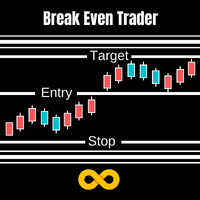
With Break Even Trader placed onto your chart, it will automatically place the stop loss and take profit levels when you open a buy or sell order. And when you are in profit by the amount defined in user settings, it will automatically move your stop loss to that break even level, thereby protecting your trade from a loss. Features :
Simple to trade with you just enter your trade it will place the stop loss and take profit as input in user inputs. Sends you an alert when your trade is in profit
FREE

Ea CloseManager MT5を紹介します。これは、MetaTrader 5向けに設計された専門的なExpert Advisor(EA)で、取引のクローズプロセスを簡素化し、自動化するためのものです。この強力なツールは、手動および自動取引戦略の両方に利益をもたらし、出口基準に対する正確な制御を提供するため、さまざまな専門知識レベルのトレーダーに最適です。 Ea CloseManager MT5を使用することで、ユーザーは取引管理において大幅な時間の節約とリスク管理の改善を体験します。このEAを利用するトレーダーは、特にforex、インデックス、暗号通貨において、迅速な市場条件に適応した規律ある出口戦略を通じて、利益の向上を報告しています。 MQL製品のインストールガイド | MT4/MT5で購入したMQL製品の更新 | 一般的なトラブルシューティングガイド | 一般設定 / 入力ガイド | バックテストとセットファイル 主な機能 自動取引クローズ:カスタマイズ可能な基準に基づいてシームレスに取引をクローズし、規律ある出口を確保します。 利益と損失の管理:自動調整のために特定の利
FREE
MetaTraderマーケットは、他に類のない自動売買ロボットやテクニカル指標の販売場所です。
MQL5.community ユーザーメモを読んで、取引シグナルのコピー、フリーランサーによるカスタムアプリの開発、支払いシステムを経由した自動支払い、MQL5Cloud Networkなど、当社がトレーダーに対して提供するユニークなサービスについて詳しくご覧ください。

取引の機会を逃しています。
- 無料取引アプリ
- 8千を超えるシグナルをコピー
- 金融ニュースで金融マーケットを探索