 MetaTrader 5
 Experts
 지표
지표
 라이브러리
라이브러리
 유틸리티
유틸리티
 위젯
위젯
 규칙
규칙
MetaTrader 5용 무료 트레이딩 유틸리티 - 8
 다음은 MetaTrader 5의 거래를 단순화하는 거래 프로그램입니다. 유틸리티의 설명과 목적을 읽으려면 유틸리티 위에 마우스를 놓으십시오.
A manual trade manager with a live on-chart preview. Plan every trade visually: entry, stop and up to four take-profits appear as draggable lines with filled risk/reward zones — lot size, R-multiple and money value update in real time. One click places it all. Market, Limit and Stop orders at the press of a button Position sizing by percent, money risk or fixed lot Up to 4 partial positions, each with its own TP and a shared SL Stop by pip/ATR distance or anchored to the last swing high/low Auto
FREE

FX Monitor EA is a free utility that turns your raw MetaTrader account into a fully analyzed, monitored trading record. It reads your account's trading data — balance, equity, open positions, and closed trade history — and sends it securely over HTTPS to your FX Monitor account (fx-monitor.com), where it becomes the foundation for deep performance analytics. Once connected, you can monitor all your accounts online from any device and dig into your trading the way professionals do: profit factor,
FREE

EA는 수익성 있는 포지션을 검색하고 마감함으로써 수익성 없는 포지션을 마감할 수 있습니다 .
이 조수는 모든 직위 중에서 터미널에서 가장 수익성이 낮은 직위를 찾습니다 . 또한, 나머지 수익성 있는 포지션을 검색하여 하나 이상의 포지션의 이익이 다른 포지션의 손실보다 클 때 손실을 보상할 수 있는 일련의 포지션을 계산합니다. 그러한 포지션 세트가 발견되면 고문은 해당 포지션을 닫습니다. 일련의 위치는 절대적으로 모든 위치로 구성될 수 있습니다. 최대 수는 조언자 설정에서 조정 가능합니다. 검색 시 최소 손실 금액과 마감 시 추가 이익을 지정할 수도 있습니다. MT4 버전
전체 설명 구입 방법
설치하는 방법
로그 파일을 얻는 방법 테스트 및 최적화 방법 Expforex의 모든 제품 전략 테스터에서 Expert Advisor를 테스트하고 시각적 모드에서 EAPADPRO 도구 모음을 사용하여 거래할 수 있습니다! 차트에서 Cl
FREE

BOLETA ATA is a quick-execution trading panel for MetaTrader 5, built for manual traders who want to buy, sell, and manage positions without leaving the chart. Compact, straightforward, and with built-in protection automations. Main Panel Stop Loss and Take Profit with an on/off checkbox and an editable field — click and type the value directly, no need to open settings Lot size field (Qty) , editable at any time 3 clickable lot presets : a single click applies the value to the Qty field; a doub
FREE

하나의 계좌에서 여러 EA를 운용하고, 수동 트레이드도 몇 건 있다고 가정해 보겠습니다. 잔고에는 합계가 표시됩니다. 어느 EA가 돈을 벌고 어느 EA가 그 돈을 다시 잃는지는 표시되지 않습니다. Magic Stats 는 MT5 계좌의 거래 내역을 읽고 매직 넘버마다 한 행 을 표시합니다. 선택한 기간 동안 각 EA가 실제로 어떤 성과를 냈는지 보여 줍니다. 인디케이터이므로 어떤 EA 옆에서도 차트에 올려 둘 수 있습니다. 트레이드를 열거나 수정하거나 청산하는 일은 절대 없습니다. 각 EA(매직 넘버)별로 표시되는 항목 이름 과 거래한 심볼 트레이드 수 , 승률 , 순이익 (손익 + 스왑 + 수수료 + 요금), 계좌 통화와 해당 자릿수로 표시 프로핏 팩터 , 평균 트레이드 EA의 청산된 트레이드 기준 자산 곡선의 최대 드로다운 (금액)과 회복 팩터 (순이익 / 최대 드로다운) 마지막 트레이드 날짜, 현재 보유 포지션 과 그 평가 손익 각 행마다 작은 자산 라인 (최대 20포인트),
FREE

Indicator Signal Alerts Kb 는 지표를 지켜보다가 매수 또는 매도 신호가 나오면 팝업 창, 휴대폰 푸시 알림, 이메일로 알려 줍니다. MetaTrader 5 내장 지표용 바로 쓰는 설정으로 시작하거나 이미 사용 중인 지표를 연결하세요. 최대 네 개의 추가 지표가 필터로서 각 신호를 확인할 수 있습니다. 프로그래밍이 필요 없습니다. 사용자 설명서 전체 설명서(영어): 설정, 바로 쓰는 예제, 필터, 문제 해결 바로 쓰는 설정으로 시작하기 매개변수의 첫 줄은 Ready setup입니다. 아래 목록에서 설정을 고르고 OK를 누르면 지표, 규칙, 필터가 지정되고 다음 신호에서 알림을 받게 됩니다. 1. Alligator + EMA 200 trend, H4 (EURUSD, GBPUSD, USDJPY, XAUUSD) 2. Awesome Oscillator + EMA 200 trend, H4 (EURUSD, GBPUSD, USDJPY, XAUUSD) 3. Stochastic
FREE

Signalator Lot Size Evaluator MT5 는 수동 트레이더가 주문을 실행하기 전에 예상 포지션 크기를 계산할 수 있도록 설계된 무료 로컬 MetaTrader 5 유틸리티입니다. 선택한 심볼, BUY 또는 SELL 방향, 예정 진입 가격, Stop Loss, 선택적 Take Profit 및 리스크 비율을 사용하여 거래를 계획할 수 있습니다. 계산기는 현재 계좌 정보와 브로커가 제공하는 심볼 사양을 함께 사용하여 권장 랏 크기와 주요 리스크 값을 계산합니다. 사용 절차는 간단합니다: 거래 설정 정의 → 계좌 리스크 수준 선택 → 권장 랏 크기와 브로커 조건 확인 → 설정이 적절한 경우 수동으로 거래를 실행합니다. Signalator Lot Size Evaluator MT5 는 Signalator Trading and Analysis Ecosystem 의 일부입니다. 이는 거래 준비, 심볼 및 브로커 분석, 계좌 모니터링, 포지션 관리 및 일상적인 트레이딩 작업 흐름
FREE

Faster execution, clearer order control, and better trading discipline. OCT Panel — Professional MT5 Trading Control Panel OCT Panel is built for traders who want faster execution, clearer order control, and better trading discipline. OCT Panel is a professional trading assistant panel designed for MetaTrader 5 .
It helps traders manage orders, positions, Stop Loss, Take Profit, pending orders, and trade execution more efficiently during manual trading. OCT is not a signal system and does not g
FREE
Traders Club Clock for MT5 Readme
ローソク足のすぐ横にその時間足での 残り時間とスプレッドを表示します。 ※残り時間はサーバ時間から計算しています。 月足、週足、日足、4時間足、1時間足、30分足、15分足、5分足、1分足
で表示可能となっております。
※スプレッド値ポイント単位での表示になります。
※時間の更新はティック毎ではなく1秒 毎 に更新するようにしています。
一目で残り時間とスプレッドを確認できます。 機能: 使用しているフォント種類を変更できます。 使用しているフォントサイズを変更できます。 表示しているテキストの色を変更できます。 スプレッド表示を非表示にすることができます。 表示する位置を変更することが出来ます。
FREE

Professional Trading Panel Professional Trading Panel (EA) Take your trading to the next level with a powerful execution and risk management panel directly on your chart. ️ Important:
This is an Expert Advisor (EA) — MetaTrader 5 allows only one EA per chart .
If you use other EAs, you must run them on separate charts. Panel Features (EA): Fast execution: Market & Limit orders (Buy/Sell) Automatic Stop Loss based on risk ($) Take Profit using RR presets (1:1, 1:2, 1:3, 1:5) Smart partia
FREE
MT5 Terminal Copy for Copying MT5 Terminals This Expert Advisor (EA) allows you to copy trading activities between different MT5 terminals. It provides a simple and efficient solution for traders who want to duplicate positions or strategies in real-time across different accounts or devices. The EA can run on a main terminal and automatically replicate trades on other connected accounts. Ideal for copy trading or testing strategies on multiple accounts simultaneously. Main Features: Real-time C
FREE

SmartLimits - 시각적 예약 주문 관리자 SmartLimits 는 차트에서 직접 예약 주문을 완전한 시각적 제어로 관리할 수 있는 전문 트레이딩 도구입니다.
MetaTrader의 주문 창을 열지 않고도, 직관적인 온차트 패널을 통해 Buy 또는 Sell Limit/Stop 주문을 생성, 조정 및 확인할 수 있습니다. 이 도구는 반복적인 작업을 최소화하고 입력 오류를 줄이면서, 빠르고 체계적으로 주문을 시각적으로 관리하고자 하는 트레이더를 위해 설계되었습니다. 주요 기능 “New Order” 버튼을 사용하여 차트에서 직접 새 예약 주문을 생성합니다. 라인을 드래그하거나 패널의 값을 수정하여 진입가(Entry), 손절매(SL), 이익실현(TP) 수준을 조정합니다. 한 번의 클릭으로 즉시 주문을 수정하거나 삭제할 수 있습니다. 각각의 제어 패널을 가진 여러 예약 주문을 동시에 관리할 수 있습니다. 가격, 거리, 손익비(R:R) 등 실시간 데이터를 표시하는 시각적 인터페이스. 가격
FREE
MultiTP Trade Manager EA — Advanced Trade Management Made Effortless (MT5)
Limited Offer – First 100 Downloads FREE!
Be among the first 100 traders to download Trade Anchor Manager (MT4/MT5) completely free of charge. Hurry – once the limit is reached, the offer closes instantly! After trying it out, we’d love if you could leave a review and share your thoughts – your feedback helps us improve and lets other traders know what to expect.
Need this Trade Anchor Manager for MT4? http
FREE

This indicator displays a customizable checklist directly on your chart, helping you stay disciplined and organized during trading. You can define your own list of tasks, position it anywhere on the screen, and adjust the appearance to match your setup. It’s ideal for pre-trade routines, strategy rules, or reminders to follow your trading plan. The indicator automatically manages and cleans up its text labels, ensuring no leftover objects remain when it is removed or updated.
FREE
Divergence Scanner Pro is an advanced utility designed to detect both regular and hidden divergences across three powerful indicators: RSI , MACD , and Stochastic . With its robust algorithm and user-friendly interface, this tool is perfect for traders seeking an edge in the market. Key Features: Comprehensive Divergence Detection : Identifies regular and hidden divergences to highlight potential trend reversals or continuation opportunities. Multi-Indicator Support : Scans for divergences on RS
FREE

Professional Trade Management for Manual Traders Featuring Structure-Based SL, Symbol-Adaptive Trailing, and Dollar-Level Profit Protection
This EA takes care of your open trades so you can focus on entries. It never opens Buy or Sell positions - you decide when and where to enter. The EA handles the rest: stop loss placement, breakeven, trailing, dollar-level profit lock, and pending order protection, all automatically, all in the background.
Built by an active live trader who codes his own t
FREE

MetaTrader 5 데이터를 Excel, Python, 외부 백테스트 또는 머신러닝으로 가져가고 싶은데, 불편한 내보내기 파일을 정리하느라 시간을 쓰고 싶지 않으신가요? Candle History Exporter는 현재 심볼의 캔들 히스토리를 research, 자동화, 정량 분석에 바로 활용할 수 있는 깔끔하고 설정 가능한 CSV 파일로 바꾸기 위해 만들어졌습니다. 원하는 날짜 범위 안에서 하나 또는 여러 타임프레임을 내보낼 수 있으며, 기본 종료 날짜로 현재 서버 시간을 자동 사용하도록 설정할 수 있습니다. 또한 이제 스크립트 입력값에서 어떤 열을 내보낼지 직접 선택할 수 있고, 기본값은 보다 풍부하고 실용적인 전체 출력 구성이 활성화되어 있습니다. 주요 기능 현재 차트 심볼의 캔들 히스토리를 내보냅니다. 분, 시간, 일, 주, 월 단위의 여러 타임프레임을 지원합니다. 현재 서버 시간을 기본 종료 날짜로 사용하며, 사용자 지정 종료 날짜도 설정할 수 있습니다. 스크립트 입력값
FREE

Pare de lutar contra o terminal. Comece a operar com precisão cirúrgica. O Profit Station Pro não é apenas um painel; é uma reformulação completa da experiência de trading no MetaTrader 5. Desenvolvido para traders que exigem agilidade, este utilitário transforma o gráfico em um Cockpit Operacional , eliminando a necessidade de boletas complexas e cálculos manuais lentos. Seja você um Scalper ou Day Trader, o Profit Station oferece as ferramentas que faltavam para sua consistência. Funcion
FREE

Overview Sessions Duck is a highly optimised, resource-efficient MetaTrader 5 indicator designed to automatically visualise the core global trading sessions (Asian, London, and New York) and display live, synchronised timezone data directly on your chart. Built specifically for performance, zero lag, and clean chart aesthetics, Sessions Duck provides day traders, scalpers, and session breakout traders with immediate market liquidity context without compromising terminal responsiveness—even when
FREE

ATTENTION: THIS VERSION IS NO LONGER UPDATED! We have released a massively upgraded version of this indicator, featuring Lag-Free CCanvas Mini Charts , Dynamic Scaling , and Custom Dual-Trigger Alerts ! To get the best experience, please download the NEW (and still FREE) version from our new page here: [ https://www.mql5.com/en/market/product/175716 ] Multi Timeframe Candle Countdown Indicator - A Must-Have Utility for Precision Traders (MT5) Never get fooled by unfinished candlestick mov
FREE
The Tick Flow Meter, also known as Tick Density Meter or Tick Counter, is an innovative indicator designed to provide deep insights into market dynamics down to the second.
It is a cutting-edge indicator crafted to measure the intensity and frequency of ticks within specific time intervals. By focusing on tick flow, this indicator offers traders a unique perspective on market liquidity, momentum, and volatility, empowering them to make informed trading decisions.
Key Features: Granular Time In
FREE

EA Risk Commander is the central risk manager of the From Learn to Earn EA System for MetaTrader 5. The EAs of the system send every trade proposal to it; EA Risk Commander executes it, executes it with an adjusted lot, or rejects it, and writes the reason in its journal. It does not open trades by itself.
Important: it works only together with the EAs of the From Learn to Earn EA System (BoS CHoCH Engulfing, Engulfing In Engulfing, Manual Trader) in their versions with the input group "0. EA R
FREE

EA Follower Version any Follow Copy Account (Acc. Number) need a open MT Terminal, download multiple times Step1: Open Master MT5 Terminal = install master- Version (on any Symbol just one Time) Step2: Open Follower MT5 Terminal = install follower- Version (on any Symbol just one Time) Step3: all Trades from any Symbol or any Robot are copy now to follow- Terminal immediately for simple copy set on Chart and Start no optimization. This Robot is a Trade Copier for MT5 that auto
FREE

Trade Manager Pro is a MetaTrader 5 tool designed to assist with trade execution, position management, risk control, and account monitoring from a single on-chart interface. It is built to work alongside manual trading or automated systems and does not interfere with external Expert Advisors. The tool is intended for traders who require direct control over order execution and position management while maintaining consistent risk rules across different market conditions. Core Function The indica
FREE

Complete Trade Manager (MT5)
Manages each open position individually Automate exit strategy (great for prop firm challenges) Use R: R based exit or Fixed Pips exit models Scale out of positions (3 x Targets possible) Breakeven after 1 st 2 nd or 3 rd partial take profit Trail Stop Loss Stop Break Even Fixed Target Exit (Without Partial Profit) Equity Target Based Exit Expect More features in the future Having a plan to exit with trades based on predefined set of rules provides consistency and
FREE
Have you ever been in a situation when you could not control the chart conveniently or had to make additional clicks to be able to scroll the history or set the scale fix numbers manually to be able to stretch the chart? Features: Chart centering. Automatic scale fix. Automatic scroll control. This tool is one of many features included in "Trading Essentials" utility application, which can be found on mql5.com
FREE

A simple script which will trigger a download of your broker's tick data for a specific trading instrument.
Simply add to your chart and it will start the process. You may add the script to multiple charts, enabling you to download tick data for more than one instrument at a time After a short period, the script will stop running and remove itself from your chart. Following this, it may take a few more minutes to finish downloading the tick data.
The Tick Data folder can be found via MetaTrad
FREE
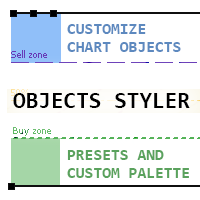
Objects Styler 는 차트에서 직접 표준 그래픽 개체의 속성을 편집할 수 있는 상황 인식 패널 을 제공하는 유틸리티입니다. 핵심 기능은 사용자가 복잡한 스타일 세트를 개체에 저장하고 관리하며 즉시 적용할 수 있는 강력한 템플릿 시스템 입니다. 주요 기능 인터페이스 및 상호작용 상황별 활성화: 그래픽 개체를 클릭하거나 (또는 Shift + 클릭) 하면 패널이 호출됩니다. 모든 표준 개체와 대부분의 속성을 지원합니다. 드래그 가능한 인터페이스: 패널을 차트의 어느 영역으로든 자유롭게 이동할 수 있습니다. 팝업 창: 스타일 선택, 색상 팔레트, 타임프레임 목록과 같은 추가 옵션은 컴팩트한 팝업 창에서 열려 기본 인터페이스를 깔끔하게 유지합니다. 템플릿 관리 시스템 스타일 저장 및 적용: 개체의 전체 속성 세트를 이름이 지정된 템플릿으로 저장합니다. 템플릿은 한 번의 클릭으로 적용됩니다. 개체 유형별: 템플릿은 특정 개체 유형에 맞게 저장
FREE
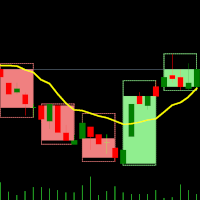
이중 시간 프레임 지표 – 캔들 속 캔들 개요 캔들 속 캔들 지표 는 다중 시간 프레임 시각화 도구 로, 더 높은 시간 프레임의 캔들을 더 낮은 시간 프레임 차트에 중첩하여 표시합니다. 이를 통해 트레이더는 시간 프레임을 전환하지 않고도 작은 캔들이 더 큰 캔들 내부에서 어떻게 형성되는지 를 시각적으로 확인할 수 있으며, 이를 통해 시장 구조 분석과 진입·청산 전략의 정확도를 높일 수 있습니다. 이 지표는 기본(낮은) 시간 프레임을 선택하고 배수를 적용 하여, 더 높은 시간 프레임의 캔들 구조를 동적으로 생성하는 방식으로 작동합니다. 지표 작동 방식 기본 시간 프레임 선택: 원하는 시간 프레임 차트(M1, M5, M10 등)를 엽니다. 배수 설정: 더 높은 시간 프레임을 결정하기 위해 배수를 선택합니다. 예제: M1 차트에서 배수 5 → M1 캔들이 M5 캔들 내부에서 표시됨 M10 차트에서 배수 6 → M10 캔들이 H1 캔들 내부에서 표시됨 더 높은 시간 프레임 캔들 표시: 지표
FREE
일반 설명
Digital Clock은 Everton Messias가 개발한 MetaTrader 5 전용 실시간 디지털 시계 표시 인디케이터입니다. 이 도구는 트레이더가 차트를 분석하면서도 중요한 시간 정보를 즉시 확인할 수 있도록 도와줍니다. 외부 프로그램이나 브라우저, 또는 컴퓨터의 시스템 시간을 별도로 확인할 필요 없이, 거래 화면 안에서 모든 시간을 한눈에 볼 수 있도록 설계되었습니다. 특히 세션 변화나 뉴스 발표 시점 등 시간 관리가 중요한 전략을 사용하는 트레이더에게 큰 이점을 제공합니다. 주요 기능:
실시간 표시 – 시·분·초 단위로 정확한 시간 업데이트
완전 사용자 설정 – 색상, 글꼴, 글자 크기를 자유롭게 구성 가능
위치 설정 가능 – 차트 좌측, 우측, 상단, 하단 등 원하는 위치에 배치
1초 단위 자동 갱신 – 지연 없이 최신 시간 표시 유지
모든 MT5 템플릿과 호환 – 다크 모드·라이트 모드 모두 최적화
세션 기반 전략에
FREE

This EA get all the opened postions on the current symbol and add SL and TP And also MoveSl to perfect value. Principle Small SL according to current bid or ask. Ex: If current SL is too big compared to the configured SL, move it. But never move a position SL Higher
The EA also go through all positions and activate trailing stops, so that you never lose any winning position.
FREE

TradeConsole — On-Chart Trading Dashboard with Smart Alerts TradeConsole is a lightweight on-chart utility designed to help traders keep essential market context in one place. It combines session tracking, an upcoming economic news panel, a currency strength view, a quick technical bias summary, trade statistics, and one-click control tools. The purpose of the dashboard is to improve chart awareness, reduce screen clutter, and support faster decision-making during live trading. Main Features On
FREE

정확한 진입 및 종료 조건에서 거래할 수 있는 거래 봇이 있는지 궁금했던 적이 있나요? 걱정하지 마세요. Pebble이 있습니다!
RSI 거래 패널에서 거래 매개변수를 설정하고 "거래 시작"을 누르면 됩니다! Pebble이 나머지를 처리합니다.
Pebble을 사용하는 몇 가지 이점은 다음과 같습니다.-
거래에서 인간의 감정을 제거합니다. 24시간 연중무휴로 활동하며 거래 조건을 검색합니다. 자동으로 주문을 하고 손절매를 손익분기점으로 이동합니다. SL 및 TP뿐만 아니라 RSI 조건에 따라 포지션을 종료할 수 있습니다. 패널에서 직접 RSI 기간을 변경합니다. 하위 창 1에 녹색 및 빨간색 선을 배치하여 각각 매수 및 매도 수준을 쉽게 시각화할 수 있도록 도와줍니다. 이것은 거래를 자동화하고 당신이 잠들어 있는 동안 이 봇이 당신을 대신하여 거래를 하게 하는 최고의 방법입니다!
FREE

Monte Carlo Risk Simulator shows how much worse a backtest could have gone with the same trades in a different order, and what more or less risk per trade does to its growth and drawdown. It reads saved Strategy Tester reports or the history of your account, runs thousands of simulations and writes one HTML page. How To Use Backtests: in the Strategy Tester, right click on the Backtest tab > Report > save it as HTML into MQL5\Files\RiskSimulator (File > Open Data Folder). Account: set "Trades to
FREE

PG Lot Calculator tells you the exact lot size for every trade, so you always risk the amount you planned. No spreadsheets, no guessing. It works on Forex, gold, silver, indices, crypto and stocks. Part of the PG tools for prop firm traders. For full challenge protection, see PropGuardian . HOW IT WORKS Choose how you risk: % of Balance, % of Equity or a fixed amount of money. Set your Stop Loss in pips (or drag the SL line on the chart). Read your lot size. Click BUY or SELL if you want to tr
FREE

Spread Candle Clock is a clock that displays the remaining time of the current candle along with the spread in real time directly on the chart.
Features:
Real-time candle countdown. Live spread (SP) display. Adjustable size. Customizable colors. Configurable position in all four corners. Compatible with all symbols and timeframes. Includes a button to minimize to a small panel.
FREE

Strifor Risk-Manager — 실시간 전문 리스크 관리 Strifor Risk-Manager는 엄격한 리스크 관리와 거래 규율을 중요시하는 트레이더를 위한 강력한 도구입니다.
일, 주, 월 단위 거래 결과를 자동으로 추적하며, 한도를 초과하면 경고하고 거래 시스템의 안정성을 유지합니다. 대상:
스캘핑, 데이 트레이딩, 스윙, 중기 시스템, 수동 및 자동 거래에 적합. 주요 기능: 유연한 한도 시스템 일간 리스크: % 또는 USD 주간 리스크: % 또는 USD 월간 리스크: % 또는 USD 계산 우선순위: % 또는 고정값 한도 증가 제한 (Cap flex by max limit) 거래 결과 추적 각 기간의 현재 손익 표시 수수료 및 스왑 반영 이익을 사용해 사용 가능한 한도 증가 가능 손실을 0까지 반영 (Use net loss) 고급 설정 현재 잔액 또는 수동 기준으로 계산 미결 포지션 포함/제외 심볼별 필터링 주의 시작일: 월요일 / 일요일 표시 모드: 전체 / 컴팩트
FREE

과거 차트를 재생하고 특정 시간 포인트에 즉시 포커스를 이동할 수 있습니다. 생성된 포커스 라인으로 차트를 이동하여 중요한 시간 포인트를 효율적으로 관찰하고 분석할 수 있습니다. 마음에 드셨다면 "Chart Auto Flow Focus Edition"도 고려해 보세요: https://www.mql5.com/ko/market/product/154905
고속 이동을 통한 차트 검색, 저속 이동을 통한 시뮬레이션, 그리고 여러 차트에서 MTF 동일 시간 동기화가 가능하여 MTF 분석이 훨씬 수월해집니다.
특징 포커스 시간 포인트로 즉시 이동 자동 재생으로 차트의 움직임과 흐름을 파악하고 패턴 검색이 가능 재생 사양 재생 방향: 과거 → 미래 이동 바 수: 1 재생 속도: 고정 재생 중 일시정지 / 재개 가능 END 버튼으로 프로그램 종료 조작 방법 Crt FocusLine: 포커스 라인 생성 Position: 표시 위치 전환 (오른쪽 / 가운데 / 왼쪽) Focus: 생성된 포커
FREE

This tool can delete any object drawn on MT5 platform charts. you can delete: Line_Objects (Vertical_Line, Horizontal_Line, Trend_Line, TrendLinebyAngle, Cycle_Line) Channel_Objects (Fibo_Channel, Equidistant, Linear_Regression, Standard_Deviation, Andrews_Pitchfork) Gann_Objects (Gann_Line, Gann_Fan, Gann_Grid) Fibonacci_Objects (Fibo_Retracement, Fibo_TimeZones, Fibo_Fan, Fibo_Arcs, Fibo_Expansion) Elliott (ElliottMotiveWave, ElliottCorrectiveWave) Shapes_Objects (Rectangle, Triangle, Ellipse,
FREE
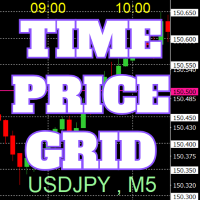
On the chart, draw grids for price and time at round numbers for easy reference.
"Parameter Input" allows for setting price intervals for each period. The grid lines for significant numbers (round numbers) are thicker and more prominent than other lines, making them easily distinguishable. The grid lines for significant numbers (round numbers) can be set to a different color than other lines. Colors at various points can be individually configured. Symbols and timeframes can be displayed, and t
FREE

This utility EA will display simple renko, hence the name essential renko. The renko will be shown in a new tab and using custom symbol.
Please do note (especially for those who new to Renko), that Renko does not follow timeline as it will follow price movement.
That's why it has a lot of potential where you can attach any EA that you want and use any custom indicator in this new custom symbol for renko. Always use M1 timeframe.
Most of the time you don't need to change anything. But if you d
FREE

제품 설명 Local Trade Copier and Safety Manager 는 동일한 PC 또는 VPS 내의 서로 다른 MetaTrader 5 터미널 간에 초고속으로 거래를 복제하기 위해 설계된 고급 도구입니다. 클라우드 기반 시스템과 달리 본 소프트웨어는 바이너리 파일을 통한 로컬 통신을 사용하여 지연 시간을 최소화하고 완벽한 데이터 보안을 보장합니다. 독보적인 SL/TP 동기화 기술 본 EA가 시장의 다른 모든 트레이드 카피어와 차별화되는 점은 보호 수준(손절 및 익절)을 관리하는 혁신적인 방식에 있습니다. 거리 기반 동기화(가격 기반 아님) : 일반적인 카피어와 달리 본 소프트웨어는 마스터의 가격을 기준으로 손절매(SL)와 이익실현(TP)을 설정하지 않습니다. 서로 다른 브로커 간에 절대 가격을 복제하면 시세 및 스프레드 차이로 인해 슬레이브의 스탑 라인이 너무 좁거나 넓어지는 치명적인 오류가 빈번히 발생합니다. 당사의 시스템은 마스터의 진입 가격으로부터의 정확한 포인트 거
FREE

Session Panel for MT5 Session Panel is a free MT5 indicator that gives you a fast and convenient live overview of the major trading sessions directly from the chart. Monitor Tokyo, London, and New York session times, see which session is currently active, track countdowns to the next session, and view session overlap information in one compact dashboard. Built for traders who want better market timing, clearer session awareness, and a cleaner chart workflow in live market conditions. Session Pan
FREE

This EA generates custom Heiken Ashi bars (Standard or Smoothed) on a separate symbol. Below is a guide for using the EA effectively with each input setting: 1. HeikenAshiType input ENUM_HEIKEN_ASHI HeikenAshiType = HEIKEN_STANDARD; Options: HEIKEN_STANDARD or HEIKEN_SMOOTHED Use: Choose the type of Heiken Ashi to generate: HEIKEN_STANDARD for traditional Heiken Ashi bars. HEIKEN_SMOOTHED for smoothed versions using MA filters. 2. SmoothingPeriod input int SmoothingPeriod = 7; Use: Applies only
FREE

Sobre a Boleta Ágil – Descrição Completa Apresentamos a Boleta Ágil , um painel de negociação completo e altamente personalizável para MetaTrader 5 . Desenvolvida para traders que exigem velocidade, precisão e flexibilidade , esta ferramenta coloca o controle total das suas operações na palma da sua mão — diretamente no gráfico. Com uma interface moderna e intuitiva, você executa ordens, gerencia riscos e ajusta estratégias em tempo real, sem perder tempo com menus complicados. Botões
FREE

Program Features 1. Calculation of Margin Call and Liquidation Prices Monitoring all open positions: The program continuously analyzes all open positions on the trading account. Determining critical price levels: Margin Call Price: The price at which additional funds must be deposited to keep positions open. If this does not occur, liquidation follows. Liquidation Price: The price at which positions are automatically closed by the broker to prevent further losses. 2. Display of Prices on the Ch
FREE

QUANITION EA PERFORMANCE DASHBOARD PRO — 거래를 한 화면에. 어떤 로봇이 계정을 떠받치고, 어떤 것이 출혈 중인지, 그 뒤의 달들이 차트 위에 그려집니다. 잔고는 평균이고, 평균은 사실을 가립니다. 이 패널은 청산된 거래를 읽고 그 하나의 숫자를 Magic Number 단위로 다시 나눕니다. 무료판입니다. Strategy Tester만이 아니라 실계정의 실차트에서 동작합니다. 처음 사용 MT5에서 도구 → 옵션 → Community 로 MQL5 계정에 로그인합니다. 내비게이터 → Market 에서 이 무료 제품을 찾아 다운로드합니다. 내비게이터 → 지표 에서 온라인 터미널의 차트로 끌어다 놓습니다. 패널이 열리면 설치가 끝난 것입니다. MT5에 관련 계정 이력이나 보유 포지션이 있을 때 행이 나타납니다. ALL 또는 TODAY 를 선택하세요. 이 무료 제품에는 구매가 필요 없습니다. 문제 MetaTrader는 숫자 하나—계정 손익—만 보여 줍니다. E
FREE

Automatic Trade Protection EA For MT5 Overview Trade Equity Guardian is a lightweight, always-on Expert Advisor that continuously monitors all open positions on your account and automatically closes any trade that breaches your predefined risk thresholds. It acts as a safety net — protecting your account from oversized positions, runaway losses, or locking in profits when targets are hit. Attach it to any chart and let it run in the background. It works alongside your other EAs and manual trades
FREE

ProTradeManager — Professional Trade Manager for MetaTrader 5 ProTradeManager is an all-in-one on-chart trade management utility that gives you everything you need to plan, execute, and protect trades with precision — from a clean visual panel directly on your chart. No scripting, no manual math. Just draw your lines, set your risk, and click. Whether you are a discretionary trader, a funded-account challenger, or someone managing multiple symbols at once, ProTradeManager handles the heavy lifti
FREE

Copy your MT5 trades to accounts anywhere in the world with the MetaToolsLab Master EA . Unlike local copiers that only work between terminals on the same PC or VPS, MetaToolsLab uses a secure cloud relay — so you can broadcast your trades to followers across different computers, VPS providers, brokers, and continents , with sub-second delivery and no broker passwords . Whether you're a signal provider, a multi-account trader, or an account manager, the Master EA installs in about
FREE

Native Account Stats breaks your own closed-trade history down by symbol, by hour of day and by weekday, with profit factor, win rate, expectancy and the drawdown of the closed-trade equity curve. Trades are reconstructed from MT5 deals, so deposits, credits and corrections never count as winning trades.
WHAT IT SHOWS
A panel on the chart reports: Trades, net result, profit factor, win rate, expectancy and max drawdown Average win, average loss, largest win, largest loss A breakdown by symbol
FREE

Risk Manager Trade Panel is an on-chart tool that helps you size and manage trades with one click. Set your risk per trade as a percentage (for example 0.5%, 1% or 2%) and the panel instantly shows the correct lot size for your stop distance, taking your symbol's tick value and 3/5-digit pricing into account. One-click actions: Move the open position to breakeven (with a spread-safe offset). Close 50% of the position (partial close). Close the whole position. The tool does not open trades automa
FREE

[FREE UTILITY] EA42 TANIN HEATMAP BUBBLES: REAL-TIME VOLUMETRIC X-RAY
Upgrade your order flow analysis with EA42 Tanin Heatmap Bubbles. This professional utility transforms complex tick data into clean, visual bubbles, showing you exactly where the heavy institutional volume is traded. 100% Free!
KEY FEATURES: * True Market Volume & POC: The size of each bubble represents the total traded volume. The highlighted core instantly identifies the Point of Control (POC) for every single candl
FREE

A hard stop your discipline can't argue with. Free - no DLL, no internet, no subscription.
A ton of work has gone into this to make it the best I can make it, and it is free - not a trial, not a lite version - and it always will be. I am still developing it, so expect regular updates. Spotted a bug, or want something added? Reach out in the Comments and I will get it done.
PFX Equity Shield watches your whole account - every symbol, every EA, every manual trade - against the limits you set. T
FREE

There are plenty of updates coming, so bear with me as I continue building and refining it. I’ve got big plans for this one! Your whole trading setup on ONE screen. Every terminal. Every broker. Every prop account. Every chart. See it all, name it all, and run it all from one dashboard. Free - no DLL, no internet, no subscription.
If you are like me and trade across multiple terminals, multiple brokers and prop firms, with multiple charts on every terminal - this one is for you.
You know the
FREE

"Manage multiple positions as a single unit with hidden targets." The Virtual Basket TP SL Manager is a professional MetaTrader 5 utility designed to automate the closing of positions based on the total profit or loss of a group of orders (a "basket"). By utilizing Virtual Levels , all Take Profit (TP) and Stop Loss (SL) targets are stored locally within the EA's memory and are not sent to the broker's server, keeping your strategy safe from stop-hunting and price manipulation. Key Features Virt
FREE

Limit Order Trailing Et — is a utility for trailing limit orders (Buy Limit and Sell Limit) in MetaTrader 5.
It automatically adjusts limit order prices following the market while maintaining a defined offset, allowing entries on pullbacks after price movement.
This tool is designed for working with limit orders in MT5 and can be used in both manual trading and semi-automated trading systems.
Unlike stop orders, limit orders are designed for price retracements (pullbacks) rather than brea
FREE

Close All and Orders Close All and Orders by SRBT is a manual trading utility for MetaTrader 5. Its compact chart panel provides three buttons for closing positions and deleting pending orders across the current trading account. Use it to manage exits from one chart, close positions with positive floating profit, or remove pending orders without closing existing positions. Three buttons, three actions CLOSE ALL (pos + orders) — Requests closure of all open positions, then requests deletion of al
FREE

This Tool is designed to automate one of the most critical aspects of trade management — setting and managing Stop Loss, Take Profit , and Trailing Stop levels — directly on your MetaTrader 5 platform.
Key Features:
Automatic SL, TSL and TP Placement: Instantly sets initial Stop Loss and Take Profit levels on any new position based on customizable parameters, helping to enforce disciplined risk and reward management.
Dynamic Trailing Stop: Automatically moves the Stop Loss to lock in profits
FREE

Risk Calculator and Order Lines calculates position size from your chosen risk and places orders from the chart. Set the entry, stop loss and take profit using draggable lines, then review the volume and estimated outcome before confirming the order. Risk can be entered as a percentage of balance, a percentage of equity or a fixed amount in account currency. The panel displays estimated risk and reward in money and percent, the reward to risk ratio, required margin and spread cost. A separate in
FREE

WatchListPro — Watch list and Linker for MetaTrader 5 Developer / website: Tradingvyuga.com
WatchListPro is a MetaTrader 5 Expert Advisor: a ticker watchlist with a chart linker. Build working instrument sheets, switch the symbol on several charts with one click, save templates, and trade from a single hub.
It uses your broker's symbols (forex, crypto, metals, stocks, and more). Instrument selection is manual. Several open charts are recommended. It does not work in the Strategy Tester.
Featu
FREE

Утилита Горячие Клавиши. Работает только на неттинговых типах счетов. Позволяет совершать торговые операции без мыши. Удобно использовать для акций, фьючерсов, валютных пар, криптовалют. В совокупности со стаканом получается полноценный скальперский привод.
Реализованные команды : · покупка по рынку; · продажа по рынку; · выставление лимитного ордера на покупку с заданным отступом (может быть отрицательным) от цены Бид; · выставление лимитного ордера на прода
FREE
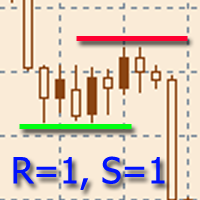
The indicator is designed to build horizontal support and resistance levels. The level search algorithm is based on the grouping of extremes. It is possible to display statistical information for each level, filter the display of levels by a number of properties, adjust the color scheme depending on the type of level (support or resistance). Features:
The indicator is ready to work and in most cases does not require special settings Manual or automatic selection of the range of extrema grouping
FREE

Copy Dog AI Trades Copier MT5 Copy Dog AI Trades Copier copies trades between MetaTrader accounts and lets you set the copying rules by talking in your language, or by typing your copying commands and account management on the chart panel in MT4 or MT5. Write or say what you want in plain words, for example: "Copy only gold from now on, half the sender's lot size, and trail each copy 200 points behind the price." Google Gemini turns your words into rules, explains them back to you in plain words
FREE

Name: Trailing Stop EA Version: 1.1 Author: D. Petru Description: This Expert Advisor (EA) for MetaTrader 5 implements a trailing stop functionality. The EA monitors all open positions and, if the price moves in favor of the position by more than the set TrailingStop value, then the EA will move the stop loss to a distance of TrailingStop from the current price. Key Features: Trailing Stop : The user can set the trailing stop distance in points. When the price moves in favor of the
FREE

IMPORTANT NOTE: This is a professional Trade Management Utility and on-chart assistant. It is NOT an automated trading robot. It does not open trades on its own. The UltraFast Trade Manager MT5 is the ultimate execution and risk-management suite designed to give you absolute control over your manual and algorithmic trades. When managing multiple positions, calculating complex net break-even points, or constantly monitoring the economic calendar, hesitation can lead to costly mistakes. This utili
FREE

Xauiq ATR Trade Manager is a position management utility designed for manually opened XAUUSD trades. It does not generate entry signals and does not decide whether to buy or sell. After a manual position is detected, the utility manages risk, partial profit taking and the remaining position according to the confirmed settings. Main Features Manual Position Management The utility manages eligible manually opened positions and detects the actual Buy or Sell direction before calculating any level.
FREE

TradeBuddy Smart Trade & Breakeven Manager — One-Click Trading, Breakeven Lines & TP/SL Assistant
Tired of opening the order modification dialogue over and over just to tweak Stop Loss and Take Profit? Wondering where your exact zero-profit Breakeven price is when managing multiple grid or scalping positions?
TradeBuddy Smart Trade & Breakeven Manager is an institutional-grade on-chart utility engineered specifically for manual traders, prop firm challengers, and scalpers. Designed with a sl
FREE

ClickDrag는 차트에서 선을 그리고 개체를 쉽게 이동합니다.
클릭한 다음 드래그하여 추세선 그리기를 시작합니다.
마우스를 수평으로 움직이면 가격선이 그려집니다.
마우스를 세로로 움직이면 날짜선이 그려집니다.
기존 선과 개체는 클릭&드래그로 이동할 수 있습니다.
시작 지점과 종료 지점 사이의 가격 및 시간 차이를 표시합니다.
클릭&드래그를 시작한 후,
색상을 변경하려면 좌우로 흔듭니다.
위아래로 흔들어 삭제합니다.
- 클릭앤드래그란?
1. 마우스 왼쪽 버튼을 누릅니다(누르기).
2. 마우스 왼쪽 버튼에서 손을 뗍니다(떼기).
3. 마우스 왼쪽 버튼 누르기(길게 누르기)
4. 마우스를 누른 상태에서 이동(드래그)
이 움직임을 사용하면 추세선을 그리고 개체를 이동하고 색상을 변경하고 지울 수 있습니다.
화살표, 가격 개체, 피보나치, 자이언 선, 순환 선 및 모양도 이동할 수 있습니다.
실수로 선을 그린 경우 차트 밖으로 이동하여 버튼을 놓습니
FREE

Eagle Trade Copier
MetaTrader 4와 MetaTrader 5용 로컬 트레이드 카피어: 같은 컴퓨터나 VPS에서 MT4에서 MT5로, MT5에서 MT4로, 또는 같은 플랫폼의 터미널끼리 복사합니다. 모든 심볼은 첫 복사 전에 점검되고, 모든 복사는 수동 주문처럼 점검됩니다. 차트의 대시보드가 계좌, 연결, 모든 복사를 실시간으로 보여 줍니다.
Eagle Trade Copier 는 같은 컴퓨터나 VPS에서 실행 중인 MetaTrader 터미널 사이에서 거래와 대기 주문을 복사합니다. 하나의 파일로 세 가지 역할: 복사할 원본 계좌에서는 Transmitter, 복사하는 각 계좌에서는 Receiver, 같은 계좌 안에서 거래를 늘리려면 Self Copier. 첫 복사 전에 연결과 원본 계좌의 모든 심볼을 테스트하고, 차트의 패널이 무엇이 문제가 될지와 해결 방법을 알려 줍니다.
무엇이 다른가 - 브로커마다 같은 종목의 이름이 다릅니다(EURUSD, EURUSD
FREE
MetaTrader 마켓은 거래 로봇과 기술 지표들의 독특한 스토어입니다.
MQL5.community 사용자 메모를 읽어보셔서 트레이더들에게 제공하는 고유한 서비스(거래 시그널 복사, 프리랜서가 개발한 맞춤형 애플리케이션, 결제 시스템 및 MQL5 클라우드 네트워크를 통한 자동 결제)에 대해 자세히 알아보십시오.
