 MetaTrader 5
 专家
专家
 指标
指标
 程序库
程序库
 实用工具
实用工具
 窗口小部件
窗口小部件
 规则
规则
免费的MetaTrader 5 交易实用工具 - 25
 以下是可在MetaTrader 5中简化交易的交易程序。将鼠标悬停在一个工具上,阅读它的描述和用途。
This Expert Advisor captures and sends information about all open positions to a REST API server in real-time using HTTP POST requests. It is ideal for building synchronization tools, external monitoring systems, or custom trade copier solutions. What does this EA do? Iterates through all active orders in the account. Compares current positions with the previously sent ones. If any change is detected (SL, TP, price, symbol, volume, type, etc.), it sends updated information to the defined endpoi
FREE

Hello everyone, this is another utility that I wrote specifically for users using my profile with a large number of experts and sets ( https://www.mql5.com/en/blogs/post/750723 ) . This utility is useful for working with a profile using grid strategies (averaging and martingale). As we know, such strategies periodically fall into a large drawdown and you need to be careful when opening averaging positions (do not open too many). In my profile, I use a limit of 3 positions for each EA, if this w
FREE

TradeCopier is an application for automated copying of trades for different accounts in MetaTrader 5 terminal with flexible rules of filtering and modification. With TradeCopier, copying, filtering and transformation of trades are realized and processed via the server . It means that copying trades is possible within one or several computers. How can you boost your trading results with TradeCopier? Your convenience and speed Average speed of copying: 100 ms Working with MetaTrader 5 Working with
FREE

交易数据分析助手 : 这是一款交易数据统计分析工具,数据图表较多可供分析参考 . 语言: 支持语言的选择切换(目前支持中文和英文 主动识别不用人工选择) 主窗口显示: 余额显示 总盈亏显示 现在持仓盈亏金额显示 现在持仓盈亏比例显示 买单卖单总单量,总手数,以及盈亏情况显示. 仓位使用比例显示 按照目前持仓能够承受的亏损点数预计 (点击右下角可缩放)每日订单单量,手数,盈亏情况统计 (点击右下角可缩放) 当周盈亏数据
(点击右下角可缩放) 当月盈亏数据
(点击右下角可缩放) 当年盈亏数据
交易数据统计区: 详细订单统计,(可以选择按日,周,月,季度,年)(按品种,识别码)(现有持仓详细统计) 盈亏/手数/交易次数 柱状图 多/空持仓时间/获利水平情况 多货币盈利次数/盈利水平分布情况 余额净值曲线/余额曲线/盈利曲线等(注:加载余额净值曲线可能需要一定的数据处理时间,请耐心等待加载完成...) 每次订单盈亏利润柱状图 多货币对盈利曲线图 数据统计分析报告 关于版本更新 有任何问题,建议,欢迎交流.
FREE

您有機會擺脫日常交易,在短時間內投入魔法世界。我向您介紹遊戲 - 紙牌技巧。在 mql 語言中,您不僅可以創建 EA、指標、腳本,還可以創建這樣的小遊戲。 我不僅是交易員和程序員,而且我還喜歡在空閒時間展示紙牌技巧,因為它發生了,我決定將我最喜歡的技巧之一數字化。這並不容易,因為焦點包含很多精神主義。 訣竅是由一副不尋常的紙牌展示的。這些是“俄羅斯風格”的優秀紙卡。這副撲克牌與穿著服裝的人物,重複了 1903 年 2 月在冬宮舉行的宮廷舞會參與者的服裝。 1911 年,德國紙牌遊戲工廠 Dondorf(美因河畔法蘭克福)開發了紙牌草圖。國王、女士和傑克的衣服都是按照 17 世紀的風格製作的; ace - 被古代俄羅斯武器和盔甲包圍的盾牌圖像。這些卡片本身是在聖彼得堡的亞歷山大工廠印刷的,它們的發行時間恰逢慶祝羅曼諾夫王朝 300 週年。
FREE

Quanition Calendar Diagnostic — 适用于 MT5 的免费诊断脚本(脚本名:CalendarDiagnostic)。结果显示在 Experts 选项卡。 经济日历标签页为空,或新闻过滤器不再触发。原因可能是日历数据过期、电脑或 VPS 时钟偏移,也可能只是标签页启用了过滤。只看 Calendar 标签页,这三种情况很难区分。 这个脚本的作用,就是把这三种原因区分开来,然后清楚地告诉你接下来应该怎么做。 它到底做了什么 它通过 API 直接读取日历数据库,而这条路径不会受到界面上任何过滤器设置的影响。仅凭这一点事实,就足以把第三种原因(标签页被过滤)从另外两种原因中区分出来:如果 API 明明返回了未来的事件,而你的 Calendar 标签页却什么都没有显示,那说明问题只是出在标签页的过滤设置上,你的交易终端本身完全没有问题。 接着,它会把读取到的结果归入以下几种判定之一: HEALTHY — 存在未来事件,说明数据源是活跃的 STALE_FEED — 数据行是存在的,但没有一条晚于当前时间 EMPTY — 在整个查询窗口内,一条记录都没有 API_ERROR
FREE

Script Name: Close All Positions Language: MQL5 Type: Utility Script Primary Function: Instantly close all open positions on the current trading account Purpose The “Close All Positions” script is a lightweight and efficient tool designed for traders using MetaTrader 5. Its main purpose is to help users quickly exit all active trades with a single click, especially during volatile market conditions or when risk management requires immediate action. Instead of manually closing each position on
FREE
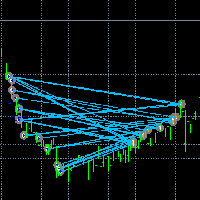
让交易更清晰可见。 你是否曾在 MT5 策略测试器或图表上的信号可视化中分析过交易?
如果答案是“是”,那么你一定知道那些交易线几乎看不清。
解决方案就是实用工具 “Visible Deals” 。
“Visible Deals” 可以让你的交易线变得更粗,甚至可以更改颜色。
只需将 “Visible Deals” 拖放到图表上,并调整新的线条格式即可。 Make the deal visible. Have you ever analyzed the deals in the MT4 Strategy Tester or Signal Visualization on Chart? If the answer is "Yes", then you know how sightless trade lines are. The solution is the utility "Visible Deals". The utility "Visible Deals" allow you to make trade lines wider or even change color. Just
FREE

VTB High Watermark Drawdown INFO Indicator for MT5 Advanced Account Monitoring & Drawdown Information Dashboard VTB High Watermark Drawdown INFO is a professional account monitoring indicator designed to display drawdown statistics, account performance, and risk management information directly on the chart. Unlike Expert Advisors, this indicator does not interfere with trading activity. It does not open or close positions, modify orders, or block trading. Its sole purpose is to provide a clear a
FREE

Mini Trader Nestor Glob – Manual Trading Panel for MT5 Follow me on social media and learn how to trade gold. Mini Trader Nestor Glob is a professional manual trading tool for MetaTrader 5 , designed to speed up and simplify trade execution and position management, especially for Gold (XAUUSD) trading. This product is not an automated trading robot .
All trades are executed only through user interaction using on-chart buttons. Main Features Manual trading panel with BUY / SELL / CLOSE buttons Au
FREE

You only need to load this EA into a single chart. Key Features Session Lockdown Blocks ALL trades outside London/NY sessions Instant position closing at session end NEW: Pre-close alerts (configurable minutes before session end) Smart Daily Limits Profit Target: Set $ or % goals to lock in gains Loss Limit: Hard-stop protection against bad days NEW: Choose between Balance (closed P&L) or Equity (including floating P&L) Dual-Layer Protection Prevention: Stops orders before execution Elimination
FREE

TradeBridge EA — Automated Trade Execution for the MyFXRoom Community Important: TradeBridge EA is part of a 2-stage system built specifically for the MyFXRoom trading community. It will not function as a standalone EA. It works in conjunction with the MyFXRoom Bridge application to receive and execute trade alerts automatically. For information on accessing the Bridge, please visit the author's MQL5 profile. Overview TradeBridge EA is a professional automated execution layer for MetaTrader 5.
FREE

Market Regime Observer 是一款专业级市场状态识别工具,用于帮助交易者区分: 强趋势行情(Strong Trend) 震荡行情(Range) 过渡行情(Transition) 高波动混乱行情(Chaos) 该工具通过: ADX 趋势强度 EMA50 / EMA100 展开度 EMA200 宏观方向 ATR 波动扩张 Wick / Body 波动结构 进行综合评分,并实时给出市场状态分析。 适用于: 趋势跟踪交易者 Smart Money / ICT 交易者 EA 开发者 多策略量化系统 Risk Management Framework 功能特点: 可视化 Regime Analysis 实时 Trend / Range 概率评估 Conclusion & Analysis 开关按钮 轻量化高性能架构 支持 MT5 回测观察 专为 Market Regime Research 设计 ️ 当前免费版本仅允许在单一 Symbol 上运行。 如需: 多品种同时运行 无限制版本 更高级 Regime Engine AI / ONNX Regime Framework 请关
FREE

特征:
EA交易以设定的时间间隔宣布当前价格。
它说俄语和英语。
如果您需要中文语音,请发表评论
文件voice_dict.csv包含发音规则(语言,其他规则)。 请参阅下面的示例
Google云服务器用于发音,因此应允许专家访问“ https://texttospeech.googleapis.com”(请参阅Tools \ Options \ Expert Advisors允许WebRequest用于...)
限制条件:
仅2个符号
发音规则的示例(“文件”目录中的voice_dict.csv文件)
AUDUSD; 澳大利亚 5; 6;RU
如果价格的第4个和第5个字符为96,则俄语中的声音会说“澳大利亚是96”。
EURDUSD; Euro; 5; 6; en
如果价格的第4个和第5个字符为87,则语音将用英语说“欧元为87”
FREE

Stop journaling your trades by hand. Let them journal themselves. Every serious trader knows the truth: the traders who review their trades outperform the ones who don't. And almost nobody actually does it — because manually logging every entry, exit, SL, TP, and P&L into a spreadsheet is tedious enough that it quietly dies after week two. War Room Journal kills that excuse. This is the official connector between your MetaTrader terminal and the War Room trading journal on Telegram (by @Ash_TheT
FREE

It adds the symbols listed on Binance Spot to the Metatrader5 market clock. With this free file you can list the entire list in seconds. You can easily upload it to your demo account. It is the first file uploaded for Binance Spot Tick and is available for free. Tools menu / Options / Expert Advisors / You need to select Use WebRequest for listed URL You can watch videos to add Metatrader.
FREE

The TradeHistoryParsing is a utility for working with the trade history obtained from the MetaTrader 5 terminal. The product is based on the " RegularExpressions in MQL5 " library. It allows to quickly get the required data on your trading history. The filtering results are displayed as a table, a summary of mathematical statistics is provided below the table.
Working with the tool Export the trade report as an html file and place it into the "sandbox". After that, when launching the EA, specif
FREE

The utility opens an order in the opposite direction from already open positions on the currency pair on which it is launched, creating a lock of orders. The utility has a simple interface and is easy to use. MT4 version of the utility - https://www.mql5.com/en/market/product/78127 If you like this utility, take a look at my other products - https://www.mql5.com/en/users/nina_yermolenko/seller
FREE

This system is a semi- automatic trend following system that operates during the days of highest probable market volatility aiming to capitalize on major retracements and reversals that occur midweek. It can operate on full autopilot, act as just a signal generator, or any customized user preference based on the needs of the user and the functionality of the program. It is capable of risk management with an inbuilt lot size calculator with adjustable risk pecentage to suit the user's unique apet
FREE

RTrade panel is easy trading panel use both (Stop Loss & Take Profit) based on pips with easy interface can be use by anyone
Panel Feature: -Open position based on (Lot) size
-Auto detect entry price -Use Stop Loss based on (pips) -Use Take Profit based on ( pips ) -Close all position in one button click
i will add more function in future update if you like it write your review
FREE

- Download historical rates via `CopyRates()` for many symbols and timeframes. - Works with Market Watch symbols or explicit symbol list. - Optional CSV export into the terminal `Files` folder (per symbol/timeframe). - Configurable retries, pause and exponential backoff. - Verbose logging and progress comments for convenience.
## Usage 1. Copy `AutoHistoryDownloader_mq5.mq5` into `MQL5/Scripts` or open in MetaEditor. 2. Attach / run the script from the Navigator (Scripts). 3. Configure inputs:
FREE

input double MaxDailyLoss = 500.0; // Maximum floating loss in account currency input double SafetyBufferMoney = 10.0; // Trigger at MaxDailyLoss - SafetyBufferMoney input int CheckEverySeconds = 2; input bool is_debugged = false; // Print additional messages in the Terminal
input bool is_Closing_All_Positions = false; // if false for each open position, each new reversed position with the same symbol & lot size will be opened.
This EA will then remove itself from the Chart
FREE

Pips Keeper is a sophisticated Forex trade manager expert advisor designed to enhance trading efficiency and optimize profit-taking strategies. With its intuitive functionality, this EA empowers traders to automate the process of closing profitable positions at predefined profit thresholds, thereby maximizing returns and minimizing risks.
Key Features:
1. Threshold-based Profit Closure: Pips Keeper enables traders to set customizable profit thresholds, allowing for the automatic closure o
FREE

Less is more. Find the strongest trends! This expert scans ALL currency pairs for a strong trend combined with a breakout.
Requirements for a trend report: 1. Up-trend or down-trend must be found in all of the following timeframes (D, H4, H1, M30) 2. Breakout in the daily timeframe (the upper or lower band of the Bollinger band must be broken)
The correctness of the trend is confirmed to 90%
FREE

This is a versatile tool designed to help traders analyze their trading performance on a MT5 account. It provides a detailed of profit, allowing users to review their overall account performance or filter trades based on specific criteria. With this tool, traders can: Check total profit across all trades. Filter by a single Magic Number or multiple Magic Numbers (enter directly, separated by ",") Analyze individual symbols or a custom set of symbols to evaluate different market instruments (
FREE

Script Universal Counter is a utility script for the MetaTrader 5 terminal designed to instantly count the number of bars (candlesticks) within a specified historical range. Key Features: Timeframe Selection: Supports all 21 standard MT5 timeframes (from M1 to MN1) via a drop-down menu. Precise Dates: Allows you to set the exact start and end time of the calculation period. Convenient Output: Automatically displays the total bar count in a pop-up window (Alert) and duplicates detailed informatio
FREE

Pairs Navigator is a simple and easy-to-use tool that allows you to view all of your charts in a single window. This eliminates the need to open multiple charts from the Market Watch window, saving you time and effort. Pairs Navigator is also very lightweight, so it will not put a strain on your RAM or cause your MT4/5 platform to hang. To use Pairs Navigator, simply drag and drop the currency pairs you want to view into the Pairs Navigator window. You can then easily switch between charts by
FREE

¿Necesitas data de alta calidad para tus backtests algorítmicos pero te enfrentas a límites de descarga masiva? Este script está diseñado específicamente para extraer datos de ticks históricos reales directamente desde tu broker en MetaTrader 5, exportándolos en un archivo CSV con el formato exacto y limpio que requiere StrategyQuant X (SQX) . La principal ventaja de esta herramienta es su sistema de descarga por bloques de tiempo (chunks) . En lugar de pedir millones de ticks en una sola solici
FREE

Description The indicator based on Average True Range (ATR) is designed to accurately determine the possible range of price fluctuations on a selected timeframe. This tool is ideal for both beginner traders and experienced professionals looking to effectively plan their trades. Key Features: Displays possible price fluctuation levels on the chart, simplifying visual analysis. Utilizes the power of the ATR algorithm to calculate precise volatility values. Adapts to any timeframe, providing releva
FREE
This utility exports candle data which you chosed by input parameter to CSV file. Time Frames: M1,M5,M15,M30,H1,H4
Inputs:
StartTime: Start time for exporting data. EndTime: End time for exporting data. DataType: Close, Open, High, Low, Median(HL/2), Typical(HLC/3), Weighted(HLCC/4), Pip(H-L). DecimalSeperator: Decimal seperator for candle price data. (Default = ".") CSVDelimiter: Delimiter character for CSV file. (Default = ";") * This utility exports candle data horizontally. That me
FREE

EW Close All – 一键全平。全部关闭 。
EW Close All 是一款轻量级、多语言 EA 专家顾问,只需点击一次按钮,即可瞬间关闭所有持仓并取消全部挂单。
关闭所有已开仓位 取消所有挂单 适用于任意交易品种和任意时间周期 多语言界面 干净、快速、可靠
完美适用于快速离场、风险控制或每日收盘前的清理工作。
保持绝对掌控 —— 用 EW Close All 几秒钟内关闭一切!
EW Close All – 一键全平。全部关闭 。
EW Close All 是一款轻量级、多语言 EA 专家顾问,只需点击一次按钮,即可瞬间关闭所有持仓并取消全部挂单。
关闭所有已开仓位 取消所有挂单 适用于任意交易品种和任意时间周期 多语言界面 干净、快速、可靠
完美适用于快速离场、风险控制或每日收盘前的清理工作。
保持绝对掌控 —— 用 EW Close All 几秒钟内关闭一切!
FREE

Entry Cluster Indicator for MT5 Entry Cluster is a professional-grade trading system engineered to deliver precise, high-probability entries without repainting or hindsight bias. Designed for serious traders, it integrates momentum analysis with institutional price levels to identify only the most reliable setups. Signal Clarity : Dots mark potential buy/sell zones, allowing traders to prepare. Gems confirm execution points, triggered only when momentum aligns with key levels. Robust Framework
FREE

Account and Market Dashboard Advanced Account Dashboard & Risk Monitor (MT5) This script provides a real-time on-chart dashboard for monitoring account performance, risk exposure, and execution conditions in MetaTrader 5. It is designed for traders who want clear visibility of account health and risk awareness during live trading or VPS operation.
The script does not open trades and does not interfere with any strategy logic . Key Features Account Metrics Live equity, balance, and float
FREE

# Trading Info Panel - Your Complete Trading Dashboard
## Why This Indicator Was Created
As a fullscreen trader, I was constantly frustrated with the hassle of: - Exiting fullscreen mode to check positions - Switching between charts and the terminal window - Losing focus on price action while checking account status - Missing critical margin levels during active trading
**I needed a simple, elegant solution that kept all vital trading information visible at a glance - without disruptin
FREE

Discover our all-in-one monitoring and notifications EA for MetaTrader. Designed to ensure traders’ security and peace of mind, this unique EA offers a full range of advanced features that will allow you to stay informed and control your account activity, anytime and anywhere. Key Features : Continuous server monitoring: real-time notification on server availability and performance (Cpu, Ram, disk), connectivity, latency and more Advanced account management: live tracking of margin calls, dro
FREE

Please visit = https://www.mql5.com/en/market/product/186048 for slave EA
MT4 Version = https://www.mql5.com/en/market/product/186079
Free Demo Version = https://c.mql5.com/6/1033/COPYTRADE_BIN7D.zip
User Manual : download here
Best EA Trade Copier for MT5. EA Trade Copier is a powerful and reliable trade copying solution that transfers trades from one Master account to multiple Slave accounts in real time. Whether you manage multiple trading accounts, investor accounts, VPS terminals,
FREE

MATTRIX Synthetic Charts creates 11 fully functional Custom Symbols from the 28 Forex major pairs available on any standard MT5 broker.
CREATED SYMBOLS: Currency Indices (geometric mean of 7 pairs each): #EUR #GBP #AUD #NZD #USD #CAD #CHF #JPY Risk Baskets (geometric mean of 8 pairs each): #RON "Risk-On" basket #ROFF "Risk-Off" basket (visually flipped) Diversification Basket: #FIX Combined long-bias index of all 28 majors
USAGE: 1. Attach the EA to any active major pai
FREE

Script for deleting pending orders If you need to delete all pending orders you placed, this script will do it for you! It doesn't have any input parameters. Allow AutoTrading before running the script. Usage:
Run the script on a chart. If you need a possibility to adjust parameters of the script, use the version with input parameters https://www.mql5.com/en/market/product/627 You can download MetaTrader 4 version here: https://www.mql5.com/en/market/product/2782
FREE
This indicator is to be used in bot connectors for automation of Pct Multi indicator entries.
How to use: Configure the bot connector with the following information: Indicator name: pctmultibot Call buffer: 0 Put buffer: 1
Do not add this indicator to the chart, just configure it in the bot connector!
Pct Multi indicator:
https://www.mql5.com/en/market/product/111091
FREE
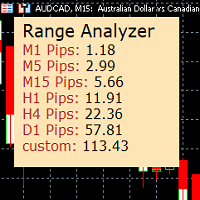
Range Analyzer calculates the Average True Range (ATR) values for different timeframes in pips to give a fast and simple overview about the volatility of the chosen symbol.
Settings are very easy:
bars for calculation: Choose the number of bars for calculation or use the default value (14 periods).
from bar: Choose the youngest bar to start the calculation or use the default setting (0 = current bar). custon timeframe: Choose another timeframe.
You can use it for forex, crypto, indices, comm
FREE

This is the demo version of SmartVSV Panel. https://www.mql5.com/en/market/product/91131 It is the same as original panel with all graphic objects and settings. Main difference is that you can not trade with this demo, but you can see all orders' parameters such as entry, TakeProfit and StopLoss. Also you can test QuickTrade. All functions are explained with alerts. When you add it to your chart press "I" to call information alert.
FREE

MetaTrader 5 플랫폼에서 사용되는 사용자 정의 인디케이터로, 다양한 타임프레임에서의 시장 트렌드를 시각적으로 표시하는 데 사용됩니다. 이 인디케이터는 사용자가 지정한 X 및 Y 좌표에 위치하는 패널을 생성하여, M1부터 MN1까지 총 21개의 타임프레임에 대한 트렌드를 각각 라벨 형태로 보여줍니다. 각 타임프레임의 트렌드는 20기간 단순 이동평균(SMA)과 50기간 단순 이동평균을 비교하여 결정되며, 상승 트렌드는 초록색, 하락 트렌드는 빨간색, 보합은 회색으로 표시됩니다. 또한, 모든 타임프레임에서의 트렌드를 종합하여 상승 비율을 계산하고, 이 비율에 따라 전체 시장 트렌드가 표시됩니다. 전체 트렌드는 일정 간격으로 깜빡이며 사용자에게 시각적 주의를 끌도록 설계되었습니다. 이 인디케이터는 시장 상황을 빠르게 파악하고자 하는 트레이더들에게 유용하며, 업데이트 간격과 깜빡임 간격은 사용자의 필요에 맞게 조정할 수 있습니다. 또한, 패널의 위치와 색상도 사용자 정의가 가능하
FREE

OrderCalc opens a window in the chart with the data of your orders:
Position size, stop loss, take profit, profit/loss
Only the positions for this symbol are displayed. If several positions exist, these are totalled and displayed in the last line. If you work with pyramids, you can see at a glance how big the total profit or loss is.
M can be used to display information about the symbol: Margin, spread, minimum order size, increment etc. R opens the risk calculator. A click in the chart calc
FREE

Aegis Gold Dashboard is a free, lightweight visual indicator created to help traders monitor key market conditions in a clean and professional way.
This indicator is designed as a visual companion to automated or discretionary trading systems and does not execute any trades.
Features: • Informational signal overview (non-executable) • ATR-based volatility display • Market session open / closed status • Real-time spread monitoring • Last closed trade overview • Simple market condition tips
De
FREE

Global Session Map turns one MetaTrader 5 chart into a clear session workspace. It shows which major trading sessions are active in broker time, when the next transition occurs, and where session overlaps appear.
The panel is designed for discretionary traders who need reliable time context without entry signals or profit claims. Session windows and display preferences are configurable and remain available after chart or terminal restarts.
Main functions
• Sydney, Tokyo, London and New York s
FREE

A FOMO blocker to click before opening an emotional trade.
Once activated, the blocker remains in effect—even if you change settings or restart MT5—until the timer runs out, preventing you from opening new trades.
Set the duration you need for your mindset to return to normal.
Use it without restraint.
If you open a trade during this period, it will be closed immediately.
---- NEW VERSION FULL https://www.mql5.com/en/market/product/192677
Check out my alert for stepping away from your PC
FREE
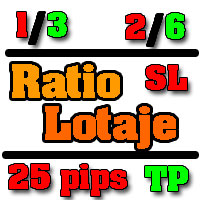
Utilidad de uso informativo la cual ayudará a gestionar el riesgo de los trades con la ayuda visual de los datos proporcionados. el usuario se encargará de ubicar sus SL y TP manual acorde al lotaje. Asesor experto desarrollado para MT5 con el objetivo de ingresar ratios de utilidad y % de riesgo, adicional los Pips de SL para el cálculo del lotaje para dicho riesgo. Estos se calculan sobre el balance actual. El usuario tomaría como dato ingresar el lotaje que se calculó y arrastrar el S
FREE

Change lot size, set TP / SL points and with one click place an order. Track current order count and total running profit. Instant Close all Buy trades, Close all Sell trades or Close All open trades buttons. Trailing SL feature Support for Manual orders. Utility types Risk management, Graphical objects, Panels. Main features
Take Profit and Stop Loss in points (10pip = 100 points) After the price reaches the Take Profit threshold, orders will be closed in profit After the price reaches the St
FREE

This Utility tells you the volatility of any symbol for any of the major time frames. As trades occur, the volume increases for each period. When each period ends, the bucket is reset to 0. Volumes are sorted from largest to smallest within each shown period. Click any symbol to highlight that symbol in all period columns. Volume information is specific to transactions placed at your broker. To test in the Tester, set the following:
EURUSD,M1,1 minute OHLC 2018.01.01 to 2018.01.02 (a day’s worth
FREE

多数の通貨を取引している場合、画面をカチャカチャ切り替えの際にどの通貨を見ているか 迷ったことはありませんか。 表示している通貨が大きく表示されるMT4用のインジケーターは あるのですがMT5用がなかったので作成しました。
機能: どの通貨でも表示可能になります。 表示位置 (左上 、 右上 、 左下 、 右下) の 指定 が可能 になります。 表示位置(X軸、Y軸)が変更可能 になります。 フォントの色を 変更可能 になります。 使用するフォント を指定することが可能になります。 フォントサイズ の 変更が可能 になります。 インストール方法: ファイル->データフォルダーを開く->MQL5フォルダー->Indicatorsフォルダー 配下にex5ファイルを置いてMT5を再起動してください。
FREE
I find the lot calculation tedious so I just use this script and tell it the dollar amount to use. It then does the rest. This works for any currency.
How-To: Open a sell position using the desired dollar amount instead of lots. To use, just drop it onto a chart and set inputs as needed. The script will then do the necessary lot calculation and open the trade.
Inputs: FIXED_DEAL_AMOUNT: Fixed amount to use per trade e.g 100 to open a R100 deal USE_SL_ON_BUY: If true then a suitable stoploss wi
FREE

I find the lot calculation tedious so I just use this script and tell it the dollar amount to use. It then does the rest. This works for any currency.
How-To: Creates a buy limit order at chosen MA price using the desired dollar amount instead of lots. To use, just drop it onto a chart and set inputs as needed. The script will then do the necessary lot calculation and create a buy limit order.
Inputs: FIXED_DEAL_AMOUNT: Fixed amount to use for the trade e.g 100 to open a R100 deal MA_PRICE: MA
FREE

This is a utility for storing the data on open interest (OI), ratio of buyer/seller orders' number and the ratio of buyer/seller orders' volumes on the Russian FORTS futures market. This is the first product of the series. Now, you can trace history of the specified data in real time in МТ5 terminal. This allows you to develop brand new trading strategies or considerably improve the existing ones. The data received from FORTS market is stored as a database (text CSV or binary one at user's discr
FREE

Introducing our cutting-edge Trade Copier Expert Advisor for MetaTrader 5 (MT5) – the ultimate solution for seamless trade replication across multiple accounts on the same server or computer. Elevate your trading experience and take control of your investment strategy like never before with our professional-grade Trade Copier. Key Features: Effortless Trade Replication: Our Trade Copier effortlessly duplicates trades from a master account to multiple slave accounts, ensuring that you never miss
FREE

The idea of enhancing the free Slider utility appeared after the release of a lite version of the EA trade panel Trading Chaos Expert Lite , which operates in the Current Chart mode without the possibility to maintain trades of several symbols in a single window. The purpose of Slider profy Ease search for trading signals by automatic display of charts of currency pairs from the "Market Watch" one by one at a specified interval of time in seconds. Automation of one-click placing of pending ord
FREE

Script "Bar Close Timer Pro" is designed to display a real-time countdown to the closure of the current bar. This professional tool is tailored for traders working on any timeframe, enhancing chart analysis efficiency through precise time control. The script automatically adapts to the chart’s current timeframe (M1, H1, D1, etc.), calculating the remaining time until the candle closes. (Note: When switching timeframes, the script must be reattached to the chart.) Flexible display settings: Cus
FREE

SymbolScope MT5 是您的个人品种规格助手。无需再在终端中查看合约规格或在互联网上搜索数据。所有必要信息都随时可得,就在图表上一个优雅简约的面板中。 它的用途是什么?
交易者在开仓前了解品种的精确参数至关重要:点值、合约规模、最小手数、掉期。SymbolScope MT5 为当前品种即时提供这些数据,并允许您快速切换到任何其他品种以研究其规格。 主要功能: 一键获取完整规格:按下 INFO 按钮,面板展开,显示所选品种的详尽参数列表。 所有重要参数一览无余: 当前的 ASK 和 BID 价格。 点值(最小价格变动单位)。 点值 Tick Value 和 点距 Tick Size。 合约规模 Contract Size。 最小手数 Volume MIN、最大手数 Volume MAX 和 手数步进 Volume Step。 多头掉期 Swap Long 和 空头掉期 Swap Short 的值。 快速切换品种:内置下拉列表,包含市场报价中所有可用的品种。选择新品种时,图表会自动切换,面板中的数据也会立即更新。 紧凑且不引人注目的界面:在折叠状态下,面板在图表上占用最小空间,
FREE

FTU Auto Trade with on Chart Panel Mt5 (basic version)
This EA will improve your trading, lower work load and improve risk management Adjust Lot size, entry based on at market or by price input EA will manage entry, stop loss, partial close and adjust stop loss after tp1, partial Designed to be compact and efficient, small layout for multiple chart trading
Features: Lot groups - Allows for fast change to various risk models Tp, Partial and SL management Multiple No Trade Times - Various time
FREE

Lumos Lumos is a multifunctional trading assistant. It gives an overview of the current market situation for a better decision making. The strategy tester only provides a visualization of the application. Lumos is highly customizable and gives you information in multiple timeframes about: MAs, price structure, RSI, RSI MA and an overview of the price distance to possible SLs.
FREE

Position Closer MT5 是一款便捷的交易工具,直接显示在图表上,让您能够快速高效地管理平仓操作。无需逐个关闭仓位,一键即可全部平仓。 工作原理: 该面板由两个大型信息按钮组成: 绿色"关闭买入"按钮 — 显示当前品种的未平仓买入仓位数量及其总盈亏。 棕色"关闭卖出"按钮 — 显示当前品种的未平仓卖出仓位数量及其总盈亏。 按钮上的信息会随着市场情况的每次变化实时自动更新。 功能特点: 即时平仓:单击"关闭买入"按钮即可关闭当前品种的所有买入仓位。卖出仓位同理。 幻数过滤:仅关闭其幻数与输入参数中指定的幻数相匹配的仓位。这使得该面板可以与其他智能交易系统同时使用,而不会影响它们的仓位。 仅限当前品种:该面板仅关闭其所安装图表上的交易品种的仓位。这可以防止意外关闭其他货币对的仓位。 视觉控制:您无需打开终端中的"交易"选项卡,即可直接在面板上看到当前的仓位数量及其总盈亏。 操作反馈:在平仓操作执行期间,按钮会显示状态"...Loading...",操作完成后,终端日志中会输出一份关于已平仓数量的报告。 输入参数: 参数 描述 幻数 由面板管理的仓位的唯一标识符。仅关闭具有此幻
FREE

该智能交易顾问(EA)会在 MetaTrader 5 中监控所有交易品种上的所有持仓。一旦在任意持仓上 手动设置或调整 了止损(SL)或止盈(TP),EA 会将该值 自动应用于其他所有未平仓头寸 ,无论是买单还是卖单、哪个交易品种。这确保整个账户的 SL 和 TP 水平始终保持同步。
非常适合通过平板或智能手机进行移动交易!
......................................................................................................................................................
FREE
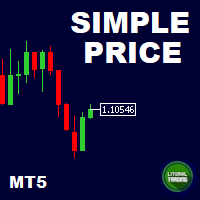
This is our simplest tool! With it you hide the Bid and Ask lines from chart and have only a small rectangle showing what current price is. This tool is useful for those who want the cleanest chart possible. You can also show the Ask price only, instead of the Bid (most common). To further assist you in cleaning the chart check out our other tool: https://www.mql5.com/en/market/product/41835 Any questions or suggestions, please contact us. Enjoy!
FREE

* This product was converted using "BRiCK Convert4To5 MT4 " based on the MQL4 source file of "BRiCK Convert4To5 MT4 Free" . "Convert4To5" is a Script that converts MQL4 source files into MQL5 source files.
Experts, Indicators, Scripts, and Libraries with extension ".mq4" will be available for MT5.
Parameter
None.
Procedure
1. Open the following folder.
terminal_data_folder\MQL4\Files\ (in the terminal menu select to view "File" - "Open the data directory") 2. Confirm that the BRiCK_Conv
FREE

Order Book, known also as Market Book, market depth, Level 2, - is a dynamically updated table with current volumes of orders to buy and to sell specific financial instument at price levels near Bid and Ask. MetaTrader 5 provides the means for receiving market book from your broker in real time. The expert OrderBook Recorder records market book changes and stores them in local files for further usage in indicators and expert adviser, including testing in the tester. The expert stores market book
FREE

FWS Tide Clock — Session Clock & Activity Monitor Know when to trade — at a glance. FWS Tide Clock is a real-time session clock that shows you exactly what's happening across global forex markets. See which sessions are active, when they overlap, and whether conditions favour trading — all from a compact on-chart panel with a stunning browser-based web dashboard. Part of the Forex Weather Station suite. This free module gives you instant market timing awareness — right where you need it. W
FREE

MT5 Trade Copier Master - 免费交易广播器
Require Slave EA: https://www.mql5.com/en/market/product/178686
此 Master EA 仅用于广播交易,但本身无法复制交易。您必须购买并在第二个 MT5 终端上安装 SyncTrade Copier Slave EA 才能实现交易复制。没有 Slave EA,本产品本身没有实际用途。 两个 MT5 终端必须安装在同一台电脑上才能正常进行文件共享。它们不能位于不同电脑或不同 VPS 实例中。
此 Master EA 的功能
此 EA 会监控主账户上的所有交易活动,并通过共享文件实时广播给 Slave EA。 捕获所有交易事件:新开仓、全部平仓、部分平仓以及 SL/TP 修改
实时维护所有持仓状态文件及入场价格
可按 Magic Number 过滤,仅广播指定策略交易
可选择包含或排除手动交易
通过精准持仓跟踪防止重复记录
后台静默运行,占用资源极低 这是一个“设置后无需管理”的 EA。它不会执行任何交易,不连接互联网
FREE

TickQuant Panel - Calculadora de Lotaje y Gestión de Riesgo Profesional TickQuant Panel es una herramienta esencial diseñada para traders que entienden que el éxito en el trading radica en una gestión de riesgo impecable. Este panel elimina las conjeturas matemáticas antes de una operación, permitiéndole calcular el lotaje exacto automáticamente basado en su Stop Loss visual en el gráfico. Ya sea que opere Scalping, Day Trading o Swing Trading, TickQuant le permite colocar órdenes con la tranqui
FREE
TradeManagerEA — Full Trade Management Solution Overview (Short Description) The TradeManagerEA is a specialized Expert Advisor designed to manage open trades across all symbols. It provides automatic breakeven rules, trailing stops, and additional settings optimized for Gold (XAU/GOLD). This tool requires minimal user intervention and can enhance the consistency of your trading approach. Detailed Description 1. Core Features Breakeven Management : Automatically moves Stop Loss to entry price p
FREE

Unlock the full power of MT5 with NGA Next Gen Assistant — the most advanced trading assistant designed to give you full control over your trades… even from your phone! .
-Risk calculation, dollars stop loss based:
by using NGA you can set the exact amount you willing to lose each time, without having to deal with manual pips calculation, just drag the visual Stop loss line to your SL place and execute the trade, the NGA will automatically figure out the right lot size it needs to
FREE

Zone Eraser MT5 by Forex Persian Trading Effortlessly Clean Your Charts with a Single Click! Struggling with cluttered charts filled with unwanted objects?
Tired of manually deleting trade history lines, technical analysis tools, and shapes one by one? Zone Eraser MT5 is the ultimate script designed to streamline your workflow, helping you maintain a clean and organized trading chart with just a single action. Say goodbye to tedious manual deletions and hello to efficiency and precision!
FREE
MetaTrader市场是一个简单方便的网站,在这里开发者可以出售自己的交易应用程序。
我们将帮助您发布您的产品,并向您解释如何为市场准备您的产品描述。市场上所有的应用程序都是加密保护并且只能在买家的电脑上运行。非法拷贝是不可能的。
