BridgeX Copier
- Yardımcı programlar
-
Abdeljalil El Kedmiri
 Would you like to order a new freelancer job for me (EAs, Excel Template)? : https://www.mql5.com/en/job/new?prefered=trader_rentable
 - Sürüm: 2.0
- Etkinleştirmeler: 10
BridgeX Copier is the latest addition to the BridgeX trading tools ecosystem, connecting MT4 and MT5 accounts for powerful multi-account trade execution and flexible risk management.
The BridgeX ecosystem now supports multiple trading directions:
- TradingView → MT4/MT5/Binance — Execute TradingView trades directly on your MT4/MT5 accounts.
- MT5 → TradingView — Mirror MT5 trading activity to TradingView.
- MT4/MT5 → MT4/MT5 — Copy trades between accounts across both platforms with unlimited Slave accounts.
Copy trades across MT5 → MT5, MT5 → MT4, MT4 → MT5, and MT4 → MT4, with unlimited Slave accounts.
MT4 version : https://www.mql5.com/en/market/product/194914
⚡ Key Features
- 🔄 Cross-Platform Copying — MT4 ↔ MT5 in any direction.
- ♾️ Unlimited Slaves — Send trades from one Master to as many follower accounts as you need.
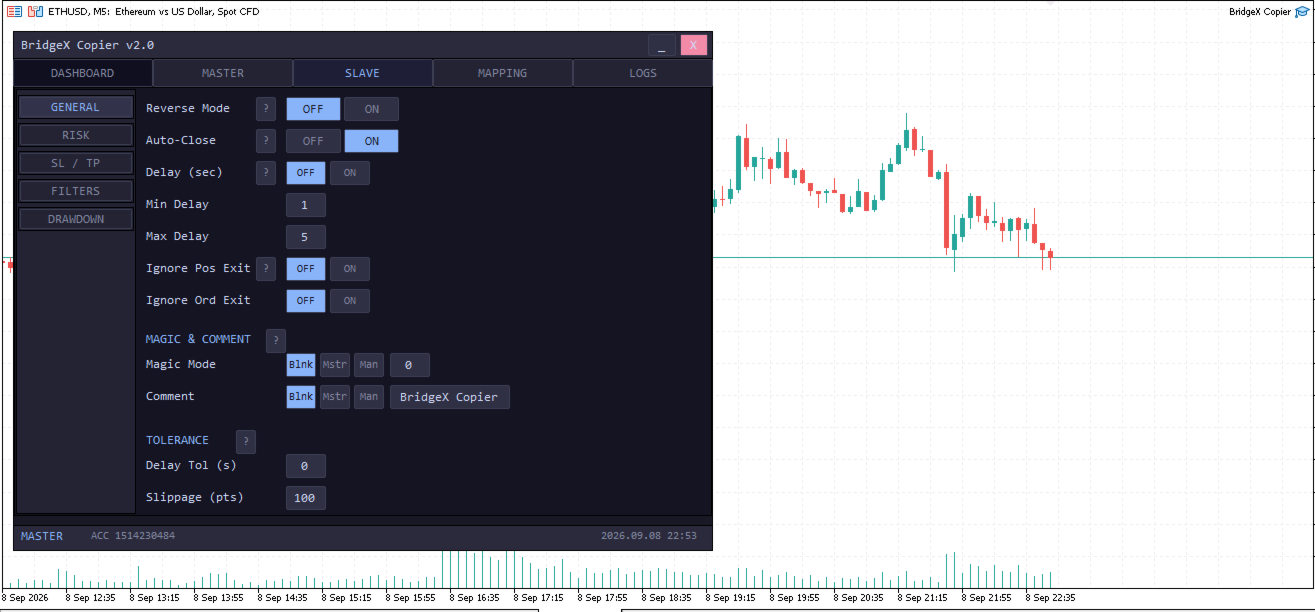
- 📊 Flexible Risk Management — Fixed lots, lot multiplier, balance/equity ratio, risk %, and fixed-dollar risk.
- 🔀 Reverse Trading — Automatically reverse BUY/SELL orders for hedging or opposite strategies.
- 🎯 Smart SL/TP — Support for flexible SL/TP handling, including broker-specific price differences.
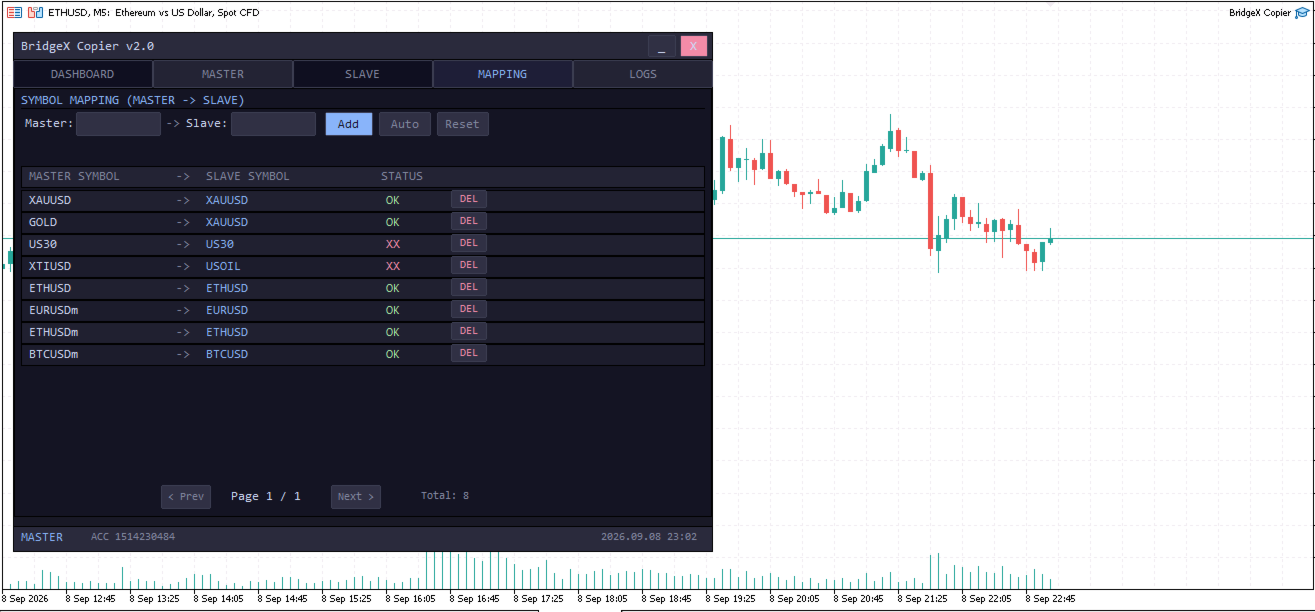
- 🗺️ Symbol Mapping — Easily map symbols between different brokers, such as XAUUSD → XAUUSDm .
- 📐 Symbol Multipliers — Use different lot multipliers for individual symbols.
- 🛡️ Account Protection — Daily loss limits, profit targets, automatic trade closing, and trading-stop controls.
- 🎛️ Advanced Filters — Filter copying by symbol, direction, order type, magic number, and trading session.
- 📦 Market & Pending Orders — Copy both instant trades and pending orders.
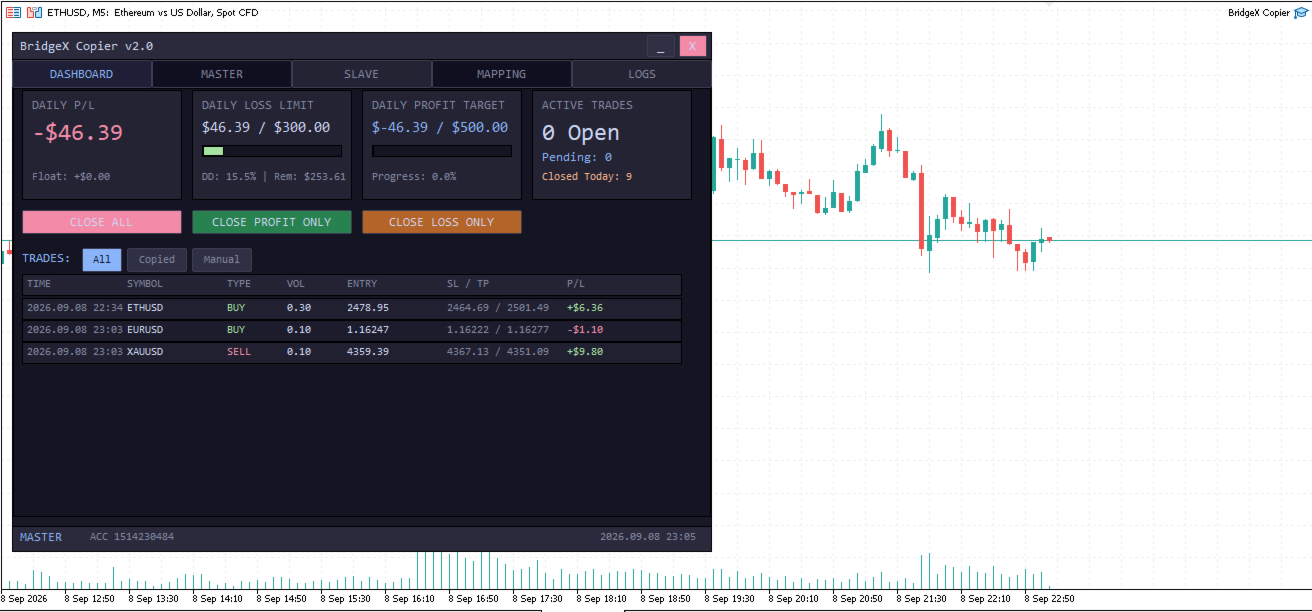
- 📈 Professional Dashboard — Manage Master/Slave mode, risk, mappings, filters, and account protection directly from the EA.
🌍 Built for Multi-Account Trading
Whether you are managing multiple personal accounts, prop-firm accounts, broker accounts, or providing trading signals, BridgeX Copier gives you one powerful control system for distributing trades across your MT4/MT5 accounts.
One Master. Unlimited Slaves. MT4 & MT5. One powerful copier.
🛠️ How to Use BridgeX Copier
- Install the EA on your Master and Slave MT4/MT5 accounts.
- Allow WebRequest in MetaTrader:
- Go to Tools → Options → Expert Advisors
- Enable Allow WebRequest for listed URL
- Add the BridgeX server URL provided in the User Guide.
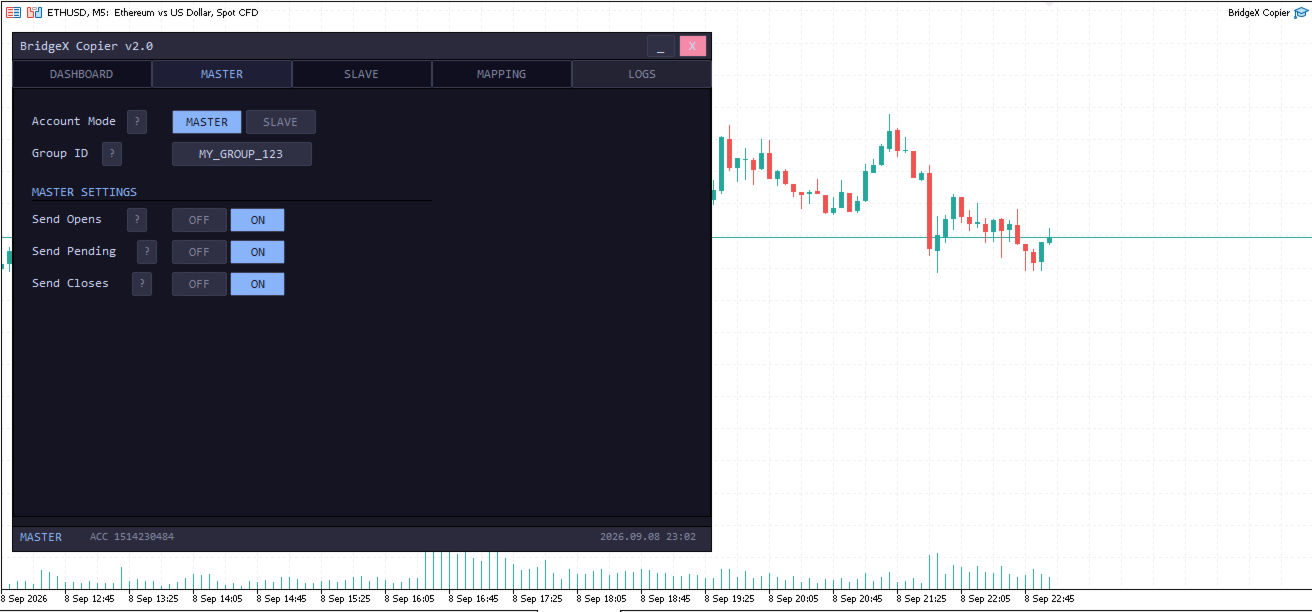
- Set one account as MASTER and configure your Group ID.
- On each follower account, select SLAVE mode and enter the same Group ID.
- Configure Risk Management, Symbol Mapping, Reverse Mode, SL/TP, and Filters according to your requirements.
- Start trading on the Master — BridgeX Copier automatically distributes the trades to your unlimited Slave accounts.
📖 For complete installation and configuration instructions, see the BridgeX Copier User Guide.