Easy Lot Size Calculator for MT4
- Yardımcı programlar
- Sürüm: 2.4
- Güncellendi: 14 Aralık 2025
- Etkinleştirmeler: 5

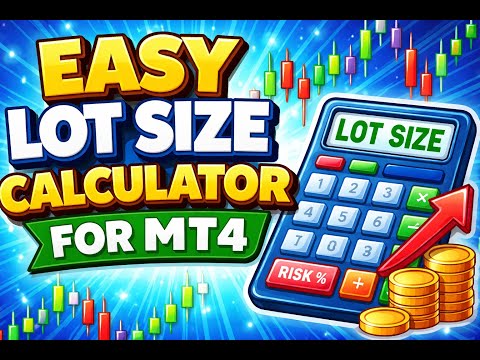
Easy Lot Size Calculator – MT4 Risk and Position Size Utility
Overview
The Easy Lot Size Calculator is an on-chart tool designed for MetaTrader 4. It calculates position size based on a user-defined risk percentage and the stop-loss distance measured from a Fibonacci retracement object. The tool provides a structured way to view risk information directly on the chart and includes optional trade management features.
The calculator reads the distance and direction of a Fibonacci retracement object placed on the chart. When the Fibonacci tool is drawn upward, the system prepares a buy calculation. When drawn downward, it prepares a sell calculation. Lot size is determined automatically based on the selected risk percentage, symbol specifications, and account balance or equity.
A one-click panel is included for executing trades using the calculated lot size. The panel displays the current risk settings, lot size calculation, and the direction of the detected stop-loss area.
Key Features
Fibonacci-Based Lot Size Calculation
The tool uses an MT4 Fibonacci retracement object as a stop-loss reference. The level positions and direction are read in real time, and position size is calculated accordingly.
Lot size calculation incorporates:
- Selected risk percentage
- Stop-loss distance measured from the Fibonacci tool
- Tick size and contract specifications
- Account balance or equity (configurable)
Automatic Fibonacci Creation ("Grab Fib")
If no Fibonacci object is present, the "Grab Fib" function can create one automatically using predefined styles and settings configured in the EA inputs. Once created, the calculator continues referencing this same object for stop-loss measurement.
Trade Execution Panel
A small panel provides buttons for placing buy or sell orders using the calculated lot size. The panel also displays the current risk settings and calculated values.
Note: Button-based execution is not supported in the Strategy Tester.
Optional Take-Profit Percentage Function
A configurable setting is available for automatically closing a position once a predefined profit percentage has been reached. This behavior can be enabled or disabled as needed.
Compound Progress Display
The calculator can display reference information such as current balance, a user-defined target level, and an estimate of the number of trades required to reach that level based on the selected risk percentage.
Higher-Timeframe Trend Display
A trend display can show a simplified interpretation of higher-timeframe structure, indicating whether the environment is broadly an uptrend, downtrend, retracement, or neutral.
Usage Notes
- The Fibonacci tool is used only as a distance and direction reference.
- All colors, levels, and input settings can be adjusted.
- The tool can be used on any symbol supported by the broker.
- For full functionality, use on a live or demo chart rather than in the Strategy Tester.
FAQ
What does the Easy Lot Size Calculator do?
It calculates position size automatically based on the selected risk percentage and the stop-loss distance measured using a Fibonacci retracement object.
Does it work on metals, indices, or custom symbols?
Yes. The calculator reads symbol specifications directly from the broker, including tick value, contract size, and digits.
Do I need to understand Fibonacci?
No. The Fibonacci object is used only as a visual reference for stop-loss distance.
Does it place trades automatically?
The calculator determines lot size automatically. Trade execution occurs when the user presses the buy or sell button. Optional take-profit percentage management can be enabled in the settings.
Does it work for short-term timeframes?
Yes. The tool updates calculations whenever the Fibonacci object is moved or price changes.
Are the BUY/SELL buttons available in the Strategy Tester?
No. MetaTrader 4 does not allow button-based trading operations in the tester environment. Full functionality is available on live and demo charts.