Maverick Pro
- Индикаторы
- Версия: 2.11
- Активации: 5

Maverick Pro — all-in-one trend indicator for MetaTrader 5
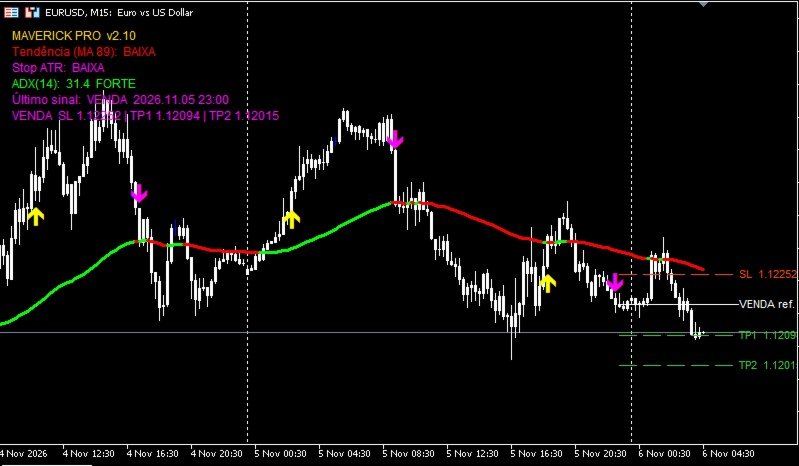
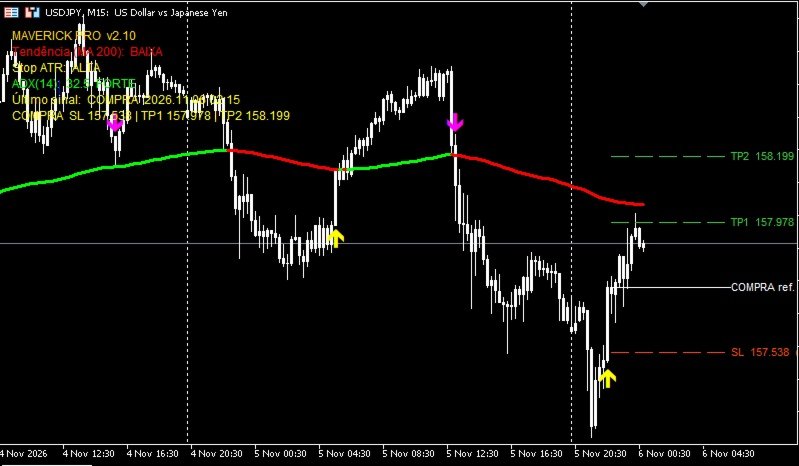
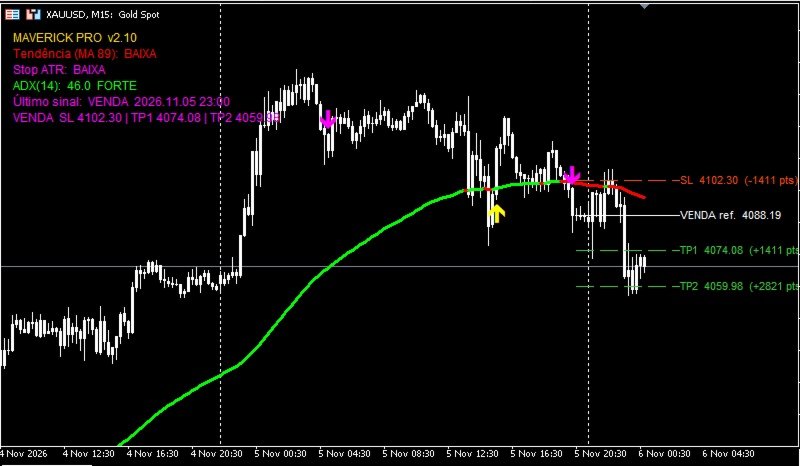
Maverick Pro puts a color-coded trend line, buy/sell arrows, an on-chart trade suggestion (reference entry, Stop Loss and two Take Profits) and an information panel into a single indicator. It works on any symbol and any timeframe.
This is an indicator only. It does not open, close or manage trades.
What you get on the chart
- Trend line. A moving average (default: EMA 89) painted green in an uptrend, red in a downtrend and gray when undefined. The color flips only after closes on the other side of the average, and you can require several consecutive closes to filter noise.
- Buy and sell arrows. Signals come from the turn of an ATR trailing stop (Stop ATR) or, optionally, from Williams %R. Arrows are drawn only after the bar closes and are not repainted.
- Optional Stop ATR line to see where the trailing stop sits.
- Trade suggestion. Every signal draws a reference entry line, a Stop Loss line and two Take Profit lines, each with its price and distance in points.
- Info panel. Shows the trend of the line, the Stop ATR direction, the ADX reading (strong or ranging), the last signal and the last suggested trade. Place it in any corner of the chart.
- Alerts. Popup, sound, push notification and e-mail. The message includes symbol, timeframe, signal and the suggested levels.
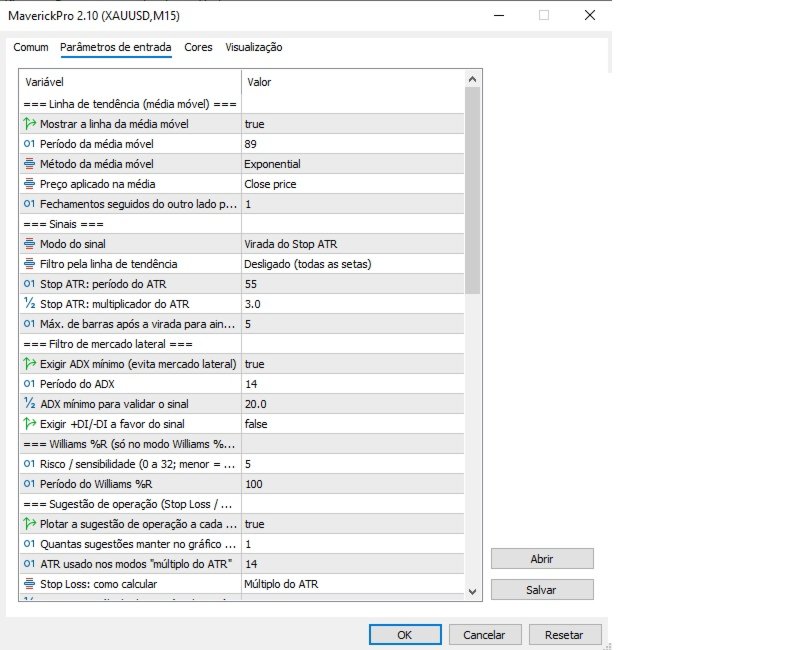
Signal filters
- Minimum ADX, to avoid ranging markets.
- +DI / -DI direction in favor of the signal.
- Trend filter: show only arrows in the direction of the trend line.
- Maximum number of bars after the turn in which a signal is still accepted, so you do not get late arrows.
Stop Loss and Take Profit modes
- Stop Loss: ATR multiple, Stop ATR level, or fixed points.
- Take Profit 1 and 2: multiples of the risk (R), ATR multiples, or fixed points.
Fully adjustable
Moving average period, method and price; Stop ATR period and multiplier; ADX period and level; Williams %R sensitivity; number of suggestions kept on the chart; colors, line widths, arrow codes and panel position.
Requirements
MetaTrader 5. No DLL, no internet access and no external files needed.
How to start
After purchase the indicator appears in the Navigator, under Indicators > Market. Drag it onto a chart. Try the free demo from this page in the Strategy Tester before buying.
Frequently asked questions
Does it repaint? Arrows appear only on closed bars and stay where they are. The line color of the bar in progress follows the last closed bar.
Does it trade automatically? No. It is an indicator.
Which markets? Any symbol that has price data: forex, metals, indices, crypto, stocks.
Questions about the product? Use the Comments tab of this page.
Important
Indicators do not guarantee results. Trading involves risk and you can lose money. The suggested entry is the close of the signal bar, while the real entry happens on the next bar, so the price you get can differ because of spread and slippage. Suggested Stop Loss and Take Profit levels are visual references, not trading recommendations. Test on a demo account first and use your own analysis and risk management.