Indicator Bridge EA
- Эксперты
-
Ahmad Bin Fawzi Bin Al-akhdar Al-fazai
 Ахмед - независимый трейдер и разработчик MQL5.
Более 12 лет опыта на рынках Forex и золота.
Я разрабатываю советники и индикаторы для MetaTrader 4 и MetaTrader 5, основанные на четких правилах и управлении рисками. - Версия: 1.6
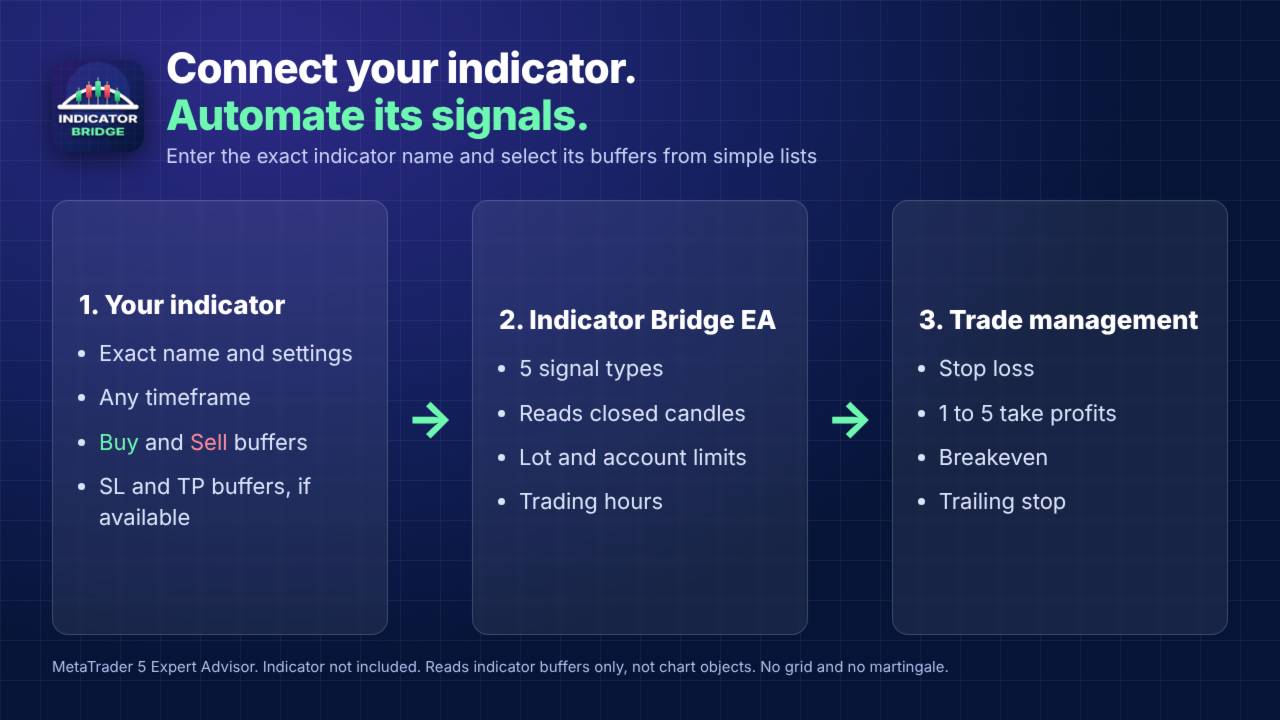
Indicator Bridge EA places trades from the signals of a custom indicator that you already have. You enter the indicator name and settings, select its buffers from simple lists, and choose how trades are managed.
The EA reads indicator buffers only. It does not read arrows or levels that an indicator draws as chart objects. An indicator is not included with this product. If the indicator name is left empty, the EA uses a built-in moving average cross so that it can be tested.
Signal types
- Arrows: a value appears in the buy or sell buffer
- Trend colors: a buy or sell buffer starts after being empty
- Oscillator: a buffer crosses the levels you set
- Two lines: one buffer crosses another
- Price and line: the candle close crosses a buffer
Stop loss and take profit
- Reads the stop loss from an indicator buffer, or uses your fixed value
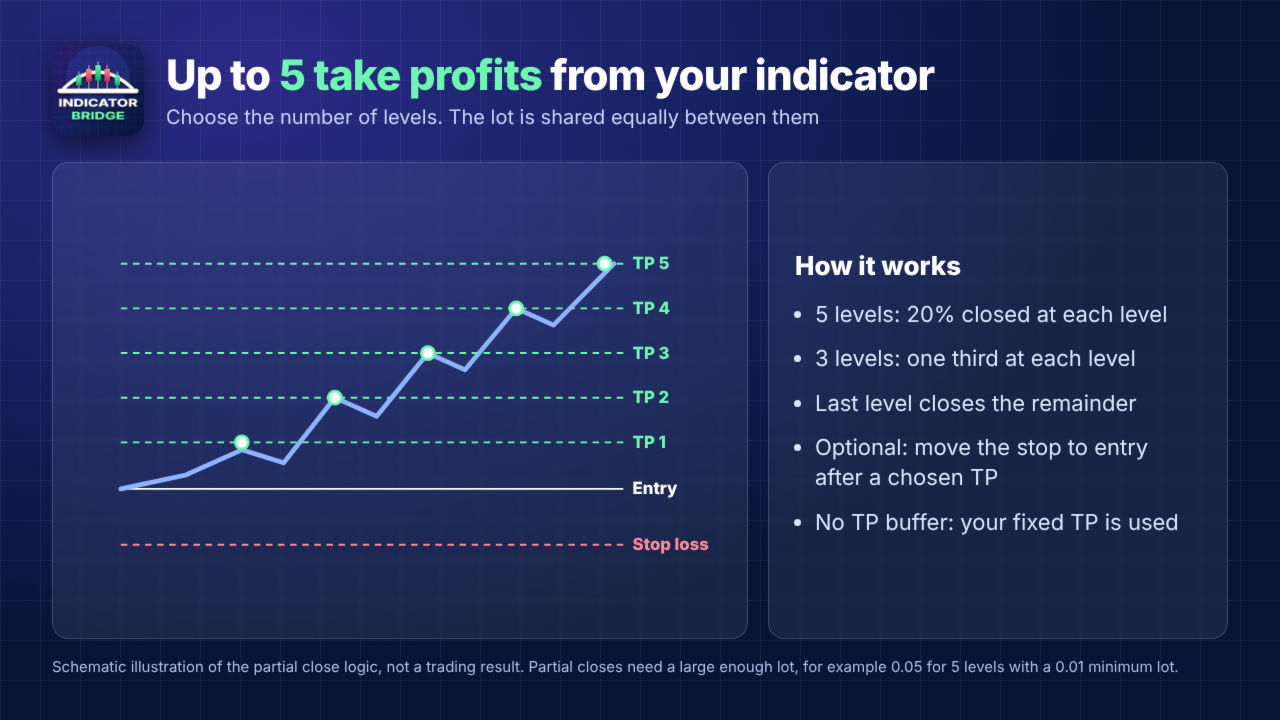
- Uses 1 to 5 take profit levels from the indicator
- With several levels, closes an equal part of the lot at each level
- Can move the stop to the entry price after a chosen take profit
- A buffer value far from the market price is refused and the fixed value is used
Breakeven and trailing stop
- Reads the breakeven price and trailing price from indicator buffers, or uses fixed values in points
Lot size
- Fixed lot
- Automatic lot based on a percentage of balance or equity
- Maximum lot and minimum lot risk limit
Account limits
- Maximum open trades and maximum trades per day
- Maximum spread and minimum margin level
- Daily loss limit and daily profit limit
- Drawdown limit from the equity peak
- Pause after a chosen number of consecutive losses
Trading hours
- Two sessions in broker time
- Selection of trading days
- Optional closing outside sessions and on Friday
How to start
- Copy the indicator to the MQL5\Indicators folder.
- Enter its exact name and, if needed, its settings in the same order as the indicator.
- Enable "Show buffer numbers in the Journal" and run the EA in the Strategy Tester in visual mode.
- Compare the Journal values with the chart and select the matching buffers.
- Test on a demo account before using a real account.
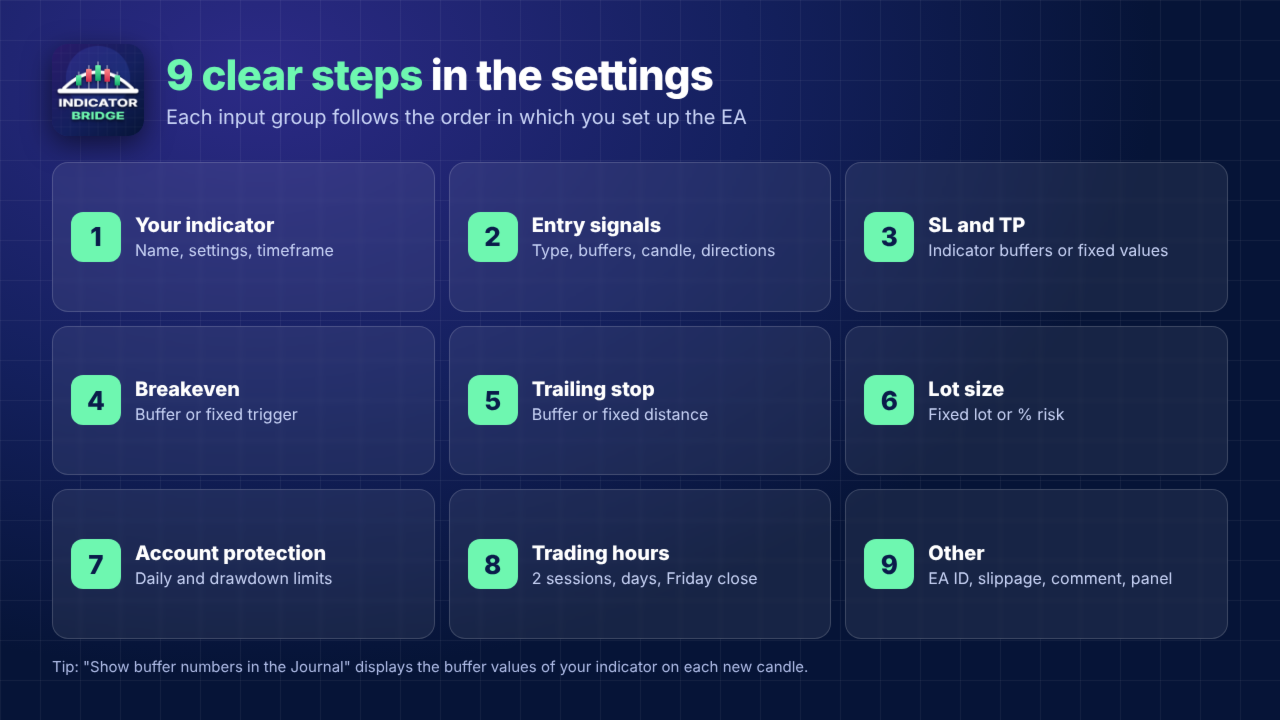
Input groups
- Your indicator: name, settings, timeframe, buffer display
- Entry signals: signal type, buy and sell buffers, signal candle, allowed directions
- Stop loss and take profit: buffers, fixed values, number of take profits
- Breakeven: buffer or fixed trigger, locked profit
- Trailing stop: buffer or fixed start, distance and step
- Lot size: fixed lot or automatic lot, risk, limits
- Account protection: trade, spread, loss, profit and drawdown limits
- Trading hours: sessions, days, closing options
- Other: EA ID number, slippage, comment, panel
Important information
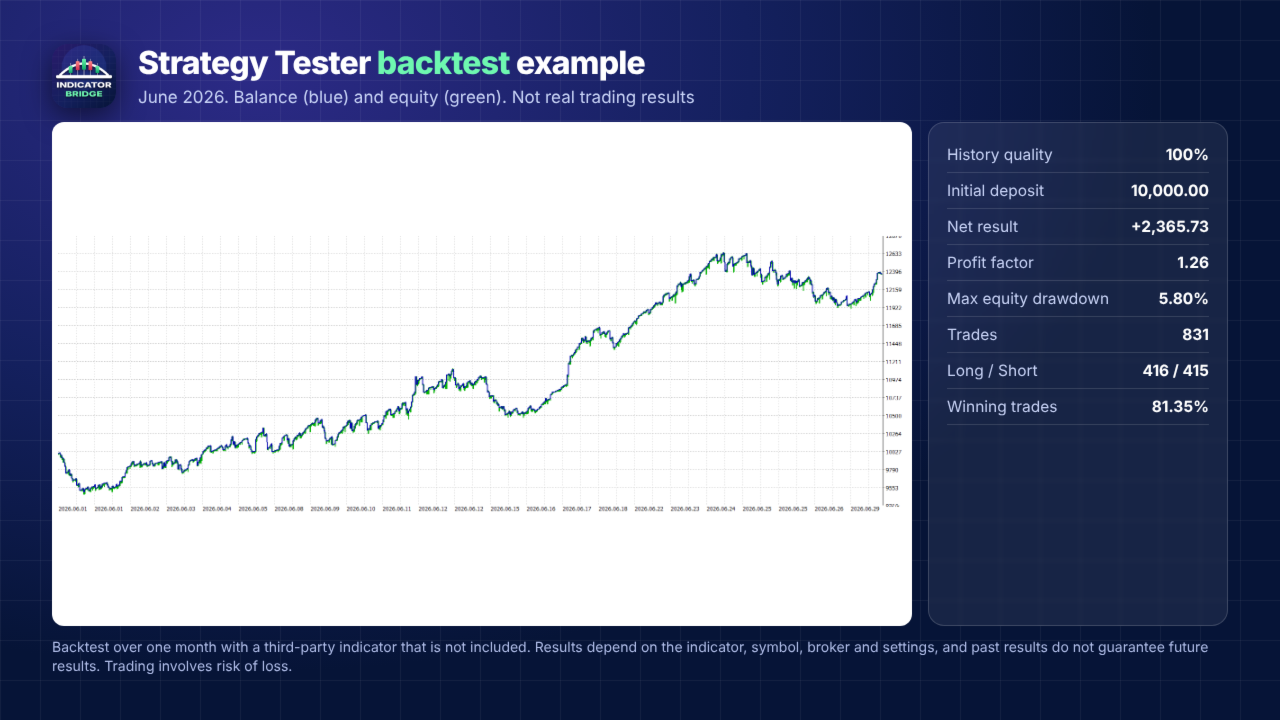
Results depend on the connected indicator, the symbol, the broker and your settings. Indicators that repaint can give different results in testing and in live trading. Keep "Last closed candle" selected to read signals after the candle closes. Trading involves risk of loss.
This EA has no grid or martingale mode.