Renko Studio MT5

  • Утилиты
  • Ranjeet Kumar
    Ranjeet Kumar
    Data & AI Engineer | Algorithmic Trader | MQL4/MQL5 Developer | Python & Machine Learning Enthusiast
    I am a passionate technology professional with 11+ years of experience in Data Engineering and Artificial Intelligence, along with 6+ years of experience in Algorithmic Trading and Financial Markets.
  • Версия: 1.50
  • Активации: 10
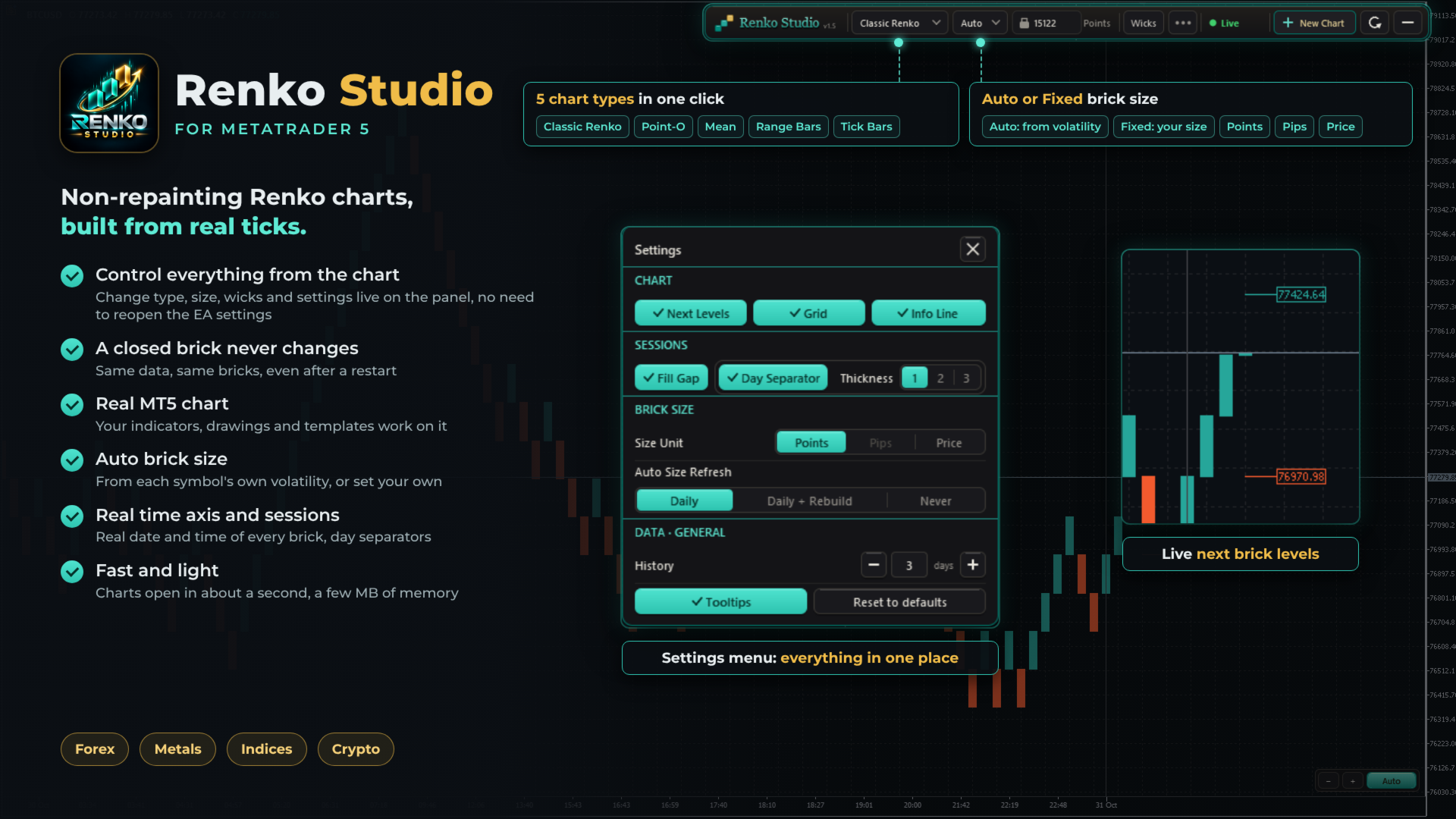
Fast, non-repainting Renko charts for MetaTrader 5: Classic, Point-O, Mean, Range Bars and Tick Bars.
A closed brick never changes. The Renko chart is a real MT5 chart, so your indicators and drawings work on it. Auto brick size, live next-brick levels, and charts ready in seconds.

Overview

Renko Studio turns any MT5 symbol into clean, fast Renko charts built from your broker's real tick data. The Renko chart is a real MT5 chart, so your indicators, drawings and templates work on it, and everything is controlled from a modern panel on the chart.

1. Non-Repainting

  • A closed brick never changes. Not when you refresh, not after a restart, not when you reopen the terminal.
  • Built from real ticks. Every brick comes from your broker's tick data, not from M1 candles.
  • Same data, same bricks. The same ticks always produce exactly the same chart.
  • Your changes, your choice. The chart is only rebuilt when you change a setting yourself, such as the chart type or brick size.

2. Fast and Optimized

  • Opens in about a second. The chart window appears almost immediately; 3 days of history are ready in a few seconds.
  • Very light on memory. After loading, the EA uses only a few MB.
  • Smooth live updates. Bricks, the live bar and labels update without flicker.
  • Light on your terminal. Several Renko charts can run together with low CPU use.

3. Five Chart Types

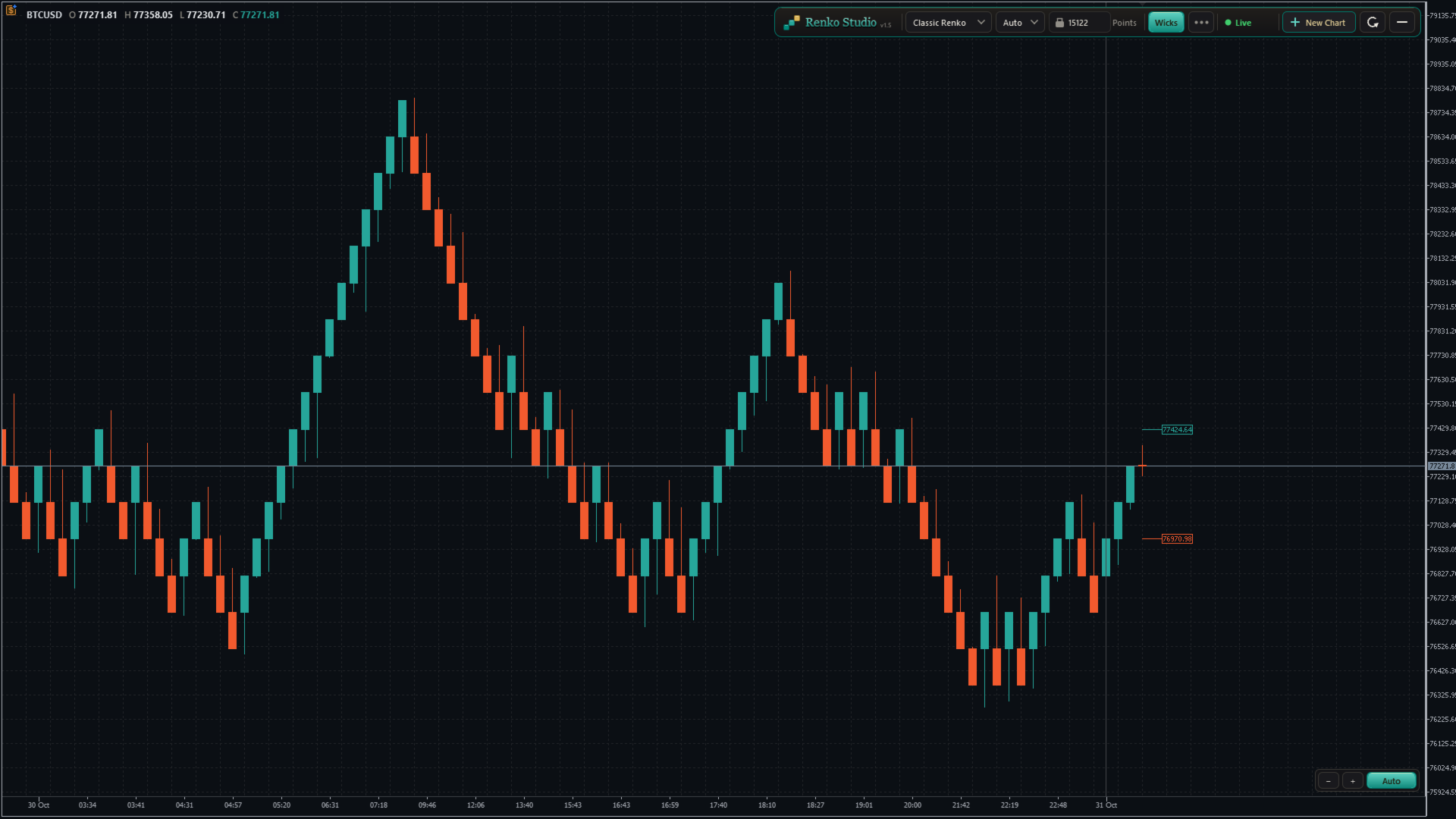
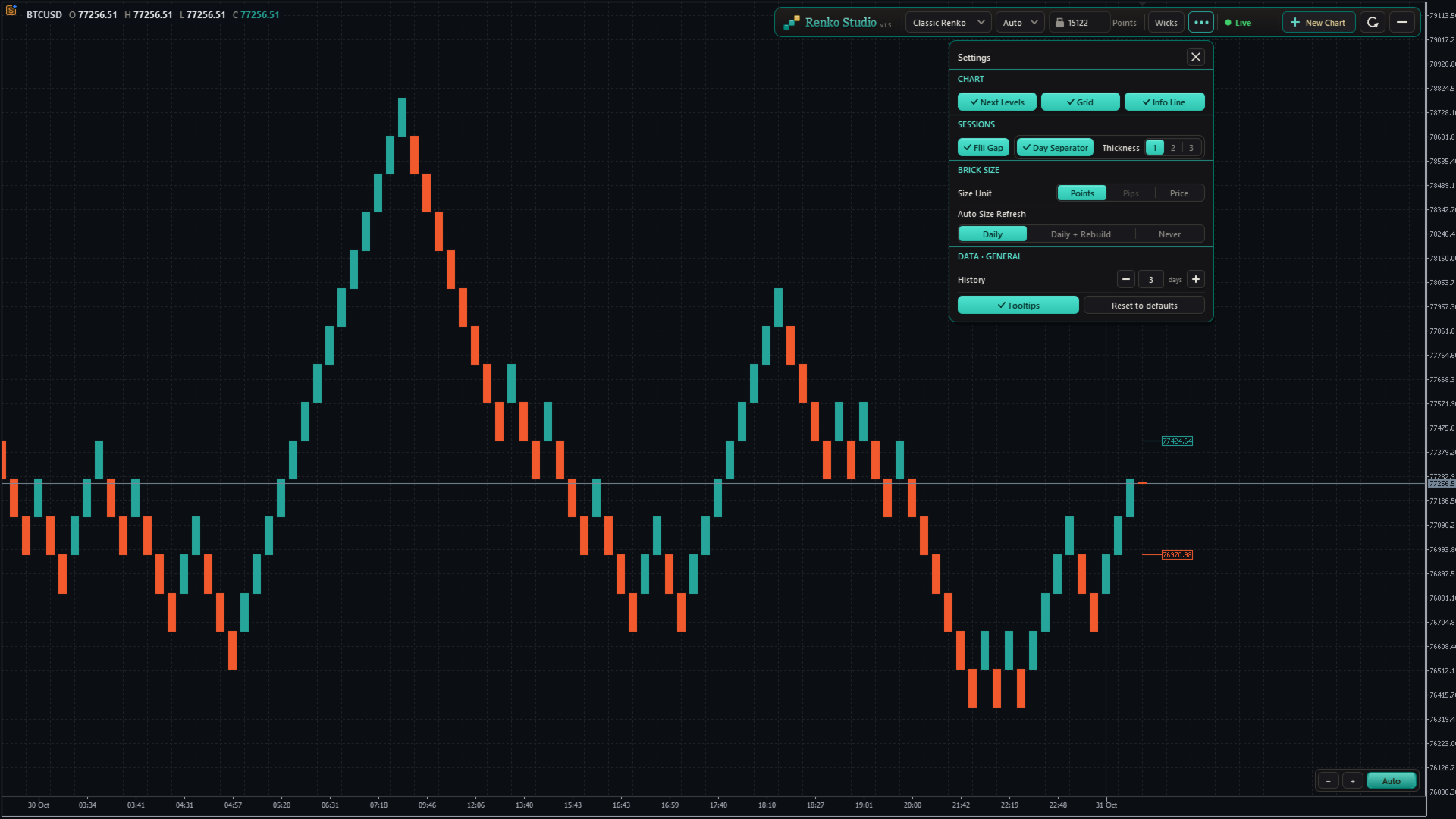
  • Classic Renko: a new brick forms when price moves one brick size in the trend direction; a reversal needs two brick sizes. The standard Renko view.
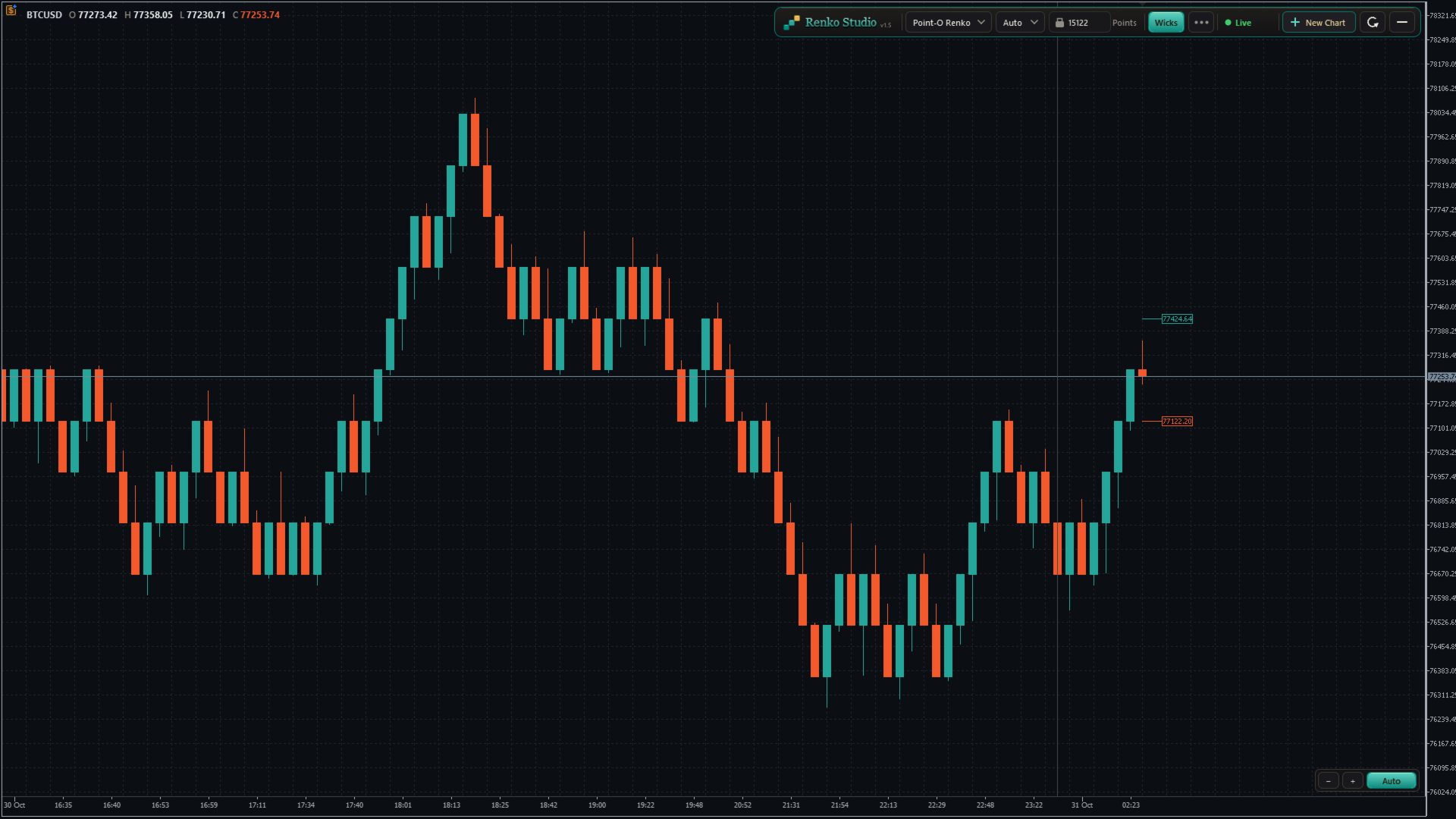
  • Point-O Renko: reverses after a one-brick move, so it reacts faster to turns.
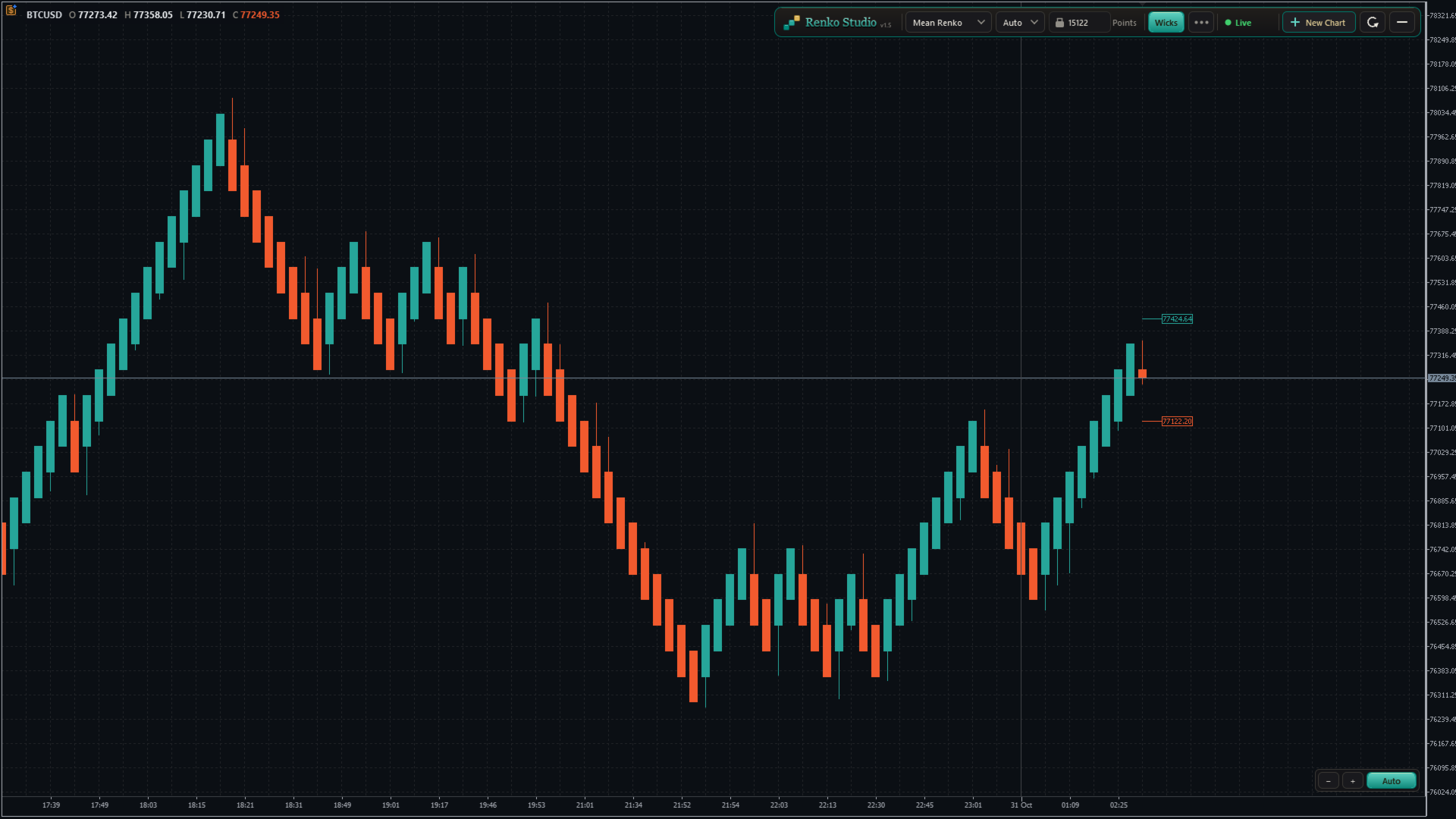
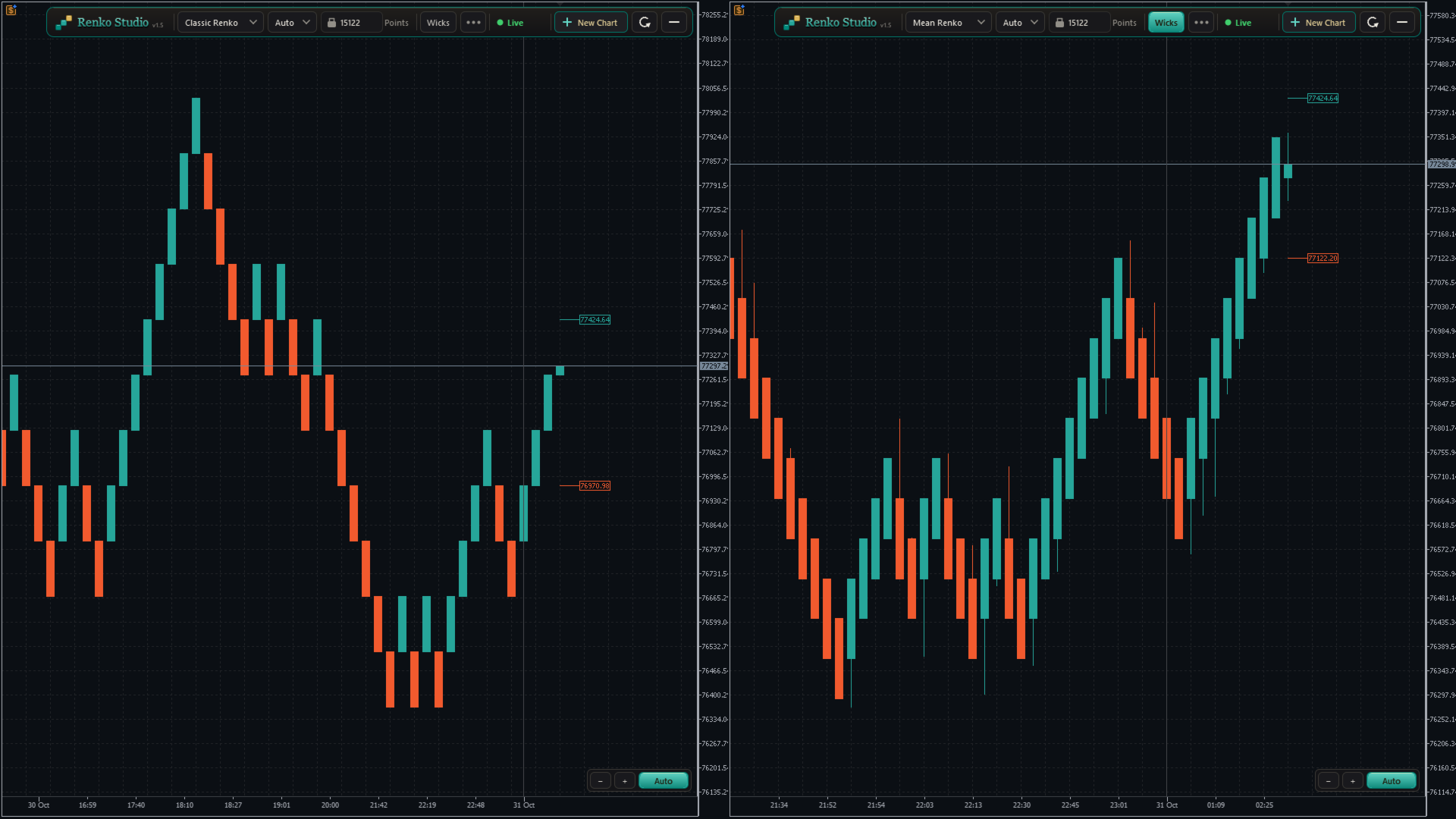
  • Mean Renko: each new brick starts from the middle of the previous one, giving a smoother trend view.
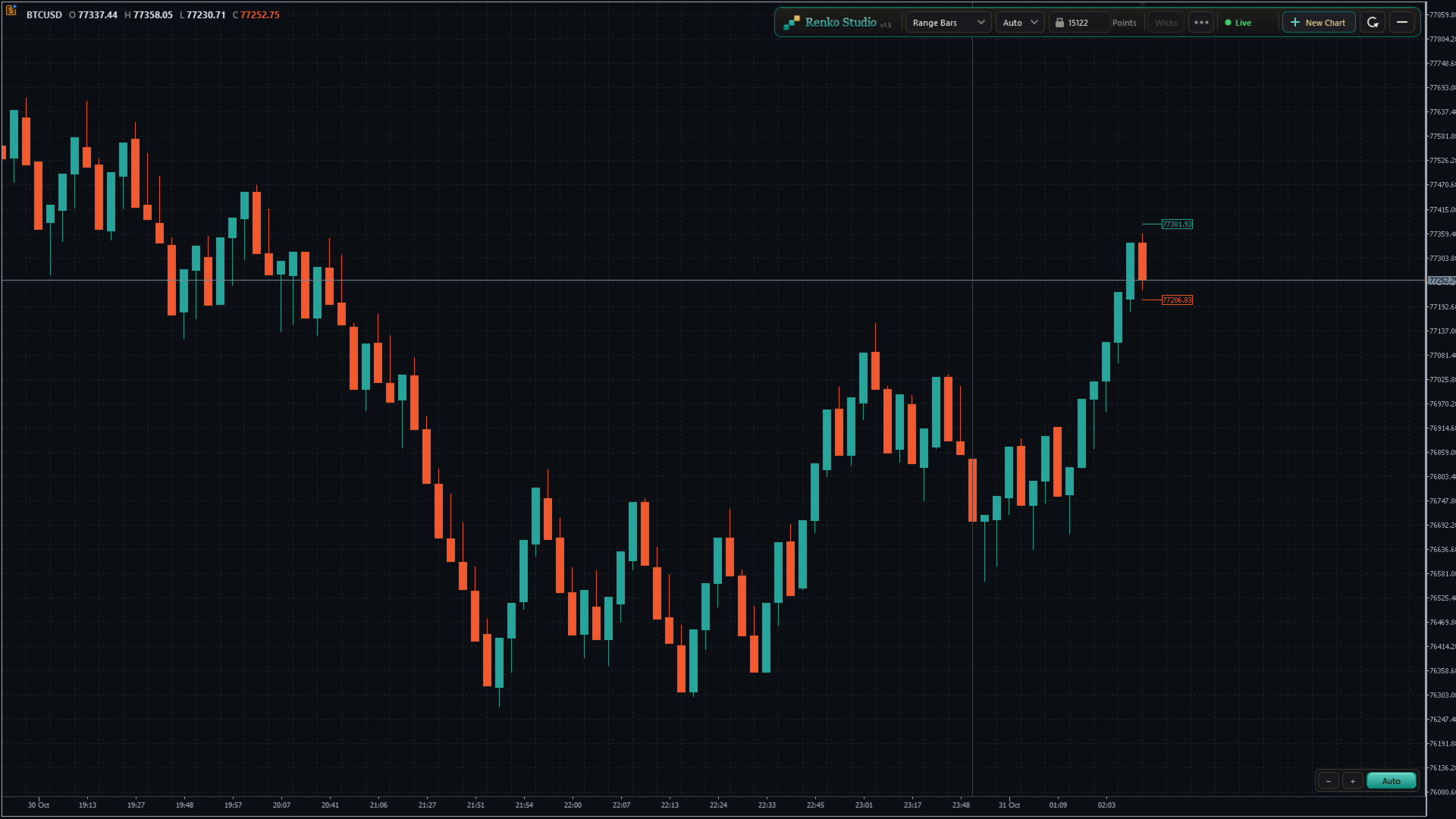
  • Range Bars: each bar closes when its high–low range reaches the set size, with real open, high, low and close.
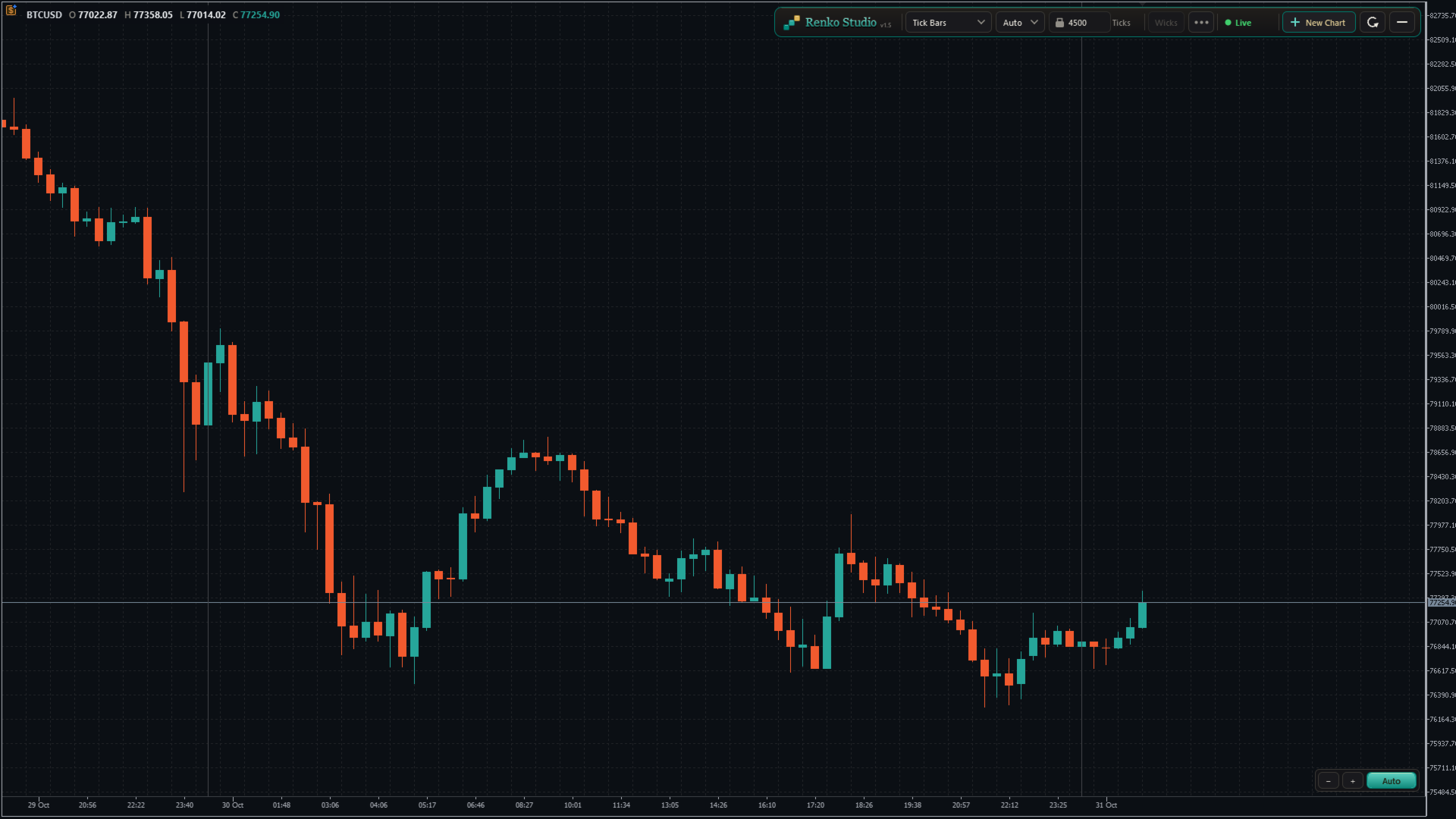
  • Tick Bars: each bar closes after a set number of ticks, showing market activity.
  • Switch in one click. Choose the type from the panel; the same chart window rebuilds in place.

4. Brick Size

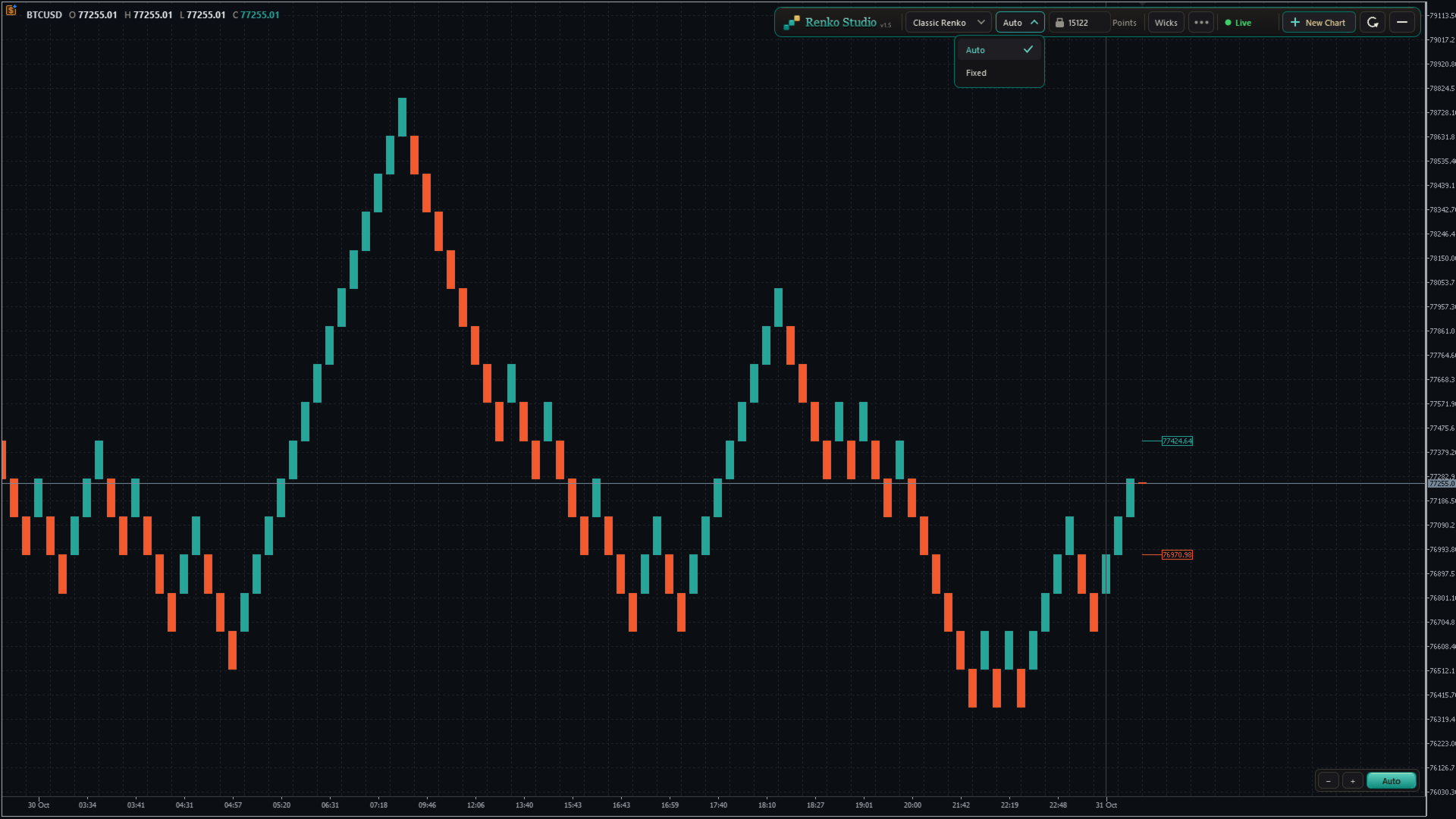
  • Auto size: calculated from the symbol's own daily volatility during its trading sessions. One Auto size per symbol, the same on every chart type.
  • Fixed size: type any brick size you like.
  • Size unit: show and enter the size in Points, Pips (forex pairs) or Price. Works correctly on 2-, 3-, 4- and 5-digit brokers.
  • Auto Size Refresh:
    • Daily: a new size at the start of each trading session; past bricks stay unchanged.
    • Daily + Rebuild: a new size at the start of each session, and the whole chart is rebuilt with it.
    • Never: keeps the size calculated when the chart was created.

5. Live View

  • Next Brick Levels: two labels show exactly where the next up brick and the next down brick will close.
  • Live bar: the forming brick is drawn clearly as price moves, with matching colours.
  • Live price line: follows the forming brick in real time.
  • Wicks: show or hide brick wicks with one click (Range and Tick bars always show real wicks).

6. Real Time Axis and Sessions

  • Real time axis: shows the real date and time of every brick, evenly spaced and easy to read.
  • Day separator: a clear line at the start of each trading day, with adjustable thickness.
  • Fill Session Gap: choose whether a price gap between sessions is filled with bricks or left as a visible gap.
  • Info line: shows the symbol and the open, high, low and close of the brick under your mouse.

7. Chart Control

Auto mode (default)

  • The chart keeps the latest bricks and the live bar centred between the panel and the time axis.
  • Bricks always look comfortable on screen: never too tall, never too flat.
  • Scroll back and forward in time freely; the vertical position adjusts by itself, smoothly.
  • The price scale can be stretched only within safe limits, so bricks never hide behind the panel or the time axis.

Manual mode

  • Click the Auto/Manual button to switch. The mode changes only when you click it.
  • Drag the chart freely in any direction: back, forward, up and down.
  • Stretch or shrink the price scale as much as you like.
  • If the live bar leaves the screen and you don't touch the chart for about 10 seconds, it glides back into view. Your zoom and scale stay as you set them.
  • Click Auto at any time to return to the centred view.

Zoom

  • Use the − and + buttons at the bottom-right corner to zoom out and in.
  • Or drag on the time axis to shrink or stretch the chart.
  • The zoom and Auto/Manual controls stay in the same place at every window size.

Refresh

  • One click resets the view: Auto mode, default zoom, latest bricks centred and space on the right for the next brick levels.
  • Refresh only resets the view. It never changes or reloads your bricks.

8. Control Panel and Settings Menu

Panel

  • Chart type, Auto/Fixed size, brick size with its unit, Wicks, the settings menu, status, New Chart and Refresh, in one compact toolbar.
  • No inputs to configure: attach the EA, click OK, and your chart is ready.

Settings menu

  • Next Brick Levels, Grid, Info Line, Day Separator and its thickness, Fill Session Gap, Size Unit, Auto Size Refresh, History, Tooltips and Reset to defaults, grouped in clear sections.
  • Tooltips: clear hover help for every control, which you can switch off.
  • Reset to defaults: brings every setting back to its default in one click.

History

  • Choose how many trading days to load: type the number or use − and +.
  • "3 days" means today plus the last 3 complete trading sessions. Weekends and holidays without data are not counted.
  • The chart reloads once with the new history, in the same window, keeping all your settings.
  • A per-symbol limit keeps loading fast. Above the recommended value, a note shows the expected first-load time; once loaded, the chart runs at full speed.

Status

  • A live status indicator (Live, Loading, Market closed and more) with a short explanation on hover.

9. Multiple Charts and Restore

New Chart

  • Click + New Chart on the panel to open another Renko chart of the same symbol.
  • Each chart has its own type, brick size and settings, for example Classic Renko on one and Range Bars on another.
  • New charts open with your last-used settings.
  • Charts are named XAUUSD_RS01, XAUUSD_RS02 and so on, numbered separately for each symbol.

Clean-up and restore

  • Closing a Renko chart removes its symbol and data automatically.
  • After restarting MT5, every chart comes back with the same settings and catches up with the latest prices.

10. Compatibility

  • Indicators, drawings and templates work on the Renko chart like on any MT5 chart.
  • Any symbol: forex, metals, indices and more, including broker suffixes such as .m or .pro.
  • Any broker digits: 2-, 3-, 4- and 5-digit symbols are handled correctly.

How to Use

  1. Open an M1 chart of your symbol (for example XAUUSD).
  2. Attach Renko Studio and click OK.
  3. A Renko chart opens with Classic Renko and Auto size. Change anything from the panel or the settings menu.

Important Notes

  • Removing the EA from the source chart closes its Renko charts.
  • Expert Advisors attached to a Renko chart do not receive ticks in this version, so they cannot run or trade from it. Indicators work normally.
  • The Renko time axis shows the real time. MT5's status bar and Data Window show an internal date.
  • Available history depends on your broker's tick data.
Рекомендуем также
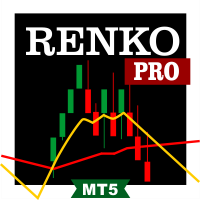
Professional Renko Chart MT5 Professional Renko Chart MT5 — это чистый индикатор графика Renko для MetaTrader 5, предназначенный для отображения кирпичей Renko в отдельном окне индикатора, с возможностью дополнительной визуализации блоков Renko прямо на основном ценовом графике. Индикатор создан для трейдеров, которым нужен привычный стиль графика Renko внутри MetaTrader 5, похожий на визуализацию Renko, доступную на популярных современных графических платформах, таких как TradingView. Он преобр
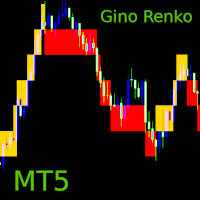
Gino Renko
Stephane, Andr Valette
1 (1)
Another renko-based indicator. It returns different usable values ​​for an EA, and is directly displayed on the main chart. Its setting is very simple: The size of the renko The number of bars taken into account The falling color The color on the rise Returned values: Buffer 0 : Value of the middle Buffer 1 : Value of the Top Buffer 2 : Value of the Bottom Buffer 3 : Direction of renko (0.0 for top ; 1.0 for bottom) Buffer 4 : Ratio of the renko, for example, if it is twice, 3 times, ro more of
Advanced CRT Indicator MT5 — Candle Range Theory Tool Advanced CRT Indicator MT5 is a professional analysis tool that automates Candle Range Theory. It identifies consolidation ranges, breakout levels, Fair Value Gaps (FVG), and profit targets, with a real-time dashboard and alerts. Overview - Multi-timeframe candle range detection   - Automatic breakout levels with buffer settings   - Fair Value Gap identification and tracking   - Up to three customizable target levels (Risk:Reward ratios)  
Renko Perfection Indicator You will receive lifetime free upgrades and updates from us. You will also receive support via comments. Введение и Обзор Renko Perfection Indicator — это индикатор для MetaTrader 5 (MT5), предназначенный для фильтрации рыночного шума и фокусировки на движении цены. В отличие от традиционных свечных графиков, зависящих от времени, этот индикатор строит блоки Ренко только при прохождении ценой заданного расстояния. Это помогает определить структуру рынка, направление тр
FREE
This SMT (Smart Money Technique) divergence indicator identifies discrepancies in price movement between two different trading symbols, helping traders detect potential market reversals. This tool compares the price action of two correlated assets, such as two currency pairs or indices, to spot divergences where one asset's price moves in the opposite direction of the other. For example, while one symbol may be making higher highs, the other might be making lower highs, signaling a divergence. T
FREE
DAILY OH/OL SDEV QUANT MODEL - STATISTICAL TRADING WITH PRECISION RISK MANAGEMENT TRADE WITH MATHEMATICAL CERTAINTY - KNOW YOUR EXACT STOP-LOSS AND TAKE-PROFIT BEFORE YOU ENTER This indicator analyzes 5,000+ days of price history to give you: Exact entry levels (sigma bands locked at daily open) Exact stop-loss distance (from M
ATR Индикатор на основе Heiken Ashi   – это уникальный инструмент анализа волатильности, который сочетает   Средний Истинный Диапазон (ATR)   с   расчетами свечей Heiken Ashi , обеспечивая более плавное и надежное измерение рыночной волатильности. В отличие от традиционного ATR, который использует стандартные свечи, этот индикатор применяет формулу Heiken Ashi, чтобы исключить рыночный шум и предоставить более точные сигналы. Основные особенности: •   ATR на основе свечей Heiken Ashi   – более
FREE
Precision Instant
Jerson Daryl Herrera Arroyo
FREE TRY P.I.P.S FREE FOR 10 DAYS PRUEBA P.I.P.S GRATIS POR 10 DIAS EN: Download now and get a free 10-day trial license . Full features, demo account, no credit card needed. ES: Descarga ahora y obtén una licencia de prueba gratis por 10 días . Todas las funciones, cuenta demo, sin tarjeta de crédito. 10 DAYS 10 DIAS DEMO ONLY SOLO DEMO FULL ACCESS ACCESO COMPLETO NO CARD SIN TARJETA SEND A MESSAGE TO REQUEST YOUR FREE TRIAL ENVIA UN MENSAJE PARA SOLICITAR TU PRUEBA GRATIS P.I
Renko Chart
Marcin Konieczny
3.56 (9)
Индикатор Renko Chart позволяет отображать графики "ренко" в окне индикатора. Тип графиков "ренко" показывает лишь движения цены, большие заданного (box size). Он помогает устранить шум и сосредоточиться на основных трендах. При построении графика время не учитывается, используются лишь ценовые движения. По этой причине графики "Ренко" не похожи на графики цены. Индикатор работает в 2 режимах: CLOSE - при построении графика "ренко" используются только цены Close; HIGH_LOW - при построении график
FREE
See exactly how close your account is to your prop firm's daily-loss and max-drawdown floors - live, on the chart, with the real rule math of each firm. Most traders track their daily limit with mental math, and the daily-loss breach is the most common way evaluations end. Breach Radar draws the actual floors: - Daily-loss bar: the exact floor level, the dollar distance remaining, and the percent of today's budget already used - Max-drawdown bar: static or trailing (including trailing that loc
FREE
MACD + ADX Confluence (версия 1.11)Основная идея: Показывает сильные трендовые движения, когда одновременно выполняются два условия:MACD > 0 (бычий импульс) или MACD < 0 (медвежий импульс)   ADX > заданного уровня (тренд достаточно сильный) Что делает индикатор на графике:Окрашивает свечи в синий цвет (DodgerBlue), когда есть бычий confluence   Окрашивает свечи в красный цвет, когда есть медвежий confluence   Оставляет свечи обычного цвета графика, если условий нет (нет сильного тренда или MAC
Day Direction Scanner
Efren Hernandez Partida
5 (3)
Сканер направления движения дня (Day Direction Scanner) — это индикатор, который использует направление текущей свечи на дневном, 4-часовом, 1-часовом, 15-минутном и 5-минутном графиках для определения направления рынка. Когда все свечи сходятся в одном направлении, индикатор показывает, является ли день бычьим или медвежьим, или же если четкого направления нет. Он полезен для быстрого определения направления движения рынка в течение дня. Особенности: - Работает со всеми валютными парами, инд
FREE
Smart SuperTrend Scalping Signals Pro is a MetaTrader 5 indicator designed for traders who want a clean visual trend-following system directly on the chart. Instead of displaying the traditional SuperTrend as a line, the indicator colors the actual price candles based on the current market condition. Green candles indicate bullish SuperTrend conditions, red candles indicate bearish SuperTrend conditions, and gray candles indicate sideways or weak-trend conditions. The indicator also includes a s
O Alpha B3 Renko Trader  é um robô especialista para negociação no Bovespa B3  (miniíndice e minidólar) que une a análise de candlesticks do gráfico Renko (calculado internamente, sem imagens gráficas) com a estratégia Alpha B3 . O robô permite configurar, para os sinais de entrada, o tamanho do brick do gráfico Renko, bem como um número de candlesticks para análise. Além disso, você deve configurar os stops fixos, em pontos. O robô permite também a configuração de funções, tais como número de c
Renko Riper Pro for MetaTrader 5 Please Set First LIVE/DEMO USAGE: To run this EA on a live chart (Real or Demo account), you MUST set the input parameter Real_Testing = true . (Real testing ke liye 'Real_Testing' ko True karna zaroori hai). If this is left as false , the EA runs in a restricted dummy mode meant ONLY for MQL5 Market automatic validation and will not execute its actual trading logic! Advanced Renko-based Automated Trading System for MT5 Renko Riper Pro is a highly configurable au
Renko Price Action ATR строит график Ренко, в котором размер каждого кирпича рассчитывается по ATR выбранного периода. Графики Ренко отфильтровывают мелкие движения цены, поэтому тренды, уровни поддержки и сопротивления, а также дивергенции на вершинах и впадинах видны лучше. Работа Работает с любым символом. График Ренко обновляется в реальном времени. Настройки ATR Calculation Timeframe: таймфрейм для расчета ATR и размера кирпича. ATR Calculation Averaging Period: количество периодов для усре
Renko Classic Pro 1. Advanced Median Renko (Mean Renko) Architecture Cuts Out False Breakouts & Noise: Unlike conventional time-based candlestick charts that show chop during low-volume sessions, Renko builds bricks solely on price movement. Faster Reversal Signals: Standard Renko requires price to travel two full boxes to trigger a reversal, causing delayed entries. The 50% Median Open logic calculates the next open from the midpoint of the prior brick, getting you into trend changes twice as f
This utility EA will display simple renko, hence the name essential renko. The renko will be shown in a new tab and using custom symbol. Please do note (especially for those who new to Renko), that Renko does not follow timeline as it will follow price movement. That's why it has a lot of potential where you can attach any EA that you want and use any custom indicator in this new custom symbol for renko. Always use M1 timeframe. Most of the time you don't need to change anything. But if you d
FREE
Apex Precision
Laureano Echandi Salas
Apex Precision is a Forex Expert Advisor for MetaTrader 5. It combines six machine learning modules with technical analysis for multi-symbol trading. The system uses dynamic clustering with synchronization between chart instances to manage correlations, mean-variance portfolio optimization for capital allocation, and a configurable ensemble that combines several predictive models. The system has 15 groups of input parameters. It can operate from conservative to more active settings, and it can c
Советник отображает обновляющийся в реальном времени график ренко для простоты технического анализа. Протестируйте на истории вашу стратегию, используя график ренко в MetaTrader 5. Параметры Box Size : размер окна. Show Wicks : при true отображать свечу с максимумом/минимумом. History Start: дата создания первой свечи. Применение Запустите советника на графике (таймфрейм M1), для которого хотите создать ренко. Введите размер окна и дату. Используйте график ренко только на M1.
Haven Stop Loss Hunter 2.0 - Новый уровень анализа ликвидности Встречайте масштабное обновление — Haven Stop Loss Hunter 2.0 ! Это профессиональный инструмент для работы с зонами скопления ликвидности и ложными пробоями (Sweeps), который стал еще более гибким и функциональным. В этой версии мы реализовали полноценный мультитаймфреймовый (MTF) анализ и продвинутую систему оповещений, чтобы вы могли отслеживать манипуляции крупного капитала по концепции Smart Money, не тратя время на постоянное пе
FREE
HLC bar MT5 Wyckoff
Eduardo Da Costa Custodio Santos
Индикатор «HLC_bar_MT5 Wyckoff» для MT5 был создан для облегчения анализа во время торговли. Панель HLC использовалась Ричардом Вайкоффом и в настоящее время широко используется в операциях VSA. Вайкофф обнаружил, что использование максимума, минимума и закрытия сделало график намного чище и проще для анализа. Индикатор «HLC_bar_MT5 Wyckoff» позволяет: # Изменить ширину полосы; # Оставьте полосу того же цвета; # И выделите бар, который открывался и закрывался по одной цене. Цвета и ширина легко
MAD Bands (Moving Average Deviation Bands) MAD Bands — это индикатор полос, основанный на волатильности, разработанный с целью расширения концепции полос Боллинджера. Классические полосы Боллинджера используют простую скользящую среднюю (SMA) в качестве базовой линии. В отличие от них, данный индикатор позволяет рассчитывать полосы стандартного отклонения на основе различных типов скользящих средних, таких как EMA, WMA, SMMA, ZLMA и другие. Отказ от привязки измерения волатильности исключительн
FREE
This MT5 indicator provides real-time updates of classic Renko charts. Renko charts focus on price movement, filtering out noise and highlighting trends. What are Renko candles? Renko charts display price movement using "bricks" of equal size, ignoring time. A new brick is drawn only when the price moves by a specified amount. They help visualize trends by removing time-based noise. Parameters - BrickSizePoints  (20): Renko brick size in points - HistoryDepthSec  (3600): Historical data to ini
FREE
What Is Market Imbalance? Market Imbalance, also known as "IPA" or Improper Price Action, is when price moves so quick in one direction with no orders on the other side of the market to mitigate the price movement. We all know Big Banks, or "Smart Money", can move the market by placing huge orders which in turn can move price significantly. They can do this because Big Banks are the  top 10 Forex traders in the world . But unfortunately, the Big Banks cannot leave these orders in drawdown and mu
SFP Hunter — Swing Failure Pattern SFP Hunter is a MetaTrader 5 indicator that automatically detects Swing Failure Patterns (SFP) on any symbol and timeframe. The indicator identifies single-candle stop-hunt reversals where price wicks beyond a prior swing high or low and closes back inside on the same candle, signalling a potential reversal from that level. How the Pattern Works A Swing Failure Pattern occurs when price briefly breaches a prior swing high or swing low — triggering the stop orde
Mario Order Block Indicator Overview The Professional Order Block Indicator is an advanced technical analysis tool that automatically identifies and displays institutional order blocks on your chart. Based on smart money concepts, this indicator helps traders identify high-probability support and resistance zones where institutional traders have placed significant orders. Key FeaturesAutomatic Order Block Detection Identifies bullish and bearish order blocks based on pivot point analysis Uses so
ED Precision Reversal Pro
Egbert Gerhald Janse Van Rensburg
Designed for Gain & Pain Markets ED Precision Reversal Pro has been designed with Gain and Pain markets as a key focus. These markets can produce strong directional movements, rapid price extensions and sudden reversals. The indicator is designed to monitor overextended market conditions and identify potential reversal areas where its configured BUY or SELL conditions are met. It can be used on: Gain Markets Pain Markets XAUUSD (Gold) Forex pairs Indices Other MetaTrader 5 instruments Gain & Pai
Trade Protection PRO – Professional Trade Manager & Protection Tool A powerful yet easy-to-use Trade Protection Expert Advisor that automatically manages your positions with advanced risk protection features. Key Features: Automatic Breakeven with customizable offset Up to 5 Partial Take Profit levels with individual percentages Modern real-time Dashboard showing all important information Clear visual horizontal lines on chart (BE trigger, entry line, and all TP levels) Two volume modes: % of In
Catch the Spikes. Trade the Ticks. Master the Market. Welcome to ATHENA (Crash & PainX Edition) by DC Trading — the ultimate MetaTrader 5 technical analysis indicator built specifically for synthetic index traders targeting Crash and PainX markets. Whether you specialize in catching high-probability downward spikes or executing disciplined tick scalping strategies on the M1 timeframe, Athena gives you clear, real-time visual confirmation to trade with maximum confidence. WHY TRADERS CHOOSE AT
С этим продуктом покупают
Trade Assistant MT5
Evgeniy Kravchenko
4.43 (216)
Помогает рассчитать риск на сделку, простая установка нового ордера с помощью линий, управление ордерами с функциями частичного закрытия, 7 типов трейлинг-стопа и другие полезные функции. Дополнительные материалы и инструкции Инструкция по установке - Инструкция к приложению Функция Линии   - отображает на графике линию открытия, стоп-лосс, тейк-профит. С помощью этой функции легко установить новый ордер и увидеть его дополнительные характеристики перед открытием. Управление риском   -   функ
Добро пожаловать в Trade Manager EA — лучший инструмент для управления рисками, предназначенный для упрощения, точности и эффективности торговли. Это не просто инструмент для размещения ордеров; это комплексное решение для удобного планирования торгов, управления позициями и усиленного контроля над рисками. Независимо от того, начинающий вы трейдер, опытный специалист или скальпер, нуждающийся в быстром исполнении, Trade Manager EA адаптируется к вашим потребностям и работает с любыми активами:
Farmed Hedge Yield Farming | All Markets (Manual - Hybrid - Semi/Automated EA) VERIFIED TRADING RESULTS - Farmed Hedge Yield Axi Copy:  https://www.mql5.com/en/signals/2356376 - Farmed Hedge Yield Exn Copy:   https://www.mql5.com/en/signals/2356404 - Farmed Hedge Yield V Copy:  https://www.mql5.com/en/signals/2357156 IMPORTANT NOTICE: FarmedHedge is a MANUAL-FOCUSED TRADING UTILITY ,not a fully automated EA. Results shown on this Signal include manual trades and overall strategic management.
Telegram to MT5 Multi-Channel Copier   автоматически копирует торговые сигналы из ваших Telegram- и Discord -каналов прямо в MetaTrader 5. Без ботов, без браузерных расширений, без ручного копирования. Сигнал приходит в Telegram или Discord — и советник открывает сделку в вашем терминале за считанные секунды. А перед тем как копировать канал, встроенный бэктестер покажет, что этот канал сделал бы на вашем счёте. Продукт состоит из двух компонентов: приложения для Windows, которое слушает ваши Te
Копируйте сигналы из Telegram по своим торговым правилам Telegram to MT5 Signal Trader автоматически копирует текстовые торговые сигналы из открытых и закрытых каналов и групп Telegram в MetaTrader 5. Управляйте несколькими поставщиками сигналов и счетами MT5 из одного приложения для компьютера, задавая индивидуальные параметры риска и торговли для каждого поставщика . Для копирования не нужны бот Telegram и настройка API. Просто войдите в свой аккаунт Telegram по номеру телефона или QR-коду и в
TradePanel MT5
Alfiya Fazylova
4.88 (170)
Trade Panel — это многофункциональный торговый помощник. Приложение содержит более 50 торговых функций для ручной торговли и позволяет автоматизировать большинство торговых операций. Инструкция к приложению: https://www.mql5.com/ru/blogs/post/756476 Пробная версия приложения для демо-счета: https://www.mql5.com/ru/blogs/post/750864 Как установить приложение: https://www.mql5.com/ru/blogs/post/750096 Как тестировать приложение в визуальном режиме: https://www.mql5.com/ru/blogs/post/770274 Как уст
================================================================================ POC BREAKOUT - V20.72. Full Professional Grade Toolkit ================================================================================ POC Breakout is a full MetaTrader 5 trading dashboard for discretionary traders who want breakout signals, Point of Control (POC) context, volume profiles, order flow, market structure, news, alerts, and advanced trade planning in one professional workspace. Attached directly to you
MT5 to Telegram Signal Provider — это простой в использовании полностью настраиваемый инструмент, который позволяет отправлять определённые сигналы в чат, канал или группу Telegram, превращая вашу учётную запись в провайдера сигналов . В отличие от большинства конкурирующих продуктов, он не использует импорт DLL. [ Демо ]   [ Руководство ] [ Версия MT4 ] [ Версия для Discord ] [ Канал в Telegram ]  New: [ Telegram To MT5 ] Настройка Доступно пошаговое руководство пользователя . Никаких знаний A
VirtualTradePad PRO SE MT5 — профессиональный торговый центр управления для MetaTrader 5 VirtualTradePad PRO SE — это премиальная торговая панель и рабочая среда управления сделками на графике для MetaTrader 5 . Она создана для трейдеров, которым нужны более быстрое исполнение, более понятный контроль позиций, структурированное управление сделками, визуальное планирование уровней и профессиональный рабочий процесс прямо с графика. Это не просто панель BUY / SELL. PRO SE объединяет ручную торговл
REVDEN AI Desk: ведите свою торговлю в одном разговоре с собственным ИИ на рыночном контексте REVDEN Представьте, что вся ваша торговля ведётся в одном разговоре. REVDEN AI Desk переносит это в MetaTrader 5: вы спрашиваете собственный ИИ, как он читает рынок, и он отвечает на основе полного контекста REVDEN по символам, которыми вы торгуете, с их состоянием, картиной риска и предстоящими релизами. Его предложения приходят с входом, стопом, целью и риском, и вы одобряете те, что вам подходят. Ваш
News Trade EA MT5
Konstantin Kulikov
4.55 (11)
Представляю полезного робота, которым пользуюсь сам уже несколько лет. Может использоваться как в полуавтоматическом, так и в полностью автоматическом режиме. >>> Chat <<< Программа содержит гибкие настройки торговли на новостях экономического календаря. В тестере стратегий проверить нельзя. Только реальная работа. Скачайте последний архив настроек: https://www.mql5.com/en/blogs/post/747929 Мониторинг сигналов: https://www.mql5.com/ru/signals/author/test-standart При создании своих собственных
RETAILBERG FOOTPRINT CHART PRO — Order-Flow Workspace for MetaTrader 5 Version 7.00  |  Professional System  |  31 tools  |  One chart A full 150-page illustrated User Manual is included. Please read the full manual to understand this feature packed footprint chart elements and ui. https://www.mql5.com/en/blogs/post/777982 DEMO / STRATEGY TESTER — PLEASE READ FIRST
The Patch
Mian Rameez Ali
The Patch It never opens a trade. It walks behind the ones that did. Every open position, every pending order — checked twice a second for the one thing that's easy to forget: a stop, a target. Found bare, it doesn't ask. It writes the missing number in, measured in points from wherever the position began, and moves on to the next. No strategy, no opinion on direction. Just the quiet assumption that nothing should ever sit on the market unprotected — not because someone decided it shouldn't,
Следующее обновление — версия 2.52 уже скоро! [НОВОЕ] Приготовьтесь к 4 новым важным функциям, призванным улучшить ваш анализ рынка и торговый процесс. Мы выводим анализ рынка на новый уровень с помощью 4 новых функций, разработанных с учётом ваших потребностей в трейдинге. Представляем: 1. TRADE OVERVIEW DASHBOARD 2. CONFLUENCE AT ZONE 3. STRONG & WEAK HIGH/LOW 4. OTE 1. TRADE OVERVIEW DASHBOARD Панель, которая помогает легче понимать общую картину рынка, предоставляя рекомендации для поддержк
Grid Manual MT5
Alfiya Fazylova
4.73 (22)
Grid Manual — это торговая панель для работы с сеточными стратегиями. Утилита универсальная, имеет гибкие настройки и понятный интерфейс. Работает с сеткой ордеров не только в сторону усреднения убытков, но и в сторону наращивания прибыли. Трейдеру не нужно создавать и сопровождать сетку ордеров, это сделает утилита. Достаточно открыть ордер и Grid manual автоматически создаст ему сетку ордеров и будет сопровождать его до самого закрытия. Полная инструкция и демо-версия здесь . Основные особенно
Anchor Trade Manager
Kalinskie Gilliam
5 (8)
Your EAs cannot see each other, but Anchor can. Anchor gives you one place to coordinate your EAs, manage risk, and decide when trading is allowed. It works alongside the trading bots you already use without any changes to them. The Problem One EA opens a trade. Then another starts trading. The next thing you know, you wake up to multiple grids built across your account. Each EA may be doing exactly what it was designed to do, but together they can place far more risk on your account than you in
EA Portfolio Control & Cloud Monitoring for MetaTrader 5 Your EAs manage trades. KONTROL_01 manages your EAs. A control system for traders running multiple Expert Advisors on the same account. Coordinate EA activity, manage trading risks and monitor your setup remotely. A detailed User Manual is available via DM after purchase. IN PRACTICE Multiple EAs. No coordination. Your EAs trade independently, unaware of each other's activity. KONTROL_01 coordinates them, limits simultaneous activity a
The product will copy all telegram signal to MT5 ( which you are member) , also it can work as remote copier.  Easy to set up, copy order instant, can work with almost signal formats, image signal,  s upport to translate other language to English Work with all type of channel or group, even channel have "Restrict Saving Content", work with  multi channel, multi MT5 Work as remote copier: with signal have ticket number, it will copy exactly via ticket number. Support to backtest signal. How to s
Astro Trade MT5
Indra Maulana
5 (8)
25% discount on the release of the tool: only for the next 3 buyers Send a message to receive a demo version. AstroTrade Trading Assistant AstroTrade is a comprehensive multi-functional trading utility developed for the MetaTrader 5 platform. It integrates essential tools for trade execution, risk management, and technical monitoring into a single unified interface. The application is designed to assist traders in managing their daily operations through a visual and structured environment. Vi
Floor Watch
Syed Tauqeer Hussain Shah
Floor Watch One number, watched every thirty seconds: how far equity has fallen since the day began — or since its highest point, if it's told to trail the peak instead of the open. Cross the line and it doesn't argue. Every open position closes, every pending order vanishes, and anything that slips through afterward gets shut the moment it appears. Not asked. Removed. The floor holds until the clock turns 5 AM Pakistan time — then, and only then, does the day start over. One rule. No except
Power Candles Strategy Scanner — самооптимизирующийся инструмент для поиска настроек по нескольким инструментам Power Candles Strategy Scanner использует тот же самооптимизирующийся движок, что и индикатор Power Candles — для всех символов в вашем Market Watch, одновременно. На одной панели отображается информация о том, какие символы в данный момент являются статистически торгуемыми, какая стратегия выигрывает на каждом из них, оптимальная пара Stop Loss / Take Profit, а также отправляется увед
Trader Evolution
Siarhei Vashchylka
5 (7)
"Trader Evolution" - Утилита, предназначенная для трейдеров, которые используют в своей работе волновой и технический анализ. Одна вкладка утилиты способна управлять капиталом и открывать ордера, а другая - помогать в построении волн Эллиотта, уровней поддержки и сопротивления, а также линий тренда. Инструкция/Мануал ( Обязательно читайте перед приобретением ) | Версия для МТ4 Преимущества 1. Торговля в несколько кликов. В панели доступны немедленные и отложенные ордера 2. Управление капиталом
MT5 Professional Copy Trading System (Версия MT5) MT5 Professional Copy Trading System — это промышленный сверхбыстрый LOCAL копировщик сделок , разработанный для профессиональных трейдеров, поставщиков сигналов и институционального управления несколькими счетами. В отличие от типичных розничных или облачных решений, данная система построена на LOCAL-архитектуре, оптимизированной для работы нескольких терминалов в одной среде Windows. Промышленная LOCAL-архитектура LOCAL-дизайн позволяет термин
Trade Manager DaneTrades
Levi Dane Benjamin
4.13 (31)
Trade Manager, который поможет вам быстро входить и выходить из сделок, автоматически рассчитывая риск. Включает функции, которые помогут предотвратить чрезмерную торговлю, торговлю из мести и эмоциональную торговлю. Сделками можно управлять автоматически, а показатели эффективности счета можно визуализировать в виде графика. Эти функции делают эту панель идеальной для всех трейдеров, занимающихся ручной торговлей, и помогают улучшить платформу MetaTrader 5. Многоязычная поддержка. Версия для МТ
Trade Manager DashPlus
Henry Lyubomir Wallace
4.85 (13)
DashPlus – это продвинутое средство для управления торговлей, разработанное для повышения эффективности и результативности торговли на платформе MetaTrader 5. Оно предлагает широкий набор функций, включая расчет рисков, управление ордерами, продвинутые системы сеток, инструменты на основе графиков и аналитику производительности. Основные функции Восстановительная Сетка Внедряет систему усреднения и гибкую сетку для управления сделками в неблагоприятных рыночных условиях. Позволяет стратегически
EA Auditor
Stephen J Martret
5 (6)
EA Auditor is an independent analysis tool for traders evaluating Expert Advisors and trading signals on MetaTrader 5. It audits backtest reports, reviews posted developer signals, and cross-verifies the two against each other to help traders assess strategies before committing capital. The MQL5 market offers a wide range of Expert Advisors from many developers, with varying approaches, quality, and transparency. EA Auditor provides a consistent, data-driven framework for reviewing them, answer
YuClusters
Yury Kulikov
4.93 (43)
Внимание: Ознакомиться с работой программы можно с помощью бесплатной версии  YuClusters DEMO . YuClusters это профессиональная система анализа рынка. Для трейдера открываются уникальные возможности анализа потока ордеров, объемов торговли, движения цены используя различные графики, профили, индикаторы, графические объекты. YuClusters оперирует данными на основе ленты сделок или тиковой информации, в зависимости от того, что доступно в котировках финансового инструмента.  YuClusters позволяет с
DrawDown Limiter
Haidar Lionel Haj Ali
5 (23)
DrawDown Limiter v5.0 — Расширенный контроллер защиты торгового счёта DrawDown Limiter v5.0 — это клиентский контроллер защиты торгового счёта, предназначенный для мониторинга вашей торговли и автоматической реакции при достижении настроенных лимитов риска, прибыли, новостей, расписания, ролловера или количества позиций. Он может контролировать ручные сделки, автоматические стратегии, несколько советников, отложенные ордера и открытые позиции с одного отдельного графика. Он может защищать весь т
Master Your Trading Discipline   Stop losing your hard-earned gains to overtrading and emotional decisions. The Discipline Tool is your ultimate trading assistant, ensuring strict risk management in real-time. Key Protection Features: Advanced Drawdown Defense : Automatically halts trading if your daily drawdown exceeds a preset threshold (percentage or dollar amount). Real-Time Equity Lock : Safeguard profits by referencing peak equity, ensuring drawdown stays within control. Hard Profit Target
Dealer's Panel No signal decides anything here — a hand does. One click, and the panel calculates what's underneath: lot size from risk, target from a 30-step balance ladder that remembers exactly how far an account has climbed. Toggle between market and pending without touching an input field. Set a stop, and the take-profit can write itself — a fixed share of the balance, translated into price with no arithmetic left for the trader to get wrong. One trade live at a time; it won't let a seco
Фильтр:
Нет отзывов
Ответ на отзыв