Blendlink Indicator
- Индикаторы
-
Chonlasit Thupchoti
 Hi, I’m MR.Aces . I build MetaTrader 5 robots, MT5 indicators and TradingView scripts under the name CLEAVE.
 - Версия: 1.3
- Активации: 10
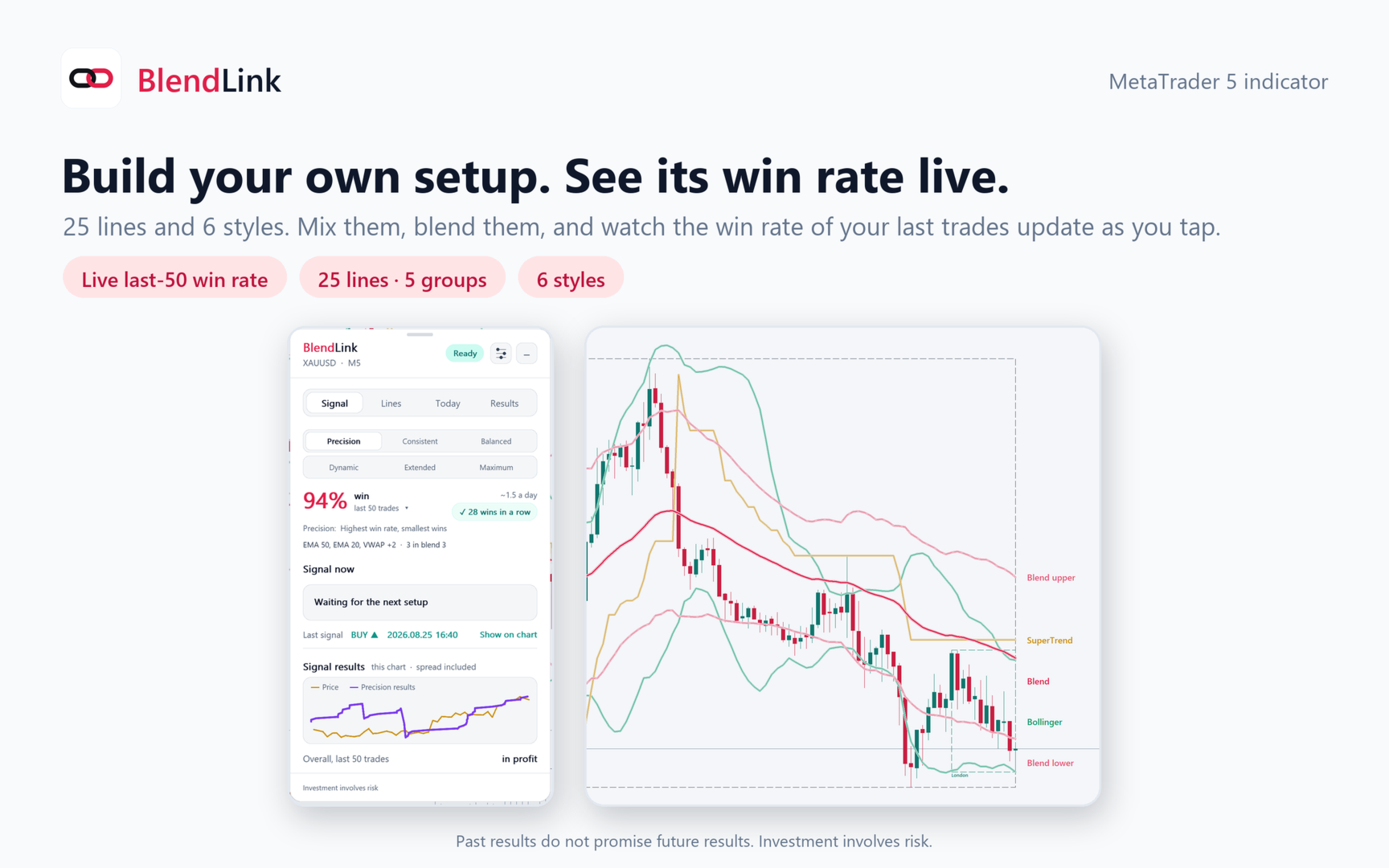
Build your own setup. See its win rate live.
BlendLink is a MetaTrader 5 indicator that works like a playground. You tick the lines you trust, pick a style, and the panel tests your exact mix on your own chart, spread included. It shows the win rate of your last 50 trades and updates as you tap.
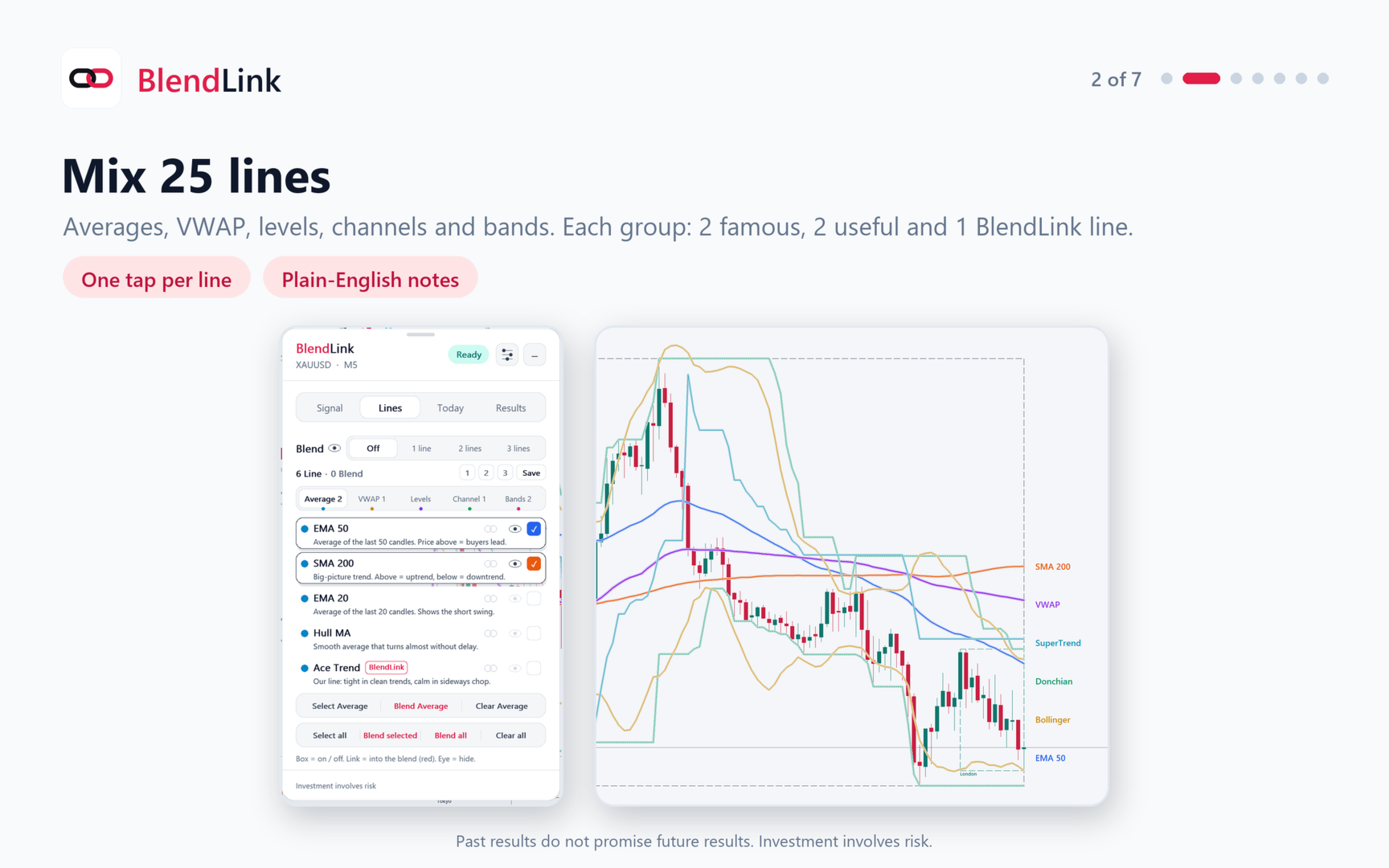
25 LINES IN 5 GROUPS
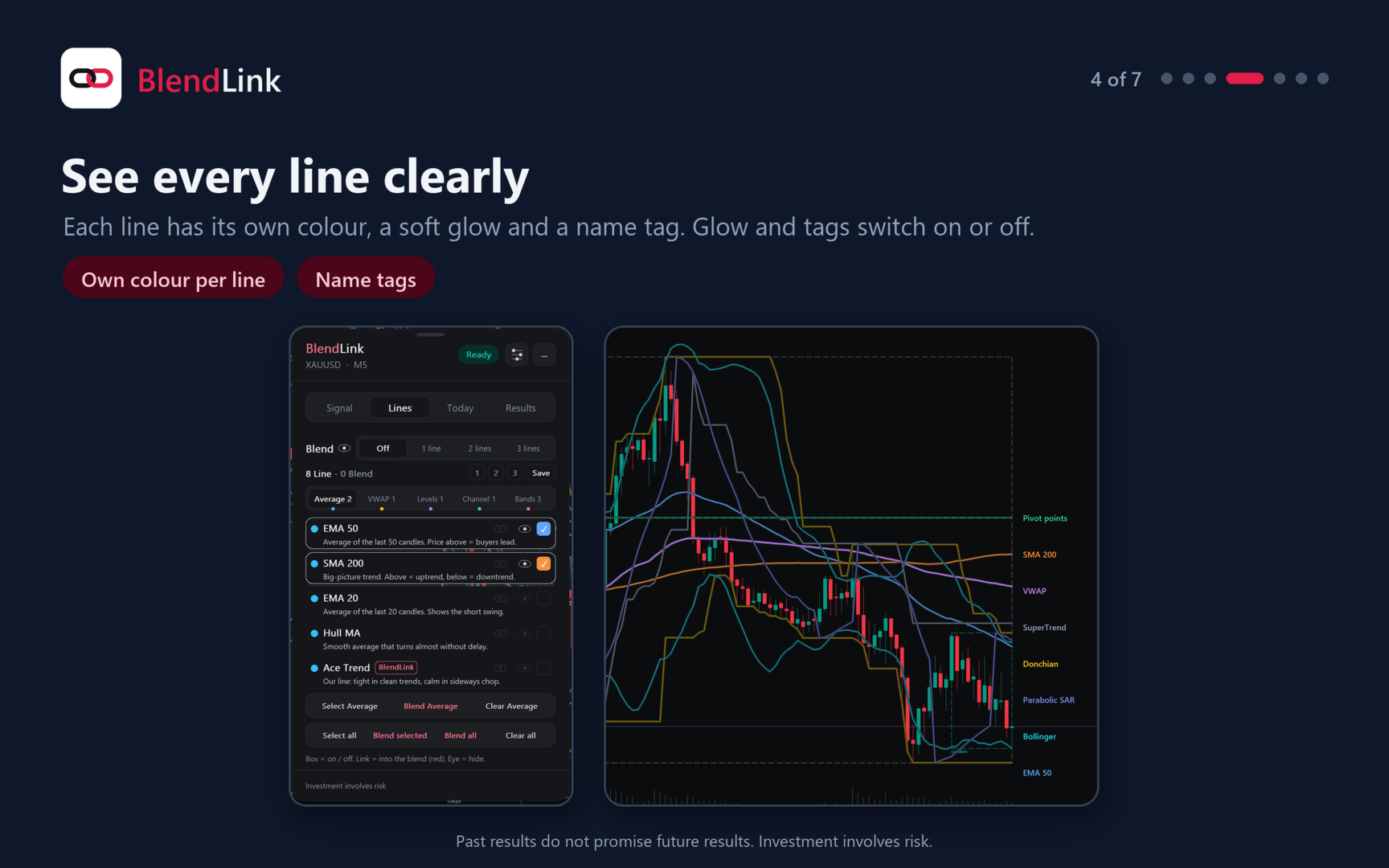
Average: EMA 50, SMA 200, EMA 20, Hull MA, Ace Trend.
VWAP: daily VWAP, anchored VWAP, VWMA, weekly VWAP, Ace Value.
Levels: pivot points, previous day high and low, round numbers, daily open, Ace Levels (Asia session range).
Channel: Donchian, Keltner, linear regression, Ichimoku cloud, Ace Channel.
Bands: Bollinger, SuperTrend, Chandelier Exit, Parabolic SAR, Ace Bands.
Each group has 2 famous lines, 2 useful lines and 1 BlendLink line. Every line comes with a one-line plain explanation.
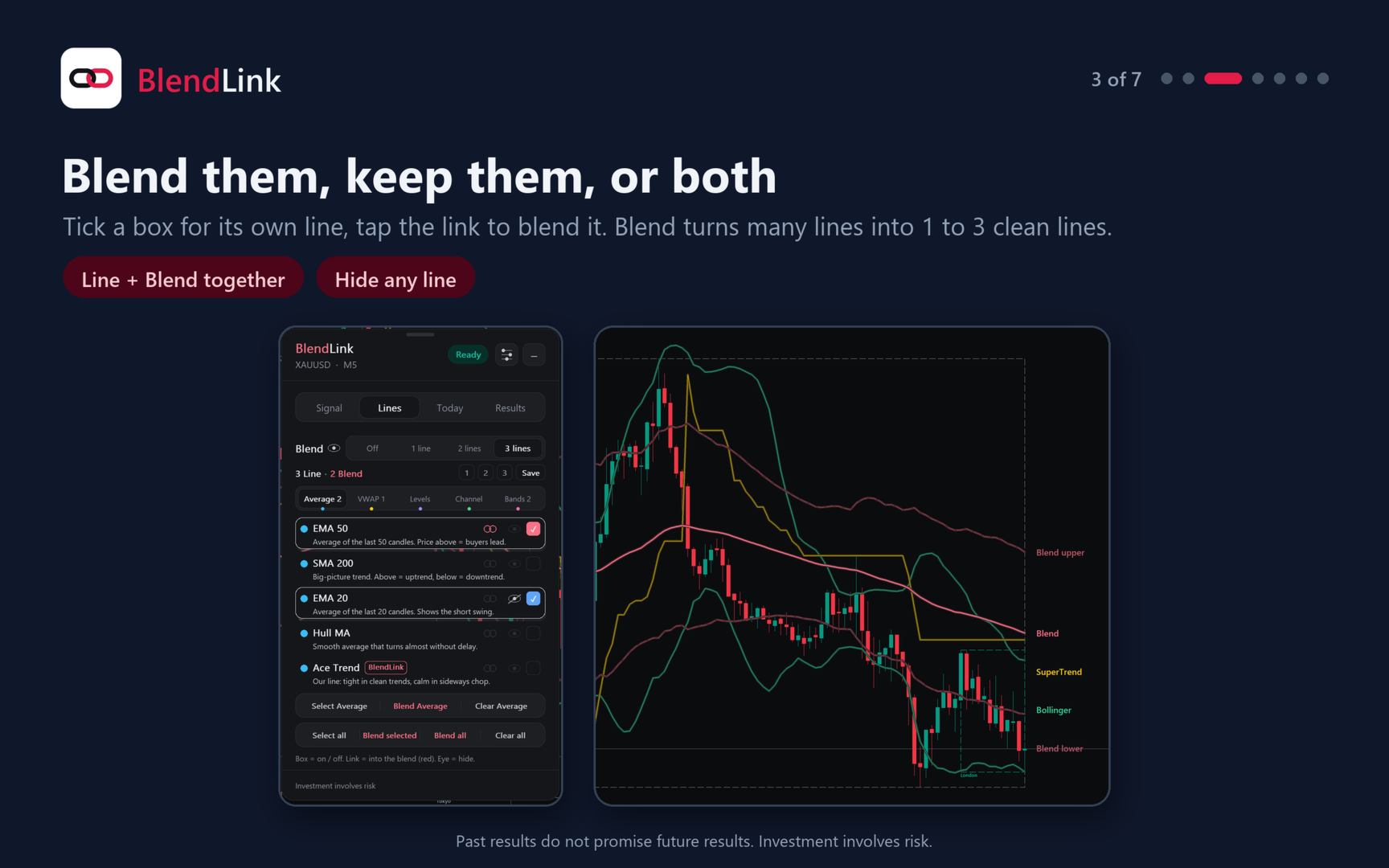
LINE OR BLEND, YOUR CALL
Tap a box and the line works on its own: it is drawn and filters the signals. Tap its link and it goes red: it joins the blend. BlendLink turns any number of blended lines into 1, 2 or 3 clean lines (center, upper, lower), or Off. Mix both kinds on one chart. The eye hides a line from the chart while it keeps working; the eye next to Blend shows only the blend lines.
New here? Start from one of 4 textbook examples (Classic, VWAP, Levels, Channel). One tap, then make it yours. They are examples, not advice.
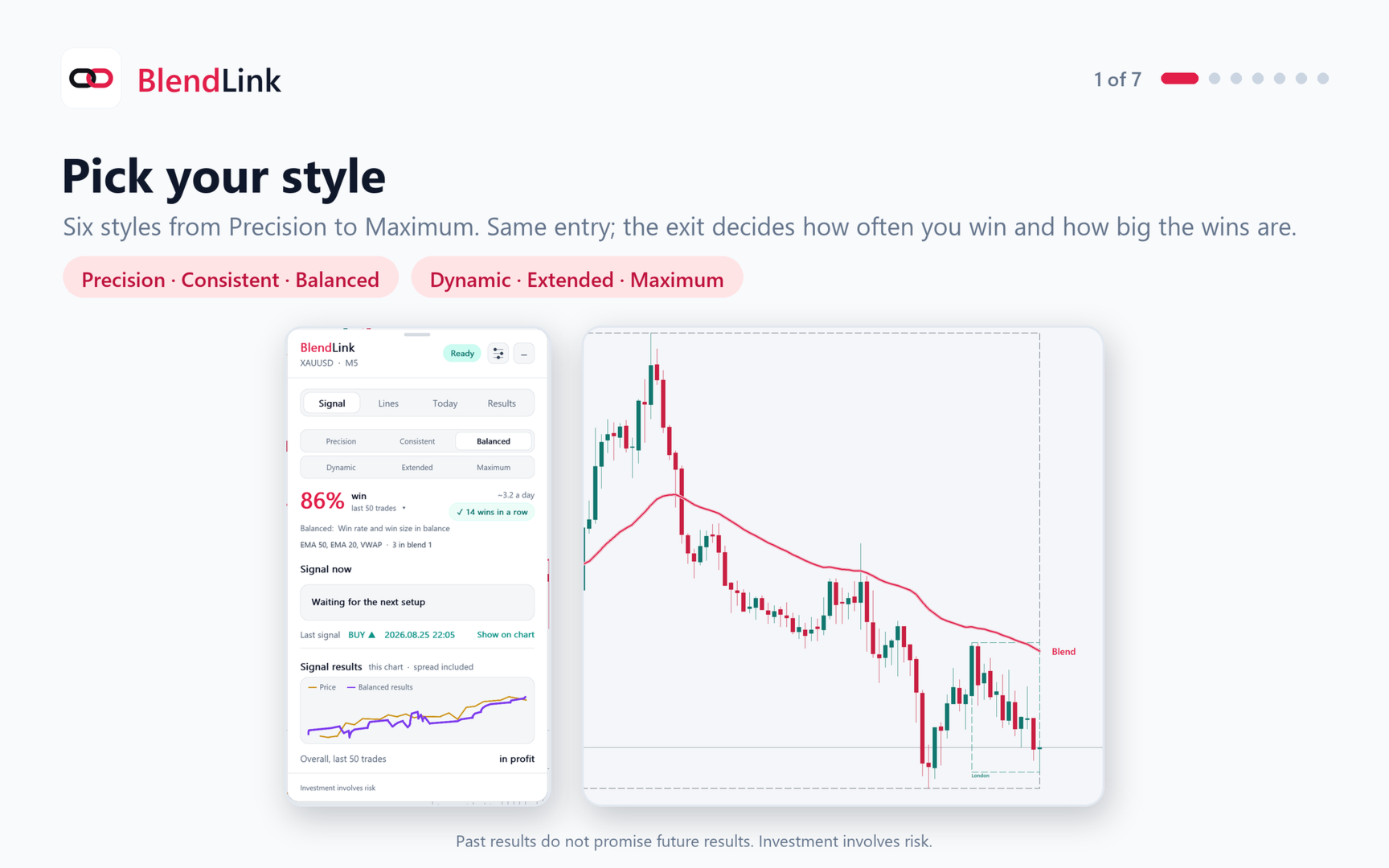
6 STYLES
Precision, Consistent, Balanced, Dynamic, Extended, Maximum. All six use the same entry. The style sets the exit: Precision takes small wins often, Maximum aims for the biggest wins.
WHAT YOU GET
- Buy and sell signals with Entry, Take Profit and Stop Loss on the chart. No repaint.
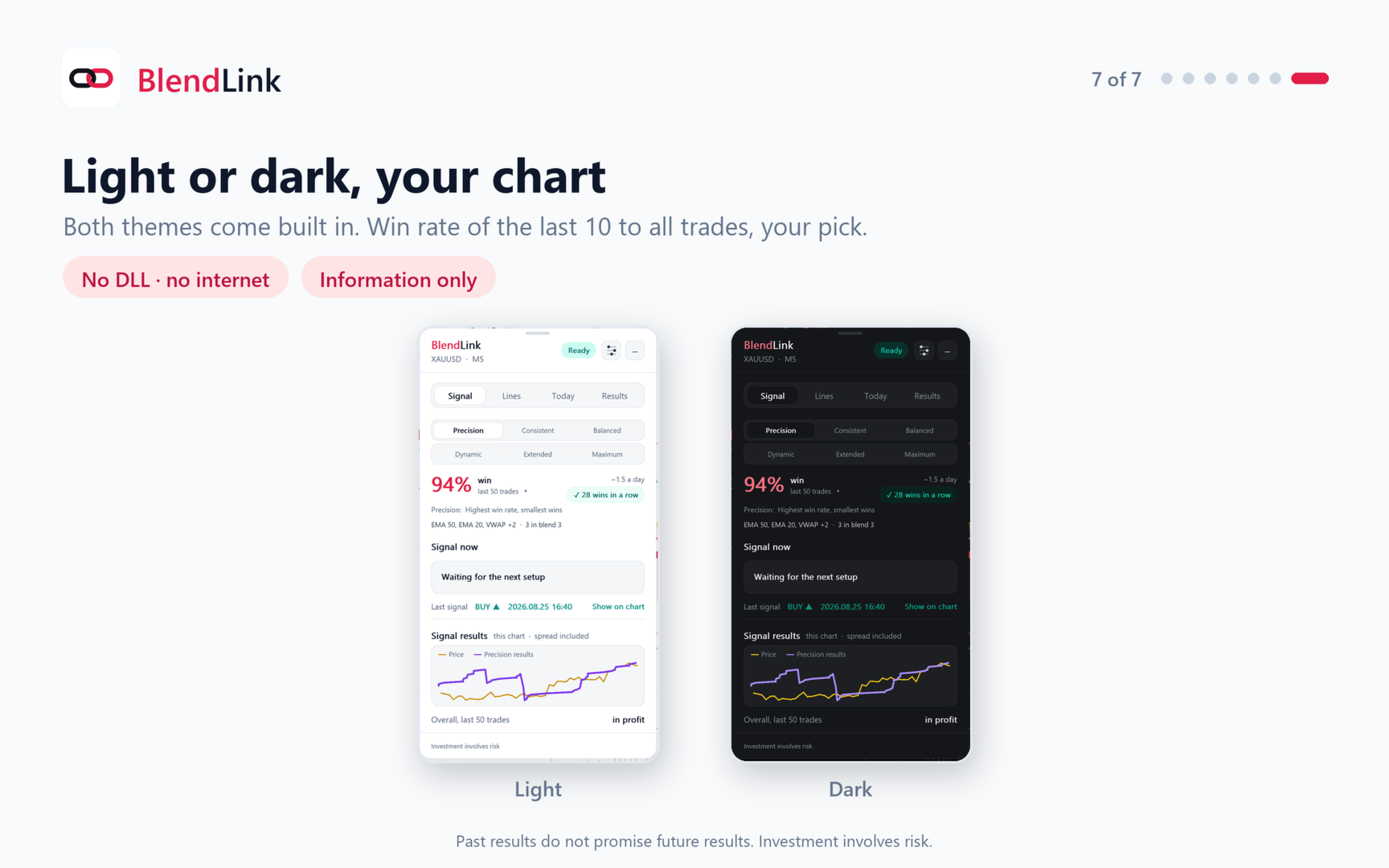
- Live win rate of the last 10, 20, 50, 100 or all trades, a "wins in a row" badge and a results graph.
- Every line in its own color, with a soft glow and a name tag. Glow and tags switch off in Settings.
- My setups: save 3 mixes and load one with a tap. New charts open with your last setup.
- 4 textbook examples to start from: Classic, VWAP, Levels, Channel.
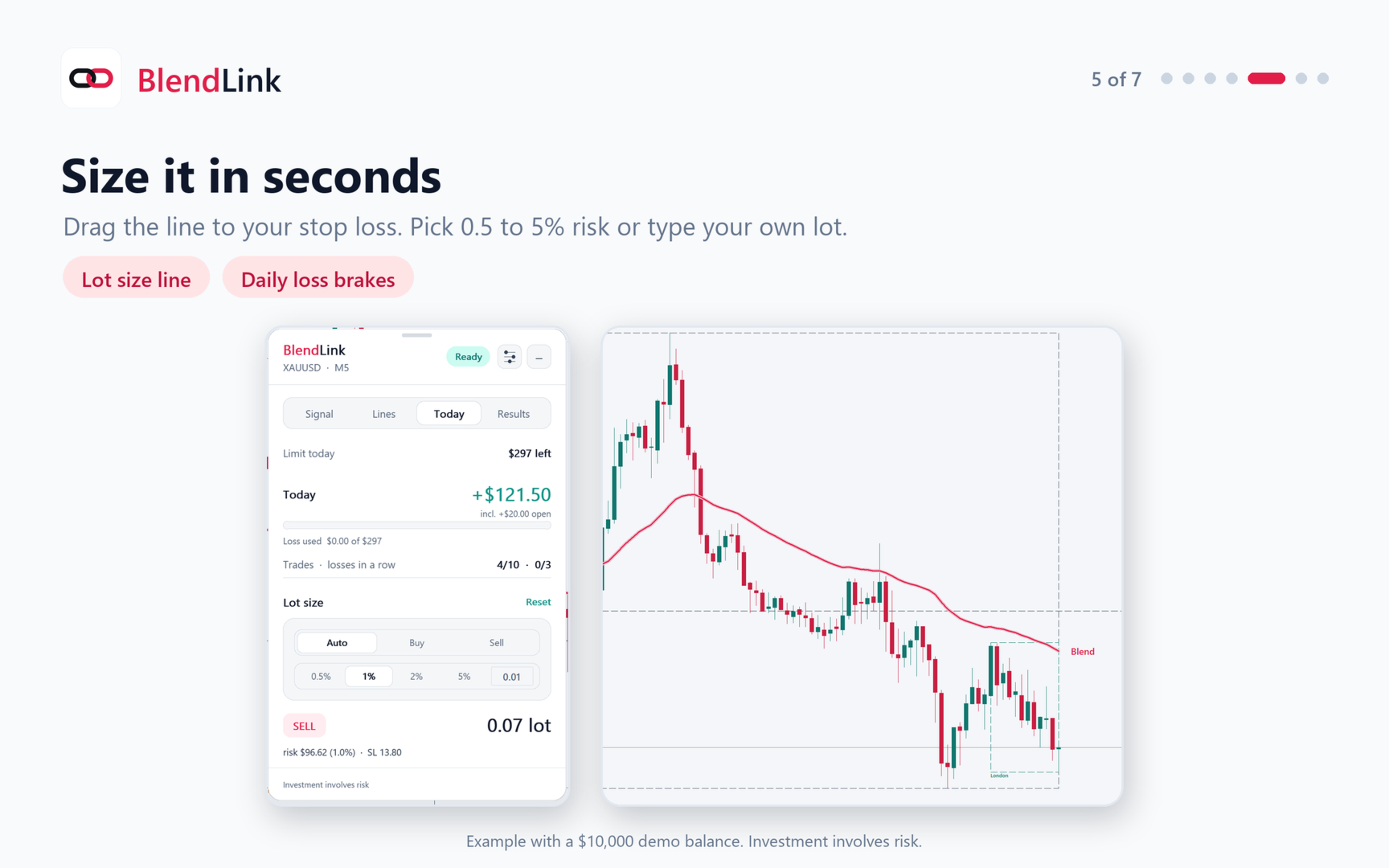
- Lot calculator: drag the line to your stop loss, pick 0.5, 1, 2 or 5% risk or type your own lot.
- Daily brakes: a daily loss limit, max trades per day and a break after losses in a row.
- Alerts: sound, popup or a push to your phone.
- Any timeframe from M1 to D1, any market. Light and dark themes. No DLL, no internet needed.
- 1,500+ automated checks passed on 5 markets and 6 timeframes, every tap under 0.3 s.
IN THE DOWNLOAD
- BlendLink.ex5 (MetaTrader 5)
- User guide PDF, English and Thai
- Free updates for life: new lines join the panel, your saved setups stay.
INSTALL IN 1 MINUTE
1. In MT5: File > Open Data Folder > MQL5 > Indicators. Paste BlendLink.ex5 there.
2. Restart MT5, or right-click Indicators in the Navigator and press Refresh.
3. Drag BlendLink onto a chart.
4. Keep Tools > Options > Charts > Max bars in chart at 100000 (the MT5 default). BlendLink tests on its own M5 history.
ACTIVATION (one MT5 account per purchase)
The panel shows your MT5 account number. Send it to us and you get your license key within 24 hours. Paste the key in Inputs > License key and BlendLink runs on that account.
BlendLink shows information. It never opens, changes or closes a trade.
Win rate counts wins, not their size. Past results do not promise future results. Investment involves risk.