
Swept Liquidity Pools
- Индикаторы
- Версия: 1.1
- Обновлено: 24 августа 2026

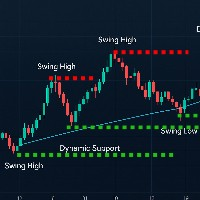
A liquidity sweep is a bar that pushes past a prior swing high or swing low, where protective stop orders tend to rest, and then closes back on the inner side of that level. The same event is known under several names: a stop hunt, a stop run, a liquidity grab, a false breakout, a failed breakout, or a swing failure. Swept Liquidity Pools marks those levels and those bars on the chart.
The indicator tracks liquidity pools - confirmed swing levels that have not yet been taken - and marks the exact bar on which a liquidity sweep occurs on one of them.
Every value is calculated from closed bars only, and buffer values are fixed once their bar has closed. Level lines drawn on the chart extend to the latest closed bar while the level is active, are recoloured when the level is swept, and are removed once the level is broken or exceeds its configured lifetime.
What This Indicator Does Not Do
It does not open, close or manage positions, and it issues no entry or exit signals. It does not draw order blocks, fair value gaps, break-of-structure or change-of-character markers, and it does not label market phases. It marks swept levels and the liquidity sweeps themselves, and nothing beyond that. Read the parameter list below before deciding whether that is what you need.
How a Level Is Formed
A bar becomes a liquidity pool when its high sits above the highs of PoolPivotBars neighbouring bars on both sides, or its low sits below their lows. Equal highs and equal lows are treated as a single level, anchored to the earlier of the two bars.
A level is confirmed only once PoolPivotBars bars have closed to its right, so it appears on the chart later than the bar it refers to. This delay is inherent to any swing-based detection method, and it is disclosed here rather than left implicit.
A level stops being tracked as an active pool under three conditions: it is swept, price closes beyond it, or it exceeds PoolMaxAgeBars in age. A close beyond the level is treated as a genuine break rather than a failed attempt, and the level is dropped from the chart from that point on. A swept liquidity pool stays on the chart in its swept colour until it too exceeds PoolMaxAgeBars, counted from the bar of the sweep.
How a Liquidity Sweep Is Identified
A closed bar sweeps a level when all of the following hold: price extended beyond the level by at least the configured minimum distance and no more than the configured maximum; the bar closed back on the inner side of the level; and the close gave back at least the configured share of the bar's own range.
Distances are expressed in units of Average True Range rather than in price points, so one configuration can be applied across instruments with different price scales. ATR-based thresholds are timeframe-dependent: the same numeric value represents a different percentage of price on M1 than on H1. A minimum-distance floor, expressed in instrument ticks, is applied in parallel, since on low-tick instruments an ATR-based share can fall below a single tick.
Calculation and Repainting
All values are calculated on closed bars only. Once a bar closes, its buffer values are fixed and are never modified afterward. The currently forming bar never carries a signal.
Buffers for Programmatic Access
Four buffers are exposed and can be read from an Expert Advisor through iCustom:
- Buffer 0 - price of the swept level on the bar where a high-side sweep occurred
- Buffer 1 - price of the swept level on the bar where a low-side sweep occurred
- Buffer 2 - price of the nearest tracked level above
- Buffer 3 - price of the nearest tracked level below
Buffers return the empty value on bars carrying no data.
Notes
The first bars of the scan window form a warm-up region and may contain fewer marks, since levels older than the window do not yet exist within it.
The indicator marks price structure only; see the section above on what it does not do.
The underlying concept is described in classic technical literature under the terms spring and upthrust. This implementation uses its own formalisation and its own thresholds, independent of that literature's numeric conventions.
Support
Questions and error reports are handled through the comments section of this product or through mql5.com private messages.
Input Parameters
Base inputs, unchanged from the free version
- PoolPivotBars - bars on each side confirming a level
- PoolMaxAgeBars - level lifetime in bars
- PoolMergeAtr - levels closer than this distance are treated as one
- PoolMinBarRangeAtr - minimum range of a bar that may become a level
- ReachAtrPeriod - ATR period used for distance scaling
- SweepMinReachAtr - minimum distance beyond a level
- SweepMaxReachAtr - maximum distance beyond a level
- SweepMinReachTicks - minimum distance in instrument ticks
- SweepMinRejectShare - minimum share of the bar range given back at the close
- HistoryBarsLimit - bars to scan, zero for all
- MarkupVisible, MarkupPoolColor, MarkupSweptHighColor, MarkupSweptLowColor, MarkupLineWidth
- NotifyPopup, NotifyPush





































I like it. Very useful.