MultiTP ladder

Try Before You Buy:

You can download and test the Multi Tp Ladder free demo version on a demo account before purchasing.

For MetaTrader 5:
Download: MultiTP ladder   

How to install the trial:

  1. Download the   MultiTP ladder  file above.
  2. In MetaTrader: File → Open Data Folder → MQL5/Experts
  3. Paste the trial file into that folder, then restart MetaTrader.
  4. The trial is fully functional for 12 hours per demo account.

To reset the trial period (demo accounts only):
MetaTrader → Tools → Global Variables → Ctrl+A → Delete.
Important: Only do this on a non-critical demo account. Never delete global variables on a live or prop firm challenge account — other EAs may rely on them.

The trial version will refuse to run on a live or prop account. To use PROP FIRM RULES MANAGER on a real account, please purchase the full version above.

Contact  support:  MQL5  || For your Comprehensive Installation & User Guide 

────────────────────────────────────────────────────────

The setup was textbook. The entry was clean. Price moved your direction instantly.

And then you just... sat there. Watching. Waiting. Not knowing when.

Do you close now and take the 30 pips? Do you hold for the full target? Price pulls back 15 pips and your hands move before your brain does — closed. Breakeven. Maybe a few pips profit. You walk away.

Then you watch it hit 90 pips without you on the chart.

This is not a skill problem. This is a human problem. The moment a trade goes into profit, the fear of losing it overrides everything your analysis said to do. You know what the plan was. You cannot execute it. Nobody can — not under pressure, not across multiple open trades, not when the move happens at 3am.

MultiTP Ladder Pro runs the exit you planned before the trade opened. Not the one your emotions write while it's live.

────────────────────────────────────────
WHO THIS IS FOR
────────────────────────────────────────

• Manual traders who enter their own trades but need automated exit management
• Traders who always plan to "take partial profit and let it run" but cannot execute it cleanly under pressure
• Anyone who has closed a winning trade early and watched it run another 80 pips
• Anyone who has held too long and turned a profit into a loss
• Traders running multiple positions simultaneously who cannot manually manage exits on all of them
• Works with other EAs — filter by magic number to apply only where you want it

This is not a signal tool. It does not find trades or enter the market. It manages the exits on trades you already have open — the part of trading that most consistently separates profitable traders from breakeven traders.

────────────────────────────────────────
THE EXIT SEQUENCE — AUTOMATED, START TO FINISH
────────────────────────────────────────

You enter a trade with your TP set. That is all you do. From that point, the EA takes over:

STEP 1 — TP1 HIT
Price reaches your first target (e.g. 50% of the full TP distance).
The EA closes a portion of the position — 33%, 40%, whatever you configured.
Profit is locked. The position is no longer full size.

STEP 2 — BREAKEVEN MOVE
Immediately after TP1 fires, the SL moves to your entry + a small pip buffer.
The remaining position is now risk-free. You cannot lose money on this trade no matter what happens next.

STEP 3 — TP2 HIT
Price reaches your second target (e.g. 75% of the full TP distance).
Another portion closes. More profit booked.
The ATR trailing stop activates on whatever is left.

STEP 4 — ATR TRAILING
The remainder runs with a trailing stop that follows price using ATR as the distance.
The stop only moves in the trade direction — never backwards.
It runs until the trailing stop is hit or the original TP is reached.

Result: you always book something at TP1, the trade becomes risk-free automatically, and the remainder has the best possible chance of catching an extended move — all without watching the screen.

────────────────────────────────────────
A REAL EXAMPLE — XAUUSD BUY TRADE
────────────────────────────────────────

Settings: TP1 at 50%, TP2 at 75%, close 33% at each level

You enter: BUY XAUUSD at 2300.00 | SL: 2290.00 | TP: 2320.00 | Size: 1.00 lot

EA calculates:
  TP1 = 2310.00 (50% of the way)
  TP2 = 2315.00 (75% of the way)

Price hits 2310.00:
  → 0.33 lots closed | profit booked
  → SL moved to 2300.10 | trade is now risk-free

Price hits 2315.00:
  → 0.33 lots closed | more profit booked
  → ATR trailing stop activates on remaining 0.34 lots

Price continues to 2325.00, then reverses:
  → Trailing stop triggers at 2322.00
  → Final portion closed automatically

Total: three separate profit locks, all executed while you were doing something else.

────────────────────────────────────────
THE PROBLEM WITH FREE TOOLS
────────────────────────────────────────

Free partial close tools exist on MQL5. They all share the same three failures:

1. They forget your trades when MT5 restarts. State is held in memory only — the moment you restart the terminal or lose connection, they lose track of every position. Your TP1 fires but there's nothing left tracking it. The breakeven move never happens.

2. They send unrounded lot sizes. The partial close volume is calculated as a percentage and sent directly. If the result does not match your broker's exact volume step, the order is rejected silently — no error shown, no close executed, no indication anything went wrong. You find out when you look at the position.

3. They handle one trade at a time. Open a second trade and the first one breaks. Open a third and the whole thing stops working.

MultiTP Ladder Pro fixes all three:

STATE PERSISTENCE — All tracking data is saved to a CSV file on every state change. When MT5 restarts, the EA loads the file and continues exactly where it left off. TP1 hit status, breakeven status, trailing stop level — all restored. No trade is missed. No state is lost.

PRECISE LOT NORMALIZATION — Every partial close volume is calculated, then floored to your broker's exact volume step, clamped to the broker's minimum and maximum lots, and rounded to the correct decimal places before the order is sent. The order does not get rejected.

MULTI-TRADE TRACKING — The EA maintains a full state record per ticket in a dynamic array. Open 10 trades simultaneously and it tracks all 10 independently. Each one has its own TP1, TP2, breakeven, and trailing state.

────────────────────────────────────────
WHAT ELSE IT DOES
────────────────────────────────────────

WORKS ON ALL TRADES — Manual trades, EA trades, any symbol in MT5. No setup per trade. Just have a TP set.

FILTER BY MAGIC NUMBER OR SYMBOL — Apply the ladder only to specific EAs or only to specific pairs using the FilterMagic and FilterSymbol inputs.

ATR TRAILING ON CONFIRMED BARS — The trailing distance is calculated from the previous closed bar's ATR, not the current forming candle. The stop moves on confirmed momentum. Not on intrabar noise.

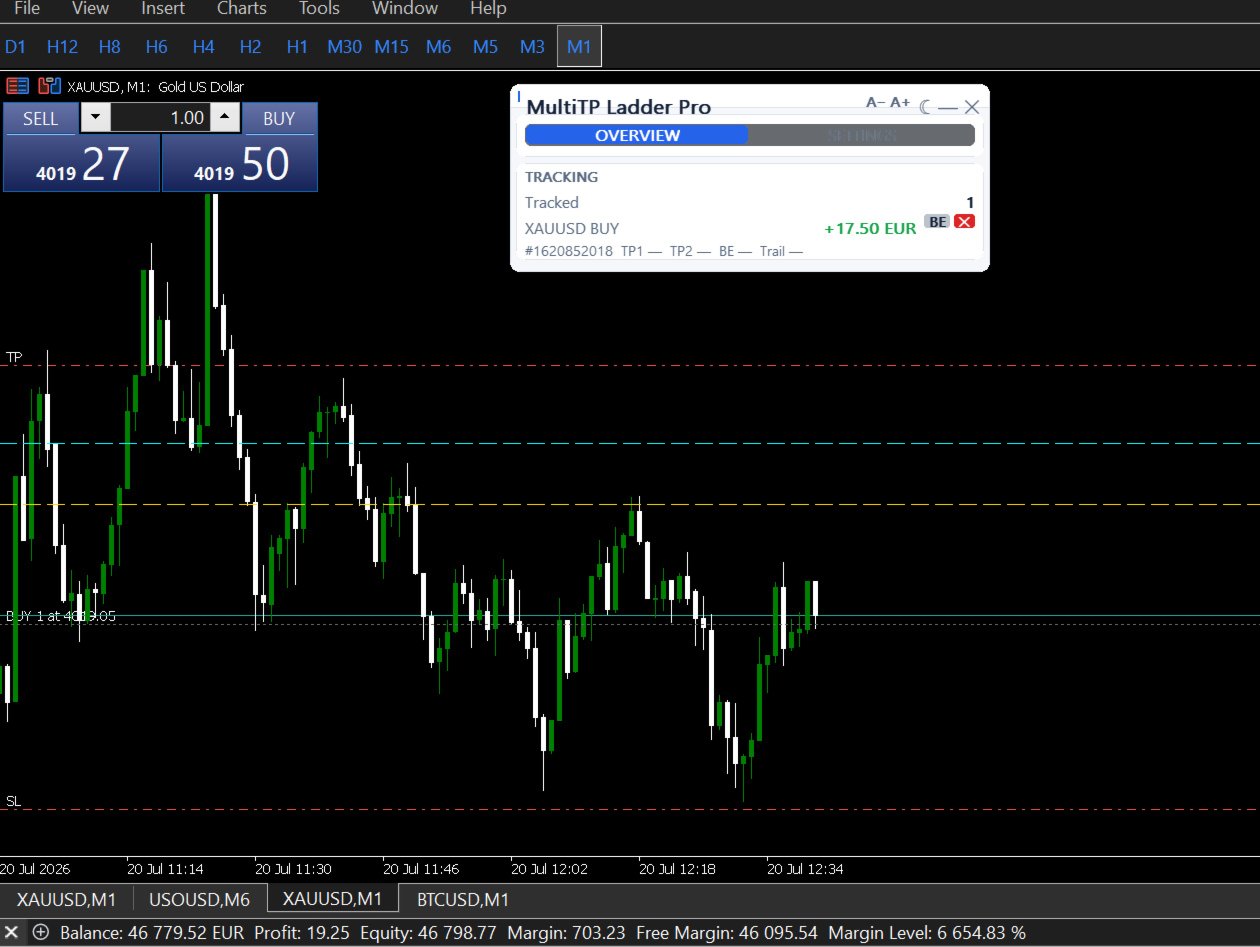
CHART LINES PER TRADE — Optional visual lines on the chart showing entry, TP1, and TP2 for each tracked position. Each line updates to show whether the level was hit.

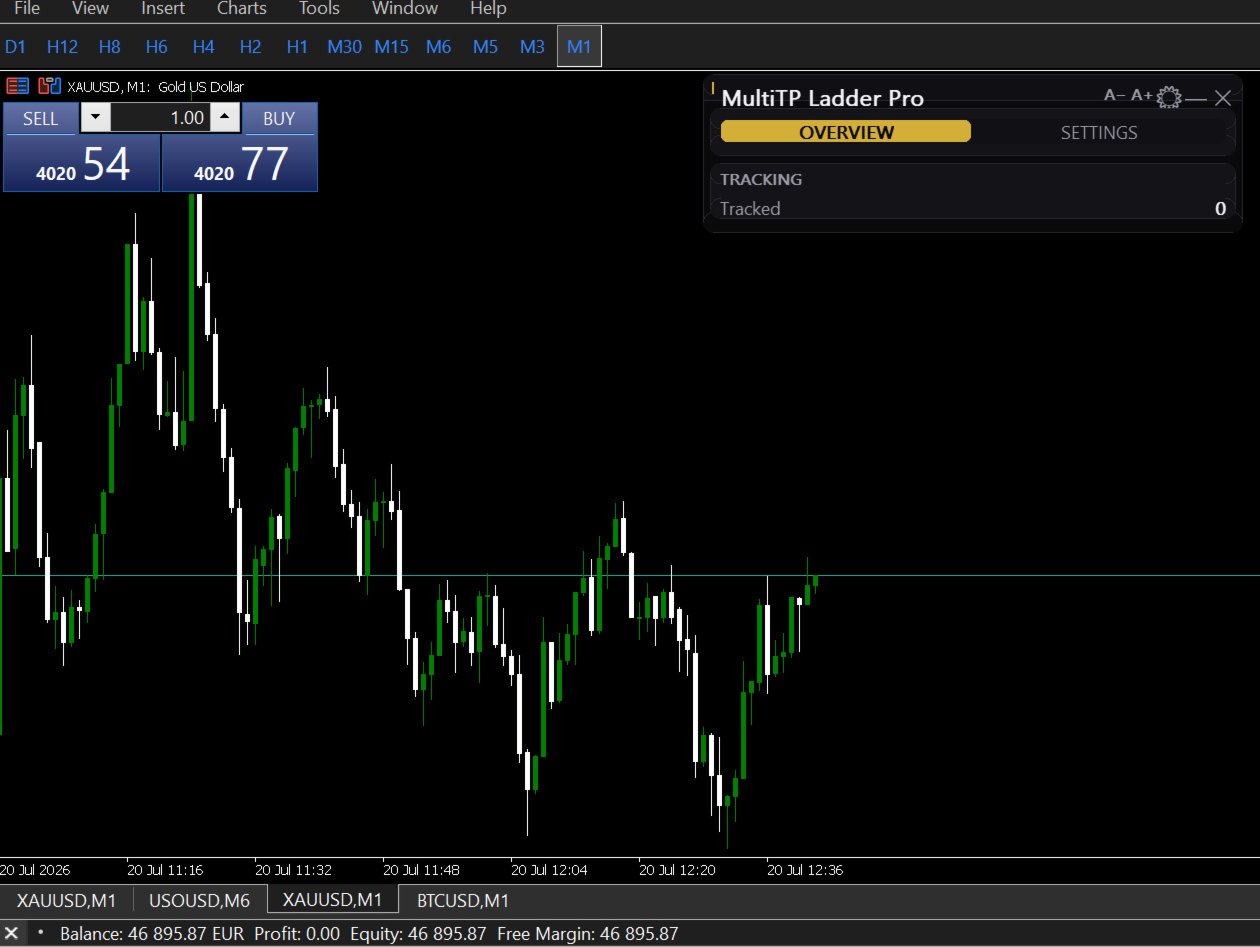
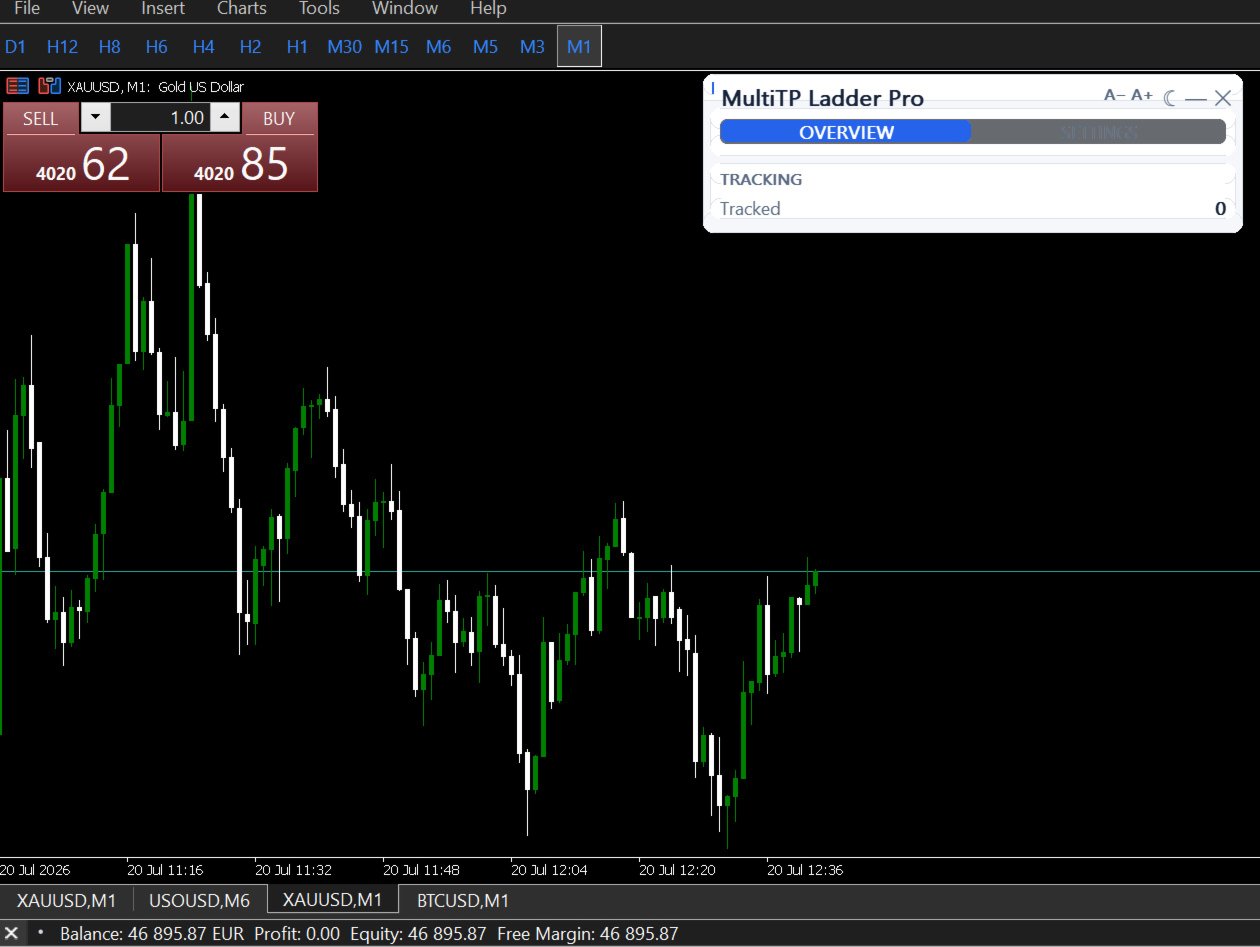
LIVE DASHBOARD — One row per tracked trade showing ticket number, symbol, direction, live P&L, TP1 status, TP2 status, breakeven status, and current trailing SL level. Grows dynamically as more trades are tracked.

TELEGRAM NOTIFICATIONS — Optional Telegram message when TP1 or TP2 fires. Includes ticket number, lots closed, and execution price.

COMPATIBLE WITH PROPGUARD PRO AND DISCIPLINEGUARD PRO — All three utilities use different object name prefixes and GlobalVariable keys. They run simultaneously without interference.

────────────────────────────────────────
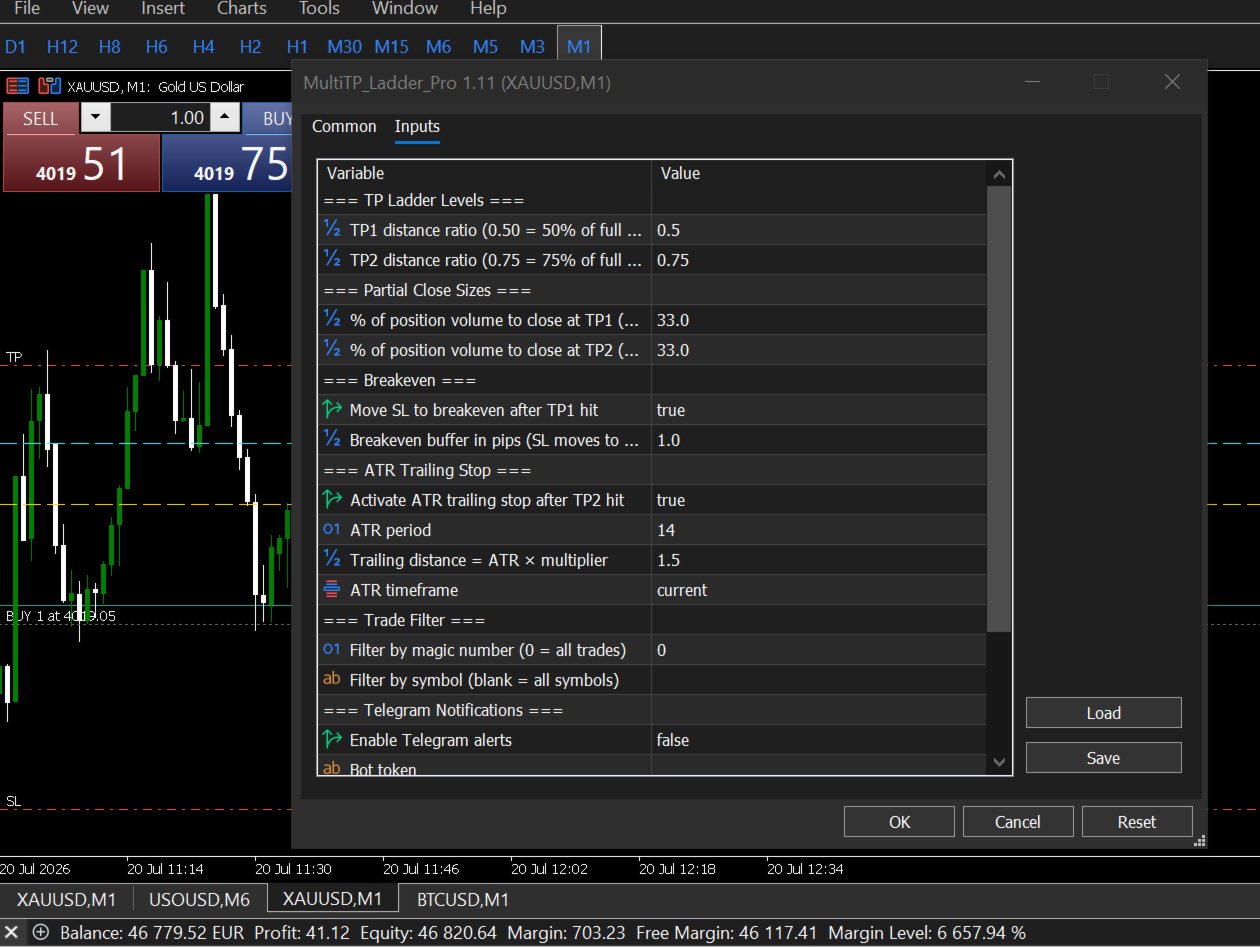
INPUT REFERENCE
────────────────────────────────────────

TP LADDER
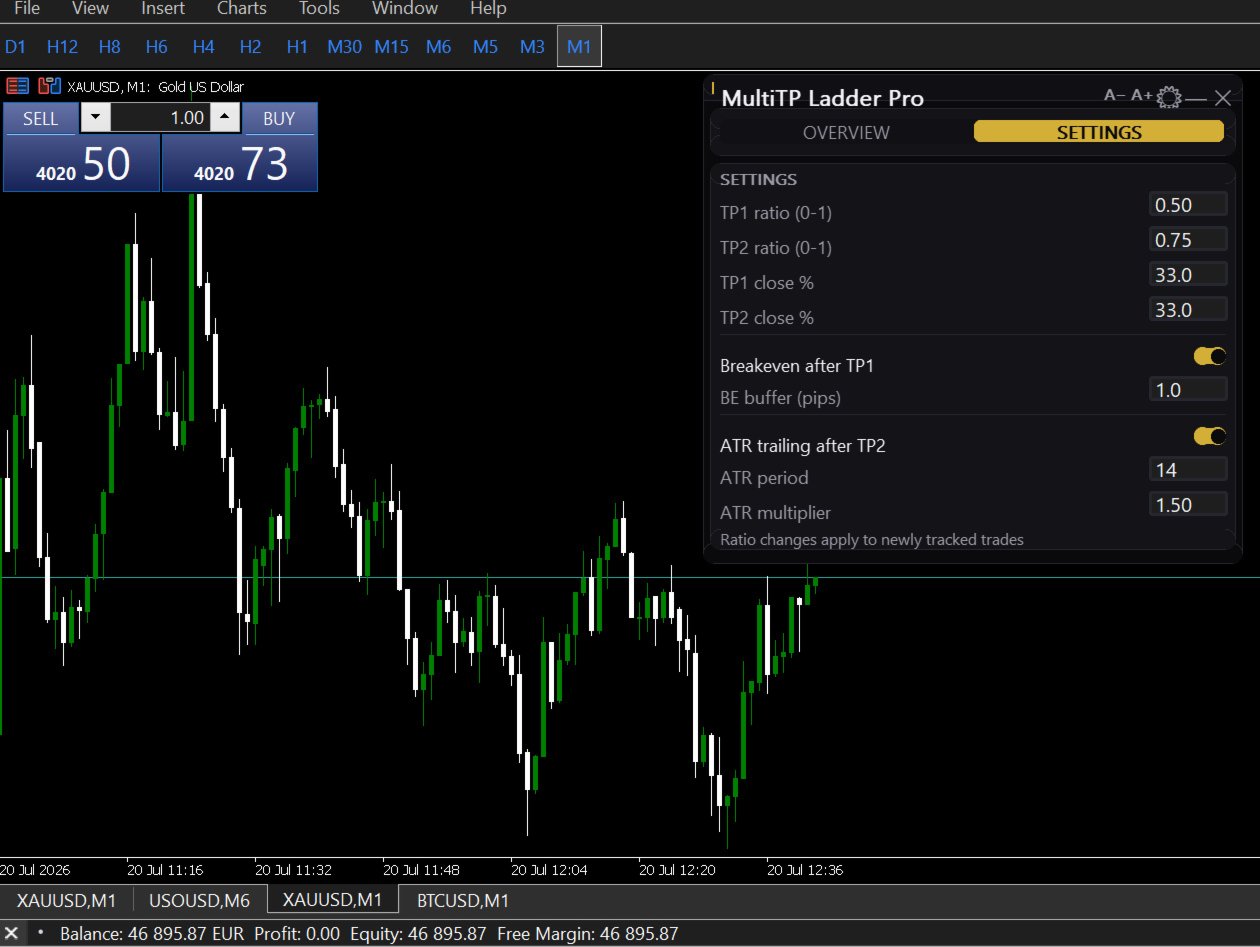
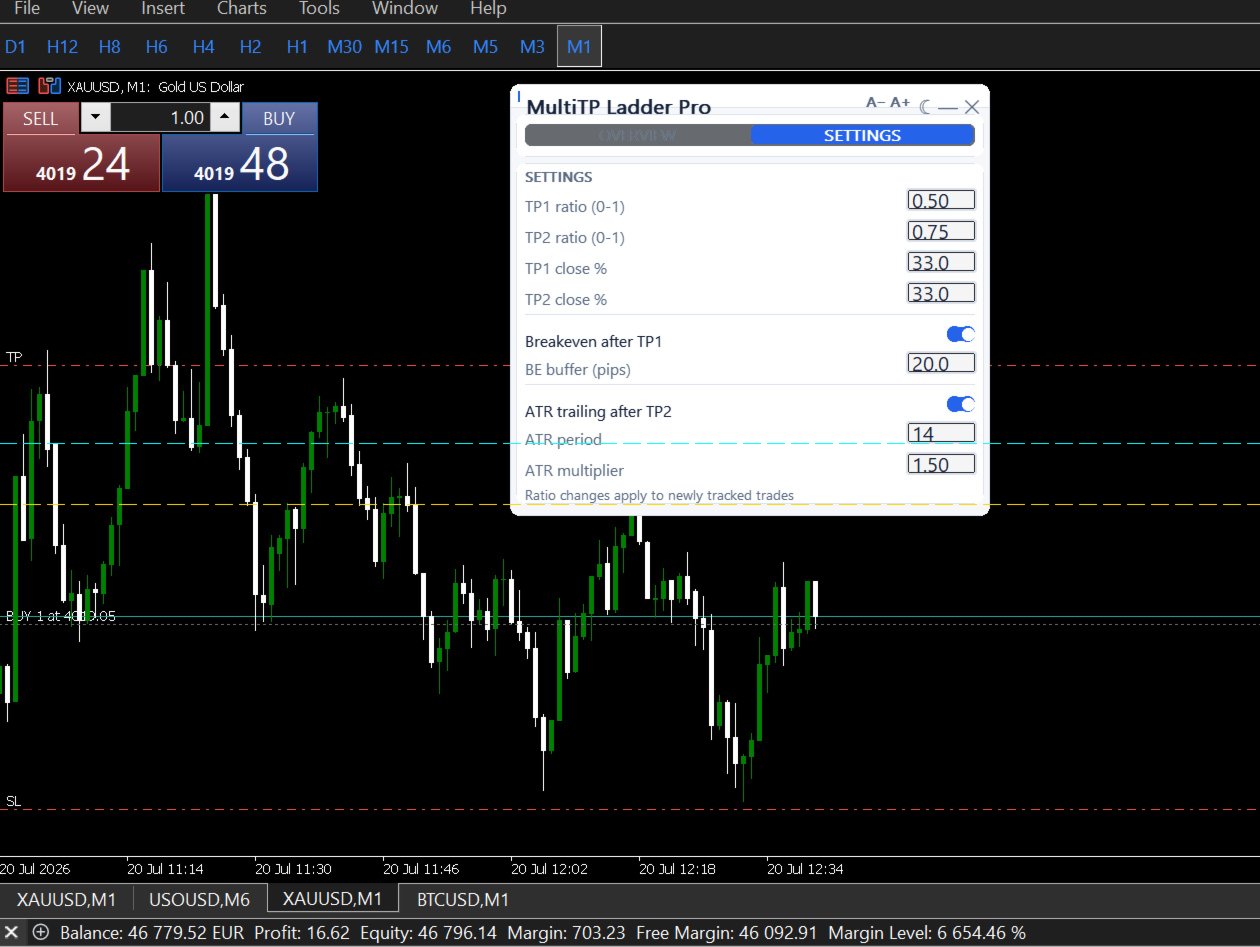
• TP1_Ratio — where TP1 fires as a fraction of your full TP distance (e.g. 0.50 = halfway)
• TP2_Ratio — where TP2 fires (e.g. 0.75 = three-quarters of the way) — must be greater than TP1_Ratio
• TP1_ClosePct — percentage of original position to close at TP1 (e.g. 33)
• TP2_ClosePct — percentage of original position to close at TP2 (e.g. 33)
  The remainder (100 − TP1 − TP2) runs to the original TP with the trailing stop

BREAKEVEN
• EnableBE — move SL to breakeven after TP1 fires (ON/OFF)
• BE_BufferPips — pip buffer above/below entry for the new SL (default: 1.0)

ATR TRAILING STOP
• EnableTrailing — activate after TP2 fires (ON/OFF)
• ATR_Period — ATR lookback period (default: 14)
• ATR_Multiplier — trailing distance = ATR × multiplier (default: 1.5)
• ATR_Timeframe — timeframe for ATR calculation (default: current chart)

FILTERS
• FilterMagic — restrict to trades with this magic number (0 = all trades)
• FilterSymbol — restrict to this symbol only (blank = all symbols)

DISPLAY
• ShowDashboard — show/hide on-chart panel
• DrawTPLines — draw TP1/TP2 lines on chart

TELEGRAM
• EnableTelegram — ON/OFF
• TelegramBotToken — bot token from @BotFather
• TelegramChatID — your personal chat ID

────────────────────────────────────────
REQUIREMENTS
────────────────────────────────────────

• MetaTrader 5 only (not MT4)
• Trades must have a TP set — the EA uses it to calculate TP1 and TP2 distances
• AutoTrading must be enabled

────────────────────────────────────────
KNOWN LIMITATION
────────────────────────────────────────

If the partial close volume after lot normalization falls below your broker's minimum lot size, the EA marks that TP level as hit and skips the partial close rather than send a rejectable order. Very small positions (under approximately 3x the broker minimum) may not produce partial closes at each level. Full details and workarounds are in the user guide.

────────────────────────────────────────
WHAT IS INCLUDED
────────────────────────────────────────
• Full user guide — installation, all settings, worked examples, FAQ, troubleshooting
• Lifetime updates
• Support via MQL5 messages

────────────────────────────────────────
YOUR ENTRY WAS RIGHT. YOUR EXIT SHOULD MATCH IT.
────────────────────────────────────────
Рекомендуем также
Signalator Trade Summary Panel MT5 — бесплатная локальная утилита для MetaTrader 5, которая показывает прямо на графике понятную сводку по счёту, позициям, символам и риску. Она является частью экосистемы Signalator Trading and Analysis — развивающегося набора практических инструментов MetaTrader для мониторинга счёта, анализа рынка, сканирования символов, оповещений и улучшения рабочего процесса трейдера. Панель объединяет мониторинг счёта и позиций со встроенными Symbol Inspector и калькулятор
FREE
Free automatic Fibonacci is an indicator that automatically plots a Fibonacci retracement based on the number of bars you select on the BarsToScan setting in the indicator. The Fibonacci is automatically updated in real time as new highest and lowest values appears amongst the selected bars. You can select which level values to be displayed in the indicator settings. You can also select the color of the levels thus enabling the trader to be able to attach the indicator several times with differe
FREE
Advanced Price Action Suite
Mahoutondji Fredy Venance Assemou
Advanced Price Action Suite Advanced Price Action Suite plots market structure (BOS/CHoCH), support and resistance zones, Fair Value Gaps and the multi-moving-average trend on your chart — with an integrated position calculator that shows the recommended lot, possible loss and risk/reward ratio in real time, before every entry. What Advanced Price Action Suite does Advanced Price Action Suite is an analysis and calculation tool for the price action trader: it shows the market context at a glan
Introducing a powerful MetaTrader 5 Expert Advisor designed to enhance your trading strategy – the Auto Breakeven EA! This feature-rich EA is tailored to bring your stop-loss to breakeven, ensuring a risk-free trade once the market moves in your favor up to a specified price. Explore the full potential of the Auto Breakeven EA. Download it for free now, and find the download link at the bottom of our page. Elevate your trading experience and take control of your risk management strategy. Happy
FREE
FibRetrace Zones Зоны коррекции Фибоначчи последнего свинг-движения FibRetrace Zones: бесплатный визуальный помощник к советнику FibRetrace. Индикатор строит уровни коррекции Фибоначчи и выделяет зону отката на последнем свинг-движении, чтобы вы видели, где находятся входы на откате, ещё до сделки. Зона окрашивается по направлению: зелёная для бычьих сетапов, красная для медвежьих. Работает на любом символе и любом таймфрейме. ОСНОВНЫЕ ВОЗМОЖНОСТИ Автоматическое определение свингов с настраиваем
FREE
Индикатор определяет и отображает на графике паттерн М. Гартли "Бабочка". Выделение паттерна производится по вершинам индикатора ZigZag (включен в ресурсы, не требует допопнительной установки). В момент распознавания паттерна выводится сообщение во всплывающем окне, отправляются оповещения на мобильное устройство и электронный почтовый ящик. Схема паттерна и параметры волн приведены на скриншоте. Параметры, заданные в индикаторе по умолчанию, являются демонстрационными для увеличения количества
Automatic fibonacci with alerts is an indicator that automatically plots a fibonacci retracement based on the number of bars you select on the BarsToScan setting in the indicator. The fibonacci is automatically updated in real time as new highest and lowest values appear amongst the selected bars. You can select which level values to be displayed in the indicator settings. You can also select the color of the levels thus enabling the trader to be able to attach the indicator several times with d
FREE
Обзор продукта Pattern Recognition Master System — это индикатор автоматического распознавания классических свечных моделей для главного графика, разработанный для обеих платформ   MT4 и MT5 . Он автоматически обнаруживает и размечает на главном графике одиннадцать классических разворотных и продолжительных моделей, включая двойные вершины и основания, голову и плечи (вершину и основание), молот и повешенного, поглощение, доджи, а также утреннюю и вечернюю звезду, причём для каждой категории мо
FREE
FiT Panel Pro
Thonglak Janyakorn
Overview FiT Panel Pro is a professional-grade trade management panel designed for MetaTrader 5 traders who demand speed, precision, and full control over their trades. Built with a modern dark-theme UI, it combines one-click execution with advanced risk management, visual SL/TP drag lines, automatic Fibonacci-based levels, and comprehensive order management — all in a single, compact panel. Whether you are a scalper, day trader, or swing trader, FiT Panel Pro gives you the edge you need to exec
FREE
Nivelesfibonacci2
Sergio Piqueras Cuevas
NIVELESFIBONACCI2.12 — Órdenes Pendientes sobre Niveles Fibonacci Personalizados Este script para MetaTrader 5 permite colocar automáticamente órdenes pendientes de compra o venta utilizando como referencia los niveles Fibonacci horizontales previamente dibujados en el gráfico. El script está diseñado para funcionar conjuntamente con NIVELESFIBONACCI1.1 , aunque puede utilizar cualquier conjunto de líneas horizontales que siga la misma estructura de nombres mediante el prefijo configurado. La pr
FREE
SMC Price Action Patterns - MT5 Indicator Product Description MetaTrader 5 custom indicator SMC Price Action Patterns A chart overlay indicator for traders who want a structured view of Smart Money Concepts, market structure shifts, order block patterns, fair value gaps, equal highs and lows, and key multi-timeframe price levels directly inside MetaTrader 5. BOS and CHoCH Internal and Swing Structure Order Block Finder Input-Controlled FVG Colors EQH and EQL Premium and Discount Zones Product Ov
FREE
Strategy: This is a Guard for your account in case the Margin Call of the Account is called. The most brokers have Margin Call at Margin Level of 100%. If account Margin Level is below TriggerMarginLevelPercent (100%), the EA checks all open account positions. For every non-hedge position it opens one reverse position with the same symbol and same volume. After that it will remove itself from the Chart IMPORTANT: CHECK this manually on the Account before using this EA. Only some Broker offer t
FREE
Naked chart MT5
Frederic Jacques Collomb
Одна кнопка. Один клик. Чистый график. MT4 version Вы нарисовали всё. Линии тренда, Фибоначчи, прямоугольники, зоны, стрелки... Ваш график выглядит как картина современного искусства. Красиво — но цену уже не видно. NAKED CHART решает это одним кликом. Один клик → все рисунки мгновенно исчезают Повторный клик → всё возвращается в исходном виде Индикаторы не затронуты — скрываются только ваши рисунки Кнопка перемещается — разместите её в любом месте графика Никаких настроек. Никакой сложности. П
FREE
AK Capital Backtest panel
AK Capital Markets Limited
5 (3)
backtester buttons for testing strategies in the MT5 strategy tester.  load up strategy tester then click on visual test and once visual tester opened apply any chart template you'd like. To update the chart pause the visual tester and apply templates, colors and such like the normal chart. On the settings you can choose lot size and take profit and stop loss.  Enjoy
FREE
STAMINA HUD – Advanced Market & Trend Dashboard (MT5) STAMINA HUD   is a professional   market information panel   designed for traders who want   clarity, speed, and control   directly on the chart. It provides a   clean heads-up display (HUD)   with essential market data and   multi-timeframe trend direction , without cluttering the chart or generating trading signals. What STAMINA HUD Shows   Current Price   Spread (in real pips)   Today High–Low range (pips)   Average D
FREE
NINJA MT5 DOCTOR ОБЗОР NINJA MT5 Doctor — это бесплатная утилита MT5, работающая только в режиме чтения и создающая разовый диагностический снимок терминала, счета, открытых графиков, выбранной истории и символа текущего графика, на котором она запущена. Это утилита в формате Expert Advisor, а не торговый EA и не индикатор. Названия элементов панели и входных параметров указаны на английском языке. ЧТО ОНА ПРОВЕРЯЕТ Она проверяет соединение с сервером брокера, разрешения на торговлю в терминале
FREE
Gold Session Levels Pro MT5 is a manual MetaTrader 5 indicator designed to display relevant intraday reference levels for XAUUSD. The indicator automatically calculates and draws the Asian range, its midpoint, the daily open, the London and New York opens, the previous trading day's high and low, and targets derived from the size of the Asian range. FEATURES - Dynamic Asian range while the configured session is active. - Range freezing after the configured Asian session close. - Asian range
FREE
Risk Manager – Account Protection Tool Risk Manager is an Expert Advisor for MetaTrader 5 designed to protect your trading account by applying automatic risk management rules. This tool does not open trades . It continuously monitors your account and enforces predefined limits to help prevent excessive losses and maintain disciplined trading. Risk Manager works in the background and can manage positions opened by manual trading or other Expert Advisors. It is particularly useful for: • Manual tr
FREE
Bundle Risk Manager Pro EA "Risk Manager Pro EA is an all-in-one trading utility that combines advanced risk management tools, ensuring full control over your trading account while protecting your capital and complying with trading regulations. By bundling Limit Positions , Concurrent Risk Capital , and the newly added Limit Profit , this EA is the ultimate solution for disciplined trading and achieving evaluation goals. Key Features: 1. Limit Positions : Enforces a maximum number of open posi
FREE
Smart Grid MT5 автоматически распознает любой символ, период и масштаб графика и размечает его соответственно, есть возможность разметки графика по торговым сессиям. Сетка состоит из двух основных видов линий. Вертикальные линии Имеют два метода визуализации: Standard - линии делятся на три типа, разделяющие: Малый временной период; Средний временной период; Большой временной период. Trading Session - линии делятся на группы (всего десять). В каждой группе по две линии: первая отвечает за откры
FREE
Total Closed Trades – MT5 Indicator The Total Closed Trades indicator for MetaTrader 5 provides a quick, visual overview of your trading performance by displaying a simple and intuitive 3-value breakdown : Total Trades – The total number of closed trades. Winning Trades – Number of profitable trades. Losing Trades – Number of losing trades. Instead of digging through reports, traders can instantly monitor their historical performance with a compact and elegant pie chart-style widget. Key
FREE
Account Info EA It is a tool that presents on the graph all the positions of the account, and specific information concerning the positions, but also the account. It enables the user to have an image of his account at a glance. Use like any expert advisor. You can't attach it in the same chart with other expert advisor. It does not have the ability to open or manage positions. You can attach it on any chart and any timeframe.
FREE
Dynamic Supply and Demand indicator automatically identifies and displays Supply and Demand Zones on your chart based on price action patterns and market structure.  These zones represent areas where institutional buying or selling pressure has historically occurred, making them key levels for potential price reactions. This form of indicator takes inspiration from ICT as well as traditional Support & Resistance formation. **For the first 50 candles (number depends on LookBackCandles) when indic

FREE
Level Assistant - это эксперт помощник для ручной установки уровней поддержки и сопротивления. Трейдеры часто сами формируют свои уровни. При наличии множества графиков разных периодов уровень размножится на все графики. При установке горизонтальной линии на график Помощник предлагает преобразовать эту линию в уровень. При этом он сам определит цвет и толщину линии в зависимости от периода инструмента и где она находится относительно цены. Обозначит уровень надписью. Особенностью является то, чт
FREE
Pnitrol Levels
Nikolay Mitrofanov
Рисует линии тренда от высшего и/или нижнего значения недели. Настраиваются цвет и толщина уровней. Все трендовые линии можно редактировать.  Подходящие уровни прошлого можно переименовать и поменять другие свойства. Уровни перечитываются только на таймфрейме H1 один раз в час.  .
FREE
Fibo Pivot Optimus
Syamsurizal Dimjati
5 (1)
Ritz Smart FIBOPIVOT Optimus Pro Advanced Multi-Timeframe Fibonacci Trading System SMART PREDICTION & ACCURATE FORECAST Revolutionary Fibonacci Pivot Technology combines traditional pivot points with advanced Fibonacci extensions, creating a powerful predictive tool for professional traders. Our algorithm intelligently detects significant price levels across multiple timeframes, delivering laser-accurate support and resistance zones before the market moves . INTELLIGENT VOLUME-VALIDATED SIGNALS
FREE
Manual position management. Missing SL. Price moves against you. No protection. Trade Manager Lite automates Stop Loss, Take Profit, Trailing Stop, and Break-Even for your open positions. Attach to one chart. Configure your default SL/TP distance. Let it manage your positions automatically. What's Included (FREE Version) Auto SL/TP: Applies missing Stop Loss and Take Profit to positions based on your configured distance in points Trailing Stop: Adjusts SL dynamically as price moves in your favor

FREE
TradeQL
Abdiel Aviles Jimenez
The TradeQL Indicator is a customizable tool that highlights specific trading patterns on candlestick charts. Users can define patterns through TradeQL queries, which the indicator then applies to the chart, visually representing matches and captured groups. Ideal for identifying complex trade setups in real-time. TradeQL queries are specified using the TradeQL Language. See https://github.com/abdielou/tradeql for more details. This language is expressed as a regular expression. The language al
FREE
Your chart. One glance. Total clarity. Built by @Ash_TheTrader for traders who are tired of guessing, Extreme Trading Dashboard is a professional-grade heads-up display that sits quietly in the corner of your chart — dark charcoal, rounded, semi-transparent, and genuinely easy on the eyes — until the moment it matters. Dual Session Highlighter Shade up to two independent time windows directly on your chart — London, New York, or your own custom kill-zone. Each gets its own color, so overlapp
FREE
SG InfoBox MT5
Hleb Smoliar
3.5 (2)
The   "InfoBox"   utility is designed to display the presence of open orders, the number of lots, current profit and much more in one window. The version for the MT4 platform is here . You've probably encountered a situation where you have an advisor that works on a currency pair, but information about its operation: - orders and their number, the size of the spread for the instrument, the volume of lots on the market, drawdown and much more - are scattered in different places of the terminal an
FREE
С этим продуктом покупают
Trade Assistant MT5
Evgeniy Kravchenko
4.43 (216)
Помогает рассчитать риск на сделку, простая установка нового ордера с помощью линий, управление ордерами с функциями частичного закрытия, 7 типов трейлинг-стопа и другие полезные функции. Дополнительные материалы и инструкции Инструкция по установке - Инструкция к приложению - Пробная версия приложения для демо счета Функция Линии   - отображает на графике линию открытия, стоп-лосс, тейк-профит. С помощью этой функции легко установить новый ордер и увидеть его дополнительные характеристики пе
Добро пожаловать в Trade Manager EA — лучший инструмент для управления рисками, предназначенный для упрощения, точности и эффективности торговли. Это не просто инструмент для размещения ордеров; это комплексное решение для удобного планирования торгов, управления позициями и усиленного контроля над рисками. Независимо от того, начинающий вы трейдер, опытный специалист или скальпер, нуждающийся в быстром исполнении, Trade Manager EA адаптируется к вашим потребностям и работает с любыми активами:
Local Trade Copier EA MT5
Juvenille Emperor Limited
4.94 (149)
Local Trade Copier EA MT5 — это быстрый и гибкий копировщик сделок для копирования и управления сделками между несколькими счетами MetaTrader 5 на одном компьютере с Windows или Windows VPS. Он сочетает локальную синхронизацию сделок с настройками на стороне Receiver для управления размером лота, рисками, фильтрацией сделок, сопоставлением символов, управлением сделками и защитой счета. Настройте терминалы Transmitter и Receiver примерно за 1 минуту и копируйте ручные сделки или сделки, открыты
Telegram to MT5 Multi-Channel Copier   автоматически копирует торговые сигналы из ваших Telegram- и Discord -каналов прямо в MetaTrader 5. Без ботов, без браузерных расширений, без ручного копирования. Сигнал приходит в Telegram или Discord — и советник открывает сделку в вашем терминале за считанные секунды. А перед тем как копировать канал, встроенный бэктестер покажет, что этот канал сделал бы на вашем счёте. Продукт состоит из двух компонентов: приложения для Windows, которое слушает ваши Te
================================================================================ POC BREAKOUT - V20.72. Full Professional Grade Toolkit ================================================================================ POC Breakout is a full MetaTrader 5 trading dashboard for discretionary traders who want breakout signals, Point of Control (POC) context, volume profiles, order flow, market structure, news, alerts, and advanced trade planning in one professional workspace. Attached directly to you
Strategy Ledger Pro
Abdullah Uygar Tuna
5 (11)
Теперь доступно на русском языке. Strategy Ledger Pro — панель анализа счёта для MetaTrader 5, работающая только на чтение. Она разделяет результаты счёта по советникам, стратегиям, символам и magic-номерам, чтобы было видно, что на самом деле вносит каждый из них. Панель доступна на 11 языках: English, Français, Deutsch, Español, Italiano, Português, Русский, Türkçe, 中文, 日本語 и 한국어. Перед загрузкой демоверсии. Маркет запускает демоверсию любого платного продукта только в тестере стратегий. Эта
TradePanel MT5
Alfiya Fazylova
4.88 (170)
Trade Panel — это многофункциональный торговый помощник. Приложение содержит более 50 торговых функций для ручной торговли и позволяет автоматизировать большинство торговых операций. Инструкция к приложению: https://www.mql5.com/ru/blogs/post/756476 Пробная версия приложения для демо-счета: https://www.mql5.com/ru/blogs/post/750864 Как установить приложение: https://www.mql5.com/ru/blogs/post/750096 Как тестировать приложение в визуальном режиме: https://www.mql5.com/ru/blogs/post/770274 Как уст
The Patch
Mian Rameez Ali
The Patch It never opens a trade. It walks behind the ones that did. Every open position, every pending order — checked twice a second for the one thing that's easy to forget: a stop, a target. Found bare, it doesn't ask. It writes the missing number in, measured in points from wherever the position began, and moves on to the next. No strategy, no opinion on direction. Just the quiet assumption that nothing should ever sit on the market unprotected — not because someone decided it shouldn't,
Floor Watch
Syed Tauqeer Hussain Shah
Floor Watch One number, watched every thirty seconds: how far equity has fallen since the day began — or since its highest point, if it's told to trail the peak instead of the open. Cross the line and it doesn't argue. Every open position closes, every pending order vanishes, and anything that slips through afterward gets shut the moment it appears. Not asked. Removed. The floor holds until the clock turns 5 AM Pakistan time — then, and only then, does the day start over. One rule. No except
Копируйте сигналы из Telegram по своим торговым правилам Telegram to MT5 Signal Trader автоматически копирует текстовые торговые сигналы из открытых и закрытых каналов и групп Telegram в MetaTrader 5. Управляйте несколькими поставщиками сигналов и счетами MT5 из одного приложения для компьютера, задавая индивидуальные параметры риска и торговли для каждого поставщика . Для копирования не нужны бот Telegram и настройка API. Просто войдите в свой аккаунт Telegram по номеру телефона или QR-коду и в
Power Candles Strategy Scanner — самооптимизирующийся инструмент для поиска настроек по нескольким инструментам Power Candles Strategy Scanner использует тот же самооптимизирующийся движок, что и индикатор Power Candles — для всех символов в вашем Market Watch, одновременно. На одной панели отображается информация о том, какие символы в данный момент являются статистически торгуемыми, какая стратегия выигрывает на каждом из них, оптимальная пара Stop Loss / Take Profit, а также отправляется увед
The product will copy all telegram signal to MT5 ( which you are member) , also it can work as remote copier.  Easy to set up, copy order instant, can work with almost signal formats, image signal,  s upport to translate other language to English Work with all type of channel or group, even channel have "Restrict Saving Content", work with  multi channel, multi MT5 Work as remote copier: with signal have ticket number, it will copy exactly via ticket number. Support to backtest signal. How to s
Одна покупка — все мои индикаторы для MT4 и MT5, уже доступные и выпущенные в будущем, без дополнительной оплаты. После покупки свяжитесь со мной, чтобы узнать, как их получить. Планируется повышать цену на 50$ после каждых 10 покупок, до 999$. Действует цена Market на момент оформления покупки. Сохраните индикатор, которому доверяете. Автоматизируйте работу с ним. Ваш сигнал. Ваши правила. Ваше исполнение. У вас уже есть надежный индикатор MT5, но приходится следить за графиком, ждать сигнала,
Welcome to ENTRY IN THE ZONE with SMC MULTI TIMEFRAME SPECIAL BENEFIT / FOR OUR MQL5 CUSTOMERS FREE ACCESS TO THE NEW TOOL  — COMING SOON — Learn more on our official website  : https://www.fableedge.net Entry In The Zone with SMC Multi Timeframe is a real-time market analysis tool based on Smart Money Concepts (SMC), designed to analyze market structure, price direction, and key trading zones. It supports both Single-Timeframe and Multi-Timeframe Analysis, providing a clearer view of overall ma
Quant AI Agents
Ho Tuan Thang
5 (1)
Quant AI Agents are independent trading Expert Advisors. Instead of trading using a fixed strategy like other conventional EAs, Quant AI Agents   is a   multi-agent AI trading framework   that turns natural-language strategy prompts into live.  WANT THE SAME RESULTS AS MY LIVE SIGNAL?   Use the exact same brokers I do:   IC MARKETS , IC TRADING   .  Unlike the centralized stock market, Forex has no single, unified price feed.  Every broker sources liquidity from different providers, creating un
Daily Trading Limiter
AL MOOSAWI ABDULLAH JAFFER BAQER
5 (8)
• Please test the product in the Strategy Tester before purchasing to understand how it works. • If you face any issues, contact me via private message—I’m always available to help. • After purchase, send me a screenshot of your order to receive a FREE EA as a gift. Daily Trading Limiter — the rule you cannot break Every trader knows the number. Three trades. Two percent. One bad day and stop. And every trader has watched themselves take the fourth trade anyway. The problem was never knowing th
Grid Manual MT5
Alfiya Fazylova
4.73 (22)
Grid Manual — это торговая панель для работы с сеточными стратегиями. Утилита универсальная, имеет гибкие настройки и понятный интерфейс. Работает с сеткой ордеров не только в сторону усреднения убытков, но и в сторону наращивания прибыли. Трейдеру не нужно создавать и сопровождать сетку ордеров, это сделает утилита. Достаточно открыть ордер и Grid manual автоматически создаст ему сетку ордеров и будет сопровождать его до самого закрытия. Полная инструкция и демо-версия здесь . Основные особенно
Telegram To MT5 Ultra
Mirel Daniel Gheonu
5 (5)
Telegram To MT5 — копировщик сигналов Превратите торговые сигналы из ваших Telegram-каналов в реальные ордера MT5 — автоматически, на любом количестве счетов, с полным контролем над риском и правилами. Telegram To MT5 связывает VIP / сигнальные каналы, на которые вы уже подписаны в Telegram, с вашим терминалом MetaTrader 5. Бесплатное приложение-компаньон для ПК читает сообщения (даже из каналов, которые не допускают ботов), а этот советник исполняет их на вашем счёте — применяя ваши настройки р
VirtualTradePad PRO SE MT5 — профессиональный торговый центр управления для MetaTrader 5 VirtualTradePad PRO SE — это премиальная торговая панель и рабочая среда управления сделками на графике для MetaTrader 5 . Она создана для трейдеров, которым нужны более быстрое исполнение, более понятный контроль позиций, структурированное управление сделками, визуальное планирование уровней и профессиональный рабочий процесс прямо с графика. Это не просто панель BUY / SELL. PRO SE объединяет ручную торговл
Seconds Chart MT5
Boris Sedov
4.61 (18)
Seconds Chart - уникальный инструмент для создания секундных графиков в MetaTrader 5 . С помощью Seconds Chart вы можете построить график с таймфреймом, заданным в секундах, получая идеальную гибкость и точность анализа, недоступную на стандартных минутных или часовых графиках. Например, таймфрейм S15 обозначает график со свечами продолжительностью 15 секунд. Вы можете использовать любые индикаторы и советники с поддержкой пользовательских символов. Работать с ними так же удобно, как и на станда
FUTURES ORDERFLOW FOOTPRINT CHART Professional OrderFlow EA for MetaTrader 5 Version 1.01| Professional tool for real traders | Institutional-Grade Visualization STRATEGY TESTER USERS - PLEASE SELECT EVERY REAL TICK WHEN TESTING AND YOU HAVE DOWNLOADED HISTORICAL DATA. IF YOU SEE A WAITING SCREEN AND IT IS NOT DOWNLOADING, IT MEANS YOU HAVE LOW HISTORICAL DATA. TRY 1 MIN AND 5 MIN FIRST ON 1 DAY DATA. ONE DAY DATA SHOULD BE THE NEWEST AND MOST CURRENT DATE. PLEASE WAIT UNTIL THE MARKET HAS ROL
Exp COPYLOT CLIENT for MT5
Vladislav Andruschenko
3.97 (35)
Профессиональный копировщик сделок для MetaTrader 5 Быстрый, профессиональный и надежный копировщик сделок для MetaTrader . COPYLOT позволяет копировать сделки Forex между терминалами MT4 и MT5 с поддержкой счетов Hedge и Netting . Версия COPYLOT для MT5 поддерживает: - MT5 Hedge → MT5 Hedge - MT5 Hedge → MT5 Netting - MT5 Netting → MT5 Hedge - MT5 Netting → MT5 Netting - MT4 → MT5 Hedge - MT4 → MT5 Netting Версия MT4 Полное описание + DEMO + PDF Как купить Как установить Как получить файлы жур
Trade copier MT5
Alfiya Fazylova
4.61 (57)
Trade Copier — это профессиональная утилита, предназначенная для копирования и синхронизации сделок между торговыми счетами. Копирование происходит от счета/терминала поставщика к счету/терминалу получателя, которые установлены на одном компьютере или vps. Перед покупкой вы можете протестировать демо-версию на демо-счете. Демо-версия здесь . Полная инструкция здесь . Основной функционал и преимущества: Русифицированный интерфейс, поддержка на русском языке. Поддерживает копирование МТ5 > МТ5, МТ
Trade Dashboard MT5
Fatemeh Ameri
4.94 (135)
Trade Dashboard simplifies how you open, manage, and control your trades, with built-in lot size calculation. It allows you to execute trades, manage risk, and control positions directly on the chart, with tools such as partial close, breakeven, and trailing stop. Designed to reduce manual work and help you stay focused on your trading decisions. A demo version is available for testing. Detailed explanations of features are provided within the MQL5 platform. Installation instructions are include
Anchor Trade Manager
Kalinskie Gilliam
5 (9)
Your EAs cannot see each other, but Anchor can. Anchor gives you one place to coordinate your EAs, manage risk, and decide when trading is allowed. It works alongside the trading bots you already use without any changes to them. The Problem One EA opens a trade. Then another starts trading. The next thing you know, you wake up to multiple grids built across your account. Each EA may be doing exactly what it was designed to do, but together they can place far more risk on your account than you in
Trade Manager DaneTrades
Levi Dane Benjamin
4.23 (30)
Trade Manager, который поможет вам быстро входить и выходить из сделок, автоматически рассчитывая риск. Включает функции, которые помогут предотвратить чрезмерную торговлю, торговлю из мести и эмоциональную торговлю. Сделками можно управлять автоматически, а показатели эффективности счета можно визуализировать в виде графика. Эти функции делают эту панель идеальной для всех трейдеров, занимающихся ручной торговлей, и помогают улучшить платформу MetaTrader 5. Многоязычная поддержка. Версия для МТ
The News Filter MT5
Leolouiski Gan
4.78 (23)
Этот продукт фильтрует всех экспертных советников и ручные графики во время новостей, так что вам не нужно беспокоиться о внезапных скачках цены, которые могут разрушить ваши ручные торговые настройки или сделки, введенные другими экспертными советниками. Этот продукт также поставляется с полной системой управления ордерами, которая может обрабатывать ваши открытые позиции и ордера на ожидание перед выпуском новостей. После покупки   The News Filter   вам больше не придется полагаться на встроен
Astro Trade MT5
Indra Maulana
5 (8)
25% discount on the release of the tool: only for the next 3 buyers Send a message to receive a demo version. AstroTrade Trading Assistant AstroTrade is a comprehensive multi-functional trading utility developed for the MetaTrader 5 platform. It integrates essential tools for trade execution, risk management, and technical monitoring into a single unified interface. The application is designed to assist traders in managing their daily operations through a visual and structured environment. Vi
Premium Trade Manager - Торговая панель со встроенным коучем Premium Trade Manager помещает торгового коуча прямо в ваш график, а под ним работает полноценный движок исполнения. Настройте сделку так, как вы всегда это делаете, затем позвольте Max, вашему ИИ-наставнику по трейдингу, прочитать именно эту настройку с учётом вашего живого счёта и дать чёткое заключение до того, как вы входите: соответствует ли стоп дисциплинированному подходу, разумен ли риск, не выходит ли высоковолатильный релиз ч
YuClusters
Yury Kulikov
4.93 (43)
Внимание: Ознакомиться с работой программы можно с помощью бесплатной версии  YuClusters DEMO . YuClusters это профессиональная система анализа рынка. Для трейдера открываются уникальные возможности анализа потока ордеров, объемов торговли, движения цены используя различные графики, профили, индикаторы, графические объекты. YuClusters оперирует данными на основе ленты сделок или тиковой информации, в зависимости от того, что доступно в котировках финансового инструмента.  YuClusters позволяет с
Другие продукты этого автора
SMC OrderBlock Entry Engine The SMC OrderBlock Entry Engine is a Smart Money Concepts indicator for MetaTrader 5 that identifies valid institutional order blocks, confirms them with a Break of Structure, and fires a non-repainting entry signal only after a strict four-step confirmation sequence. Every signal on the chart has passed all four validation rules before appearing. An order block is the last opposing candle before a strong impulsive move that breaks market structure. These zones repre
FREE
SMC Multi EMA TrendLines SMC Multi EMA TrendLines is a MetaTrader 5 indicator that draws up to ten independent moving average lines on the current chart timeframe, displays a live alignment dashboard, and fires alerts when significant EMA events occur. Version 1.11 introduces a complete alert system including EMA crossovers, price crossing an EMA, price approaching an EMA before a cross happens, and full stack alignment detection. Alerts are delivered via MT5 popup, MT5 push notification to you
FREE
Smc Session Killzone and Breakout The Smc Session Killzone and Breakout indicator automates the institutional session trading model for MetaTrader 5. It draws the Asian, London, and New York session ranges as labelled boxes on the chart, detects when price sweeps beyond the Asian session high or low, and fires a non-repainting entry signal after a Market Structure Shift is confirmed. All signals are based on closed bars and do not repaint. The underlying model follows the sequence that institut
FREE
Smc Trend Heatmap The Smc Trend Heatmap is a free multi-timeframe bias dashboard for MetaTrader 5. It scans five timeframes simultaneously - M5, M15, M30, H1, and H4 - and shows the current trend direction on each using a three-condition EMA logic. The dashboard updates continuously in a corner panel and provides an overall bias summary across all active timeframes. The indicator does not draw lines or arrows on the price chart. It operates entirely as a panel and can be placed on any chart rega
FREE
PROP FIRM READY AUTOPILOT TRADE COPIER — by E.A VICTOR MT5→MT5  |  MT5→MT4  ||  MT4→MT4  |  MT4→MT5 Two files. Four directions. Unlimited accounts.  Try Before You Buy You can download and test the AutoPilot Trade Copier free demo version on a demo account before purchasing. For MetaTrader 5 Download:  AutoPilot MT5 TRADE COPIER (TRIAL).ex5 For MetaTrader 4: Download:  AutoPilot MT4 TRADE COPIER (TRIAL).ex4 How to install the trial: Download the   AutoPilot MT4 TRADE COPIER (TRIAL) .ex4 or  Au
PROP FIRM READY  AUTOPILOT TRADE COPIER — by E.A VICTOR MT5→MT5  |  MT5→MT4  ||  MT4→MT4  |  MT4→MT5 Two files. Four directions. Unlimited accounts. Try Before You Buy: You can download and test the AutoPilot Trade Copier free demo version on a demo account before purchasing. For MetaTrader 5: Download: AutoPilot MT5 TRADE COPIER (TRIAL).ex5 For MetaTrader 4: Download: AutoPilot MT4 TRADE COPIER (TRIAL).ex4 How to install the trial: Download the   AutoPilot MT4 TRADE COPIER (TRIAL) .ex4 or Au
Try Before You Buy: You can download and test the DisciplineGuard Pro  free demo version on a demo account before purchasing. For MetaTrader 5: Download:   /   DisciplineGuard Pro   /   How to install the trial: Download the  /   DisciplineGuard Pro   /      file above. In MetaTrader:   File → Open Data Folder →   MQL5/Experts Paste the trial file into that folder, then   restart MetaTrader. The trial is fully functional for 4 hours per demo account. To reset the trial period   (demo accounts o
PROP FIRM RULES MANAGER — Complete Challenge Rule Enforcement for MT5 Monitors every prop firm rule in real-time. Daily loss, max drawdown, profit targets, consistency, EOD rules and more. 5 firm presets built in. Try Before You Buy: You can download and test the PROP FIRM RULES MANAGER  free demo version  on a demo account before pu
PNL MANAGER PRO —    Automatic Exit Manager with Smart Risk Control Set your entry, walk away. PNL Manager Pro sets your stop loss and take-profits automatically, locks in profit in stages, moves you to breakeven, and trails the rest — all while keeping your risk inside the limit you set. Try Before You Buy: You can download and test the Pnl MANAGER  free demo version  on a demo acc
Фильтр:
Нет отзывов
Ответ на отзыв