Pitchfork Precise MT5
- Индикаторы
-
Part-time Day Trader
 I build practical MT4 and MT5 tools that help traders follow consistent execution routines with more structure, discipline, and confidence.
Because consistency is the real edge behind any trading strategy — and without it, no strategy works. - Версия: 3.1
- Обновлено: 20 июня 2026
- Активации: 8
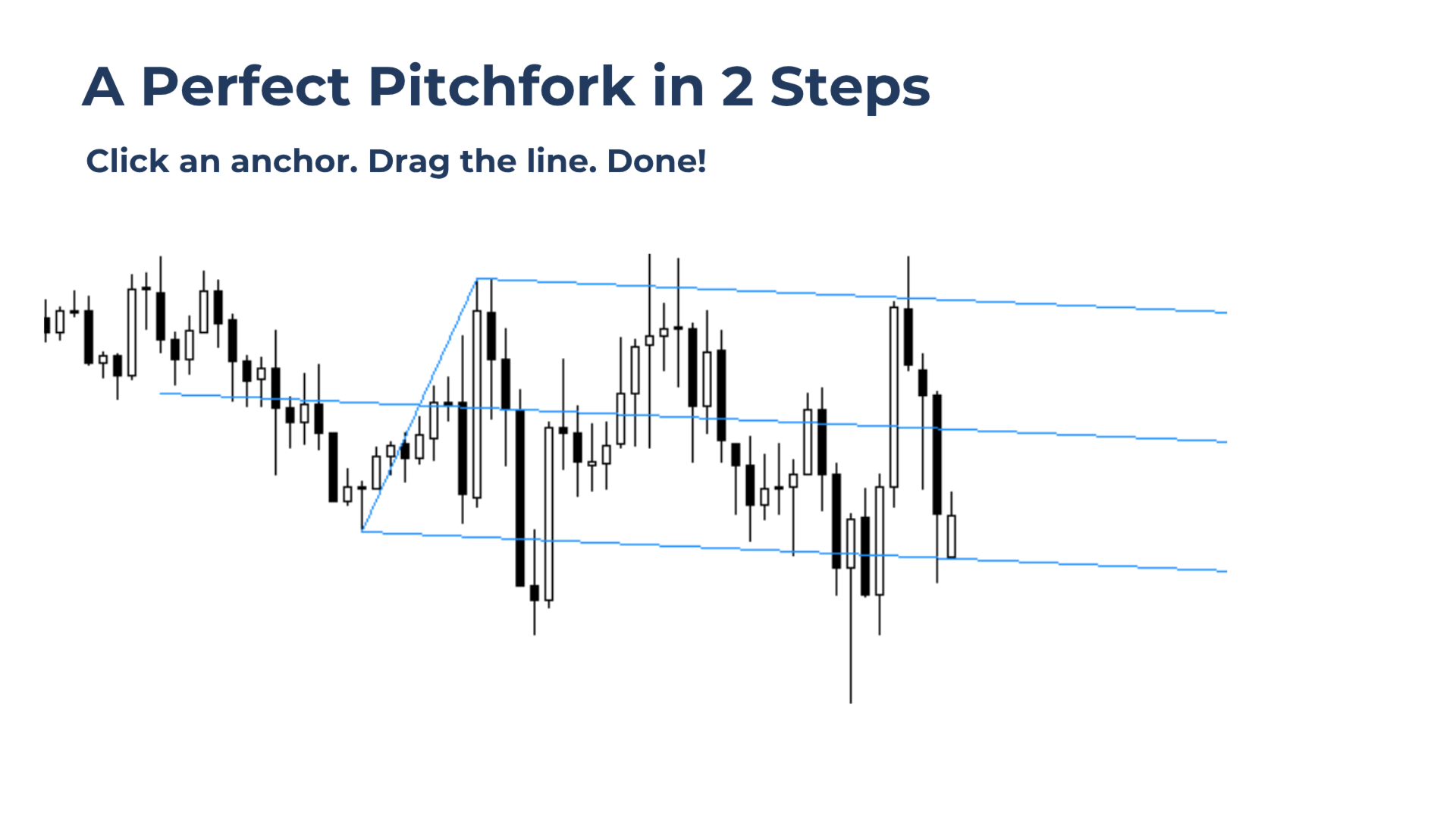
Pitchfork Precise helps draw accurate pitchfork structures in seconds. Instead of manually placing all three MetaTrader pitchfork anchors, the workflow is reduced to two simple actions:
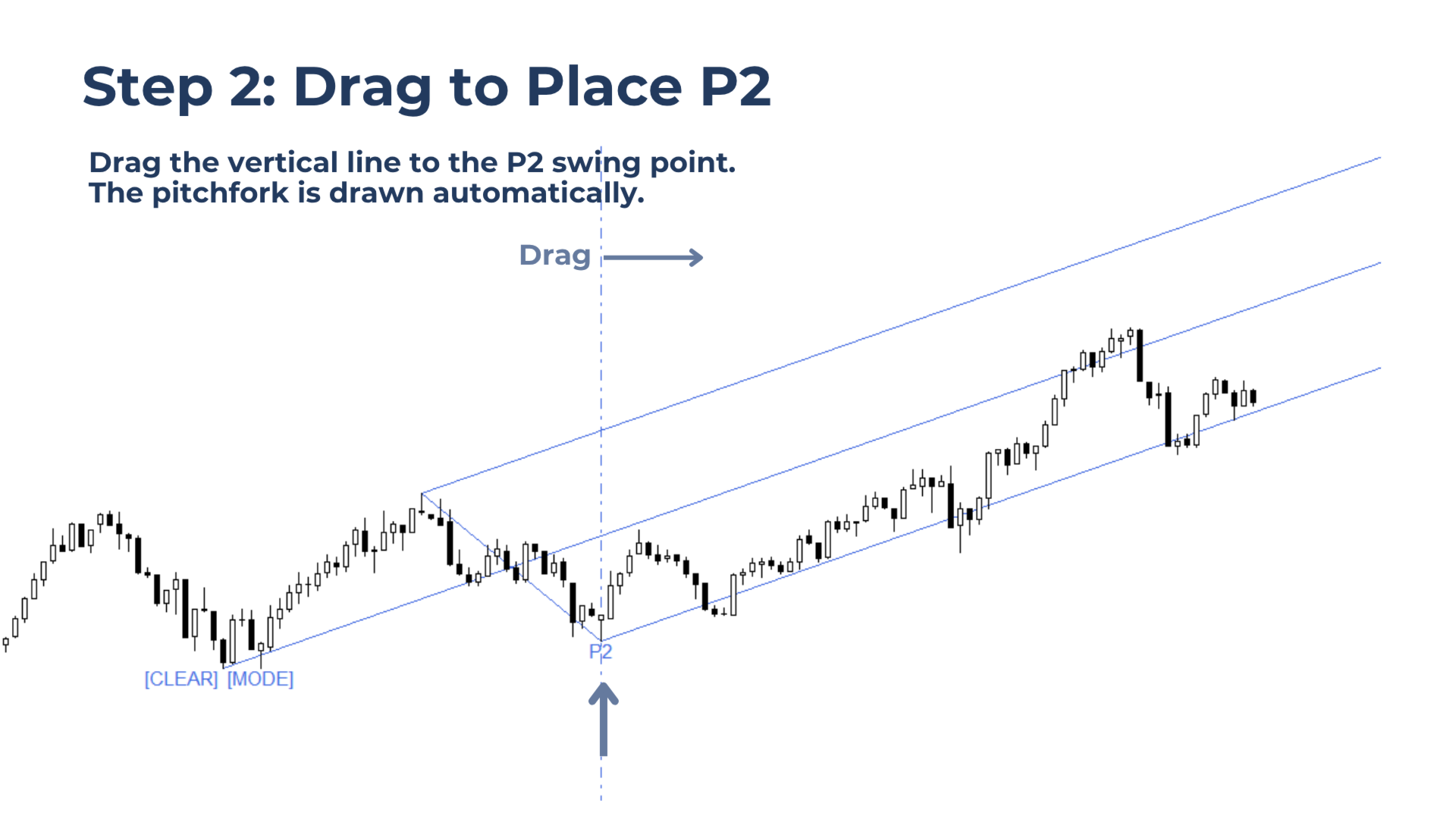
Click the starting anchor P0, then drag the vertical line just beyond the desired third swing P2. The tool automatically finds the correct matching P1 and draws the pitchfork.
Pitchfork structures stay fixed across timeframe changes and are saved per symbol, making it easier to revisit active setups across multiple markets.
Built for Traders Who Want To
Draw cleaner wick-to-wick pitchfork structures.
Place pitchforks faster than with the standard MetaTrader tool.
Compare Andrews, Schiff, Modified Schiff, and Inside Pitchfork variations.
Keep pitchfork setups saved while switching between symbols and timeframes.
Why This Tool Matters
Pitchfork analysis depends heavily on anchor accuracy. A small placement error can change the pitchfork angle, median line, and reaction zones.
Pitchfork Precise removes the slow manual placement process and helps create pitchforks based on a correct swing sequence. This makes the tool useful for traders who use pitchforks regularly and want a faster, cleaner workflow.
Key Benefits
Faster placement: Select P0, drag the line to P2, and the pitchfork is drawn automatically.
Better anchor precision: Build structures from wick-based swing points instead of manually adjusting every anchor.
Correct pitchfork logic: The tool follows the standard high-low-lower high or low-high-higher low sequence.
Multi-timeframe use: Pitchforks remain fixed when changing timeframes.
Per-symbol memory: Each symbol can keep its own saved pitchfork structure.
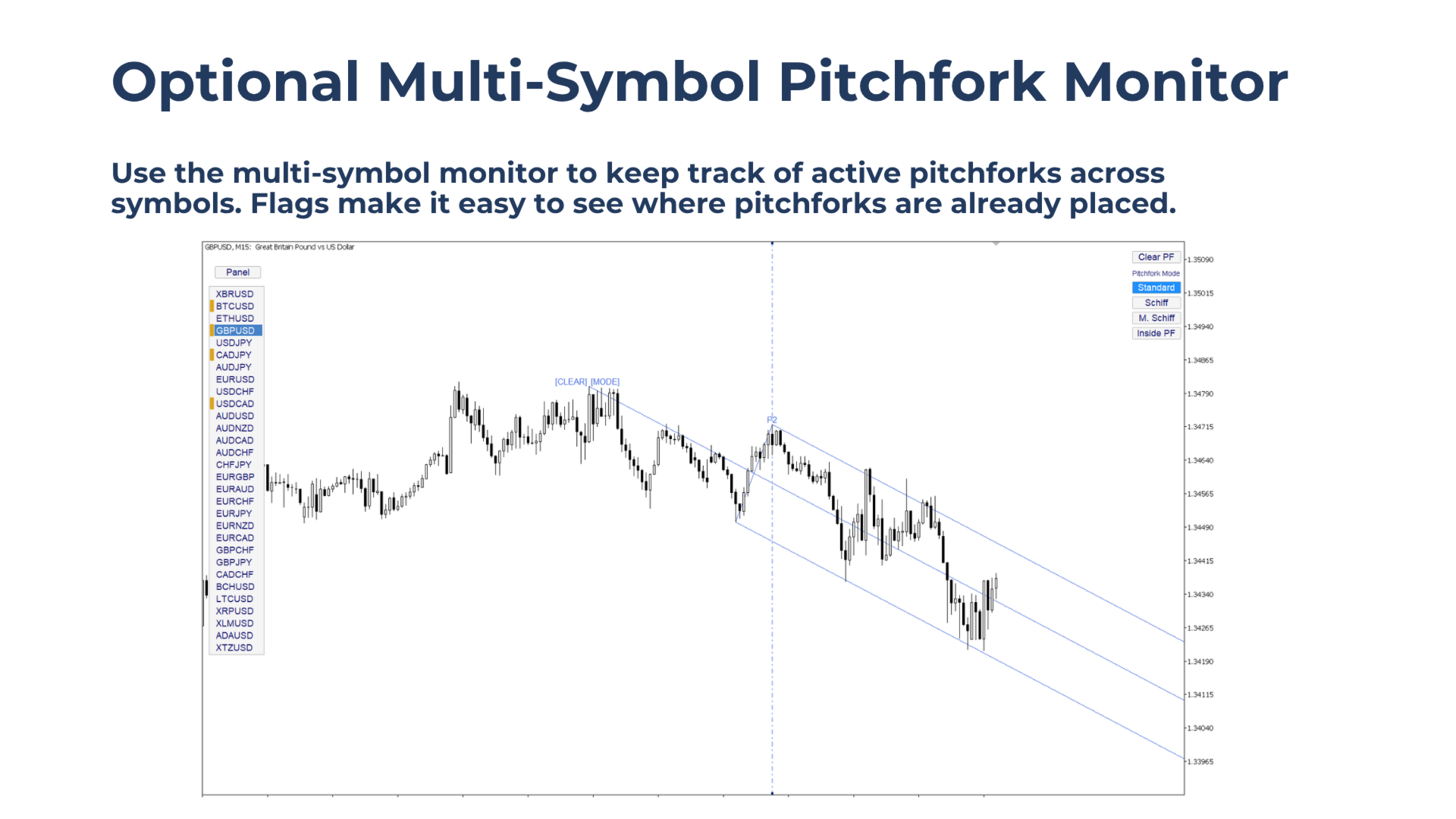
Quick variation switching: Compare Standard, Schiff, Modified Schiff, and Inside Pitchfork modes from the corner panel.
Main Features
Clickable Swing Anchors
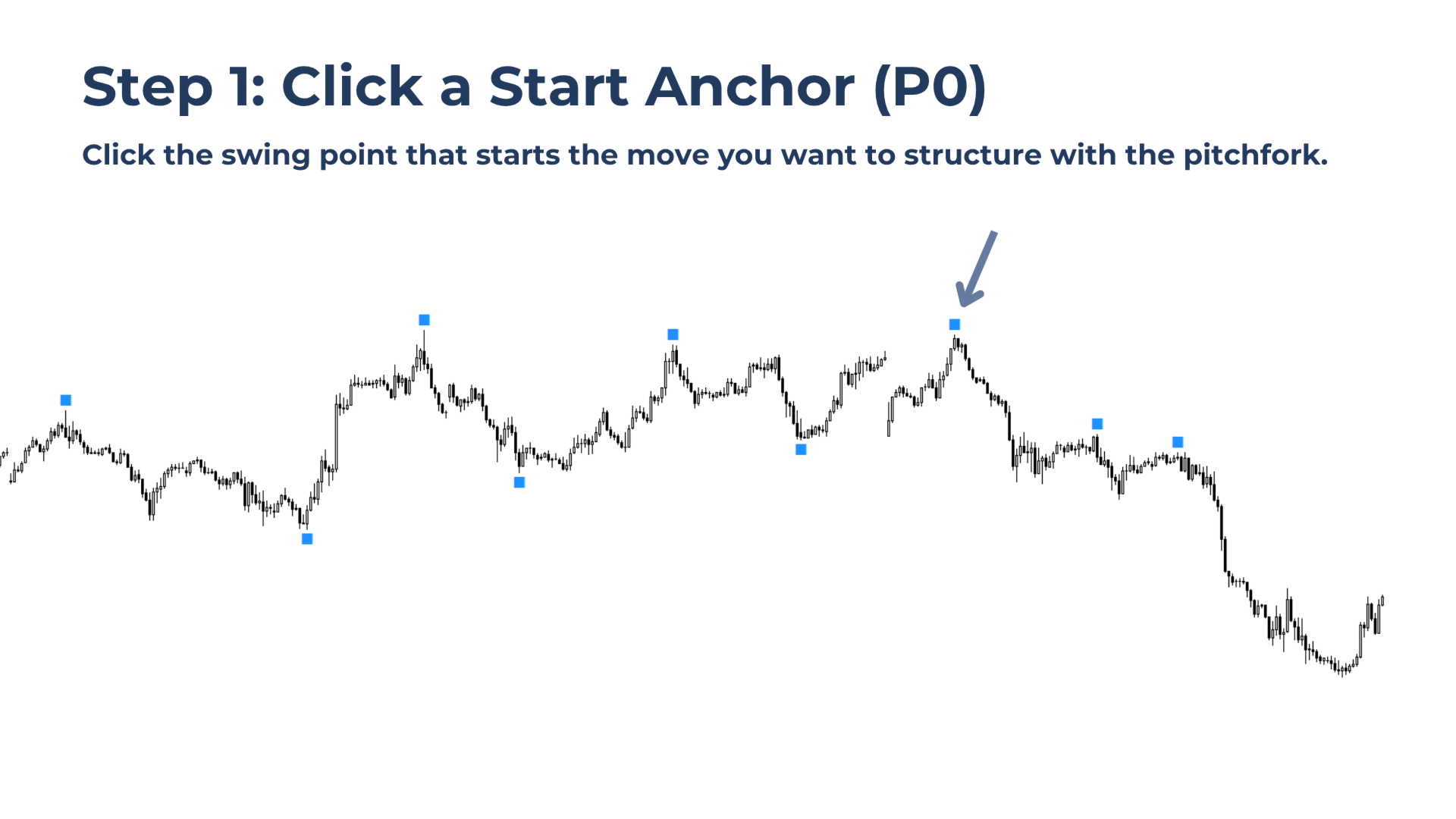
Select the starting point directly from visible swing anchors on the chart.
Drag-Line Placement
After selecting P0, drag the vertical line just beyond the desired P2 swing. The matching P1 is selected automatically.
Pitchfork Mode Panel
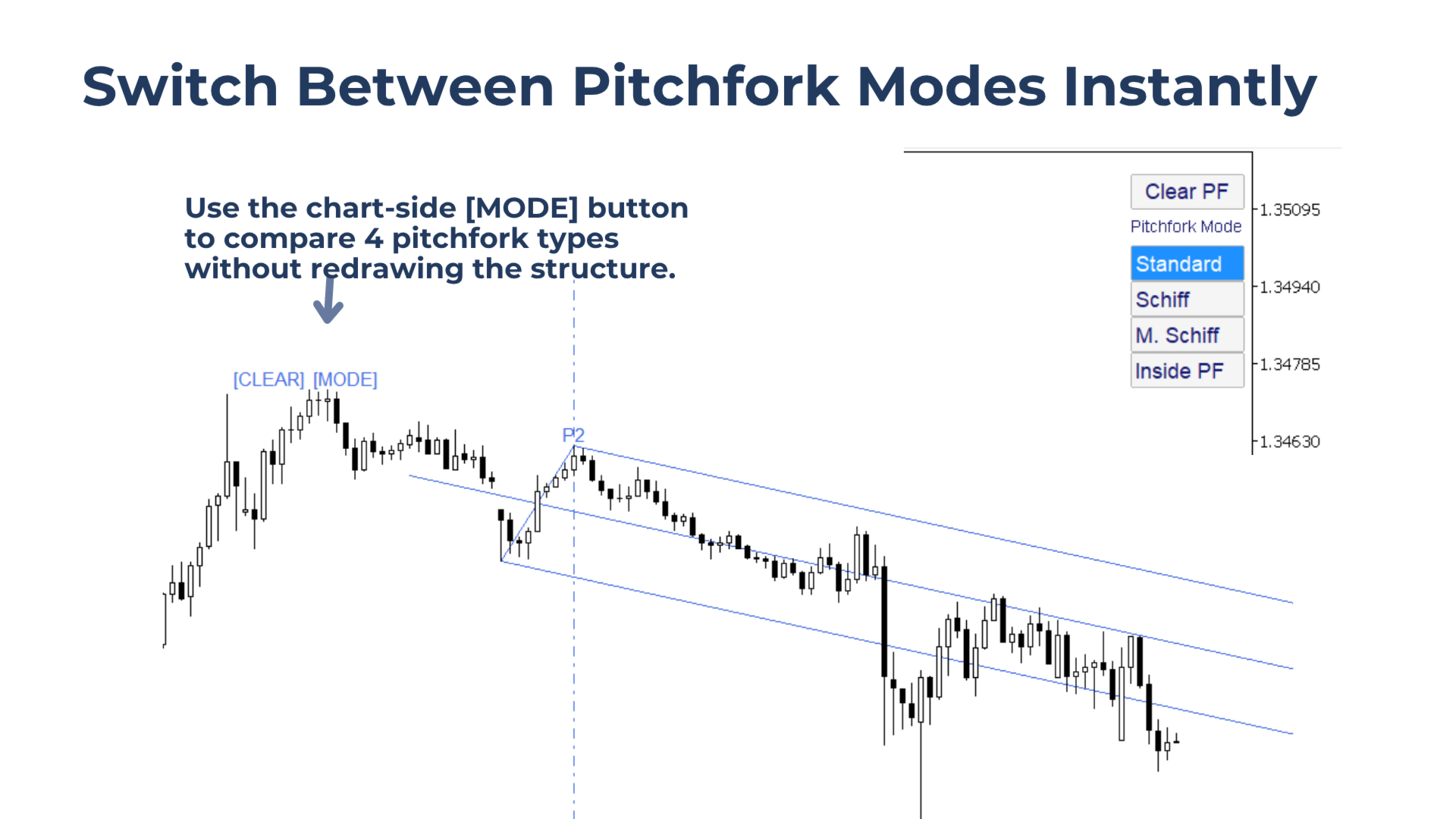
Switch between Standard, Schiff, Modified Schiff, and Inside Pitchfork without redrawing the structure.
Symbol Memory
Pitchforks are saved per symbol, so setups remain available when returning to a market.
Optional Multi-Symbol Monitor
Show which symbols already have active pitchforks in memory and load them from the panel.
How to Use Pitchfork Precise
1. Add the indicator to the chart.
2. Click a swing anchor to select P0.
3. Usually, this is the highest swing in a downtrend or the lowest swing in an uptrend.
4. Drag the vertical line just beyond the desired third anchor swing P2.
5. Use the corner panel to compare pitchfork variations.
6. Click Reset to choose a new starting anchor.
Correct Pitchfork Structure
Pitchfork Precise follows the original Andrews anchor logic.
A downtrend structure uses:
1. High
2. Low
3. Lower high
An uptrend structure uses:
1. Low
2. High
3. Higher low
This helps keep the pitchfork construction clean and consistent with classic pitchfork rules.
Pitchfork Variations
Standard Pitchfork
The classic Andrews Pitchfork based on the selected swing sequence.
Schiff Pitchfork
Moves P0 halfway toward P1 in price, creating a flatter structure.
Modified Schiff Pitchfork
Moves P0 halfway toward P1 in both price and time, creating a middle ground between Standard and Schiff.
Inside Pitchfork
Uses an alternative construction method for price action that does not fit the other variations well.
Notes and Limitations
Pitchfork Precise supports one pitchfork per chart per symbol.
The tool is not supported in the Strategy Tester.
After selecting P0, unused anchor markers are removed to keep the chart clean. Use Reset to show them again.
When changing timeframe, the drag line and mode buttons are hidden for a cleaner chart.
The multi-symbol monitor can change the chart symbol, but compatibility with Expert Advisors on the same chart is not guaranteed.