
Pattern Detect
- Индикаторы
- Версия: 2.0

"You can watch the product, too."
The Elite Algorithmic Pattern & Smart Money Terminal for MetaTrader 5
1. Product Overview
Quantum AI - Institutional Pro is an elite, quantitative technical analysis terminal designed to replace cluttered retail indicators with a sleek, hedge-fund-grade interface.
It does not blindly alert you every time a pattern forms. Instead, it utilizes a multi-layered Neural Net architecture to scan the structural geometry of the market, calculate real-time volatility contraction (kinematics), and filter signals through institutional momentum algorithms. It is designed to find highly explosive, institutional-grade reversal entries while protecting you from "falling knife" market crashes.
2. The Core AI Engine (Under the Hood)
The AI grades every pattern it detects from A+ to D using a strict 100-point algorithmic score. Only signals that achieve a high win probability are allowed to trigger an alert.
- Volatility Kinematics: The AI mathematically measures the "squeeze" of a pattern before it breaks out. If a pattern is too wide, the AI detects high risk of exhaustion and kills the signal. If the pattern is tightly compressed, it awards maximum points for an explosive breakout.
- Trend & Momentum Alignment (ADX & EMA): The AI strictly verifies the overarching trend. If a pattern tells you to "Buy" during a massive institutional sell-off (a falling knife), the AI applies a Fatal Penalty, entirely killing the trade to protect your capital.
- Overbought/Oversold Confluence (RSI): The engine verifies that reversals only happen at optimal exhaustion zones, significantly boosting the probability of a successful reversal.
3. How to Trade with Quantum AI
Step 1: Wait for "Quantum Confluence"
When the market is ranging or forming garbage structures, the dashboard will display "AWAITING QUANTUM CONFLUENCE...". Do nothing. Protect your capital.
Step 2: The Reversal Entry
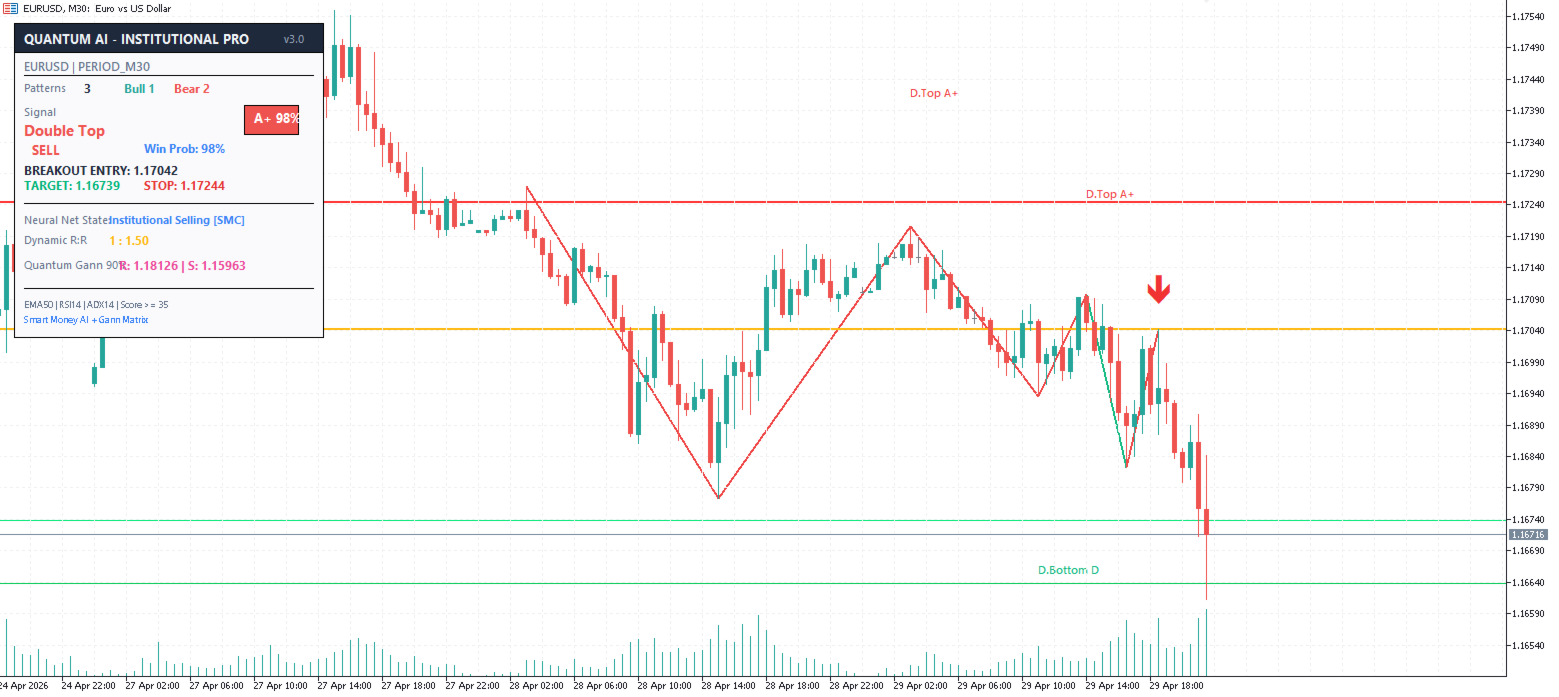
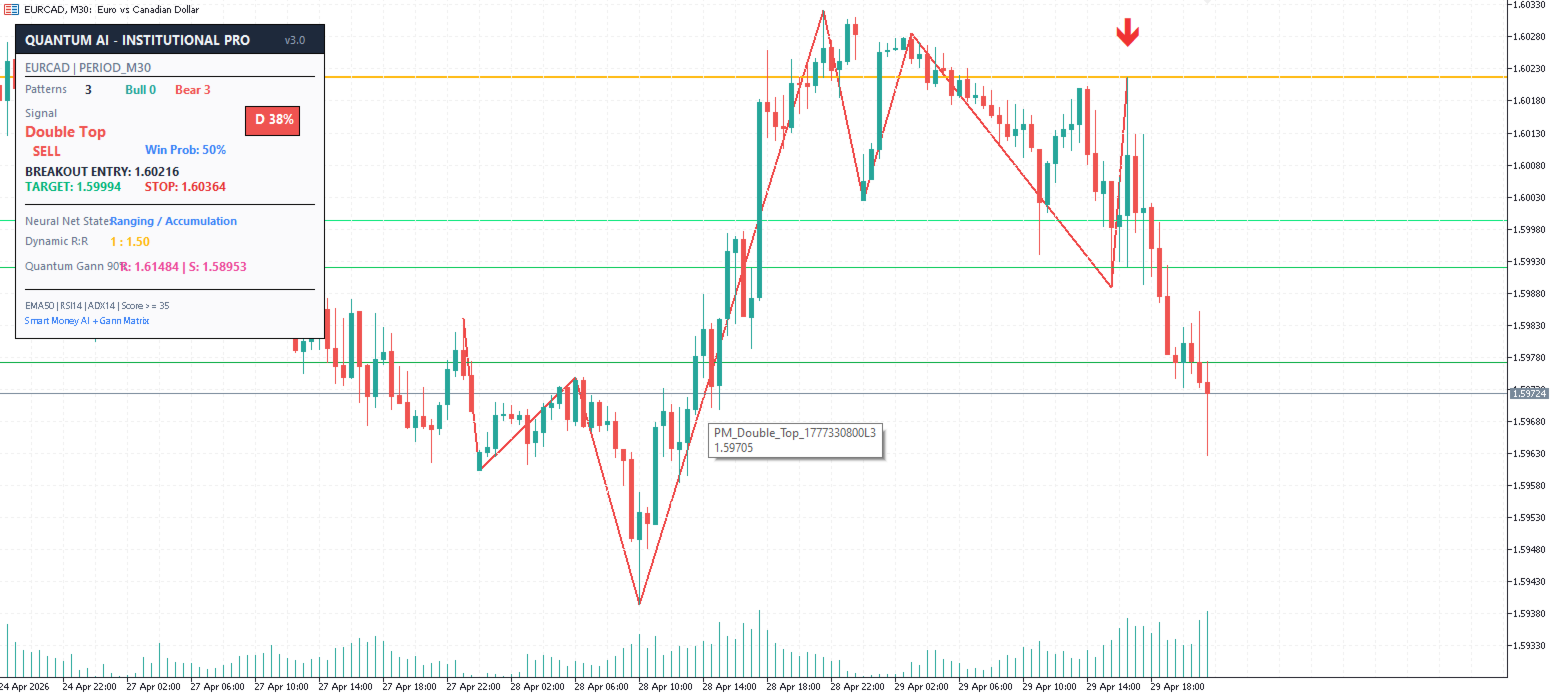
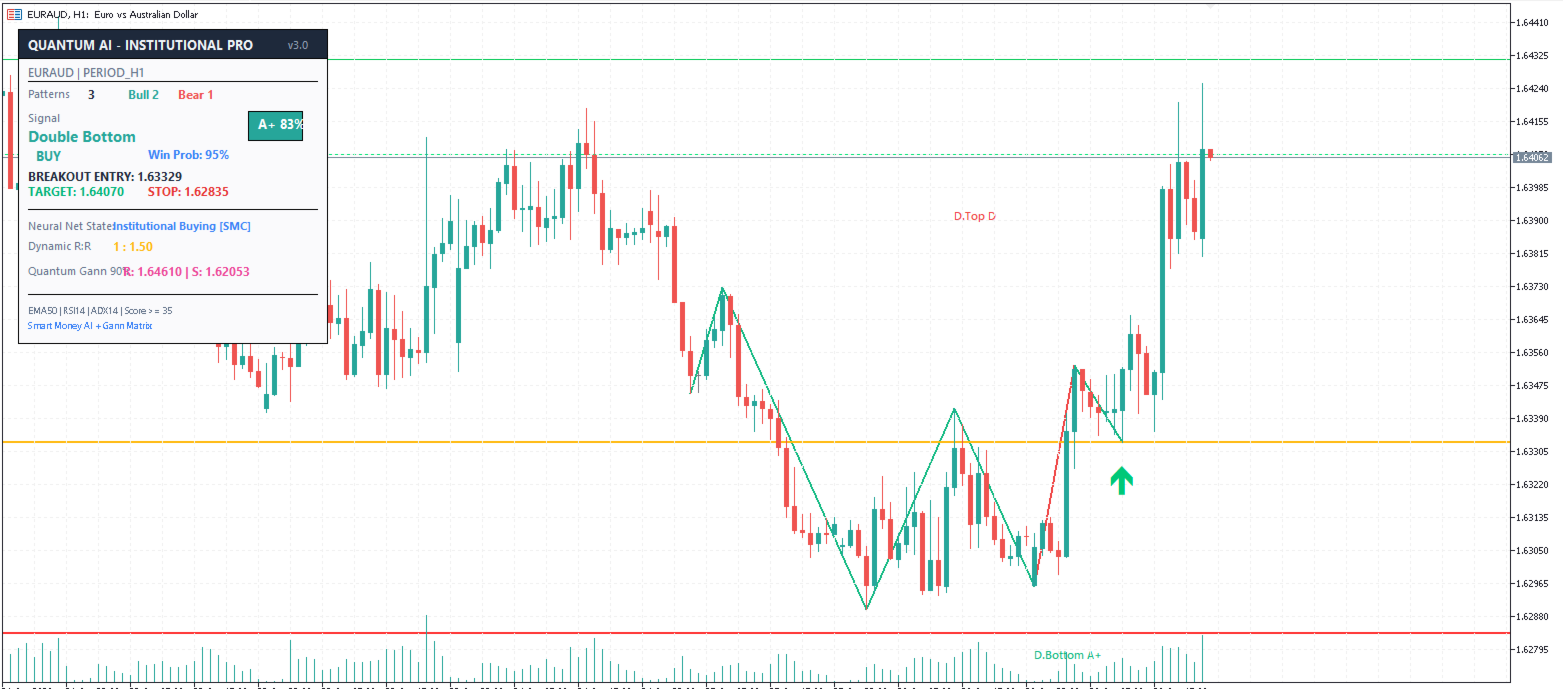
When the AI detects a high-probability pattern (Grade B, A, or A+), a Green or Red Arrow will appear on the chart, and horizontal execution lines will be plotted.
- The Entry: The Entry line is anchored to the exact live reversal price. You do not need to wait for a late breakout. Enter the trade near this line.
- The Stop Loss (SL): Placed mathematically below/above the extreme of the pattern structure to protect you from stop-hunts.
Step 3: Dynamic Risk/Reward Targets
Because the Entry is locked to the live reversal point, the AI dynamically calculates your exact risk (Entry to SL). It then plots three algorithmic Take Profit targets:
- TP1 (1.5x): Secure partial profits here.
- TP2 (2.0x): Move Stop Loss to breakeven and ride the momentum.
- TP3 (3.0x): Institutional exit target.
Step 4: Gann Square of 9 Confluence
In the dashboard, you will see a pink text box labeled Quantum Gann 90°. This uses W.D. Gann's historic mathematical formula (based on square roots) to project hidden support and resistance levels exactly 90 degrees out from your entry.
- How to use it: If TP2 lines up perfectly with the Gann Resistance (R) level, you have extreme mathematical confluence, making it an incredibly high-probability exit zone.
4. Reading the Dashboard
- Neural Net State: Tells you exactly what the market is doing ("High Volatility Trend", "Institutional Buying [SMC]", or "Awaiting Momentum").
- Signal & Grade: Displays the detected pattern (e.g., "Double Bottom") and its AI Grade (A+ to D) with the calculated Win Probability %.
- Pattern Statistics: Tracks the total number of valid structures detected in the recent chart history.
TIP
Theme Customization: In the MT5 indicator settings, toggle InpTheme to true for the crisp, professional White/Light Mode, or set it to false to activate the sleek, Pitch-Black Deep-Void Institutional Terminal.
















































Пользователь не оставил комментарий к оценке