Signalbridge Ai
- Утилиты
-
Gayathiri Gopalakrishnan
 I am an independent MQL5 developer focused on creating practical trading tools for MetaTrader 5.
My work includes Expert Advisors, trading indicators, analytical tools and trading utilities designed to help traders analyze the market, manage trades and automate specific trading tasks. - Версия: 7.0
- Активации: 5
SignalBridge AI is an Expert Advisor for MetaTrader 5 that helps traders receive Telegram trade commands, review a clear risk preview, and execute orders only after confirmation. It is designed for traders who want a simple Telegram-to-MT5 workflow with safety checks, automatic missing SL/TP preparation, and optional AI chat support.
This product does not guarantee profit and does not replace the trader's own decision. Always test on a demo account first and use proper risk management.
Main features
• Telegram command receiver for MT5
The EA listens to your configured Telegram bot/channel and reads trade instructions. It can understand direct commands such as BUY GOLD, SELL EURUSD, BUY XAUUSD LOT 0.01, and many natural variations.
• Smart command correction
The parser is designed to handle simple spelling mistakes, symbol formatting differences, and mixed typing styles. If a command is not clear enough, the EA replies with the reason instead of guessing silently.
• Confirmation before execution
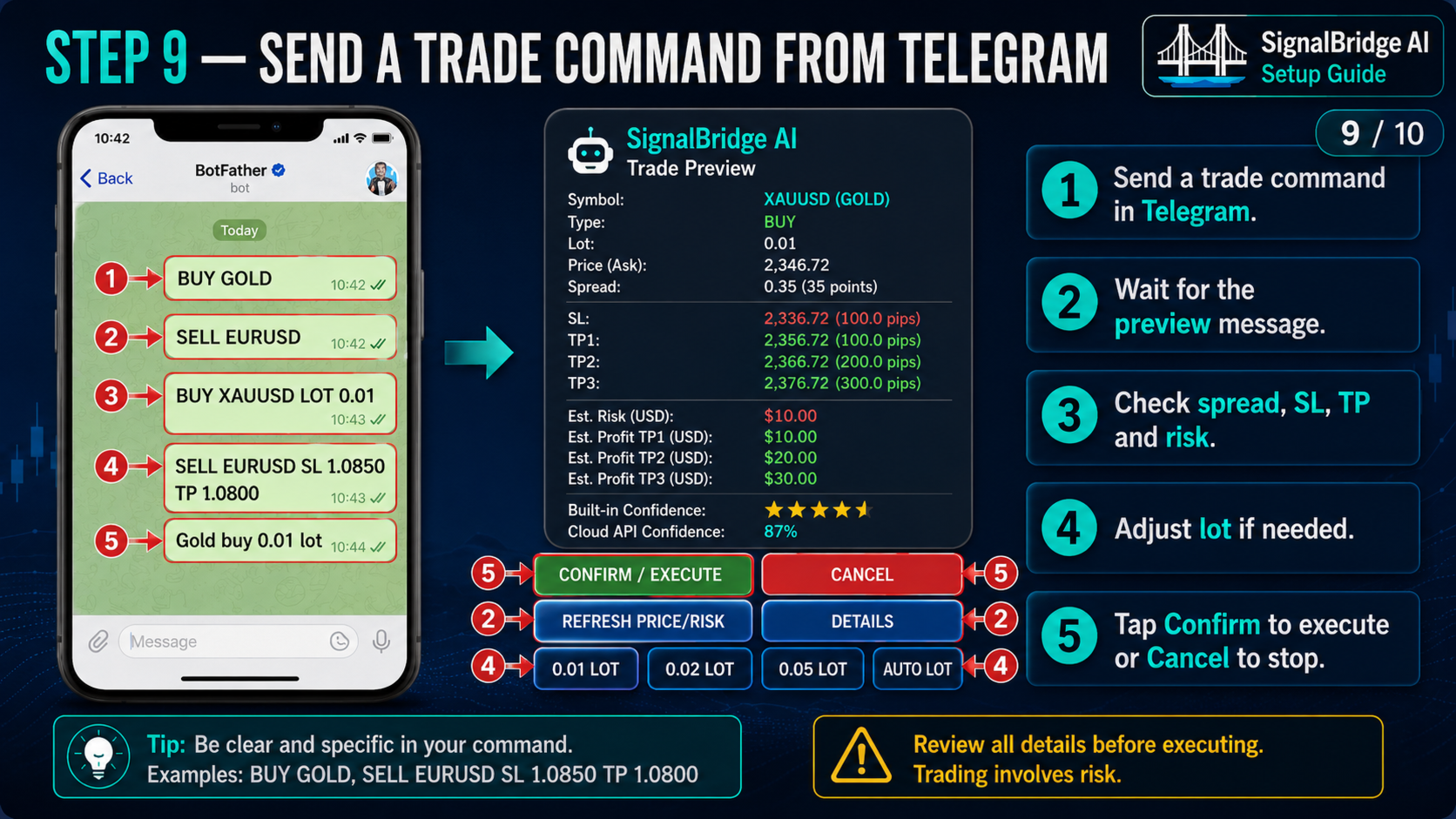
Before any new trade is placed, the EA prepares a confirmation message showing the symbol, direction, lot, entry price, spread, SL, TP levels, estimated risk, and estimated profit. The user can confirm or cancel from Telegram.
• Telegram buttons
The confirmation message can include buttons such as Confirm/Execute, Cancel, Refresh Price/Risk, Details, and lot selection. This helps reduce typing mistakes and makes execution easier on mobile.
• Auto lot, auto SL and auto TP support
If the trader sends a simple command without lot size, stop loss, or take profit, the EA can prepare these values automatically using its inputs and risk engine. The values are shown before execution.
• Risk preview in account currency
The EA estimates risk and potential profit using the account currency reported by the broker. This allows users to understand what the trade may risk if the stop loss is hit and what the trade may gain if the take profit is reached.
• Dashboard with connection status
The chart dashboard shows whether Telegram is connected, message count, connection status, account information, risk data, and recent activity. It can be minimized to keep the chart clean.
• Optional AI API key
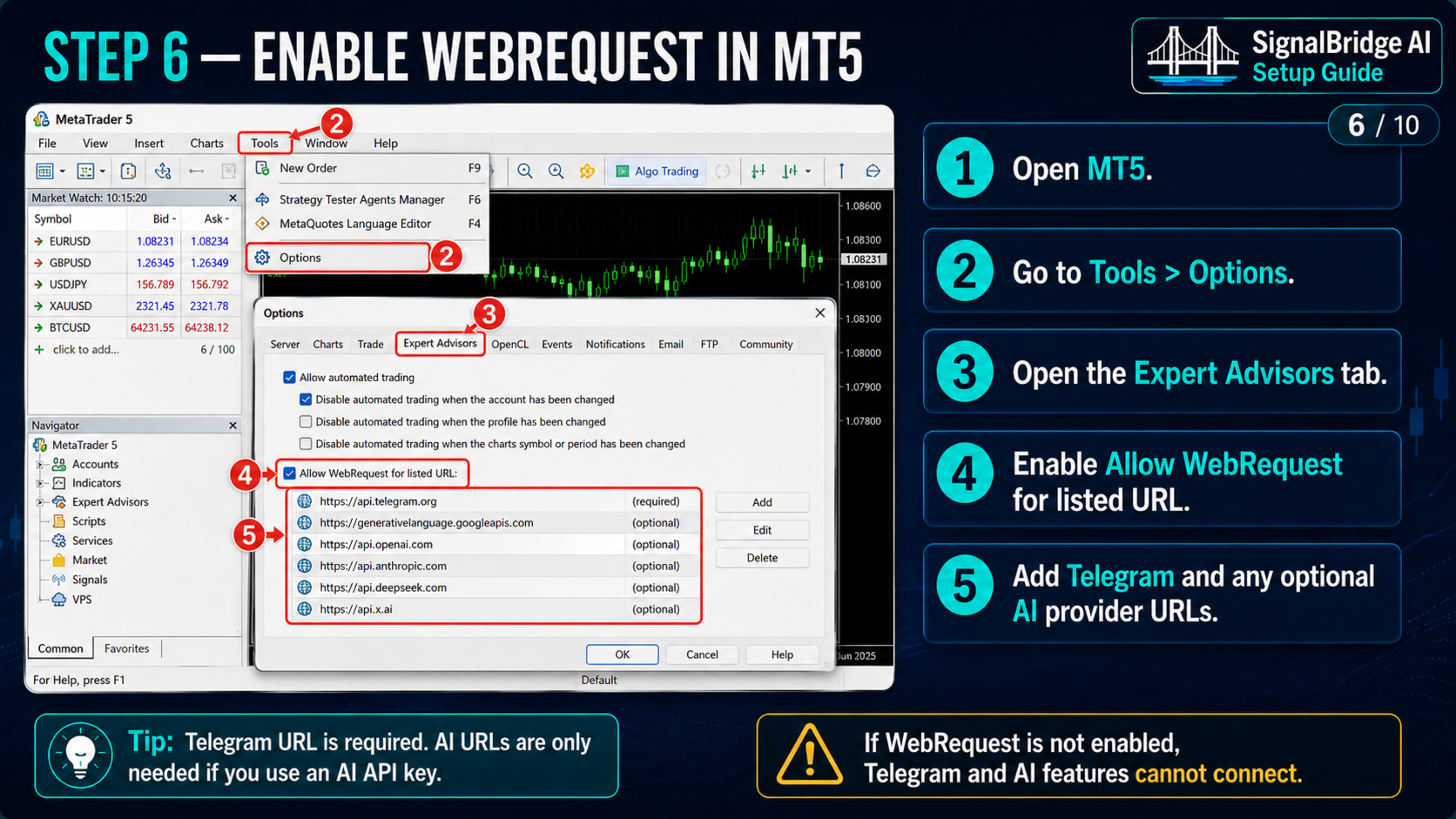
AI is optional. The EA works without any AI key. If the user adds an API key and allows the provider URL in MT5 WebRequest settings, the EA can answer trading questions and optionally provide confidence information. Supported provider behavior depends on the API key and the provider service availability.
• Optional confidence mode
Built-in confidence and cloud AI confidence can be used as information only or as a stricter filter depending on the input settings. By default, the trader remains in control and confirmation is required before execution.
• Trade management support
Depending on the selected inputs, the EA can manage take profit levels, breakeven logic, trailing behavior, and open position status after execution.
Recommended use
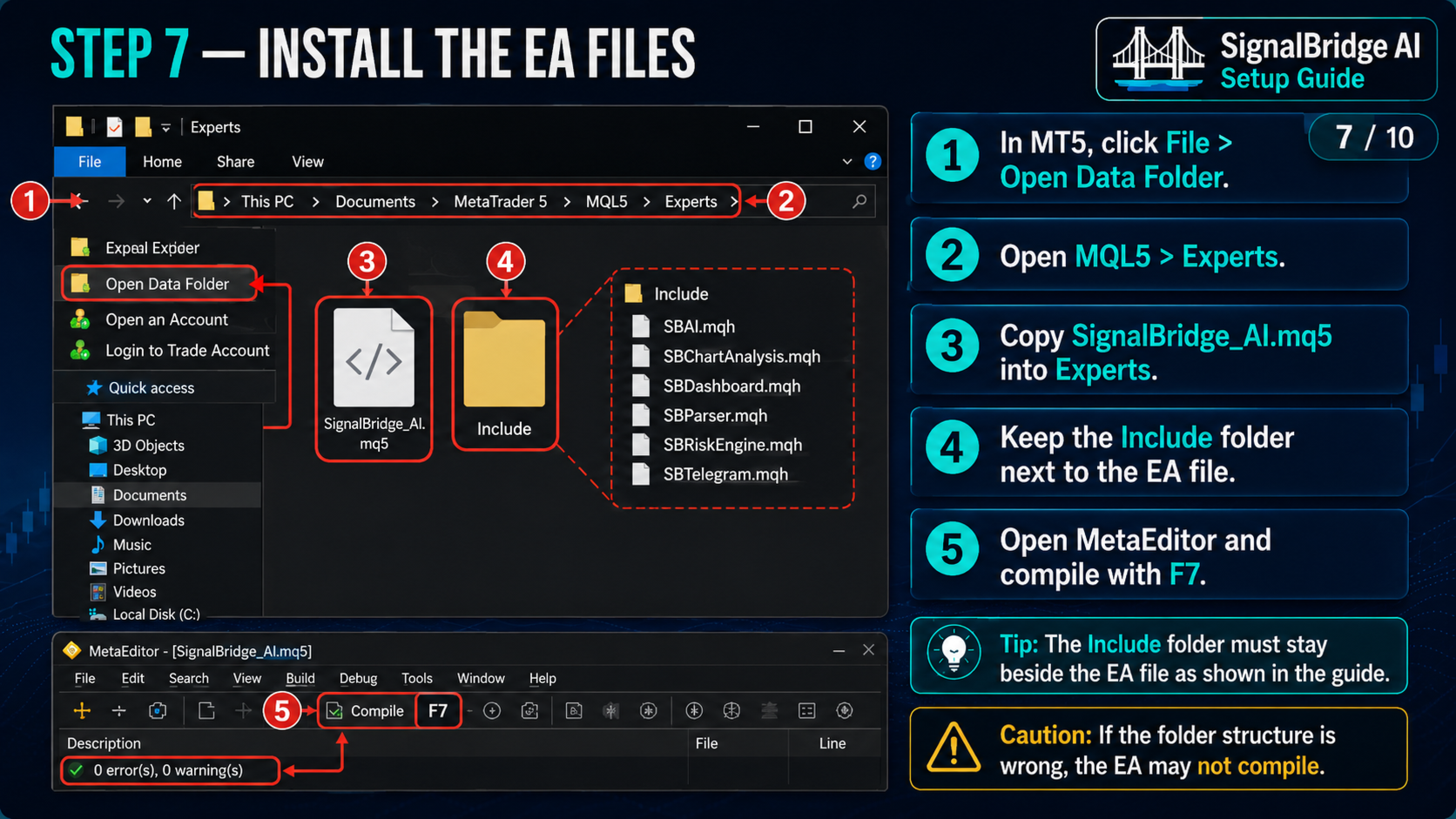
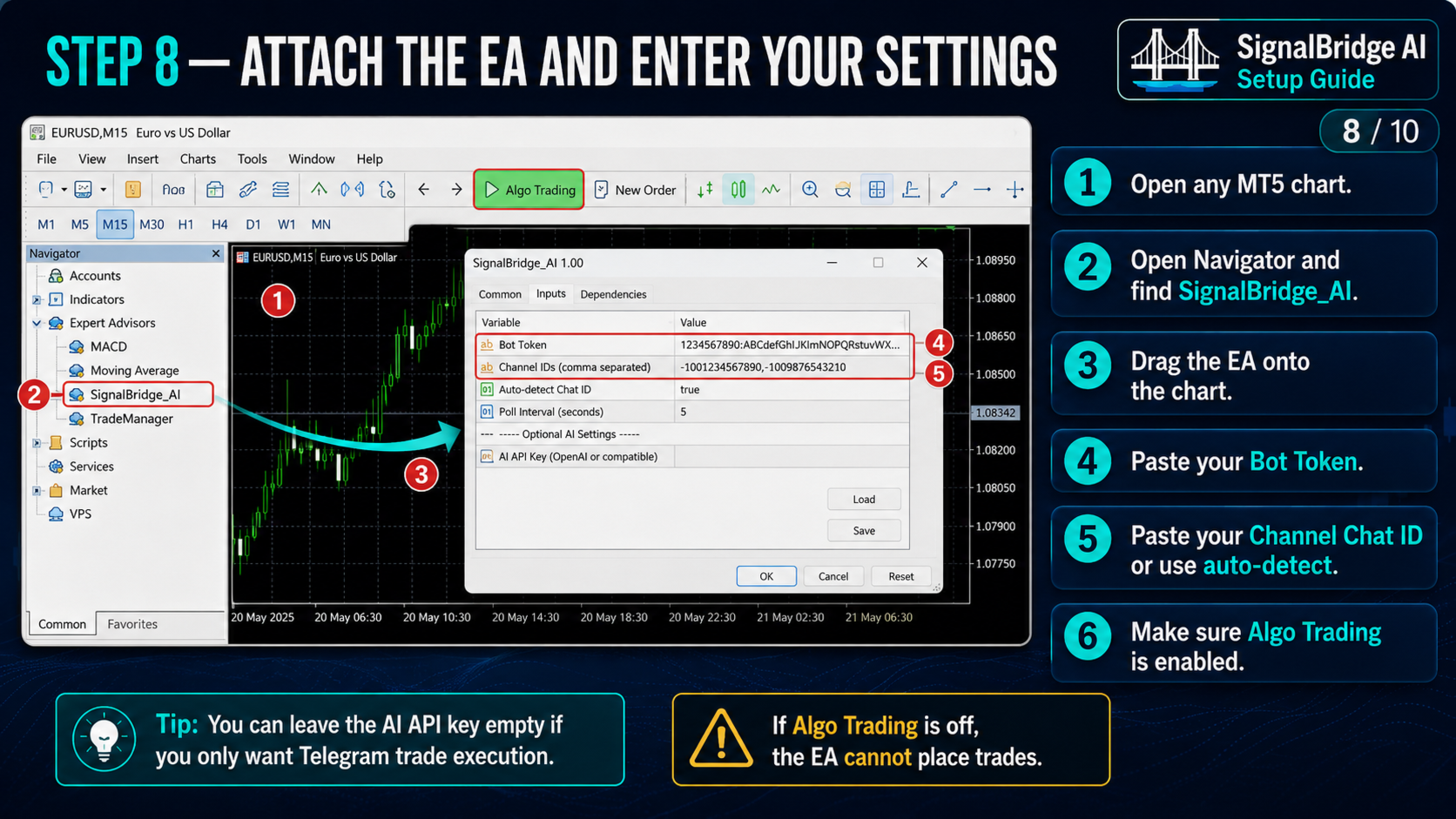
1. Attach the EA to one MT5 chart.
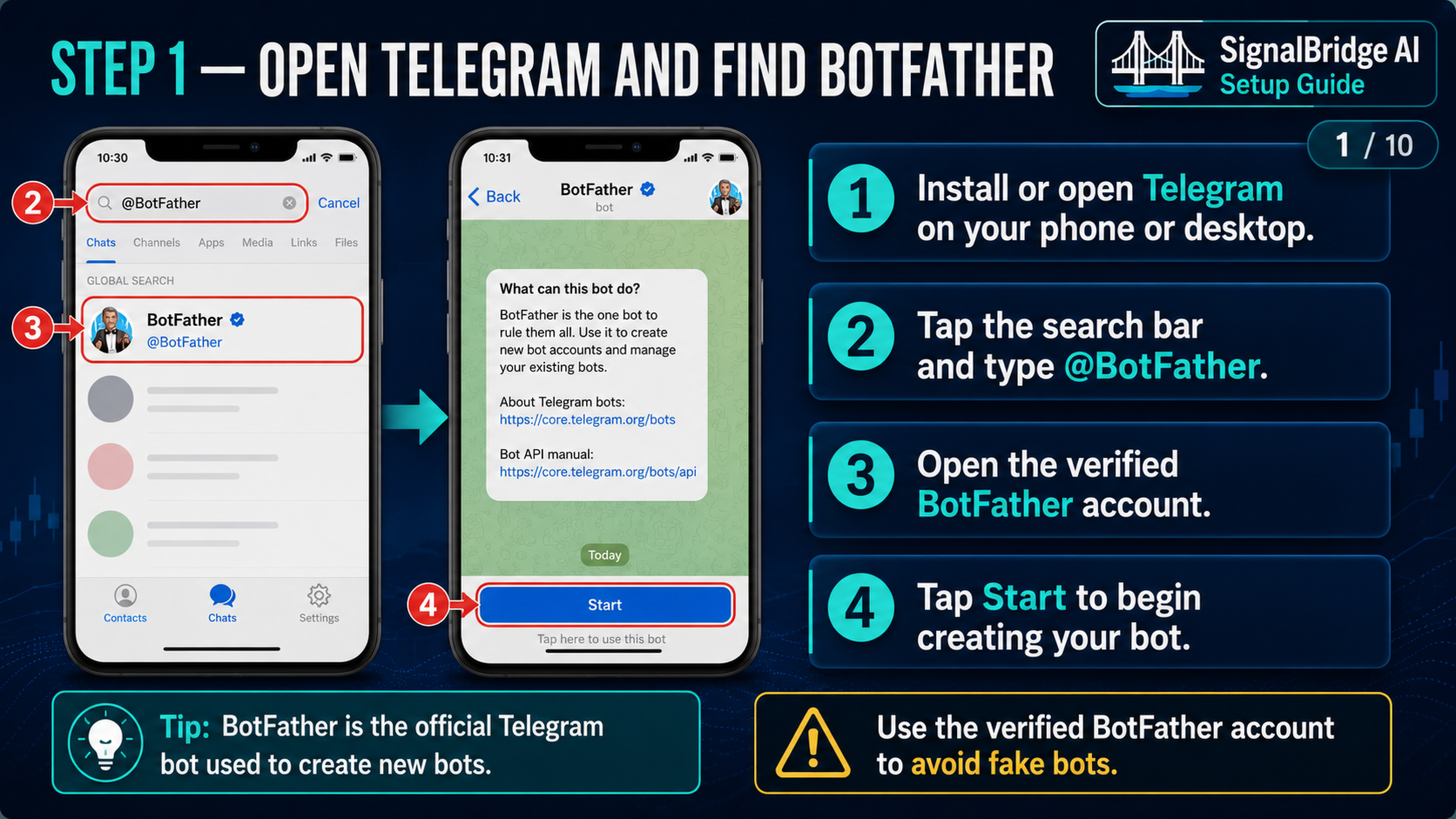
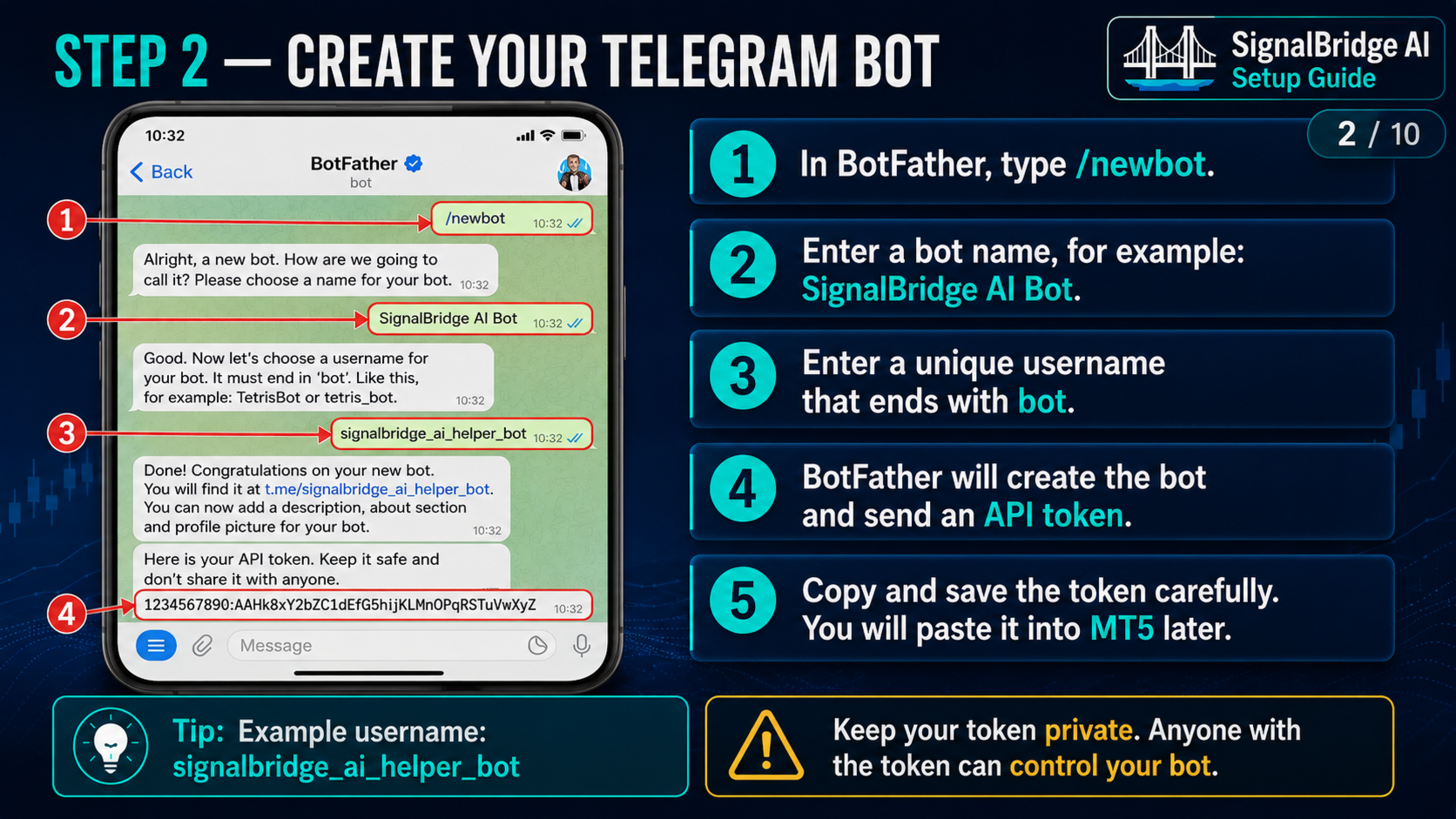
2. Add the Telegram bot token in the EA inputs.
3. Allow WebRequest for Telegram in MT5.
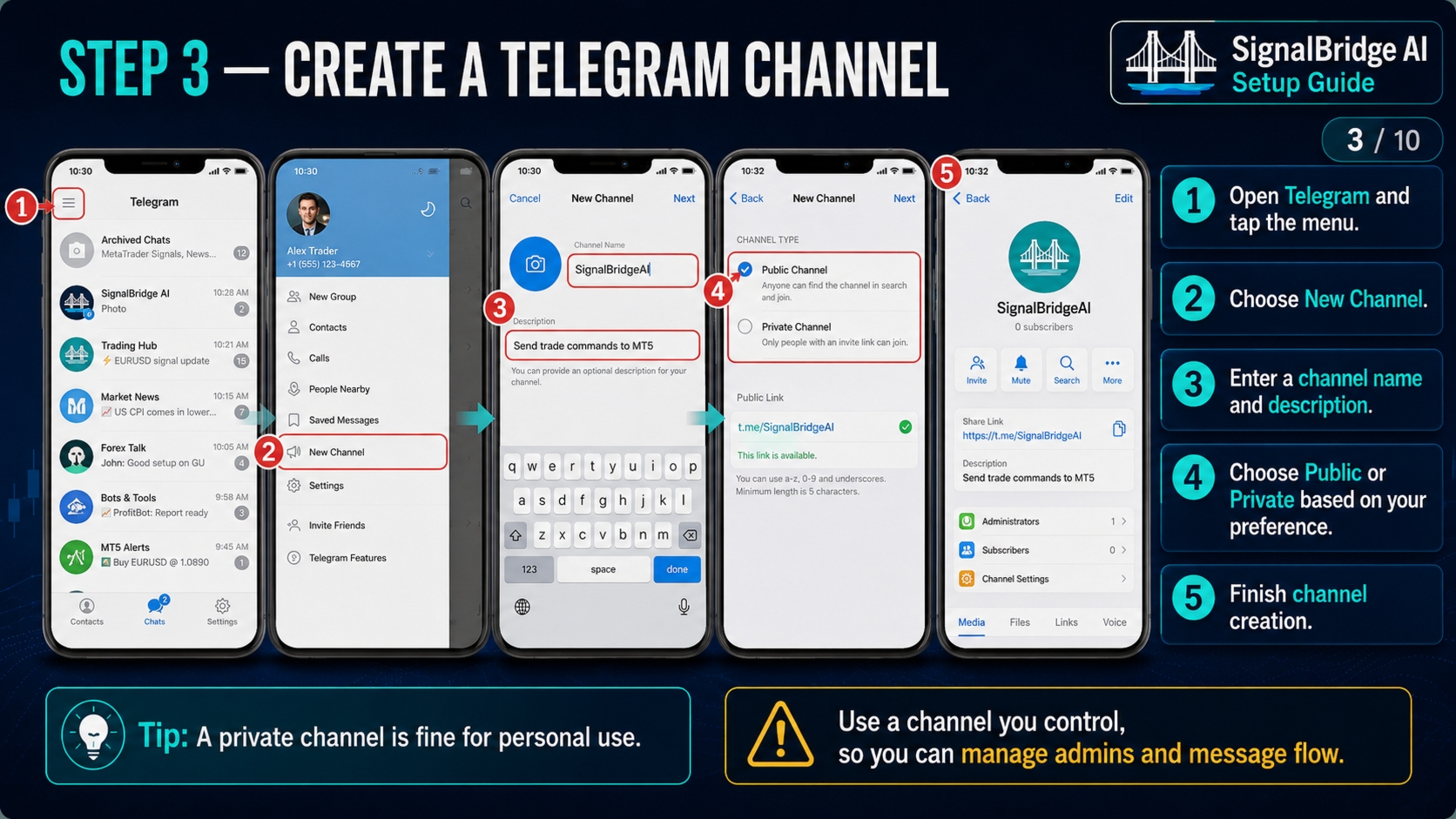
4. Send a new message to the Telegram channel or bot.
5. Wait for the confirmation preview.
6. Press Confirm only after checking the risk, spread, SL and TP.
Basic command examples
BUY GOLD
SELL EURUSD
BUY XAUUSD LOT 0.01
SELL EURUSD SL 1.0850 TP 1.0800
Open buy gold
Place sell EURUSD
Gold buy 0.01 lot
Optional AI examples
What about EURUSD risk now?
Explain GOLD risk in detail.
Which pair has a clearer setup?
Make it short. Should I wait or enter?
WebRequest setup
Telegram WebRequest permission is required for Telegram communication. The EA shows the required Telegram endpoint in the setup message or Experts log. Optional AI provider endpoints are only needed when the buyer uses an AI API key. The EA shows the required provider endpoint if WebRequest permission is missing.
Important notes
• This EA does not guarantee profits.
• Execution speed depends on broker, terminal, internet connection, Telegram delivery, and server response.
• AI replies and confidence values are informational unless strict AI filtering is enabled by the user.
• Always test the setup on a demo account before using a live account.
• Make sure Algo Trading is enabled in MetaTrader 5.
• Check the broker's symbol names, minimum lot size, spread, execution rules, and account type.