 MetaTrader 5
 Эксперты
 Индикаторы
 Библиотеки
 Утилиты
 Виджеты
 Правила
Смотри обучающее видео по маркету на YouTube
Как купить торгового робота или индикатор
Запусти робота на
виртуальном хостинге
виртуальном хостинге
Протестируй индикатор/робота перед покупкой
Хочешь зарабатывать в Маркете?
Как подать продукт, чтобы его покупали
Торговые утилиты для MetaTrader 5 - 34
 Ниже представлены торговые программы, упрощающие трейдинг в MetaTrader 5. Наведите курсор на товар, чтобы прочесть описание товара и его предназначение.
SC-Copier Master — центральный компонент системы SC-Copier. Он устанавливается в MetaTrader 5 счёта Master и взаимодействует с SC-Copier Slave , установленным во втором клиенте MT5, работающем на том же компьютере или VPS. Благодаря этому сделки счёта Master могут копироваться на счёт Slave с простой настройкой и удобным контролем. Master отслеживает позиции, открытые на исходном счёте, и передаёт Receiver информацию о каждом открытии, закрытии, частичном закрытии и изменении Stop Loss или Take
FREE

FastCloser - Simple Profit-Taking Utility Description: FastCloser is a lightweight tool that automatically closes all open positions when total profit reaches a predefined target (in USD). Ideal for profit-taking without manual market monitoring. How It Works: Calculates the combined profit of all active trades. If profit ≥ TargetProfit (e.g., $100), it instantly closes all positions . Works as a one-click script (manual execution) or continuously as an Expert Advisor (auto-trading). Key Featur
FREE

Чистое и быстрое отслеживание Профит-фактора (Profit Factor) в реальном времени прямо на вашем графике MetaTrader 5. Попрощайтесь с загроможденными экранами и тяжелыми, лагающими дашбордами. Simple Profit Factor Tracker от InnovaDash — это сверхлегкий виджет, который дает вам именно те данные, которые вам нужны, и именно там, где они нужны. Зачем отслеживать свой Профит-фактор? Профит-фактор (Валовая прибыль ÷ Валовый убыток) — это абсолютный показатель вашего преимущества. Значение выше 1.0 озн
FREE

Volume Flow Binance! Хотели бы вы получить доступ к данным times and trades по своей любимой криптовалюте, с детальной информацией о потоках объемов и анализом движения цен, даже если ваш брокер не предоставляет доступ к полной истории торгов? С Volume Flow Binance это теперь возможно! Этот скрипт на MQL5 разработан для трейдеров криптовалют, которые стремятся к глубокому пониманию динамики рынка в реальном времени. Основные характеристики: Прямой доступ к данным times and trades
FREE

Salah Guard Prayer times, Hijri calendar, and optional trade protection for Muslim traders — calculated entirely inside MetaTrader 5. Salah Guard is a MetaTrader 5 utility designed for Muslim traders. It combines daily prayer time calculation, an integrated Hijri calendar, and an optional Trade Guard system that helps you manage your trading activity around prayer times. Trading can be demanding, and it is easy to lose track of time when watching the markets. Salah Guard provides timely reminder
FREE

Рисует линии тренда от высшего и/или нижнего значения недели. Настраиваются цвет и толщина уровней. Все трендовые линии можно редактировать. Подходящие уровни прошлого можно переименовать и поменять другие свойства. Уровни перечитываются только на таймфрейме H1 один раз в час.
.
FREE

SIMPLE AND QUICK CHART CLEANUP SCRIPT - FREE FOR ALL - EASY TO DRAG AND DROP ONTO THE CHART - A MUST HAVE IN MY EYES
Everybody loves to draw on a chart! But cleaning is nobodies favor. Most of the time it will be faster to dump all and redraw the important part. Repetition makes you good! ALWAYS think about that! KEEP IT GROWING, ;-) I wish you a good day, Traders!
If you need something, send me a message. Best wishes to you from Vienna!
FREE

Account Info Utility — бесплатный скрипт для быстрого анализа торговых условий по текущему инструменту и счёту. Показывает: - информацию о счёте, баланс, эквити, маржу, свободную маржу и плавающую прибыль; - торговые ограничения инструмента, текущую цену и режим торговли; - минимальный, максимальный лот, шаг лота, реальную маржу за 1 лот и максимальный доступный лот; - стоимость пункта для лотов 0.01, 0.10 и 1.00; - свопы лонг/шорт; - дневной ATR(14) в пипсах и стоимость этого диапазона для разн
FREE

Утилита для контроля рисков: расчет уровней Margin Call и Loss Level Info Loss Level - это информационная утилита для трейдеров MetaTrader 5, которая в реальном времени отслеживает критические уровни риска и предоставляет наглядную визуализацию точек слива депозита. Основные возможности Расчет ключевых уровней риска Margin Call Level - уровень принудительного закрытия позиций брокером Loss Level - теоретический уровень полного обнуления депозита Разница между уровнями показывает "буфер без
FREE

OneClickClose-Pro EA allow users to easily close all positions at once with multiple options with simple UI.
Options Includes::
1. Close All Positions
2. Close All Buy Positions
3. Close All Sell Positions
4. Close All Position GreaterThan or Equal to Profit
5. Close All Position LessThan or Equal to Profit
6. Close All Position By Symbol
7. Option to Set Deviation
8. Option to Set Maximum Retry (If position close fails)
MT4 Versio
FREE

Delving deep into the sphere of finance and trading strategies, I decided to conduct a series of experiments, exploring approaches based on reinforcement learning as well as those operating without it. Applying these methods, I managed to formulate a nuanced conclusion, pivotal for understanding the significance of unique strategies in contemporary trading.
FREE

Why You Need VLine Alarm
Stop Missing Trade Setups.
News events, session opens, key timeframes - they all happen whether you're watching or not. VLine Alarm keeps you on point.
Set It Once. Forget It.
Drag a line. Walk away. Get alerted. No babysitting charts. No missing opportunities because you switched timeframes or stepped away.
The Problem It Solves:
You know that moment when you realize the news already hit 5 minutes ago? Or you miss the London open because you were analyzing the daily cha
FREE

DataForge exports MetaTrader 5 bars to a CSV file, and writes into that file what the data actually contains.
It does not trade. It places no orders, reads no positions, and requires no account permissions. It reads history and writes a text file.
WHAT THE EXPORT WRITES
1. An instrument passport, placed in the CSV header
Digits, point, contract size, tick value, tick size, and the minimum, step and maximum lot are written as comment lines at the top of the file. Export the same symbol fro
FREE

HorizonProbe measures how the size of a price move compares with the cost of trading it, across several holding times, on your broker's own history and your broker's own spread.
It is a single script. It places no orders, reads no positions, and has no external dependency. Copy the one file into a terminal and run it on a chart.
THE QUESTION IT ANSWERS
The cost of a trade is paid once, whatever happens next. The move you are paid for is not fixed: over a longer holding time, the average move
FREE
AllClosedMT5 - утилита выполнена по принципу эксперта. Утилита предназначена для одновременного закрытия всех открытых позиций по общему суммарному профиту (в валюте депозита) всех открытых позиций. Утилиту можно устанавливать на любой график, с любым торговым инструментом.
Параметры Profit - суммарный положительный профит в валюте депозита, при котором будут закрыты все открытые позиции (прибыль); Stop - суммарный отрицательный профит в валюте депозита, при котором будут закрыты все открытые п
FREE

Coyote by Stellarex Horizons — visual trade setup, sized to your risk, every time. Coyote turns trade planning into three lines on a chart. Drag your Entry, Stop Loss, and Take Profit into position, and Coyote handles the rest — calculating the correct position size for your account risk, working out your reward-to-risk ratio, and automatically choosing the right order type. No manual lot-size math, no guessing whether you need a limit or a stop order. Why traders use Coyote Most traders either
FREE
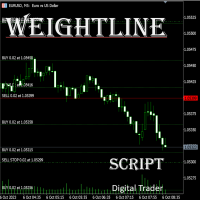
In multi-asset, multi-position trading environments—such as those involving forex, stocks, gold, and other instruments—traders often face a critical pain point: when holding multiple positions in the same instrument, it’s difficult to quickly and intuitively assess the current market price relative to all long and short positions. This makes it challenging to accurately determine the overall average entry cost, leading to delayed stop-loss and take-profit decisions. The problem worsens with mixe
FREE

This utility allows to switch among symbols. You have to insert in the input your favorite tickers. it is possible to customize up to 5 symbols
Shortcut Keys : Switch among Symbols : A -Forward D -Backward
Inputs You can setup your favorite keys to switch among symbols.
You can customize the color of background and the edge of the buttons .
You can customize the labels : dimension and font.
FREE

Advanced harmonic filter - утилита на основе авторского алгоритма обработки непрерывных данных. Основная цель утилиты представить поступающие данные в виде гармонических колебаний. Фактически это означает, что если входные данные имеют закономерность, то эта закономерность и определяет выходные данные рассчитанные утилитой. Если входные данные не имеют в себе математических закономерностей, либо в них преобладают случайные отклонения, на выходе будет получена последовательность имеющая строгие
FREE

Демо-копировщик сделок версии MetaTrader 5 на MetaTrader 5 ( есть версия MetaTrader 4<->MetaTrader 4 , при наличии двух версий - сможете копировать MetaTrader 5<->MetaTrader 4, MetaTrader 4<->MetaTrader 5, MetaTrader 5<->MetaTrader 5, MetaTrader 4<->MetaTrader 4). Работает только в режиме хеджинга Фильтр спреда. Выбор лучшей цены (начинать копировать с плюсовой или минусовой позиции). Настройка лота, фиксированный или коэффициент (можно копировать сигналы поставщиков повышенным лотом). Настройка
FREE

Trade Assistant – Position & History Overview Streamline your trading workflow with a powerful all-in-one panel for MetaTrader 5. Trade Assistant is a professional EA panel that gives you full control over your trades — from order execution to real-time position monitoring — all within a clean, intuitive on-chart interface. Key Features One-Click Order Execution Instant Market Orders (Buy / Sell) with configurable Lot, SL and TP Full Pending Order support: Buy/Sell Limit & Buy/Se
FREE

TCP Trader Control Panel (панель управления торговлей) - расширение ручной торговли в MetaTrader 5 для работы с открытыми позициями. Добавляет функции открытия/закрытия позиций, а также удобную панель мониторинга и управления средствами и рисками. Позиции открываются/закрываются мышью размещением линии стоп-лосса на нужном уровне или нажатием определенной клавиши. Перед входом в рынок советник рассчитывает размер лота, ограничивая убытки значением, установленным в параметрах. Риск можно установи
FREE
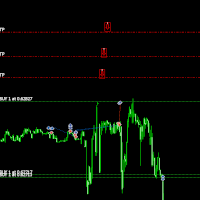
Move TakeProfit - Инструкция по использованию Как использовать Перетаскивание Нажмите и перетащите скрипт на график в точке, где хотите установить новый уровень TakeProfit. Отпустите скрипт на желаемом уровне цены. Подтверждающее окно После перетаскивания появится окно подтверждения. Оно покажет количество модифицируемых позиций и точную цену TakeProfit. Нажмите «Да» для подтверждения или «Нет» для отмены. Автоматическое обновление TakeProfit Если подтверждено, скрипт обновит TakeProfit
FREE

Trade Dispensary Connect — это утилита для советника MT5, предназначенная для отправки сделок в формате JSON в копировщик сделок Trade Dispensary через веб-хук. Если Trade Dispensary запущен на вашем локальном компьютере, просто используйте http://127.0.0.1 :5000/webhook/mt5/[ACCOUNT_ID] в качестве URL-адреса веб-хука. Если Trade Dispensary запущен на другом компьютере, получите адрес/домен этого компьютера. Для этого сценария рекомендуется использовать сервис туннелирования, такой как Pinggy и
FREE

Этот продукт переименован в PositionRelay Master Publisher.
Установите PositionRelay Master Publisher из MQL5 Market. Это объявление TradeEcho устарело и будет скрыто. Названия продуктов в Market нельзя изменить.
Тот же User ID и облачный API. Удалите TradeEcho Master Publisher, затем прикрепите PositionRelay Master Publisher на мастер-счёте.
Сопутствующий продукт: PositionRelay Slave Subscriber.
Ключевые слова: копирование сделок, копировщик, мастер слейв, PositionRelay, ребренд
PositionRe
FREE
The sole purpouse of Blind Broker System is hiding your trade plans and making them invisible to your Broker. If you really want to make him "blind" and make sure he does not know anything about your stop loss levels, volumes, take profit levels in advance, simply use this trading robot . Blind Broker System is an alternative system of managing orders. In some sense it is same as the system inside Meta Trader Terminal.
The difference is that all orders submitted thru Blind Broker System in
FREE

Выбор уровней StopLoss и TakeProfit может оказать очень сильное влияние на общую результативность торговли. Кроме очевидных параметров торговой сделки – размеров возможного выигрыша или вероятного проигрыша – уровни StopLoss и TakeProfit также влияют на ожидаемую продолжительность сделки, и на прибыльность торговли в целом. Если вы с помощью скрипта « AIS-ODT » уже определили оптимальные длительности сделок, то можно приступать к определению параметров, связанных с уровнями StopLoss и
FREE

North Connection - официальный мост между MetaTrader 5 и North Trader Station North True Funding - это технологическая prop firm , созданная для того, чтобы помогать трейдерам развиваться с большей структурой, ясностью и операционной дисциплиной. Наши программы разработаны для более организованного пути трейдера: с понятными правилами, профессиональной средой и инструментами, которые помогают связать торговые результаты, подготовку и возможности с ответственностью и четкими критериями. North не
FREE

Работа скрипта основана на моделировании торговых сделок с помощью генератора случайных чисел. Благодаря этому можно получить совершенно разные результаты, даже при одних и тех же входных параметрах. При запуске скрипта откроется диалоговое окно, в котором можно установить желаемые значения внешних переменных. В блоке Trading options определяются основные параметры, которые необходимы для моделирования торговли. Start Balance – устанавливает начальный размер торгового баланса. Number Trade – у
FREE

Rhino PDF Trade Report — Экспорт торговой истории MT5 в PDF Превратите торговую историю вашего счёта MetaTrader 5 в удобный PDF-отчёт, готовый к печати. Выберите диапазон дат, количество сделок или символ и создайте структурированный отчёт для торгового журнала, анализа результатов, отчётности перед инвесторами или хранения данных. Обзор результатов торговли На первой странице отображается сводка торговых результатов за выбранный период: Показатели эффективности: Чистый результат, количество сде
FREE

This is a tool created for scalping. it can generate pending orders with 4 input: 1. Volume : Lot for the Pending Orders 2. Distance : Distance within the Orders in Points 3. Total Order : Total Generated Orders 4. Take Profit : TP for the generated Orders in Points 5. Stop Loss : SL for the generated Orders in Points It also have another tools which can monitor the floating and close at defined profit using Closed at Profit Input What's new: - Stop Loss in Pip
FREE
Most current tick data does not accurately reflect the actual spread levels. To achieve more precise backtest results, we need to adjust it to a higher value to account for slippage that may occur when Expert Advisors (EAs) execute orders in real trading.
This tool is used to change the Spread value in custom symbols created from tick data for backtesting purposes. Simply select the desired Spread value and wait for the tool to adjust it accordingly.
FREE

## What It Does
2RICH.CAPITAL APP SYNC is a lightweight MetaTrader 5 Expert Advisor that acts as a push client, automatically syncing live positions and closed trade history from a trader's MT5 terminal to their personal journal on the 2RICH Capital website. Rather than requiring manual CSV exports or imports, the EA connects once with a secure API key and connection token, then reports account and trade data to the platform on a recurring interval.
## Core Features
- Multi-user architecture
FREE

This is the FREE DEMO version of Vector Local Copier.
It's the complete copier — real-time local copying, symbol mapping, multipliers, SL/TP sync, the safety guards, the live dashboard — with one limitation: slave trades are capped to 0.01 lots. That's enough to prove it works perfectly on your exact terminals, brokers, and symbols before you buy the full-size version.
GET THE FULL VERSION (no lot cap) HERE: https://www.mql5.com/en/market/product/187169
Vector Local Copier mirrors trades
FREE

A simple utility that tells you to leave the computer and go for a walk and have a coffee every 60 minutes, or however long you configure.
The function is to remind us to get off the computer and go for a walk so as not to make the mistake of opening up an emotional order, taking every day to the end and a simple walk would solve the problem.
--- NEW VERSION FULL https://www.mql5.com/en/market/product/192677
Check out my FOMO blocker as well https://www.mql5.com/en/market/product/188473
Ch
FREE

PS4 Trading Controller lets you trade MetaTrader 5 using a DualShock 4 controller (USB or Bluetooth).
Designed for traders who want speed and convenience, this tool maps controller buttons to essential trading actions so you can execute and manage positions without touching the keyboard or mouse.
Key Features:
• Market Buy / Sell with R2 and L2
• Close one position at a time (R1 / L1)
• Close all profitable trades (Triangle)
• Close all losing trades (Circle)
• Adjust lot size with D-Pad
• Mov
FREE

DS Risk Calculator works out your lot size from the stop you actually intend to use, and shows how much room is left before your daily loss limit, your overall drawdown limit and your consistency rule are reached. It is built for funded account rules, and it works just as well on an ordinary account with rules you set yourself.
It does not place, modify or close orders. There are no trading functions in it. It reads your account and shows you arithmetic.
WHAT IT SHOWS
- Lot size for the sto
FREE

Strangely enough, everyone seems to have their own idea of how you should measure support and resistance. Not every support and resistance zone is strong. The strongest support or resistance levels will more often than not be with trend . What this means is, if we are in a bull trend, pullback levels to support will more often than not be ‘stronger‘ than resistance levels above. These expert advisors use several mathematical models and statistical models to determine the strongest support and r
FREE
This indicator allows to hide Parabolic SAR (on all MT5 timeframes) from a date define by the user, with a vertical line (Alone) or a panel (with "Hidden Candles"). Indicator Inputs: Step Maximum Color Width Information on "Parabolic SAR" indicator is available here: https://www.metatrader4.com/en/trading-platform/help/analytics/tech_indicators/parabolic ************************************************************* Hey traders!! Give me your feeds! We are a community here and we have the sa
FREE

RRPP Script A script for placing a pending order prepared by the Risk Ratio Trade Panel indicator. Reads the entry price, Take Profit, Stop Loss and lot size directly from the indicator lines on the chart. Requirements The Risk Ratio Trade Panel indicator must be attached to the chart and the panel must be open before running the script. How it works Attach the Risk Ratio Trade Panel indicator to the chart, open the panel and set the Entry, TP and SL lines to the desired levels. Then run RRPP Sc
FREE

Account Sentinel MT5 FREE – Simple Account Monitor Monitor your MT5 account basics in real-time right on your chart! See Balance, Equity, Free Margin, and Margin Level at a glance. Perfect for beginners checking risk without hassle. Key FREE Features: Clean dashboard updates every second Color alerts: Green for safe (Margin Level >80%), Yellow warning, Red danger Basic stats: Balance & Equity difference shown clearly Upgrade for More Power: FULL Version ($49): Add Used Margin, Drawdown %, Multi
FREE

SQXHK presents MetaTrader 5 Expert Advisor: Hourly Equity & Drawdown Data Logger Developer: SQX.hk
Visit SQX.hk for data science trading skills course using "StrategyQuant X" and AI Data Science platform "Tradotcom.com"!
This MQL5 script functions as an automated data-logging Expert Advisor (EA) designed to capture intraday equity metrics directly from MetaTrader 5 and export them into structured CSV files . It records hourly snapshots of account performance, high-water marks, and equity drawd
FREE
Преимущества и принцип работы индикатора "Risk end Lot Size Calculator" Преимущества : Простота использования :
Индикатор автоматически рассчитывает все необходимые параметры, вам нужно только ввести количество пипсов и риск.
Управление рисками :
Помогает определить, сколько вы можете потерять в сделке, и какой объем позиции (лот) выбрать, чтобы не превысить допустимый риск.
Визуализация :
На графике отображаются линии стоп-лосса для Buy и Sell, что позволяет быстро оценить уровни.
Удобство :
О
FREE

PositionPilot — Менеджер позиций в один клик PositionPilot размещает исполнение сделок и управление позициями прямо на вашем графике. Один клик — и ваша сделка под защитой. В отличие от большинства советников, которые обрабатывают только собственные ордера, PositionPilot работает со ВСЕМИ позициями — открытыми вручную, другими советниками или через его панель. Исполнение в один клик Кнопки BUY/SELL с автоматическим лотом по проценту риска Горячие клавиши F1–F6 для торговли с клавиату
FREE
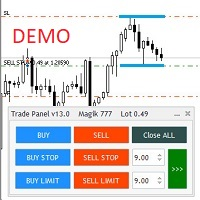
Бесплатная версия советника Trade Panel PRO
Данная торговая панель предназначена для быстрой и удобной торговли в один клик. Создавался продукт для частичной автоматизации своей личной ручной торговли https://www.mql5.com/ru/signals/1040299?source=Site+Profile+Seller Советник имеет ряд возможностей, а именно: Открытие BUY или SELL ордеров. SL выставляется ниже (выше) минимальной (максимальной) цены, задаваемых в параметрах количества свечей. Размер TP рассчитывается в соотношении от размера S
FREE

This is the demo version of AK Strategy Creator ( STC ) which enables traders to create, edit and save their own strategies using MT5 standard and custom indicators. Attach your strategy's indicators with your preferred settings, then attach STC EA, which will read the attached indicators so that you can use them in defining Buy and Sell Entry and Exit conditions.
Two default indicators are always included in the indicator list to allow access to Candle (Bar) prices and indicator values:
FREE
Примечание: демо-версия работает только на парах NZDJPY и USDRUB
Что она делает? Утилита помогает вам в вашей торговле, выполняя некоторые важные задания: Устанавливает виртуальные отложенные ордера, стоп-лосс и тейк-профит. При необходимости она может устанавливать реальные стоп-лосс и тейк-профит. Ведет торговлю независимо от концепции линий Bid-Ask, что полезно при краткосрочной торговле и торговле по ценовому действию. Ордера можно открывать, сопровождать и закрывать в 1 клик, что обеспечив
FREE

Join WhatsApp Group for Free Signals & More Discussion
https://chat.whatsapp.com/IWc1CaxviFw8Bu94JGRIQv For Live Signals Please Visit
https://www.mql5.com/en/signals/2352564?source=Site+Profile+Seller
1. Manual-Assisted Trading via On-Chart Dashboard Fully graphical dashboard panel rendered directly on the chart. Customizable panel size and colors via input parameters. All trading actions are controlled by buttons and edit fields , not automatic indicators. 2. Ultra-Fast Interval-Based Order
FREE

Orders Manager – это простой и незаменимый помощник для управления всеми вашими ордерами. Входные данные : Magic = 999; // Магик TakeProfit = 1000; // Тейк - профит . Если = 0, уровень не устанавливается. StopLoss = 0; // Стоп-лосс. Если = 0, уровень не устанавливается. Slippage = 10; // Проскальзывание GeneralProfit = false; // Закрытие всех ордеров по общей прибыли. Если fals
FREE

NHS Prop Firm Guardian NHS Prop Firm Guardian is a dedicated, single-panel risk monitor and drawdown protection overlay for MetaTrader 5, built around one core idea: watch the account relentlessly, and enforce the limit the moment it's crossed — even if the trader isn't looking . It is a pure risk-monitor companion tool, not an order-entry or trade-management system: it does not place trades, manage stops, or run automation strategies. Its job is tracking Daily drawdown on the current chart symb
FREE

Project Overview Totz Visual Risk Calculator EA is an interactive, on-chart Risk Management panel for MetaTrader 5 (MT5). It replaces manual position size calculations by automatically computing appropriate lot sizes based on visual, draggable Entry, Stop Loss (SL), and Take Profit (TP) lines. Key Features Automated Risk Calculation: Lot sizing automatically adjusts to target a specific percentage of account balance or equity. Interactive Visual Lines: Drag-and-drop horizontal lines directly
FREE

Boost Your Trading with the Trade AST PRO Imagine having a personal trading assistant that transforms how you trade. With our EA, success is just one click away: Drag & Drop Smart Setup Place entry, SL and TP by simply dragging lines on the chart Automatic real-time risk and volume calculations Instant adaptation to every market move Lightning-Fast Execution Direct BUY/SELL buttons on the chart MARKET mode for instant entry PENDING mode for planned trades Auto Mobile Mirror Co
FREE

Binance - всемирно известная биржа криптовалют! Чтобы облегчить отслеживание информации о глубине и изменений тиков, программа предоставляет следующие функции:
1. Автоматический импорт всех торговых разновидностей в торговую зону фьючерсов Binance USD-M с настраиваемыми префиксами продуктов (во избежание конфликтов с существующими названиями продуктов) или индивидуальный импорт определенных разновидностей;
2. Используйте веб-сокет, чтобы связать торговлю фьючерсами на Binance, а push-информац
FREE

SHINO Trade Manager – Smart Risk Management EA (Auto SL, TP & Trailing Stop + Telegram Alerts) Take full control of your trades and eliminate emotional decision-making with SHINO Trade Manager , a powerful and lightweight Expert Advisor designed to automate your risk management on MetaTrader 5. Whether you are a scalper, day trader, or swing trader, this EA ensures every position is protected and managed with precision — 24/7. Protect Your Capital Automatically Never leave a trade unprotec
FREE

a script created with ChatGPT. It changes the symbol in every other chart window to the symbol of the window where you run the script. The story behind it. I use MT5 across 2 monitors. Same price/symbol, different candles. because changing the symbol in every window was tedious. So I had ChatGPT write this script. Important: this script only changes the symbol, everything else like indicators or objects is not transferred to other chart windows
FREE

Скрипт для открытия сетки ордеров Если Вам необходимо быстро открыть несколько отложенных ордеров на некотором расстоянии от текущей цены, то этот скрипт избавит Вас от рутинных действий! Разрешите авто-торговлю перед запуском скрипта. Использование: Запустите скрипт на графике. Данный скрипт является усеченной версией платного продукта https://www.mql5.com/ru/market/product/635 . Он позволяет открывать ордера только с типом Buy Stop. Входные параметры скрипт не запрашивает. Такие параметры, как
FREE
Application with Close Button.
Program include parameters to change settings:
Robot work with Symbols: - All Symbols - Current Chart Symbol
Transaction close (Profit/Loss): - All - Close Profit Only - Close Losing Only
Retries - max retries to close all transaction Sleep - time in ms between next Retries
Robot is free.
Robot designed for learn publish robots in Market.
FREE
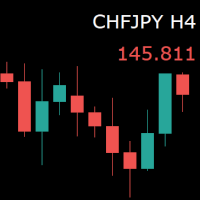
For those who monitor charts from afar, this utility is essential. It displays the chart symbol, time frame, and bid price as text. Users can adjust the text position, color, and font size. It’s also a useful tool for forex video publishers. There will be no more complaints about which symbol and time frame are displayed on the screen, even if the content is viewed on a phone. Symbol prefixes such as “_ecn” or “_stp” can be removed from the displayed symbol.
FREE

you can close all your positions in profit or lost when you use this robot. 1.you set your max profit and max lost for all your positions. 2.the robot show you in a window beside your chart. 3.when your equity reach your target close all your positions. 4.you can use one of them or both (profit or lost)togather. 5.this robot close all your positions. ((if you have any idea or want somthing i can help you)) i hope you win in all your times of life. best regard
FREE

This MT5 Utility is designed to simplify the process of managing multiple trades. If you have several open positions, it can be time-consuming to close each one manually. With this tool, you can easily close all profit trades, losing trades, or just the trades that are linked to the chart you're currently viewing. It saves you time and effort by allowing you to manage your trades with just a few clicks, making your trading experience smoother and more efficient. Whether you're focusing on profit
FREE
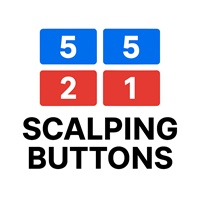
Selam arkadaşlar özellikle gold scalp yaparken zamana ve reflekse ne kadar ihtiyacımız olduğunu biliyorsunuz.
Bu sebeple ben kendime scalp yaparken bana yardımcı olacak buttonlar hazırladım.
ben gold scalp yaparken : 3 .çeşit Sell
3 .çeşit buy close sell close buy
açık emirleri kapat hepsini kapat
şeklinde kendime butonlar hazırladım. ve çok faydasını gördüm.
bütün butonların renklerini lot değerlerini isimlerini değiştirebililrsinz.
kesinnikle çok seveceğinize eminim
bol kazançlar.
FREE

An Essential Tool for Traders regardless of experience
Problem : You want to place trades for a few trading pairs, you now have to scroll through individual charts to place your trades. Your playing it wisely and would like to secure small gains for trades that go in your favour and here you are again checking your trades back and forth and closing some off manually Solution : Use the panel. Drag and Drop the panel into any single chart and type in the pairs you need in the inputs. Save time an
FREE

Most traders who fail a prop firm challenge do not fail because they did not know the rules. They fail because, at the moment it mattered, nobody was doing the arithmetic.
Prop Guard Monitor does the arithmetic. It sits on one chart, watches the whole account, and answers one question continuously: how much room is left before a rule breaks.
It never closes a position. It never deletes an order. It never locks anything. This build cannot touch a trade even if you want it to - the trading libr
FREE

Простая утилита, которая показывает на какую сумму средств куплено активов в портфеле. Необходима для отслеживания загрузки депозита. Выводит информацию в удобную надпись, которую можно разместить в любом месте графика. Учитывает валюту депозита: USD или RUB Учитывает, в какой валюте торгуется актив (USD или RUB) и автоматически конвертирует по текущему курсу. Можно настроить размер и цвет надписи
FREE

CauCa Server is the command and control center for the Fishing Strategy ecosystem. It manages state, automation switches, signal-based actions, and visual trading structure so your strategy can run with better coordination and less manual intervention. The Server EA gives you centralized control over BUY and SELL behavior, supports auto-action from valid signals, and aligns strategy visualization with live client state. It is designed for traders who want stronger operational control, cleaner au
FREE

Script for Metatrader 5. One click to Delete the background grid and object, all objects on the chart such as Trend lines you have drawn or created by another program arrows text Fibonacci lines removes the background grid making a clearer clean chart horizontal and vertical lines
Easy for clearing a chart or when opening new charts. Please leave a review on how its working.
FREE

Noetrix Guard
## Риск счета и защитные действия на одной панели MT5
Noetrix Guard объединяет контроль риска счета, настраиваемые торговые лимиты и защитные действия в одном нативном интерфейсе MetaTrader 5. Продукт предназначен для ручной торговли, автоматических портфелей и оценочных счетов, где важно видеть текущее состояние риска без изменения торговой стратегии.
Установите Guard на один график, чтобы контролировать весь счет. Панель показывает баланс, средства, свободную маржу, дневной р
FREE

Title: Stoch Mantis Description: Stoch Mantis is a professional multi-timeframe utility designed to monitor the Stochastic Oscillator across your current chart while providing a broader trend context using the 200 EMA. This tool does not execute trades automatically; instead, it serves as a highly efficient alert system and market analyzer for manual traders who utilize pullback strategies. Trading extreme zones on lower timeframes can be risky without considering the major trend. Stoch Mantis
FREE

Welcome to my product page, glad you stopped by and I hope you find interest in this product which is completely free to use. There are certainly many other similar products but this is my version of one. AS Check MT5 - Account and symbol informer utility compatible with Meta Trader 5 With this software you quickly and easily extract information about your account and symbol. As this is a script and not an indicator or expert, the program runs once and detach itself from the chart and the i
FREE

Панель показывает взаимное положение цены и выбранных скользящим средним (МА) по выбранным таймфреймам и символам.
Возможность контролировать одновременно до 3-х символов до 6-ти периодов до 10-ти разных Moving Average Версия для MetaTrader 4: https://www.mql5.com/ru/market/product/28281 Версия для MetaTrader 5: https://www.mql5.com/ru/market/product/28096
Параметры NUM_BAR - номер бара, на котором происходит работа (для работы только по закрытым барам параметр > 0); timeframe_1....timeframe
FREE
MetaTrader Маркет позволяет максимально безопасно покупать программы для платформы MetaTrader. Вы можете скачать демо-версии понравившихся роботов и индикаторов прямо из терминала и проверить их в тестере стратегий.
Протестируйте программы в различных режимах перед покупкой для получения максимального представления о продукте и оплатите понравившийся продукт через платежную систему MQL5.community.
Платежная система MQL5.community обеспечивает оплату продавцам, а возможность тестирования программ в различных режимах позволяет покупателям получить максимальное представление о продукте.

Вы упускаете торговые возможности:
- Бесплатные приложения для трейдинга
- 8 000+ сигналов для копирования
- Экономические новости для анализа финансовых рынков
Регистрация
Вход
Вы принимаете политику сайта и условия использования
Если у вас нет учетной записи, зарегистрируйтесь