 MetaTrader 5
 Эксперты
 Индикаторы
 Библиотеки
 Утилиты
 Виджеты
 Правила
Смотри обучающее видео по маркету на YouTube
Как купить торгового робота или индикатор
Запусти робота на
виртуальном хостинге
виртуальном хостинге
Протестируй индикатор/робота перед покупкой
Хочешь зарабатывать в Маркете?
Как подать продукт, чтобы его покупали
Торговые утилиты для MetaTrader 5 - 32
 Ниже представлены торговые программы, упрощающие трейдинг в MetaTrader 5. Наведите курсор на товар, чтобы прочесть описание товара и его предназначение.
Pips Keeper is a sophisticated Forex trade manager expert advisor designed to enhance trading efficiency and optimize profit-taking strategies. With its intuitive functionality, this EA empowers traders to automate the process of closing profitable positions at predefined profit thresholds, thereby maximizing returns and minimizing risks.
Key Features:
1. Threshold-based Profit Closure: Pips Keeper enables traders to set customizable profit thresholds, allowing for the automatic closure o
FREE

Less is more. Find the strongest trends! This expert scans ALL currency pairs for a strong trend combined with a breakout.
Requirements for a trend report: 1. Up-trend or down-trend must be found in all of the following timeframes (D, H4, H1, M30) 2. Breakout in the daily timeframe (the upper or lower band of the Bollinger band must be broken)
The correctness of the trend is confirmed to 90%
FREE

This is a versatile tool designed to help traders analyze their trading performance on a MT5 account. It provides a detailed of profit, allowing users to review their overall account performance or filter trades based on specific criteria. With this tool, traders can: Check total profit across all trades. Filter by a single Magic Number or multiple Magic Numbers (enter directly, separated by ",") Analyze individual symbols or a custom set of symbols to evaluate different market instruments (
FREE

Script Universal Counter — это вспомогательный скрипт для терминала MetaTrader 5, предназначенный для мгновенного подсчета количества баров (свечей) в заданном историческом диапазоне. Основные возможности: Выбор таймфрейма: Поддерживает все 21 стандартный таймфрейм MT5 (от M1 до MN1) через выпадающий список. Точность дат: Позволяет указать точное время начала и конца расчетного периода. Удобный вывод: Автоматически отображает итоговое количество баров во всплывающем окне (Alert) и дублирует подр
FREE

Pairs Navigator is a simple and easy-to-use tool that allows you to view all of your charts in a single window. This eliminates the need to open multiple charts from the Market Watch window, saving you time and effort. Pairs Navigator is also very lightweight, so it will not put a strain on your RAM or cause your MT4/5 platform to hang. To use Pairs Navigator, simply drag and drop the currency pairs you want to view into the Pairs Navigator window. You can then easily switch between charts by
FREE

¿Necesitas data de alta calidad para tus backtests algorítmicos pero te enfrentas a límites de descarga masiva? Este script está diseñado específicamente para extraer datos de ticks históricos reales directamente desde tu broker en MetaTrader 5, exportándolos en un archivo CSV con el formato exacto y limpio que requiere StrategyQuant X (SQX) . La principal ventaja de esta herramienta es su sistema de descarga por bloques de tiempo (chunks) . En lugar de pedir millones de ticks en una sola solici
FREE

Индикатор на базе Average True Range (ATR), предназначенный для точного определения возможного диапазона колебания цены на выбранном временном интервале. Этот инструмент идеально подходит как для начинающих трейдеров, так и для опытных профессионалов, стремящихся эффективно планировать свои сделки. Ключевые особенности: Отображает уровни возможного колебания цены на графике, что упрощает визуальный анализ. Использует мощь алгоритма ATR для расчета точных значений волатильности. Адаптируется под
FREE
This utility exports candle data which you chosed by input parameter to CSV file. Time Frames: M1,M5,M15,M30,H1,H4
Inputs:
StartTime: Start time for exporting data. EndTime: End time for exporting data. DataType: Close, Open, High, Low, Median(HL/2), Typical(HLC/3), Weighted(HLCC/4), Pip(H-L). DecimalSeperator: Decimal seperator for candle price data. (Default = ".") CSVDelimiter: Delimiter character for CSV file. (Default = ";") * This utility exports candle data horizontally. That me
FREE

EW Close All – Один клик. Всё закрыто.
EW Close All — это лёгкий, многоязычный эксперт-советник, который позволяет мгновенно закрыть все сделки и отменить все отложенные ордера — всего одним нажатием кнопки.
Закрывает все открытые позиции Отменяет все отложенные ордера Работает на любом символе и любом таймфрейме Многоязычный интерфейс Чистый, быстрый и надёжный
Идеально подходит для быстрого выхода из рынка, контроля рисков или очистки перед окончанием торгового дня.
Оста
FREE

Entry Cluster Indicator for MT5 Entry Cluster is a professional-grade trading system engineered to deliver precise, high-probability entries without repainting or hindsight bias. Designed for serious traders, it integrates momentum analysis with institutional price levels to identify only the most reliable setups. Signal Clarity : Dots mark potential buy/sell zones, allowing traders to prepare. Gems confirm execution points, triggered only when momentum aligns with key levels. Robust Framework
FREE

Account and Market Dashboard Advanced Account Dashboard & Risk Monitor (MT5) This script provides a real-time on-chart dashboard for monitoring account performance, risk exposure, and execution conditions in MetaTrader 5. It is designed for traders who want clear visibility of account health and risk awareness during live trading or VPS operation.
The script does not open trades and does not interfere with any strategy logic . Key Features Account Metrics Live equity, balance, and float
FREE

# Trading Info Panel - Your Complete Trading Dashboard
## Why This Indicator Was Created
As a fullscreen trader, I was constantly frustrated with the hassle of: - Exiting fullscreen mode to check positions - Switching between charts and the terminal window - Losing focus on price action while checking account status - Missing critical margin levels during active trading
**I needed a simple, elegant solution that kept all vital trading information visible at a glance - without disruptin
FREE

Discover our all-in-one monitoring and notifications EA for MetaTrader. Designed to ensure traders’ security and peace of mind, this unique EA offers a full range of advanced features that will allow you to stay informed and control your account activity, anytime and anywhere. Key Features : Continuous server monitoring: real-time notification on server availability and performance (Cpu, Ram, disk), connectivity, latency and more Advanced account management: live tracking of margin calls, dro
FREE

Please visit = https://www.mql5.com/en/market/product/186048 for slave EA
MT4 Version = https://www.mql5.com/en/market/product/186079
Free Demo Version = https://c.mql5.com/6/1033/COPYTRADE_BIN7D.zip
User Manual : download here
Best EA Trade Copier for MT5. EA Trade Copier is a powerful and reliable trade copying solution that transfers trades from one Master account to multiple Slave accounts in real time. Whether you manage multiple trading accounts, investor accounts, VPS terminals,
FREE

MATTRIX Synthetic Charts creates 11 fully functional Custom Symbols from the 28 Forex major pairs available on any standard MT5 broker.
CREATED SYMBOLS: Currency Indices (geometric mean of 7 pairs each): #EUR #GBP #AUD #NZD #USD #CAD #CHF #JPY Risk Baskets (geometric mean of 8 pairs each): #RON "Risk-On" basket #ROFF "Risk-Off" basket (visually flipped) Diversification Basket: #FIX Combined long-bias index of all 28 majors
USAGE: 1. Attach the EA to any active major pai
FREE

Скрипт для удаления отложенных ордеров Если Вам необходимо удалить все установленные отложенные ордера, то этот скрипт избавит Вас от рутинных действий! Входные параметры скрипт не запрашивает. Разрешите авто-торговлю перед запуском скрипта. Использование: Запустите скрипт на графике. Если Вам необходимо указать какие-нибудь параметры, то используйте скрипт с входными параметрами https://www.mql5.com/ru/market/product/627 Версию для MetaTrader 4 можно скачать здесь: https://www.mql5.com/ru/marke
FREE
This indicator is to be used in bot connectors for automation of Pct Multi indicator entries.
How to use: Configure the bot connector with the following information: Indicator name: pctmultibot Call buffer: 0 Put buffer: 1
Do not add this indicator to the chart, just configure it in the bot connector!
Pct Multi indicator:
https://www.mql5.com/en/market/product/111091
FREE
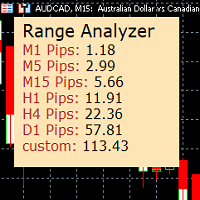
Range Analyzer calculates the Average True Range (ATR) values for different timeframes in pips to give a fast and simple overview about the volatility of the chosen symbol.
Settings are very easy:
bars for calculation: Choose the number of bars for calculation or use the default value (14 periods).
from bar: Choose the youngest bar to start the calculation or use the default setting (0 = current bar). custon timeframe: Choose another timeframe.
You can use it for forex, crypto, indices, comm
FREE

This is the demo version of SmartVSV Panel. https://www.mql5.com/en/market/product/91131 It is the same as original panel with all graphic objects and settings. Main difference is that you can not trade with this demo, but you can see all orders' parameters such as entry, TakeProfit and StopLoss. Also you can test QuickTrade. All functions are explained with alerts. When you add it to your chart press "I" to call information alert.
FREE

MetaTrader 5 플랫폼에서 사용되는 사용자 정의 인디케이터로, 다양한 타임프레임에서의 시장 트렌드를 시각적으로 표시하는 데 사용됩니다. 이 인디케이터는 사용자가 지정한 X 및 Y 좌표에 위치하는 패널을 생성하여, M1부터 MN1까지 총 21개의 타임프레임에 대한 트렌드를 각각 라벨 형태로 보여줍니다. 각 타임프레임의 트렌드는 20기간 단순 이동평균(SMA)과 50기간 단순 이동평균을 비교하여 결정되며, 상승 트렌드는 초록색, 하락 트렌드는 빨간색, 보합은 회색으로 표시됩니다. 또한, 모든 타임프레임에서의 트렌드를 종합하여 상승 비율을 계산하고, 이 비율에 따라 전체 시장 트렌드가 표시됩니다. 전체 트렌드는 일정 간격으로 깜빡이며 사용자에게 시각적 주의를 끌도록 설계되었습니다. 이 인디케이터는 시장 상황을 빠르게 파악하고자 하는 트레이더들에게 유용하며, 업데이트 간격과 깜빡임 간격은 사용자의 필요에 맞게 조정할 수 있습니다. 또한, 패널의 위치와 색상도 사용자 정의가 가능하
FREE

OrderCalc opens a window in the chart with the data of your orders:
Position size, stop loss, take profit, profit/loss
Only the positions for this symbol are displayed. If several positions exist, these are totalled and displayed in the last line. If you work with pyramids, you can see at a glance how big the total profit or loss is.
M can be used to display information about the symbol: Margin, spread, minimum order size, increment etc. R opens the risk calculator. A click in the chart calc
FREE

Aegis Gold Dashboard is a free, lightweight visual indicator created to help traders monitor key market conditions in a clean and professional way.
This indicator is designed as a visual companion to automated or discretionary trading systems and does not execute any trades.
Features: • Informational signal overview (non-executable) • ATR-based volatility display • Market session open / closed status • Real-time spread monitoring • Last closed trade overview • Simple market condition tips
De
FREE

Global Session Map turns one MetaTrader 5 chart into a clear session workspace. It shows which major trading sessions are active in broker time, when the next transition occurs, and where session overlaps appear.
The panel is designed for discretionary traders who need reliable time context without entry signals or profit claims. Session windows and display preferences are configurable and remain available after chart or terminal restarts.
Main functions
• Sydney, Tokyo, London and New York s
FREE

A FOMO blocker to click before opening an emotional trade.
Once activated, the blocker remains in effect—even if you change settings or restart MT5—until the timer runs out, preventing you from opening new trades.
Set the duration you need for your mindset to return to normal.
Use it without restraint.
If you open a trade during this period, it will be closed immediately.
---- NEW VERSION FULL https://www.mql5.com/en/market/product/192677
Check out my alert for stepping away from your PC
FREE
Utilidad de uso informativo la cual ayudará a gestionar el riesgo de los trades con la ayuda visual de los datos proporcionados. el usuario se encargará de ubicar sus SL y TP manual acorde al lotaje. Asesor experto desarrollado para MT5 con el objetivo de ingresar ratios de utilidad y % de riesgo, adicional los Pips de SL para el cálculo del lotaje para dicho riesgo. Estos se calculan sobre el balance actual. El usuario tomaría como dato ingresar el lotaje que se calculó y arrastrar el S
FREE

Change lot size, set TP / SL points and with one click place an order. Track current order count and total running profit. Instant Close all Buy trades, Close all Sell trades or Close All open trades buttons. Trailing SL feature Support for Manual orders. Utility types Risk management, Graphical objects, Panels. Main features
Take Profit and Stop Loss in points (10pip = 100 points) After the price reaches the Take Profit threshold, orders will be closed in profit After the price reaches the St
FREE

This Utility tells you the volatility of any symbol for any of the major time frames. As trades occur, the volume increases for each period. When each period ends, the bucket is reset to 0. Volumes are sorted from largest to smallest within each shown period. Click any symbol to highlight that symbol in all period columns. Volume information is specific to transactions placed at your broker. To test in the Tester, set the following:
EURUSD,M1,1 minute OHLC 2018.01.01 to 2018.01.02 (a day’s worth
FREE
多数の通貨を取引している場合、画面をカチャカチャ切り替えの際にどの通貨を見ているか 迷ったことはありませんか。 表示している通貨が大きく表示されるMT4用のインジケーターは あるのですがMT5用がなかったので作成しました。
機能: どの通貨でも表示可能になります。 表示位置 (左上 、 右上 、 左下 、 右下) の 指定 が可能 になります。 表示位置(X軸、Y軸)が変更可能 になります。 フォントの色を 変更可能 になります。 使用するフォント を指定することが可能になります。 フォントサイズ の 変更が可能 になります。 インストール方法: ファイル->データフォルダーを開く->MQL5フォルダー->Indicatorsフォルダー 配下にex5ファイルを置いてMT5を再起動してください。
FREE
I find the lot calculation tedious so I just use this script and tell it the dollar amount to use. It then does the rest. This works for any currency.
How-To: Open a sell position using the desired dollar amount instead of lots. To use, just drop it onto a chart and set inputs as needed. The script will then do the necessary lot calculation and open the trade.
Inputs: FIXED_DEAL_AMOUNT: Fixed amount to use per trade e.g 100 to open a R100 deal USE_SL_ON_BUY: If true then a suitable stoploss wi
FREE
I find the lot calculation tedious so I just use this script and tell it the dollar amount to use. It then does the rest. This works for any currency.
How-To: Creates a buy limit order at chosen MA price using the desired dollar amount instead of lots. To use, just drop it onto a chart and set inputs as needed. The script will then do the necessary lot calculation and create a buy limit order.
Inputs: FIXED_DEAL_AMOUNT: Fixed amount to use for the trade e.g 100 to open a R100 deal MA_PRICE: MA
FREE

Предлагаю вашему вниманию эксперт-утилиту для сохранения данных по открытому интересу (ОИ), соотношению числа ордеров продавцов/покупателей и соотношению объемов ордеров продавцов/покупателей на Российском фьючерсном рынке ФОРТС. Это первый продукт из этой серии. Теперь есть возможность ведения истории указанных данных в реальном времени в терминале МТ5. Это позволит разработать качественно новые стратегии торговли или существенно улучшить имеющиеся. Данные, получаемые с рынка ФОРТС, хранятся в
FREE

Introducing our cutting-edge Trade Copier Expert Advisor for MetaTrader 5 (MT5) – the ultimate solution for seamless trade replication across multiple accounts on the same server or computer. Elevate your trading experience and take control of your investment strategy like never before with our professional-grade Trade Copier. Key Features: Effortless Trade Replication: Our Trade Copier effortlessly duplicates trades from a master account to multiple slave accounts, ensuring that you never miss
FREE

Идея расширения функций бесплатной утилиты Slider возникла после выпуска облегченной версии торговой панели-эксперта Trading Chaos Expert Lite , которая работает в режиме Current Chart, без возможности сопровождения сделок экспертом по множеству инструментов в одном окне. Назначение Slider profy Удобство поиска торговых сигналов путем автоматического поочередного показа графиков валютных пар из "Обзора рынка" с заданным интервалом времени в секундах. Автоматизация выставления отложенных ордеров
FREE

Script "Bar Close Timer Pro" is designed to display a real-time countdown to the closure of the current bar. This professional tool is tailored for traders working on any timeframe, enhancing chart analysis efficiency through precise time control. The script automatically adapts to the chart’s current timeframe (M1, H1, D1, etc.), calculating the remaining time until the candle closes. (Note: When switching timeframes, the script must be reattached to the chart.) Flexible display settings: Cus
FREE

SymbolScope MT5 — это ваш личный ассистент по спецификациям инструментов. Забудьте о необходимости заглядывать в спецификацию контракта в терминале или искать данные в интернете. Вся необходимая информация всегда под рукой в элегантной и минималистичной панели на графике. Для чего это нужно?
Трейдеру жизненно важно знать точные параметры инструмента перед открытием сделки: стоимость пункта, размер контракта, минимальный объем, свопы. SymbolScope MT5 предоставляет эти данные мгновенно для теку
FREE

FTU Auto Trade with on Chart Panel Mt5 (basic version)
This EA will improve your trading, lower work load and improve risk management Adjust Lot size, entry based on at market or by price input EA will manage entry, stop loss, partial close and adjust stop loss after tp1, partial Designed to be compact and efficient, small layout for multiple chart trading
Features: Lot groups - Allows for fast change to various risk models Tp, Partial and SL management Multiple No Trade Times - Various time
FREE

Lumos Lumos is a multifunctional trading assistant. It gives an overview of the current market situation for a better decision making. The strategy tester only provides a visualization of the application. Lumos is highly customizable and gives you information in multiple timeframes about: MAs, price structure, RSI, RSI MA and an overview of the price distance to possible SLs.
FREE

Position Closer MT5 — это удобная торговая утилита, которая отображается непосредственно на графике и позволяет управлять закрытием позиций быстро и эффективно. Вместо того чтобы закрывать каждую позицию по отдельности, вы можете закрыть их все одной кнопкой. Как это работает: Панель состоит из двух больших информативных кнопок: Зеленая кнопка "Close BUY" — показывает количество открытых Buy-позиций по текущему символу и их общую прибыль/убыток. Коричневая кнопка "Close SELL" — показывает
FREE

Этот экспертный советник отслеживает все открытые позиции по всем символам в MetaTrader 5. Как только вручную устанавливается или изменяется уровень Stop Loss (SL) или Take Profit (TP) на любой позиции, советник автоматически применяет это значение ко всем другим открытым позициям , независимо от символа или типа ордера (Buy/Sell). Это обеспечивает синхронизацию уровней SL и TP по всему счёту.
Идеально подходит для мобильного трейдинга с планшета или смартфона!
FREE
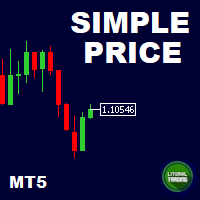
This is our simplest tool! With it you hide the Bid and Ask lines from chart and have only a small rectangle showing what current price is. This tool is useful for those who want the cleanest chart possible. You can also show the Ask price only, instead of the Bid (most common). To further assist you in cleaning the chart check out our other tool: https://www.mql5.com/en/market/product/41835 Any questions or suggestions, please contact us. Enjoy!
FREE

* This product was converted using "BRiCK Convert4To5 MT4 " based on the MQL4 source file of "BRiCK Convert4To5 MT4 Free" . "Convert4To5" is a Script that converts MQL4 source files into MQL5 source files.
Experts, Indicators, Scripts, and Libraries with extension ".mq4" will be available for MT5.
Parameter
None.
Procedure
1. Open the following folder.
terminal_data_folder\MQL4\Files\ (in the terminal menu select to view "File" - "Open the data directory") 2. Confirm that the BRiCK_Conv
FREE

Order Book, известный также как Market Book, глубина рынка, стакан цен, Level 2, - это предоставляемая брокером динамически обновляемая таблица с данными по текущим объемам торговых заявок на покупку и продажу для различных уровней цен вблизи Bid и Ask конкретного финансового инструмента. MetaTrader 5 предоставляет возможность трансляции стакана цен в реальном времени. Данный эксперт OrderBook Recorder позволяет записывать все события об изменении стакана и сохранять их в файлы для дальнейшего и
FREE

FWS Tide Clock — Session Clock & Activity Monitor Know when to trade — at a glance. FWS Tide Clock is a real-time session clock that shows you exactly what's happening across global forex markets. See which sessions are active, when they overlap, and whether conditions favour trading — all from a compact on-chart panel with a stunning browser-based web dashboard. Part of the Forex Weather Station suite. This free module gives you instant market timing awareness — right where you need it. W
FREE

MT5 Trade Copier Master — Бесплатный транслятор сделок
Require Slave EA: https://www.mql5.com/en/market/product/178686
Этот Master EA транслирует сделки, но НЕ МОЖЕТ копировать их самостоятельно. Для копирования сделок вы ОБЯЗАТЕЛЬНО должны приобрести и установить SyncTrade Copier Slave EA на второй терминал MT5. Без Slave EA данный продукт сам по себе бесполезен. Оба терминала MT5 должны быть установлены на ОДНОМ компьютере для корректной работы обмена файлами. Они не могут находиться на раз
FREE

TickQuant Panel - Calculadora de Lotaje y Gestión de Riesgo Profesional TickQuant Panel es una herramienta esencial diseñada para traders que entienden que el éxito en el trading radica en una gestión de riesgo impecable. Este panel elimina las conjeturas matemáticas antes de una operación, permitiéndole calcular el lotaje exacto automáticamente basado en su Stop Loss visual en el gráfico. Ya sea que opere Scalping, Day Trading o Swing Trading, TickQuant le permite colocar órdenes con la tranqui
FREE
TradeManagerEA — Full Trade Management Solution Overview (Short Description) The TradeManagerEA is a specialized Expert Advisor designed to manage open trades across all symbols. It provides automatic breakeven rules, trailing stops, and additional settings optimized for Gold (XAU/GOLD). This tool requires minimal user intervention and can enhance the consistency of your trading approach. Detailed Description 1. Core Features Breakeven Management : Automatically moves Stop Loss to entry price p
FREE

Unlock the full power of MT5 with NGA Next Gen Assistant — the most advanced trading assistant designed to give you full control over your trades… even from your phone! .
-Risk calculation, dollars stop loss based:
by using NGA you can set the exact amount you willing to lose each time, without having to deal with manual pips calculation, just drag the visual Stop loss line to your SL place and execute the trade, the NGA will automatically figure out the right lot size it needs to
FREE

Zone Eraser MT5 от Forex Persian Trading Легкая очистка вашего графика в один клик! Ваш торговый график загроможден ненужными объектами?
Устали вручную удалять линии истории сделок, инструменты технического анализа и фигуры по одному? Zone Eraser MT5 – это идеальный скрипт, который упрощает вашу работу, помогая поддерживать чистый и организованный график всего за одно действие. Забудьте о рутинном удалении объектов вручную и начните торговать с комфортом и точностью! Почему стоит выбрат
FREE
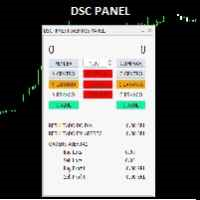
o DSC Panel é um auxiliar para deixar ordens já posicionadas em pontos estratégicos no gráfico de maneira automática. Em conjunto com o indicador DSC Vwap Channel e DSC Candle Agression é uma poderosa ferramenta para o trader obter uma excelente assertividade em suas operações. VEJA OS NOSSOS RESULTADOS OPERANDO MINI INDICE NO INSTAGRAM: https://www.instagram.com/diogo.cansi/ GRUPO DO TELEGRAM = https://t.me/robosdsc Maiores informa çõ es pelo email dscinvestimentos@gmail.com Ou pelo
FREE

TradeSyncLive - For MT5 Trade Analytics Dashboard Automatically sync your MT5 trades to a web-based dashboard with real-time analytics and EA performance tracking. This app was made with AI assistance, it's not professional, don't expect something amazing, this is just a weekend project. Setup Attach TradeSyncLive EA to any chart (one chart for each account you want to analyze) Set your Username in the EA inputs (pick whatever username, this is your login for the web app) Add the Supabase URL to
FREE
Spread Scanner & Normalizer: A Precise Analysis Tool for Symbol Data
The Spread Scanner & Normalizer is a powerful and user-friendly Expert Advisor (EA) designed for traders who want to gain precise insights into the spreads of various symbols. This tool effectively normalizes spreads across a group of symbols and expresses them as percentages, providing clarity and enhanced comparison capabilities.
Key Features: Symbol Overview : Displays symbol names and paths for easy identification. Spread
FREE
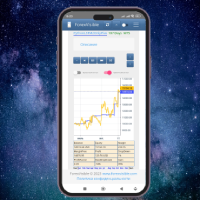
Эта утилита-клиент предназначена для размещения в общий доступ и копирования сигналов, а также для мониторинга вашего советника на сайте https://forexvisible.com . Андроид версию сайта можно скачать здесь Версию для терминала MT4 можно скачать здесь https://www.mql5.com/ru/market/product/106509 Есть много причин использовать это приложение в своей торговле, и вот какие: 1. Если у вас много торговых советников и много аккаунтов, очень тяжело за ними проследить и мониторить все в одном месте, с
FREE

Величина спреда - важный показатель при расчете торговых коэффициентов прибыли. Информация о спреде особенно важна для краткосрочных трейдеров, в частности для скальпинга. Утилита отображает стоимость спреда всех форекс-валют (включая XAU и XAG) в платформе на разных типах счетов (USD, EUR и т.д.).
Расчет и код См. статьи (на английском и китайском): THE TRADE COST OF FOREX CURRENCY Part1 THE TRADE COST OF FOREX CURRENCY Part2 THE TRADE COST OF FOREX CURRENCY Part3 THE TRADE COST OF FOREX CURRE
FREE

Management
The complete trade execution and position management toolkit for MetaTrader 5.
TEAM EA replaces your entire manual trading workflow with a single floating panel — from precision entry timing to live position management, all from one unified interface directly on your chart.
---
Overview
TEAM EA is a professional-grade Expert Advisor built for active traders who need speed, precision, and control. It provides four distinct execution modes, a live positions dashboard with automated mana
FREE

The 7 energies of the price.
it is an expert advisor analyst. it analizes the 7 energies of the price which are:
direction
momentum
fractals
cicles
support/resistance
volatility
Amplitudeness
When you have all these energies aligned you have a better understanding of the price movement.
This EA helps students who are learning technical analisys and it keeps new learners away from the bad trades.
give it a try now for free.
FREE
O Produto RFOC Variação Diária apresenta a função de indicar no gráfico a variação, em porcentagem, do preço em relação ao preço de fechamento do dia anterior.
O indicador permite configurar 100% da coloração para variações de alta, baixa e neutra (0.00%).
O painel com a apresentação da variação diária do preço fica fixada na parte superior do gráfico, e se ajusta automaticamente no centro da janela.
FREE

Maximize or restore the main chart or indicator windows by double-clicking them.
Double-clicking a main chart window will hidden all the indicator windows and expand the main chart to the maximum. Double-clicking again to restore.
Double-clicking an indicator window will hide all the other indicator windows and expand the double-clicked indicator window to the free space. Double-clicking again to restore.
FREE

Обычная трейдец-сетка, но не имеет явного диапазона. Вместо диапазона, в настройках устанавливаются стоп-лоссы. Закрытие происходит по тейк-профиту, так же устанавливаются в настройках. Робот может торговать в любом направлении, как вверх или вниз, так и в обоих направлениях. Робот не проверяет баланс счета, а потому имеет очень высокий риск. По умолчанию стоят настройки для EURUSD пары (не самые лучшие). Рекомендуемый минимальный депозит $200. Имеется вторая версия в которой добавлены дополните
FREE

using this tool you can manage risk by via app this is massionolo calculator i have built this fro free i have give video tutorial watch that and seting this in your computer so this automatic sysytem only you have to drag and drop rr that and place order by phone app so now it is very easy and stree free automatated sysytem so once download and parctice on it we provided https://play.google.com/store/apps/details?id=com.lotcalculator.app https://www.youtube.com/playlist?list=PLuslfv5r6apUZ0p-a
FREE

This is an indicator to control the Parameters of Range Volume Hybrid Generator expert advisor -It does not work as stand alone, it works as a remote control of Range Volume Hybrid Generator and must be applied on the custom chart generated by the EA. To get Range Volume Hybrid Generator expert advisor: https://www.mql5.com/en/market/product/165557
Parameters that can be adjusted: Trading Style as well as manual setting of Range, Volume and start Date of data collection. What's the video for
FREE

Noetrix Sentinel 1.10
Noetrix Sentinel is a native, read-only MetaTrader 5 operational supervision utility. It monitors terminal connectivity, latency, trading permissions, chart and EA presence, watched market feeds, optional Magic mappings, alerts and diagnostic evidence from a single chart.
## Safety and distribution
- MetaEditor result: `0 errors, 0 warnings`. - Entry point: `MQL5/Experts/NoetrixSentinel/NoetrixSentinel.mq5`. - No trading library, order submission, position close, order
FREE

Expert para quem usa Estratégia ATR. Analisa automaticamente ATR Diário ( 14 Períodos - Pode ser modificado o Período ), + o ATR da Vela 15 Minutos atual. Todos sabemos que quando Mercado esta Lateralizado existe um Fôlego Diário no Mercado. Só irmos somando os Valores ATR das Velas e Comparar com o Fôlego Diário. Eu somo e se for igual ou maior que o ATR Diário. Vendo se Sobre Comprado ou Compro se Sobre Vendido naquele Momento. Dúvidas de como calculo a Sobre Venda e Compro ou Sobre Compra e
FREE

The "InfoBox" utility is designed to display the presence of open orders, the number of lots, current profit and much more in one window. The version for the MT4 platform is here . You've probably encountered a situation where you have an advisor that works on a currency pair, but information about its operation: - orders and their number, the size of the spread for the instrument, the volume of lots on the market, drawdown and much more - are scattered in different places of the terminal an
FREE

Простой скрипт для открытия ордеров Sell по рынку на любом финансовом инструменте.
Входные параметры Volume - по умолчанию: 0.10 Deviation - по умолчанию: 10 пунктов Stoploss - по умолчанию: 50 пунктов Takeprofit - по умолчанию: 50 пунктов Comment - по умолчанию: Order by Market Confirm - по умолчанию: false
Описание входных параметров Тип ордера Доступны только ордера Sell. Deviation Максимальное отклонение от запрошенной цены (в пунктах). Stoploss и Takeprofit Стоп-лосс и тейк-профит в пункт
FREE

Signal Anywhere is an advanced version of Panel Anywhere , featuring an additional panel called Signal panel. This panel allows you to copy trades from a Signal Anywhere Provider to a Signal Anywhere Subscriber seamlessly. With Signal Anywhere , you can view market symbols and copy signals simultaneously without the need to switch between Expert Advisors (EAs). Features of the Signal panel: Local and internet-based trade copying Searchable, request, and acceptance functionalities Support for mu
FREE

ExpertGain Risk Manager MT5 is a professional MetaTrader 5 utility designed to help traders manage risk, protect trading capital, and improve trading discipline. It is built for manual traders, semi-automated traders, prop-firm traders, forex traders, gold traders, and anyone who needs better control over daily losses, drawdown, trade exposure, and open positions. This utility does not open trades automatically and does not provide buy or sell signals. Instead, it focuses on responsible trade ma
FREE

Ever thought of your broker stop hunting your stop losses? Incognito SL and TP is exactly what you need! As promised, version 1.1 now has the SL and TP lines that can easily be adjusted by the user. ========================================== INPUTS: SL: Exact price you want the orders for the chart symbol to close when this SL price was hit. Set to 0 for no SL. TP: Exact price you want the orders for the chart symbol to close when this TP price was hit. Set to 0 for no TP. ======================
FREE

this is a Demo version of product. its limit of 3 trade at a time. when you buy full version try to click here https://www.mql5.com/en/market/product/168370
The Core Philosophy: Ultra-Fast Execution In the world of scalping, milliseconds matter. This configuration utilizes a Fixed Lot Size strategy combined with lightning-fast keyboard triggers to ensure you never miss a price level.
CandleWise Trade Logic This feature restricts trade frequency to prevent "over-trading" during volatile moves
FREE

White label available. contact us for more info. dushshantharajkumar@gmail.com
Slides by Chart Walker "Slides" is a MetaTrader 5 (MT5) utility designed to streamline chart navigation by facilitating automatic chart switching. With "Slides," users can preset specific time intervals for chart rotation, enabling automatic transitions between different financial instruments or timeframes. This utility proves invaluable for traders who monitor multiple charts simultaneously, as it optimizes wor
FREE
This indicator allows to hide Stochastic oscillator (on all MT5 timeframes) from a date define by the user, with a vertical line (Alone) or a panel (with "Hidden Candles"). Indicator Inputs: % K Period % D Period Slowing Apply To Method Information on "Stochastic Oscillator" indicator is available here: https://www.metatrader4.com/en/trading-platform/help/analytics/tech_indicators/stochastic_oscillator ************************************************************* Hey traders!! Give me your f
FREE
MetaTrader Маркет предлагает каждому разработчику торговых программ простую и удобную площадку для их продажи.
Мы поможем вам с оформлением и подскажем, как подготовить описание продукта для Маркета. Все продаваемые через Маркет программы защищаются дополнительным шифрованием и могут запускаться только на компьютере покупателя. Незаконное копирование исключено.

Вы упускаете торговые возможности:
- Бесплатные приложения для трейдинга
- 8 000+ сигналов для копирования
- Экономические новости для анализа финансовых рынков
Регистрация
Вход
Вы принимаете политику сайта и условия использования
Если у вас нет учетной записи, зарегистрируйтесь