 MetaTrader 5
 Эксперты
 Индикаторы
 Библиотеки
 Утилиты
 Виджеты
 Правила
Смотри обучающее видео по маркету на YouTube
Как купить торгового робота или индикатор
Запусти робота на
виртуальном хостинге
виртуальном хостинге
Протестируй индикатор/робота перед покупкой
Хочешь зарабатывать в Маркете?
Как подать продукт, чтобы его покупали
Торговые утилиты для MetaTrader 5 - 38
 Ниже представлены торговые программы, упрощающие трейдинг в MetaTrader 5. Наведите курсор на товар, чтобы прочесть описание товара и его предназначение.
Script for quick insertion of Limit orders offered for free by NS Finanças! Do not waste more time entering the price manually in order creation manually in the metatrader, with this script it is possible to save sets of your main limits entries and execute it quickly, in addition to the possibility of configuring the keyboard shortcut for quick access of the script . In addition, it is also possible to use the Qty Orders function, which will automatically create limit type orders with the gap s
FREE

Utility for know all informations and settings of account where the platform is connected The informations that you can know are for example:
- The difference from server time and time of your PC
- The limit orders that you can place at market
- The credit that you have
- The stopout mode of your broker
- The exact name of company of your broker
and other informations
FREE

Utility for know all informations and settings of terminal where the utility is loaded. The informations that you can know are for example:
- The path of folder where the terminal start
- The path of folder where the terminal store the indicators, experts advisors etc
- The path of common folder
- The permission to use DLL, to automated trading etc
- The permission to send email, FTP or notifications to smartphone
and many other informations
FREE

Script to load on chart the orders, starting from "Signal history report" downloaded from MQL5. If you found a good signal on "Signals" section of this site and you want to see the history orders on chart, you can do it, following this steps: - Download the csv file of history orders - Copy file in the common folder - Launch the script and set the input that are: - Report type (MT4 or MT5) - File name - Delimiter (default is ;) - Name of symbol to load (if symbol on file is for example EURUSDi,
FREE

This script is a very useful tool when it comes to practicing chart analysis.
If you activate this script, you are going to be thrown down on a random chart position. The active chart is used where you are right now. You need to have at least 6000 historical bars. You can set the number of bars at: Tools->Charts tab->"Max bars in chart"
Should you have any questions, comments feel free to contact me.
FREE

Painel informativo fácil de usar e pode ser usado em qualquer gráfico . Painel Pega o Resultado Por Numero Magico Somente para plataforma Metatrader5. Painel informa todos os resultados do dia sendo positivo ou negativo, Lucro e muito mais. Fácil de usar e pode ser colocado facilmente dentro de um Robô . Muitas pessoas precisam de diferentes paineis para cada tipo de EA, ou seja, pode se tornar cansativo fazer um novo para cada aplicação. Portanto decidi fazer um painel modular que se adapta ao
FREE

This script allows you to visualize the risk of your account based on the open orders you have. * Low risk is between 0 and 10% of handicap * Medium risk is between 11% and 30% of handicap * High risk is more than 31% of handicap
The script displays the spread of the current pair, the total of open positions, showing the lotage for both directions (buy, sell) as well as the number of buy and sell operations.
FREE
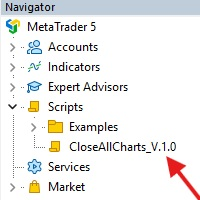
This Script was made for faster handling closing all open Chartwindows espacially in Backtesting Mode. The Script is totally for free. It is made for the MT5 Version of Metatrader. Closes all open chart windows, including the chart on which the script is being executed.
I hope you have fun with this simple but for me useful script. if you have any question please let me know...
FREE

Советник торговый помошник, располагается на инструменте (прикрепляется к графику) при закрытом рынке или просто когда планируется при достижении цены открыть сделку с заданным тейк-профитом и стоп-лоссом в % от цены автоматически открываемой сделки, при установке задается лот, цена сделки, направление, уровень прибыли и убытка, а также количество открытий по заданному уровню после срабатывания стоп-лосса.
FREE

BatchLoader for Mobile Traders: The idea of BatchLoader just as the name implies is to enable traders open a single position through their mobile phone and have it duplicated based on the max position such trader set in the "input settings", we have day traders and scalpers who find it difficult to open several position when trying to scalp, with this BatchLoader, you won't have to worry about poor entry execution.. How to Use it; *install the expert on your desired chart you usually trade on(
FREE

Signalator Symbol Inspector is a local MetaTrader 5 utility that displays practical symbol and broker conditions directly on the chart.
It helps traders inspect the real trading parameters of the current symbol before using manual trades, Expert Advisors, panels, scripts, or other trading tools.
The utility does not open, modify, or close trades. It does not provide trading signals. It does not connect to any external server.
Main features:
• Current Bid / Ask and spread • Spread cost estim
FREE

Иногда бывает, что наши построения на графике выходят за пределы последнего бара. После выходных, эти построения могут измениться в виду особенностей учета времени в мт5. Данный индикатор поможет решить эту проблему - он проходит по всем графикам и сдвигает дату объекта, которая дальше, чем нулевой бар. После завершения работы индикатор удаляется. Параметры:
Direction - направление сдвига; DaysShift - количество дней, на которые сдвигается дата объекта, правее нулевого бара.
FREE

Скрипт позволяет выбрать нужное значение Filter level индикатора AIS-MTF MT5 . Запустите скрипт на нужном графике и выбранном таймфрейме. После окончания его работы в каталоге Files будет создан файл HPS.csv. Откройте этот файл. Вы увидите три столбца. Столбец Filter lvl - значение параметра Filter level индикатора AIS-MTF. Am. dev. - степень и направление отклонения индикатора от уровня цен (отсортирован от меньшего значения к большему). Отрицательные значения указывают на то, что значения инди
FREE

Expert Advisor to help beginners.
It allows you to adjust the following parameters:
Number of simultaneous positions The asset allowed to trade Maximum lots allowed per position Maximum number of positions per day When one of the parameters is not/no longer valid, the EA automatically closes new positions, preventing you from trading. This Expert Advisor helps you trade by mastering your trading psychology for you.
VPS essential.
Feel free to give me feedback and suggest further improvement
FREE

Shows various helpful informations lik: ATR (in Pips) Spread (in Pips) Spread in percent of ATR (very helpful when your SL/TP is based on ATR Time left to next candle period Change in percent of last X candles (configurable) Spread warning, when its higher then 1/3 of the ATR Next-candle warning, when it appears shortly (2.5% of period) Please follow me on Twitter https://twitter.com/semager and stay up to date with the newest Indicators and EAs.
FREE

Tetris remains one of the most fun and addictive pieces of software to ever grace the computing scene. That's right, everything that everyone loves about Tetris can now be experienced on MT5 platform. Its beautiful simplicity and surprisingly fast-paced gameplay make it an exceptionally easy thing to just pick up and play on short notice. This version comes with everything everyone loves about Tetris. It has all six of the classic tetrimino shapes, the steadily growing level of challenge tha
FREE

️ META SHOOTER MT5 – Defeat Trading Stress Before It Defeats Your Deposit. Exhausted by endless market waiting and staring at charts? It's time to turn your trading terminal into a powerful source of stress relief and adrenaline! META SHOOTER is a full-featured, dynamic Survival Shooter that runs directly on your MetaTrader 5 chart . It is the ultimate tool for traders to manage emotions and conquer stress. Why META SHOOTER is Your Best Anti-Stress Weapon: Instant Psychological Relief: Trad
FREE

Ofir Blue exporter is a handy utility to export your orders history to a JSON file . You'll need it if you want to back-test Ofir blue or Ofir Hedging , using your own trading history. How it works: Install the indicator on a chart Press export all or export <current symbol> (for example GBPUSD) The indicator will create the json file in the directory files/ofirblue/export. This directory is in the common file area. The file will be automatically taken in charge by Ofir blue strategy tester
FREE

All utilities of my experts advisors included in a single one. Includes: Raba Time Scheduler EA Raba Challenge Manager EA Raba BreakEven and Trailing StopLoss EA Notes: Auto enabling/disabling algo trading is disabled due to MQL Market policies.
I you have any doubt you can leave it in comments and I will anwer it asap. If you found this tool helpful for you, a comment and a good rating will be appreciated. Also any proposal will be taken into account for future versions.
FREE

Этот скрипт позволяет выбрать уровни TakeProfit и StopLoss. Он производит анализ исторических данных, после чего рассчитывает вероятность достижения того или иного уровня цен.
Как работает скрипт Предположим, у вас есть торговая стратегия и вы хотите подобрать к ней уровни выставления TakeProfit и StopLoss. Запустите скрипт и установите параметр: Number of Bars - среднее время жизни открытой позиции, выраженное в барах. После окончания работы скрипта в каталоге данных терминала в папке Files бу
FREE
This indicator allows to hide RSI (on all MT5 timeframes) from a date define by the user with a vertical line (Alone) or a panel (with "Hidden Candles" utility). Indicator Inputs: Period Apply To Information on "Relative Strength Index" indicator is available here: https://www.metatrader4.com/en/trading-platform/help/analytics/tech_indicators/relative_strength_index ************************************************************* Hey traders!! Give me your feeds! We are a community here and we
FREE

Protect Your Stops from Spread Spikes! Description:
This trading utility is designed to protect your stops during market closure periods and low liquidity phases. With this tool, you can hide your Stop Loss levels within a defined time frame, preventing brokers and extreme market conditions from prematurely triggering your SL due to an abnormally high spread. Why Use It?
Prevent your trades from being stopped out due to spread widening during market closures.
Precisely control when your S
FREE

这款专为MetaTrader 5设计的EA(Expert Advisor),能够在加载后自动关闭所有图表,并立即从当前图表中自行移除。它适合那些希望快速清理所有图表,并避免手动关闭每个图表的用户。 功能特点: 一次性清理: 加载后立即关闭所有打开的图表。 自动移除: 执行完毕后,EA自动从当前图表中移除,无需手动操作。 快速高效: 适用于快速清理交易环境,特别适合在需要快速重置或结束交易日的情境。 使用说明: 只需将此EA添加到任何一个图表上,它将自动执行关闭所有图表的操作并自行移除。使用前,请确保已保存所有重要的图表数据和设置。 风险提示: 请谨慎使用此EA,以防不小心关闭重要图表。 适用于MetaTrader 5平台。 技术支持: 如有任何技术问题或需求,请联系我以获得帮助。
FREE

The Environment State Info Print is a script to display the constants that describe the current runtime environment of a MQL5 program. General Description
The constants are divided into four groups in the Environment State section of the MQL5 documentation and each group is divided into enumerations/subgroups (with designations “Integer”, “Double” or “String”). The script displays constants in two ways: a single constant or all group constants. The constants are obtained by selecting the
FREE

Сервис для постоянной поддержки базы SQLite в актуальном состоянии. Быстрая работа в реальном времени. Сохраняет открытые позиции и ордера, текущие котировки, торговую историю. Воспользуйтесь возможностями SQLite для промежуточного хранения данных, аналитики и интеграций платформы MetaTrader. Сохраняйте все данные в едином месте. Используйте сохранённые данные в аналитических запросах SQL, из Питон и других языков, для построения dash-boards и интеграции MetaTrader Эта версия " Learn & Test "
FREE

Heartbeat Agent — это кросс-платформенная утилита для мониторинга состояния вашего торгового терминала, работающая как на Windows, так и на Linux. Этот инструмент отправляет регулярные GET-запросы на указанный веб-адрес, что позволяет вам контролировать работу терминала и оперативно получать информацию о его текущем статусе. Если по какой-либо причине соединение с терминалом прерывается, вы сможете сразу заметить это и принять необходимые меры.
Ключевые особенности Heartbeat Agent: Кросс-плат
FREE

OR One-Click - Exiting EA on OsMA and RSI
This utility will not create a new position for you nor will it find a new opportunity. It will help you exit a trade. It allows you to use the "One-Click" feature on your cellphone MT5 APP to place a trade; then the utility will modify and manage the position until it is closed. This utility will work on the following 16 symbols. USDJPY, EURJPY, AUDJPY, CADJPY, GBPJPY, EURUSD, EURGBP, EURCAD, EURAUD, AUDCHF, AUDCAD, USDCAD, USDCHF, AUDUSD, GBPUSD, N
FREE

Script to configure "TweetHelper for MT5" environment settings for "Twitter API v2 OAuth 2.0 with PKCE".
Client ID : ${CLIENT_ID} Auth Basic base64 : β string(Base64) Response Code : auth_code to be obtained in step 2 of "Connection Procedure Using OAuth2.0" Callback URI : the value set in User authentication settings "Callback URI / Redirect URL"
TweetHelper trial for MT5 https://www.mql5.com/ja/market/product/54832
TweetHelper for MT5
https://www.mql5.com/ja/market/produ
FREE

The indicator is a real-time trading dashboard for MT5, showing account, trade, and risk information in a compact panel directly on the chart. Key Features Dashboard Display Shows instrument, price, spread, and remaining candle time. Shows account stats: balance, equity, margin, free margin, margin used. Floating profit and pips of all open trades. Historical profits: today, this week, this month, and all-time. Risk stats: total lot size, average risk per trade, average R:R ratio, average tr
FREE

Показывает на графике полное наименование сивола.
Особенно актуально для Акций, CFD, Индексов и Фьючерсов.
Также при нажатии "вправо" (цифра 6) на Num клавиатуре выдает Алерт, из которого в графе "Эксперты" можно скопировать название
и использовать, например, для поиска дополнительной информации о компании.
В настройках можно выбрать цвет текста, размещение на графике и размер шрифта.
FREE

Скрипт иллюстрирует использование свойств OBJPROP_XOFFSET и OBJPROP_YOFFSET для показа заданного фрагмента изображения в формате .BMP.
FREE

Hi you, I need your help! Be my Patron, let's make it possible!
https://www.patreon.com/joaopeuko https://github.com/Joaopeuko/Mql5-Python-Integration
Channel: English version - Versão Inglês:
https://www.mql5.com/en/channels/Mql5_Python_Integration_EN
Portuguese version - Versão Português:
https://www.mql5.com/en/channels/Mql5_Python_Integration_PT
Paid version with 38 indicator: https://www.mql5.com/en/market/product/58056
I believe that development in PYTHON is easier and simpler
FREE
This indicator allows to hide ATR oscillator (on all MT5 timeframes) from a date define by the user, with a vertical line (Alone) or a panel (with "Hidden Candles"). Indicator Inputs: Period Information on "Average True Range" indicator is available here: https://www.metatrader4.com/en/trading-platform/help/analytics/tech_indicators/average_true_range ************************************************************* Hey traders!! Give me your feeds! We are a community here and we have the same o
FREE

This demo EA only sends text messages to a predefined Telegram channel ( there is no need to configure telegram ). The messages can be customized to show information about the trading activity. Also it shows the daily account PnL. Several instances of this EA can be used simultaneously from the same MT5 terminal but ensure that each one has different EA ID number (setting B16).
I have tested this EA with forex symbols but it should work fine with any MT5 symbol (e.g. indexes, commodities, stoc
FREE

Ofir blue is the first full trading application for Telegram. It is proposed in 2 versions : OfirBlueLite (without trading) and OfirBluePro (with trading). The Pro version is still in beta (available on request).
To access Ofir Blue Lite, go to Telegram and open the bot @OfirBlueLite. All demos, tutorials and docs are available in Telegram.
Join the Telegram group @OfirBlueUserGroup to get updated information and support.
Features: Dashboard ️ Account summary ️» Profit of the day ️» Eq
FREE

LotMaster AI – Умный расчет объема и контроль риска!
Автоматический подбор лота и защита депозита для стабильной торговли! Что делает LotMaster AI?
Этот советник автоматически рассчитывает объем сделки на основе вашего депозита и заданного процента риска.
Вам больше не нужно гадать, сколько лотов ставить – LotMaster AI сделает это за вас с учетом Stop Loss и рыночных условий . Возможности:
Автоматический расчет объема лота – исходя из размера депозита и заданного процента риска.
FREE

SymbolMonitor 1.3 – Полный контроль над вашей торговлей! Вы торгуете несколькими инструментами и хотите моментально видеть свою прибыль ?
SymbolMonitor 1.3 – это мощный советник , который автоматически анализирует доходность по каждому символу и предлагает гибкие настройки и оповещения! Новые функции в версии 1.3 Настраиваемые визуальные параметры – меняйте шрифт, размер и цвет текса под себя
Автоматические уведомления – получайте оповещения при достижении целевой прибыли
Точн
FREE
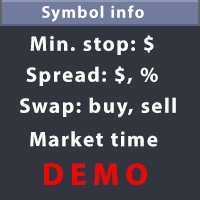
Позволяет отобразить на каждом открытом графике информацию, необходимую для правильного совершения сделки. Например: размер спреда; размер свопа; день тройного свопа; время закрытия сессии; ATR символа по Герчику; общую сумму прибыли/убытка по данному символу; количество ранее совершенных сделок; процент, на который изменилась котировка по 6 выбранным вами инструментам; и многое другое. Размер спреда отображается всегда. Вывод остальной информации зависит от выбранных настроек: Show total orders
FREE

Broker & Account Info / Network Connection / Historical Order Benchmarks / Market Watch Symbols / Current Order Status
Features:
1. Symbol’s Trading Privileges – Ensure the symbol is tradable.
2. Order Execution Mode – Check the broker’s execution type.
3. Trade Session Hours – Verify the trading hours.
4. Min/Max Lot Sizes – Check the allowed lot range.
5. Max Pending Orders – Confirm the maximum number of pending orders allowed.
6. Freeze Point & Pending Order Distance – Minimum distance re
FREE

This is the demo Version of Money and Trade Manager, which can be found here: https://www.mql5.com/en/market/product/58163# The Demo is limited to EUR/USD , but otherwise fully functional.
Features: easy positioning of stoploss and takeprofit with horizontal Assistance-lines
automatic Volume calculation fixed risk, set by the trader Closing of all trades of one type, with the click of one button (long or short, for this symbol) Creation of pending orders with one click Direct feedback throug
FREE

Total Closed Trades – MT5 Indicator The Total Closed Trades indicator for MetaTrader 5 provides a quick, visual overview of your trading performance by displaying a simple and intuitive 3-value breakdown : Total Trades – The total number of closed trades. Winning Trades – Number of profitable trades. Losing Trades – Number of losing trades. Instead of digging through reports, traders can instantly monitor their historical performance with a compact and elegant pie chart-style widget. Key
FREE

Toma el Control Absoluto de Tus Operaciones ¿Cansado de calcular manualmente el tamaño de tu posición o de sudar frío esperando a que el precio toque tu stop loss? La gestión del riesgo es la línea que separa a los traders consistentes del resto. No dejes tu capital en manos de la improvisación. Presentamos la Calculadora de Posición y Riesgo , tu nueva aliada esencial para operar con precisión y disciplina profesional. Con esta poderosa herramienta, tú: Maximiza tu Potencial: Calcul
FREE

Скрипт для удаления отложенных ордеров Иногда бывают случаи, когда необходимо удалить множество установленных отложенных ордеров (Pending Orders), этот скрипт поможет вам в этом!
Использование:
Запустите скрипт на графике. Разрешите авто-торговлю во вкладке "Общие" и укажите входные параметры. Входные параметры: TypeOfPending: тип отложенных ордеров, которые нужно удалить. mySymbol: символ, по которому удалить ордера. Формат символа задается в виде строки, например "EURUSD" или "eurusd".

Скрипт показывает время в различных городах мира, выбранных пользователем (более 30 крупнейших городов). Также он показывате время GMT, серверное время и местное время. Список городов сортируется автоматически по времени. Настройки можно сохарнить на вкладке "Входные параметры" для использования при последующих запусках. Примечание: Переход на зимнее/летнее время в скрипте не учитывается.

Some trading strategies are suitable for the quiet market with less volatility, while others are suitable for the volatile and violent market. Either way, traders should have a clear measure of how hot or cold the market is. This product is convenient for traders to compare the degree of cold heat of different trading varieties, or the trading heat of the same trading variety in different time periods. You can put it on different charts to get the intuition. It's easy to see which is more hot an

Скрипт для отображения совершенных сделок по символу на активном чарте. Также позволяет проанализировать сделки на других счетах при входе с инвесторским паролем. Тип отображаемой стрелки зависит от направления позиции: Стрелка вправо показывает сделки "In" и "In/Out", Стрелка влево показывает сделки "Out" Синие стрелки соответствуют сделкам "Buy", красные - сделкам "Sell". Помимо сделок истории, индикатор отображает совершаемые сделки в реальном времени, также он показывает уровни Stop Loss и

Скрипт показывает статистику торговли за указанный период. Например, если вы хотите получить статистику торгов победителя ATC2010 ( bobsley ): Войдите на его счет под инвесторским паролем (MetaTrader5); Откройте график рабочего символа советника (EURUSD); Запустите скрипт на графике; В поле "date from" введите "2010.10.1", и вы увидите статистику его торговли.

The Synchronized Charts script allows comparing bars of different symbols or different periods of the same symbol. Attach the script to a chart and move bars or change the scale, all opened charts will move synchronously with the current one. The bars on different charts aligned to the border according to their open time. Please be sure the relevant history datas have been downloaded before synchronize charts.

Скрипт создает в отдельном окне краткий торговый отчет. Отчет можно создавать как для всех совершенных сделок, так и для сделок по отдельным финансовым инструментам. Есть возможность задавать временной интервал расчета, записать отчет в htm-файл.
Входные параметры скрипта report starting date - начальная дата составления отчета. report end date - конечная дата составления отчета. symbols selection for report - вариант выбора инструмента составления отчета. allSymbol - отчет составляется для сде

Эксперт удаляет группы отложенных ордеров. Ордера группируются по типам. Ордера группируются по направлениям.
Есть возможность формировать группы произвольно непосредственно в таблице. Expert Advisor removes a group of pending orders. Orders are grouped by type. Orders are grouped by entry.
It is possible to form groups arbitrarily directly in the table.

Эксперт для изменения уровней Stop Loss и Take Profit открытой позиции. Есть возможность задавать уровни стопов в соответствии с заданной прибылью/убытком. Можно задать непосредственно ценовой уровень ордеров Stop Loss и Take Profit. Expert Advisor to change the Stop Loss and Take Profit levels. It is possible to set stop levels according to the specified profit/loss. You can set the price level directly.

Эксперт выполняет торговые операции группового закрытия позиций. Позиции группируются по типу. Можно отбирать позиции по величине прибыли(убыткам). Есть возможность формировать группы произвольно. Эксперт выполняет торговые операции группового закрытия позиций. Позиции группируются по типу. Можно выбрать один из трех параметров: filter Off. Buy only. Sell only.
Можно отбирать позиции по величине прибыли(убыткам). filter Off. Wins only. Losses only. и/или задать порог по достигнутой прибыли(убыт

This script allows traders to easily close positions if their profit/loss reaches or exceeds a value specified in pips.
The script allows users to easily close positions if their profit/loss reaches or exceeds a value specified in pips. Please set slippage value first. Sometimes some positions do not close due to high volatility of the market. Please set larger slippage or restart the script.
............................................................................................

Информационная панель помогает оценить текущие риски по открытым позициям и ордерам. Есть возможность отдельного анализа рисков по позициям/отложенным ордерам, а также в режимах USD/Percentage. Раскладывает маржинальную нагрузку и долю участия в прибыли по отдельным позициям. Info tool helps to estimate the current risks of open positions and orders. It allows to analyze open positions or/and pending orders, also there are USD/Percentage modes. Expands the margin load and the share of profit par

Индикатор TimeFilter позволяет визуально подобрать битовые маски (GoodHourOfDay, BadHoursOfDay, GoodDayOfWeek, BadDaysOfWeek) для модуля внутридневного фильтра торговых сигналов Стандартной библиотеки. Использование временных фильтров при совершении торговых операций позволяет учесть особенности каждой и торговых сессий. Параметры: GoodHourOfDay Номер единственного часа в сутках (от 0 до 23), в который будут разрешены торговые сигналы. При значении -1 сигналы разрешены круглосуточно. BadHoursOfD

Этот скрипт уведомляет трейдера о различных событиях путем проигрывания звуковых файлов, отсылки Email и текстовых сообщений на мобильное устройство. Поддерживаются следующие виды событий: Новые сделки (вход/переворот/выход). Истечение отложенных ордеров. Потеря соединения терминала с торговым сервером. Завершение работы скрипта/терминала. Способ уведомления настраивается отдельно для каждого типа событий. Если вы собираетесь использовать уведомления по Email, убедитесь в корректности настроек н

Утилита используется для визуального выбора индикатора для трейлинг-стопа и подбора его параметров. Эксперт модифицирует Stop Loss ордер позиции, открытой на инструменте текущего графика, в соответствии с показаниями индикатора. Используются индикаторы Parabolic SAR , NRTR (Nick Rypock Trailing Reverse) , Moving Average или канал линейной регрессии. Добавление индикаторов на график или удаление их осуществляется чекбоксом show.
Переключатель позволяет выбрать одну из позиций: Parabolic - включа

Этот скрипт информирует пользователя о завершении обратного отсчета, работает подобно будильнику. Существует 2 способа начать обратный отсчет: Установить количество оставшихся минут. Пример: если необходимо получить сигнал через час, установите значение 60. Указать время оповещения в явном виде. Если вы хотите установить свой звуковой сигнал, скопируйте звуковой файл в папку [каталог_данных_терминала\Sound] и укажите имя файла в параметрах скрипта. Звуковой файл должен быть в формате .wav.

Эксперт для наращивания (или открытия) рыночной позиции. Позволяет задавать желаемые риск, цель и подобрать наилучшие цену открытия и объем сделки. Входит в состав продукта ActivePanel .
Задаваемые Параметры: lots - непосредственно обьем нарашивания позиции. %equity - обьем наращивания в процентах от количества средств. stop loss - непосредственно уровень стоплосс ордера. loss - уровень стоплосс ордера в зависимости от допустимого убытка. take profit - непосредственно уровень тейкпрофит о

Иногда на графиках видны ценовые разрывы (gaps). Они могут появляться по многим причинам:
Праздники; Важные события; Ошибочные исторические данные.
Этот скрипт помогает легко проверить ценовые разрывы за последние 2 года. Он находит и маркирует такие гепы на графике при помощи знака "?". Скрипт также выводит общее количество найденных гепов, реализована возможность навигации и сохранения отчета в файл.

Informer для VPS - отчеты по электронной почте о состоянии вашего счета. Удобен для контроля работы ваших советников на VPS или выделенном компьютере. Информация об открытых позициях и последних сделках за день, неделю, месяц или год с группировкой по валютным парам. Настраиваемая периодичность отчетов и глубина истории сделок, включаемых в отчет. Возможность добавлять свой комментарий к каждому отчету. Вы будете получать письма с отчетами на ваш почтовый ящик с заданной периодичностью: от 15 м

.................................. This script is intended to help users to get information about ticks and spreads (e.g. ticks count, minimum/maximum/average spread). It can export reports in the CSV format with this information. Traders can see spread statistics in real time in the chart window It is useful for comparing spreads of different brokers. --------------------------------------------------------------------------

This is visualization tool based on the Depth of Market. It works with the symbols that have the Depth of Market available. It's a visual indicator that shows the volume of each Bid/Ask price and ratio of total volume of Bids/Asks. Note: check if your broker supports DOM before purchasing.
。。。。。。。。。。。。。。。。。。。。。。。。。。。。。。。。。。。。。。。。。。。。。。。。。。。 。。。。。。。。。。。。。。。。。。。。。。。。。。。。。。。。。。。。。。。。。。。。。。。。。。。

Советник, позволяющий открывать и изменять позиции и ордера при помощи мыши (Стоп Лосс, Тейк Профит). Для работы с советником необходимо установить размер лота, тейк профит и стоп лосс для позиций. Для отложенных ордеров вам необходимо установить размер лота, тейк профит, стоп лосс и расстояние (pip). У советника есть только один входной параметр - цвет фона.

Скрипт для закрытия позиций Если Вам необходимо быстро закрыть несколько позиций, но требуется указать максимальное отклонение или количество попыток для закрытия, то этот скрипт избавит Вас от рутинных действий! Разрешите авто-торговлю перед запуском скрипта. Использование:
Запустите скрипт на графике. Входные параметры: Language of messages displayed (EN, RU, DE, FR, ES) - язык вывода сообщений (английский, русский, немецкий, французский, испанский). Slippage - проскальзывание при закрытии. У

Скрипт для удаления отложенных ордеров Если Вам необходимо удалить все установленные отложенные ордера, то этот скрипт избавит Вас от рутинных действий! Разрешите авто-торговлю перед запуском скрипта. Использование: Запустите скрипт на графике. Входные параметры: Language of messages displayed (EN, RU, DE, FR, ES) - язык вывода сообщений (английский, русский, немецкий, французский, испанский). Use Magic: (0 - ignore Magic, else - only this Magic) - магик не учитывать - 0, иначе удаляются ордера

Скрипт для быстрого переворота позиции и/или ордеров. Если Вам необходимо перевернуть позицию с равным лотом, выставить встречную позицию объемом, отличным от существующего, или заменить ордера другим типом (например, Buy Limit -> Sell Limit, Buy Stop -> Sell Limit и т.д.) с сохранением или выставлением новых значенийстоп лосс и/или тейк профит, то этот скрипт избавит Вас от рутинных действий! Разрешите авто-торговлю перед запуском скрипта. Использование: Запустите скрипт на графике. Входные пар

Добрый день, дамы и господа. Предлагаю вашему вниманию панель, которая позволяет в 1 клик торговать в любом направлении, а также устанавливать стоп лосс и тейк профит автоматически без вашего вмешательства по заранее установленным значениям (эту функцию можно отключить). Панель выполнена в виде советника, кнопки располагаются справа на графике. Панель найдет свою нишу у скальперов, торгующих при разных рисках, а так же у трейдеров для внутридневной торговли. Панель испытана в реальных торгах, гд

Эксперт CloseByLossOrProfitTune выполняет закрытие части позиций при достижении заданной общей прибыли или убытка по указанным символам. Уровень прибыли или убытка задается в валюте депозита. Кроме того, эксперт может удалить отложенные ордера. Разрешите авто-торговлю перед запуском эксперта. Использование: Запустите эксперт на графике. Входные параметры: Language of messages displayed (EN, RU, DE, FR, ES) - язык вывода сообщений (английский, русский, немецкий, французский, испанский); Profit i

Эксперт CloseByPercentLossOrProfit выполняет закрытие части позиций при достижении указанной общей прибыли или убытка (для всего счета). Прибыль и убыток указываются в процентах от текущего баланса счета. Кроме того, эксперт может удалить отложенные ордера. Разрешите авто-торговлю перед запуском эксперта. Использование: Запустите эксперт на графике. Входные параметры: Language of messages displayed (EN, RU, DE, FR, ES) - язык вывода сообщений (английский, русский, немецкий, французский, испански
MetaTrader Маркет - лучшее место для продажи торговых роботов и технических индикаторов.
Вам необходимо только написать востребованную программу для платформы MetaTrader, красиво оформить и добавить хорошее описание. Мы поможем вам опубликовать продукт в сервисе Маркет, где его могут купить миллионы пользователей MetaTrader. Так что занимайтесь только непосредственно своим делом - пишите программы для автотрейдинга.

Вы упускаете торговые возможности:
- Бесплатные приложения для трейдинга
- 8 000+ сигналов для копирования
- Экономические новости для анализа финансовых рынков
Регистрация
Вход
Вы принимаете политику сайта и условия использования
Если у вас нет учетной записи, зарегистрируйтесь