 MetaTrader 5
 Эксперты
 Индикаторы
 Библиотеки
 Утилиты
 Виджеты
 Правила
Смотри обучающее видео по маркету на YouTube
Как купить торгового робота или индикатор
Запусти робота на
виртуальном хостинге
виртуальном хостинге
Протестируй индикатор/робота перед покупкой
Хочешь зарабатывать в Маркете?
Как подать продукт, чтобы его покупали
Торговые утилиты для MetaTrader 5 - 31
 Ниже представлены торговые программы, упрощающие трейдинг в MetaTrader 5. Наведите курсор на товар, чтобы прочесть описание товара и его предназначение.
-- This Utilities is for those using Desktop user want to switch timeframe quickly.
Using Keyboard(1,2,3,4,5) to quick switch TimeFrame 1m,5m,15m,1h,4h
Free to Use.
Once download just drag in to your MT5 Application.
Go to MT5 right click mouse "refresh" will see that indicator where u put.
========================= ENJOY ==================== =====
FREE

Graph the take profit and stop loss levels of closed and open trades. Green rectangles for the take profit zone and red rectangles for the stop loss zone. It updates automatically when opening a trade and extends the rectangle to the last open candle. Useful for analyzing whether the trade limits have been chosen correctly. Its only input parameter is the date from which you want to start graphing, in the format year-month-day.
FREE

Export Deals to CSV - Excell File location: HistoryDeals/<SERVER>/<LOGIN>.<DATETIME>.csv Works as an Script, reading all DEALS in history and exporting it as a plain text CSV file There's no option to change. There's no WebRequest. There's no DLL use. I need to write 300 characters to allow this product being exposed at MQL5 market place. It's simple to use, plug it in graph and wait completion.
FREE
This utility identifies certain candle open times on chart, this can help you to see your favorite candle open and use it as it fits in your strategy. This tool is very useful for intraday charting and indicating your sessions. ___________________________________________________________________________________
Disclaimer: Do NOT trade or invest based upon the analysis presented on this channel. Always do your own research and due diligence before investing or trading. I’ll never tell you what
FREE

XFChart simplifies trading strategies with customizable options for informed decision-making across various styles, from scalping to position trading.
1. Risk Management: - XFChart offers automatic breakeven and trailing stop features to protect profits and reduce emotional decisions. - Auto Breakeven is disabled by default and can be enabled through the indicator properties window. - The "Auto Trailing Stop Loss" adjusts the stop loss based on market movement, facilitating profit lock
FREE

Save time placing orders This is a tool for manual trading. It has an intuitive, and straightforward interface without any useless extras. Allows you to automatically calculate the order volume size, open both market and pending order. Works on any symbol/instrument, account type or broker. Input fields: Order Size - as percentage of account free margin Take Profit - as percentage of account balance Stop Loss - as percentage of account balance Symbol Contract Size - needs to be manually entered
FREE

Manual Trading Panel is a simple, efficient and intuitive graphic tool that provides a controls to open, close and manage all your orders in MetaTrader 5. It is very useful in case you have to interact with other EA adding another position or delete all positions in a specific direction or all of themes. This EA can not be tested on strategy tester. In case of usage please try its functions on demo account before running on live trading. Functions presented to this version: Interacts only with p
FREE

Symbol Carousel EA provides a clear and structured way to monitor all your active trades. The Expert Advisor automatically cycles through all open orders, positions, both or all symbols in the Market Watch and switches the chart symbol accordingly. Each symbol is displayed for a defined amount of time before moving on to the next one, creating a clean and intuitive carousel-style view of your trading activity. This EA is designed purely for visual trade monitoring and does not open, modify, or c
FREE

Утилита для непрерывной фоновой загрузки и синхронизации истории котировок по всем 21 таймфреймам MetaTrader 5. Данный инструмент необходим трейдерам и разработчикам, работающим со структурами рынка (Market Structure, Smart Money, Price Action). Утилита гарантирует отсутствие «дыр» и пропусков в истории, что критически важно для точного мультитаймфреймового анализа и корректной работы индикаторов. Входные параметры: Synchronization interval (in minutes) — частота (в минутах), с которой утилита п
FREE

This MQL4 code is a custom indicator that draws multiple colored rectangles on a chart, spaced apart by a defined pip distance, and projected into the future. Here's a brief breakdown: Purpose: Draws several horizontal rectangles (zones) starting from a specified price. Rectangles are spaced apart vertically by a pip distance. Colors alternate between FirstColor and SecondColor . Rectangles can be drawn behind candles and optionally filled. Each rectangle extends into the future for a specif
FREE
Background This product is a practical tool to check the market based on the cycle theory. When you analyze multiple cycles of a symbol and add multiple charts on the secondary screen, when you need to view the multi cycle charts of other symbols, you cannot switch quickly, which will increase a lot of time cost. This product can quickly switch the symbol displayed in the chart in the sub screen, and the application template remains unchanged, and the placement position will not change, which g
FREE

Background
This product is a practical tool to check the market based on the cycle theory . When you need to use multi cycle charts to analyze a symbol , manually adding charts with different cycles and applying templates is a very large cost. This product can help you quickly add multi cycle charts of one or more symbols, and uniformly apply the same template . After adding, you can drag the charts to the sub screen, which is suitable for multi screen analysis. Usage Method Apply this script to
FREE

Scalping Control Panel Scalping Control Panel is a simple and practical trading tool designed for scalpers and traders who use grid-style entries. The EA gives you direct control over your trading setup from a clean panel on the chart. Start a BUY or SELL grid with one click and customize the main parameters before entering the market. Main Features One-Click BUY & SELL
Start a BUY or SELL sequence directly from the chart. Adjustable Lot Size
Set the lot size you want to use before starting th
FREE

Manage Positions is an MT5 script designed with five distinct options for efficiently managing open positions. It offers versatile functionality, allowing for both global impact across all currency pairs and localized influence on specific pairs of interest. Additionally, users can target particular currency pairs to tailor their actions accordingly. For instance, leaving the "LEAVE BLANK to Manage Positions for ALL Symbols" field empty enables closing all positions universally, while specifyin
FREE

EA Manager RP is a simple yet powerful tool that can help protect your account from other EA's that don't have the features. This came about because I personally use a 3rd party EA for trading but it just doesn't have all the bells and whistles so this was my work around and it works great. I started off with a fully automated EA but unfortunately we can't have DLL imports here so this is the next best thing. What this EA does: Add a start and stop time Maximum open trades Days of the week you w
FREE

OrderBook Utilities - это скрипт, который выполняет несколько вспомогательных операций с hob-файлами истории стакана, сохраненными с помощью OrderBook Recorder . Скрипт обрабатывает файл для рабочего символа текущего графика. Конкретный файл определяется с помощью параметра CustomDate (если он заполнен) или по точке сброса скрипта на график. В зависимости от операции, результат обработки пишется только в лог, или в лог и выходной файл. Операция выбирается с помощью параметра Operation: проверка
FREE

HB Trading Bot – Professional Risk & Trade Management for MT5 HB Trading Bot is a professional risk management and trade management Expert Advisor designed for MetaTrader 5 .
It does not open trades . Instead, it manages already opened positions with strict, rule-based logic to help traders protect their capital and remove emotional decision-making from trading. Most trading losses are caused by psychology, not poor analysis. HB Trading Bot was built to solve this problem by enforcing discipline
FREE

Guardian Shield EA - Risk & Profit Protection System ️ Ultimate Account Protection Guardian Shield is a specialized utility Expert Advisor designed to provide comprehensive risk management and profit protection for your trading account. It monitors all running positions in real-time and takes immediate action when predefined profit or loss thresholds are reached. Key Features Advanced Risk & Profit Guardian Real-time Monitoring : Continuously tracks total P&L across all positions Du
FREE

opnMAX Ponos: Utility Overview opnMAX Ponos is a highly interactive, institutional-grade risk management and trade execution utility designed for MetaTrader 5. It acts as an on-chart graphical dashboard that allows for precise, mathematically validated position sizing and one-click order execution. Instead of manually calculating risk thresholds before taking a trade, Ponos uses a reactive, omni-directional calculation matrix to handle the math in real-time. Key Functional Features Omni-Directio
FREE

Stop Loss Magic Number Описание Внимание, Все оффсеты в данной утилите рассчитываются в USD. Надежная утилита для управления Stop Loss, защиты убытка, автотрейлинга и фиксации прибыли. Подходит как для новичков, так и для продвинутых пользователей благодаря простым и расширенным режимам работы. Полностью автоматизирует сопровождение позиции и помогает исключить эмоциональные решения в торговле. Особенности утилиты Default Mode — простой режим Режим для быстрого и удобного использования. Вкл
FREE

The Problem Every Trader Faces Every serious trader knows the struggle: Wasted time scrolling through years of data to find specific dates Missed opportunities because you can't quickly jump to historical patterns Frustrating navigation with manual scrolling that never lands exactly where you need No quick way to mark important dates for future reference Inconsistent chart positioning when trying to compare different time periods These inefficiencies cost you valuable analysis time and
FREE

TradeCopier - приложение для автоматизированного копирования сделок со счета одного терминала на несколько счетов на других терминалах. Приложение работает в пределах одного или нескольких компьютеров и располагает гибкими возможностями фильтрации и модификации копируемых сделок. Как вы можете улучшить результаты торговли с TradeCopier? Удобство и скорость работы Средняя скорость копирования: 100 мс Работа приложения с терминалом MetaTrader 5 Работа приложения с любой из платформ на выбор: PC,
FREE

У вас есть возможность отвлечься от ежедневной рутинной торговли и не на долго погрузится в мир магии. Представляю вашему вниманию игру - карточный фокус. На языке mql можно делать не только советники, индикаторы, скрипты, но и такие вот небольшие игры. Я не только трейдер и программист, но и люблю в свободное время показывать карточные фокусы, раз уж так сложилось, я решил оцифровать один из своих любимых фокусов. Это было не так просто, учитывая что фокус содержит много ментализма. Фокус показ
FREE

Quanition Calendar Diagnostic — бесплатный диагностический скрипт для MT5 (имя скрипта: CalendarDiagnostic). Результаты выводятся на вкладке Experts. Вкладка Economic Calendar пуста, или ваш фильтр новостей перестал работать. Устарела ли лента календаря? Сбились ли часы компьютера? Или вкладка просто отфильтрована? Если смотреть только на вкладку Calendar, все три причины выглядят одинаково. Этот скрипт различает их, а затем говорит, что делать дальше. ЧТО ОН ДЕЛАЕТ Он читает базу данных календа
FREE
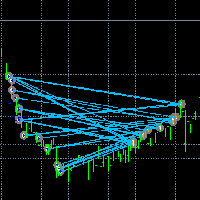
Сделайте сделки заметными.
Вы когда-нибудь анализировали сделки в тестере стратегий MT5 или в визуализации сигналов в "Показать на графике"? Если ответ «Да», то вы знаете, насколько не просматриваемые линии сделок. Решением является утилита «Visible Deals». Утилита «Visible Deals» позволяет сделать линии сделок шире или даже изменить цвет. Просто поместите на график утилиту «Visible Deals» и настройте новые форматы линий.
FREE

VTB High Watermark Drawdown INFO Indicator for MT5 Advanced Account Monitoring & Drawdown Information Dashboard VTB High Watermark Drawdown INFO is a professional account monitoring indicator designed to display drawdown statistics, account performance, and risk management information directly on the chart. Unlike Expert Advisors, this indicator does not interfere with trading activity. It does not open or close positions, modify orders, or block trading. Its sole purpose is to provide a clear a
FREE

Binance - всемирно известная биржа криптовалют! Чтобы упростить анализ данных рынка зашифрованной цифровой валюты в реальном времени, программа может автоматически импортировать данные транзакций Binance Futures в реальном времени в MT5 для анализа.Основные функции:
1. Поддержите автоматическое создание торговых пар фьючерсов USD-M Министерством валютной безопасности, и базовую валюту также можно установить отдельно. Базовая валюта BaseCurrency пуста, чтобы указать все валюты, и любая криптова
FREE

TradeBridge EA — Automated Trade Execution for the MyFXRoom Community Important: TradeBridge EA is part of a 2-stage system built specifically for the MyFXRoom trading community. It will not function as a standalone EA. It works in conjunction with the MyFXRoom Bridge application to receive and execute trade alerts automatically. For information on accessing the Bridge, please visit the author's MQL5 profile. Overview TradeBridge EA is a professional automated execution layer for MetaTrader 5.
FREE

Возможности: Через определенные промежутки времени Эксперт озвучивает текущие котировки. Говорит на русском и английском языке. В файле voice_dict.csv указано как произносить (язык, другие параметры). См. пример ниже Для произнесения используется облачный сервер Google, поэтому для работы необходимо разрешить эксперту обращаться к "https://texttospeech.googleapis.com" (см. Сервис\Настройки\Советники Разрешить WebRequest для...)
Ограничения: Только 2 инструмента
Пример правила произнесения. vo
FREE

Stop journaling your trades by hand. Let them journal themselves. Every serious trader knows the truth: the traders who review their trades outperform the ones who don't. And almost nobody actually does it — because manually logging every entry, exit, SL, TP, and P&L into a spreadsheet is tedious enough that it quietly dies after week two. War Room Journal kills that excuse. This is the official connector between your MetaTrader terminal and the War Room trading journal on Telegram (by @Ash_TheT
FREE

It adds the symbols listed on Binance Spot to the Metatrader5 market clock. With this free file you can list the entire list in seconds. You can easily upload it to your demo account. It is the first file uploaded for Binance Spot Tick and is available for free. Tools menu / Options / Expert Advisors / You need to select Use WebRequest for listed URL You can watch videos to add Metatrader.
FREE

TradeHistoryParsing — утилита для работы с торговой историей, полученной из терминала MetaTrader5. Продукт разработан на основе библиотеки RegularExpressions для MQL5 и позволяет быстро получить интересующие данные по вашей торговой истории. Результат фильтрации отображается в виде таблицы, под которой приводится сводка математической статистики.
Работа с утилитой Сохраните отчет по торговле в виде .html файла и поместите его в "песочницу". Затем при запуске советника укажите имя этого файла во
FREE

The utility opens an order in the opposite direction from already open positions on the currency pair on which it is launched, creating a lock of orders. The utility has a simple interface and is easy to use. MT4 version of the utility - https://www.mql5.com/en/market/product/78127 If you like this utility, take a look at my other products - https://www.mql5.com/en/users/nina_yermolenko/seller
FREE

- Download historical rates via `CopyRates()` for many symbols and timeframes. - Works with Market Watch symbols or explicit symbol list. - Optional CSV export into the terminal `Files` folder (per symbol/timeframe). - Configurable retries, pause and exponential backoff. - Verbose logging and progress comments for convenience.
## Usage 1. Copy `AutoHistoryDownloader_mq5.mq5` into `MQL5/Scripts` or open in MetaEditor. 2. Attach / run the script from the Navigator (Scripts). 3. Configure inputs:
FREE

input double MaxDailyLoss = 500.0; // Maximum floating loss in account currency input double SafetyBufferMoney = 10.0; // Trigger at MaxDailyLoss - SafetyBufferMoney input int CheckEverySeconds = 2; input bool is_debugged = false; // Print additional messages in the Terminal
input bool is_Closing_All_Positions = false; // if false for each open position, each new reversed position with the same symbol & lot size will be opened.
This EA will then remove itself from the Chart
FREE

Pips Keeper is a sophisticated Forex trade manager expert advisor designed to enhance trading efficiency and optimize profit-taking strategies. With its intuitive functionality, this EA empowers traders to automate the process of closing profitable positions at predefined profit thresholds, thereby maximizing returns and minimizing risks.
Key Features:
1. Threshold-based Profit Closure: Pips Keeper enables traders to set customizable profit thresholds, allowing for the automatic closure o
FREE

Less is more. Find the strongest trends! This expert scans ALL currency pairs for a strong trend combined with a breakout.
Requirements for a trend report: 1. Up-trend or down-trend must be found in all of the following timeframes (D, H4, H1, M30) 2. Breakout in the daily timeframe (the upper or lower band of the Bollinger band must be broken)
The correctness of the trend is confirmed to 90%
FREE

Pairs Navigator is a simple and easy-to-use tool that allows you to view all of your charts in a single window. This eliminates the need to open multiple charts from the Market Watch window, saving you time and effort. Pairs Navigator is also very lightweight, so it will not put a strain on your RAM or cause your MT4/5 platform to hang. To use Pairs Navigator, simply drag and drop the currency pairs you want to view into the Pairs Navigator window. You can then easily switch between charts by
FREE

¿Necesitas data de alta calidad para tus backtests algorítmicos pero te enfrentas a límites de descarga masiva? Este script está diseñado específicamente para extraer datos de ticks históricos reales directamente desde tu broker en MetaTrader 5, exportándolos en un archivo CSV con el formato exacto y limpio que requiere StrategyQuant X (SQX) . La principal ventaja de esta herramienta es su sistema de descarga por bloques de tiempo (chunks) . En lugar de pedir millones de ticks en una sola solici
FREE

EW Close All – Один клик. Всё закрыто.
EW Close All — это лёгкий, многоязычный эксперт-советник, который позволяет мгновенно закрыть все сделки и отменить все отложенные ордера — всего одним нажатием кнопки.
Закрывает все открытые позиции Отменяет все отложенные ордера Работает на любом символе и любом таймфрейме Многоязычный интерфейс Чистый, быстрый и надёжный
Идеально подходит для быстрого выхода из рынка, контроля рисков или очистки перед окончанием торгового дня.
Оста
FREE

Entry Cluster Indicator for MT5 Entry Cluster is a professional-grade trading system engineered to deliver precise, high-probability entries without repainting or hindsight bias. Designed for serious traders, it integrates momentum analysis with institutional price levels to identify only the most reliable setups. Signal Clarity : Dots mark potential buy/sell zones, allowing traders to prepare. Gems confirm execution points, triggered only when momentum aligns with key levels. Robust Framework
FREE

Binance - всемирно известная биржа криптовалют! Чтобы облегчить пользователям MT5 прямую торговлю на Binance Futures, программа предоставляет следующие торговые функции:
1. Имитируйте стиль торговли Binance Futures и предоставьте удобную панель управления;
2. Введите api и секрет самостоятельно (вам необходимо открыть разрешение на торговлю фьючерсами в API Binance), чтобы получить кредитное плечо, баланс и другую информацию;
3. Поддержка limitOrder (лимитный ордер), marketOrder (рыночный ор
FREE

Account and Market Dashboard Advanced Account Dashboard & Risk Monitor (MT5) This script provides a real-time on-chart dashboard for monitoring account performance, risk exposure, and execution conditions in MetaTrader 5. It is designed for traders who want clear visibility of account health and risk awareness during live trading or VPS operation.
The script does not open trades and does not interfere with any strategy logic . Key Features Account Metrics Live equity, balance, and float
FREE

GODFX PROTECTOR: The Ultimate Equity Guardian "Trading is not about how much you make, but how much you keep." Most traders fail not because of a bad strategy, but because of a lack of discipline. GODFX PROTECTOR is an institutional-grade utility designed to be your "Virtual Risk Manager." It sits on your chart and monitors your account 24/7, ensuring that a single "bad day" or an emotional "revenge trade" never destroys your hard-earned capital. Whether you are managing a personal account or a
FREE

You only need to load this EA into a single chart. Key Features Session Lockdown Blocks ALL trades outside London/NY sessions Instant position closing at session end NEW: Pre-close alerts (configurable minutes before session end) Smart Daily Limits Profit Target: Set $ or % goals to lock in gains Loss Limit: Hard-stop protection against bad days NEW: Choose between Balance (closed P&L) or Equity (including floating P&L) Dual-Layer Protection Prevention: Stops orders before execution Elimination
FREE

Discover our all-in-one monitoring and notifications EA for MetaTrader. Designed to ensure traders’ security and peace of mind, this unique EA offers a full range of advanced features that will allow you to stay informed and control your account activity, anytime and anywhere. Key Features : Continuous server monitoring: real-time notification on server availability and performance (Cpu, Ram, disk), connectivity, latency and more Advanced account management: live tracking of margin calls, dro
FREE

Please visit = https://www.mql5.com/en/market/product/186048 for slave EA
MT4 Version = https://www.mql5.com/en/market/product/186079
Free Demo Version = https://c.mql5.com/6/1033/COPYTRADE_BIN7D.zip
User Manual : download here
Best EA Trade Copier for MT5. EA Trade Copier is a powerful and reliable trade copying solution that transfers trades from one Master account to multiple Slave accounts in real time. Whether you manage multiple trading accounts, investor accounts, VPS terminals,
FREE

Перестаньте гадать о своих результатах. Отслеживайте свои выигрыши и проигрыши мгновенно, прямо на графиках! Для трейдеров точное отслеживание психологической и исполнительной эффективности в режиме реального времени является ключом к дисциплине. DaBhoza Win Rate Tracker — это легкая, интуитивно понятная и хорошо видимая на графике утилита, разработанная для того, чтобы помочь вам вручную регистрировать и отслеживать результаты ваших сделок одним щелчком мыши. Независимо от того, тестируете ли
FREE

Скрипт для удаления отложенных ордеров Если Вам необходимо удалить все установленные отложенные ордера, то этот скрипт избавит Вас от рутинных действий! Входные параметры скрипт не запрашивает. Разрешите авто-торговлю перед запуском скрипта. Использование: Запустите скрипт на графике. Если Вам необходимо указать какие-нибудь параметры, то используйте скрипт с входными параметрами https://www.mql5.com/ru/market/product/627 Версию для MetaTrader 4 можно скачать здесь: https://www.mql5.com/ru/marke
FREE

Assistant for Reopen - советник, помогающий переустанавливать отложенные ордера. Многие брокеры принудительно устанавливают дату и время экспирации ордера на конец торговой сессии или на конец торгового дня. Поэтому трейдеру приходится каждый раз в начале новой торговой сессии восстанавливать все отложенные ордера в ручную. Assistant _ for _ Reopen освобождает трейдера от этой рутинной работы. Он контролирует экспирацию по времени истечения ордера и переустанавливает его, если трейдер сделал о
FREE

Как запустить скрипт в MT5. Откройте MetaTrader 5. Нажмите Ctrl + N, чтобы открыть окно «Навигатор». Найдите папку Скрипты (Scripts). Перетащите мышкой RR Control Pro на график с открытой сделкой.
Как это работает.
Автоматический поиск: Как вы перетащите скрипт на график, скрипт сам найдет самую последнюю открытую позицию на вашем торговом счете. Определение направления: Скрипт проверяет, BUY это или SELL, чтобы правильно рассчитать расстояния. Формула: Соотношение считается как Прибыль / Рис
FREE

MetaTrader 5 플랫폼에서 사용되는 사용자 정의 인디케이터로, 다양한 타임프레임에서의 시장 트렌드를 시각적으로 표시하는 데 사용됩니다. 이 인디케이터는 사용자가 지정한 X 및 Y 좌표에 위치하는 패널을 생성하여, M1부터 MN1까지 총 21개의 타임프레임에 대한 트렌드를 각각 라벨 형태로 보여줍니다. 각 타임프레임의 트렌드는 20기간 단순 이동평균(SMA)과 50기간 단순 이동평균을 비교하여 결정되며, 상승 트렌드는 초록색, 하락 트렌드는 빨간색, 보합은 회색으로 표시됩니다. 또한, 모든 타임프레임에서의 트렌드를 종합하여 상승 비율을 계산하고, 이 비율에 따라 전체 시장 트렌드가 표시됩니다. 전체 트렌드는 일정 간격으로 깜빡이며 사용자에게 시각적 주의를 끌도록 설계되었습니다. 이 인디케이터는 시장 상황을 빠르게 파악하고자 하는 트레이더들에게 유용하며, 업데이트 간격과 깜빡임 간격은 사용자의 필요에 맞게 조정할 수 있습니다. 또한, 패널의 위치와 색상도 사용자 정의가 가능하
FREE

OrderCalc opens a window in the chart with the data of your orders:
Position size, stop loss, take profit, profit/loss
Only the positions for this symbol are displayed. If several positions exist, these are totalled and displayed in the last line. If you work with pyramids, you can see at a glance how big the total profit or loss is.
M can be used to display information about the symbol: Margin, spread, minimum order size, increment etc. R opens the risk calculator. A click in the chart calc
FREE

Aegis Gold Dashboard is a free, lightweight visual indicator created to help traders monitor key market conditions in a clean and professional way.
This indicator is designed as a visual companion to automated or discretionary trading systems and does not execute any trades.
Features: • Informational signal overview (non-executable) • ATR-based volatility display • Market session open / closed status • Real-time spread monitoring • Last closed trade overview • Simple market condition tips
De
FREE

Global Session Map turns one MetaTrader 5 chart into a clear session workspace. It shows which major trading sessions are active in broker time, when the next transition occurs, and where session overlaps appear.
The panel is designed for discretionary traders who need reliable time context without entry signals or profit claims. Session windows and display preferences are configurable and remain available after chart or terminal restarts.
Main functions
• Sydney, Tokyo, London and New York s
FREE

A FOMO blocker to click before opening an emotional trade.
Once activated, the blocker remains in effect—even if you change settings or restart MT5—until the timer runs out, preventing you from opening new trades.
Set the duration you need for your mindset to return to normal.
Use it without restraint.
If you open a trade during this period, it will be closed immediately.
---- NEW VERSION FULL https://www.mql5.com/en/market/product/192677
Check out my alert for stepping away from your PC
FREE

PositionRelay Slave Subscriber считывает открытые позиции с мастер-счёта PositionRelay и зеркалирует их на локальном терминале MetaTrader 5. Поддерживает фиксированный, масштабированный и адаптированный к балансу размер лота, управление по символам и периодическую самоотчётность для панели.
Сопутствующий продукт: PositionRelay Master Publisher (бесплатно). На мастер-счёте должен работать PositionRelay Master Publisher с тем же User ID, прежде чем слейвы смогут зеркалировать позиции.
Требования
FREE
Utilidad de uso informativo la cual ayudará a gestionar el riesgo de los trades con la ayuda visual de los datos proporcionados. el usuario se encargará de ubicar sus SL y TP manual acorde al lotaje. Asesor experto desarrollado para MT5 con el objetivo de ingresar ratios de utilidad y % de riesgo, adicional los Pips de SL para el cálculo del lotaje para dicho riesgo. Estos se calculan sobre el balance actual. El usuario tomaría como dato ingresar el lotaje que se calculó y arrastrar el S
FREE

Советник UEX Reader Полностью автоматизированный торговый советник, работающий на основе индикатора UEX. https://www.mql5.com/en/market/product/152936
UEX Reader использует два гибких метода торговли: Обычный и усредняющий.
Торговые позиции могут исполняться индивидуально или одновременно в соответствии с направлением рынка, определенным индикатором UEX.
Несмотря на то, что UEX Reader работает с индикатором, его можно протестировать в тестере MT5.
- - -
Шаги по использованию советника UEX
FREE

This Utility tells you the volatility of any symbol for any of the major time frames. As trades occur, the volume increases for each period. When each period ends, the bucket is reset to 0. Volumes are sorted from largest to smallest within each shown period. Click any symbol to highlight that symbol in all period columns. Volume information is specific to transactions placed at your broker. To test in the Tester, set the following:
EURUSD,M1,1 minute OHLC 2018.01.01 to 2018.01.02 (a day’s worth
FREE
I find the lot calculation tedious so I just use this script and tell it the dollar amount to use. It then does the rest. This works for any currency.
How-To: Creates a buy limit order at chosen MA price using the desired dollar amount instead of lots. To use, just drop it onto a chart and set inputs as needed. The script will then do the necessary lot calculation and create a buy limit order.
Inputs: FIXED_DEAL_AMOUNT: Fixed amount to use for the trade e.g 100 to open a R100 deal MA_PRICE: MA
FREE

Phone Notification
Send Information from VPS direct to Phone No TradingOperation only MessageNotification Send Information to your selected Time-Window Configure Time when want to receive the Message What will be send:-Bull/Bear Candle Bull: 0 Bear: 0 Level that get Touched by Price most Level: 00000.00 any Question or modification ex5 Code write me a Message
FREE

Предлагаю вашему вниманию эксперт-утилиту для сохранения данных по открытому интересу (ОИ), соотношению числа ордеров продавцов/покупателей и соотношению объемов ордеров продавцов/покупателей на Российском фьючерсном рынке ФОРТС. Это первый продукт из этой серии. Теперь есть возможность ведения истории указанных данных в реальном времени в терминале МТ5. Это позволит разработать качественно новые стратегии торговли или существенно улучшить имеющиеся. Данные, получаемые с рынка ФОРТС, хранятся в
FREE

This is a versatile tool designed to help traders analyze their trading performance on a MT5 account. It provides a detailed of profit, allowing users to review their overall account performance or filter trades based on specific criteria. With this tool, traders can: Check total profit across all trades. Filter by a single Magic Number or multiple Magic Numbers (enter directly, separated by ",") Analyze individual symbols or a custom set of symbols to evaluate different market instruments (
FREE

Идея расширения функций бесплатной утилиты Slider возникла после выпуска облегченной версии торговой панели-эксперта Trading Chaos Expert Lite , которая работает в режиме Current Chart, без возможности сопровождения сделок экспертом по множеству инструментов в одном окне. Назначение Slider profy Удобство поиска торговых сигналов путем автоматического поочередного показа графиков валютных пар из "Обзора рынка" с заданным интервалом времени в секундах. Автоматизация выставления отложенных ордеров
FREE

Утилита Teaching T-INN создана для обучения нейросетей ахитектуры (T-INN) Target-IntelNeuroNet адаптированных под рынок валют. Файл утилиты необходимо разместить в папке скриптов и запускать на том графике и таймфрейме на которых необходимо тренировать нейросеть. Результат тренировки будет зафиксирован в файле, а весь процесс тренировки отображается в консоли на чарте и дополнительном лог файле. Необходимо перед запуском скрипта загрузить всю историю и проверить на графике точно ли она загружен
FREE

Script "Bar Close Timer Pro" is designed to display a real-time countdown to the closure of the current bar. This professional tool is tailored for traders working on any timeframe, enhancing chart analysis efficiency through precise time control. The script automatically adapts to the chart’s current timeframe (M1, H1, D1, etc.), calculating the remaining time until the candle closes. (Note: When switching timeframes, the script must be reattached to the chart.) Flexible display settings: Cus
FREE

Aurum Position Manager — это утилита управления позициями для MetaTrader 5. Она отслеживает существующие позиции на символе текущего графика и может переносить их стоп-лосс в безубыток, а затем применять трейлинг на основе ATR. Это не торговая стратегия. Она не открывает сделки, не выбирает точки входа и не рассчитывает размер позиции. Функции Проверяет подходящие открытые позиции примерно раз в секунду. Использует только текущий символ графика. Записывает ценовое расстояние от цены входа до пер
FREE

FTU Auto Trade with on Chart Panel Mt5 (basic version)
This EA will improve your trading, lower work load and improve risk management Adjust Lot size, entry based on at market or by price input EA will manage entry, stop loss, partial close and adjust stop loss after tp1, partial Designed to be compact and efficient, small layout for multiple chart trading
Features: Lot groups - Allows for fast change to various risk models Tp, Partial and SL management Multiple No Trade Times - Various time
FREE

Position Closer MT5 — это удобная торговая утилита, которая отображается непосредственно на графике и позволяет управлять закрытием позиций быстро и эффективно. Вместо того чтобы закрывать каждую позицию по отдельности, вы можете закрыть их все одной кнопкой. Как это работает: Панель состоит из двух больших информативных кнопок: Зеленая кнопка "Close BUY" — показывает количество открытых Buy-позиций по текущему символу и их общую прибыль/убыток. Коричневая кнопка "Close SELL" — показывает
FREE
MetaTrader Маркет позволяет максимально безопасно покупать программы для платформы MetaTrader. Вы можете скачать демо-версии понравившихся роботов и индикаторов прямо из терминала и проверить их в тестере стратегий.
Протестируйте программы в различных режимах перед покупкой для получения максимального представления о продукте и оплатите понравившийся продукт через платежную систему MQL5.community.
Платежная система MQL5.community обеспечивает оплату продавцам, а возможность тестирования программ в различных режимах позволяет покупателям получить максимальное представление о продукте.

Вы упускаете торговые возможности:
- Бесплатные приложения для трейдинга
- 8 000+ сигналов для копирования
- Экономические новости для анализа финансовых рынков
Регистрация
Вход
Вы принимаете политику сайта и условия использования
Если у вас нет учетной записи, зарегистрируйтесь