 MetaTrader 5
 Uzmanlar
 Göstergeler
 Kütüphaneler
 Yardımcı programlar
 Widgetlar
 Kurallar
YouTube'dan Mağaza ile ilgili öğretici videoları izleyin
Bir alım-satım robotu veya gösterge nasıl satın alınır?
Uzman Danışmanınızı
sanal sunucuda çalıştırın
sanal sunucuda çalıştırın
Satın almadan önce göstergeyi/alım-satım robotunu test edin
Mağazada kazanç sağlamak ister misiniz?
Satış için bir ürün nasıl sunulur?
MetaTrader 5 için alım-satım yardımcı programları - 34
 Aşağıda MetaTrader 5'te işlem yapmayı kolaylaştıran alım-satım programları bulunmaktadır. Açıklamasını ve amacını okumak için aşağıdaki listeden ürünün üzerine gelin.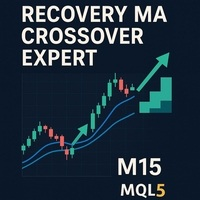
Recovery MA Crossover Expert — The ultimate trading solution that combines precision with power. This expert advisor uses a sophisticated Moving Average crossover system to detect market trends and enter trades with accuracy. Designed for traders seeking consistent daily profits and a smart recovery mechanism to bounce back from losses. Features: Daily trade opportunity based on clear MA cross signals. Automatic recovery : Lot size doubles after a losing day to reclaim losses effectively.
FREE

Trade Idea Tracker Trade Idea Tracker is an indicator designed for traders who execute multiple entries within a single trading idea . Instead of evaluating trades individually, it allows you to track performance at the idea level , helping you understand whether your overall market bias and execution are profitable. Key Functionality Track multiple entries associated with a single trade idea Monitor realized profit and loss for the entire idea View combined results instead of isolated trades Or
FREE

TA Ideas is a smart assistant for traders who rely on technical analysis. It automatically identifies potential support and resistance zones, marks key extremum points, and considers trading volumes on each bar. This tool helps you spot meaningful structures on the chart faster and with greater precision. Its clear, minimalist visualization makes analysis more intuitive, while flexible customization options allow adaptation to your individual strategy.
FREE
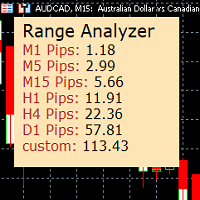
Range Analyzer calculates the Average True Range (ATR) values for different timeframes in pips to give a fast and simple overview about the volatility of the chosen symbol.
Settings are very easy:
bars for calculation: Choose the number of bars for calculation or use the default value (14 periods).
from bar: Choose the youngest bar to start the calculation or use the default setting (0 = current bar). custon timeframe: Choose another timeframe.
You can use it for forex, crypto, indices, comm
FREE

This indicator get all events/countries/values from metatrader terminal calendar and print veritical lines at chart, you can configure anything with inputs (string to filter names/url/code/countries/currencies), select period to filter, nws interval before and after current time (every information about time is seconds based), you can filter importance, type, sector, unit, multiplier, impact, timemode, frequency, forecast/previous % increase/decrease interval, actual/previous % increase/decrease
FREE

- Download historical rates via `CopyRates()` for many symbols and timeframes. - Works with Market Watch symbols or explicit symbol list. - Optional CSV export into the terminal `Files` folder (per symbol/timeframe). - Configurable retries, pause and exponential backoff. - Verbose logging and progress comments for convenience.
## Usage 1. Copy `AutoHistoryDownloader_mq5.mq5` into `MQL5/Scripts` or open in MetaEditor. 2. Attach / run the script from the Navigator (Scripts). 3. Configure inputs:
FREE

Aegis Gold Dashboard is a free, lightweight visual indicator created to help traders monitor key market conditions in a clean and professional way.
This indicator is designed as a visual companion to automated or discretionary trading systems and does not execute any trades.
Features: • Informational signal overview (non-executable) • ATR-based volatility display • Market session open / closed status • Real-time spread monitoring • Last closed trade overview • Simple market condition tips
De
FREE

Haribol Risk Monitor A simple risk management dashboard for active traders. Displays your real-time account balance, equity, P/L, spread, and daily loss against a fixed USD limit — with color-coded warnings as you approach your ceiling. Fires an alert when your daily loss limit is breached. Includes one-click BUY, SELL, Close Buy, Close Sell, and Close All buttons for fast trade execution directly from the chart. Auto-detects broker filling mode. Compatible with Windows and macOS. Resets daily a
FREE

An Essential Tool for the Professional Trader
Problem: As a professional trader, you have worked out entry points across several charts and now your anticipating price action. At this stage, you are having to constantly check your mobile phone or PC across several charts hoping for those prices to be achieved
Solution: Enter all the prices for all charts into a single display and get instant notifications to your mobile phone or PC. Save yourself time and frustration
Note: This product wil
FREE

Скрипт для быстрого закрытия рыночных и отложенных ордеров. Этот зацикленный скрипт гарантированно закроет все выбранные ордера. Он будет работать, пока не закроет все выбранные позиции и удалится когда сделает свою работу. Если у Вас много открытых позиций этот скрипт поможет вам. Интуитивно понятный интерфейс 1) Просто бросьте его на график. 2) Выберите ордера, которые надо закрыть. По умолчанию выбраны все! 3) нажмите кнопку "Close". Если вы забыли включить Авто торговлю, будет выдано сообщен
FREE
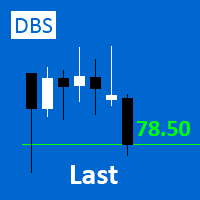
A small utility displays the value of the last price (Last) to the right of the chart. The Last price is the price at which the last deal was executed. Utility is convenient to use for screens with small print, for visual observation of the price level (value) or for people with poor eyesight. You can customize: Growth color Fall color Text font Font size Offset text
FREE

CauCa Client is a smart execution engine built for the Fishing Strategy, a method designed to patiently cast entries, scale positions in layers, and react quickly when market conditions become favorable. It focuses on precision order handling, dynamic layer management, and stable behavior in fast-moving sessions. This Client EA is ideal for traders who want disciplined, rule-based execution without manual stress. It helps maintain consistency in grid expansion, order structure, and timing, while
FREE

The Maximun Minimun Strata (100 bars and any period) is used to identify key levels on a price chart, which can be useful in technical analysis and decision making in trading:
Identify Key Levels: They help identify support and resistance levels on a price chart. The support level represents a minimum floor at which the price tends to bounce upwards, while the resistance level represents a maximum ceiling at which the price tends to bounce downwards.
Decision Making: Traders use these key lev
FREE

Revolutionize Your Trading Experience with Our Advanced Management Panel Maximize efficiency and control with our cutting-edge Management Trades Panel, exclusively designed for discerning traders. Our innovative panel is a game-changer in the realm of financial trading, offering unparalleled functionality and user-friendly features. Key Features: Automated Daily Profit/Loss Closure : Set your desired profit or loss thresholds, and let our panel automatically close all current trades when these
FREE

This indicator shows spread value and Minimum and Maximum plus current symbol Leverage . It also displays ticks per minute . This shows how many ticks come in one minute averagelly. To compare brokers ,you can compare the minimum and maximum of spread specially news time and end of the day. In the news time run this indicator and see how spread wide.
The broker with the least fluctuation in spread is better.
FREE

TradeClub Connector for MT5 is a lightweight Expert Advisor designed to connect your MetaTrader 5 account with your TradeClub journal. The connector helps traders automatically sync their trading activity into TradeClub, removing the need for manual trade entry or CSV imports. Once connected, your closed trades can be sent to TradeClub for journaling, analytics, performance review, and verified trading statistics. This product is not a trading robot and does not provide trading signals. It does
FREE

S imple arrow with alert on chart. This is NOT an entry indicator but a direction indicator. It uses MACD signal line to show you possible future direction of a trend. Please use it with other filters or confirmations to trade properly. Recommended for scalping and short term trades. Made for EURUSD M5 but it should work on every major pair on M5 timeframe. For MT4 version please go here! *If you need fully automated trading system. Please check this EA here! FEATURES: Very simple directional i
FREE

Intraday Time Logic Pro is a high-performance trade history analyzer designed to reveal the relationship between your trading performance and specific time windows. By categorizing every trade into custom-defined sessions, this tool helps you identify your most profitable hours and the currency pairs that perform best during those times. Unlike basic history logs, this utility uses Position-Based Analysis to ensure that multi-stage entries and partial closes are calculated accurately as single t
FREE
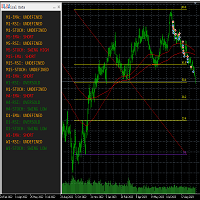
This tool helps to get a quick overview of a market. In one panel, indicators show trend, swing highs/lows and overbought/oversold information of various time frames (M1,M5,M15,H1,H4,D1,W1). Fibonacci can be used to identify different price levels. The input parameters of all indicators can be set by the user. The time frames can be changed as desired. The user can decide for himself which indicators he would like to see in the panel. Fibonacci appears on the chart at the next minute change at t
FREE

OR One-Click - Exiting EA on OsMA and RSI
This utility will not create a new position for you nor will it find a new opportunity. It will help you exit a trade. It allows you to use the "One-Click" feature on your cellphone MT5 APP to place a trade; then the utility will modify and manage the position until it is closed. This utility will work on the following 16 symbols. USDJPY, EURJPY, AUDJPY, CADJPY, GBPJPY, EURUSD, EURGBP, EURCAD, EURAUD, AUDCHF, AUDCAD, USDCAD, USDCHF, AUDUSD, GBPUSD, N
FREE

** LIMITED version** This EA utility helps Price Action traders calculate the risk as Big Money profesional traders do: in points or percentages. Allows to also set a desired Profit:Risk ratio and optionally enter a second and third orders simultaneously with different ratios and risk percentages. Great for BTMM, ICT, and other methodologies.
Very simple to use, just "point and shoot"!!!
Full version available here .
FREE

Donation: USDT (TRC20) : TQJsYp64FgLLeQiyNnS6hhCNBjnz4ykbT1 USDT (BEP20, Polygon) : 0x5b50AaaE515452071D395D28BC3D78d16279D168
You can use this expert to execute Martingale orders for you open positions. This expert will add to your positions with a pre-defined loss step.
For choosing open positions you can use Symbol Name or Magic Number . Also the loss step will be defined by currency or pips. All positions that refer to a certain order will be closed by entered Profit from input section. For
FREE

AE-DeletePendingOrders is a professional script for MetaTrader 5 designed to quickly and securely delete all pending orders on a trading account. The script provides full control over the deletion process thanks to a flexible filtering system and reliable error handling mechanisms.
Main features The script automatically deletes all types of pending orders: BUY LIMIT, SELL LIMIT, BUY STOP and SELL STOP. An intelligent retry system has been implemented in case of temporary communication errors wi
FREE

This script is designed so that the trader can determine the average duration of trade transactions, at which the ratio of possible profits and losses will be optimal. First, let's look at the general approach to determining the optimal duration of trade transactions. We introduce the following variables: R - the result of the transaction; T - the time during which the transaction was open; W - the time between the closing of the previous transaction and the opening of the next one. Every t
FREE

This MQL5 script calculates and displays a recommended trading lot size, offering both automatic and manual modes. In automatic mode, it calculates lot size based on account balance, market volatility (ATR), or a hybrid of both. The script defines lot size types (Micro, Mini, Standard) with switching thresholds, volatility settings, and safety limits. It aims to automate lot size calculations for systematic risk management, adapting to market dynamics and account parameters. Core Features Out
FREE

The utility TradeKeeper Lite can show your profits for different periods and bip a sound when you reach a profit target value. Click the tachometer to quickly switch to the next profit period. There are 5 of them: This Day, This Week, This Month, Last 90 Days and All I Made. With the utility TradeKeeper Pro , available at this link , you can also open trades with a magic number and volume of your choice, trail any orders with a simple trail or iSAR-based trail, as well as close any open trades a
FREE

Turn Economic Chaos into Consistent Opportunities
The financial markets move at the speed of news—miss a headline, and you miss a profit. Introducing the News Action AI Bot , a cutting-edge trading solution designed to capitalize on high-impact economic events with surgical precision. Built by traders, for traders, this bot combines real-time news analysis, AI-driven decision-making, and customizable risk management to transform volatility into your greatest advantage. Why This Bot Stands
FREE

️ META SHOOTER MT5 – Defeat Trading Stress Before It Defeats Your Deposit. Exhausted by endless market waiting and staring at charts? It's time to turn your trading terminal into a powerful source of stress relief and adrenaline! META SHOOTER is a full-featured, dynamic Survival Shooter that runs directly on your MetaTrader 5 chart . It is the ultimate tool for traders to manage emotions and conquer stress. Why META SHOOTER is Your Best Anti-Stress Weapon: Instant Psychological Relief: Trad
FREE

Versione Inglese Title: Pocket Reversal Notifier - Free Mobile Utility Description: Pocket Reversal Notifier is a professional, free monitoring utility designed for traders who want to catch high-probability market opportunities without spending all day glued to the charts. This tool continuously scans the market for price reversals and sends real-time Push notifications straight to your smartphone. The algorithm is far more than a simple moving average crossover: it is a true "No-Lag" ecos
FREE

CapGuard Risk Manager Protect your capital, pass Prop Firm challenges, and eliminate emotional trading with CapGuard Risk Manager. Whether you are an algorithmic trader running multiple EAs, a manual trader struggling with discipline, or a Prop Firm challenger needing strict risk controls, CapGuard Risk Manager is your ultimate safety net. This professional utility runs on a single chart but protects your entire MT5 account. It continuously monitors your equity, open positions, and server stab
FREE

Trading Panel Pro Trading Panel Pro is a professional MetaTrader 5 trading panel designed to help traders open and manage positions faster with precision and ease . Execute Buy/Sell orders , place pending orders , and manage trades directly from the chart using a clean, modern, and minimal interface — reducing unnecessary clicks and improving execution speed during fast-moving markets. Built for traders who value speed, simplicity, and efficient trade execution . Features:
Fast trade executio
FREE

The Position Selective Close is a multi-symbol multi-timeframe script used to close simultaneously various positions. General Description
The Position Selective Close possesses three operation modes (Intersection, Union and All) that control the way as four position features (symbol, magic number, type and profit) are used. The modes, available through the Selection Mode input parameter, relate to the features, available through the “Select by Feature” and “Feature” input pa
FREE

You have set up your Expert Advisor. You've configured the asset, the timeframe and the magic number. But a few days later you find out that the EA has crashed , or is running on the wrong timeframe, or even on the wrong asset. Never again!
Advanced EA Monitor is a lightweight, beautifully designed overlay that tracks your Expert Advisor's health and performance in real time — and keeps reporting even after the EA itself is gone.
️ It Survives the EA Most monitors are attached to the Expert
FREE

Join WhatsApp Group for Free Signals & More Discussion
https://chat.whatsapp.com/IWc1CaxviFw8Bu94JGRIQv For Live Signals Please Visit
https://www.mql5.com/en/signals/2352564?source=Site+Profile+Seller
1. Manual-Assisted Trading via On-Chart Dashboard Fully graphical dashboard panel rendered directly on the chart. Customizable panel size and colors via input parameters. All trading actions are controlled by buttons and edit fields , not automatic indicators. 2. Ultra-Fast Interval-Based Order
FREE

Tiger Lite recreate the history of entry and exit orders. The goal is that you can grasp their strategy how to play. CSV format support for WEB, MT4 and MT5 platforms.
The sequence of steps is described in the photo. Note:
Please choose the existing date and symbol on the CSV file. For MT4/5, export historical data and copy the records to excel, save it with the extension CSV. For MT4/MT5/WEB, save the name with format mt4.csv/mt5.csv/web.csv If you get the history from another source and your
FREE

Play Trading: Get started in trading by playing and learning how Limit (rebound) and Stop (continuation) orders work. From a mobile and transparent panel (by clicking on the header), anticipate market developments and place Limit and/or Stop orders. Set the initial distance to generate the grid with the number of orders you want (for each type of order). Set the take profit points and lot size as you wish. Set the type of orders you want: BUY – SELL – NO (delete orders) – BOTH (Buy and Sell
FREE
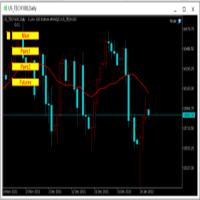
为纵览全局行情,特发布此工具。 一、使用方法 1、首先打开任意品种的图表,并在此图表上加载此工具。 2、点击“Main”、“Pairs1”、“Pairs2”和“Futures”,会在不同品种间切换。 3、点击工具栏上的“平铺桌面”按钮,就会出现主图的九宫格排列。 4、使用前,需将本EA,以及自己喜欢的模板在程序的模板目录中保存成default1.tpl,以便程序加载。 二、工具说明 1、每张图表均为日k线图,适合长趋势交易者。 2、图表上只设置1条均线,为15日均线,判断多空一目了然。 3、品种排序参考成交量排名,从上到下,从左到右。 4、可联系作者索要例图中的模板文件。 5、本EA已在AVA Trade公司提供交易品种中测试通过,公司网址: https://www.avatrade.com/ 。若需注册该公司账户,请填写本人代理号:166394。 三、解决痛点 1、将重点关注品种放在固定的位置上,便于观察与记忆各个品种是否处于趋势之中。 2、每日记录自己对不同品种的趋势判断,可以不断提高自己的预判能力。 3、此工具尤其适合同时交易股票的交易者。
FREE

Meditation Seed:
Meditation is a practice in which an individual uses a technique – such as mindfulness, or focusing the mind on a particular object, thought, or activity – to train attention and awareness, and achieve a mentally clear and emotionally calm and stable state.[1][2][3][4][web 1][web 2] Meditation is practiced in numerous religious traditions. The earliest records of meditation (dhyana) are found in the Upanishads, and meditation plays a salient role in the contemplative repertoire
FREE

Advantages: - you do not need to drag each instrument with the mouse, just press the N-forward or B-backward key, which will significantly save your time when viewing trading instruments. Installed like a regular advisor. > Save it to the MQL folder in the Experts folder > then go to the terminal: view > Navigator > Expert Advisors > Scroll > drag it onto the screen and you can use it.
FREE

This Program will not execute any trades!
Works on any chart and any time frame!
This is the MT5 version.
MT4 version: https://www.mql5.com/en/market/product/125496?source=Site+Market+My+Products+Page#description
This Program will produce a comment box at the top left of the chart and show you your equity % difference throughout the day. Updating constantly in real time.
The daily resets back to zero on open of a new market open day. Using new current equity at start of day as reference for
FREE
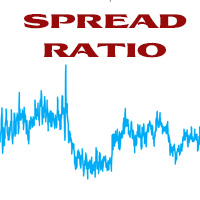
This tool helps you calculate the ratio of slippage and current spread compared to the average price movement over the timeframe of a specific symbol. It can indicate whether you should trade on that timeframe or not. If the ratio is too high, it will be very challenging to make a profit. Typically, this ratio should be less than 15%.. Simply add it to the chart of the timeframe for the symbol you wish to estimate.
FREE

For MT5 Backtest. With this EA, you can read indicators via backtesting. Buffers and objects are read. You can then use them to program strategies and use them for your EA.
It's very easy to use. You simply enter the full indicator name in the menu and you're ready to go. You can then see all the information you need in the backtest log (journal). The default path is the indicator's root directory. If you want to specify a different directory from there, you can do so in the menu.
FREE

A MetaTrader 5 script that automatically closes all charts except for a specified number to keep open. Simply enter numbers like 1,2,5,10 to keep those corresponding charts open, or a single number (e.g., 3 ) to keep the first 3 charts open. All other charts are closed in one action, helping you manage multiple open positions with ease. Perfect for decluttering your workspace and focusing on the charts that matter most.
Source Code here: https://github.com/pwn-forex/ChartChaos Youtube T
FREE

OptView for MT5 is a visual options panel for MetaTrader 5 designed to simplify the analysis of options chains directly on the chart. Key features: • Native discovery of options (no external files required) • Automatic grouping by strike • Clear CALL vs PUT visualization • ITM / ATM / OTM highlighting • Expiry selection via clickable buttons • Strike distance filters (0–5%, 5–15%, >15%) • Works even when market is closed (quotes optional) • Lightweight and fast The panel helps traders quic
FREE

Profit & Loss Display - MT5 Panel
On chart panel to display profit and loss per product over specified time period View P/L for EA trades only or also with manual trades Note this is a panel, not an indicator or algorithm, it simply displays profit and loss from account history
//---- Install ----// After download, attach indicator to chart from the markets folder which is in navigator window (Cntrl N)
//---- Study ----//
Set target profit for product per week/specified period Set loss limi
FREE
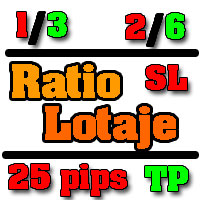
Utilidad de uso informativo la cual ayudará a gestionar el riesgo de los trades con la ayuda visual de los datos proporcionados. el usuario se encargará de ubicar sus SL y TP manual acorde al lotaje. Asesor experto desarrollado para MT5 con el objetivo de ingresar ratios de utilidad y % de riesgo, adicional los Pips de SL para el cálculo del lotaje para dicho riesgo. Estos se calculan sobre el balance actual. El usuario tomaría como dato ingresar el lotaje que se calculó y arrastrar el S
FREE

MP Close By Loss Or Profit for MT5 The Reason I made this Expert is because I want traders who already found out how to be profitable in the market use an easier tool throughout their trading days. This Expert will consider your exposure of trades and close them based on profit targets and losses you set for your own Risk Management. I want to thank my friend who helped me on this Expert, and his brilliant work is now shared here with you. A bit of advice after running the expert on your platfo
FREE

Утилита-информер. Показывает количество открытых ордеров по Buy и Sell для текущего торгового инструмента.
Поможет при большом количестве открытых ордеров, что сэкономит силы и время. Теперь нет необходимости считать их вручную. Может стать незаменимым дополнением как для новичков, так и для опытных трейдеров.
Простой скрипт не перегружает систему , можно разместить на всех открытых графиках. +Бонус в комментариях!
FREE
Helper utility that does the following important actions: Shows or hides various groups of symbols - Forex, CFD, Futurex, Bonds and all others. Shows or hides symbols that have or do not have trade restrictions. Shows or hides symbols that currently have a trading/quoting session active. Shows or hides symbols that contain the specified words in their names. Closes or deleted all market or pending orders. Closes orders by type - Buy/Sell. Clears stop loss and take profit values. Downloads histor
FREE
I find the lot calculation tedious so I just use this script and tell it the dollar amount to use. It then does the rest. This works for any currency.
How-To: Creates a buy limit order at chosen MA price using the desired dollar amount instead of lots. To use, just drop it onto a chart and set inputs as needed. The script will then do the necessary lot calculation and create a buy limit order.
Inputs: FIXED_DEAL_AMOUNT: Fixed amount to use for the trade e.g 100 to open a R100 deal MA_PRICE: MA
FREE

Free MetaTrader 5 indicator that displays "CALL IT A DAY" when London & New York sessions close. Customizable alerts, session tracking, and a guilt-free reminder to log off. Perfect for workaholic traders!
Tired of staring at charts when the market’s already clocked out? Session Guardian is your sassy trading assistant that slaps a giant "CALL IT A DAY" on your screen when both London and New York sessions are closed—because even traders deserve happy hour. Key Features:
Big, Bo
FREE

The Linear Surfer (Works on 50 bars and any interval) is a valuable tool in technical analysis and trading, as it offers a series of qualities and advantages:
Trend Identification: The main quality of a trend line is its ability to identify and visualize trends on a graph. You can clearly see if the market is in an uptrend, downtrend or sideways trend.
Easy to use.
Predicting Supports and Resistances: Trend lines can also be used to identify support levels (in uptrends) and resistance (in do
FREE

Introducing the SL Limiter Bot: Your Friendly Stop-Loss Management Solution! Take control of your trading like never before with the SL Limiter Bot, a powerful and intelligent tool designed to enhance your risk management strategy on MetaTrader 5 platforms. Say goodbye to manual monitoring and hello to automated precision! Whether manual trading, EA trading, or using Trade Signals, SL Limiter Pro will help you minimize your risk!
Another utility from the Trade Agent Toolbox! Key Features: Advan
FREE

The idea of enhancing the free Slider utility appeared after the release of a lite version of the EA trade panel Trading Chaos Expert Lite , which operates in the Current Chart mode without the possibility to maintain trades of several symbols in a single window. The purpose of Slider profy Ease search for trading signals by automatic display of charts of currency pairs from the "Market Watch" one by one at a specified interval of time in seconds. Automation of one-click placing of pending ord
FREE
This indicator allows to hide Volume (on all MT5 timeframes) from a date define by the user with a vertical line (Alone) or a panel (with "Hidden Candles"). The color of each bar depends if this one is higher or lower of the previous bar. Indicator Inputs: No inputs for this indicator Information on "Volume" indicator is available in this post: https://www.mql5.com/en/forum/134260 ************************************************************* Hey traders!! Give me your feeds! We are a commun
FREE
This indicator allows to hide Bollinger Bands (on all MT5 timeframes) from a date define by the user, with a vertical line (Alone) or a panel (with "Hidden Candles"). Indicator Inputs: Period Deviations Shift Apply To Color Style Width Information on "Bollinger Bands" indicator is available here: https://www.metatrader4.com/en/trading-platform/help/analytics/tech_indicators/bollinger_bands ************************************************************* Hey traders!! Give me your feeds! We are
FREE

VYXAXIS Dispatcher is a free companion utility for Vyxaxis Tick. It processes WebRequest and supported Push notifications independently from the main Vyxaxis Tick chart workflow. Requires Vyxaxis Tick. VYXAXIS Dispatcher does not generate trading signals, execute trades, or provide a trading strategy. It is designed to separate notification delivery from the main tick-chart processing workflow, helping reduce the possibility of network-related delays affecting Vyxaxis Tick during periods of high
FREE

EA to prevent inactivity violations on prop firms.
This EA will scout for your most recent trade and if it is older than the number of days defined, will enter a micro lot position size 0.01 on the pair defined. It is recommended to use a tight spread pair like EURUSD. This EA will not act as long as you have at least one trade in the last X days (defined on config).
This EA will not place other trades or modify existing position.
FREE

Netting Strategy: Implements a netting strategy for managing multiple positions, optimizing trade efficiency. Flexible Order Distances: Allows users to customize order distances in pips, providing adaptability to various market conditions. Dynamic Take Profit Method: Utilizes a dynamic take profit mechanism, adjusting profit targets based on evolving market dynamics. Adaptive Take Profit Ratio: Users can customize take profit ratios in accordance with the lot size, allowing for precise profit o
FREE
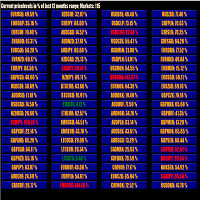
This tool scans up to 200 markets simultaneously and displays the current price level in a range specified by the user in a chart window.
By clicking on one of the buttons, a new chart window opens for the selected symbol. A template file can be specified as an input parameter, which is applied directly to the opened chart window.
The user can specify the font size of the buttons, the number of buttons per column and the level at which marking should take place in the input parameters. The upd
FREE

This is a decorative utility that replaces the standard marks of completed deals with "Kingdom Come: Deliverance" game style markers.
In addition to the graphic display of the price and time of the transaction, the notes also contain a textual representation of the transaction volume. Running utility Drag the utility from the Navigator window to the desired graph. The utility does not use input parameters and does not require configuration. All trademarks available on the chart will be replaced
FREE
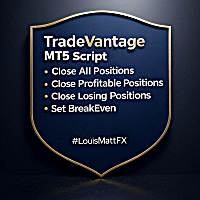
TradeVantage MT5 Script is a user-friendly, efficient tool designed for MetaTrader 5 traders to manage open positions with ease. This script offers four powerful trade management options through a straightforward dialog box, enabling rapid execution on the current chart's symbol. Whether you're looking to close all positions, secure profits, minimize losses, or set positions to break-even, TradeVantage simplifies the process with reliability and precision. Key Features: · Close All Positi
FREE

Greed Siphon - The Emotional Risk Manager "Secure the Bag. Automate Discipline. Eliminate Greed." Greed Siphon is not just a utility; it is an Emotional Firewall for your trading. It solves the #1 reason traders fail: Greed . How many times have you watched a winning trade turn into a loser because you held it too long, hoping for "just a little more"? Greed Siphon automatically detects when your trades hit a sophisticated, multi-metric profit target and instantly siphons the liquid (pro
FREE

Lumos Lumos is a multifunctional trading assistant. It gives an overview of the current market situation for a better decision making. The strategy tester only provides a visualization of the application. Lumos is highly customizable and gives you information in multiple timeframes about: MAs, price structure, RSI, RSI MA and an overview of the price distance to possible SLs.
FREE

Laissez votre robot gérer vos sorties pendant que vous vous concentrez sur vos entrées. Ce robot ne prend aucune position par lui-même. Il est conçu pour vous assister dans votre trading manuel en fermant automatiquement vos positions lorsque le Take Profit (TP) ou le Stop Loss (SL) virtuels définis en argent sont atteints. Simple, léger, et sécurisé : vous tradez en toute sérénité.
Description :
Ce robot MQL5 est un outil d’accompagnement au trading manuel, conçu pour les traders qui souhait
FREE

Service for broadcasting quotes of selected cryptocurrencies to MT5. Charts with cryptocurrencies are created in the Market Watch window. Most standard and custom indicators are applicable to the charts. Settings : setting description What kind of graphs to broadcast Futures - futures charts c USDT
Spot - spot charts of cryptocurrencies Coins SPOT 1-6 List of cryptocurrencies for creating SPOT charts.
Enter with a space, for example: BTC ETH BNB Coins FUTURES 1-6 List of cryptocurrencies to crea
FREE

"Clean Pending Orders"
Mevcut semboldeki tüm bekleyen emirleri saniyeler içinde silin! Bu basit ama etkili script, hızı ve kolaylığı önemseyen traderlar için tasarlanmıştır. Çalıştırın ve mevcut semboldeki tüm bekleyen Alış ve Satış emirlerini anında silsin. Avantajlar: Anında silme: Tüm emirler saniyeler içinde silinir. Sadece mevcut sembol odaklı: Diğer enstrümanlar etkilenmez. Kullanım kolaylığı: Bir tıkla terminalinizi temizleyin. Kayıt: Silinenleri gösterir ve olası hatalar hakkında bilgil
FREE

A utility for automatically detecting the GMT offset of your broker To use the utility, place it in the Scripts folder of the terminal data directory, enable WebRequest in the terminal settings and add the address https://www.worldtimeserver.com/ to the list of allowed ones. Run the Check GMT script on the chart with any currency pair There is only one setting in the script: site = https://www.worldtimeserver.com/ just for your convenience. Copy this address from the sc
FREE

Trend Alignment Scanner Lite The Essential Volatility Direction Tool for MetaTrader 5 Looking for a reliable way to gauge market direction without cluttering your charts? Trend Alignment Scanner Lite delivers our core, powerful mathematical engine to your terminal for free. This version is designed for retail day-traders who want to experience the accuracy of our Volatility Direction Score (VDS) on major pairs before scaling up to institutional-grade multi-asset scanning. Pro vs. Lite Compari
FREE

AlphaManager is a lightweight tool designed to help traders manage risk and position sizing in real time. It calculates optimal lot size using ADR-based volatility and provides a clear overview of portfolio exposure, including maximum loss, potential profit, risk/reward ratio, and trade progress. Key features: ADR-based position sizing Real-time portfolio exposure tracking Maximum loss and potential profit calculation Risk/Reward (RR) and progress monitoring Multi-symbol support (all open positi
FREE
MetaTrader Mağazası, geçmiş verileri kullanarak test ve optimizasyon için alım-satım robotunun ücretsiz demosunu indirebileceğiniz tek mağazadır.
Uygulamaya genel bakışı ve diğer müşterilerin değerlendirmelerini okuyun, doğrudan terminalinize indirin ve satın almadan önce alım-satım robotunu test edin. Yalnızca MetaTrader Mağazasında bir uygulamayı tamamen ücretsiz olarak test edebilirsiniz.

Alım-satım fırsatlarını kaçırıyorsunuz:
- Ücretsiz alım-satım uygulamaları
- İşlem kopyalama için 8.000'den fazla sinyal
- Finansal piyasaları keşfetmek için ekonomik haberler
Kayıt
Giriş yap
Web sitesi politikasını ve kullanım şartlarını kabul edersiniz
Hesabınız yoksa, lütfen kaydolun