 MetaTrader 5
 Эксперты
 Индикаторы
 Библиотеки
 Утилиты
 Виджеты
 Правила
Смотри обучающее видео по маркету на YouTube
Как купить торгового робота или индикатор
Запусти робота на
виртуальном хостинге
виртуальном хостинге
Протестируй индикатор/робота перед покупкой
Хочешь зарабатывать в Маркете?
Как подать продукт, чтобы его покупали
Торговые утилиты для MetaTrader 5 - 41
 Ниже представлены торговые программы, упрощающие трейдинг в MetaTrader 5. Наведите курсор на товар, чтобы прочесть описание товара и его предназначение.
This indicator helps you control several pairs in a small workspace, therefore, it is not necessary to open several charts on the platform to do so. The indicator shows sequentially up to 6 different pairs, besides that each of these pairs has a button with which you can stop the indicator to observe the selected pair. Place the indicator on a chart to monitor several pairs and the rest of your space use it on the chart of the pair you wish to observe in detail. MT4 version Parameters Ob

"Quick Copier" is designed to copy trading without any complicated settings. It copies master orders faster than "Just Copier" (https://www.mql5.com/en/market/product/20920). Please also check this product at fxina.hostingerapp.com. The copy can be done in one PC. One EA can be set as master (provider) or slave (receiver). The receiver lot can be set to multiple providers lots. Any type of copy is available. MT4 -> MT5 MT4 -> MT4 MT5 -> MT5 MT5 -> MT4 If you want to copy MT4 -> MT5 or MT5 -> MT
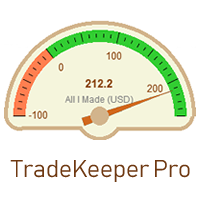
Утилита TradeKeeper Pro (хранитель сделок, профессиональная версия) позволяет вручную открыть сделку с заданным волшебным числом и объемом. Не открывает собственных сделок, только сделки по нажатой кнопке.
TradeKeeper Pro тралит любые сделки по индикатору параболик (iSAR), простому трейлу, а также выводит сделки в безубыток. Чтобы тралить все сделки любых инструментов, достаточно запустить утилиту на одном графике. TradeKeeper Pro закрывает открытые сделки или отложенные ордеры определенного тип

If you want to share your trading signal, but you do not want to distribute your investor password, this product is fit with you. "Just copier Pro" is designed to copy trading without any complicated settings. The copy can be done in one PC or over the internet. One EA can be set as master (provider) or slave (receiver). The receiver lot can be set to multiple providers lots. In "Globe" mode, the signal provider (master) have to give the password to signal receiver, (the password that is set in

HelloTrader - это совершенно новый вид продукта для платформы MetaTrader. Сразу после запуска утилита выводит случайным образом (random) одну из строчек фразы, цитаты известных людей или афоризму в левом верхнем углу терминала. Через каждые 5 минут запись меняется. В состав входит более 1000 фраз, цитат и афоризм на русском и английском языке. Во входных параметрах можно выбрать русский язык отображение записей, по умолчанию стоит английский. Работать утилита начинает сразу после запуска и никак

A simple panel to help you to place orders on the chart using the mouse. Hold Left Shift or Left Ctrl and the panel will show the lines where it will place the order already with stop loss and take profit. Use Shift to place buy orders and Ctrl to place sell orders, the panel will switch between stop or limit orders depending if the mouse is above or below the price. Please be aware that Ctrl key is used by Metatrader to copy an object, try to avoid using this panel with charts where you copy ob

HelloTrader - это совершенно новый вид продукта для платформы MetaTrader. Сразу после запуска утилита выводит случайным образом (random) одну из строчек фразы, цитаты известных людей или афоризму в левом верхнем углу терминала. Через каждые 5 минут запись меняется. В состав Demo версии входит 32 фразы, цитаты или афоризмы только на английском языке. Работать утилита начинает сразу после запуска и никаких настроек и функций больше не имеет. Единственная задача – рандомно выводить цитаты, фразы
FREE
A new and exclusive panel, Strategy Maker, for creating custom strategies. You can use your own parameter for entry (manual) or address the magic number of another expert advisor in the same Symbol for the entry. Put de gain, the space between the grid, stop in money or in points and create a dynamic strategy! Characteristics: Works in any type of account and broker. Easy to use. Simple interface and intuitive. Extremely customizable trading strategies. Quickly response for any command. Can work

See AutoTrade deals ONLY on select charts If you attach this indicator to the chart, all the Autotrade deals will be removed from chart display. This solves the problem that deals on chart is turned on Universally. Now turn on the Universal show deal on charts. Attach this indicator to the charts that you do not want to see the deals.
E.g. if you are trading m1 chart, it may clutter your h1 chart bar.

Have you ever take a long time to watch a Symbol when the network link is not good ? Have you ever wait for a long time when you switch chart between different Symbols or different TimeFrames ? If you do long-term backtesting , Have you ever to be downloaded datas for a long time ? Yes, If there is no data in the system, those will happen. 1. What is this: Download all the Symbol data in Market Watch to the system. PS: This is not outputting data to Files. This Link go to Demo version:
https:/

A robot that real-time supervise your open position and close it once the price level touches (or is close to touch) a previously selected trendline. You don't have to constantly watch your open position and wait for the proper time to close it. It automatically does this entire process and gives you time to spot new market opportunities. It can be attached to multiple charts and assist multiple open positions at the same time. Setup steps
D raw a trendline on chart (using your mouse) Allow

The Easy Strategy Builder (ESB) is a " Do It Yourself " solution that allows you to create a wide range of the automated trading strategies without any line of codes. This is the world’s easiest method to automate your strategies that can be used in STP, ECN and FIFO brokers. No drag and drop is needed. Just by set conditions of your trading strategy and change settings on desired values and let it work in your account. ESB has hundreds of modules to define unlimited possibilities of strategi

This product can be used to synchronize multiple Charts, and each Chart can be set to a different sync mode. With this product you can better view and manipulate charts: different time frames for a single Symbol, the same time frame for multiple Symbols, system indicators for single/multiple Symbols... and more.
Feature: Chart settings can be synchronized, including : background, indentation, size, etc. Multiple Chart window start times or end times can be synchronized. Multiple Chart time fr

I see that many tools in the market deal with Position and Order in the form of operation panels. Which is loaded into a Chart in the form of an EA. However, once the operator panel EA is loaded, no other EAs can be loaded. So, I wrote the one-click operation of Position and Order as a script, so you can load other EAs and easily complete one-click operation of Trade. 1. What is this: This is a one-click script to close position order. Now you can close position tickets at high speed, for examp

I see that many tools in the market deal with Position and Order in the form of operation panels. Which is loaded into a Chart in the form of an EA. However, once the operator panel EA is loaded, no other EAs can be loaded. So, I wrote the one-click operation of Position and Order as a script, so you can load other EAs and easily complete one-click operation of Trade. 1. What is this: This is a one-click script to delete the pending order . Now you can delete pending tickets at high speed, for

Close Assistant (CA) is a full featured utility for monitoring and closing a set of positions placed by trader or EA. It closes filtered orders in specified time or level or candle patterns or when a certain profit or loss of the total positions is reached. CA uses Zero Profit Lock function to save deposit when total profit falls to zero. Profit and loss levels can be set in fixed amount of account currency or percentage of balance or equity or margin. CA only monitors and works on filtered pos

Very useful information (VUI) - предоставляет полезную информацию по следующий пунктам:
Pip price - цена пункта (пипса) в валюте счета с заданным вами объемом Tick size - размер тика
Margin Buy - маржа (залог) необходимая для открытия ордера Buy с заданным вами объемом
Margin Sell - маржа (залог) необходимая для открытия ордера Sell с заданным вами объемом Open Buy - количество открытых позиций, количество открытых лотов Buy Open Sell - количество открытых позиций, количество открытых лотов Sel

One click to close all (OCCA) предоставляет вам возможность закрыть все открытые позиции одним кликом.
Здесь нет никаких настроек, просто запустите скрипт и все ваши позиции будут закрыты и это произойдет очень быстро ! Работает со всеми типами счетов, со всеми валютными парами и с любыми брокерами. Количество открытых позиций не ограничено.
Скрипт бдет полезен для торговых стратегий, где необходимо управлять большим количеством позиций.

Do you think it's a bit cumbersome when you need to switch symbols or timeframes with mouse click? 1. What is this? This is a program that can switch symbols and timeframes with direction keys. Fast switching, very convenient, no mouse click required. For traders, one symbol with multi-timeframe charts are usually added, you can change symbol on those charts easily . For multi-currency traders, different symbol charts are usually added, you can also change those timeframes easily. I wrote thi

Этот неторгующий эксперт предназначен для преобразования неструктурированной информации веб-страниц в структурированные табличные данные. Он скачивает и парсит HTML файл, создает по нему иерархию объектов DOM ( Document Object Model ), затем применяет указанные селекторы CSS ( Cascading Style Sheets , англ.) для требуемых полей данных и выделяет для них конкретные значения. Иными словами, это - мощный, настраиваемый конвертер из HTML в CSV ( Comma-Separated Values ). Эксперт может обрабатывать с

Утилита отображает стакан заявок, а также увеличивает его глубину, запоминая расположение заявок, ушедших за пределы текущего "окна" просмотра. С помощью утилиты можно осуществлять быстрые торговые действия в один клик - установку/отмену/редактирование отложенных явных и скрытых ордеров, открытие/редактирование позиций.
Особенности работы утилиты Отображение стакана заявок работает только на тех торговых символах, для которых он транслируется брокером. Для обнуления информации о строках, которы

КАЛЬКУЛЯТОР ЦЕН ДОВЕРЯЙТЕ МОИМ ЦЕНАМ, ВЕРЬТЕ, ВЕРУ! Следите за нашими видео на Youtube ежедневно в Лекимдикатор Live! Лекимдикатор рассчитывает лучшие цены на рынках для входа или выхода Используйте вместе с любимым индикатором! Узнайте, как торговать на фондовых биржах, Forex, акциями, опционами на акции, иностранной валютой, инвестиционными фондами, фондами недвижимости или на любом рынке, имеющем доступ к MetaTrader 5, с помощью Lekimdikator. Это инструмент для новичков или опытных трейдеров

AutoBuy - это скрипт выставления отложенного buy stop ордера на покупку с автоматическим расчётом объёма (количества акций) в зависимости от установленного риска денег на сделку. Входные параметры: Risk - число в USD денег, которое ставим на трейд.
BuyHighStep - число в USD, шаг от цены High текущей свечи (бара) акции вверх на покупку. Минимальное значение 0.01
StopLossStep - число в USD, шаг от цены buy stop ордера вниз для закрытия сделки в убыток. Минимальное значение 0.10
TakeProfitStep - ч
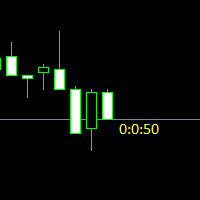
Простая утилита показывающая время до формирования свечи. Может быть очень полезна, если вход в сделку завязан на начале/завершении свечи.
Входные параметры FontColor - Цвет текста. FontSize - Размер текста. FontName - Шрифт текста. TimeOnly - Указывать только время, без дополнительного текста. TypeOfDrawing - Тип отображения информации Важно : в работе программы возможна задержка в 1 секунду.

Better Scroll включает и отключает функцию автоматической прокрутки MT5 при прокрутке, что делает эту функцию более интуитивно понятной и удобной. Вам больше не придется вручную включать и отключать автопрокрутку или доводить ее до конца графика, потому что вы забыли отключить ее при тестировании на исторических данных или просмотре исторических ценовых данных. Резюме
Автопрокрутка ОТКЛЮЧЕНА, когда:
Щелчок мышью + перетаскивание влево (за текущую открытую свечу) Прокрутка колесика мыши влево (з

What is this: Violent trading: means sending a large number of orders to your brokerage server, it can conduct a stress test of the trading. In this program you can run a variety of trading tests. Now you can trade at high speed, For example 1000 orders in an instant. The Demo version's link: https://www.mql5.com/en/market/product/38431/ Why to use: Whether manual trading or EA trading, the status of the broker server is very important. So it is beneficial to conduct a trading stress test on
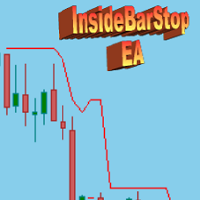
This Export Advisor implements the trailing stop algorithm "Trailing Stop with Inside Bars" that was suggested by the famous German trader and author Michael Voigt ("Das grosse Buch der Markttechnik") to capture robust gains when trading strong price moves. It is used for semiautomatic trading. You open a position manually and apply the expert to the chart. It modifies your order by setting a stop loss according to the trailing stop algorithm. Your trade direction (Long/Short) is detected automa
SymbolAutoChanger PRO MT5 There is also version for MetaTreader4 This tool allows you to automatically change the chart symbols in a row. Example: EUR → GBP → JPY → CHF → CAD → AUD → NZD You need only to set up interval in seconds between auto switch. Also, you can choose whether to switch between all symbols provided by your broker or only between symbols available in the Market Watch window.
PRO version has following featuters: Next button Previous button Pause/Continue botton With this ex

LT VWAP — это индикатор для MetaTrader 5, который отображает средневзвешенную по объему цену (VWAP) непосредственно на графике. Он помогает трейдерам определять ключевые ценовые уровни, отслеживать направление рынка и находить потенциальные зоны поддержки, сопротивления, равновесия, перекупленности/перепроданности и возврата к среднему значению. Версия 2.0 была значительно расширена по сравнению с предыдущей версией, сохранив простоту использования и получив новые возможности для более комплекс

UPDATE NOV 2024!!!
This Product is a Market Scanner based on Didi Index Indicator. It's can scan all time frames of Symbols in Market Watch, client can customize according the demand, its can scan a single symbol or more than 100.
Manual: Link Driver Link do Manual Video: LINK The Scanner informs 4 kind of signals, all alerts are providing from Didi Index Indicator:
1 - Didi Index - Alert of Buy : Cross up of "Curta" short moving average 3" with moving average 8; (3x8 = UP)
3 - Didi Inde

This script use DIDI+BB indicators and display alerts, send mail, send notifications, and play sounds. Scanner can monitor market watch using ***MARKET*** as symbol name, with all timeframes Inputs: media_lenta=3 media_base=8 media_longa=20 bb_periodo=20 bb_shift=0 bb_deviation=1.96 symbols - Symbol list, separated by ; when using ***MARKET*** symbols from marketwatch will be included wait_interval_between_signals - Seconds between signals, default =60, but high frequency signals should red

MarkerElliottWave — это панель для быстрой и удобной ручной разметки волн Эллиотта. Имеется возможность выбора цвета и шрифта меток. Так же присутствуют функции удаления последней разметки и всей разметки, созданной индикатором. Разметка происходит моментально в один клик. Пять раз нажал — пять волн разметил! MarkerElliottWave будет хорошим инструментом как для начинающих, так и для профессиональных аналитиков волн Эллиотта.

TradeCopy is an efficient MT4, MT5 trade copy software,using as EA on MT4 real account. You can download the Demo unlimit version to test on Demo account: Trade Copy MT4 Demo Free Trade Copy MT5 Demo Free
Features: 1.Can achieve cross-MT4 and MT5 trade copy . 2. The Sender and the receiver are in the same file, which is convenient to use. 3.Can achieve cross-broker trade copy. 4.More trade copy style, you can copy by balance,equity, lot ratio or fixed lot . 5.Can enlarge or reduce the amoun
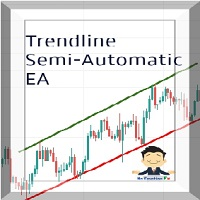
Managing Trades With Trendline EA : Trendline EA is a very good tool for using trend at your advantage & can be used for managing both take profit & stop loss . Can be used in all time frames and uses close price of Candle as stop loss therefore it will close the trade only if candle closes above or below trendline , this function saves traders from wicks and market noise . Where as Take profit is by simple touch of trendline.
For More info click on link below : https://www.noemotionfx
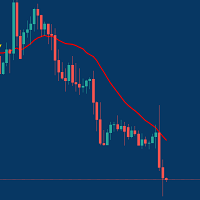
Managing Trades With Moving Average EA : Many Traders like using Moving Averages for trend confirmation , and timing Entry and Exits . With Semi- Automatic Moving Average EA we provide effective way to manage open trades as per your Moving average strategy and uses MA as trailing stop loss. EA considers only closing price of candle therefore avoids stop outs caused by sudden price fluctuations and helps to stay in trend longer. You can decide which MA to use and various settings of MA

The First Orders Утилита предназначена для того, что бы самому можно было выставить первый ордер торговли с определённым вами magic который соответствует magic вашего торгующего советника. Вы определяете направление для открытия ордера и выставляете его с помощью "The First Orders". Далее выключаете "The First Orders" и включаете своего торгующего советника, который подхватывает выставленный вами ордер и считая его своим который он выставил управляет им. Торгующий опыт помогает трейдерам лучше
Платформа UtilitarianPlatform предназначена для быстрого открытия позиции с установленными ордерами, а также возможностью автоматического хеджирования, или смещения ордера на закрытие позиции при остановки убытков. Автоматическое Увеличение ордера на взятие прибыли при хеджировании позиции. Есть возможность включения автоматического увеличения коридора при хеджировании позиции. Есть встроенная панель для установки ордеров на открытия позиций. Размеры ордеров, шаг слежения устанавливаются в пункт

Quick operation, quick purchase, sale, empty operation.
Provide three buttons: Buy, Sell, empty.
Buy: Quickly place more orders after clicking, default 1 hand, profit point and stop-loss point are 110 points, after successful order can be manually modified.
Sell: Quickly place an empty order after clicking, default 1 hand, profit point and stop-loss point are 110 points, can be manually modified after the order is successful.
Empty: Quickly clear all orders, including purchase and s

Нашли отличный сигнал, но лот провайдера маловат? Вам нужен больший объем позиции, но настройки терминала слишком плохие? Signal Lot Manager увеличит объем позиции провайдера за счет дублирования ордера нужного объема. Просто задайте размер лота и имя сигнала, с которого будет копироваться ордер. Signal Lot Manager — это утилита для умножения лотов для дублирования ордеров на вашем терминале. В качестве источника можно выбрать любой советник, ручная торговля, отдельный торговый сигнал. Обладает

Анализатор дает возможность быстро оценить изменения спреда на исторических данных, величину и частоту появления всплесков, динамику и характер расширений по дням недели и др. Запускать анализатор нужно в тестере(режим визуализация) на требуемом для анализа символе и временном интервале, рекомендованный TimeFrame H1, выбрать режим "Каждый тик на основе реальных тиков".
The analyzer makes it possible to quickly assess spread changes on historical data, the magnitude and frequency of bursts, the

Compare Symbols Specifications - это индикатор-утилита представляющий собой сводную интерактивную таблицу по анализируемым параметрам. Торговые условия на рынке постоянно меняются и отслеживать эти изменения трудоёмкая задача.
Данный инструмент позволяет в считанные секунды сравнить торговые условия всех символов, и выбрать для торговли те символы, которые отвечают требованиям торговой системы.
Этот инструмент будет полезен всем трейдерам и поможет владеть актуальной информацией о торговых ус

Trailing Stop Fast Trailing Stop Fast EA locks trade profit once trade moves in profit by certain points(eg 100 points) by moving the Stop Loss in direction of trade.
There are three inputs in EA to be provided by user to EA TrailingStart this input used as activator when trade moved 100 points towards profit, this EA will start shifting your stop loss towards profit.
TrailingStop input defines what should be the distance of stop loss from current market price once TrailingStart activated

Basket trading /Basket SL TP/Portfolio SL TP/ Group Trade SL TP
This is very good utility when you want set SL TP for many open trades or portfolio
As soon your account equity reach SL or TP , This EA will close all trades . you are allowed to change SL and TP any time.
Also you need not to monitor group trades all the time you just set SL and TP in utility and relax once SL / TP situation will come all trades will be closed automatically.
SL and TP are in $Amount like 100$ SL and 500$ TP

Basket trading /Basket SL TP Automatic SL TP Calculation
This utility will calculate SL and TP based on 2 input parameters
PerUnitTP -This means what is per .01 TP like 1 $ per .01 Lot. SLToTP_Ratio-This what is ration SL to TP if this parameter is 3 that means if TP is 1 $ then SL will be 2$ (per .01 Lot)
so if total portfolio summing to .05 lot that that means TP will be automatically become 5 $ and SL become 10 $.
This is very good utility when you want set SL TP for many open trade
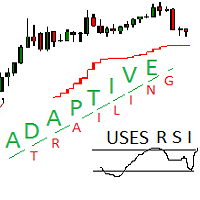
Adaptive trailing uses rsi
Adaptive trailing uses rsi - это скрипт, который реализует трейлинг, а именно: вычисляет уровень защитного стопа, отображает уровни на графике, исполняет заданные пользователем торговые операции при достижении ценой стоп уровня. Режимы работы. Трейлинг может осуществляться как снизу, когда уровень стопа ниже текущей цены и подтягивается за ценой, если она возрастает, так и сверху, когда уровни стопа выше текущей цены. Предусмотрено два режима расчета стоп уровня .

Easy Virtual Trader Бесплатный MT5
Easy Virtual Trader Free - Только для EURUSD с 5 пипсами Stoploss Get the full - Easy Virtual Trader : https://www.mql5.com/en/market/product/42804
Настройка Easy Virtual Trader> Вводит свои правила> Вы готовы торговать с мобильного или другого советника или где угодно ... Пусть робот управляет вашими сделками!
Этот мощный советник поможет вам автоматически управлять ВСЕМИ или СПЕЦИАЛЬНЫМИ сделками на основе ваших правил и настроек PRE-SET.
После

Statistic Candles. Утилита для получения статистики с графика "Японские свечи".
Статистика собирается нижеописанными методами.
Выполняет следующие функции: Подсчёт свечей на 19-ти таймфреймах (внутридневные свечи): Количества бычьих и медвежьих свечей в указанном промежутке дат. Количества бычьих и медвежьих свечей в указанном промежутке дат в обозначенное время. Подсчёт количества нестандартных свечей (прим.: Custom _ time = 14:56, Period _ time = 1 H ). Данные средних значений open - close

Ты сможешь: наблюдать график цены внутри графика другой цены оценивать корреляцию и взаимосвязи видеть разницу графиков в виде гистограммы
Возможности: режим "Авто" - автоподстройка графика под другой график "умножитель" - можешь умножить график на любое число сдвиг вверх/вниз на произвольное значение сдвиг графика влево "инверт" - зеркальный переворот графика
Важно: используются только графики, добавленные в MarketWatch Версия для MetaTrader 4 - https://www.mql5.com/ru/market/product/43097

Quick trade report separately by symbols 5 Советник Quick trade report separately by symbols будет полезен трейдерам, которые ведут торговлю одновременно по нескольким инструментам. Он дает возможность оценить эффективность торговли раздельно по каждому из символов. Есть возможность задавать временной период для составления отчетов. Периодичность и время автоматической генерации и отсылки отчетов по FTP. Отчет наглядно отображает графики изменения баланса по сделкам для каждого символа. Такж
(Перевод с Google)
Больше не нужно рассчитывать размер вашей позиции.
Установите размер риска в% (в зависимости от вашего баланса), а затем найдите свой уровень StopLoss вашей потенциальной позиции, и ваша сделка будет исполнена с правильным размером позиции.
У вас есть возможность закрыть все свои плавающие позиции на инструменте, на котором вы в данный момент находитесь, нажав кнопку «ЗАКРЫТЬ».
Как использовать?
Прикрепите эксперта к графику и установите его параметры. Нажмите на кнопк

Виртуальное (скрытое от брокера) выставление трейлинг-стопа, безубытка, стоп-лосса и тейк-профита. Необходимо разрешить автоматическую торговлю в настройках терминала. В режиме тестирования утилита на первых тиках открывает позиции Buy или Sell, что позволяет в визуальном режиме наблюдать заданную логику, меняя параметры утилиты. В реальном режиме утилита не открывает позиции. Обсудить сложности торговли на Форекс здесь: чат "Age of Expert Advisors" . Параметры magic - магический номер. Ес

Сопровождение позиций с помощью: трейлинг-стопа, безубытка, стоп-лосса и тейк-профита. Необходимо разрешить автоматическую торговлю в настройках терминала. В режиме тестирования утилита на первых тиках открывает позиции Buy или Sell, что позволяет в визуальном режиме наблюдать заданную логику, меняя параметры утилиты. В реальном режиме утилита не открывает позиции. Обсудить сложности торговли на Форекс здесь: чат "Age of Expert Advisors" . Параметры magic - магический номер. Если меньше 0,

This indicator is fully user-adjustable, calculates corellation between all symbols, which you want. Indicator is real-time updated and fully automated. You can adjust a lot of parameters.
Calculation Parameters List of symbols: write all symbol, which you want to calculate, just separate them by comma Calculated bars: amount of bars from which will be calculated Time frame: time period of calculation Used price: used price - 0 (CLOSE), 1 (OPEN), 2 (HIGH), 3 (LOW), 4 (MEDIAN), 5 (TYPICAL), 6 (

This utility tool draws the ticker symbol and timeframe information as a watermark in the background of the chart. It may come in handy if you have multiple charts on the screen at the same time. Inputs: Font Name: You can change text font by typing in the name of your favorite font installed on your operating system. (e.g.: Verdana, Palatino Linotype, Roboto, etc...) Font Color: You can choose your favorite from the available colors or type in a custom RGB color (values from 0 to 255, e.g.:

Go Depth of Market This product helps to watch the order book in a easily and friendly way, helping traders to take decisions that are more consistent with the timing of the market.
Parameters: Activating EA (robot) mode if you leave true it will become a robot, if you leave false it will become an indicator. Initial volume VolumeDynamic if you leave it enabled will be automatic batch Proportion: Example: If you put 500 every 500 $ it will open a lot of 1.0 Takeprofit Stoploss Daily pr

Just $10 for six months!!!. This will draw Supply & Demand zones just by clicking on a candle. It can also draw a 50% line on the zone. https://youtu.be/XeO_x7cpx8g As a drawing tool, it is not active all the time after adding it to the chart.
Activate by pressing 's' twice on the keyboard within a second. If activated but then decided not to draw, deactivate by pressing 's' once. Box color depends if candle is above or below current price.
Features: Draw the box up to the last current candl

Just $10 for six months!!!. This will draw Order Blocks just by clicking on a candle with different colors for different time frames. It will use the body or the wicks. It can also draw the mean threshold of the candle open/close or high/low.
As a drawing tool, it is not active all the time after adding it to the chart.
Activate by pressing 'b' twice on the keyboard within a second. If activated but then decided not to draw, deactivate by pressing 'b' once. Box color depends if candle is abo

Just $10 for six months!!!. This will draw Order Blocks just by clicking on a candle. It will use the body or the wicks. It can also draw the mean threshold of the candle open/close or high/low. As a drawing tool, it is not active all the time after adding it to the chart. Activate by pressing 'b' twice on the keyboard within a second. If activated but then decided not to draw, deactivate by pressing 'b' once. Box color depends if candle is above or below current price. Settings/Inputs: Number

The program is use to copy trading from MT5 to MT4 and MT5 on same Windows PC or VPS . Now you can easy copy trades to any MT4 account or MT5 account. Instants copy, speed smaller 0.1 seconds, easy to setup. Need run EA as Signal provider on one MT5 account, other MT4 / MT5 will run EA as Trade copier. You can download and try demo version on demo account Copi Trade MT4 demo version here Copi Trade MT5 demo version here

Boleta de negociação, adiciona automáticamente as ordens Take Profit e Stop Loss quando excutada uma ordem de compra ou venda. Ao apertar as teclas de atalho (A, D, ou TAB), serão inseridas duas linhas de pre-visualização, representando as futuras ordens de take profit (azul) e stop loss (vermelho), as quais irão manter o distanciamento especificado pelo usuário. Ditas ordens só serão adicionadas ao ser executada a ordem inicial. Ao operar a mercado, as ordens pendentes de take profit, e stop lo

Stop Loss with Profit
This utility / expert for MetaTrader 5 modifies the stop loss of all your operations dynamically and automatically to ensure the minimum benefits you want, and be able to operate with or without Take Profit.
Maximize your benefits, by being able to trade with Unlimited Take Profit. You will ensure the number of minimum points you want to earn in each operation and the stop loss will be adjusted as long as the benefit of the operation grows.
For example: you open a purcha

EA is parsing trade signals from Telegram bot and executes it in MT5 terminal. To configure you need to complete the following steps: Specify the bot tokein in input settings. Specify a list of key words used for detecting a type of signal (Buy/Sell), for entry price and for stops. Specify default settings for stops and lot size in case incoming signal don't include these details.

Trade control panel for MetaTrader 5. Modified version of the panel from the article https://www.mql5.com/en/articles/4727 . Based on EasyAndFastGui library. Added option to close positions and trades separately. Can be used for controlling other EA which is running for example in VPS. More functionaly will be added with the future updates. No input parameters, just run EA as normally and enjoy. The window can be minimized.

Советник для хеджинговой торговли или парного трейдинга. Удобная панель позволяет открывать позиции по нужным торговым инструментам и лотам. Автоматически определяет тип торгового счета - неттинг ли хеджинг. Советник может закрывать все свои позиции при достижении профита или убытка (определяется в настройках). Для контроля убытков необходимо отрицательное значение (например, -100, -500 и т.п.). Если в соответствующих полях стоит 0 - советник не будет использовать эту функцию. Настройки: Close

Информер представляет информацию о текущем состоянии открытых рыночных позиций. Визуальное представление состоит из двух частей. В левой части собраны последние сделки исполненные на счете. Сделки отсортированы по времени совершения. В правой части представлены текущие состояния совокупных позиций по инструментам. Сортировка позиций осуществляется по убыванию маржинальной нагрузки на счет. Обновление и пересчет состояния позиций выполняется автоматически и/или по клику мыши.
Параметры управле

Strategy Manager is a Multi-Time-Frame & Multi-Currency Dashboard for Metatrader 4 and 5. Thanks to a free, external graphical user interface, build your own strategy by combining any indicators and loading them into the dashboard to see the result ! In addition, you can precisely set-up your Auto-trading & Notifications and use indicators for Stop-Loss, partial profit or limit. Filter your automatic trading & notifications with forex calendar and more. Open and Manage your orders directly w

This EA utility helps Price Action traders calculate the risk as Big Money profesional traders do: as percentages of available funds. Allows to visually set a desired Profit:Risk ratio, where you want your stop-loss and take-profit levels. Optionally, enable a second and third orders to be placed simultaneously with different ratios and risk percentages. Great for BTMM, ICT, and other methodologies.
Very simple to use, just "point and shoot"!!! FREE limited version here .

1. Фиксирую данные о ценах на каждую транзакцию. Контент файла данных: "время Tick", "цена ASK", "цена BID", "цена SPREAD", "количество предложений Tick". 2. В то же время, создается файл с цитируемыми данными на Один минутный цикл. Содержимое файла данных: "ASK time", "ASK OPEN цен", "ASK HIGH цен", "ASK CLOSE", "ASK CLOSE", "ASK CLOSE", "ASK CLOSE", "ASK CLOSE", "ASK CLOSE", "BID lose цен", "BID lose цен", "BID lose цен", "BID lose цен", "BID CLOSE цен", "BID CLOSE цен", "BID CLOSE цен", "BID
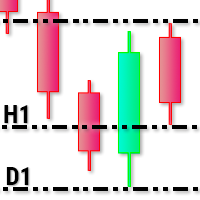
This utility tool draws timeframes top/bottom horizontal named lines on the chart, which highlight important regions and can assist in decision making for trading. Inputs: Timeframes Top/Bottom Lines: H1 (1 hour), H4 (4 hours), D1 (Daily), W1 (Weekly), MN1 (Monthly): You can choose to enable or disable timeframes top/bottom named lines. Lines Color: You can choose your favorite from the available colors or type in a custom RGB color (values from 0 to 255, e.g.: 100, 128, 255). Lines Style: You c

The Synchronized Cross indicator allows you to link cross hairs from multiple chart windows. This means that as you move the cross hair in one chart, all other cross hairs will move together by automatically staying on the same time. If, for example you are moving your mouse cursor in a M5 timeframe (see screenshots), the crosshair will show as a line in the higher timeframes, and as an area in the lower timeframes. Thus making it easier to correlate timeframes. The input parameters are self exp
MetaTrader Маркет - торговые роботы и технические индикаторы для трейдеров, доступные прямо в терминале.
Платежная система MQL5.community разработана для сервисов платформы MetaTrader и автоматически доступна всем зарегистрированным пользователям сайта MQL5.com. Ввод и вывод денежных средств возможен с помощью WebMoney, PayPal и банковских карт.

Вы упускаете торговые возможности:
- Бесплатные приложения для трейдинга
- 8 000+ сигналов для копирования
- Экономические новости для анализа финансовых рынков
Регистрация
Вход
Вы принимаете политику сайта и условия использования
Если у вас нет учетной записи, зарегистрируйтесь