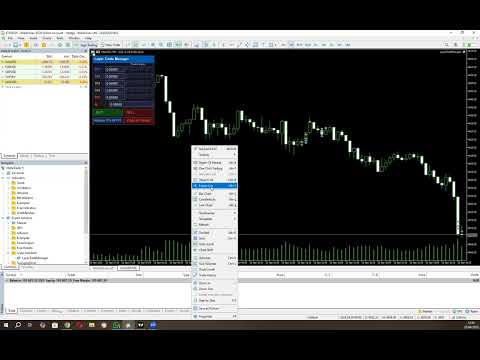
Layer Trade Manager

5

Layer Trade Manager — Level trade & Scalping Assistant

Layer Trade Manager is a simple yet powerful on-chart trade management panel for MetaTrader 5 designed to take the heavy lifting out of layered trade strategies. It operates in two modes: Standard Mode — a single

click opens the first trade and queues up a basket of up to 5 staggered market entries if price reaches the preconfigured layers, each with its own configurable take profit, and the smart automation takes care of setting BE, etc. from there; and Quick Target Mode — a streamlined scalping mode where every BUY/SELL press opens a market layer, auto-cascading adds further layers as price moves, and the entire basket shares a single dynamic TP anchored to the deepest entry.

What It Does

Instead of manually placing multiple orders at different price levels, Layer Trade Manager does it for you. Press BUY or SELL on the panel and:

Standard Mode:

  • Trade 1 opens immediately at market
  • Trades 2–5 open automatically as the market moves against you, each triggered at a configurable offset from the previous trade's actual fill price — a classic layering approach for building into a position
  • When price moves to your configured threshold, break even is set (if configured) on your open trades to take off risk

All active TP levels are calculated and displayed on the chart the moment you press the button, so you always know exactly where your exits are.

Quick Target Mode:

  • Layer 1 opens immediately at market when BUY/SELL is pressed
  • Further layers open automatically each time price moves a configurable number of pips against the basket — up to 20 layers total
  • The basket take profit is always calculated from the deepest entry (lowest buy / highest sell) plus the Quick Target distance, and is recalculated every time a new layer opens
  • An optional Best Layer TP gives the most recently opened layer a wider individual target
  • An optional Recovery Mode switches the basket TP to a tighter level anchored just above Trade 1's fill price once the drawdown exceeds a configurable threshold

Key Features

Two Operating Modes
Switch between Standard Mode (up to 5 layered trades, full TP row management, auto-BE) and Quick Target Mode (unlimited auto-cascade layers, dynamic basket TP, best-layer and recovery options) via the EA Mode input before attaching the EA.

Compact On-Chart Panel
A clean, dark-themed HUD sits in the corner of your chart. In Standard Mode every TP price and the SL are live-editable — click any field, type a price, and it is applied to the linked trades instantly. In Quick Target Mode all pip distances are editable directly in the panel before and between baskets.

Up to 10 Configurable Take Profit Levels (Standard Mode)
TP1 through TP10 are spaced cumulatively from each other using configurable point offsets. TP rows with a zero offset are hidden from the panel. Each visible TP row has five trade-link buttons (T1–T5) — click a button to assign that trade to close at that TP level, or reassign it at any time while the basket is live.

Relay TPs off TP1
Changed your TP1? One click on Relayer TPs off TP1 recalculates and pushes TP2 through the last active TP row to all linked trades automatically, respecting the original spacing offsets.

Two Auto Break-Even Strategies (Standard Mode)

  • Individual BE — Each trade's SL is moved to its own entry price (+ a configurable buffer for fees) as soon as price reaches a trigger distance from Trade 1's entry. Trades are protected one by one.
  • Combined BE — A single weighted-average entry price is calculated across all open basket positions. All SLs are moved to that blended level at once, with a configurable settling delay so completed TP closes don't skew the average.

Automatic Cascade Entries
In Standard Mode, Trades 2–5 monitor price in real time and open at market the moment each threshold is breached, using actual fill prices as the reference for the next level. In Quick Target Mode every layer after the first cascades automatically each time price moves one Layer distance against the basket.

Trailing Stop for Unlinked Trades (Standard Mode)
Any trade slot not assigned to a TP row is automatically managed with a trailing stop, so nothing is left unprotected.

Prop Firm Protection
An optional minimum-time gate between cascade opens prevents rapid-fire layering that could breach prop firm trade-frequency rules. Set to 0 to disable.

Session Recovery
Restart MT5 mid-basket? No problem. The EA reads your existing open positions on  OnInit  and fully restores the panel state — tickets, TP links, SL, direction, and BE status — without touching any live trade settings. Quick Target Mode recovers all open layers and restores recovery mode state automatically.

Close All Trades button
If news is coming up, you need to go out, or you don't like the way the market is moving, press one button and all your open trades are closed together.

Live Chart Lines
Colour-coded TP lines and a dashed SL line are drawn directly on the chart for instant visual reference. They update the moment you edit a price in the panel.

Input Settings At A Glance

Group Parameters
Magic Number Unique EA identifier, optional panel title label
Trade Settings Lot size, SL offset, BE strategy, BE trigger distance, BE delay, BE buffer
TP Offsets Independent point-offset for each of TP1–TP10 (set to 0 to hide a row)
Trade to TP Links Which TP row each of Trade 1–5 closes at (0 = trailing SL)
Trade Entry Offsets Cascade distance for Trades 2–5 from the previous entry
Order Frequency (Prop Firm Protection) Minimum seconds between auto-cascade opens (0 = disabled)
EA Mode Standard Mode or Quick Target Mode
Quick Target Mode Settings Basket TP distance, layer spacing, SL distance, Best Layer TP, Recovery TP

Who It's For

  • Scalpers who want rapid basket execution without the manual overhead
  • Grid/layer traders who build into positions as price retraces
  • Any trader who wants a clean visual panel to manage multi-trade setups with automated BE and TP management

Requirements

  • MetaTrader 5
  • Algo trading enabled in MT5

Please note that you should always watch open trades to ensure the EA is managing your trades as you expect so you can close your trades manually if required to protect your capital.


Configuration Instructions

Magic Number

Variable Default Description
EA magic number 20260307 Unique identifier stamped on every order placed by this EA. Use a different number per instance on the same account to keep baskets separate.
Configuration name for panel title (if using multiple instances) (empty) Optional text label appended to the panel title bar. Useful when running multiple instances on different charts — leave blank for the default “Layer Trade Manager” title.


Trade Settings

Variable Default Description
Lot size applied to every trade 0.01 Volume applied to every trade in the basket (T1–T5). Normalised to the broker’s minimum volume step automatically.
SL distance in points from Trade 1 entry 800 pts Initial stop-loss distance in points from the Trade 1 entry price. Applied when no manual SL has been typed into the panel.
BE strategy: Individual, Combined BE_COMBINED Determines how break-even is calculated when the auto-BE threshold is reached.
Individual — each trade gets its own BE SL set just above its own entry price.
Combined — all trades share a single BE SL set above the weighted average entry price of the whole basket.
Points from Trade 1 EP to trigger auto-BE 300 pts How far price must move in the trade direction from Trade 1’s actual fill price before auto-BE fires. Measured against the peak high-water-mark price so the trigger is never missed if price retraces.
Milliseconds to wait after BE threshold breach before applying BE 800 ms Settling delay (milliseconds) between the BE threshold being breached and the BE SL actually being applied. Allows in-progress TP closes at that level to settle before the weighted average EP is calculated. Most relevant to the Combined strategy.
BE points offset to cover fees/minor slippage 50 pts Points added above (buy) or below (sell) the reference entry price when setting the BE stop-loss, to cover spread, commission, and minor slippage.


TP Offsets

TP levels are cumulative. TP1 is measured from Trade 1’s entry price; TP2 is measured from TP1; TP3 from TP2, and so on.

Variable Default Description
TP offset for TP1 from EP 300 pts Distance from Trade 1 entry price to the TP1 level.
TP offset for TP2 from TP1 200 pts Additional distance from TP1 to the TP2 level.
TP offset for TP3 from TP2 200 pts Additional distance from TP2 to the TP3 level.
TP offset for TP4 from TP3 200 pts Additional distance from TP3 to the TP4 level.
TP offset for TP5 from TP4 200 pts Additional distance from TP4 to the TP5 level.
Example (Buy, 5-digit broker):
T1 entry = $5000  •  TP1Offset=300  •  TP2Offset=200  •  TP3Offset=200
→ TP1 = $5003    TP2 = $5005    TP3 = $5007

Trade to TP Links

Each trade is assigned to a specific TP row. When price reaches that TP level the assigned trade closes. Assignments can also be changed live on the panel by clicking the T1–T5 buttons on any TP row.

Variable Default Description
TP row for Trade 1 (0 = trail SL, 1–10 = TP row) 2 The TP row at which Trade 1 will close. Default links Trade 1 to TP2. Set to 0 to use a trailing stop instead.
TP row for Trade 2 (0 = trail SL, 1–10 = TP row) 3 The TP row at which Trade 2 will close. Default links Trade 2 to TP3.
TP row for Trade 3 (0 = trail SL, 1–10 = TP row) 4 The TP row at which Trade 3 will close. Default links Trade 3 to TP4.
TP row for Trade 4 (0 = trail SL, 1–10 = TP row) 0 Trade 4 uses a trailing SL by default (no fixed TP). Set to 1–10 to assign a TP row.
TP row for Trade 5 (0 = trail SL, 1–10 = TP row) 0 Trade 5 uses a trailing SL by default (no fixed TP). Set to 1–10 to assign a TP row.
Trailing SL distance in points (for trades with no TP) 200 pts Trailing stop distance for any trade that has no TP assigned (link = 0). The trailing SL only activates once BE has been triggered and only ever moves in the profitable direction.


Trade Entry Offsets

Trade 1 always opens at the market price when BUY/SELL is pressed. Trades 2–5 can open immediately, cascade as price moves, or be disabled entirely.

Variable Default Special values Description
Trade2 entry offset from Trade1 (0=disabled, -1=open with T1) 200 pts 0 = off  •  -1 = with T1 Offset from Trade 1’s actual fill price at which Trade 2 opens. Buy: T2 opens when ask falls this many points below T1 entry. Sell: when bid rises this many points above T1 entry.
Trade3 entry offset from Trade2 (0=disabled, -1=open with T1) 200 pts 0 = off  •  -1 = with T1 Offset from Trade 2’s actual fill price at which Trade 3 opens. Cascade chain anchors to the previous trade’s fill, not T1 entry.
Trade4 entry offset from Trade3 (0=disabled, -1=open with T1) 0 (off) 0 = off  •  -1 = with T1 Offset from Trade 3’s actual fill price at which Trade 4 opens.
Trade5 entry offset from Trade4 (0=disabled, -1=open with T1) 0 (off) 0 = off  •  -1 = with T1 Offset from Trade 4’s actual fill price at which Trade 5 opens.

Special value reference

Value Behaviour
0 Trade slot disabled — that trade will never open as part of an auto-basket.
-1 Trade opens immediately at market alongside Trade 1 when BUY/SELL is pressed. Use this to fire 2, 3, or 4 trades simultaneously. E.g. set Trade2Offset = -1 to always open two trades on each BUY/SELL click.
> 0 Trade opens via cascade. The EA monitors price every tick and opens this trade at market once the threshold is reached.
Cascade chain example (Buy):
T1 fills at $5000. Trade2Offset=200 → T2 opens when ask ≤ $4998.
T2 fills at $4998. Trade3Offset=200 → T3 opens when ask ≤ $4996.
Each threshold is anchored to the previous trade’s actual fill, not T1 entry.


Order Frequency (Prop Firm Protection)

Variable Default Description
Min seconds between layered trades 0 (disabled) Minimum number of seconds that must elapse between consecutive auto-cascade trade opens. Prevents rapid-fire layering that may breach prop firm trade-frequency rules. Set to 0 to disable the gate entirely and allow immediate cascading. Applies to both Standard Mode cascade entries and Quick Target Mode layers.


EA Mode

Variable Default Description
EA Mode Standard Mode Selects the operating mode for the EA.
Standard Mode — the full multi-TP layered basket with auto-BE, TP row management, and T1–T5 trade slots.
Quick Target Mode — a streamlined scalping panel with unlimited auto-cascade layers, a dynamic basket TP, optional Best Layer TP, and optional Recovery Mode. See the Quick Target Mode section below for full details.


Panel Controls — Standard Mode (runtime)

Control Function
TP1–TP10 edit boxes Type a price and press Enter to set that TP level and push it to any linked open trades. Only rows with a non-zero offset are shown.
T1–T5 buttons (per row) Toggle the TP↔trade link. Highlighted green = linked. Click to link/unlink; linking immediately pushes the panel TP price to the live trade.
BE button Grey — disabled; price has not yet reached Trade 1 entry level.
Dark red — eligible; price is at or above T1 entry. Click to immediately apply BE stops to all open trades using the configured strategy.
Bright red — BE active; SL is locked. Click again to deactivate and re-enable manual SL editing.
The button re-disables if price drops back below T1 entry while BE is not yet activated.
SL edit box Editable when BE is off. Type a price and press Enter to update the SL on every open basket trade simultaneously. Locked to read-only when BE is active.
BUY / SELL Opens a fresh basket (T1 at market, immediate trades fired, cascade monitoring starts). If a basket is already active in the same direction and T5 is not yet filled, pressing the same button adds the next available trade at market.
Relayer TPs off TP1 Recalculates all visible TP rows (TP2 onward) from the current TP1 value using the configured offsets and pushes the new prices to all linked trades.
Close All Trades Closes every open basket position at market. Panel and tracking state reset automatically once all positions are confirmed closed.

Quick Target Mode

Quick Target Mode is a dedicated scalping panel that replaces the Standard Mode panel entirely. It is designed for fast, repetitive basket scalps where you want a simple TP target, automatic layering as price moves against you, and optional smarter TP management for the deepest layer and for recovery scenarios.

How It Works

  • Press BUY or SELL to open the first layer at market. The basket SL is set immediately from the configured SL distance and does not change for the life of the basket.
  • Each time price moves one Layer distance against the basket, a new layer opens automatically at market — up to 20 layers total.
  • The basket TP is always anchored to the worst entry in the basket (lowest buy fill / highest sell fill) plus the Quick Target distance, and is recalculated and pushed to all layers every time a new layer opens.
  • If Best Layer is enabled, the most recently opened layer always gets a separate, wider TP equal to its own fill price plus the Best Layer distance. All other layers continue to use the basket TP.
  • If Recovery Mode is enabled and price moves more than the Quick Target distance into drawdown from Trade 1's fill price, recovery mode activates automatically. While active, the basket TP for all layers (except the best layer) switches to Trade 1's fill price plus the Recovery distance — a tighter target designed to get out near break-even rather than waiting for the full basket TP.
  • Once all layers have closed the panel resets automatically and is ready for the next basket.

You can also press BUY/SELL at any time while a basket is active to add an immediate extra layer without waiting for the cascade threshold to be reached. The opposite-direction button is greyed out while a basket is live.

Enabling Quick Target Mode

  1. In the EA inputs, find the EA Mode group.
  2. Set EA Mode to Quick Target Mode .
  3. Configure the Quick Target Mode Settings group (see table below).
  4. Attach or re-initialise the EA. The panel will display the teal-headed Quick Target Mode panel instead of the standard panel.

Quick Target Mode Settings

Variable Default Description
Quick Target basket TP distance in points 300 pts (30 pips) Distance in points from the worst entry in the basket to the basket TP. This is the core profit target for every layer (except the best layer when Best Layer is enabled). Editable live in the panel as pips.
Layer offset in points between QT trades 100 pts (10 pips) How far price must move against the last opened layer before the next layer opens automatically. Each new layer's threshold is anchored to the previous layer's actual fill price. Editable live in the panel as pips.
SL distance in points for Quick Target mode 500 pts (50 pips) Stop-loss distance in points from the first layer's entry price. The same SL price is applied to all subsequent layers. Locked once a basket is open; editable as pips between baskets.
Best Layer extra TP in points (0 = disabled) 1000 pts (100 pips) When non-zero, the most recently opened layer in the basket is assigned a separate TP equal to its own fill price plus this distance. This gives your newest (deepest) layer a much wider target, effectively letting it ride further while earlier layers close at the tighter basket TP. Set to 0 to disable — all layers share the same basket TP. Editable live in the panel as pips.
Recovery TP offset in points above T1 fill (0 = disabled) 100 pts (10 pips) When non-zero, recovery mode can activate. Recovery mode triggers once price moves more than Quick Target points into drawdown from Trade 1's fill. When active, the basket TP for all non-best layers switches from the normal basket TP to Trade 1's fill price plus this recovery offset — a near-break-even target designed to exit the basket in adverse conditions. Set to 0 to disable recovery mode entirely. Editable live in the panel as pips.

Quick Target Mode Panel Controls (runtime)

Control Function
Status row (read-only) When idle: shows the configured SL distance in pips and Ready. When a basket is active: shows the current layer count, the live basket TP price, and the basket SL price.
Quick Tgt edit The basket TP distance in pips. Edit and press Enter to update the runtime value. Takes effect on the next layer open or immediately if a basket is already active (recalculates and pushes TP to all open layers).
Layer edit The cascade layer spacing in pips. Edit and press Enter to update the runtime value. Controls how far price must move from the last layer before the next one opens.
Best Layer edit The Best Layer TP distance in pips. Edit and press Enter. Set to 0 to disable. When a basket is active the current Best Layer TP price is displayed alongside the edit field.
Recovery edit The Recovery TP offset in pips. Edit and press Enter. Set to 0 to disable. The row turns red and the status label shows RECOVERY when recovery mode is active. When idle it shows the drawdown threshold that will trigger recovery (e.g. >30 DD).
SL edit When idle: shows the SL distance in pips — edit and press Enter to change it before opening the next basket. When a basket is active: locked, displays the live SL price applied to all open layers.
BUY / SELL Opens a new basket (first layer at market) when no basket is active, or adds an immediate extra layer to the existing basket when pressed in the same direction. The opposite-direction button is greyed out while a basket is live.
Close All Trades Closes every open Quick Target layer at market. Panel and tracking state reset automatically once all positions are confirmed closed.
Comentários 1
str8derx
55
str8derx 2026.05.03 14:12 
 

This EA is a highly efficient tool for layering trades. Once you manually enter a position, the system takes over and automates the rest based on your configured settings, including target levels and trade management. It offers two modes, giving flexibility depending on your strategy. I also appreciate the developer’s responsiveness—being open to feedback and actively incorporating improvements into the EA makes a big difference in usability and performance.

Produtos recomendados
DDKiller Pro
Njaratahiry Michael Randrianiaina
Stop Blowing Your Account. Once and For All. DDKiller Pro is the MT5 risk guardian that runs silently on your chart and shuts down trading the moment you hit a limit — whether you're grinding a prop firm challenge or managing your own CFD account. The problem every trader knows: You set your rules. You break them anyway. One revenge trade. One overleveraged position. One session that erases a month of gains. DDKiller Pro removes that decision from your hands entirely. What it does: The second yo
You already have positions open. The question is whether the episode is still under control. Floating P/L tells you the result. It does not tell you the condition. A position group can still show a small gain while inventory load, hold time, adverse drift, weakening recovery, and spread expansion are already building pressure in the background. By the time the P/L number turns negative, the episode is already stressed. Episode Health Monitor was built to surface those conditions before they beco
Core function Intelligent transaction management one-click opening and closing operation, which supports user-defined lots to set multiple closing modes: all closing, closing by direction and closing by profit and loss status. Professional risk control, real-time risk monitoring and spread control to avoid high-cost trading environment. Visual control panel has an intuitive graphical interface, and all functions can be operated with one button to display position information, profit and loss sta
FREE
Trading Utility for Forex Currency Pairs Only not for Gold  Functions Auto Lot Calculation based on Risk Auto stoploss  Auto TakeProfit Breakeven Auto Close Half % Close in percentage with respect to the PIPs Pending Orders BuyLimit Sell Limit with distances BuyStop Sell Stop    with distances Trading Informations Risk in percentage For Multiple trades Combine Takeprofit and Combine Stoplosses
FiT Panel Pro
Thonglak Janyakorn
Overview FiT Panel Pro is a professional-grade trade management panel designed for MetaTrader 5 traders who demand speed, precision, and full control over their trades. Built with a modern dark-theme UI, it combines one-click execution with advanced risk management, visual SL/TP drag lines, automatic Fibonacci-based levels, and comprehensive order management — all in a single, compact panel. Whether you are a scalper, day trader, or swing trader, FiT Panel Pro gives you the edge you need to exec
FREE
"Manage multiple positions as a single unit with hidden targets." The Virtual Basket TP SL Manager is a professional MetaTrader 5 utility designed to automate the closing of positions based on the total profit or loss of a group of orders (a "basket"). By utilizing Virtual Levels , all Take Profit (TP) and Stop Loss (SL) targets are stored locally within the EA's memory and are not sent to the broker's server, keeping your strategy safe from stop-hunting and price manipulation. Key Features Virt
FREE
Capital Management EA – Smart Risk Management & Profit Optimization for MT5 Take control of your trading capital with smart, automated strategies — fully optimized for MetaTrader 5 (MT5). Looking to protect your capital and maximize profits through automated money management strategies ? Capital Management EA is the all-in-one Expert Advisor for MetaTrader 5 (MT5) that helps you trade smarter, not harder. Core Features: 5-in-1 Capital Management Strategies – Built-in versatility Gr
Trade Assistant MT5 Pro – One Click Trading Panel | Auto Lot Size | Risk Management Tool Short Description Trade Assistant MT5 Pro is a professional trading utility for MetaTrader 5 that allows traders to execute trades with one click, manage risk automatically, and improve trading accuracy using advanced tools like ATR stop loss, risk reward ratios, breakeven, and trailing stop. Full Description Trade Assistant MT5 Pro is a powerful manual trading panel designed for traders who want speed, prec

Shino trade manager
Lognie Temchin Notsa
SHINO Trade Manager – Smart Risk Management EA (Auto SL, TP & Trailing Stop + Telegram Alerts) Take full control of your trades and eliminate emotional decision-making with SHINO Trade Manager , a powerful and lightweight Expert Advisor designed to automate your risk management on MetaTrader 5. Whether you are a scalper, day trader, or swing trader, this EA ensures every position is protected and managed with precision — 24/7. Protect Your Capital Automatically Never leave a trade unprotec
A fast, clean on-chart trading panel for manual traders. Open market or pending grid orders directly from your chart, manage SL/TP, lot size, trailing, spread and margin — without using the order window. Technical Features One-click BUY / SELL Live Bid / Ask inside buttons SL / TP input (Pips & Points) + quick +/- adjustment Trailing Stop control Pending Grid (Buy/Sell Limit & Stop) Step distance (Pips/Points) Order count Lot multiplier Real-time margin estimate (uses account currency) Live spre
CosmiCLab SMC FIBO CosmiCLab SMC FIBO is a professional trading indicator designed for traders who use Smart Money Concepts (SMC), market structure analysis and Fibonacci retracement levels. The indicator automatically detects market swings and builds Fibonacci levels based on the latest impulse movement. It also identifies market structure changes such as BOS (Break of Structure) and CHOCH (Change of Character), helping traders understand the current market direction. CosmiCLab SMC FIBO also pr
WAP TP Stealth EA – Intelligent Basket Management for Precision Exits WAP TP Stealth EA is a specialized trade management expert advisor designed for traders who rely on basket strategies, recovery systems, and multi-position workflows. Instead of closing trades individually, the EA dynamically calculates the Weighted Average Price (WAP) of all open positions and executes a coordinated closure once your defined profit target is reached. This approach enables efficient drawdown management, smooth
FREE
Recovery Manager Panel MT5 is a manual order management panel for traders who want to manage open positions directly from the chart in a clearer and more organized way. This tool is not a signal robot. It does not predict market direction, generate entry signals, or trade automatically based on market forecasts. Instead, it helps traders work with positions that are already open. You can calculate possible recovery lot sizes, view estimated target levels on the chart, and use available floating
Click Trading
Jawad Tauheed
5 (2)
One Click Trading – Auto TP SL Developer TraderLinkz Version 1.00 Category Utility What it does Adds missing TP and SL to your manual trades and pending orders Sets them once per ticket Lets you move TP and SL afterward Works on hedging and netting accounts Scans on every tick and reacts on trade events Why you want it You place faster entries You get consistent risk and exit targets You reduce fat finger errors You keep full manual control Quick start Attach the EA to any chart Keep TP and SL e
FREE
Trade assistant pro v8
Ahmed Mohammed Bakr Bakr
FREE FREE FREE Trade Assistant MT5 – Professional Trading & Risk Management Panel Trade Assistant MT5 is an advanced trading panel designed to help traders execute orders faster, safer, and more professionally . It simplifies manual trading by combining smart order management , precise risk control , and one-click execution , making it ideal for both beginners and advanced traders. This tool does not trade automatically . Instead, it empowers you with full control while applying professional-gra
FREE
SLTPSetter
Raphael Djangmah Osro Agbo
SLTPSetter - StopLoss Take Profit Setter HOW DOES IT WORK? Risk and account management is a very critical aspect of trading. Before entering a position, you must be fully aware how much you will be willing to loss both in percentage and value. This is where SLTPSetter gets you covered.  All you need to do is attach the indicator on the chart and PRESS BUY OR SELL automatically, all parameters needed for placing the trades will be provided at the top left corner of the screen. Feel free to adjust
Painel profissional de planejamento de posição e controle de volume para MetaTrader 5 Position Control Suite é um painel visual profissional para planejamento de operações no MetaTrader 5. Ele foi criado para traders que desejam preparar ordens diretamente no gráfico, definir o nível exato de Stop Loss e calcular automaticamente o volume da posição com base em um valor de risco na moeda da conta. A ideia principal é simples: defina quanto deseja arriscar, configure a distância do Stop Loss e o p
FREE
Easy Trade Executor é uma ferramenta para cálculo rápido do tamanho da posição, execução de operações e gerenciamento de trades no MT5. Posicione os níveis de Open Price, Stop Loss e Take Profit diretamente no gráfico, obtenha cálculos automáticos do tamanho da posição e abra operações com risco controlado em apenas alguns cliques. Por que escolher o Easy Trade Executor? O Easy Trade Executor foi desenvolvido para traders que desejam mais do que apenas calcular riscos — eles querem gerenciar op
Risk Manager – Account Protection Tool Risk Manager is an Expert Advisor for MetaTrader 5 designed to protect your trading account by applying automatic risk management rules. This tool does not open trades . It continuously monitors your account and enforces predefined limits to help prevent excessive losses and maintain disciplined trading. Risk Manager works in the background and can manage positions opened by manual trading or other Expert Advisors. It is particularly useful for: • Manual tr
FREE
Objetivo: Abre automaticamente os gráficos de todos os símbolos do Market Watch usando o template default.tpl no timeframe atual (TF) , fechando todos os outros gráficos (exceto o ativo). Perfeito para análise rápida de múltiplos ativos sem trabalho manual! Funcionalidades: Automação: Abre dezenas de gráficos com um clique. Segurança: Fecha gráficos desnecessários, mantendo o atual ativo. Flexibilidade: Usa seu template default.tpl (configure-o previamente!). Timeframe atual: Gráf
FREE
Free MetaTrader 5 indicator that displays "CALL IT A DAY" when London & New York sessions close. Customizable alerts, session tracking, and a guilt-free reminder to log off. Perfect for workaholic traders! Tired of staring at charts when the market’s already clocked out? Session Guardian   is your sassy trading assistant that slaps a giant   "CALL IT A DAY"   on your screen when both London   and   New York sessions are closed—because even traders deserve happy hour. Key Features:   Big, Bo
FREE
Aqui está a tradução para o português (Brasil), utilizando a terminologia padrão do mercado financeiro e de Prop Firms para garantir que o texto soe natural para um trader brasileiro. Prop Calculator Assistant Pare de quebrar contas de Prop Firm por erros de cálculo. Deixe que o Assistente cuide do risco para você. O Prop Calculator Assistant é o painel de gestão de ordens definitivo, projetado especificamente para traders que buscam aprovação em desafios (FTMO, etc.) ou que já gerenciam capital
DTK Scalping Panel
Thiago Pereira Pinho
A powerful and intuitive trade management tool designed for scalpers and intraday traders. Created to complement the Nampim Samba Scalper strategy , it allows traders to open, manage, and close positions quickly without leaving the chart.  Key Features: Customizable trading panel – choose position (left, right, center, top, bottom). One-click trading buttons – instantly open Buy/Sell trades with pre-set lot sizes. Close management – close last 1/2/3 trades or all Buy/Sell positions with one clic
FREE
GridZone Alpha: The Ultimate Semi-Automated Grid & Zone Manager GridZone Alpha is an advanced, interactive trading panel designed for the modern manual trader. Stop staring at the charts waiting for the perfect entry, and stop relying on rigid, fully automated bots that cannot read market context. With GridZone Alpha, you provide the human analysis by identifying your support, resistance, or supply/demand zones. Once confirmed, the Limit Order Engine takes over, instantly deploying a precision,
Market & Pending Risk Manager EA Operation Manual Market & Pending Risk Manager is a professional MT5 trading panel EA that integrates multiple functions such as market order trading, pending order trading, risk management, and trailing stop loss, providing traders with a comprehensive trading solution. Core Advantages Intelligent Dual-Mode Trading Market Order Mode: One-click buy/sell for fast execution Pending Order Mode: Precise entry to wait for the optimal timing Seamless Switching
FREE
Trailing Stop Manager with Break Even is a MetaTrader 5 utility that moves your stop loss automatically to protect profit as price advances. Unlike the platform's single-mode trailing stop, it offers four professional methods plus break-even handling, and it manages all matching positions on any symbol. Features Four trailing modes for different conditions: Fixed Pips, ATR-based, Step, and Break-even plus Trail (two-phase). Fixed Pips: classic trail that starts after a set profit and follows at
FREE
Risk Properly with FXPosition Size Calculator which calculated the optimal Lot sSize based on your desired Risk Percentage and Stop-Loss, ensuring precise Risk Management. Enter your account balance, risk percentage, and Stop-Loss(either in points or price levels), and the calculator instantly determines the required lot size so that you don't risk too much. Protect your capital and trade with confidence with Accurate Position Sizing and Simplicity.
King ElChart Manual Trade Panel
Mohammed Maher Al-sayed Mohammed Ahmed Saleh
King Chart – Manual Trading Panel for MetaTrader 5 Overview King Chart is a simple yet powerful manual trading panel built for traders who want speed, precision, and clarity. It enables quick order execution, clear lot control, and real-time account monitoring  all directly on your MT5 chart. Main Features Multi-Lot Trade Execution 3 Buy and 3 Sell buttons for instant execution Each button is tied to a custom lot size field Designed for flexible scaling in or out of trades Position Management D
RRtoolBox
David Ruiz Moreno
RRtoolbox - Professional Tools: Risk:Reward Trading Tool (SL/TP Horizontals + Pending orders + Diagonals), Alerts set on trend lines (for alerts on diagonal levels), SelfManagement (BE, partials...), close/cancelling by time, Statistics, Info and trading on chart. One-Click Trading with Visual Risk:Reward Management RRtoolbox is a comprehensive trading panel that combines one-click order execution,  statistics and  powerful visual Risk:Reward tools, alerts set with trendlines, on chart butt
The Position Control is an intuitive yet powerful trading tool that facilitates risk management from entry to exit.  It includes automatic lot sizing, fixed stop loss and take profit features, or determines them using the ATR indicator. After opening a position, you can set automatic break-even points, trailing stops, and choose from three types of partial closures. Moreover, if you open a 0.01 lot position from your phone, the expert will automatically close it and open a risk-managed position
Os compradores deste produto também adquirem
Trade Assistant MT5
Evgeniy Kravchenko
4.43 (211)
Ajuda a calcular o risco por comércio, a fácil instalação de uma nova encomenda, gestão de encomendas com funções de fecho parcial, trailing stop de 7 tipos e outras funções úteis. Materiais e instruções adicionais Instruções de instalação   -   Instruções para a aplicação   -   Versão de teste da aplicação para uma conta de demonstração Função de linha Mostra no gráfico a linha de Abertura, Stop Loss, Take Profit. Com esta função é fácil definir uma nova ordem e ver as suas características ad
Bem-vindo ao Trade Manager EA—uma ferramenta de gestão de risco criada para tornar o trading mais intuitivo, preciso e eficiente. Não é apenas uma ferramenta para executar ordens, mas uma solução abrangente para planejamento de operações, gerenciamento de posições e controle de risco. Seja você um iniciante, trader avançado ou scalper que precisa de execução rápida, o Trade Manager EA adapta-se às suas necessidades, oferecendo flexibilidade em todos os mercados, desde forex e índices até commodi
Local Trade Copier EA MT5
Juvenille Emperor Limited
4.96 (139)
Experimente uma cópia de negociação excepcionalmente rápida com o Local Trade Copier EA MT5 . Com sua fácil configuração de 1 minuto, este copiador de negociações permite que você copie negociações entre vários terminais MetaTrader no mesmo computador Windows ou em um Windows VPS com velocidades de cópia ultra rápidas de menos de 0.5 segundos. Seja você um trader iniciante ou profissional, o   Local Trade Copier EA MT5   oferece uma ampla gama de opções para personalizá-lo de acordo com suas ne
TradePanel MT5
Alfiya Fazylova
4.87 (157)
Trade Panel é um assistente de negociação multifuncional. O aplicativo contém mais de 50 funções de negociação para trading manual e permite automatizar a maioria das tarefas de negociação. Antes da compra, você pode testar a versão de demonstração em uma conta demo. Baixe a versão experimental do aplicativo para uma conta de demonstração: https://www.mql5.com/pt/blogs/post/762547 . Instruções completas aqui . Comércio. Permite realizar operações de negociação com um clique: Abrir ordens pendent
Versão Beta O Telegram to MT5 Signal Trader está quase no lançamento oficial da versão alfa. Alguns recursos ainda estão em desenvolvimento e você pode encontrar pequenos erros. Se tiver problemas, por favor reporte, seu feedback ajuda a melhorar o software para todos. Telegram to MT5 Signal Trader é uma ferramenta poderosa que copia automaticamente sinais de trading de canais ou grupos do Telegram diretamente para sua conta MetaTrader 5 . Suporta canais públicos e privados do Telegram, e você
Quant AI Agents
Ho Tuan Thang
5 (1)
Quant AI Agents are independent trading Expert Advisors. Instead of trading using a fixed strategy like other conventional EAs, Quant AI Agents   is a   multi-agent AI trading framework   that turns natural-language strategy prompts into live.  WANT THE SAME RESULTS AS MY LIVE SIGNAL?   Use the exact same brokers I do:   IC MARKETS , IC TRADING   .  Unlike the centralized stock market, Forex has no single, unified price feed.  Every broker sources liquidity from different providers, creating un
AI Agent Supervisor is NOT an Expert Advisor. AI Agent Supervisor   is a   multi-agent AI risk & portfolio supervisor   that watches every EA on your account and intervenes in real time.  WANT AN AI PORTFOLIO MANAGER WATCHING YOUR FLEET 24/7?   Run your fleet on the same brokers I do:   IC MARKETS , IC TRADING   .  Unlike the centralized stock market, Forex has no single, unified price feed.  Every broker sources liquidity from different providers, creating unique data streams. The Supervisor r
Trade Dashboard MT5
Fatemeh Ameri
4.95 (129)
Trade Dashboard simplifies how you open, manage, and control your trades, with built-in lot size calculation. It allows you to execute trades, manage risk, and control positions directly on the chart, with tools such as partial close, breakeven, and trailing stop. Designed to reduce manual work and help you stay focused on your trading decisions. A demo version is available for testing. Detailed explanations of features are provided within the MQL5 platform. Installation instructions are include
Exp COPYLOT CLIENT for MT5
Vladislav Andruschenko
3.91 (33)
Copiador profissional de operações para MetaTrader 5 Um copiador de operações rápido, profissional e confiável para MetaTrader . COPYLOT permite copiar operações de Forex entre terminais MT4 e MT5 com suporte para contas Hedge e Netting . A versão MT5 do COPYLOT oferece suporte a: - MT5 Hedge → MT5 Hedge - MT5 Hedge → MT5 Netting - MT5 Netting → MT5 Hedge - MT5 Netting → MT5 Netting - MT4 → MT5 Hedge - MT4 → MT5 Netting Versão MT4 Descrição completa + DEMO + PDF Como comprar Como instalar Como
Premium Trade Manager - Gestão de operações rápida e disciplinada para MetaTrader 5 Premium Trade Manager é para traders que querem manter o foco na decisão enquanto o painel cuida da rotina: dimensionamento, colocação, parciais, trailing, notícias e limites de prop firm, tratados com a mesma disciplina em cada operação. É um painel rápido no gráfico para MetaTrader 5 que elimina o trabalho mecânico de cada operação. Você decide a direção, o símbolo e o timing; o painel calcula o tamanho da posi
Farmed Hedge Yield Farming | All Markets (Manual - Hybrid - Semi/Automated EA) MULTI-ASSET SUPPORT Trade any asset available on your broker - Forex: Major, Minor, Exotic pairs - Crypto: BTC, ETH, XRP, SOL, BNB - Stocks: Apple, Tesla, Amazon, Google, etc. - Commodities: Gold, Silver, Oil, Gas - Indices: US30, NAS100, SPX500, DAX40 - Any CFD your broker offers VERIFIED TRADING RESULTS - Farmed Hedge Yield Axi Copy:  https://www.mql5.com/en/signals/2356376 - Farmed Hedge Yield Exn Copy:   https:/
Footprint Chart Pro — Professional OrderFlow EA for MetaTrader 5 Version 6.34 | Professional tool for real traders | Institutional-Grade Visualization DEMO USERS - PLEASE SELECT EVERY TICK / REAL TICK WHEN TESTING AND YOU HAVE DOWNLOADED HISTORICAL DATA. IF YOU SEE A WAITING SCREEN AND IT IS NOT DOWNLOADING, IT MEANS YOU HAVE LOW HISTORICAL DATA. TRY 1 MIN AND 5 MIN FIRST ON 1 DAY DATA. ONE DAY DATA SHOULD BE THE NEWEST AND MOST CURRENT DATE. PLEASE WAIT UNTIL THE MARKET HAS ROLLED OVER PERIOD.
The product will copy all telegram signal to MT5 ( which you are member) , also it can work as remote copier.  Easy to set up, copy order instant, can work with almost signal formats, image signal,  s upport to translate other language to English Work with all type of channel or group, even channel have "Restrict Saving Content", work with  multi channel, multi MT5 Work as remote copier: with signal have ticket number, it will copy exactly via ticket number. Support to backtest signal. How to s
The News Filter MT5
Leolouiski Gan
4.78 (23)
Este produto filtra todos os consultores especializados e gráficos manuais durante o horário das notícias, para que você não precise se preocupar com picos de preços repentinos que possam destruir suas configurações de negociação manuais ou negociações realizadas por outros consultores especializados. Este produto também vem com um sistema de gerenciamento de pedidos completo que pode lidar com suas posições abertas e ordens pendentes antes do lançamento de qualquer notícia. Depois de comprar o
Prop Firm Os
Gayathiri Gopalakrishnan
5 (1)
PROP FIRM OS Structured Trading Assistant for MetaTrader 5 PROP FIRM OS is a structured trading assistant designed for MetaTrader 5 users who prefer rule-based market analysis and organized trading workflows. The Expert Advisor combines market analysis tools, scanner functions, dashboard monitoring, alerts, risk-control settings, and trade management features inside one system. PROP FIRM OS is designed to help traders follow selected rules, filters, and monitoring conditions during trading activ
Custom Alerts AIO: Monitoramento inteligente de múltiplos mercados – pronto para uso, sem configuração Visão geral Custom Alerts AIO é uma ferramenta avançada de varredura de mercado que funciona imediatamente após a instalação — sem necessidade de configurar indicadores adicionais. Inclui internamente todos os principais indicadores da Stein Investments (FX Power, FX Volume, FX Dynamic, FX Levels e IX Power), permitindo que você monitore facilmente todas as principais classes de ativos: Forex
Trade copier MT5
Alfiya Fazylova
4.55 (44)
Trade Copier é um utilitário profissional projetado para copiar e sincronizar negociações entre contas de negociação. A cópia ocorre da conta / terminal do fornecedor para a conta / terminal do destinatário, instalada no mesmo computador ou vps. PROMOÇÃO - Se você já adquiriu o "Trade copier MT5", pode receber o "Trade copier MT4" gratuitamente (para cópia MT4 > MT5 e MT4 < MT5). Para obter informações mais detalhadas sobre os termos, por favor, entre em contato conosco através de mensagens priv
AntiOverfit PRO MT5
Enrique Enguix
5 (6)
Antes de comprar um EA, verifique se ele realmente se sustenta ou se apenas teve sorte num backtest. A maioria dos robôs é vendida com um backtest bonito. Curva ascendente. Bom profit factor. Poucas dúvidas. E, ainda assim, muitos desses EAs desmoronam assim que o mercado deixa de se mover como nesse histórico. Porquê? Porque um backtest só prova uma coisa: que essa estratégia funcionou num percurso específico do preço. Não prova que vá aguentar outros percursos. Não prova que seja robusta. E mu
Power Candles Strategy Scanner - Localizador de configurações multissímbolo com auto-otimização O Power Candles Strategy Scanner utiliza o mesmo motor de auto-otimização que alimenta o indicador Power Candles — em todos os símbolos da sua lista de observação, lado a lado. Um painel indica-lhe quais os símbolos que são estatisticamente negociáveis neste momento, qual a estratégia vencedora para cada um, o par ideal de Stop Loss / Take Profit, e avisa-o assim que um novo sinal é emitido. Esta ferr
Timeless Charts
Samuel Manoel De Souza
5 (6)
Timeless Charts é um utilitário de trading tudo-em-um para traders profissionais. Ele combina tipos de gráficos personalizados, como Gráficos por Segundos e Renko , com análise avançada de fluxo de ordens utilizando Footprints , Clusters , Perfis de Volume , estudos VWAP e ferramentas de análise ancorada para uma visão mais profunda do mercado. O gerenciamento de ordens e posições é realizado diretamente no gráfico por meio de um painel integrado de gerenciamento de operações , enquanto o Market
YuClusters
Yury Kulikov
4.93 (42)
Atenção: A versão demo para revisão e teste está aqui . YuClusters é um sistema profissional de análise de mercado. O trader tem oportunidades únicas para analisar o fluxo de pedidos, volumes de negociação, movimentos de preços usando vários gráficos, perfis, indicadores e objetos gráficos. O YuClusters opera com base em dados de Tempos e Negócios ou informações de ticks, dependendo do que está disponível nas cotações de um instrumento financeiro. O YuClusters permite que você crie gráficos com
Trade Manager DaneTrades
Levi Dane Benjamin
4.28 (29)
Trade Manager para ajudá-lo a entrar e sair rapidamente de negociações enquanto calcula automaticamente seu risco. Incluindo recursos para ajudar a evitar negociações excessivas, negociações de vingança e negociações emocionais. As negociações podem ser gerenciadas automaticamente e as métricas de desempenho da conta podem ser visualizadas em um gráfico. Esses recursos tornam este painel ideal para todos os traders manuais e ajudam a aprimorar a plataforma MetaTrader 5. Suporte multilíngue. Vers
SMC Trade Pilot MT5 Assistente de trading semi-automático para traders de Smart Money Concepts. Receba sinais no Telegram com captura do gráfico e coloque a operação com um único toque. Gerencie suas posições do telefone, mesmo longe do computador. O problema que resolve Os setups de Smart Money não esperam. Order Blocks e Liquidity Sweeps se formam durante a abertura de Londres, Nova York ou no meio da sessão asiática, muitas vezes quando você está no trabalho, em reunião ou longe da tela. Quan
Seconds Chart MT5
Boris Sedov
4.59 (17)
Seconds Chart - uma ferramenta exclusiva para criar gráficos de segundos no MetaTrader 5 . Com o Seconds Chart , você pode criar gráficos com períodos definidos em segundos, proporcionando flexibilidade e precisão ideais para análise, indisponíveis em gráficos padrão de minutos ou horas. Por exemplo, o período S15 indica um gráfico com velas de 15 segundos. Você pode usar qualquer indicador ou Expert Advisor com suporte a símbolos personalizados. Trabalhar com eles é tão conveniente quanto negoc
================================================================================ POC BREAKOUT - V20.72. Full Professional Grade Toolkit ================================================================================ POC Breakout is a full MetaTrader 5 trading dashboard for discretionary traders who want breakout signals, Point of Control (POC) context, volume profiles, order flow, market structure, news, alerts, and advanced trade planning in one professional workspace. Attached directly to you
Copy Cat More Trade Copier MT5 (Gato Copiador MT5) é um copiador de negociações local e uma estrutura completa de gestão de riscos e execução projetada para os desafios comerciais de hoje. Desde desafios de prop firms até gestão de portfólio pessoal, ele se adapta a cada situação com uma combinação de execução robusta, proteção de capital, configuração flexível e manuseio avançado de negociações. O copiador funciona tanto no modo Master (remetente) quanto Slave (receptor), com sincronização em t
MT5 to Telegram Signal Provider é uma utilidade fácil de usar e totalmente personalizável que permite o envio de sinais especificados para o chat, canal ou grupo do Telegram, tornando sua conta um fornecedor de sinais . Ao contrário da maioria dos produtos concorrentes, ele não usa importações de DLL. [ Demonstração ] [ Manual ] [ Versão MT4 ] [ Versão Discord ] [ Canal do Telegram ]  New: [ Telegram To MT5 ] Configuração Um guia do usuário passo a passo está disponível. Não é necessário conhec
Advanced Dashboard Ultra
Mirel Daniel Gheonu
5 (3)
Stats Dashboard & Journal ULTRA para MT5 O Centro de Comando de Trading Completo: Analytics, Automação e Inteligência de Notícias. O Stats Dashboard ULTRA é a evolução definitiva da ferramenta de análise Pro. Ele transforma o MetaTrader 5 em uma estação de trading profissional, combinando análise de desempenho de nível institucional com proteção automatizada contra notícias e métricas psicológicas avançadas. Projetado para traders manuais e gestores de portfólio de EAs (robôs) que exigem control
Signal TradingView to MT5 Pro Automator Execução profissional instantânea entre TradingView e MetaTrader 5 Automatize a sua estratégia de trading com a ponte de comunicação mais robusta entre os alertas do TradingView e a execução real no MT5. Concebido para traders que exigem velocidade, flexibilidade e uma gestão de risco impecável, este Expert Advisor transforma qualquer mensagem de alerta numa ordem de mercado ou de limite precisa. PONTOS FORTES E VANTAGENS Motor de Parsing Universal (Propri
Telegram to MT5 Multi-Channel Copier copia automaticamente os sinais de trading dos seus canais do Telegram diretamente para o MetaTrader 5. Sem bots, sem extensões de navegador, sem copiar nada manualmente. Você recebe um sinal no Telegram e o EA abre a operação no seu terminal em poucos segundos. O produto inclui dois componentes: um aplicativo Windows que escuta seus canais do Telegram, e este Expert Advisor que executa os sinais no seu terminal MT5. Também está disponível a versão para MT4.
Filtro:
str8derx
55
str8derx 2026.05.03 14:12 
 

This EA is a highly efficient tool for layering trades. Once you manually enter a position, the system takes over and automates the rest based on your configured settings, including target levels and trade management. It offers two modes, giving flexibility depending on your strategy. I also appreciate the developer’s responsiveness—being open to feedback and actively incorporating improvements into the EA makes a big difference in usability and performance.

Responder ao comentário