TradeArchitect Grid Manager
- Utilitários
- Versão: 1.24
- Atualizado: 10 outubro 2026
- Ativações: 5

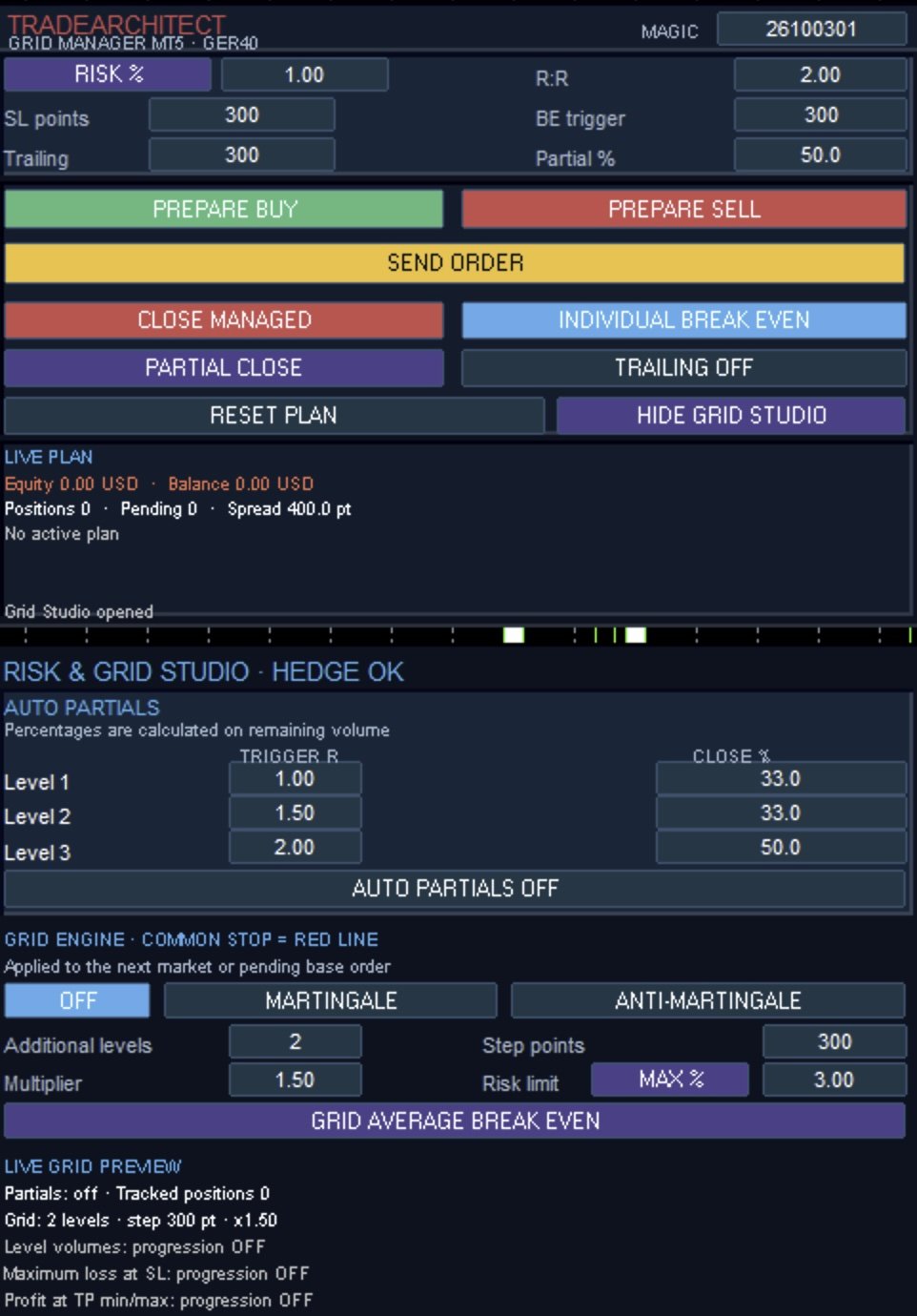
TradeArchitect Grid Manager is a chart-based manual trading utility for MetaTrader 5. It combines visual trade planning, risk-based position sizing, market and pending order execution, position management, and optional martingale or anti-martingale progression.
The utility does not generate trading signals and does not decide when to buy or sell. The trader chooses the direction, Entry, Stop Loss and Take Profit. GridPlan Trade Manager performs the calculations, checks the plan and manages the requested orders.
## Trade planning and execution
- Prepare BUY or SELL plans directly on the chart.
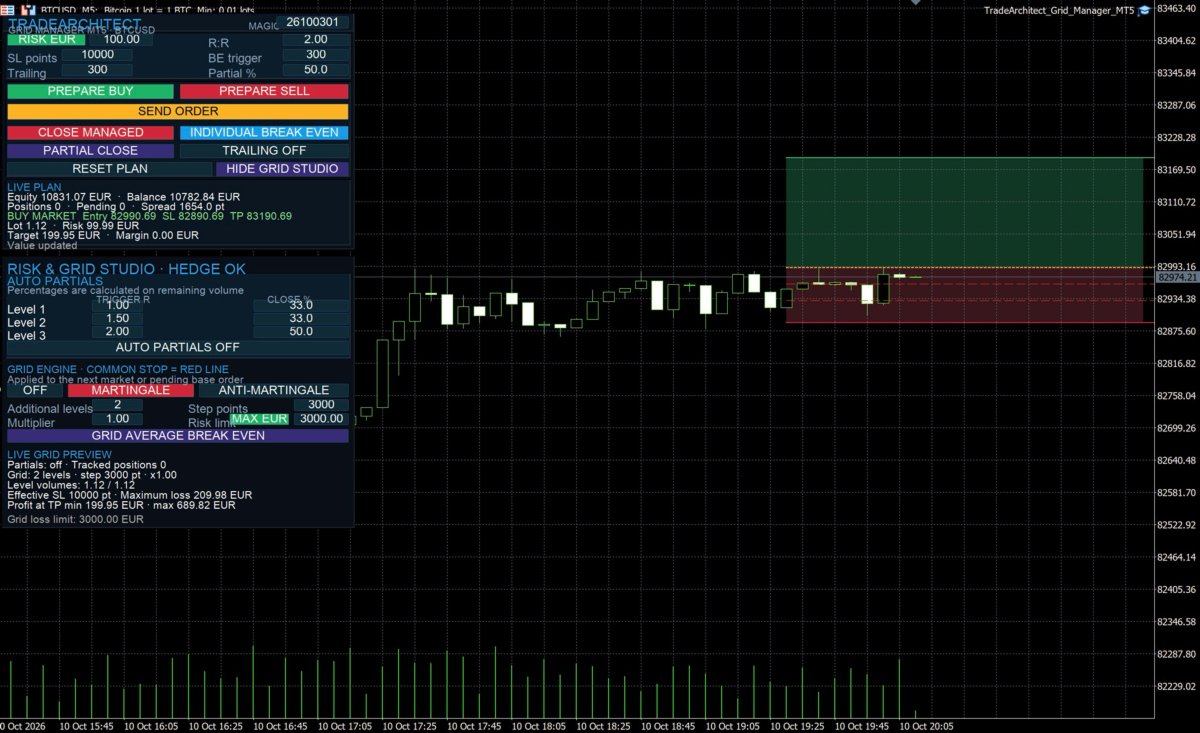
- Use draggable Entry, Stop Loss and Take Profit lines.
- Keep Entry linked to the current market price or drag it to create a pending order.
- Submit market orders, Buy Limit, Buy Stop, Sell Limit and Sell Stop orders.
- Calculate volume from a percentage of equity or balance, or from a fixed amount in the account currency.
- Display the estimated loss at Stop Loss, potential result at Take Profit and required margin before submission.
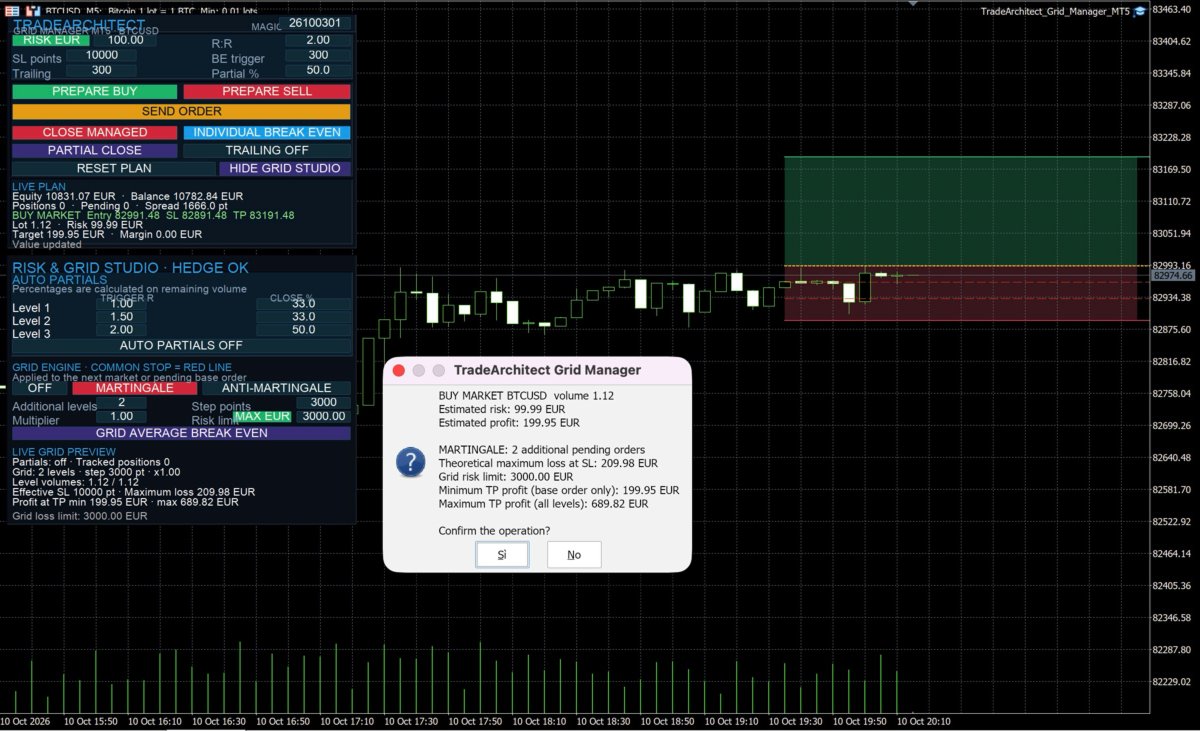
- Confirm important trading actions before they are sent.
- Filter managed trades by symbol and Magic Number.
## Position management
The panel includes individual break-even, basket average break-even, trailing stop, manual partial close and close-all controls. Three automatic partial-close levels can be configured using R-multiple triggers and percentages of the remaining volume.
The average break-even function calculates the volume-weighted entry price of the managed basket. It can be applied when the positions have the same direction and the broker's minimum stop-distance rules allow the modification.
## Optional order progression
TradeArchitect Grid Manager includes two optional progression modes for hedging accounts:
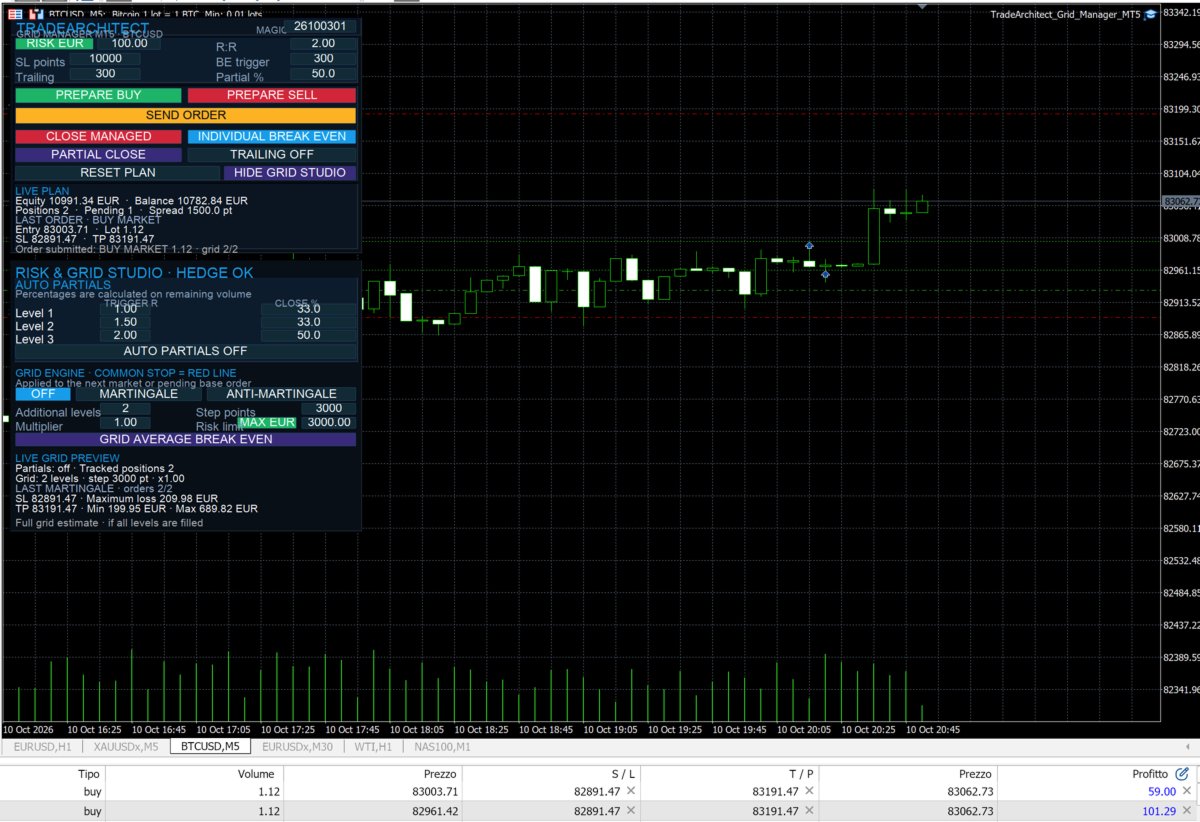
- Martingale places Limit orders between the base Entry and the common Stop Loss.
- Anti-martingale places Stop orders between the base Entry and the common Take Profit.
The number of additional levels, distance in points and volume multiplier are configurable. The chart displays the planned levels before submission. All levels use the Stop Loss and Take Profit selected for the base plan.
The progression can start from a market order or from a pending base order. When a pending base order is filled, the utility reads its actual average fill price and volume, repeats the risk checks and only then submits the additional levels.
Before submission, the utility estimates the maximum loss of the complete progression at the common Stop Loss. The grid is blocked when the estimated loss exceeds the selected percentage or account-currency limit. It is also blocked when a planned martingale level reaches the Stop Loss, an anti-martingale level reaches the Take Profit, or the broker's volume and distance rules cannot be satisfied.
## Basic workflow
1. Select percentage risk or fixed monetary risk.
2. Set the risk value, R:R ratio and initial Stop Loss distance in points.
3. Press PREPARE BUY or PREPARE SELL.
4. Adjust Entry, Stop Loss and Take Profit on the chart.
5. Review volume, estimated risk, target and margin.
6. Press SEND ORDER and confirm the operation.
## Account and platform notes
- The main planning and position-management functions can be used on hedging and netting accounts.
- Martingale and anti-martingale progression require a hedging account because every grid level is managed as a separate position.
- The utility uses the symbol specifications supplied by the broker, including tick size, tick value, minimum volume, maximum volume and volume step.
- One instance per chart is recommended.
- MetaTrader 5 and the utility must remain running for local trailing stop and automatic partial-close management.
- Estimates do not include commissions, swaps, slippage or market gaps.
- Test every order type and management function on a demo account before using the utility on a live account.
## Risk notice
Grid and volume-progression methods can increase market exposure quickly. The risk limit is a preventive calculation and does not remove execution risk. Stop orders may be affected by slippage and market gaps. This utility does not guarantee trading results or profits.
---