Layer Trade Manager

5

Layer Trade Manager — Level trade & Scalping Assistant

Layer Trade Manager is a simple yet powerful on-chart trade management panel for MetaTrader 5 designed to take the heavy lifting out of layered trade strategies. It operates in two modes: Standard Mode — a single

click opens the first trade and queues up a basket of up to 5 staggered market entries if price reaches the preconfigured layers, each with its own configurable take profit, and the smart automation takes care of setting BE, etc. from there; and Quick Target Mode — a streamlined scalping mode where every BUY/SELL press opens a market layer, auto-cascading adds further layers as price moves, and the entire basket shares a single dynamic TP anchored to the deepest entry.

What It Does

Instead of manually placing multiple orders at different price levels, Layer Trade Manager does it for you. Press BUY or SELL on the panel and:

Standard Mode:

  • Trade 1 opens immediately at market
  • Trades 2–5 open automatically as the market moves against you, each triggered at a configurable offset from the previous trade's actual fill price — a classic layering approach for building into a position
  • When price moves to your configured threshold, break even is set (if configured) on your open trades to take off risk

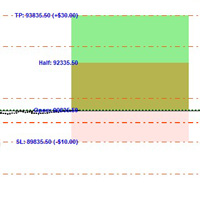
All active TP levels are calculated and displayed on the chart the moment you press the button, so you always know exactly where your exits are.

Quick Target Mode:

  • Layer 1 opens immediately at market when BUY/SELL is pressed
  • Further layers open automatically each time price moves a configurable number of pips against the basket — up to 20 layers total
  • The basket take profit is always calculated from the deepest entry (lowest buy / highest sell) plus the Quick Target distance, and is recalculated every time a new layer opens
  • An optional Best Layer TP gives the most recently opened layer a wider individual target
  • An optional Recovery Mode switches the basket TP to a tighter level anchored just above Trade 1's fill price once the drawdown exceeds a configurable threshold

Key Features

Two Operating Modes
Switch between Standard Mode (up to 5 layered trades, full TP row management, auto-BE) and Quick Target Mode (unlimited auto-cascade layers, dynamic basket TP, best-layer and recovery options) via the EA Mode input before attaching the EA.

Compact On-Chart Panel
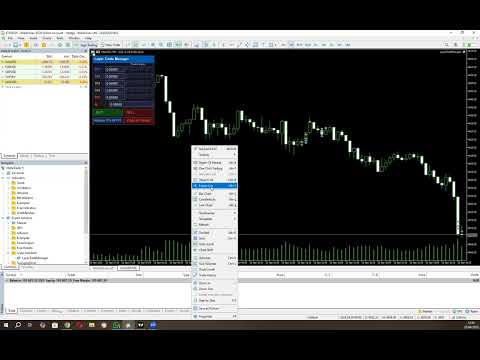
A clean, dark-themed HUD sits in the corner of your chart. In Standard Mode every TP price and the SL are live-editable — click any field, type a price, and it is applied to the linked trades instantly. In Quick Target Mode all pip distances are editable directly in the panel before and between baskets.

Up to 10 Configurable Take Profit Levels (Standard Mode)
TP1 through TP10 are spaced cumulatively from each other using configurable point offsets. TP rows with a zero offset are hidden from the panel. Each visible TP row has five trade-link buttons (T1–T5) — click a button to assign that trade to close at that TP level, or reassign it at any time while the basket is live.

Relay TPs off TP1
Changed your TP1? One click on Relayer TPs off TP1 recalculates and pushes TP2 through the last active TP row to all linked trades automatically, respecting the original spacing offsets.

Two Auto Break-Even Strategies (Standard Mode)

  • Individual BE — Each trade's SL is moved to its own entry price (+ a configurable buffer for fees) as soon as price reaches a trigger distance from Trade 1's entry. Trades are protected one by one.
  • Combined BE — A single weighted-average entry price is calculated across all open basket positions. All SLs are moved to that blended level at once, with a configurable settling delay so completed TP closes don't skew the average.

Automatic Cascade Entries
In Standard Mode, Trades 2–5 monitor price in real time and open at market the moment each threshold is breached, using actual fill prices as the reference for the next level. In Quick Target Mode every layer after the first cascades automatically each time price moves one Layer distance against the basket.

Trailing Stop for Unlinked Trades (Standard Mode)
Any trade slot not assigned to a TP row is automatically managed with a trailing stop, so nothing is left unprotected.

Prop Firm Protection
An optional minimum-time gate between cascade opens prevents rapid-fire layering that could breach prop firm trade-frequency rules. Set to 0 to disable.

Session Recovery
Restart MT5 mid-basket? No problem. The EA reads your existing open positions on  OnInit  and fully restores the panel state — tickets, TP links, SL, direction, and BE status — without touching any live trade settings. Quick Target Mode recovers all open layers and restores recovery mode state automatically.

Close All Trades button
If news is coming up, you need to go out, or you don't like the way the market is moving, press one button and all your open trades are closed together.

Live Chart Lines
Colour-coded TP lines and a dashed SL line are drawn directly on the chart for instant visual reference. They update the moment you edit a price in the panel.

Input Settings At A Glance

Group Parameters
Magic Number Unique EA identifier, optional panel title label
Trade Settings Lot size, SL offset, BE strategy, BE trigger distance, BE delay, BE buffer
TP Offsets Independent point-offset for each of TP1–TP10 (set to 0 to hide a row)
Trade to TP Links Which TP row each of Trade 1–5 closes at (0 = trailing SL)
Trade Entry Offsets Cascade distance for Trades 2–5 from the previous entry
Order Frequency (Prop Firm Protection) Minimum seconds between auto-cascade opens (0 = disabled)
EA Mode Standard Mode or Quick Target Mode
Quick Target Mode Settings Basket TP distance, layer spacing, SL distance, Best Layer TP, Recovery TP

Who It's For

  • Scalpers who want rapid basket execution without the manual overhead
  • Grid/layer traders who build into positions as price retraces
  • Any trader who wants a clean visual panel to manage multi-trade setups with automated BE and TP management

Requirements

  • MetaTrader 5
  • Algo trading enabled in MT5

Please note that you should always watch open trades to ensure the EA is managing your trades as you expect so you can close your trades manually if required to protect your capital.


Configuration Instructions

Magic Number

Variable Default Description
EA magic number 20260307 Unique identifier stamped on every order placed by this EA. Use a different number per instance on the same account to keep baskets separate.
Configuration name for panel title (if using multiple instances) (empty) Optional text label appended to the panel title bar. Useful when running multiple instances on different charts — leave blank for the default “Layer Trade Manager” title.


Trade Settings

Variable Default Description
Lot size applied to every trade 0.01 Volume applied to every trade in the basket (T1–T5). Normalised to the broker’s minimum volume step automatically.
SL distance in points from Trade 1 entry 800 pts Initial stop-loss distance in points from the Trade 1 entry price. Applied when no manual SL has been typed into the panel.
BE strategy: Individual, Combined BE_COMBINED Determines how break-even is calculated when the auto-BE threshold is reached.
Individual — each trade gets its own BE SL set just above its own entry price.
Combined — all trades share a single BE SL set above the weighted average entry price of the whole basket.
Points from Trade 1 EP to trigger auto-BE 300 pts How far price must move in the trade direction from Trade 1’s actual fill price before auto-BE fires. Measured against the peak high-water-mark price so the trigger is never missed if price retraces.
Milliseconds to wait after BE threshold breach before applying BE 800 ms Settling delay (milliseconds) between the BE threshold being breached and the BE SL actually being applied. Allows in-progress TP closes at that level to settle before the weighted average EP is calculated. Most relevant to the Combined strategy.
BE points offset to cover fees/minor slippage 50 pts Points added above (buy) or below (sell) the reference entry price when setting the BE stop-loss, to cover spread, commission, and minor slippage.


TP Offsets

TP levels are cumulative. TP1 is measured from Trade 1’s entry price; TP2 is measured from TP1; TP3 from TP2, and so on.

Variable Default Description
TP offset for TP1 from EP 300 pts Distance from Trade 1 entry price to the TP1 level.
TP offset for TP2 from TP1 200 pts Additional distance from TP1 to the TP2 level.
TP offset for TP3 from TP2 200 pts Additional distance from TP2 to the TP3 level.
TP offset for TP4 from TP3 200 pts Additional distance from TP3 to the TP4 level.
TP offset for TP5 from TP4 200 pts Additional distance from TP4 to the TP5 level.
Example (Buy, 5-digit broker):
T1 entry = $5000  •  TP1Offset=300  •  TP2Offset=200  •  TP3Offset=200
→ TP1 = $5003    TP2 = $5005    TP3 = $5007

Trade to TP Links

Each trade is assigned to a specific TP row. When price reaches that TP level the assigned trade closes. Assignments can also be changed live on the panel by clicking the T1–T5 buttons on any TP row.

Variable Default Description
TP row for Trade 1 (0 = trail SL, 1–10 = TP row) 2 The TP row at which Trade 1 will close. Default links Trade 1 to TP2. Set to 0 to use a trailing stop instead.
TP row for Trade 2 (0 = trail SL, 1–10 = TP row) 3 The TP row at which Trade 2 will close. Default links Trade 2 to TP3.
TP row for Trade 3 (0 = trail SL, 1–10 = TP row) 4 The TP row at which Trade 3 will close. Default links Trade 3 to TP4.
TP row for Trade 4 (0 = trail SL, 1–10 = TP row) 0 Trade 4 uses a trailing SL by default (no fixed TP). Set to 1–10 to assign a TP row.
TP row for Trade 5 (0 = trail SL, 1–10 = TP row) 0 Trade 5 uses a trailing SL by default (no fixed TP). Set to 1–10 to assign a TP row.
Trailing SL distance in points (for trades with no TP) 200 pts Trailing stop distance for any trade that has no TP assigned (link = 0). The trailing SL only activates once BE has been triggered and only ever moves in the profitable direction.


Trade Entry Offsets

Trade 1 always opens at the market price when BUY/SELL is pressed. Trades 2–5 can open immediately, cascade as price moves, or be disabled entirely.

Variable Default Special values Description
Trade2 entry offset from Trade1 (0=disabled, -1=open with T1) 200 pts 0 = off  •  -1 = with T1 Offset from Trade 1’s actual fill price at which Trade 2 opens. Buy: T2 opens when ask falls this many points below T1 entry. Sell: when bid rises this many points above T1 entry.
Trade3 entry offset from Trade2 (0=disabled, -1=open with T1) 200 pts 0 = off  •  -1 = with T1 Offset from Trade 2’s actual fill price at which Trade 3 opens. Cascade chain anchors to the previous trade’s fill, not T1 entry.
Trade4 entry offset from Trade3 (0=disabled, -1=open with T1) 0 (off) 0 = off  •  -1 = with T1 Offset from Trade 3’s actual fill price at which Trade 4 opens.
Trade5 entry offset from Trade4 (0=disabled, -1=open with T1) 0 (off) 0 = off  •  -1 = with T1 Offset from Trade 4’s actual fill price at which Trade 5 opens.

Special value reference

Value Behaviour
0 Trade slot disabled — that trade will never open as part of an auto-basket.
-1 Trade opens immediately at market alongside Trade 1 when BUY/SELL is pressed. Use this to fire 2, 3, or 4 trades simultaneously. E.g. set Trade2Offset = -1 to always open two trades on each BUY/SELL click.
> 0 Trade opens via cascade. The EA monitors price every tick and opens this trade at market once the threshold is reached.
Cascade chain example (Buy):
T1 fills at $5000. Trade2Offset=200 → T2 opens when ask ≤ $4998.
T2 fills at $4998. Trade3Offset=200 → T3 opens when ask ≤ $4996.
Each threshold is anchored to the previous trade’s actual fill, not T1 entry.


Order Frequency (Prop Firm Protection)

Variable Default Description
Min seconds between layered trades 0 (disabled) Minimum number of seconds that must elapse between consecutive auto-cascade trade opens. Prevents rapid-fire layering that may breach prop firm trade-frequency rules. Set to 0 to disable the gate entirely and allow immediate cascading. Applies to both Standard Mode cascade entries and Quick Target Mode layers.


EA Mode

Variable Default Description
EA Mode Standard Mode Selects the operating mode for the EA.
Standard Mode — the full multi-TP layered basket with auto-BE, TP row management, and T1–T5 trade slots.
Quick Target Mode — a streamlined scalping panel with unlimited auto-cascade layers, a dynamic basket TP, optional Best Layer TP, and optional Recovery Mode. See the Quick Target Mode section below for full details.


Panel Controls — Standard Mode (runtime)

Control Function
TP1–TP10 edit boxes Type a price and press Enter to set that TP level and push it to any linked open trades. Only rows with a non-zero offset are shown.
T1–T5 buttons (per row) Toggle the TP↔trade link. Highlighted green = linked. Click to link/unlink; linking immediately pushes the panel TP price to the live trade.
BE button Grey — disabled; price has not yet reached Trade 1 entry level.
Dark red — eligible; price is at or above T1 entry. Click to immediately apply BE stops to all open trades using the configured strategy.
Bright red — BE active; SL is locked. Click again to deactivate and re-enable manual SL editing.
The button re-disables if price drops back below T1 entry while BE is not yet activated.
SL edit box Editable when BE is off. Type a price and press Enter to update the SL on every open basket trade simultaneously. Locked to read-only when BE is active.
BUY / SELL Opens a fresh basket (T1 at market, immediate trades fired, cascade monitoring starts). If a basket is already active in the same direction and T5 is not yet filled, pressing the same button adds the next available trade at market.
Relayer TPs off TP1 Recalculates all visible TP rows (TP2 onward) from the current TP1 value using the configured offsets and pushes the new prices to all linked trades.
Close All Trades Closes every open basket position at market. Panel and tracking state reset automatically once all positions are confirmed closed.

Quick Target Mode

Quick Target Mode is a dedicated scalping panel that replaces the Standard Mode panel entirely. It is designed for fast, repetitive basket scalps where you want a simple TP target, automatic layering as price moves against you, and optional smarter TP management for the deepest layer and for recovery scenarios.

How It Works

  • Press BUY or SELL to open the first layer at market. The basket SL is set immediately from the configured SL distance and does not change for the life of the basket.
  • Each time price moves one Layer distance against the basket, a new layer opens automatically at market — up to 20 layers total.
  • The basket TP is always anchored to the worst entry in the basket (lowest buy fill / highest sell fill) plus the Quick Target distance, and is recalculated and pushed to all layers every time a new layer opens.
  • If Best Layer is enabled, the most recently opened layer always gets a separate, wider TP equal to its own fill price plus the Best Layer distance. All other layers continue to use the basket TP.
  • If Recovery Mode is enabled and price moves more than the Quick Target distance into drawdown from Trade 1's fill price, recovery mode activates automatically. While active, the basket TP for all layers (except the best layer) switches to Trade 1's fill price plus the Recovery distance — a tighter target designed to get out near break-even rather than waiting for the full basket TP.
  • Once all layers have closed the panel resets automatically and is ready for the next basket.

You can also press BUY/SELL at any time while a basket is active to add an immediate extra layer without waiting for the cascade threshold to be reached. The opposite-direction button is greyed out while a basket is live.

Enabling Quick Target Mode

  1. In the EA inputs, find the EA Mode group.
  2. Set EA Mode to Quick Target Mode .
  3. Configure the Quick Target Mode Settings group (see table below).
  4. Attach or re-initialise the EA. The panel will display the teal-headed Quick Target Mode panel instead of the standard panel.

Quick Target Mode Settings

Variable Default Description
Quick Target basket TP distance in points 300 pts (30 pips) Distance in points from the worst entry in the basket to the basket TP. This is the core profit target for every layer (except the best layer when Best Layer is enabled). Editable live in the panel as pips.
Layer offset in points between QT trades 100 pts (10 pips) How far price must move against the last opened layer before the next layer opens automatically. Each new layer's threshold is anchored to the previous layer's actual fill price. Editable live in the panel as pips.
SL distance in points for Quick Target mode 500 pts (50 pips) Stop-loss distance in points from the first layer's entry price. The same SL price is applied to all subsequent layers. Locked once a basket is open; editable as pips between baskets.
Best Layer extra TP in points (0 = disabled) 1000 pts (100 pips) When non-zero, the most recently opened layer in the basket is assigned a separate TP equal to its own fill price plus this distance. This gives your newest (deepest) layer a much wider target, effectively letting it ride further while earlier layers close at the tighter basket TP. Set to 0 to disable — all layers share the same basket TP. Editable live in the panel as pips.
Recovery TP offset in points above T1 fill (0 = disabled) 100 pts (10 pips) When non-zero, recovery mode can activate. Recovery mode triggers once price moves more than Quick Target points into drawdown from Trade 1's fill. When active, the basket TP for all non-best layers switches from the normal basket TP to Trade 1's fill price plus this recovery offset — a near-break-even target designed to exit the basket in adverse conditions. Set to 0 to disable recovery mode entirely. Editable live in the panel as pips.

Quick Target Mode Panel Controls (runtime)

Control Function
Status row (read-only) When idle: shows the configured SL distance in pips and Ready. When a basket is active: shows the current layer count, the live basket TP price, and the basket SL price.
Quick Tgt edit The basket TP distance in pips. Edit and press Enter to update the runtime value. Takes effect on the next layer open or immediately if a basket is already active (recalculates and pushes TP to all open layers).
Layer edit The cascade layer spacing in pips. Edit and press Enter to update the runtime value. Controls how far price must move from the last layer before the next one opens.
Best Layer edit The Best Layer TP distance in pips. Edit and press Enter. Set to 0 to disable. When a basket is active the current Best Layer TP price is displayed alongside the edit field.
Recovery edit The Recovery TP offset in pips. Edit and press Enter. Set to 0 to disable. The row turns red and the status label shows RECOVERY when recovery mode is active. When idle it shows the drawdown threshold that will trigger recovery (e.g. >30 DD).
SL edit When idle: shows the SL distance in pips — edit and press Enter to change it before opening the next basket. When a basket is active: locked, displays the live SL price applied to all open layers.
BUY / SELL Opens a new basket (first layer at market) when no basket is active, or adds an immediate extra layer to the existing basket when pressed in the same direction. The opposite-direction button is greyed out while a basket is live.
Close All Trades Closes every open Quick Target layer at market. Panel and tracking state reset automatically once all positions are confirmed closed.
Avis 1
str8derx
76
str8derx 2026.05.03 14:12 
 

This EA is a highly efficient tool for layering trades. Once you manually enter a position, the system takes over and automates the rest based on your configured settings, including target levels and trade management. It offers two modes, giving flexibility depending on your strategy. I also appreciate the developer’s responsiveness—being open to feedback and actively incorporating improvements into the EA makes a big difference in usability and performance.

Produits recommandés
DDKiller Pro
Njaratahiry Michael Randrianiaina
Arrête de faire sauter ton compte. Une bonne fois pour toutes. DDKiller Pro est le gardien du risque MT5 qui tourne silencieusement sur ton graphique et coupe le trading dès qu'une limite est atteinte — que tu passes un challenge prop firm ou que tu gères ton propre compte CFD. Le problème que tout trader connaît : Tu fixes tes règles. Tu les enfreins quand même. Un trade de vengeance. Une position surleviéragée. Une session qui efface un mois de gains. DDKiller Pro retire cette décision de tes
Core function Intelligent transaction management one-click opening and closing operation, which supports user-defined lots to set multiple closing modes: all closing, closing by direction and closing by profit and loss status. Professional risk control, real-time risk monitoring and spread control to avoid high-cost trading environment. Visual control panel has an intuitive graphical interface, and all functions can be operated with one button to display position information, profit and loss sta
FREE
Trade Copilot - Panneau semi-automatique de gestion du risque pour l'Or (XAUUSD) et tout instrument Trade Copilot est un panneau de trading semi-automatique conçu pour les traders manuels qui souhaitent la discipline d'un EA sans renoncer au contrôle de leurs propres entrées. Vous décidez de la direction et du niveau ; le panneau calcule automatiquement la taille du risque, place le stop-loss, gère le take-profit et protège la position. FONCTIONNALITÉS PRINCIPALES - Calcul du lot basé sur le
HedgeSafe Trade Assistant Un panneau de trading manuel pour MetaTrader 5 centré sur la maîtrise du risque. HedgeSafe aide à préparer, valider et gérer une opération directement sur le graphique avant de cliquer sur BUY ou SELL. HedgeSafe n'est ni un service de signaux, ni un outil de prévision, ni un robot IA, ni une stratégie automatique. Il ne choisit pas la direction et ne promet aucun profit. Chaque décision reste sous le contrôle du trader. Fonctions principales Calcul du lot selon un pourc
Trading Utility for Forex Currency Pairs Only not for Gold  Functions Auto Lot Calculation based on Risk Auto stoploss  Auto TakeProfit Breakeven Auto Close Half % Close in percentage with respect to the PIPs Pending Orders BuyLimit Sell Limit with distances BuyStop Sell Stop    with distances Trading Informations Risk in percentage For Multiple trades Combine Takeprofit and Combine Stoplosses
Protect your funded accounts and personal capital with military-grade precision. This utility continuously monitors your floating equity against your daily starting balance. The moment your custom drawdown threshold is breached, it instantly liquidates all open positions, deletes pending orders, and completely unloads from the chart. Stop revenge trading and never fail a prop firm evaluation due to a margin breach again.
FREE
FiT Panel Pro
Thonglak Janyakorn
Overview FiT Panel Pro is a professional-grade trade management panel designed for MetaTrader 5 traders who demand speed, precision, and full control over their trades. Built with a modern dark-theme UI, it combines one-click execution with advanced risk management, visual SL/TP drag lines, automatic Fibonacci-based levels, and comprehensive order management — all in a single, compact panel. Whether you are a scalper, day trader, or swing trader, FiT Panel Pro gives you the edge you need to exec
FREE
Trade Panel by RWBTradeLab — The Ultimate Trade & Risk Management Utility Take full control of your MetaTrader 5 trading with the   Trade Panel by RWBTradeLab ! Designed by RWBTradeLab, this all-in-one utility is built for both professional and beginner traders who want to execute trades faster, manage risk perfectly, and analyse their account performance in real-time. Say goodbye to manual lot calculations and slow trade execution. With a sleek, draggable, and highly intuitive User Interfa
FREE
"Manage multiple positions as a single unit with hidden targets." The Virtual Basket TP SL Manager is a professional MetaTrader 5 utility designed to automate the closing of positions based on the total profit or loss of a group of orders (a "basket"). By utilizing Virtual Levels , all Take Profit (TP) and Stop Loss (SL) targets are stored locally within the EA's memory and are not sent to the broker's server, keeping your strategy safe from stop-hunting and price manipulation. Key Features Virt
FREE
Capital Management EA – Smart Risk Management & Profit Optimization for MT5 Take control of your trading capital with smart, automated strategies — fully optimized for MetaTrader 5 (MT5). Looking to protect your capital and maximize profits through automated money management strategies ? Capital Management EA is the all-in-one Expert Advisor for MetaTrader 5 (MT5) that helps you trade smarter, not harder. Core Features: 5-in-1 Capital Management Strategies – Built-in versatility Gr
Pro Order Lot Size Calculator Pro Order Lot Size Calculator is a simple and practical tool designed to help you calculate the appropriate lot size based on the amount of risk you want to take . With this tool, you can easily calculate your trading risk directly from the panel according to the amount of money available in your account. Easy Risk & Lot Calculation The panel is designed to be very simple and easy to use. You can choose how you want to define your risk: Enter your desired risk amoun
Trade Assistant MT5 Pro – One Click Trading Panel | Auto Lot Size | Risk Management Tool Short Description Trade Assistant MT5 Pro is a professional trading utility for MetaTrader 5 that allows traders to execute trades with one click, manage risk automatically, and improve trading accuracy using advanced tools like ATR stop loss, risk reward ratios, breakeven, and trailing stop. Full Description Trade Assistant MT5 Pro is a powerful manual trading panel designed for traders who want speed, prec

Manuel de l'utilisateur de Quick Lines Mastery Lite v1.85 Éditeur : Forex Noob Tube Site web : forexnoobtube.com 1. Vue d'ensemble Quick Lines Mastery Lite est un utilitaire de graphiques professionnel et rationalisé pour les traders MT5 qui exigent vitesse, précision et une interface épurée. Il vous permet de déployer instantanément des lignes horizontales, des lignes verticales, des rayons et des lignes de tendance par glisser-déposer en un seul clic à partir d'un panneau de contrôle flottant
FREE
SmartRisk Trade Tool — One-Click Risk-Based Trade Panel SmartRisk Trade Tool is a manual trading panel for MetaTrader 5 built around position sizing and risk control rather than signal generation. It does not analyze the market or suggest trade direction — it exists so that every order sent from the chart already has a calculated lot size, stop loss, and take profit consistent with a risk value the trader chooses, removing the manual arithmetic that normally happens between deciding to trade and
FREE
Painel de Trading Pro
Dedial Pereira Da Silva
TradePanel Pro - Manual Trading Panel with Grid, Trailing, and Targets "Complete manual trading panel for MT5: grid, trailing stop, smart breakeven, daily targets and risk management in one click." TradePanel Pro is a professional manual trading panel for MetaTrader 5, built for traders who want speed, organization and automatic position protection — without juggling multiple tools or complex setups. Everything you need lives in a single panel: one-click buy/sell, point-based stops and target
CosmiCLab SMC FIBO CosmiCLab SMC FIBO is a professional trading indicator designed for traders who use Smart Money Concepts (SMC), market structure analysis and Fibonacci retracement levels. The indicator automatically detects market swings and builds Fibonacci levels based on the latest impulse movement. It also identifies market structure changes such as BOS (Break of Structure) and CHOCH (Change of Character), helping traders understand the current market direction. CosmiCLab SMC FIBO also pr
WAP TP Stealth EA – Intelligent Basket Management for Precision Exits WAP TP Stealth EA is a specialized trade management expert advisor designed for traders who rely on basket strategies, recovery systems, and multi-position workflows. Instead of closing trades individually, the EA dynamically calculates the Weighted Average Price (WAP) of all open positions and executes a coordinated closure once your defined profit target is reached. This approach enables efficient drawdown management, smooth
FREE
Recovery Manager Panel MT5 is a manual order management panel for traders who want to manage open positions directly from the chart in a clearer and more organized way. This tool is not a signal robot. It does not predict market direction, generate entry signals, or trade automatically based on market forecasts. Instead, it helps traders work with positions that are already open. You can calculate possible recovery lot sizes, view estimated target levels on the chart, and use available floating
Click Trading
Jawad Tauheed
5 (2)
One Click Trading – Auto TP SL Developer TraderLinkz Version 1.00 Category Utility What it does Adds missing TP and SL to your manual trades and pending orders Sets them once per ticket Lets you move TP and SL afterward Works on hedging and netting accounts Scans on every tick and reacts on trade events Why you want it You place faster entries You get consistent risk and exit targets You reduce fat finger errors You keep full manual control Quick start Attach the EA to any chart Keep TP and SL e
FREE
Trade assistant pro v8
Ahmed Mohammed Bakr Bakr
2 (1)
FREE FREE FREE Trade Assistant MT5 – Professional Trading & Risk Management Panel Trade Assistant MT5 is an advanced trading panel designed to help traders execute orders faster, safer, and more professionally . It simplifies manual trading by combining smart order management , precise risk control , and one-click execution , making it ideal for both beginners and advanced traders. This tool does not trade automatically . Instead, it empowers you with full control while applying professional-gra
FREE
SLTPSetter
Raphael Djangmah Osro Agbo
SLTPSetter - StopLoss Take Profit Setter HOW DOES IT WORK? Risk and account management is a very critical aspect of trading. Before entering a position, you must be fully aware how much you will be willing to loss both in percentage and value. This is where SLTPSetter gets you covered.  All you need to do is attach the indicator on the chart and PRESS BUY OR SELL automatically, all parameters needed for placing the trades will be provided at the top left corner of the screen. Feel free to adjust
Expert Advisor (EA) basé sur le montant du ratio risque/rendement KS avec calculateur visuel Maîtrisez la gestion des risques en dollars comme jamais auparavant grâce à l'Expert Advisor (EA) basé sur le montant du ratio risque/rendement KS avec calculateur visuel. Cet outil révolutionnaire pour MetaTrader 5 automatise la configuration précise et fixe du ratio risque/rendement en dollars directement sur votre graphique. Idéal pour les traders lassés des ajustements de taille de lot volatils ou d
Panneau professionnel de planification des positions et de contrôle du volume pour MetaTrader 5 Position Control Suite est un panneau visuel professionnel de planification des ordres pour MetaTrader 5. Il est conçu pour les traders qui souhaitent préparer leurs ordres directement sur le graphique, définir précisément le niveau de Stop Loss et calculer automatiquement le volume de position à partir d’un montant de risque en devise du compte. Le principe est simple: définissez le montant que vous
FREE
Easy Trade Executor est un outil de calcul rapide de la taille de position, d’exécution des ordres et de gestion des trades pour MT5. Placez les niveaux Open Price, Stop Loss et Take Profit directement sur le graphique, obtenez automatiquement la taille de position appropriée et ouvrez des trades avec un risque maîtrisé en seulement quelques clics. Pourquoi choisir Easy Trade Executor ? Easy Trade Executor a été conçu pour les traders qui veulent aller au-delà du simple calcul du risque et gére
Risk Manager – Account Protection Tool Risk Manager is an Expert Advisor for MetaTrader 5 designed to protect your trading account by applying automatic risk management rules. This tool does not open trades . It continuously monitors your account and enforces predefined limits to help prevent excessive losses and maintain disciplined trading. Risk Manager works in the background and can manage positions opened by manual trading or other Expert Advisors. It is particularly useful for: • Manual tr
FREE
GDS RiskLab TradeDesk Free Manual Trading Desk and Risk-Control Utility for MetaTrader 5 GDS RiskLab TradeDesk is a free chart-based utility for traders who want a cleaner manual trading workspace in MetaTrader 5. It is designed as a simple execution-support and risk-control panel. The goal is to keep the trading process more organized: review the chart, plan the trade, keep risk visible and execute manually with more structure. This tool does not generate buy or sell signals. It does not predic
FREE
Objectif: Ouvre automatiquement les graphiques de tous les symboles du Market Watch avec le modèle default.tpl sur le timeframe actuel (TF) , en fermant tous les autres graphiques (sauf l’actif). Idéal pour analyser rapidement plusieurs instruments sans effort manuel! Fonctionnalités: Automatisation: Ouvre des dizaines de graphiques en un clic. Sécurité: Ferme les graphiques inutiles, en conservant l’actif. Flexibilité: Utilise votre modèle default.tpl (configurez-le à l’avance!).
FREE
Free MetaTrader 5 indicator that displays "CALL IT A DAY" when London & New York sessions close. Customizable alerts, session tracking, and a guilt-free reminder to log off. Perfect for workaholic traders! Tired of staring at charts when the market’s already clocked out? Session Guardian   is your sassy trading assistant that slaps a giant   "CALL IT A DAY"   on your screen when both London   and   New York sessions are closed—because even traders deserve happy hour. Key Features:   Big, Bo
FREE
Les acheteurs de ce produit ont également acheté
Trade Assistant MT5
Evgeniy Kravchenko
4.41 (216)
It helps to calculate the risk per trade, the easy installation of a new order, order management with partial closing functions, trailing stop of 7 types and other useful functions. Additional materials and instructions Installation instructions - Application instructions - Trial version of the application for a demo account Line function -   shows on the chart the Opening line, Stop Loss, Take Profit. With this function it is easy to set a new order and see its additional characteristics bef
Bienvenue sur Trade Manager EA, l’outil ultime de gestion des risques conçu pour rendre le trading plus intuitif, précis et efficace. Ce n’est pas seulement un outil d’exécution d’ordres ; c’est une solution complète pour la planification des trades, la gestion des positions et le contrôle des risques. Que vous soyez débutant, trader expérimenté ou scalpeur ayant besoin d’une exécution rapide, Trade Manager EA s’adapte à vos besoins, offrant une flexibilité sur tous les marchés, des devises et i
Farmed Hedge Yield Farming | All Markets (Manual - Hybrid - Semi/Automated EA) VERIFIED TRADING RESULTS - Farmed Hedge Yield Axi Copy:  https://www.mql5.com/en/signals/2356376 - Farmed Hedge Yield Exn Copy:   https://www.mql5.com/en/signals/2356404 - Farmed Hedge Yield V Copy:  https://www.mql5.com/en/signals/2357156 * Before purchasing, please feel free to send me a message if you have any questions about the product or setup. - You can test the system using Strategy Tester: Visual Mode , a
Version Bêta Le Telegram to MT5 Signal Trader est presque prêt pour la sortie officielle en version alpha. Certaines fonctionnalités sont encore en développement et vous pourriez rencontrer de petits bugs. Si vous rencontrez des problèmes, merci de les signaler, vos retours aident à améliorer le logiciel pour tout le monde. Telegram to MT5 Signal Trader est un outil puissant qui copie automatiquement les signaux de trading depuis des chaînes ou groupes Telegram vers votre compte MetaTrader 5 .
================================================================================ POC BREAKOUT - V20.72. Full Professional Grade Toolkit ================================================================================ POC Breakout is a full MetaTrader 5 trading dashboard for discretionary traders who want breakout signals, Point of Control (POC) context, volume profiles, order flow, market structure, news, alerts, and advanced trade planning in one professional workspace. Attached directly to you
TradePanel MT5
Alfiya Fazylova
4.88 (167)
Trade Panel est un assistant commercial multifonction. L'application contient plus de 50 fonctions de trading pour le trading manuel et permet d'automatiser la plupart des tâches commerciales. Instructions d'utilisation + tutoriel vidéo : https://www.mql5.com/fr/blogs/post/772371 Version d'essai de l'application pour un compte démo : https://www.mql5.com/fr/blogs/post/762644 Comment installer l'application : https://www.mql5.com/fr/blogs/post/762645 Comment tester l'application en mode visuel :
Local Trade Copier EA MT5
Juvenille Emperor Limited
4.94 (148)
Découvrez une expérience exceptionnellement rapide de copie de trades avec le   Local Trade Copier EA MT5 . Avec sa configuration facile en 1 minute, ce copieur de trades vous permet de copier des trades entre plusieurs terminaux MetaTrader sur le même ordinateur Windows ou Windows VPS avec des vitesses de copie ultra-rapides de moins de 0.5 seconde. Que vous soyez un trader débutant ou professionnel, le   Local Trade Copier EA MT5   offre une large gamme d'options pour le personnaliser en fonc
EA Overfitter
Stephen J Martret
5 (1)
That backtest looks great. But will it still be making money tomorrow, next week, next month? EA Overfitter re-runs your EA on 100 price histories it has never seen. One score tells you if the edge is real. A backtest tells you what an EA did on one price history — the one that happened to occur. What you cannot tell from it is how much of that result was the strategy and how much was the particular path. EA Overfitter answers that. It builds up to 100 synthetic price histories your EA has n
Telegram to MT5 Multi-Channel Copier   copie automatiquement les signaux de trading de vos canaux Telegram directement vers MetaTrader 5. Pas de bots, pas d'extensions de navigateur, pas de copie manuelle. Un signal arrive sur Telegram et l'EA ouvre le trade dans votre terminal en quelques secondes. Et avant de copier un canal, le backtester intégré vous montre ce que ce canal aurait fait sur votre compte. Le produit comprend deux composants : une application Windows qui écoute vos canaux Telegr
Astro Trade MT5
Indra Maulana
5 (6)
25% discount on the release of the tool: only for the next 3 buyers Send a message to receive a demo version. AstroTrade Trading Assistant AstroTrade is a comprehensive multi-functional trading utility developed for the MetaTrader 5 platform. It integrates essential tools for trade execution, risk management, and technical monitoring into a single unified interface. The application is designed to assist traders in managing their daily operations through a visual and structured environment. Vi
HINN MagicEntry Extra
ALGOFLOW OÜ
4.74 (19)
HINN MAGIC ENTRY – the ultimate tool for entry and position management! SIMPLE. FASTEST. INTUITIVE. MAX AUTOMATED. Place orders by selecting a level directly on the chart! full description   ::  demo-version  :: 60-sec-video-description Key features: - Market, limit, and pending orders - Automatic lot size calculation - Automatic spread and commission accounting - Unlimited partitial take-profits  - Breakeven and trailing stop-loss and take-profit  functions - Invalidation leves - Intuitive, a
Exp COPYLOT CLIENT for MT5
Vladislav Andruschenko
3.97 (35)
Copieur professionnel de trades pour MetaTrader 5 Un copieur de trades rapide, professionnel et fiable pour MetaTrader . COPYLOT permet de copier des trades Forex entre les terminaux MT4 et MT5 avec prise en charge des comptes Hedge et Netting . La version MT5 de COPYLOT prend en charge : - MT5 Hedge → MT5 Hedge - MT5 Hedge → MT5 Netting - MT5 Netting → MT5 Hedge - MT5 Netting → MT5 Netting - MT4 → MT5 Hedge - MT4 → MT5 Netting Version MT4 Description complète + DEMO + PDF Comment acheter Comme
Premium Trade Manager - Le panneau de trading avec un coach intégré Premium Trade Manager intègre un coach de trading directement dans votre graphique, avec un moteur d'exécution complet en dessous. Configurez le trade comme vous le faites toujours, puis laissez Max, votre coach de trading IA, analyser ce setup exact par rapport à votre compte en direct et vous donner un verdict clair avant de vous engager : le stop est-il discipliné, le risque est-il raisonnable, une publication à fort impact e
Anchor Trade Manager
Kalinskie Gilliam
5 (9)
Your EAs cannot see each other, but Anchor can. Anchor gives you one place to coordinate your EAs, manage risk, and decide when trading is allowed. It works alongside the trading bots you already use without any changes to them. The Problem One EA opens a trade. Then another starts trading. The next thing you know, you wake up to multiple grids built across your account. Each EA may be doing exactly what it was designed to do, but together they can place far more risk on your account than you in
Telegram To MT5 Ultra
Mirel Daniel Gheonu
5 (5)
Telegram To MT5 — Copieur de signaux Transformez les appels de trading de vos canaux Telegram en véritables ordres MT5 — automatiquement, sur autant de comptes que vous le souhaitez, avec le risque et les règles entièrement sous votre contrôle. Telegram To MT5 relie les canaux VIP / de signaux que vous suivez déjà sur Telegram à votre terminal MetaTrader 5. Une application de bureau compagnon gratuite lit les messages (même des canaux qui bloquent les bots), et cet Expert Advisor les exécute sur
Power Candles Strategy Scanner - Outil de recherche de configurations multi-symboles à optimisation automatique Le Power Candles Strategy Scanner utilise le même moteur d'auto-optimisation que celui qui alimente l'indicateur Power Candles, pour chaque symbole de votre Market Watch, en parallèle. Un panneau vous indique quels symboles sont statistiquement négociables à l'instant, quelle stratégie est la plus performante pour chacun, la paire Stop Loss / Take Profit optimale, et vous alerte dès qu
Strategy Ledger Pro
Abdullah Uygar Tuna
5 (1)
Strategy Ledger Pro est un panneau d'analyse de compte en lecture seule pour MetaTrader 5. Il sépare les résultats du compte par Expert Advisor, stratégie, symbole et numéro magique. Manuel  détaillé avec chaque fonction expliquée. MetaTrader affiche un seul solde pour l'ensemble du compte. Quand plusieurs Expert Advisors tradent ensemble, ce solde ne montre pas ce que chacun a apporté. Strategy Ledger Pro lit l'historique du compte, reconstruit les positions clôturées, les attribue à des stra
MT5 to Telegram Signal Provider est un utilitaire facile à utiliser et entièrement personnalisable qui permet l'envoi de signaux spécifiés vers un chat, un canal ou un groupe Telegram, transformant ainsi votre compte en fournisseur de signaux. Contrairement à la plupart des produits concurrents, il n'utilise pas d'importations DLL. [ Démonstration ] [ Manuel ] [ Version MT4 ] [ Version Discord ] [ Canal Telegram ]  New: [ Telegram To MT5 ] Configuration Un guide utilisateur étape par étape est
Grid Manual MT5
Alfiya Fazylova
4.73 (22)
Grid Manual est un panneau de trading permettant de travailler avec une grille d'ordres. L'utilitaire est universel, possède des paramètres flexibles et une interface intuitive. Il fonctionne avec une grille d'ordres non seulement dans le sens des pertes, mais aussi dans le sens de l'augmentation des profits. Le commerçant n'a pas besoin de créer et de maintenir une grille d'ordres, l'utilitaire le fera. Il suffit d'ouvrir une ordre et "Grid Manual" créera automatiquement une grille de ordres po
The News Filter MT5
Leolouiski Gan
4.78 (23)
Ce produit filtre tous les conseillers experts et les graphiques manuels pendant les heures de publication des actualités, de sorte que vous n'avez pas à vous soucier des pics de prix soudains qui pourraient détruire vos configurations de trading manuelles ou les transactions entrées par d'autres conseillers experts. Ce produit est également livré avec un système de gestion des ordres complet qui peut gérer vos positions ouvertes et vos ordres en attente avant la publication de toute actualité.
Signal Trading View to MT5 Pro
Mirel Daniel Gheonu
4.5 (2)
Signal TradingView to MT5 Pro Automator Exécution professionnelle instantanée entre TradingView et MetaTrader 5 Automatisez votre stratégie de trading avec le pont de communication le plus robuste entre les alertes TradingView et l'exécution réelle sur MT5. Conçu pour les traders qui exigent vitesse, flexibilité et une gestion des risques impeccable, cet Expert Advisor transforme tout message d'alerte en un ordre au marché ou à cours limité précis. POINTS FORTS ET AVANTAGES Moteur d'analyse univ
Footprint Chart Pro — Professional OrderFlow EA for MetaTrader 5 Version 6.34 | Professional tool for real traders | Institutional-Grade Visualization DEMO USERS - PLEASE SELECT EVERY TICK / REAL TICK WHEN TESTING AND YOU HAVE DOWNLOADED HISTORICAL DATA. IF YOU SEE A WAITING SCREEN AND IT IS NOT DOWNLOADING, IT MEANS YOU HAVE LOW HISTORICAL DATA. TRY 1 MIN AND 5 MIN FIRST ON 1 DAY DATA. ONE DAY DATA SHOULD BE THE NEWEST AND MOST CURRENT DATE. PLEASE WAIT UNTIL THE MARKET HAS ROLLED OVER PERIOD.
Trade Dashboard MT5
Fatemeh Ameri
4.95 (132)
Trade Dashboard simplifies how you open, manage, and control your trades, with built-in lot size calculation. It allows you to execute trades, manage risk, and control positions directly on the chart, with tools such as partial close, breakeven, and trailing stop. Designed to reduce manual work and help you stay focused on your trading decisions. A demo version is available for testing. Detailed explanations of features are provided within the MQL5 platform. Installation instructions are include
FUTURES ORDERFLOW FOOTPRINT CHART Professional OrderFlow EA for MetaTrader 5 Version 1.01| Professional tool for real traders | Institutional-Grade Visualization STRATEGY TESTER USERS - PLEASE SELECT EVERY REAL TICK WHEN TESTING AND YOU HAVE DOWNLOADED HISTORICAL DATA. IF YOU SEE A WAITING SCREEN AND IT IS NOT DOWNLOADING, IT MEANS YOU HAVE LOW HISTORICAL DATA. TRY 1 MIN AND 5 MIN FIRST ON 1 DAY DATA. ONE DAY DATA SHOULD BE THE NEWEST AND MOST CURRENT DATE. PLEASE WAIT UNTIL THE MARKET HAS ROL
Trade copier MT5
Alfiya Fazylova
4.61 (56)
Trade Copier est un utilitaire professionnel conçu pour copier et synchroniser les commandesentre les comptes de trading. Les commandes sont copiées du compte/terminal du fournisseur vers le compte/terminal du destinataire, qui sont installés sur le même ordinateur ou vps. PROMOTION - Si vous avez déjà acquis le "Trade copier MT5", vous pouvez obtenir le "Trade copier MT4" gratuitement (pour la copie MT4 > MT5 et MT4 < MT5). Pour obtenir des informations plus détaillées sur les conditions, veuil
Ultimate Extractor
Clifton Creath
5 (8)
Ultimate Extractor - Professional Trading Analytics for MT5 *****this is the local HTML version of Ultimate Extractor. !!!!!it is not compatible with Cloud!!!! For the online version please reach out to me directly****** Ultimate EA manager also now available when you use cloud pro and above for free!! Ultimate Extractor transforms your MetaTrader 5 trading history into actionable insights with comprehensive analytics, interactive charts, and real-time performance tracking. What It Does Automa
Risk Manager Pro MT5 is an account protection Expert Advisor for traders who want strict risk control inside MetaTrader 5. The utility monitors your account equity, daily and weekly results, drawdown, open positions, trade count, consecutive losses, and trading hours. When a configured limit is reached, it can automatically close positions, cancel pending orders, stop other EAs, send notifications, or close the terminal. Instead of relying on discipline during a stressful trading session, you de
Seconds Chart MT5
Boris Sedov
4.61 (18)
Seconds Chart - un outil unique pour créer des graphiques en secondes dans MetaTrader 5 . Grâce à Seconds Chart , vous pouvez créer un graphique avec une période définie en secondes, offrant une flexibilité et une précision idéales pour l'analyse, indisponibles sur les graphiques standards en minutes ou en heures. Par exemple, la période S15 indique un graphique avec des bougies d'une durée de 15 secondes. Vous pouvez utiliser n'importe quels indicateurs et experts advisors compatibles avec les
Telegram To MT5 Receiver
Levi Dane Benjamin
4.53 (15)
Copiez les signaux de n'importe quel canal dont vous êtes membre (y compris les canaux privés et restreints) directement sur votre MT5.  Cet outil a été conçu en pensant à l'utilisateur et offre de nombreuses fonctionnalités nécessaires pour gérer et surveiller les trades. Ce produit est présenté dans une interface graphique conviviale et attrayante. Personnalisez vos paramètres et commencez à utiliser le produit en quelques minutes ! Guide de l'utilisateur + Démo  | Version MT4 | Version Disc
X2 Copy MT5
Liubov' Shkandrii
Rapide. Précis. Innovant. Technologique. Découvrez la copie instantanée de transactions avec le révolutionnaire X2 Copy MT5. Avec seulement 10 secondes d'installation simple, vous obtenez un outil puissant pour synchroniser les transactions entre les terminaux MetaTrader sur un seul ordinateur ou Windows VPS avec une vitesse sans précédent. Que vous gériez plusieurs comptes, suiviez des signaux ou déployiez votre stratégie, X2 Copy MT5 s'adapte à votre flux de travail avec une précision et un co
Filtrer:
str8derx
76
str8derx 2026.05.03 14:12 
 

This EA is a highly efficient tool for layering trades. Once you manually enter a position, the system takes over and automates the rest based on your configured settings, including target levels and trade management. It offers two modes, giving flexibility depending on your strategy. I also appreciate the developer’s responsiveness—being open to feedback and actively incorporating improvements into the EA makes a big difference in usability and performance.

Répondre à l'avis