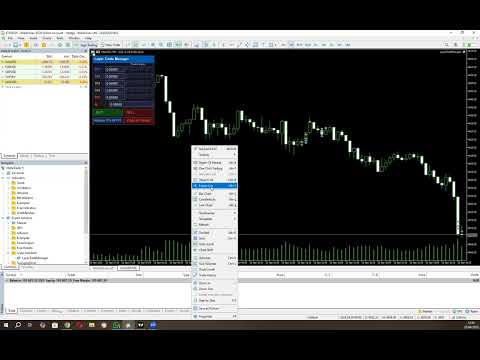
Layer Trade Manager

Layer Trade Manager — Level trade & Scalping Assistant

Layer Trade Manager is a simple yet powerful on-chart trade management panel for MetaTrader 5 designed to take the heavy lifting out of layered trade strategies. It operates in two modes: Standard Mode — a single

click opens the first trade and queues up a basket of up to 5 staggered market entries if price reaches the preconfigured layers, each with its own configurable take profit, and the smart automation takes care of setting BE, etc. from there; and Quick Target Mode — a streamlined scalping mode where every BUY/SELL press opens a market layer, auto-cascading adds further layers as price moves, and the entire basket shares a single dynamic TP anchored to the deepest entry.

What It Does

Instead of manually placing multiple orders at different price levels, Layer Trade Manager does it for you. Press BUY or SELL on the panel and:

Standard Mode:

  • Trade 1 opens immediately at market
  • Trades 2–5 open automatically as the market moves against you, each triggered at a configurable offset from the previous trade's actual fill price — a classic layering approach for building into a position
  • When price moves to your configured threshold, break even is set (if configured) on your open trades to take off risk

All active TP levels are calculated and displayed on the chart the moment you press the button, so you always know exactly where your exits are.

Quick Target Mode:

  • Layer 1 opens immediately at market when BUY/SELL is pressed
  • Further layers open automatically each time price moves a configurable number of pips against the basket — up to 20 layers total
  • The basket take profit is always calculated from the deepest entry (lowest buy / highest sell) plus the Quick Target distance, and is recalculated every time a new layer opens
  • An optional Best Layer TP gives the most recently opened layer a wider individual target
  • An optional Recovery Mode switches the basket TP to a tighter level anchored just above Trade 1's fill price once the drawdown exceeds a configurable threshold

Key Features

Two Operating Modes
Switch between Standard Mode (up to 5 layered trades, full TP row management, auto-BE) and Quick Target Mode (unlimited auto-cascade layers, dynamic basket TP, best-layer and recovery options) via the EA Mode input before attaching the EA.

Compact On-Chart Panel
A clean, dark-themed HUD sits in the corner of your chart. In Standard Mode every TP price and the SL are live-editable — click any field, type a price, and it is applied to the linked trades instantly. In Quick Target Mode all pip distances are editable directly in the panel before and between baskets.

Up to 10 Configurable Take Profit Levels (Standard Mode)
TP1 through TP10 are spaced cumulatively from each other using configurable point offsets. TP rows with a zero offset are hidden from the panel. Each visible TP row has five trade-link buttons (T1–T5) — click a button to assign that trade to close at that TP level, or reassign it at any time while the basket is live.

Relay TPs off TP1
Changed your TP1? One click on Relayer TPs off TP1 recalculates and pushes TP2 through the last active TP row to all linked trades automatically, respecting the original spacing offsets.

Two Auto Break-Even Strategies (Standard Mode)

  • Individual BE — Each trade's SL is moved to its own entry price (+ a configurable buffer for fees) as soon as price reaches a trigger distance from Trade 1's entry. Trades are protected one by one.
  • Combined BE — A single weighted-average entry price is calculated across all open basket positions. All SLs are moved to that blended level at once, with a configurable settling delay so completed TP closes don't skew the average.

Automatic Cascade Entries
In Standard Mode, Trades 2–5 monitor price in real time and open at market the moment each threshold is breached, using actual fill prices as the reference for the next level. In Quick Target Mode every layer after the first cascades automatically each time price moves one Layer distance against the basket.

Trailing Stop for Unlinked Trades (Standard Mode)
Any trade slot not assigned to a TP row is automatically managed with a trailing stop, so nothing is left unprotected.

Prop Firm Protection
An optional minimum-time gate between cascade opens prevents rapid-fire layering that could breach prop firm trade-frequency rules. Set to 0 to disable.

Session Recovery
Restart MT5 mid-basket? No problem. The EA reads your existing open positions on  OnInit  and fully restores the panel state — tickets, TP links, SL, direction, and BE status — without touching any live trade settings. Quick Target Mode recovers all open layers and restores recovery mode state automatically.

Close All Trades button
If news is coming up, you need to go out, or you don't like the way the market is moving, press one button and all your open trades are closed together.

Live Chart Lines
Colour-coded TP lines and a dashed SL line are drawn directly on the chart for instant visual reference. They update the moment you edit a price in the panel.

Input Settings At A Glance

Group Parameters
Magic Number Unique EA identifier, optional panel title label
Trade Settings Lot size, SL offset, BE strategy, BE trigger distance, BE delay, BE buffer
TP Offsets Independent point-offset for each of TP1–TP10 (set to 0 to hide a row)
Trade to TP Links Which TP row each of Trade 1–5 closes at (0 = trailing SL)
Trade Entry Offsets Cascade distance for Trades 2–5 from the previous entry
Order Frequency (Prop Firm Protection) Minimum seconds between auto-cascade opens (0 = disabled)
EA Mode Standard Mode or Quick Target Mode
Quick Target Mode Settings Basket TP distance, layer spacing, SL distance, Best Layer TP, Recovery TP

Who It's For

  • Scalpers who want rapid basket execution without the manual overhead
  • Grid/layer traders who build into positions as price retraces
  • Any trader who wants a clean visual panel to manage multi-trade setups with automated BE and TP management

Requirements

  • MetaTrader 5
  • Algo trading enabled in MT5

Please note that you should always watch open trades to ensure the EA is managing your trades as you expect so you can close your trades manually if required to protect your capital.


Configuration Instructions

Magic Number

Variable Default Description
EA magic number 20260307 Unique identifier stamped on every order placed by this EA. Use a different number per instance on the same account to keep baskets separate.
Configuration name for panel title (if using multiple instances) (empty) Optional text label appended to the panel title bar. Useful when running multiple instances on different charts — leave blank for the default “Layer Trade Manager” title.


Trade Settings

Variable Default Description
Lot size applied to every trade 0.01 Volume applied to every trade in the basket (T1–T5). Normalised to the broker’s minimum volume step automatically.
SL distance in points from Trade 1 entry 800 pts Initial stop-loss distance in points from the Trade 1 entry price. Applied when no manual SL has been typed into the panel.
BE strategy: Individual, Combined BE_COMBINED Determines how break-even is calculated when the auto-BE threshold is reached.
Individual — each trade gets its own BE SL set just above its own entry price.
Combined — all trades share a single BE SL set above the weighted average entry price of the whole basket.
Points from Trade 1 EP to trigger auto-BE 300 pts How far price must move in the trade direction from Trade 1’s actual fill price before auto-BE fires. Measured against the peak high-water-mark price so the trigger is never missed if price retraces.
Milliseconds to wait after BE threshold breach before applying BE 800 ms Settling delay (milliseconds) between the BE threshold being breached and the BE SL actually being applied. Allows in-progress TP closes at that level to settle before the weighted average EP is calculated. Most relevant to the Combined strategy.
BE points offset to cover fees/minor slippage 50 pts Points added above (buy) or below (sell) the reference entry price when setting the BE stop-loss, to cover spread, commission, and minor slippage.


TP Offsets

TP levels are cumulative. TP1 is measured from Trade 1’s entry price; TP2 is measured from TP1; TP3 from TP2, and so on.

Variable Default Description
TP offset for TP1 from EP 300 pts Distance from Trade 1 entry price to the TP1 level.
TP offset for TP2 from TP1 200 pts Additional distance from TP1 to the TP2 level.
TP offset for TP3 from TP2 200 pts Additional distance from TP2 to the TP3 level.
TP offset for TP4 from TP3 200 pts Additional distance from TP3 to the TP4 level.
TP offset for TP5 from TP4 200 pts Additional distance from TP4 to the TP5 level.
Example (Buy, 5-digit broker):
T1 entry = $5000  •  TP1Offset=300  •  TP2Offset=200  •  TP3Offset=200
→ TP1 = $5003    TP2 = $5005    TP3 = $5007

Trade to TP Links

Each trade is assigned to a specific TP row. When price reaches that TP level the assigned trade closes. Assignments can also be changed live on the panel by clicking the T1–T5 buttons on any TP row.

Variable Default Description
TP row for Trade 1 (0 = trail SL, 1–10 = TP row) 2 The TP row at which Trade 1 will close. Default links Trade 1 to TP2. Set to 0 to use a trailing stop instead.
TP row for Trade 2 (0 = trail SL, 1–10 = TP row) 3 The TP row at which Trade 2 will close. Default links Trade 2 to TP3.
TP row for Trade 3 (0 = trail SL, 1–10 = TP row) 4 The TP row at which Trade 3 will close. Default links Trade 3 to TP4.
TP row for Trade 4 (0 = trail SL, 1–10 = TP row) 0 Trade 4 uses a trailing SL by default (no fixed TP). Set to 1–10 to assign a TP row.
TP row for Trade 5 (0 = trail SL, 1–10 = TP row) 0 Trade 5 uses a trailing SL by default (no fixed TP). Set to 1–10 to assign a TP row.
Trailing SL distance in points (for trades with no TP) 200 pts Trailing stop distance for any trade that has no TP assigned (link = 0). The trailing SL only activates once BE has been triggered and only ever moves in the profitable direction.


Trade Entry Offsets

Trade 1 always opens at the market price when BUY/SELL is pressed. Trades 2–5 can open immediately, cascade as price moves, or be disabled entirely.

Variable Default Special values Description
Trade2 entry offset from Trade1 (0=disabled, -1=open with T1) 200 pts 0 = off  •  -1 = with T1 Offset from Trade 1’s actual fill price at which Trade 2 opens. Buy: T2 opens when ask falls this many points below T1 entry. Sell: when bid rises this many points above T1 entry.
Trade3 entry offset from Trade2 (0=disabled, -1=open with T1) 200 pts 0 = off  •  -1 = with T1 Offset from Trade 2’s actual fill price at which Trade 3 opens. Cascade chain anchors to the previous trade’s fill, not T1 entry.
Trade4 entry offset from Trade3 (0=disabled, -1=open with T1) 0 (off) 0 = off  •  -1 = with T1 Offset from Trade 3’s actual fill price at which Trade 4 opens.
Trade5 entry offset from Trade4 (0=disabled, -1=open with T1) 0 (off) 0 = off  •  -1 = with T1 Offset from Trade 4’s actual fill price at which Trade 5 opens.

Special value reference

Value Behaviour
0 Trade slot disabled — that trade will never open as part of an auto-basket.
-1 Trade opens immediately at market alongside Trade 1 when BUY/SELL is pressed. Use this to fire 2, 3, or 4 trades simultaneously. E.g. set Trade2Offset = -1 to always open two trades on each BUY/SELL click.
> 0 Trade opens via cascade. The EA monitors price every tick and opens this trade at market once the threshold is reached.
Cascade chain example (Buy):
T1 fills at $5000. Trade2Offset=200 → T2 opens when ask ≤ $4998.
T2 fills at $4998. Trade3Offset=200 → T3 opens when ask ≤ $4996.
Each threshold is anchored to the previous trade’s actual fill, not T1 entry.


Order Frequency (Prop Firm Protection)

Variable Default Description
Min seconds between layered trades 0 (disabled) Minimum number of seconds that must elapse between consecutive auto-cascade trade opens. Prevents rapid-fire layering that may breach prop firm trade-frequency rules. Set to 0 to disable the gate entirely and allow immediate cascading. Applies to both Standard Mode cascade entries and Quick Target Mode layers.


EA Mode

Variable Default Description
EA Mode Standard Mode Selects the operating mode for the EA.
Standard Mode — the full multi-TP layered basket with auto-BE, TP row management, and T1–T5 trade slots.
Quick Target Mode — a streamlined scalping panel with unlimited auto-cascade layers, a dynamic basket TP, optional Best Layer TP, and optional Recovery Mode. See the Quick Target Mode section below for full details.


Panel Controls — Standard Mode (runtime)

Control Function
TP1–TP10 edit boxes Type a price and press Enter to set that TP level and push it to any linked open trades. Only rows with a non-zero offset are shown.
T1–T5 buttons (per row) Toggle the TP↔trade link. Highlighted green = linked. Click to link/unlink; linking immediately pushes the panel TP price to the live trade.
BE button Grey — disabled; price has not yet reached Trade 1 entry level.
Dark red — eligible; price is at or above T1 entry. Click to immediately apply BE stops to all open trades using the configured strategy.
Bright red — BE active; SL is locked. Click again to deactivate and re-enable manual SL editing.
The button re-disables if price drops back below T1 entry while BE is not yet activated.
SL edit box Editable when BE is off. Type a price and press Enter to update the SL on every open basket trade simultaneously. Locked to read-only when BE is active.
BUY / SELL Opens a fresh basket (T1 at market, immediate trades fired, cascade monitoring starts). If a basket is already active in the same direction and T5 is not yet filled, pressing the same button adds the next available trade at market.
Relayer TPs off TP1 Recalculates all visible TP rows (TP2 onward) from the current TP1 value using the configured offsets and pushes the new prices to all linked trades.
Close All Trades Closes every open basket position at market. Panel and tracking state reset automatically once all positions are confirmed closed.

Quick Target Mode

Quick Target Mode is a dedicated scalping panel that replaces the Standard Mode panel entirely. It is designed for fast, repetitive basket scalps where you want a simple TP target, automatic layering as price moves against you, and optional smarter TP management for the deepest layer and for recovery scenarios.

How It Works

  • Press BUY or SELL to open the first layer at market. The basket SL is set immediately from the configured SL distance and does not change for the life of the basket.
  • Each time price moves one Layer distance against the basket, a new layer opens automatically at market — up to 20 layers total.
  • The basket TP is always anchored to the worst entry in the basket (lowest buy fill / highest sell fill) plus the Quick Target distance, and is recalculated and pushed to all layers every time a new layer opens.
  • If Best Layer is enabled, the most recently opened layer always gets a separate, wider TP equal to its own fill price plus the Best Layer distance. All other layers continue to use the basket TP.
  • If Recovery Mode is enabled and price moves more than the Quick Target distance into drawdown from Trade 1's fill price, recovery mode activates automatically. While active, the basket TP for all layers (except the best layer) switches to Trade 1's fill price plus the Recovery distance — a tighter target designed to get out near break-even rather than waiting for the full basket TP.
  • Once all layers have closed the panel resets automatically and is ready for the next basket.

You can also press BUY/SELL at any time while a basket is active to add an immediate extra layer without waiting for the cascade threshold to be reached. The opposite-direction button is greyed out while a basket is live.

Enabling Quick Target Mode

  1. In the EA inputs, find the EA Mode group.
  2. Set EA Mode to Quick Target Mode .
  3. Configure the Quick Target Mode Settings group (see table below).
  4. Attach or re-initialise the EA. The panel will display the teal-headed Quick Target Mode panel instead of the standard panel.

Quick Target Mode Settings

Variable Default Description
Quick Target basket TP distance in points 300 pts (30 pips) Distance in points from the worst entry in the basket to the basket TP. This is the core profit target for every layer (except the best layer when Best Layer is enabled). Editable live in the panel as pips.
Layer offset in points between QT trades 100 pts (10 pips) How far price must move against the last opened layer before the next layer opens automatically. Each new layer's threshold is anchored to the previous layer's actual fill price. Editable live in the panel as pips.
SL distance in points for Quick Target mode 500 pts (50 pips) Stop-loss distance in points from the first layer's entry price. The same SL price is applied to all subsequent layers. Locked once a basket is open; editable as pips between baskets.
Best Layer extra TP in points (0 = disabled) 1000 pts (100 pips) When non-zero, the most recently opened layer in the basket is assigned a separate TP equal to its own fill price plus this distance. This gives your newest (deepest) layer a much wider target, effectively letting it ride further while earlier layers close at the tighter basket TP. Set to 0 to disable — all layers share the same basket TP. Editable live in the panel as pips.
Recovery TP offset in points above T1 fill (0 = disabled) 100 pts (10 pips) When non-zero, recovery mode can activate. Recovery mode triggers once price moves more than Quick Target points into drawdown from Trade 1's fill. When active, the basket TP for all non-best layers switches from the normal basket TP to Trade 1's fill price plus this recovery offset — a near-break-even target designed to exit the basket in adverse conditions. Set to 0 to disable recovery mode entirely. Editable live in the panel as pips.

Quick Target Mode Panel Controls (runtime)

Control Function
Status row (read-only) When idle: shows the configured SL distance in pips and Ready. When a basket is active: shows the current layer count, the live basket TP price, and the basket SL price.
Quick Tgt edit The basket TP distance in pips. Edit and press Enter to update the runtime value. Takes effect on the next layer open or immediately if a basket is already active (recalculates and pushes TP to all open layers).
Layer edit The cascade layer spacing in pips. Edit and press Enter to update the runtime value. Controls how far price must move from the last layer before the next one opens.
Best Layer edit The Best Layer TP distance in pips. Edit and press Enter. Set to 0 to disable. When a basket is active the current Best Layer TP price is displayed alongside the edit field.
Recovery edit The Recovery TP offset in pips. Edit and press Enter. Set to 0 to disable. The row turns red and the status label shows RECOVERY when recovery mode is active. When idle it shows the drawdown threshold that will trigger recovery (e.g. >30 DD).
SL edit When idle: shows the SL distance in pips — edit and press Enter to change it before opening the next basket. When a basket is active: locked, displays the live SL price applied to all open layers.
BUY / SELL Opens a new basket (first layer at market) when no basket is active, or adds an immediate extra layer to the existing basket when pressed in the same direction. The opposite-direction button is greyed out while a basket is live.
Close All Trades Closes every open Quick Target layer at market. Panel and tracking state reset automatically once all positions are confirmed closed.
Prodotti consigliati
Episode Health Monitor Episode Health Monitor is a trading utility for MetaTrader 5 designed to analyze the real-time condition of active trading positions directly on the chart. The tool evaluates the current “trading episode” - a group of open positions - and provides a structured view of risk, stability, and distance to potential failure. Instead of relying only on profit/loss or price movement, it helps identify whether the current position is stable, weakening, or approaching a critical st
Core function Intelligent transaction management one-click opening and closing operation, which supports user-defined lots to set multiple closing modes: all closing, closing by direction and closing by profit and loss status. Professional risk control, real-time risk monitoring and spread control to avoid high-cost trading environment. Visual control panel has an intuitive graphical interface, and all functions can be operated with one button to display position information, profit and loss sta
FREE
Trading Utility for Forex Currency Pairs Only not for Gold  Functions Auto Lot Calculation based on Risk Auto stoploss  Auto TakeProfit Breakeven Auto Close Half % Close in percentage with respect to the PIPs Pending Orders BuyLimit Sell Limit with distances BuyStop Sell Stop    with distances Trading Informations Risk in percentage For Multiple trades Combine Takeprofit and Combine Stoplosses
FiT Panel Pro
Thonglak Janyakorn
Overview FiT Panel Pro is a professional-grade trade management panel designed for MetaTrader 5 traders who demand speed, precision, and full control over their trades. Built with a modern dark-theme UI, it combines one-click execution with advanced risk management, visual SL/TP drag lines, automatic Fibonacci-based levels, and comprehensive order management — all in a single, compact panel. Whether you are a scalper, day trader, or swing trader, FiT Panel Pro gives you the edge you need to exec
FREE
"Manage multiple positions as a single unit with hidden targets." The Virtual Basket TP SL Manager is a professional MetaTrader 5 utility designed to automate the closing of positions based on the total profit or loss of a group of orders (a "basket"). By utilizing Virtual Levels , all Take Profit (TP) and Stop Loss (SL) targets are stored locally within the EA's memory and are not sent to the broker's server, keeping your strategy safe from stop-hunting and price manipulation. Key Features Virt
FREE
Capital Manager
Pham Cong Chinh
Capital Management EA – Smart Risk Management & Profit Optimization for MT5 Take control of your trading capital with smart, automated strategies — fully optimized for MetaTrader 5 (MT5). Looking to protect your capital and maximize profits through automated money management strategies ? Capital Management EA is the all-in-one Expert Advisor for MetaTrader 5 (MT5) that helps you trade smarter, not harder. Core Features: 5-in-1 Capital Management Strategies – Built-in versatility Gr
A fast, clean on-chart trading panel for manual traders. Open market or pending grid orders directly from your chart, manage SL/TP, lot size, trailing, spread and margin — without using the order window. Technical Features One-click BUY / SELL Live Bid / Ask inside buttons SL / TP input (Pips & Points) + quick +/- adjustment Trailing Stop control Pending Grid (Buy/Sell Limit & Stop) Step distance (Pips/Points) Order count Lot multiplier Real-time margin estimate (uses account currency) Live spre
CosmiCLab SMC FIBO CosmiCLab SMC FIBO is a professional trading indicator designed for traders who use Smart Money Concepts (SMC), market structure analysis and Fibonacci retracement levels. The indicator automatically detects market swings and builds Fibonacci levels based on the latest impulse movement. It also identifies market structure changes such as BOS (Break of Structure) and CHOCH (Change of Character), helping traders understand the current market direction. CosmiCLab SMC FIBO also pr
WAP TP Stealth EA – Intelligent Basket Management for Precision Exits WAP TP Stealth EA is a specialized trade management expert advisor designed for traders who rely on basket strategies, recovery systems, and multi-position workflows. Instead of closing trades individually, the EA dynamically calculates the Weighted Average Price (WAP) of all open positions and executes a coordinated closure once your defined profit target is reached. This approach enables efficient drawdown management, smooth
FREE
Click Trading
Jawad Tauheed
5 (2)
One Click Trading – Auto TP SL Developer TraderLinkz Version 1.00 Category Utility What it does Adds missing TP and SL to your manual trades and pending orders Sets them once per ticket Lets you move TP and SL afterward Works on hedging and netting accounts Scans on every tick and reacts on trade events Why you want it You place faster entries You get consistent risk and exit targets You reduce fat finger errors You keep full manual control Quick start Attach the EA to any chart Keep TP and SL e
FREE
Trade assistant pro v8
Ahmed Mohammed Bakr Bakr
FREE FREE FREE Trade Assistant MT5 – Professional Trading & Risk Management Panel Trade Assistant MT5 is an advanced trading panel designed to help traders execute orders faster, safer, and more professionally . It simplifies manual trading by combining smart order management , precise risk control , and one-click execution , making it ideal for both beginners and advanced traders. This tool does not trade automatically . Instead, it empowers you with full control while applying professional-gra
FREE
SLTPSetter
Raphael Djangmah Osro Agbo
SLTPSetter - StopLoss Take Profit Setter HOW DOES IT WORK? Risk and account management is a very critical aspect of trading. Before entering a position, you must be fully aware how much you will be willing to loss both in percentage and value. This is where SLTPSetter gets you covered.  All you need to do is attach the indicator on the chart and PRESS BUY OR SELL automatically, all parameters needed for placing the trades will be provided at the top left corner of the screen. Feel free to adjust
Risk Manager – Account Protection Tool Risk Manager is an Expert Advisor for MetaTrader 5 designed to protect your trading account by applying automatic risk management rules. This tool does not open trades . It continuously monitors your account and enforces predefined limits to help prevent excessive losses and maintain disciplined trading. Risk Manager works in the background and can manage positions opened by manual trading or other Expert Advisors. It is particularly useful for: • Manual tr
FREE
Scopo: Apre automaticamente i grafici di tutti i simboli della Watchlist utilizzando il template default.tpl sul timeframe corrente (TF) , chiudendo tutti gli altri grafici (tranne quello attivo). Perfetto per analizzare rapidamente più strumenti senza sforzo manuale! Caratteristiche: Automazione: Apre decine di grafici con un clic. Sicurezza: Chiude i grafici superflui, mantenendo quello attivo. Flessibilità: Usa il tuo template default.tpl (configuralo in anticipo!). Timeframe c
FREE
Free MetaTrader 5 indicator that displays "CALL IT A DAY" when London & New York sessions close. Customizable alerts, session tracking, and a guilt-free reminder to log off. Perfect for workaholic traders! Tired of staring at charts when the market’s already clocked out? Session Guardian   is your sassy trading assistant that slaps a giant   "CALL IT A DAY"   on your screen when both London   and   New York sessions are closed—because even traders deserve happy hour. Key Features:   Big, Bo
FREE
Prop Calculator Assistant  Smetti di bruciare conti Prop Firm per errori di calcolo. Lascia che l’Assistente gestisca il rischio per te. Prop Calculator Assistant è la dashboard definitiva per la gestione operativa, progettata specificamente per i trader che affrontano challenge (FTMO, ecc.) o che gestiscono capitali finanziati. Sostituisce i calcoli mentali e il posizionamento manuale degli ordini con un’interfaccia visiva di precisione che ti mantiene rigorosamente entro le tue regole. Questo
DTK Scalping Panel
Thiago Pereira Pinho
A powerful and intuitive trade management tool designed for scalpers and intraday traders. Created to complement the Nampim Samba Scalper strategy , it allows traders to open, manage, and close positions quickly without leaving the chart.  Key Features: Customizable trading panel – choose position (left, right, center, top, bottom). One-click trading buttons – instantly open Buy/Sell trades with pre-set lot sizes. Close management – close last 1/2/3 trades or all Buy/Sell positions with one clic
FREE
Equity Protector Pro MT5 Equity Protector Pro MT5 is a risk control utility for MetaTrader 5 designed to monitor account exposure and enforce predefined risk limits directly on the chart. In a standard MT5 setup, traders can see balance, equity, and floating profit. However, when multiple positions are open — especially on fast-moving instruments like XAUUSD - it becomes difficult to understand how close the account is to a risk threshold, or whether the current structure is still safe. This to
Market & Pending Risk Manager EA Operation Manual Market & Pending Risk Manager is a professional MT5 trading panel EA that integrates multiple functions such as market order trading, pending order trading, risk management, and trailing stop loss, providing traders with a comprehensive trading solution. Core Advantages Intelligent Dual-Mode Trading Market Order Mode: One-click buy/sell for fast execution Pending Order Mode: Precise entry to wait for the optimal timing Seamless Switching
FREE
Trailing Stop Manager v1.0 — MT5 Expert Advisor Advanced Multi-Mode Trailing Stop for MetaTrader 5 What Is It? Trailing Stop Manager automatically moves your Stop Loss to protect profits as price moves in your favor. Unlike MT5's built-in trailing stop (which only has one mode), this EA offers 4 professional trailing methods that adapt to different trading styles and market conditions. Works on ALL symbols. Attach to any chart and it manages all matching positions. *** Group support:  https://ww
FREE
RRtoolBox
David Ruiz Moreno
RRtoolbox - Professional Tools: Risk:Reward Trading Tool (SL/TP Horizontals + Pending orders + Diagonals), Alerts set on trend lines (for alerts on diagonal levels), SelfManagement (BE, partials...), close/cancelling by time, Statistics, Info and trading on chart. One-Click Trading with Visual Risk:Reward Management RRtoolbox is a comprehensive trading panel that combines one-click order execution,  statistics and  powerful visual Risk:Reward tools, alerts set with trendlines, on chart butt
King ElChart Manual Trade Panel
Mohammed Maher Al-sayed Mohammed Ahmed Saleh
King Chart – Manual Trading Panel for MetaTrader 5 Overview King Chart is a simple yet powerful manual trading panel built for traders who want speed, precision, and clarity. It enables quick order execution, clear lot control, and real-time account monitoring  all directly on your MT5 chart. Main Features Multi-Lot Trade Execution 3 Buy and 3 Sell buttons for instant execution Each button is tied to a custom lot size field Designed for flexible scaling in or out of trades Position Management D
The Position Control is an intuitive yet powerful trading tool that facilitates risk management from entry to exit.  It includes automatic lot sizing, fixed stop loss and take profit features, or determines them using the ATR indicator. After opening a position, you can set automatic break-even points, trailing stops, and choose from three types of partial closures. Moreover, if you open a 0.01 lot position from your phone, the expert will automatically close it and open a risk-managed position
Account Monitor Pro — Your Ultimate Trade Statistics Hub Account Monitor Pro is a professional information dashboard designed for traders who combine Expert Advisors (EAs) and manual trading. The indicator separates statistics in real-time based on your Magic Number, allowing you to clearly see who is driving the profit: the algorithm or yourself. Key Features: Split Monitoring: Instant separation of "Robot" positions (by Magic Number) and "Manual" trades. Multi-language Support: 11 languages in
FREE
Lot calculator tool MT5
Ernestas Kvedaras
3.67 (3)
More stable MetaTrader 4 version is available here:  Lot Calculator Tool . This tool helps you to automatically calculate and manage risk, conveniently place orders visually, schedule orders, trail stops, move them to break-even and more. Features Place market or pending orders using draggable lines Schedule orders Calculate and limit risk using various methods See current spread See time till next candle Set custom order comments Trail stops Move stops to break-even See order profit/loss in p
TP SL Bot MT5
Ruslan Brezovskiy
5 (1)
TP SL Bot - un'utilità che imposta automaticamente Stop Loss e Take Profit per gli ordini appena aperti in vari modi secondo le tue indicazioni. È inoltre disponibile una funzione per calcolare il volume con cui aprire un trade per ottenere l'importo desiderato con la dimensione specificata di Stop Loss/Take Profit.   Ci sono diversi modi per calcolare la dimensione e impostare i parametri: 1. Impostazione basata sull'importo specificato dall'utente come percentuale del saldo corrente del conto.
Statistical Arbitrage Spread Generator for Cointegration [MT5] What is Pair Trading? Pair trading is a market-neutral strategy that looks to exploit the relative price movement between two correlated assets — instead of betting on the direction of the market. The idea? When two assets that usually move together diverge beyond a statistically significant threshold, one is likely mispriced. You sell the expensive one, buy the cheap one , and profit when they converge again. It’s a statistica
FREE
This tool will assist all those who trade the forex market manually. It will help them in a sense that it will calculate the required margin in order to initiate a trade. This calculator is so simple to use that a  that the user only inputs only 2 pieces of information. which are   Price   and   Lot size   the trader wishes to take. All other information needed to calculate the calculator will work it out by itself. It will run or calculate  on the current opened chart. As the name suggest it's
NAS100 Auto Sl And TP MT5
Moustapha Boulouz
5 (2)
Vi presentiamo NAS100 Auto SL e TP Maker per MT5: Non perdete mai più l'impostazione di StopLoss e TakeProfit con il nostro NAS100 Auto SL e TP Maker, un assistente indispensabile per i trader che navigano sul mercato del Nasdaq 100 su MetaTrader 5. Questo strumento è stato progettato per coloro che cercano una soluzione perfetta per automatizzare la gestione dei livelli di StopLoss e TakeProfit. Caratteristiche principali: Automazione senza sforzo: Monitora automaticamente le operazioni sul N
FREE
ABQ Visual Risk Sizer
Cristian David Castillo Arrieta
ABQ Visual Risk Sizer - Rischio Istituzionale & Esecuzione di Operazioni Categoria: Utility / Gestione del Rischio Il calcolo manuale dei lotti costa tempo e denaro. Nel trading moderno, specialmente quando si opera con conti finanziati (Prop Firm), un errore di calcolo del lotto o un ritardo di 5 secondi nell'inserimento di un ordine può significare la violazione della regola del Drawdown Giornaliero o la perdita del prezzo di entrata perfetto. ABQ Visual Risk Sizer è uno strumento di livello i
Gli utenti di questo prodotto hanno anche acquistato
Trade Assistant MT5
Evgeniy Kravchenko
4.42 (208)
It helps to calculate the risk per trade, the easy installation of a new order, order management with partial closing functions, trailing stop of 7 types and other useful functions. Additional materials and instructions Installation instructions - Application instructions - Trial version of the application for a demo account Line function -   shows on the chart the Opening line, Stop Loss, Take Profit. With this function it is easy to set a new order and see its additional characteristics bef
Forex Trade Manager MT5
InvestSoft
4.98 (647)
Benvenuto a Trade Manager EA, lo strumento definitivo per la gestione del rischio , progettato per rendere il trading più intuitivo, preciso ed efficiente. Non è solo uno strumento per l'esecuzione degli ordini, ma una soluzione completa per la pianificazione delle operazioni, la gestione delle posizioni e il controllo del rischio. Che tu sia un principiante, un trader avanzato o uno scalper che necessita di esecuzioni rapide, Trade Manager EA si adatta alle tue esigenze, offrendo flessibilità s
Local Trade Copier EA MT5
Juvenille Emperor Limited
4.96 (135)
Sperimenta una copia di trading eccezionalmente veloce con il   Local Trade Copier EA MT5 . Con la sua facile configurazione in 1 minuto, questo copiatore di trading ti consente di copiare i trades tra diversi terminali di MetaTrader sullo stesso computer Windows o su Windows VPS con velocità di copia ultra veloci inferiori a 0.5 secondi. Che tu sia un trader principiante o professionista,   Local Trade Copier EA MT5   offre una vasta gamma di opzioni per personalizzarlo alle tue esigenze speci
TradePanel MT5
Alfiya Fazylova
4.87 (152)
Trade Panel è un assistente commerciale multifunzionale. L'applicazione contiene più di 50 funzioni di trading per il trading manuale e permette di automatizzare la maggior parte delle attività commerciali. Attenzione! Gli sconti sono limitati nel tempo, ogni martedì il prezzo aumenterà di 5$ (fino a 100$). Prima dell'acquisto, è possibile testare la versione dimostrativa su un conto demo. Scaricare la versione di prova dell'applicazione per un account dimostrativo: https://www.mql5.com/it/blogs
Versione Beta Telegram to MT5 Signal Trader è quasi pronto per il rilascio ufficiale in versione alpha. Alcune funzionalità sono ancora in fase di sviluppo e potresti riscontrare piccoli bug. Se riscontri problemi, ti preghiamo di segnalarli, il tuo feedback aiuta a migliorare il software per tutti. Telegram to MT5 Signal Trader è uno strumento potente che copia automaticamente segnali di trading da canali o gruppi Telegram al tuo account MetaTrader 5 . Supporta canali pubblici e privati e cons
FarmedHedge Pair Trading Dashboard
Tanapisit Tepawarapruek
5 (4)
Farmed Hedge Yield Farming | All Markets (Manual - Hybrid - Semi/Automated EA) MULTI-ASSET SUPPORT Trade any asset available on your broker - Forex: Major, Minor, Exotic pairs - Crypto: BTC, ETH, XRP, SOL, BNB - Stocks: Apple, Tesla, Amazon, Google, etc. - Commodities: Gold, Silver, Oil, Gas - Indices: US30, NAS100, SPX500, DAX40 - Any CFD your broker offers VERIFIED TRADING RESULTS - Farmed Hedge Yield Axi Copy:  https://www.mql5.com/en/signals/2356376 - Farmed Hedge Yield Exn Copy:   https:/
HINN Lazy Trader
ALGOFLOW OÜ
5 (2)
Limited time offer: 20% off for a few days only!  - Annual subscription $360 instead of $450  - Lifetime plan $550 instead of $690 The core idea: using the user interface, you configure the parameters the chart must meet before entering a position (or positions), choose which entry models to use, and set the rules for when trading and planning should end. Lazy Trader  handles the rest: it  takes over all the routine chart watching and execution! full description  :: 3 key videos [1] ->  [2]   -
Exp COPYLOT CLIENT for MT5
Vladislav Andruschenko
3.82 (34)
Copiatore professionale di trade per MetaTrader 5 Un copiatore di trade veloce, professionale e affidabile per MetaTrader . COPYLOT consente di copiare operazioni Forex tra terminali MT4 e MT5 con supporto per conti Hedge e Netting . La versione MT5 di COPYLOT supporta: - MT5 Hedge → MT5 Hedge - MT5 Hedge → MT5 Netting - MT5 Netting → MT5 Hedge - MT5 Netting → MT5 Netting - MT4 → MT5 Hedge - MT4 → MT5 Netting Versione MT4 Descrizione completa + DEMO + PDF Come acquistare Come installare Come ot
Trade Dashboard MT5
Fatemeh Ameri
4.94 (123)
Tired of complex order placement and manual calculations? Trade Dashboard is your solution. With its user-friendly interface, placing orders becomes effortless, by a single click, you can open trades, set stop loss and take profit levels, manage trade lot size, and calculate risk to reward ratios, allowing you to only focus on your strategy. Say goodbye to manual calculations and streamline your trading experience with Trade Dashboard. Download  Demo Version  right now. You can find  Details of
Footprint Chart Pro — Professional OrderFlow EA for MetaTrader 5 Version 6.34 | Professional tool for real traders | Institutional-Grade Visualization DEMO USERS - PLEASE SELECT EVERY TICK / REAL TICK WHEN TESTING AND YOU HAVE DOWNLOADED HISTORICAL DATA. IF YOU SEE A WAITING SCREEN AND IT IS NOT DOWNLOADING, IT MEANS YOU HAVE LOW HISTORICAL DATA. TRY 1 MIN AND 5 MIN FIRST ON 1 DAY DATA. ONE DAY DATA SHOULD BE THE NEWEST AND MOST CURRENT DATE. PLEASE WAIT UNTIL THE MARKET HAS ROLLED OVER PERIOD.
Trade copier MT5
Alfiya Fazylova
4.59 (41)
Trade Copier è un'utilità professionale progettata per copiare e sincronizzare le transazioni tra conti di trading. La copiatura avviene dal conto/terminale del fornitore al conto/terminale del destinatario, che sono installati sullo stesso computer o vps. PROMOZIONE - Se avete già acquistato il "Trade copier MT5", potete ottenere gratuitamente il "Trade copier MT4" (per la copia MT4 > MT5 e MT4 < MT5). Per maggiori informazioni sulle condizioni, vi preghiamo di contattarci tramite messaggi priv
Copy Cat More Trade Copier MT5 (Gatto Copiatore MT5) è un copiatore di trade locale e un framework completo di gestione del rischio ed esecuzione progettato per le sfide di trading odierne. Dalle sfide delle prop firm alla gestione di portafogli personali, si adatta a ogni situazione con una combinazione di esecuzione robusta, protezione del capitale, configurazione flessibile e gestione avanzata dei trade. Il copiatore funziona sia in modalità Master (mittente) che Slave (ricevente), con sincro
The product will copy all telegram signal to MT5 ( which you are member) , also it can work as remote copier.  Easy to set up, copy order instant, can work with almost signal formats, image signal,  s upport to translate other language to English Work with all type of channel or group, even channel have "Restrict Saving Content", work with  multi channel, multi MT5 Work as remote copier: with signal have ticket number, it will copy exactly via ticket number. Support to backtest signal. How to s
Timeless Charts
Samuel Manoel De Souza
5 (4)
Timeless Charts è una soluzione di grafici avanzata, progettata per i trader professionisti che necessitano di grafici personalizzati / timeframe personalizzati – inclusi grafici a secondi / timeframe a secondi, grafici Renko / barre Renko, grafici a cluster / footprint e strumenti avanzati simili a quelli disponibili nelle piattaforme più popolari. A differenza dei tradizionali grafici offline o dei semplici indicatori personalizzati, questa soluzione crea barre completamente personalizzate con
Anchor Trade Manager
Kalinskie Gilliam
5 (2)
Anchor: The EA Manager A coordination system for traders running multiple EAs. Anchor ensures only one EA can trade at a time, preventing conflicting positions and keeping your portfolio safer. Attach Anchor to any chart. Configure your EAs and their magic numbers. Anchor handles the rest. Built for portfolios. Built for discipline. Built for prop firms. The Problem Running multiple EAs on the same account creates risk. Two gold EAs can open opposite positions on the same candle. Three EA
Helios Pulse
Jonathan Mboya Kinaro
Helios Pulse v1.03 — Dashboard di probabilità in tempo reale per il trading manuale Helios Pulse trasforma il modo in cui leggete il mercato. Invece di passare da una finestra di indicatori all'altra cercando di decifrare segnali contraddittori, ottenete un'unica risposta chiara: una percentuale di probabilità in tempo reale che mostra l'attuale tendenza direzionale del mercato, aggiornata continuamente ad ogni tick. Questo non è l'ennesimo pannello con frecce di segnale. Helios Pulse è un motor
MT5 to Telegram Signal Provider è un'utilità facile da usare e completamente personalizzabile che consente l'invio di segnali specificati a una chat, canale o gruppo Telegram, rendendo il tuo account un fornitore di segnali. A differenza della maggior parte dei prodotti concorrenti, non utilizza importazioni DLL. [ Dimostrativo ] [ Manuale ] [ Versione MT4 ] [ Versione Discord ] [ Canale Telegram ]  New: [ Telegram To MT5 ] Configurazione Una guida utente passo-passo è disponibile. Nessuna cono
Seconds Chart MT5
Boris Sedov
4.59 (17)
Seconds Chart - uno strumento unico per creare grafici in secondi su MetaTrader 5 . Con Seconds Chart , puoi generare grafici con timeframe definiti in secondi, ottenendo una flessibilità e una precisione d'analisi ideali, non disponibili nei grafici standard in minuti o ore. Ad esempio, il timeframe S15 indica un grafico con candele di 15 secondi. Puoi utilizzare qualsiasi indicatore e Expert Advisor con supporto per simboli personalizzati. Lavorare con loro è comodo quanto operare sui grafici
HINN MagicEntry Extra
ALGOFLOW OÜ
4.71 (14)
HINN MAGIC ENTRY – the ultimate tool for entry and position management! Place orders by selecting a level directly on the chart! full description   ::  demo-version  :: 60-sec-video-description Key features: - Market, limit, and pending orders - Automatic lot size calculation - Automatic spread and commission accounting - Unlimited partitial take-profits  - Breakeven and trailing stop-loss and take-profit  functions - Invalidation leves - Intuitive, adaptive, and customizable interface - Works
EA Auditor
Stephen J Martret
5 (1)
EA AUDITOR — EA and Signal Verification Tool for MetaTrader 5 EA Auditor is an independent analysis tool for traders evaluating Expert Advisors and trading signals on MetaTrader 5. It audits backtest reports, reviews posted developer signals, and cross-verifies the two against each other to help traders assess strategies before committing capital. The MQL5 market offers a wide range of Expert Advisors from many developers, with varying approaches, quality, and transparency. EA Auditor provides a
Trader Evolution
Siarhei Vashchylka
5 (7)
" Trader Evolution " - A utility designed for traders who use wave and technical analysis in their work. One tab of the utility is capable of money management and opening orders, and the other can help in making Elliott wave and technical analysis. Manual (Be sure to read before purchasing) | Version for MT4 Advantages 1. Trading in a few clicks. Immediate and pending orders are available in the panel 2. Money management. The program automatically selects the appropriate lot size 3. Simplifies
Trade Assistant 38 in 1
Makarii Gubaydullin
4.91 (23)
Strumento multifunzionale: Calcolatore di Lotto, Ordini Grid, Rapporto R/R, Gestore di Trade, Zone di Domanda e Offerta, Price Action e molto altro Versione Demo   |   Manuale Utente L'Assistente di Trading   non funziona nel tester di strategie : puoi scaricare la   Versione Demo QUI  per testare l' utilità . Contattami   per qualsiasi domanda  / idee di miglioramento / in caso di bug riscontrato Se hai bisogno di una versione MT4, è disponibile qui Semplifica, accelera e automatizza il tuo  
Trade Manager DashPlus
Henry Lyubomir Wallace
5 (13)
DashPlus è uno strumento avanzato di gestione delle operazioni progettato per migliorare l'efficienza e l'efficacia del trading sulla piattaforma MetaTrader 5. Offre una suite completa di funzionalità, tra cui calcolo del rischio, gestione degli ordini, sistemi di griglia avanzati, strumenti basati su grafici e analisi delle prestazioni. Caratteristiche Principali 1. Griglia di Recupero Implementa un sistema di griglia flessibile e di media per gestire le operazioni in condizioni di mercato avve
EasyTrade MT5
Alain Verleyen
5 (3)
Easy Trade – Gestione Operativa Intelligente, Semplice e Potente Easy Trade è la soluzione tutto-in-uno per la gestione delle operazioni su MetaTrader, ideale per chi desidera mantenere il rischio sotto controllo e garantire un’esecuzione fluida. Progettato da zero con il feedback reale dei trader, Easy Trade rende semplice eseguire, monitorare e gestire operazioni su più simboli – senza complicare il tuo flusso di lavoro. Che tu faccia scalping manuale o gestisca un piccolo portafoglio di str
Poc Breakout Signal: The Ultimate Institutional Order Flow & Price Action System Elevate your trading with Poc Breakout, a comprehensive technical analysis tool designed to bridge the gap between retail trading and institutional market understanding. This all-in-one system combines powerful Buy/Sell signals, advanced Volume Profile analysis, real-time Order Flow (Depth of Market), and critical macroeconomic data to give you a clear, unambiguous edge in the markets. Poc Breakout Signal decodes c
Ultimate Trailing Stop EA MT5
BLAKE STEVEN RODGER
4.13 (8)
This EA Utility allows you to manage (with advanced filtering) unlimited open orders (manual or EA) with 16 trailing stop methods: fixed, percent, ATR Exit, Chandelier Exit, Moving Average, Candle High Low Exit, Bollinger Bands, Parabolic, Envelope, Fractal, Ichimoku Kijun-Sen, Alligator, Exit After X Minutes or Bars, RSI and Stochastic. The trailing stop can be either real or virtual, and you can exit fully or with a partial close percent on touch or bar close.  Moreover, you can add (override
Smart Stop Scanner – Analisi multi-asset degli stop-loss basata sulla reale struttura di mercato Panoramica Smart Stop Scanner offre un monitoraggio professionale dei livelli di stop-loss su più mercati. Il sistema identifica automaticamente le zone di stop più rilevanti basandosi sulla reale struttura di mercato, sulle rotture significative e sulla logica del price action, presentando tutte le informazioni in un pannello chiaro, coerente e ottimizzato per schermi ad alta risoluzione (DPI-awar
Trade Manager DaneTrades
Levi Dane Benjamin
4.28 (29)
Trade Manager per aiutarti a entrare e uscire rapidamente dalle operazioni calcolando automaticamente il tuo rischio. Incluse funzionalità che ti aiutano a prevenire l'eccessivo trading, il vendetta trading e il trading emotivo. Le operazioni possono essere gestite automaticamente e i parametri di performance del conto possono essere visualizzati in un grafico. Queste caratteristiche rendono questo pannello ideale per tutti i trader manuali e aiuta a migliorare la piattaforma MetaTrader 5. Suppo
Equity Protect Pro: Il tuo esperto di protezione del conto completo per un trading senza preoccupazioni Se stai cercando funzionalità come protezione del conto, protezione del capitale proprio, protezione del portafoglio, protezione multi-strategia, protezione dei profitti, raccolta dei profitti, sicurezza del trading, programmi di controllo del rischio, controllo automatico del rischio, liquidazione automatica, liquidazione condizionale, liquidazione programmata, liquidazione dinamica, trailin
Ultimate Extractor
Clifton Creath
5 (9)
Ultimate Extractor - Professional Trading Analytics for MT5 *****this is the local HTML version of Ultimate Extractor. !!!!!it is not compatible with Cloud!!!! For the online version please reach out to me directly****** Ultimate Extractor transforms your MetaTrader 5 trading history into actionable insights with comprehensive analytics, interactive charts, and real-time performance tracking. What It Does Automatically analyzes your MT5 trading history across all Expert Advisors and generates
Filtro:
Nessuna recensione
Rispondi alla recensione