 MetaTrader 5
 エキスパート
 インディケータ
 ライブラリ
ライブラリ ユーティリティ
 ウィジェット
 ルール
ルール
YouTubeにあるマーケットチュートリアルビデオをご覧ください
ロボットや指標を購入する
仮想ホスティングで
EAを実行
EAを実行
ロボットや指標を購入前にテストする
マーケットで収入を得る
販売のためにプロダクトをプレゼンテーションする方法

「Hidden TP SL Line Pro」は購入できなくなりました。
以前にこの製品を購入された方は、残りのアクティベーションがある限り、引き続きこの製品を制限なく使用し、新しいコピーをインストールできます。
- MetaTrader 4ターミナルを開きます。
- 設定でMQL5.communityのアカウント情報を入力します([ツール]>[オプション]>[コミュニティ])。
- [マーケット]タブを開き、[購入済み]タブに移動します。
- 製品名の右側にある[インストール]ボタンをクリックします。
詳しくは、ドキュメントをご覧ください。
他のMetaTrader 4アプリをご確認ください

Scalping Robot Pro is a professional trading system designed specifically for fast and precise scalping on XAUUSD using the M1 timeframe. The system is built to capture short term market movements with accurate execution and controlled risk management. It focuses on real time price behavior, momentum shifts, short term volatility, and selective grid based trade management techniques to identify high probability trading opportunities in the gold market. Scalping Robot Pro is optimized for tra

プロモーションを開始します! 449ドルで残りわずかです! 次の価格: 599ドル 最終価格: 999ドル EA を 1 つ無料で入手 (2 取引アカウント用) -> 購入後に連絡してください Ultimate Combo Deal -> click here
New live signal: https://www.mql5.com/en/signals/2084890 Live Signal high risk : https://www.mql5.com/en/signals/2242498
Live Signal Set Prop Firm Set JOIN PUBLIC GROUP: Click here Parameter overview
Gold Trade Pro はゴールド取引 EA の仲間入りですが、大きな違いが 1 つあります。それは、これが本物の取引戦略であるということです。 「実際の取引戦略」とは何を意味しますか? おそらくお気づきかと思いますが、市場に出回っているほぼすべてのゴールド EA は単純なグリッド/マーチンゲール

プロップしっかり準備完了! ( SETFILEをダウンロード ) ローンチプロモーション: 現在の価格で残りわずかです! 最終価格: 990ドル EA を 1 つ無料で入手 (2 取引アカウント用) -> 購入後に連絡してください Ultimate Combo Deal -> click here JOIN PUBLIC GROUP: Click here Live Signal LATEST MANUAL
ゴールドリーパーへようこそ! 非常に成功した Goldtrade Pro を基にして構築されたこの EA は、複数の時間枠で同時に実行できるように設計されており、取引頻度を非常に保守的なものから非常に不安定なものまで設定するオプションがあります。 EA は複数の確認アルゴリズムを使用して最適なエントリー価格を見つけ、内部で複数の戦略を実行して取引のリスクを分散します。 すべての取引にはストップロスとテイクプロフィットがありますが、リスクを最小限に抑え、各取引の可能性を最大化するために、トレーリングストップロスとトレーリングテイプロフィットも使用します。 こ

BB Return — ゴールド(XAUUSD)取引のためのエキスパートアドバイザー(EA)です。このトレードアイデアは、以前に 裁量トレード で使用していたものを基にしています。戦略の中核は Bollinger Bands(ボリンジャーバンド) のレンジへの価格回帰ですが、機械的でも毎回のタッチでもありません。ゴールド市場ではバンドだけでは不十分なため、EA には弱い・機能しない相場状況を排除する追加フィルターが組み込まれています。回帰のロジックが本当に妥当な場合にのみ取引が行われます。 Global update on June 14th 取引原則 — 本戦略ではグリッド、マーチンゲール、ナンピン(平均化)を使用しません。EA は 固定ロット または AutoRisk モードで動作します。BB Return はスプレッド、スリッページ、ブローカーの価格配信の違いに影響されにくく、 Standard、ECN、Pro、Raw、Razor など、あらゆるブローカー・口座タイプで使用できます。取引セッションに依存せず、 24時間稼働 します。 $ 359 は

Vortex - 未来への投資
Vortex Gold EAはメタトレーダープラットフォーム上で金(XAU/USD)を取引するために特別に作られたエキスパートアドバイザーです。独自の指標と作者の秘密のアルゴリズムを用いて構築されたこのEAは、金市場の有益な動きを捉えるように設計された包括的な取引戦略を採用しています。その戦略の主要な構成要素には、CCIやパラボリックインジケーターなどの古典的なインジケーターが含まれており、これらは理想的なエントリーポイントとエグジットポイントを正確に知らせるために連動します。Vortex Gold EAの核心は、高度なニューラルネットワークと機械学習テクノロジーです。これらのアルゴリズムは、過去のデータとリアルタイムのデータの両方を継続的に分析し、EAがより高い精度で進化する市場トレンドに適応し対応することを可能にします。ディープラーニングを活用することで、Vortex Gold EAはパターンを認識し、指標パラメーターを自動的に調整し、時間の経過とともにパフォーマンスを向上させます。Vortex Gold EAは、独自の指標、機械学習、適応可能な取

アップデート — 2025年12月 2024年11月末、Aurumは正式に販売開始されました。
それ以来、ニュースフィルターや追加の防御条件、複雑な制限なしで、実際の相場環境にて継続的に稼働してきましたが、安定して利益を維持してきました。 Live Signal (launch April 14, 2026)
この1年間のリアル運用により、トレーディングシステムとしての信頼性が明確に証明されました。
そしてその実績と統計データを基に、2025年12月に大規模アップデートを実施しました:
プレミアムパネルを全面刷新、すべての画面解像度に最適化 取引保護システムを大幅に強化 Forex Factoryを基にした高性能ニュースフィルターを追加 シグナル精度を向上させる2つの追加フィルター 最適化の強化、動作速度と安定性の向上 損失後に安全に回復するRecovery機能を搭載 プレミアムスタイルの新しいチャートテーマを採用
AURUMについて
Aurum — ゴールド(XAU/USD)専用プレミアム自動売買EA
Aurumはゴールド市場において、安定性と安全性を重視して開発されたプロ

Expert Advisor は、不採算ポジションを回復するために設計されたシステムです。 著者のアルゴリズムは、負けポジションをロックし、それを多くの別々の部分に分割し、それぞれを別々に決済します。簡単なセットアップ、ドローダウンの場合のローンチ遅延、ロック、他の Expert Advisor の無効化、トレンド フィルタリングによる平均化、負けポジションの部分決済が 1 つのツールに組み込まれています。 グループ全体でのみ注文をクローズするグリッド戦略とは対照的に、より低い預金負荷で損失を減らすことができ、損失をより安全に処理できるようにするのは、部分的に損失をクローズすることです。 注文が復元される方法: 1 EA は、選択した商品の他のウィンドウを閉じて、不採算の EA をオフにします (オプション)。 2 EA は、処理されたすべての注文のテイクプロフィットとストップロスのレベルをリセットし、対応する識別子を持つ保留中の注文を削除します。 3 EA は、利益を利用して不採算注文の一部をカバーし、総ポジション量を減らすために、すべての処理された採算性のある注文をクローズします

Neuro Poseidon is a new indicator by Daria Rezueva. It combines precise trading signals with adaptive TP/SL levels - creating best possible trades as a result! Message me and get Neuro Poseidon Assistant as a gift to automize your trading process!
What makes it stand out?
1. Proven profitability on all assets and timeframes
2. Only confirmed BUY and SELL signals present on the chart
3. Adaptive TP & SL levels generated by the software for each trade
4. Easy to understand - suitable for all

Prop Firm Sniper MT4 is a professional market structure indicator that automatically identifies high-probability BUY and SELL opportunities using BOS and CHoCH analysis.
Recommended Timeframes: For backtesting, use the indicator on M5 or M15 for Gold (XAUUSD), and M15 or H1 for more volatile Forex pairs such as GBPUSD, USDJPY, EURGBP , and similar markets.
CONTACT ME AFTER PURCHASE TO CLAIM YOUR FREE BONUSES!
Prop Firm Sniper is a professional market structure indicator designed t

Gann Made Easy は、ミスター・ギャンの理論を使用した取引の最良の原則に基づいた、プロフェッショナルで使いやすい外国為替取引システムです。 W・D・ガン。このインジケーターは、ストップロスとテイクプロフィットレベルを含む正確な買いと売りのシグナルを提供します。 PUSH通知を利用して外出先でも取引可能です。 ご購入後、取引方法の説明と優れた追加インジケーターを無料で入手するには、私にご連絡ください! おそらく、ギャンの取引手法についてはすでに何度も聞いたことがあるでしょう。通常、ギャンの理論は初心者のトレーダーだけでなく、すでにある程度の取引経験がある人にとっても非常に複雑なものです。なぜなら、ギャンの取引手法は理論的にはそれほど簡単に適用できるものではないからです。私はその知識を磨き、最良の原則を私の外国為替インジケーターに組み込むために数年を費やしました。 このインジケーターは非常に簡単に適用できます。必要なのは、それをチャートに添付し、簡単な取引推奨事項に従うだけです。このインジケーターは常に市場分析の仕事を行い、取引の機会を探します。適切なエントリーポイントを検出す

Scalper Inside PRO Scalper Inside PRO は、独自の内蔵アルゴリズムを用いて相場の方向性や主要なターゲット価格を評価する、デイトレード向けのトレンド&スキャルピングインジケーターです。本インジケーターはエントリーポイントとエグジットポイント、および複数の利益確定ターゲット価格を自動的に計算し、詳細なパフォーマンス統計を表示します。これにより、さまざまな銘柄や戦略がヒストリカルデータ上でどのように機能したかを確認できます。これは、現在の相場環境に適した銘柄を選ぶのに役立ちます。また、ご自身の矢印インジケーターを Scalper Inside PRO に接続し、その統計やヒストリカルシグナルをすばやく確認することも可能です。
Scalper Inside PRO マニュアルおよび設定の説明: こちらをクリックして読む
本インジケーターはあらゆる銘柄および時間足で動作し(デイトレードには M5 を推奨)、複数の内蔵戦略を備えています。単独のスキャルピングツールとして、またトレードシステムの分析コンポーネントとして使用できます。 主な機能 独自の次世代トレ

M1 SNIPER は使いやすいトレーディングインジケーターシステムです。M1時間足向けに設計された矢印インジケーターです。M1時間足でのスキャルピングのためのスタンドアロンシステムとして、また既存のトレーディングシステムの一部としても使用できます。このトレーディングシステムはM1時間足での取引に特化して設計されていますが、他の時間足でも使用できます。元々、この手法はXAUUSDとBTCUSDの取引用に設計しましたが、他の市場においても役立つと考えています。 インジケーターのシグナルは、トレンドの方向と逆方向に取引できます。インジケーターのシグナルを利用して両方向に取引するのに役立つ特別な取引テクニックをご紹介します。この手法は、特別な動的なサポートとレジスタンスの価格帯を利用することに基づいています。 ご購入後、M1 SNIPER矢印インジケーターをすぐにダウンロードできます。さらに、M1 SNIPERツールのすべてのユーザーに、以下のスクリーンショットに表示されているApollo Dynamic SRインジケーターを無料で提供しています。この2つのインジケーターを組み合わせることで

Trade Manager EAへようこそ。これは、取引をより直感的、正確、そして効率的にするために設計された究極の リスク管理ツール です。これは単なるオーダー実行ツールではなく、包括的な取引計画、ポジション管理、リスク管理のためのソリューションです。初心者から上級者、迅速な実行を必要とするスキャルパーまで、Trade Manager EAはあらゆるニーズに対応し、為替、指数、商品、暗号通貨などさまざまな市場で柔軟に対応します。 Trade Manager EAを使用すると、複雑な計算が過去のものになります。市場を分析し、エントリーポイント、ストップロス、テイクプロフィットのレベルをチャート上のラインでマークし、リスクを設定するだけで、Trade Managerが最適なポジションサイズを即座に計算し、SLとTPをピップ、ポイント、口座通貨でリアルタイムに表示します。すべての取引が簡単かつ効果的に管理されます。 主な機能: ポジションサイズ計算機 :定義されたリスクに基づいて取引サイズを瞬時に決定します。 簡単な取引計画 :エントリー、ストップロス、テイクプロフィットを設定するためのド

One Gold EA をご紹介します。これは、Meta Trader プラットフォーム上の洗練された金取引ロボットで、高度な市場分析でトレーダーを支援するために開発されました。当社の独自のテクノロジーは、ニューラル ネットワークとデータ駆動型アルゴリズムを活用して、過去およびリアルタイムの金市場データを分析し、意思決定に役立つ洞察を提供します。従来の手動戦略とは異なり、One Gold EA は最小限の介入で動作し、取引プロセスを合理化し、関連するリスクの削減を目指しています。高度なニューラル プラグインの使用によりロボットの分析機能が強化されますが、他の取引ツールと同様に、One Gold EA は利益を保証するものではないことに留意することが重要です。ただし、より情報に基づいたデータに裏打ちされた洞察を提供することで、取引パフォーマンスを向上させる可能性を考慮して設計されています。One Gold EA は、金市場を継続的に監視して、人間のトレーダーが見つけるのが難しいパターンや傾向を検出します。このシステムはさまざまな市場状況に適応できるため、特に金取引のような非常に不安定な環

MetaTrader 4向け 高機能トレードコピーソフト MetaTrader 4 用の、高速・安定・高機能なトレードコピーソフトです。 COPYLOT は、 MetaTrader 4 と MetaTrader 5 間でFX取引をコピーでき、さまざまな口座タイプや運用スタイルに合わせて柔軟に同期できます。 COPYLOT MT4版の対応コピー方式: MetaTrader 4 → MetaTrader 4 MetaTrader 5 Hedge → MetaTrader 4 MetaTrader 5 Netting → MetaTrader 4 MT5版 詳細説明 + DEMO + PDF 購入方法 インストール方法 ログファイルの取得方法 テストと最適化の方法 Expforexの全製品 MetaTrader 5版 を使えば、 MetaTrader 5 → MetaTrader 5 および MetaTrader 4 → MetaTrader 5 のコピーにも対応します: COPYLOT CLIENT for MT5 COPYLOT は、2台、3台、さらには10台規模のターミナル環境でも

Local Trade Copier EA MT4 による、驚くほど高速な取引コピーを体験してください。1分で簡単にセットアップできるこの取引コピー機は、同じWindowsコンピュータまたはWindows VPS上の複数のMetaTrader端末間で取引をコピーすることができ、0.5秒未満の高速コピースピードを実現します。
初心者であろうとプロのトレーダーであろうと、 Local Trade Copier EA MT4 には、あなたの特定のニーズに合わせてカスタマイズするための幅広いオプションが用意されています。これは、利益の可能性を高めたい人にとって究極のソリューションです。 今すぐ試してみて、これが市場で最も速くて簡単なトレードコピー機である理由を理解してください。 ヒント: デモアカウントで Local Trade Copier EA MT4 デモバージョンをダウンロードして試すことができます: ここ ダウンロードした無料のデモ ファイルを MT4 >> ファイル >> データ フォルダを開く >> MQL4 >> Experts フォルダに貼り付けて、ターミナルを再起動しま

Trend Catcher EAは、開発者独自のカスタマイズされた適応型トレンド分析指標を用いて市場価格の動きを分析します。短期的なノイズを除去し、根底にあるモメンタムの強さ、ボラティリティの拡大、価格構造の挙動に焦点を当てることで、真の市場方向性を特定します。移動平均線、RSI、ボラティリティフィルターなどの独自のカスタマイズ指標の平滑化機能とトレンドフィルタリング機能を組み合わせることで、EAは事前に定義された取引条件に基づいて自動的に取引を実行します。
このシステムは、あらゆる価格変動に反応するのではなく、トレンドの形成を確認するまで待ち、その後、支配的なトレンドの方向にエントリーする前に、動的な均衡ゾーンへの制御されたプルバックを探します。これはマーチンゲール/グリッドEAです。
対応通貨ペアと時間枠: このEAは、XAUUSD、またはEUR/USD、GBP/USD、USD/CAD、AU/USD、AUD/CAD、NZ/CADなどの主要通貨ペアで効果的に機能します。 NZDUSDなどの銘柄は、M15以上の時間足(H1など)で取引すると、より正確な取引が可能になります。
設

取引 ごとのリスクの 計算、新規注文 の 簡単 な 設置、部分的 な 決済機能 を 持 つ 注文管理、 7 種類 のトレーリングストップなど 、便利 な 機能 を 備 えています 。
追加の資料と説明書
インストール手順 - アプリケーションの手順 - デモアカウント用アプリケーションの試用版
ライン機能 チャート上にオープニングライン、ストップロス、テイクプロフィットを表示します。この機能により、新規注文を簡単に設定することができ、注文を出す前にその特徴を確認することができます。 リスク計算 リスク計算機能は、設定されたリスクとストップロス注文のサイズを考慮して、新規注文のボリュームを計算します。ストップロスの大きさを自由に設定できると同時に、設定したリスクを守ることができます。 Lot calc ボタン - リスク 計算 を 有効 / 無効 にします 。 Risk フィールドでは 、必要 なリスクの 値 を 0 から 100 までのパーセンテージまたは 預金通貨 で 設定 します 。 設定」 タブで 、 リスク 計算 の 種類 を 選択 します :「 $ 通貨」、「 % 残

Expert Gold Moon Scalper is a fully automated Expert Advisor designed specifically for the Gold market (XAUUSD). The EA combines price action analysis, tick-based market behavior, and technical indicator confirmation to identify high-probability trading opportunities. The strategy uses Stop Orders to capture momentum during Gold's fast price movements, helping reduce premature entries in volatile conditions. Positions are managed with a combination of scalping logic, dynamic trailing, and predef

トレンドキャッチャーインジケーター
トレンドキャッチャーインジケーターは、開発者独自の適応型トレンド分析指標を組み合わせることで、市場価格の動きを分析します。短期的なノイズを除去し、根底にあるモメンタムの強さ、ボラティリティの拡大、価格構造の挙動に焦点を当てることで、真の市場方向性を特定します。また、移動平均線、RSI、ボラティリティフィルターなどの平滑化およびトレンドフィルタリング機能を備えたカスタマイズ指標も使用します。
実際の運用状況のモニタリングやその他の製品については、こちらをご覧ください: https://www.mql5.com/en/users/mechanic/seller
ご注意ください。私はTelegramでEAや設定を販売していません。詐欺です。すべての設定はブログで無料で公開しています。
重要!ご購入後すぐにご連絡ください。手順とボーナスをお送りします!

Adaptive Gold Scalper Important Pre-notice: This strategy requires a long period of practical verification, and favorable trading returns cannot be guaranteed in the short run. Traders must select brokers with ultra-low order latency, minimal slippage and zero/low stop level requirement; poor broker conditions will lead to disastrous trading results. I have over 14 years of professional trading experience. With proper brokerage conditions and sufficient running time, this fully automated scalp

Attention: beware of SCAMS, TRENDMAESTRO is only ditributed throught MQL5.com market place. note: this indicator is for METATRADER4, if you want the version for METATRADER5 this is the link: https://www.mql5.com/it/market/product/108106 TRENDMAESTRO ver 2.5 TRENDMAESTRO recognizes a new TREND from the start, he never makes mistakes. The certainty of identifying a new TREND is priceless. DESCRIPTION TRENDMAESTRO identifies a new TREND in the bud, this indicator examines the volatility, volumes a

️ すでに Boring Pips EA をお持ちですか? 追加で 30% 割引 の対象となります! 詳しくはお問い合わせください:
リベート(返金)の受け取り方法 トランプ氏の2期目 によって、グローバル市場を揺るがす大規模な関税の復活から始まる、攻撃的な貿易政策の波が再燃しています。 中東の緊張 が高まり、最近では イスラエルとイラン の間での対立が注目され、原油価格の上昇要因となっている可能性があります。 ロシアとウクライナの戦争 は解決の兆しがなく続いており、地政学的な不安定さを助長しています。 経済的ナショナリズム が広がる一方で、国際的な協調関係は崩壊しつつあります。 サプライチェーン は依然として脆弱で、主要経済圏では インフレ圧力 が高まっています。 金融市場 はこれまで以上に脆弱で予測不可能になっています。あなたのトレーディング戦略は、この新しい現実に備えていますか? このような不安定な時代を乗り切るために、トレーダーには従来型の戦略だけでは不十分です。
市場の大きな動きに依存せず、 複数の機会から安定的に利益を得られるシステ

Quantum King EA — あらゆるトレーダーのために洗練されたインテリジェントパワー
IMPORTANT! After the purchase please send me a private message to receive the installation manual and the setup instructions.
発売記念特別価格 ライブ信号: ここをクリック
MT5バージョン: こちらをクリック
クォンタムキングチャンネル: ここをクリック
***Quantum King MT4 を購入すると、Quantum StarMan を無料で入手できます!*** 詳細についてはプライベートでお問い合わせください!
ルール 正確さと規律をもって取引を行ってください。
クォンタムキング EA 構造化グリッドの強さと適応型マーチンゲールのインテリジェンスを 1 つのシームレスなシステムに統合しました。M5 上の AUDCAD 用に設計されており、安定した制御された成長を望む初心者とプロフェッショナルの両

Wall Street Robot is a professional trading system developed exclusively for US stock indices, focused on S&P500 and Dow Jones. These markets are known for their high liquidity, structured movements and strong reaction to global economic flows, making them ideal for algorithmic trading strategies based on precision and discipline. By concentrating only on these indices, the system is able to adapt closely to their behavior, volatility patterns and intraday dynamics, instead of trying to oper

EA Gold Stuffは、金取引のために特別に設計されたExpert Advisorです。 この作業は、ゴールドスタッフインジケーターを使用した注文の開始に基づいているため、アドバイザーはトレンドに従うことを意味する"トレンドフォロー"戦略に従って動作します。
重要! 指示とボーナスを得るために購入後すぐに私に連絡してください! トレンド スキャナーの強力なサポートを利用して、無料のインジケーターを入手し、プライバシーを守ります。あーみー! リアルタイムの結果はここで見ることができます
パラメータ
新しいシリーズを開く-新しいシリーズの注文の開始をオン/オフします。 開始ロット-開始ロット。 トレードバイ-Expert Advisorが購入できるようにします。 トレード売り-Expert Advisorが売ることを許可します。 ヘッジを使用する-機能が有効になっている場合、アドバイザーは買いと売りの両方の方向を取引し、機能が無効になっている場合、アドバイザーは一方向 マネー Manadgementを使用-オン/自動ロット計算の使用をオフにします。 オートロットオー

FastBull Market Sentiment は、総口座価値5億米ドル以上に相当する数千件のポジションを集約したデータフィードです。 Scalp On Scalp Off は、直接API統合を通じてこのデータを即座に取得し、取引の際に活用できます。センチメントは、カスタマイズ可能で使いやすいパネルとしてチャート上に直接表示されます。 ライブシグナル: こちらをクリック
グリッドやマーチンゲールを使用せずに単発トレードを管理します。 適応型の動的トレーリングストップおよびテイクプロフィット。
セットアップは非常に簡単で、15秒以内に完了できます。API URLを許可されたWebRequestに追加するだけです。
推奨設定 チャート: EURUSD, GBPUSD, XAUUSD 時間足: H1
入力パラメータ Market Sentiment URL - このURLをWebRequestに追加します Market Sentiment Filter - マーケットセンチメントフィルターの有効化または無効化 Market Sentiment Pairs - パネルに表示および監視する

Expert Advisor Hamster Gold Trading is an automatic trading robot programmed with exclusive and unique algorithms. The EA is optimized for the Gold market. EA's strategy applies movement patterns along with price momentum for reliable and accurate signals. Signals are also entered using the smart momentum trap method, where Stop orders are often canceled when momentum is not reached. Trades are closed quickly by Trailing and there is always a Stop Loss to control risk. Bonus: get free 1 EA wh

Tom Scalper - The Trendline Breakout Expert Advisor Overview:
Tom is an Expert Advisor designed for Gold (XAUUSD) trading. It uses a single trendline to determine the trend and incorporates pattern recognition to identify breakout conditions. Built for traders seeking a structured approach, Tom follows predefined criteria to execute trades based on market movements. Join My MQL5 Channel for the Latest Updates!
Live Signal : https://www.mql5.com/en/signals/2361938 Pricing Launch Price : $199

Miraculous Indicator – ガン・スクエア・オブ・ナインに基づく100%非リペイントのFXおよびバイナリーツール この動画では、FXおよびバイナリーオプションのトレーダー向けに特別に開発された、非常に正確で強力な取引ツールである Miraculous Indicator を紹介しています。このインジケーターがユニークなのは、伝説的な ガン・スクエア・オブ・ナイン と ガンの振動の法則 に基づいている点で、現代の取引で利用できる最も正確な予測ツールの一つとなっています。 Miraculous Indicatorは 完全に非リペイント であり、ローソク足が確定した後にシグナルが変化したり消えたりすることはありません。つまり、見たものがそのまま利用できます。これにより、トレーダーは自信を持ってエントリーおよびエグジットを行うための信頼性と一貫性のある根拠を得ることができます。 主な特徴: ガン・スクエア・オブ・ナインとガン理論に基づいて構築 100%非リペイントのシグナルシステム すべての時間枠(M1、M5、H1、H4、日足、週足)で機能 FXおよびバイナリーオプション取引

Grok AI支援 、リスク分散、 ゴールド最適化EA で制御されたリターンを生成。 GoldZILLA AIは、市場体制を検出して5つの異なる戦略から動的に選択するマルチストラテジーアルゴリズムであり、XAUUSDでのドローダウンを最小限に抑えながらリターンを最適化します。 [ Live Signal ] - [ Dedicated group | Version MT5 - MT4 ] 購入後、ユーザーマニュアルとAIセットアップ手順を受け取るために、私にプライベートメッセージを送信してください。
このEAを選ぶ理由 動的マルチストラテジーアプローチ 最適なストラテジー選択のための高度な市場体制検出 5つの異なる、相関のない取引ストラテジー 買いシグナルと売りシグナルの対称的なアルゴリズムルール リスク分散 複数時間足分析(M5からH1) 5つの非相関ストラテジーが全体のポートフォリオリスクを低減 市場状況に基づく動的リスク調整 すべてのポジションにストップロス保護 高度なAIリスク管理 ライブWeb検索機能を備えたGrok大規模言語モデル搭載 リア

ULTIMATE SALE!
Get Forex GOLD Investor with a huge –60% discount ! Special Ultimate Price: $217
(Regular Price: $547 — You Save $330! ) Don't miss out on getting this amazing gold trading advisor at such a low price. The price will increase soon! Forex GOLD Investor is one of the best expert advisors developed to trade on GOLD(XAUUSD) in the forex market. Forex GOLD Investor consists of 3 trading systems . The first one is based on scalping trading strategy, the second system has time based d

Real Trading Account LIVE SIGNAL VT MARKETS: https://www.mql5.com/en/signals/2363526 Fortune is an automated breakout Expert Advisor for MetaTrader 4 & 5, developed primarily for XAUUSD. The EA identifies potential breakout and breakdown zones based on recent market structure, then manages each trade according to the risk percentage set by the user. Every position is opened with predefined Stop Loss and Take Profit levels, allowing the EA to trade with controlled exposure and clear exit condi

Gyroscope professional forex expert (for EURUSD, GBPUSD, USDJPY, AUDUSD, USDCHF, EURGBP, EURJPY, NZDUSD, USDCAD, EURCHF, AUDJPY, CADJPY pairs) alyzing the market using the Elliot Wave Index. Elliott wave theory is the interpretation of processes in financial markets through a system of visual models (waves) on price charts.
The author of the theory, Ralph Elliott, identified eight variants of alternating waves (of which five are in the trend and three are against the trend). The mov
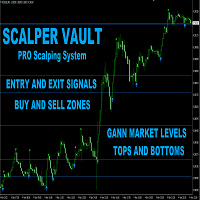
Scalper Vault は、スキャルピングを成功させるために必要なすべてを提供するプロフェッショナルなスキャルピング システムです。このインジケーターは、外国為替およびバイナリー オプションのトレーダーが使用できる完全な取引システムです。推奨される時間枠は M5 です。 システムは、トレンドの方向に正確な矢印シグナルを提供します。また、トップとボトムのシグナルとギャン マーケット レベルも提供します。 インジケーターは、プッシュ通知を含むすべてのタイプのアラートを提供します。 インジケータの購入後にご連絡ください。私の個人的な取引の推奨事項と素晴らしいボーナス指標を無料で共有します! 幸せで有益な取引をお祈りします!
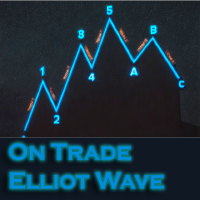
このインジケーターは、エリオット波動理論と組み合わせて作動し、2つの方法で使用されます: 自動モード: このモードでは、インジケーターがチャート上の全ての5つのモーティブ波を自動的に検出し、予測とポテンシャルな逆転ゾーンを提供します。また、アラートやプッシュメッセージを生成する能力も備えています。この自動機能により、エリオット波動パターンの識別と分析のプロセスが効率化されます。 手動モード: このオプションは、エリオット波動理論を手動で扱いたいトレーダー向けです。9つの段階を使用して波を描画することができます。各段階は、表示された後に描画されたラインを調整して個別に定義できます。この機能により、手動で波を描画するプロセスがより効率的になります。重要な点として、すべての描画データが将来の参照のためにプラットフォームのデータフォルダに保存されることに注意してください。 パラメータ: Name: インジケーターの名前。 Use_System_Visuals: インジケーターのテーマを有効または無効にして、取引プラットフォーム全体の外観に合わせます。 Explain_Comment: 波の番号

現在30%オフ 初心者にもエキスパートトレーダーにも最適なソリューション このインジケーターは独自の機能と新しい公式を多数内蔵しており、ユニークで高品質かつ手頃な取引ツールです。このアップデートでは、2つの時間枠ゾーンを表示できるようになります。より長いTFだけでなく、チャートTFとより長いTF(ネストゾーンを表示)の両方を表示できます。すべてのSupply Demandトレーダーの皆さんのお気に召すはずです。:)
重要情報の公開 Advanced Supply Demandの可能性を最大化するには、 https://www.mql5.com/ja/blogs/post/720245 にアクセスしてください。 エントリーまたはターゲットの正確なトリガーポイントを正確に特定できれば取引がどのように改善されるか想像してみてください。新しい基盤となるアルゴリズムに基づいて構築されているため、買い手と売り手の間の潜在的な不均衡をさらに簡単に特定できます。これは、最も強い需要と供給のゾーンと、過去のパフォーマンス(古いゾーンを表示)がグラフィカルに表現されるためです。これらの機能は、最適な

Last copy at 399$ -> next price 499$ Dark Algo is a fully automatic Expert Advisor for Scalping Trading on Eurusd and Gbpusd . This Expert Advisor is based on the latest generation of algorithm and is highly customizable to suit your trading needs. If you Buy this Expert Advisor you can write a feedback at market and get a second EA for Free , for More info contact me The basic strategy of this EA is built on a sophisticated algorithm that allows it to identify and follow market

Super Signal – Skyblade Edition
プロ仕様のノンリペイント / ノーラグ・トレンドシグナルシステム。卓越した勝率を実現 | MT4 / MT5 対応 1分足、5分足、15分足などの低い時間足で最も効果を発揮します。
主な特徴: Super Signal – Skyblade Edition は、トレンド取引に特化したスマートなシグナルシステムです。マルチレイヤーのフィルターロジックを用いて、明確な方向性と実際のモメンタムに支えられた強力なトレンドのみを検出します。 このシステムは 天井や底を予測するものではありません 。次の3つの条件がすべて満たされた場合にのみシグナルを発生させます: 明確なトレンド方向 モメンタムの増加 健全なボラティリティ構造 市場セッションに基づく流動性分析と組み合わせることで、シグナルの精度とタイミングがさらに向上します。 シグナルの特性: すべての矢印シグナルは 100% 非リペイント / 遅延なし 一度出現したシグナルは固定され、点滅・消失しません チャート上の矢印、情報パネル、ポップアップ通知、音声アラート、プッシュ通知

PROMO: -70% OFF - ONLY TODAY !
Get Forex Diamond EA with a huge –70% discount ! Promo Price: $167
(Regular Price: $547 — You Save $380!) Don't miss out on getting this amazing EA at such a low price. The price will increase tomorrow! Live Results: https://www.mql5.com/en/signals/2379493 Forex Diamond EA – Reliable Automated Trading Powered by Smart Algorithms Forex Diamond EA is a proven expert advisor designed to deliver consistent results using a combination of trend and counter-trend str

CRT Candle Range Theory HTF MT4. Ultimate CRT Indicator: Advanced ICT Concepts and Malaysian SnR Trading System Master the Market Maker's Footprints with the Most Advanced Candle Range Theory Indicator
Discounted Price $50 !! Secure your lifetime access now before it switches to subscription-only ! Unlock the true power of Smart Money Concepts (SMC) and trade precisely like the institutions with the Ultimate CRT Indicator . Built exclusively for serious traders, this indicat
Ranging Market Detector scans the market for momentum and price to check whether the price is range- bound and the direction to which it will breakout. It works with all the all assets and visually shows you the instances when the market is either ranging or trending. Informs when the price has finished a retracement, an opportune time to re-enter the trend early. This will help you in position management. It works very well for Scalping, Day trading, and Swing trading. Helpful in all timefra
このインディケータは、価格アクション分析とドンチャンチャネルのみを使用して、ジグザグ方式で価格の反転を検出します。再描画やバックペインティングを一切行わずに、短期取引向けに特別に設計されています。それは彼らの操作のタイミングを増やすことを目指している賢明なトレーダーにとって素晴らしいツールです。 [ インストールガイド | 更新ガイド | トラブルシューティング | よくある質問 | すべての製品 ]
驚くほど簡単に取引できます すべての時間枠で価値を提供します 自己分析統計を実装します
電子メール/音声/視覚アラートを実装します 可変長のブレイクアウトと混雑ゾーンに基づいて、インディケータは価格アクションのみを使用して取引を選択し、市場が非常に高速に行っていることに反応します。 過去のシグナルの潜在的な利益が表示されます この指標は、独自の品質とパフォーマンスを分析します 負けブレイクアウトは強調表示され、説明されます インジケータは、非バックペインティングおよび非再ペイントです この指標は、日中のトレーダーが単一の価格反転を見逃さないようにするのに役立ちます。ただし、すべての

Telegram to MT4 Multi-Channel Copier は、Telegram チャンネルのトレードシグナルを MetaTrader 4 に自動的に直接コピーします。ボットも、ブラウザ拡張機能も、手動コピーも不要。Telegram でシグナルを受信すると、EA が数秒でターミナル上でトレードをオープンします。 本製品は 2 つのコンポーネントで構成されています:Telegram チャンネルを監視する Windows アプリケーションと、MT4 ターミナルでシグナルを実行するこの Expert Advisor です。MT5 版も利用可能です。 セットアップガイドとアプリケーションのダウンロード: https://www.mql5.com/en/blogs/post/768988 動作原理 Windows アプリケーションは、ボットではなくあなた自身の API 認証情報を使用して Telegram に接続します。つまり、プライベートおよび VIP チャンネルを含む、購読しているあらゆるチャンネル、グループ、トピックを読み取ることができます。シグナルを検出すると、それを解析し

Universal Indicator EA, your ultimate solution to automate your trading strategy without any coding requirements. This powerful expert advisor is designed to work with any indicator that gives Buy and Sell Signals, making it a versatile tool for traders of all levels. With Universal Indicator EA, you can easily read signals from both Indicator Buffers and Objects on the Chart. You can also test your indicator on the demo account before purchasing to ensure that the EA is compatible with your ind

現在30%OFF!
初心者やエキスパートトレーダーのためのベストソリューション!
このダッシュボードソフトウェアは、28の通貨ペアで動作しています。それは私達の主要な指標(高度な通貨の強さ28と高度な通貨インパルス)の2に基づいています。それは全体の外国為替市場の大きい概観を与えます。それは、すべての(9)時間枠で28の外国為替ペアのための高度な通貨の強さの値、通貨の動きの速度と信号を示しています。チャート上で1つのインディケータを使用して市場全体を観察し、トレンドやスキャルピングの機会をピンポイントで見つけることができたら、あなたのトレードがどのように改善されるか想像してみてください。
このインディケータには、強い通貨と弱い通貨の識別、潜在的な取引の識別と確認がより簡単になるような機能が搭載されています。このインディケータは、通貨の強さや弱さが増加しているか減少しているか、また、すべての時間枠でどのように機能しているかをグラフィカルに表示します。
新機能として、現在の市場環境の変化に適応するダイナミックなマーケットフィボナッチレベルが追加され、すでに当社のAdvanced

Recovery Manager Pro は、他のアドバイザーまたは手動でオープンされた注文からのドローダウンを回復するためのシステムです。 RM Pro には、自動的に動的に調整する機能があります。トレーダーはリスクレベルを選択する必要があり、アドバイザーは完全自動モードで動作します。 ドローダウンリカバリモードとスタンバイモードで動作可能!別のアドバイザーがドローダウンを生成した場合、RM Proはそれを無効にし、ポジションをロックし、部分クロージャを使用してデポジットを復元するプロセスを開始します。取引では、アドバイザーはスマートな平均化、ロック、部分クロージングを使用します。アドバイザーはカスタム トレンド インジケーターに取り組んでおり、アドバイザーのすべての購入者がギフトとして受け取ります。 Advisor の主な機能は、スタンバイ モードで動作できることです。別のアドバイザーがドローダウンを生成するとすぐに、RM Pro が注文管理を引き継ぎ、平均注文をオープンし、その後部分的にクローズします。 セットアップ手順: リンク MT5のバージョン:

ORIX System — GBPUSD 通貨ペアを対象に、 M5 タイムフレーム用として開発されたトレーディングロボットです。本EAは価格の動きと市場構造の要素を分析することに基づいており、標準的なテクニカル指標は使用しません。マーチンゲール、グリッド取引、逆張りによるナンピン、ヘッジ、ストップロスなしの取引、高頻度取引や無秩序な取引は一切行いません。 Live signals
主な要件および推奨事項 通貨ペア:GBPUSD
タイムフレーム:M5
最低入金額:0.01 ロットでの取引時に 100 USD / EUR から
ブローカー:高品質なレートを提供する信頼できる ECN ブローカー
口座タイプ:ECN / RAW / Razor(Netting および Hedging モード対応)
VPS:EA を安定かつ継続的に稼働させるため推奨
推奨リスク:1 取引あたり 1%~5%(リスクは単一取引のストップロスに基づいて計算)
設定:デフォルト
取引ロジックとリスク管理 戦略タイプ:価格行動および市場構造の分析による重要な反転レベルの特定
標準的なテクニカル指標は使用しません
すべ

DAX Robot is an advanced automated trading system developed specifically for the DAX 40 Index on the H1 timeframe. Designed to handle the fast paced nature of one of Europe's most actively traded indices , the robot continuously analyzes market conditions and automatically executes trades based on its built in trading logic. The system focuses on identifying high probability trading opportunities by combining trend analysis, market momentum, and volatility based conditions. DAX Robot

説明書(ロシア語) / 説明書 (英語) / バージョン MT5 主な機能: 売り手と買い手のアクティブなゾーンを表示します。 このインジケーターは、買いと売りの適切な最初のインパルスレベル/ゾーンをすべて表示します。これらのレベル/ゾーンがアクティブになると、エントリーポイントの探索が始まり、レベルの色が変わり、特定の色で塗りつぶされます。状況をより直感的に把握できるように、矢印も表示されます。 LOGIC AI - テンプレートをアクティブ化するときにエントリポイントを検索するためのゾーン(円)の表示 視認性を向上させるため、人工知能を用いて進入ポイントを探索したゾーンを表示する機能が追加されました。 より高い時間枠からのレベル/ゾーンの表示(MTFモード) より長い時間間隔でレベル/ゾーンを表示する機能を追加しました。また、インジケーターに自動トレンド検出機能( TPSproTREND PRO )を実装しました。 取引のための個別の専門的なステップバイステップのアルゴリズム このアルゴリズムは、トレンドの方向と逆方向の両方でデイトレードを行うために設計されていま

The XG Gold Robot MT4 is specially designed for Gold. We decided to include this EA in our offering after extensive testing . XG Gold Robot and works perfectly with the XAUUSD, GOLD, XAUEUR pairs. XG Gold Robot has been created for all traders who like to Trade in Gold and includes additional a function that displays weekly Gold levels with the minimum and maximum displayed in the panel as well as on the chart, which will help you in manual trading. It’s a strategy based on Price

AFTrade Scalper EA is an automated trading robot designed for XAUUSD using a breakout-based scalping approach. The EA focuses on very short-term opportunities with controlled risk management, fixed lot options, trading session filters, and a three-stage trailing stop system consisting of Trailing Start, Trailing Stop, and Trailing Step. No grid and no martingale, every trade has a defined Take Profit and Stop Loss.
Please see below live signal of this EA :
Live Signal Broker IC Markets (startin

この製品は 2026 年の市場向けに更新され、最新の MT5 ビルドに最適化されています。 価格更新のお知らせ:
Smart Trend Trading System は現在 $99 で提供されています。
次の 30 件の購入 後、価格は $199 に上がります。 特別オファー: Smart Trend Trading System を購入後、私にプライベートメッセージを送ることで、 Smart Universal EA を無料 で受け取り、Smart Trend のシグナルを自動売買に変えることができます。 Smart Trend Trading System は、リペイントなし、再描画なし、遅延なしの完全なトレーディングシステムです。よりクリーンなシグナル、より明確なトレンド方向、そしてより整理された取引方法を求めるトレーダー向けに作られています。 Online course , manual and [download presets] . このシステムは、トレンド検出、反転ゾーン、Smart Cloud、トレーリングストップロジック、サポートとレジスタンス、ローソク足の色分け

Javier Gold Scalper:あなたのそばにある最先端テクノロジー!
マニュアルと設定ファイル:購入後にご連絡いただければ、マニュアルと設定ファイルをお渡しします 価格:販売されたライセンス数に応じて価格が上がります 残りのコピー数:5 金は金融市場でもっともボラティリティの高い資産の一つであり、取引には高度な正確性、慎重な分析、そして非常に効果的なリスク管理が必要です。 Javier Gold Scalper は、これらの柱を統合するために開発された強力で洗練されたシステムであり、金市場での取引を最適化することを目的としています。最先端のテクノロジーと高度な戦略を駆使して、Golden Scalperは初心者からプロのトレーダーまで対応し、このダイナミックな市場における課題を安全に乗り越え、チャンスを活かすサポートをします。Golden Scalperを使えば、金の特性に対応した信頼性の高いツールを手に入れることができます。
シンボル XAUUSD(金) 時間足 M30 PropFirm 対応済み 資金 最低 $1000 ブローカー どのブローカーでも可 口座タイプ ど

収益性の高い取引機会を簡単に特定するのに役立つ強力な外国為替取引インジケーターをお探しですか?ビースト スーパー シグナル以外に探す必要はありません。 この使いやすいトレンドベースのインジケーターは、市場の状況を継続的に監視し、新しいトレンドを検索したり、既存のトレンドに飛びついたりします。ビースト スーパー シグナルは、すべての内部戦略が一致し、互いに 100% 合流したときに売買シグナルを発するため、追加の確認は不要です。シグナル矢印アラートを受け取ったら、単に売買します。 購入後、プライベート VIP グループに追加されるようにメッセージを送ってください! (完全な製品購入のみ)。
購入後、最新の最適化されたセット ファイルについてメッセージを送ってください。
MT5バージョンは こちらから入手できます。
Beast Super Signal EA は こちらから 入手できます。
コメント セクションをチェックして、最新の結果を確認してください。
ビースト スーパー シグナルは、1:1、1:2、または 1:3 のリスクと報酬の比率に基づいて、エントリー価格、ストッ

Alex Expert Advisorは、トレンド反転の可能性を特定するために設計された独自のツールであるVertex Indicatorを中心に構築されています。取引シグナルは、基となるオシレーターが買われすぎまたは売られすぎの状態に達し、クロスオーバーまたは反転シグナルが確認されたときに生成されます。この高度なマルチシグナルEAは、トレンド分析、モメンタム評価、および正確なエントリータイミングを、直感的で使いやすい単一の取引システムに統合しています。弱い市場状況を自動的にフィルタリングし、高確率の取引機会に焦点を当てることで、幅広い市場環境において、取引実行の明確性、一貫性、および信頼性を高めることを目指しています。EAに組み込まれているVertex Indicatorは、短期および長期のトレンドデータを独自に組み合わせ、信頼性の高い売買シグナルを生成し、より高い精度で機会を特定します。このEAはすべての通貨ペアおよび取引可能な金融商品に適用できますが、特にXAUUSD(金)において、持続的なトレンド状況が存在するM15時間足で優れたパフォーマンスを発揮することが実証されています

SwapFree Adaptive Scalper EA - スマートで安全、かつ信頼性の高い、完全に自動化されたマルチペア スキャルピング トレーディング システムです。
これは、すべてのトレーディング作業をあなたに代わって行う「設定して忘れる」エキスパート アドバイザーです。9 つのペアに対して 9 つの Set_files が利用可能です。
テストと取引用のEA設定ファイルをダウンロードしてください: GBPCHF Set_file EURCHF Set_file GBPCAD Set_file EURAUD Set_file AUDCAD Set_file USDCHF Set_file GBPAUD Set_file EURCAD Set_file USDCAD Set_file EA の機能: - スキャルピング テクニック。 - ロールオーバーの影響はありません。 - スワップは関係ありません。 - 週末のギャップは関係ありません。 - EA は AI メソッドを介して自動的に市場状況に適応します。 - システムは安全で、グリッドやマーチンゲールなどの危険なメソッド

Auto Optimized Parabolic RSI: 高度な3Dモメンタムエンジン ほとんどのリテール向けインジケーターは、市場のボラティリティが変化した瞬間に破綻する静的な入力値に依存しているため、失敗に終わります。Auto Optimized Parabolic RSIは、自らの数学的優位性を継続的に再計算することで「インジケーターの陳腐化」問題を解決し、機関投資家レベルの定量的適応力をMT5ターミナルに直接もたらします。 最大の強み: カスタムインメモリ3D最適化 標準的な自動最適化ツールは、インジケーターの呼び出しで端末に過負荷をかけるため、頻繁にMT5プラットフォームをフリーズさせます。本ツールは、このボトルネックを完全に回避しています。RAMベースのカスタムネイティブ計算機を内蔵した内部エンジンは、チャートを読み込んだりタイムフレームを変更したりするたびに、超高速の3Dグリッド探索を実行します。RSI期間(頻度)、SARステップ(加速度)、SAR最大値(制限速度)を同時にスイープし、プラットフォームを遅延させることなく、数万通りものパラメーターの組み合わせを絶対的

ICT PO3 (Power of 3) AMD Protocol Framework Indicator
True Time & Structure Integration | Non-Repainting | Real-Time | Multi-Asset | MT5 Version Available
Full Setup Guide & Strategy Playbook: https://www.mql5.com/en/blogs/post/768683 MT5 Version: https://www.mql5.com/en/market/product/171633
Indicator Overview
The ICT PO3 AMD Protocol Framework is a complete structural overlay for MetaTrader 4 that maps the True Daily Cycle directly onto your lower-timeframe execution chart. It projects

Limited stock at the current price!
Final price: $1999 --> PROMO: From $299 --> The price will go up every 5 purchases, next price : $399 Golden Mirage is a robust gold trading robot designed for traders who value reliability, simplicity, and professional-grade performance. Powered by a proven combination of RSI, Moving Average, ADX, and High/Low Level indicators, Golden Mirage delivers high-quality signals and fully automated trading on the M5 timeframe for XAUUSD (GOLD) . It features a robu

EA Sweet Dreamsは、独自のインジケーターをベースにしたトレンドフォロー型の取引システムです。マーチンゲールグリッド戦略を採用しています。このEAはあらゆる通貨ペアとあらゆる時間枠に適していますが、M15時間枠のxauusdなどの強いトレンドの銘柄では特に優れたパフォーマンスを発揮します。 リアルタイムの結果はここで確認できます。 個人ボーナスを獲得するには、購入後すぐにご連絡ください。 設定・マニュアルはこちら 設定 Open new series – true/false - 新たな一連の注文の始まり。 Trade Buy - EAが購入できるようにする Trade Sell - EAの販売を許可する Support manual orders – true/false – EAが手動注文を制御できるようにする Use hedge - EAが買いと売りの両方向で取引できるようにします。Falseの場合は、片方の取引方向のみ Max Orders – 許可される注文の最大量 Order Comment – システム名の説明 Start lots – 最小開始ロット

発売記念特別価格! たったの79ドル! 10個売れた後、価格は値上げされ、最終価格は199ドルになります。 ご購入後、ご連絡いただければ、ブレイクアウトシグナルに基づいて完全に自動化された最適化済み設定ファイルで取引できる無料のボーナスEAをお送りします。
クリーンなセッションブレイクアウトを自信を持ってキャッチしましょう! ORB Seekerは、正確性、シンプルさ、柔軟性、そして明確なチャート構造を求めるトレーダー向けに開発された、プロ仕様のオープニングレンジブレイクアウト(ORB)インジケーターです。 このシステムは、あらゆる銘柄のプレマーケットまたはカスタムセッションのレンジを自動的にプロットし、エントリー、ストップロス、テイクプロフィット、およびオプションの50%部分TPレベルを含む明確なブレイクアウトシグナルを提供します。すべての計算結果はリアルタイムでチャート上に表示されます。 ロンドン市場オープン、ニューヨーク市場セッション、アジア市場セッション、または独自のカスタム市場時間帯で取引できます。ORB Seekerは選択したセッション時間帯に合わせて調整されるため、市

無料トライアル版ダウンロード
Copy Cat More (コピーキャット・モア) MT4 トレードコピー (Trade Copier) は単なるローカルのトレードコピーではありません。今日のトレード課題のために設計された 完全なリスク管理・執行フレームワーク (risk management and execution framework) です。プロップファーム (prop firm) のチャレンジから個人のポートフォリオ管理まで、堅牢な執行、資金保護、柔軟な設定、高度なトレード処理の組み合わせによって、あらゆる状況に適応します。 このコピーは マスター (Master、送信側) と スレーブ (Slave、受信側) の両モードで動作し、成行注文・指値注文、トレードの変更、部分決済、そして両建て決済 (Close By) 操作をリアルタイムで同期します。デモ口座と実口座、トレード用ログインと投資家ログインの両方に対応し、永続的トレードメモリ (Persistent Trade Memory) システムにより、EA・端末・VPS が再起動しても復旧を保証します。一意の

PRO MULTI SNIPER EA は、MT4プラットフォームで約90%の精度を誇る高品質な自動売買システムです。
この収益性の高いスキャルピングEAは、現在市場で最も安定したシステムの一つです。 M15 timeframe! No Grid! No Martingale! このMQL5ウェブサイトでのみ提供されるオリジナル製品です。
テストと取引用のEAセットファイルをダウンロードしてください: GBPCAD Set_file GBPAUD Set_file
EA独自の機能: - 機械学習手法を使用 - 複利法とスキャルピング手法を実装 - 市場のボラティリティに応じて、システムがダイナミックSLを自動設定 - EAはデフォルトで自動(ロット計算)リスク管理機能を備え、固定ロットオプションも搭載 - 取引エントリー感度パラメータを調整可能 - ギャップを回避するため、金曜日から月曜日までオープン注文を保持しない - 1分単位の高精度な動作時間フィルター - ロボットには損益分岐点機能が搭載されています。 - 口座レバレッジ:1:30~1:2000の範囲で任意。 - 推