G2 Dashboard PRO
- ユーティリティ
-
Ida Bagus Putu Mahardika
 "Hello and welcome!
My trading journey began back in 2001 in the beautiful island of Bali.
Navigating the markets for over two decades has taught me that consistency and patience are key.
Today, my mission is to share that experience with you. - バージョン: 1.8
by Ida Bagus Putu Mahardika
🚀 PROFESSIONAL TRADE EXECUTION & MANAGEMENT DASHBOARD
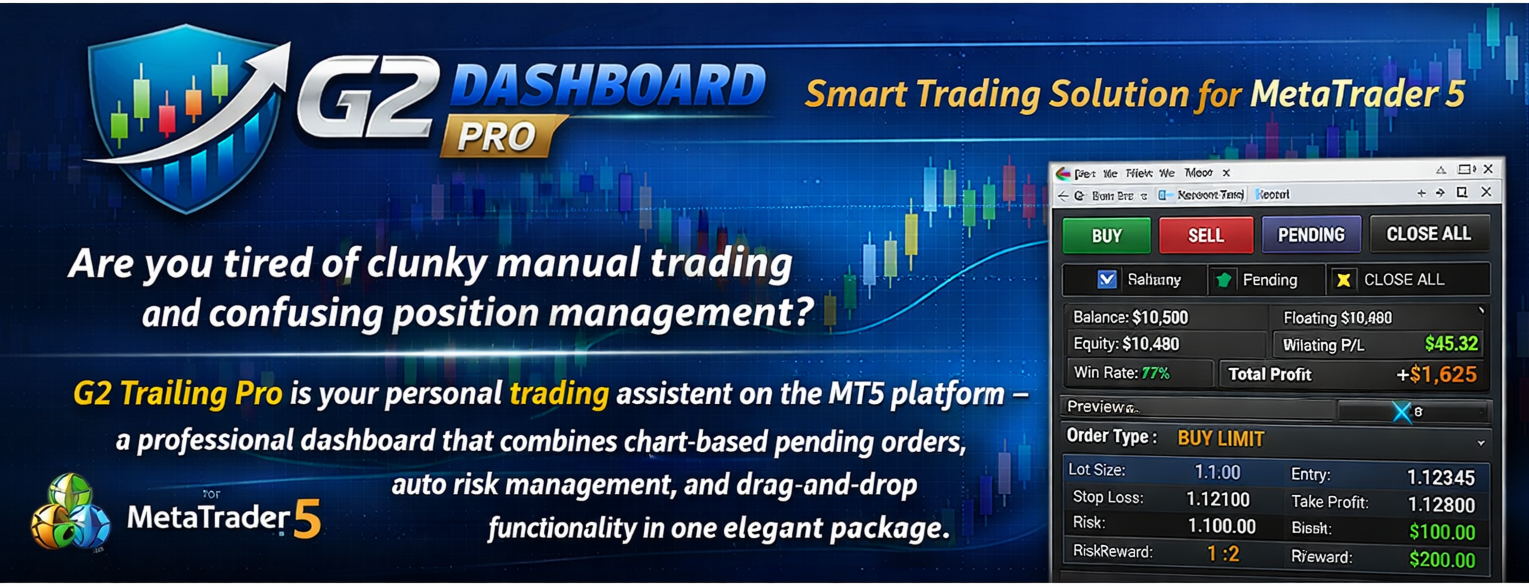
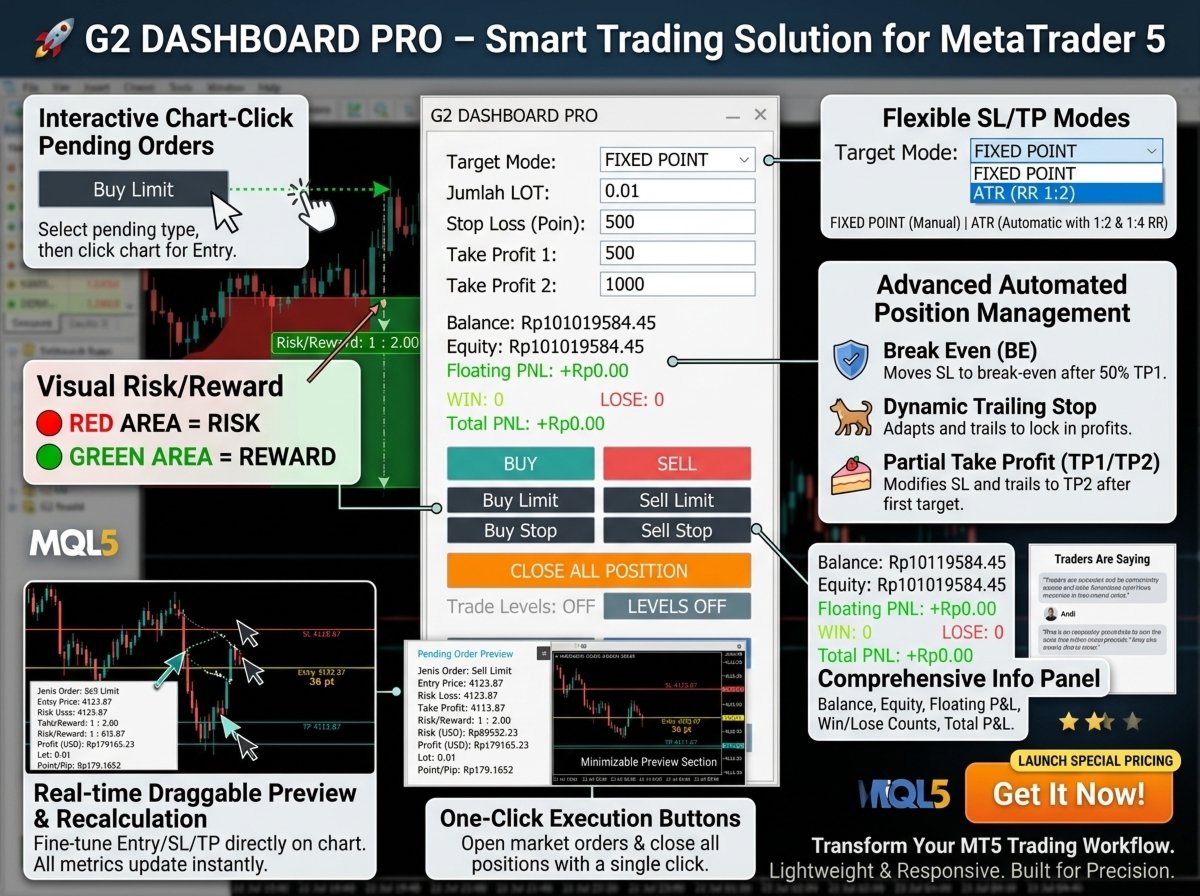
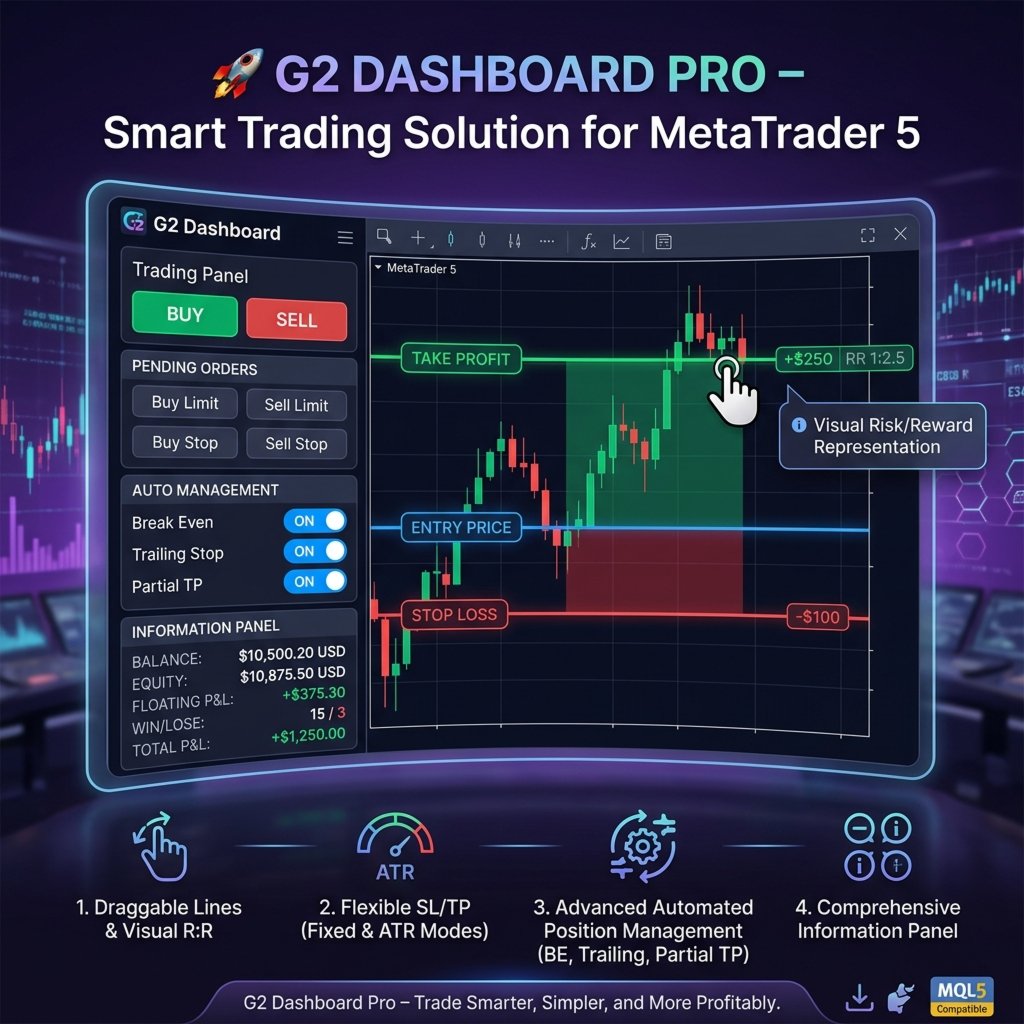
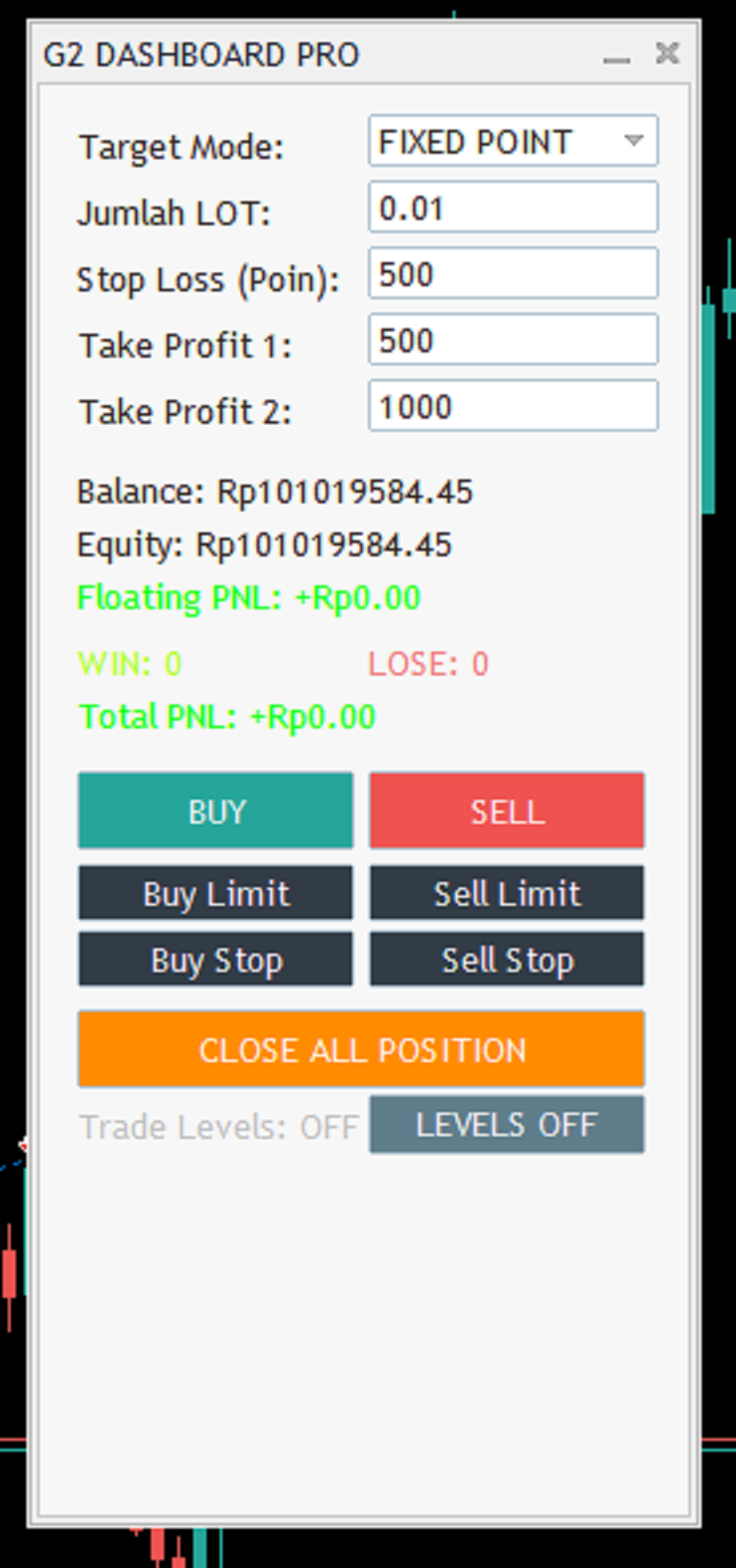
G2 Dashboard Pro is a comprehensive trading management tool that revolutionizes how you place and manage orders. No more manual calculations or switching between windows – everything you need is in one interactive, draggable dashboard directly on your chart.
💎 KEY ADVANTAGES
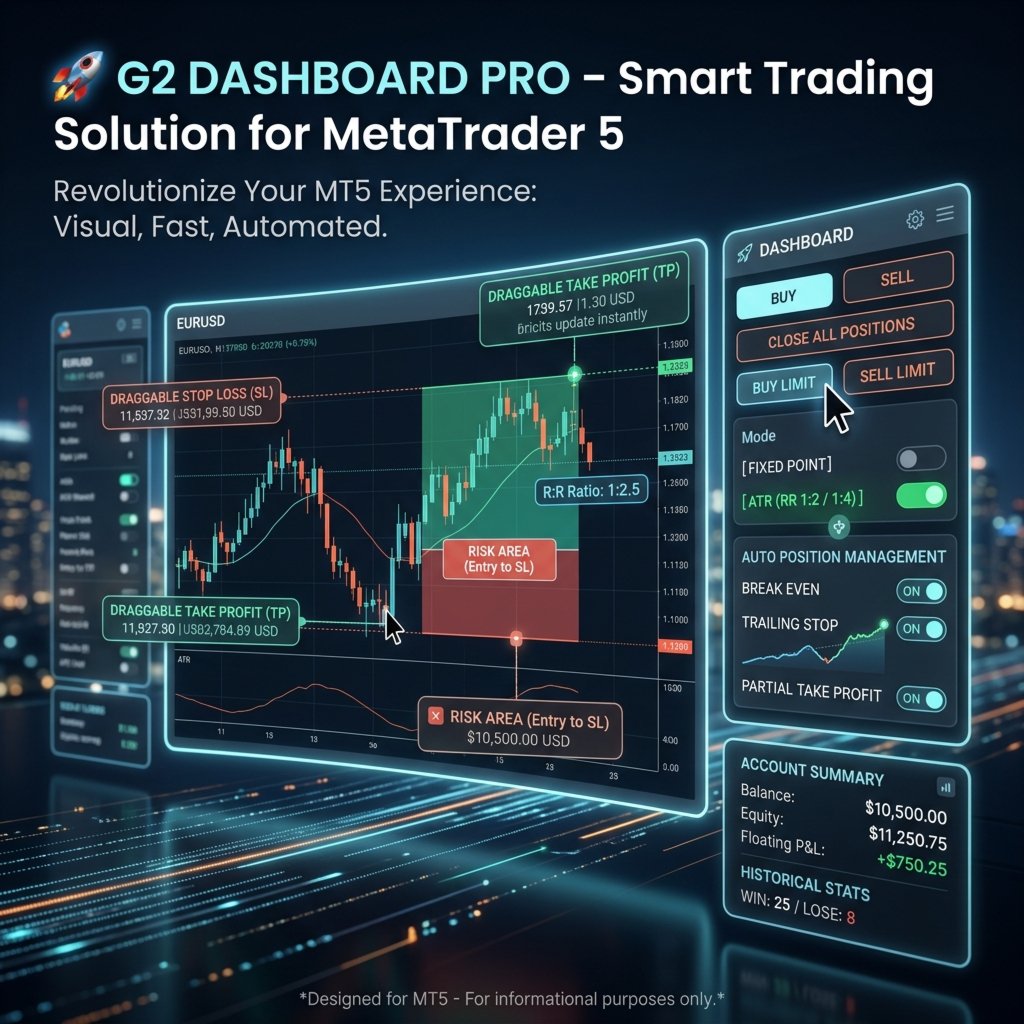
1. CHART-BASED PENDING ORDER PLACEMENT
-
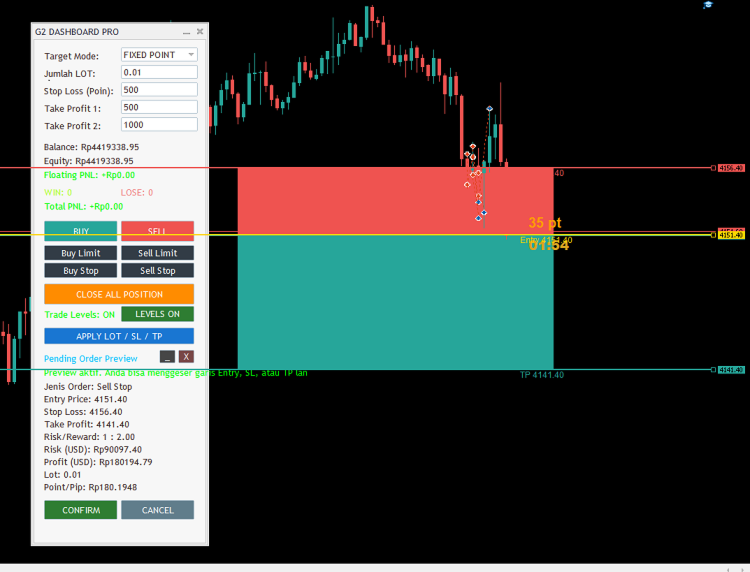
Click on the chart to set your entry price visually
-
Support for all order types: Buy Limit, Sell Limit, Buy Stop, Sell Stop
-
Draggable Entry, Stop Loss, and Take Profit lines on the chart
-
Real-time preview with risk/reward calculation
-
No more guessing – see exactly where your order will be placed
2. REAL-TIME ORDER PREVIEW
-
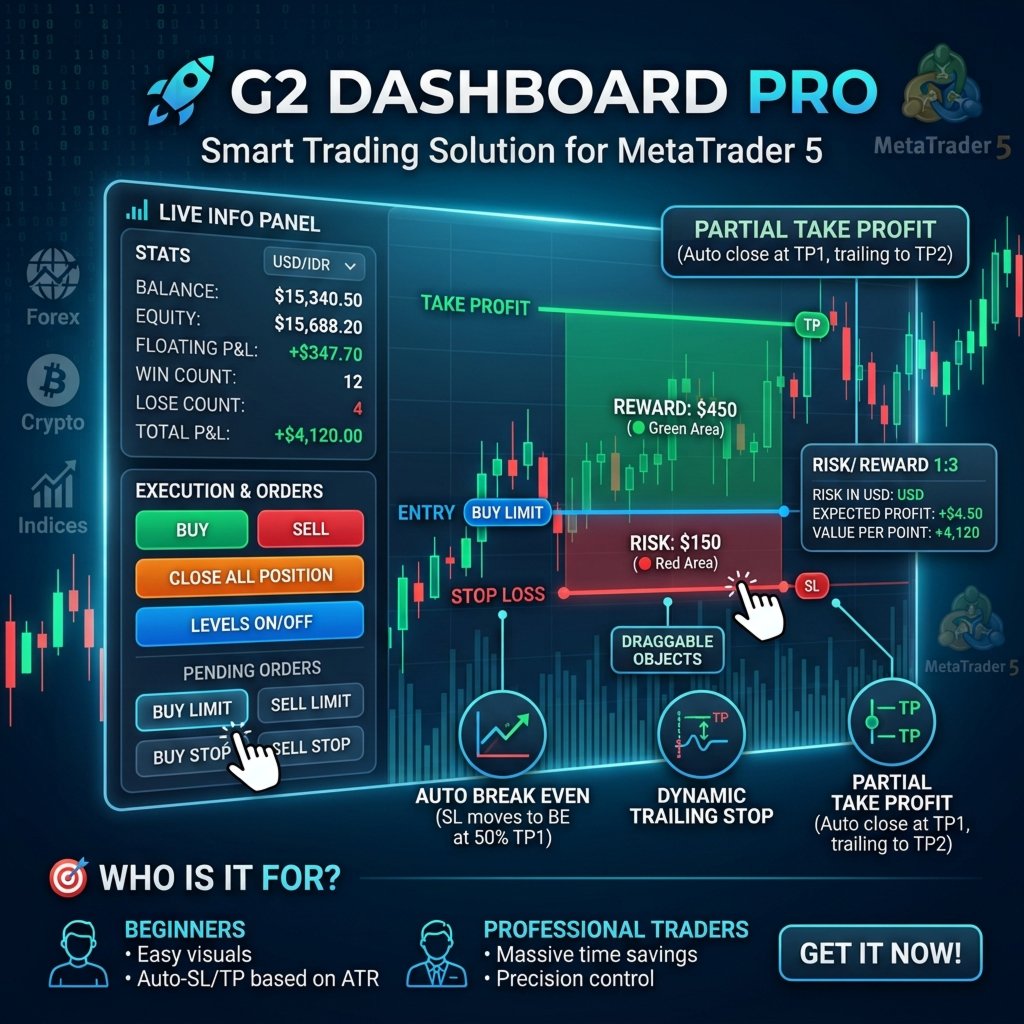
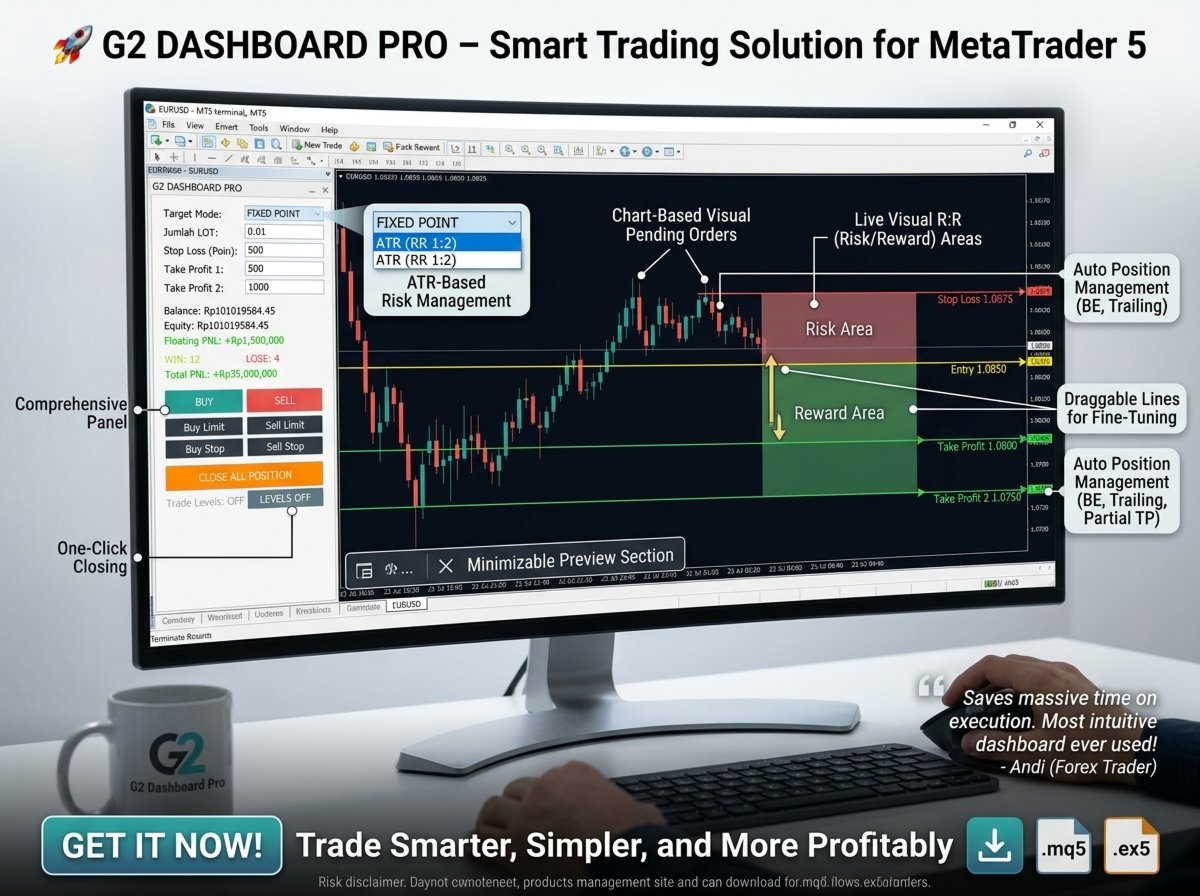
Visual risk/reward zones displayed directly on the chart
-
Green reward zone and red risk zone for instant visual feedback
-
Drag and adjust Entry, SL, or TP lines directly on the chart
-
Instant recalculation of all metrics when you move any line
-
See risk in USD and expected profit before placing the order
3. SMART POSITION MANAGEMENT – 6 LEVEL TP
-
Automatic trailing stop system with 6 take-profit levels
-
Each level moves your stop loss to lock in profits
-
Level 1: Break Even + Spread protection
-
Level 2-3: Move SL to secure partial profits
-
Level 4-5: Continue trailing as price moves
-
Level 6: Close position at maximum TP
4. FLEXIBLE TARGET MODES
-
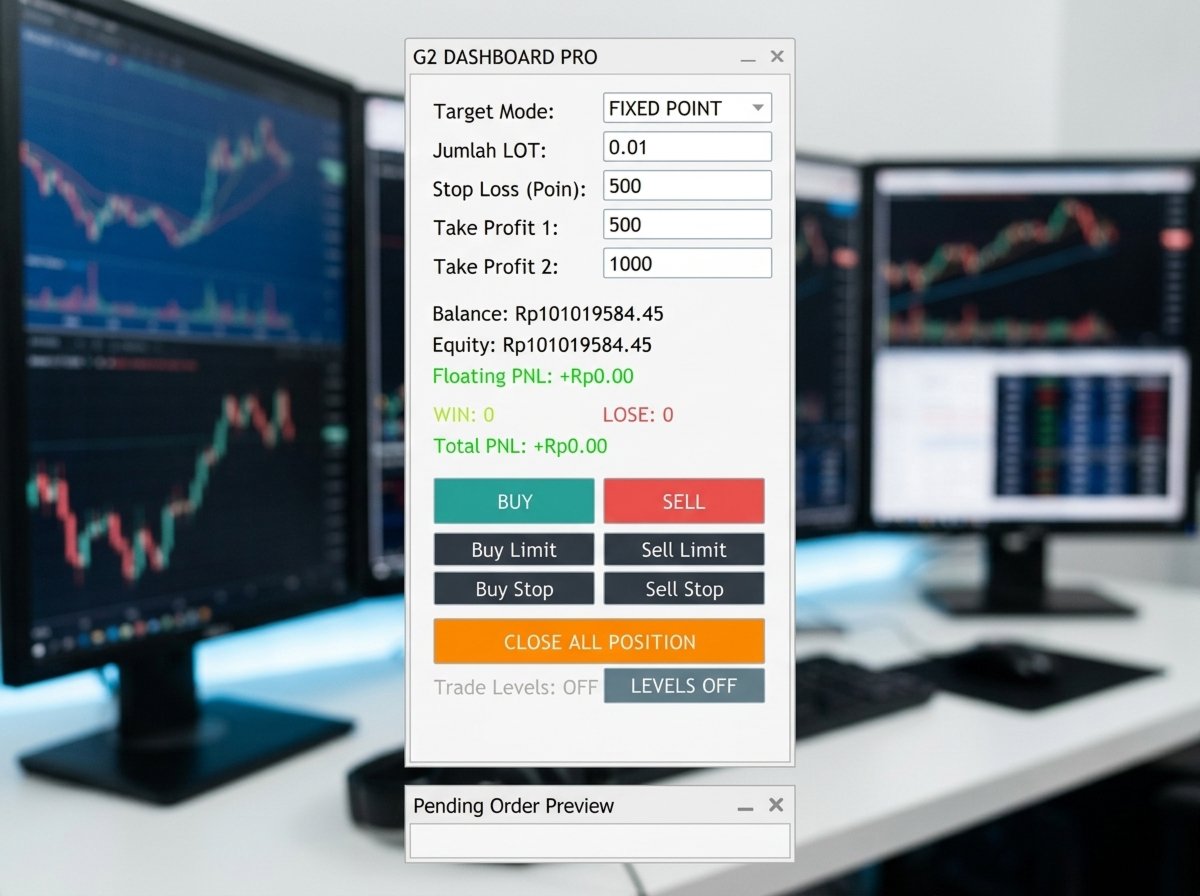
Fixed Point Mode: Set your own SL and TP values
-
ATR Mode (RR 1:2): Automatically calculates SL using ATR with 1:2 and 1:4 risk/reward ratios
-
Instant switching between modes with automatic recalculation
5. COMPLETE ACCOUNT DASHBOARD
-
Real-time Balance & Equity display
-
Floating PnL with color coding (green = profit, red = loss)
-
Win/Loss ratio tracking
-
Total PnL from all closed trades
-
All in your account currency
6. PROFESSIONAL USER INTERFACE
-
Drag & Drop Panel – Position anywhere on your chart
-
Minimize Preview Section – Save screen space
-
Hide Preview – Clean up when not needed
-
Trade Levels Toggle – Show/hide broker trade levels
-
Close All Positions – One-click position closure
-
Apply Preview – Update SL/TP from dashboard settings instantly
7. ONE-CLICK ORDER PLACEMENT
-
BUY / SELL – Instant market orders
-
Buy Limit / Sell Limit – Set pending limit orders
-
Buy Stop / Sell Stop – Set pending stop orders
-
CONFIRM / CANCEL – Review before sending to broker
🎯 HOW IT WORKS
-
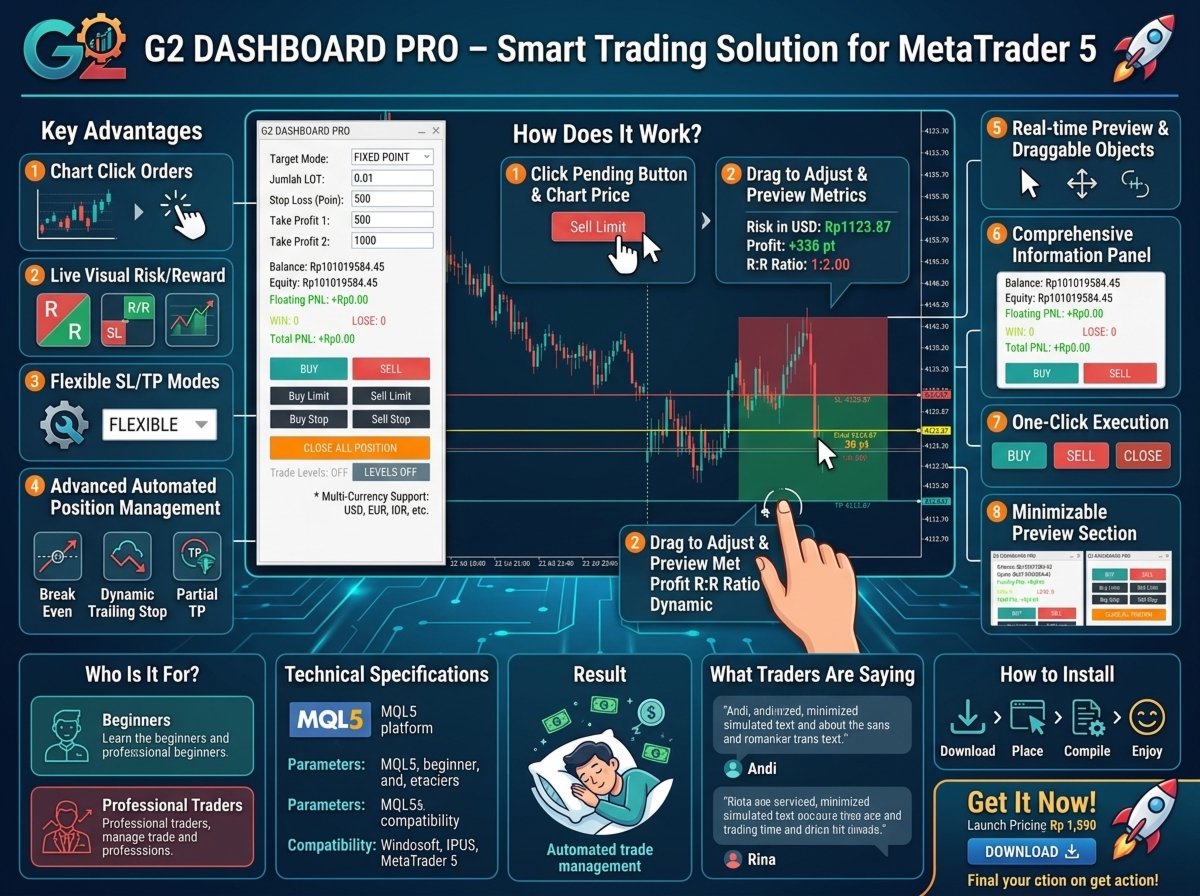
Select Order Type – Choose from 4 pending order types or instant BUY/SELL
-
Click on Chart – Set your entry price with a single click
-
Adjust Lines – Drag Entry, SL, or TP lines to fine-tune
-
Review Preview – Check risk/reward, profit, and risk in USD
-
Confirm & Send – One click to send to your broker
📊 KEY FEATURES
✅ Chart-based pending order placement
✅ Draggable Entry, SL, and TP lines
✅ Visual risk/reward zones on chart
✅ Real-time preview with all metrics
✅ 6-level trailing stop management
✅ Automatic break even protection
✅ Fixed Point mode
✅ ATR mode with 1:2 / 1:4 risk/reward
✅ Real-time account monitoring
✅ Balance, Equity, PnL, Win/Loss tracking
✅ One-click BUY/SELL market orders
✅ All 4 pending order types
✅ Minimize/Hide preview section
✅ Trade Levels toggle
✅ Close all positions button
✅ Apply preview from dashboard
✅ Drag & drop panel
✅ Professional dark theme
✅ MT4 optimized
📈 WHO IS THIS FOR?
-
Day Traders – Quick execution with visual confirmation
-
Scalpers – Fast order placement with precise entry points
-
Swing Traders – Set pending orders and let the system manage
-
Risk-Aware Traders – See risk in USD before placing orders
-
Beginners – Visual interface makes learning easy
-
Professionals – Advanced features and customization
🛡️ RISK MANAGEMENT BUILT IN
-
See exact risk in USD before placing any order
-
Visual risk zone shows exactly where you could lose
-
Break-even protection after reaching level 2
-
Progressive SL movement locks in profits
-
ATR-based SL for volatility-adjusted risk
🔥 WHY BUY G2 DASHBOARD PRO?
Save Time – Place pending orders in seconds
Reduce Errors – Visual confirmation prevents mistakes
Lock Profits – 6-level TP system automatically secures gains
Stay Informed – All account metrics in one place
Trade Confidently – See risk/reward before entering
Professional Interface – Clean, modern, and intuitive
🚀 GET STARTED TODAY
Stop placing orders blindly. Start using G2 Dashboard Pro to see, manage, and execute your trades with professional precision.
Trade smarter, not harder – with G2 Dashboard Pro.
For more information or support, contact: Ida Bagus Putu Mahardika
© 2026 G2 Trading Systems – All Rights Reserved