 MetaTrader 5
 Experts
 지표
지표
 라이브러리
라이브러리
 유틸리티
유틸리티
 위젯
위젯
 규칙
규칙
MetaTrader 5용 트레이딩 유틸리티 - 13
 다음은 MetaTrader 5의 거래를 단순화하는 거래 프로그램입니다. 유틸리티의 설명과 목적을 읽으려면 유틸리티 위에 마우스를 놓으십시오.
설명 Easy Trader Assistant는 명확한 리스크 관리와 함께 더 빠른 트레이딩을 위해 설계된 MetaTrader 5용 수동 실행 패널입니다. 모든 작업(진입, 청산, 조정)은 차트에서 직접 관리할 수 있어 창을 전환하는 데 시간을 낭비하지 않습니다. 로트 계산, SL/TP 관리, 포지션 오픈 전 리스크 직접 시각화를 통합합니다. 아이디어는 간단합니다. 오류를 줄이고 실행을 더 정밀하게 만드는 것입니다. 접근 방식 각 진입은 수동으로 결정하지만 기술적 리스크 관리를 적용하는 디스크리셔너리 트레이딩의 실거래에서 사용됩니다. 주요 기능 • 패널에서 매수 및 매도 주문 실행
• 설정된 리스크에 따른 자동 거래량 계산
• 스탑로스 및 테이크프로핏 빠른 설정
• 리스크와 수익을 금액 및 핍(pips)으로 표시
• 포지션 확보를 위한 브레이크 이븐(break even) 버튼
• 원클릭 전체 포지션 청산
• 미결제 거래 능동적 관리
• 차트에 직접 표시되는 SL 및 TP 선
• 빠른

Dual Symbol Bars
는 차트와 같은 시간 프레임과 시간 축으로, 두 번째 심볼을 캔들로 별도 하위 창에 그립니다. 차트 시간에 맞춘 두 번째 심볼의 캔들을 별도 창에 표시합니다. 금과 달러 지수를 나란히 보거나, 브로커가 제공하는 다른 종목에 사용할 수 있습니다. Dual Symbol Bars는 메인 차트 아래에 두 번째 캔들 차트를 추가합니다. 두 창은 같은 시간 프레임과 같은 시가 시각을 사용하므로, 다른 차트를 열지 않고 두 종목을 비교할 수 있습니다. 예: 메인은 XAUUSD, 패널은 달러 지수. 심볼은 고정되어 있지 않습니다. 패널에 표시할 심볼에 브로커의 정확한 이름을 입력하세요. 그 이름이 없으면 일반적인 달러 지수 이름(USDIndex, USDX, DXY 등)도 찾습니다. 각 바는 시가 시각으로 맞춥니다. 양봉(종가가 시가 이상)은 양봉 색, 음봉은 음봉 색을 사용합니다. 꼬리, 몸통, 테두리 색은 따로 설정합니다. 심볼 이름은 패널에 표시됩니다. 서버에 이
FREE

Easy Trade Zone - Visual Order Panel
Draw your trade directly on the chart and drag it into place. Grab the Entry, Stop-Loss and the three Take-Profits individually with the mouse. The moment you move a line, everything recalculates live: the red risk box, the green reward box, the position size, and the exact profit/loss in your account currency. You see your risk in real money BEFORE you click - and never send an order without a stop by accident.
Features: - Drag every level individually: En
FREE

Repaint Inspector는 지표가 리페인트하는지를 주장만 믿고 넘어가는 대신 직접 측정합니다. 차트에 부착하고 임의의 커스텀 지표와 그 매개변수 목록을 지정하면, 이미 마감된 바에서 해당 지표의 버퍼를 반복해서 다시 읽으며 바뀌는 모든 값, 나타나는 모든 값, 사라지는 모든 값을 세고, 그런 일이 히스토리에서 얼마나 먼 과거까지 여전히 일어나는지도 함께 측정합니다. 이 프로그램은 측정 도구입니다. 차트에서는 주문을 절대 보내지 않습니다. 전략 테스터에서는 시작 시 최소 볼륨 포지션 하나를 열었다가 닫는데, MQL5 Market의 자동 테스트가 엑스퍼트 어드바이저가 거래 작업을 수행하는지 확인하기 때문입니다. 이 거래는 저널에 알림으로 기록되고, 측정에는 포함되지 않으며, 입력값 하나로 끌 수 있습니다. DLL과 네트워크 접근을 사용하지 않으며, MQL5\Files에 있는 두 개의 CSV 파일 외에는 디스크에 아무것도 쓰지 않습니다. 만든 이유: '리페인트 없음'은 지표 설명에
FREE

ATR Stop Loss and Take Profit Calculator. Know your risk before you take the trade! Click any candle and instantly see your stop loss, take profit, and correct lot size, all calculated from ATR, scaled to your account. A useful back-testing and live trading tool. If you find this indicator useful, please leave a review
How It Works
Click a candle. The indicator reads ATR at that bar, calculates SL and TP using your configured multipliers, and draws the levels on the chart. An info panel shows
FREE

무엇을 거래했는지만이 아니라, 거래를 실행했을 당시 차트가 어떻게 보였는지도 함께 검토하세요. ChartLedger는 MetaTrader 5용 로컬 비주얼 트레이딩 저널입니다. 적용된 차트의 심볼에 대한 거래를 자동으로 기록하고, 거래 데이터와 진입 시점 및 최종 청산 시점의 차트 스크린샷을 함께 저장합니다. 거래를 검토할 준비가 되면 ChartLedger는 인터랙티브 HTML 리포트, Excel 호환 워크북, CSV 데이터 파일, 관련 차트 이미지를 포함하는 완전한 로컬 내보내기를 생성할 수 있습니다. ChartLedger는 관찰 전용 도구입니다. 거래 요청을 전송하지 않으며 주문이나 포지션을 열거나 수정하거나 청산하지 않습니다. 왜 ChartLedger를 사용해야 하나요? 일반적인 거래 내역은 진입 가격, 청산 가격, 결과를 보여줍니다. ChartLedger는 실제 저널에 사용되는 MetaTrader 차트를 캡처하여 당시의 타임프레임, 인디케이터, 그래픽 오브젝트, 차트 레이아웃
FREE

Full Automated Trading panel . it works on any trading instruments: Forex, Stocks, Futures, Indices, CFD, Bonds, Cryptocurrencies; interface minimization function; flexibility of use;
Join my channel and check video of it ===> https://t.me/Ash_TheTrader/4986
Features :
Auto SL and TP Auto Close partial Auto Trailing Session Time Alert Time of trading Alert Profit and Percentage and etc.
FREE

Welcome to my MMTrader Manager product. EA that allows You for simple managing trades and positions. Key Features: Position Opening – Open trades quickly with customizable Take Profit (TP), Stop Loss (SL), and lot size settings. Position Closing – Close trades with one click. Grid System – Automatically create a grid of orders. Recovery Mode – Loss recovery lot calculation. Trade History Data – Acces data to historical positions. User-Friendly Interface – A clear and simple panel designed. This
FREE

The TradingView-style hide-drawings button MT5 never had
"From the maker of Risk Sentinel — risk-first position sizing that keeps your risk fixed as you drag the stop: https://www.mql5.com/en/market/product/185711 "
Hide/Show Drawing is a one-tap chart-cleanup utility for MT5. Hide all your drawings — or just trendlines, Fibs, shapes, or text — to read raw price action, then restore everything exactly as it was, per-timeframe settings and all. Nothing is deleted; every object stays in memory a
FREE

Smart Sl Tp Manager For Mt5 is a lightweight and reliable trading utility designed to help you manage risk automatically.
It instantly sets Stop Loss and Take Profit levels for every manual trade you open, ensuring your positions are always protected. Perfect for traders who want more discipline, less stress, and consistent risk management. Key Advantages Automatic SL & TP for all manual trades Works with both Netting & Hedging accounts Re-applies SL/TP when you add new positions Simpl
FREE

작업 논리
Stop Out 유틸리티는 Stop Out 레벨까지 남은 포인트 수를 보여주는 간단하지만 매우 편리한 표시기입니다.
이점은 많은 트레이더가 이익을 추구하는 거래의 위험을 의도적으로 과대 평가하고 사용 가능한 마진을 최대로 사용한다는 사실에 있으며, 이 경우 브로커가 강제로 포지션을 닫을 수 있는 위치를 아는 것이 매우 중요합니다.
차트에 표시기를 놓고 매수 또는 매도의 열린 위치에 따라 차트에서 바로 이 거래 가격의 경계 표시를 볼 수 있습니다.
포지션을 열 때까지는 차트에 선이 보이지 않습니다.
차트에 선이 표시되지 않는다고 해서 유틸리티가 작동하지 않는 것은 아닙니다. 거래의 위험이 최소화되고 예금이 클 가능성이 높으므로 스탑 아웃 선을 훨씬 더 높게 찾아야 합니다. / 현재의 위험으로 당신은 스톱 아웃에서 멀리 떨어져 있기 때문에 거래보다 낮습니다.
질문이 있는 경우 토론 섹션에 질문을 작성할 수 있습니다. 즐거운 거래. Recommended Robot
FREE

InnovaDash 로트 크기 계산기: 원클릭 위험 관리 터미널 더 이상 로트 크기를 추측하거나 의도한 것보다 더 많은 위험을 감수하지 마십시오. InnovaDash 로트 크기 계산기는 전문적인 위험 관리 및 빠른 실행 기능을 MT5 차트로 직접 가져오도록 설계된 정확하고 컴팩트한 거래 유틸리티입니다. InnovaDash Analytics 팀이 개발한 이 도구는 귀하와 같은 트레이더를 위해 완전히 무료로 배포됩니다. 빠른 실행이 필요한 스캘퍼이든, 진입을 계획하는 스윙 트레이더이든, 이 도구는 실시간 시장 데이터, 매수/매도(Bid/Ask) 스프레드 및 심볼 틱 가치를 기반으로 위험 계산을 즉각적으로 처리합니다. 핵심 기능 동적 위험 계산: 자본 위험을 관리할 방법을 정확하게 선택하십시오. 계좌 잔액의 정확한 위험 비율(%) 또는 고정된 현금($) 금액 간에 쉽게 전환할 수 있습니다. 스마트 레벨 감지 (SL 및 TP): 손절매 (Stop Loss): 포인트 단위로 거리를 입력하거나
FREE

Are you tired of erasing the objects on chart and then having to put them back in? What if you had a tool that would allow you to hide and show all objects any time? Cool, huh? That is why I developed this tool as an indicator. With it you hide all objects using a shortcut button on chart or the keyboard (customizable). If you have any suggestions or find a bug, please, contact us. Enjoy!
FREE

Pending Stop Order Trailing Et - is a utility for automatic trailing of pending orders (Buy Stop and Sell Stop) in MetaTrader 5.
It dynamically adjusts pending order prices following the market until activation, helping to achieve better entry levels and reduce poor entries.
The tool is designed for both manual and semi-automated trading workflows.
STANDALONE & INTEGRATION
The utility works fully in standalone mode and performs its core trailing function on any symbol without additiona
FREE

SmartRisk Trade Tool — One-Click Risk-Based Trade Panel SmartRisk Trade Tool is a manual trading panel for MetaTrader 5 built around position sizing and risk control rather than signal generation. It does not analyze the market or suggest trade direction — it exists so that every order sent from the chart already has a calculated lot size, stop loss, and take profit consistent with a risk value the trader chooses, removing the manual arithmetic that normally happens between deciding to trade and
FREE

지난 석 달 동안 거래에 얼마가 들었는지 아십니까? 얼마를 벌었거나 잃었는지가 아니라, 포지션을 하나하나 열고 닫는 데 얼마가 들었는지 말입니다. 이 도구는 계좌에 이미 있는 청산 내역을 읽고 그것을 돈으로 알려 줍니다. 각 체결 순간에 제시된 스프레드, 진입과 청산의 슬리피지, 수수료, 스왑. 미리 설치해 둔 것이 없어도 됩니다. 읽기만 할 뿐, 주문은 절대 보내지 않습니다.
보이지 않는 돈
거래 한 번마다 네 가지가 청구됩니다. 둘은 거래 내역서에 나옵니다. 나머지 둘은 손익 안에 숨어 있고, 그래서 거의 아무도 더해 보지 않습니다.
- 스프레드. 그 순간의 가격보다 조금 비싸게 사고 조금 싸게 팝니다. 언제나. 손익에서 이미 빠져나갔기 때문에 비용으로 드러나는 일이 없습니다. - 슬리피지. 어떤 가격을 요청했는데 다른 가격에 체결됩니다. 특히 손절이 걸릴 때나 시장이 빠르게 움직일 때 일어납니다. - 수수료. 브로커가 거래에 대해 받는 몫. 대부분이 유일하게 계산에 넣
FREE

Close All – Fast Trade Manager for MetaTrader 5
Close All is a fast, simple trade manager built for scalpers, news traders, and manual traders. Instead of closing trades one by one, it sends close orders to your broker all at the same time in milliseconds.
What It Does
Close ALL: Closes every open trade immediately with one click.
Winners Only: Closes only profitable trades so you can bank your profit instantly.
Losers Only: Closes only trades in loss to cut drawdown and protect your accou
FREE

CandleBot 소개 - 캔들스틱 패턴 식별 및 거래의 궁극적인 무료 도구! CandleBot을 사용하여 시장에서 유리하게 나가세요. 간편하게 상승 및 하락하는 흡수, 아침 및 저녁 별, 그리고 망치 신호를 인식하세요. 일정 기간 동안의 시가, 고가, 저가 및 종가에서 유래한 캔들스틱 패턴은 가격 움직임의 시각적 표현으로, 시장 센티먼트를 분석하고 잠재적인 추세 반전이나 지속을 예측하는 데 도움을 줍니다. 캔들스틱 패턴 이해하기: 흡수 패턴: 두 개의 캔들스틱으로 이루어져 있으며, 두 번째 캔들이 첫 번째를 완전히 덮습니다. 하락 트렌드 종료 시 나타나는 상승 흡수는 잠재적인 상승 트렌드 반전을 나타내며, 상승 트렌드 종료 시 나타나는 하락 흡수는 가능한 하락 트렌드 반전을 시사합니다. 흡수 캔들의 몸통이 클수록 신호가 강합니다. 망치 패턴: 상단 근처에 작은 몸통과 긴 아래 그림자를 가진 단일 캔들스틱으로 망치를 닮았습니다. 망치가 나타나면 하락 트렌드 후의 반전이 예상되며,
FREE

현재 거래 계정의 거래 내역 내보내기를 수행합니다. 파일은 터미널의 주 메뉴를 통해 열 수 있는 데이터 폴더에 저장됩니다. 파일 -> 데이터 디렉토리 열기 (Ctrl+Shift+D) 폴더로 이동 MQL5/Files . 파일 이름은 자동으로 생성되거나 스크립트 매개변수를 통해 수동으로 설정됩니다. 히스토리 파일을 사용하여 Excel에서 히스토리를 분석하거나(가져오기 마법사를 통해 열어야 할 수도 있음) Expert Advisor를 사용하여 다른 거래 서버에서 동일한 거래 순서를 시뮬레이션할 수 있습니다. 단순 기록 수신기 .
파일 형식 제목이 먼저다 DATE,TICKET,TYPE,SYMBOL,VOLUME,ENTRY,PRICE,STOPLOSS,TAKEPROFIT,PROFIT,COMMISSION,FEE,SWAP,MAGIC,COMMENT 그 뒤에 그리고 파일이 끝날 때까지 하나의 거래에 대해 쉼표로 구분된 필드 값이 있는 줄이 있습니다.
FREE

캔들 카운트다운 타이머 – 시장을 한발 앞서가세요 현재 캔들이 닫히기까지 남은 시간이 궁금한 적이 있나요? 트레이딩에서 타이밍은 매우 중요합니다. 캔들 카운트다운 타이머 는 전략을 효과적으로 실행하기 위해 정확한 타이밍이 필요한 트레이더에게 완벽한 솔루션입니다. 스캘퍼, 데이 트레이더 또는 스윙 트레이더에 관계없이 이 도구는 중요한 순간을 놓치지 않도록 도와줍니다. 캔들 카운트다운 타이머란? MT4용 고급이면서 가벼운 도구 로, 현재 캔들이 닫히기까지 남은 시간을 표시하여 트레이더가 정확하게 진입과 퇴장을 계획할 수 있도록 합니다. 실시간으로 자동 업데이트되며 항상 최신 정보를 제공합니다. 어떻게 작동하나요? 실시간 카운트다운 현재 캔들의 시작 시간을 추적하고, 닫히기까지 남은 시간을 초 단위로 계산 새로운 캔들이 형성되면 자동으로 리셋됩니다 긴급성에 따른 색상 알림 캔들이 닫히기 직전에는 알림 색상이 변하여 주의를 끌게 됩니다. 초록색 – 안전한 시간 남음 노란색 – 경고: 캔들이

Haunted Risk Calculator is a visual risk management panel for MT5 that calculates the correct lot size in real time based on your account balance, risk percentage, and stop-loss distance. HOW IT WORKS
Set your risk percentage or dollar amount, drag the SL and TP lines to your desired levels on the chart, and the panel instantly shows the calculated lot size, risk in dollars, reward-to-risk ratio, and expected profit. Execute with one click or a keyboard shortcut. FEATURES Draggable panel — grab
FREE

BOLETA ATA is a quick-execution trading panel for MetaTrader 5, built for manual traders who want to buy, sell, and manage positions without leaving the chart. Compact, straightforward, and with built-in protection automations. Main Panel Stop Loss and Take Profit with an on/off checkbox and an editable field — click and type the value directly, no need to open settings Lot size field (Qty) , editable at any time 3 clickable lot presets : a single click applies the value to the Qty field; a doub
FREE

Auto Symbol Switcher for MT5 – Watchlist Rotation for Multi-Asset Charts Auto Symbol Switcher for MetaTrader 5 is a utility panel that automatically cycles the active chart through a list of symbols. It is designed for traders who follow many markets and want the chart to move through a watchlist without clicking symbols one by one. The tool is navigation-only: it does not open, modify or close any trades and it does not change your account in any way. You can use the panel for Forex, indices, c

Manual ATR Grid Manager is a manual trading system for gold (XAUUSD) that lets you choose your entry and then hands the ongoing trade management to the EA. Place a market buy or sell, or a buy/sell limit or stop order, directly from the chart. Set your lot size and entry price, with on-screen instructions guiding each step. Once the position opens, the EA manages its profit target. If price moves against you, an adjustable ATR-based grid can add positions at intervals that respond to market vola
FREE

TimeToClose The "TimeToClose" indicator is an essential tool for traders who need to monitor the remaining time before a candle closes. This indicator displays the remaining time directly on the BID line, providing a clear and precise reference during real-time trading. Key Features: Displays the remaining time for the current candle to close. Direct integration on the BID line for better visualization. Simple and user-friendly configuration. Ideal for all types of traders, from beginners to pro
FREE

PROP FIRM 선택
재정적 잠재력을 발휘할 준비가 되셨나요? 오늘 Gold Digger를 구매하고 진정한 금광 채굴자가 되세요! Gold Digger EA 설명: 잘 분석된 그리드 시스템을 이용하여 월 4-8% 수익률 달성 개요
Gold Digger는 XAUUSD (금) 거래를 위해 특별히 설계된 고급 그리드 거래 시스템을 활용하는 정교한 Expert Advisor (EA)입니다. 이 EA는 월 4-8%의 일관된 수익률을 목표로 하고 있습니다. 이 EA는 전문가 트레이더와 기관 투자자를 위해 설계되었으며, 다양한 시장 조건에서 거래 성과를 최적화하기 위해 엄격한 정량 분석, 적응형 알고리즘, 종합적인 리스크 관리 전략을 통합하고 있습니다. Gold Digger는 Myfxbook에 의해 검증된 역사적 성과를 자랑합니다. 관심 있는 분들은 다음 링크를 통해 특정 월의 상세 성과 지표와 현재 라이브 계좌를 확인할 수 있습니다:
그리드 시스템 분석
Gold Digger의 전략의 핵심은
FREE

Telegram to MT5 Bridge Client EA Turn Any Telegram Trade Signal into Live MT5 Orders Uses AI to help you Adapt to future changing signal messages. Never miss a trading opportunity again. This Expert Advisor connects your MetaTrader 5 to your Telegram channels or groups – and executes trades automatically as soon as a signal is posted. Receive market orders, limit orders, and even multi‑level take‑profit signals (up to three targets). The EA does the heavy lifting for you: it detects entry price

Risk Calculator EA – Utility for Precise Trade Sizing If you find this tool useful consider to Buy me a coffee! The Ultimate Risk Calculator is a lightweight in-chart Expert Advisor (EA) designed to help you easily and quickly calculate position size and set stop-loss / take-profit levels with full control over risk management directly on the chart.
What it does? It turns manual risk decisions into fast, visual, and accurate calculations. You draw or adjust the Entry, Stop-Loss and Take-P
FREE

이것은 무엇인가
Execution Caliper는 자동매매 로봇이 아니라 계측기입니다. 차트 한 장 위에 올려두면 귀하의 계좌가 그 심볼에서 체결 비용을 얼마나 부과하는지 측정하고, 그 비용을 앞으로 돌리려는 EA의 스톱 폭으로 나눕니다. 나오는 것은 하나의 비율, 즉 스톱 대비 비용의 몫입니다. 주문을 보내지 않고, 포지션을 열지 않으며, 같은 터미널의 다른 EA에 속한 것은 어떤 것도 건드리지 않습니다. 이기게 해준다는 주장도 하지 않습니다. 수익이 늘어난다거나, 더 안전해진다거나, 성적이 좋아진다고 말하지 않습니다. 비싼 수업료를 치르기 전에 귀하의 계좌가 얼마를 가져가는지 알려줄 뿐입니다.
왜 필요한가
이 문단의 수치는 저희 것이 아닙니다. 다른 사람의 EA에 대한 공개 MQL5 시그널을, 내보낸 거래 목록에서 저희가 직접 다시 집계한 값이며, 시그널의 식별자, 재계산, 그리고 저희 자신의 이전 작업표에 대한 정정은 이 사이트의 작성자 블로그에 적혀 있습니다. 그 가운데
FREE

TradeCalc Pro MT5 — 대화형 차트 라인을 지원하는 MetaTrader 5용 거래 계산기입니다. 차트의 Entry/TP/SL 라인을 드래그하여 시각적으로 거래를 계획하고 포지션 크기, 증거금, 피프 가치, 스왑 및 손익을 실시간으로 계산할 수 있습니다. 스크린샷이 포함된 상세 기사: TradeCalc Pro MT5 — 완전 가이드 6개의 개별 분석 도구를 하나로 통합하여 위험을 차트에서 즉시 계산합니다. 본 유틸리티는 분석 계산 및 시뮬레이션 모델링 전용으로 설계되었으며, 실제 거래 실행이나 주문 개시는 수행하지 않습니다. 거래 심볼 및 계약 사양(최소 및 최대 거래량 제한 등)은 활성 차트에서 자동으로 결정됩니다. 본 도구는 완전히 범용적이며, 모든 자산 유형(외환, CFD, 암호화폐, 지수)을 지원하고, 헤징(Hedging) 및 네팅(Netting) 계좌를 모두 지원하며, 모든 매개변수는 자동으로 저장 및 복원됩니다. 계산기 TradeCalc Pro MT5 는 내비게

Reward Multiplier is a semi-automatic trade manager based on pyramid trading that opens additional orders with the running profit of your trades to maximize return exponentially without increasing the risk.Unlike other similar EAs, this tool shows potential profit/loss and reward to risk ratio before even entering the first trade! Download full version here ( In the mini version. Starting lot is fixed at 0.01 (or minimum allowed lot size ) Guide + tips here MT4 version here You only open the
FREE

TradeKeys Pro – Keyboard Trading Assistant for MetaTrader 5 TradeKeys Pro is a lightweight, keyboard‑driven trading assistant for MetaTrader 5 that combines the speed of shortcut keys with a clean configuration panel. It is designed for traders who prefer to keep their chart uncluttered and execute trades with a single keystroke, while still having full control over risk parameters and position management. Core Concept
The expert advisor places a compact graphical user interface (GUI) on the c
FREE

Short Description:
FTMO Protector PRO MT5 is an EA designed to protect your funded account by managing risk and ensuring compliance with the Prop Firm's trading rules. This EA automatically monitors equity levels, closes trades when profit targets or drawdown limits are reached, and provides a visual display of key account metrics. EA w orks with all different Prop Firm service providers.
Overview:
FTMO Protector PRO MT5 is an Drawdown Safeguard Expert Advisor meticulously crafted for trade

"설정 후 잊으세요(Set & Forget)" - 다중 자산 거래를 위한 리스크 매니저 ️ 절대 거래를 무방비 상태로 두지 마십시오. **Auto Stop Loss (MT5 Manager) **는 안전을 최우선으로 하는 트레이더를 위한 최고의 백그라운드 유틸리티입니다. 일반적인 패널과 달리 이 도구는 백그라운드에서 끊임없이 작동하여 모든 거래를 즉시 보호합니다. 수동으로 거래하든 다른 EA를 통해 거래하든, 이 매니저는 모든 포지션에 강력한 손절매(Stop Loss), 이익 실현(Take Profit) 및 동적 추적 손절매(Trailing Stop)가 즉시 적용되도록 보장합니다. 혁신적 기능: 단 하나의 차트 에서 전체 포트폴리오를 관리하십시오. 10개의 다른 창을 열어 PC 속도를 늦출 필요가 없습니다. 선호하는 통화쌍을 나열하기만 하면 이 매니저가 모든 쌍을 동시에 감시합니다. [ Get the MT4 Version Here ]
주요 기능 다중 심볼 제어 (CP
경고: MetaQuotes의 최근 변경 사항으로 인해 신호 구독 거래의 복사 및 증폭이 제한됩니다. 따라서 Signal Multiplier EA MT5 는 더 이상 신호 구독 거래를 증폭할 수 없습니다 !!!
신호 배율기 EA MT5 는 단지 또 다른 로트 크기 배율기가 아닙니다. 전문가 자문이나 수동 입력을 통해 귀하 계정 거래의 로트 크기를 늘리는 것 외에도 귀하의 거래를 적극적으로 모니터링합니다. EA는 모든 새로운 원본 및 다중 거래에 대해 이메일 및 푸시 알림을 보낼 수 있으며 원하는 경우 미리 정의된 시간에 매일 알림을 제공할 수 있습니다. 이러한 일일 알림에는 잔액, 자산, 마진 수준과 같은 계정의 기본 세부정보가 포함됩니다. 가장 중요한 점은 신호 승수 EA MT5 가 모든 미결제 거래(원본 및 승수 모두)를 자동으로 종료하고 비상 자산 수준에 도달하면 새로운 거래에 대한 헤징을 시작한다는 것입니다. 이 기능은 귀하의 거래 계좌를 추가 손실로부터 보호하고 전문

[지표 소개] 'Dynamic Price Countdown'은 트레이더의 시선이 가장 오래 머무는 '현재 가격'을 실시간으로 따라다니며, 캔들 마감까지 남은 시간을 직관적으로 보여주는 MT5 전용 인디케이터입니다. 기존의 차트 구석에 고정되어 있는 카운트다운 지표들과 달리 가격 변동에 맞춰 유기적으로 위치를 이동하므로, 시선을 분산시키지 않고 차트 분석과 진입 타이밍에 집중할 수 있도록 돕습니다. [주요 기능 및 장점] 다이내믹 위치 이동: 현재 가격(Bid)을 기준으로 사용자가 설정한 간격만큼 띄워진 상태로 카운트다운 텍스트가 가격을 따라갑니다. 독립적인 타이머 작동: 틱(Tick) 발생이 거의 없는 한산한 장이나 거래량이 적은 시간대에도 시간이 멈추지 않고 1초 단위로 부드럽게 카운트다운됩니다. 완벽한 커스터마이징: 본인의 차트 환경과 모니터 해상도에 맞춰 글자 크기, 색상, 상/하/좌/우 여백을 완벽하게 자유 조절할 수 있습니다. [설정 변수 설명 (Parameters
FREE

AutoPilot Trading Service for MetaTrader 5 is an advanced application designed to enhance the MT5 platform by automating and optimizing both manual and algorithmic trading activities. By integrating seamlessly into the (recommended but not mandatory) <terminal_directory>\MQL5\Services directory, this service not only supports the automation of trading strategies but also improves the execution of trades, whether they are initiated manually or through Expert Advisors (EAs). The AutoPilot Trading
FREE

Are you running multiple EAs on the same MT5 account and losing sleep over stacked risk? EAs Manager Pro is the central risk-control layer for your entire MT5 account. Attach it to one chart, and it automatically detects every EA you're running by Magic Number — no source code changes, no per-EA setup. It then monitors every position, automated or manual, and enforces the risk rules you set across your whole account, not just one strategy at a time. Built for traders running scalpers, breakout

DESCRIPTION: The EA is a trade manager for managing manual or other trades by EA. It can place Stoploss, Takeprofit, Trailing, and Martingale/Average all open positions. Make sure to just place 1 type of open orders for each symbols (Examples: 1 Buy or 1 Sell). The EA will not open the initial trades, but can be backtested to see how it works.
FEATURES: Multicurrency or Single Pair Mode. Placing Stoploss / Takeprofit. Auto Martingale / Average Positions. Trailing for All Open Positions (Sin

Auto SLTP Maker MT5 is an assistant for all those who forget to set StopLoss and/or TakeProfit in deal parameters, or trade on a very fast market and fail to place them in time. This tool automatically tracks trades without StopLoss and/or TakeProfit and checks what level should be set in accordance with the settings. The tool works both with market and pending orders. The type of orders to work with can be set in the parameters. It can track either trades for the instrument it runs on, or all

이 무료 도구가 마음에 드셨다면 별점 5점을 남겨주세요! 정말 감사합니다 :) "위험 관리 어시스턴트" 전문가 자문 컬렉션은 다양한 시장 상황에서 효과적으로 위험을 관리하여 거래 전략을 강화하도록 설계된 포괄적인 도구 모음입니다. 이 컬렉션은 평균화, 전환, 헤지 전문가 자문의 세 가지 핵심 요소로 구성되어 있으며, 각 요소는 다양한 거래 상황에 맞춰 고유한 장점을 제공합니다.
이 EA는 시중에 나와 있는 표준 위험 관리 전략을 기반으로 개발되었습니다.
https://www.mql5.com/en/blogs/post/756961
1. "평균화 어시스턴트" EA: MT4: https://www.mql5.com/en/market/product/115468 MT5: https://www.mql5.com/en/market/product/115469 2. "스위칭 어시스턴트" EA: MT4: https://www.mql5.com/en/market/product/115478 MT5: ht
FREE

Description This is a utility tool for MT5 reminding traders of all the entry points by highlighting trading history. For those who just started to learn trading, one of the most efficient tips to improve their trading skill is to look back their own trading history. However, trade history arrow shown on MT5 chart is simply too small to find out, which will keep traders away from reviewing their trade, especially stupid mistakes like overtrading. By clearly showing their trade history and face i
FREE

OTE Trade Copier MT5 Trade Copier & Prop Firm Risk Manager Copy trades locally between MT5 terminals and across MT4/MT5 platforms on the same PC or VPS while protecting your funded accounts with advanced risk controls. IMPORTANT: Send me a message for the Complete User Manual Before Installation
Why Traders Choose OTE Trade Copier MT5 Supports MT5 to MT5 trade copying Supports MT4 to MT5 and MT5 to MT4 when used with the MT4 version Designed for prop firm and funded account traders Daily drawd
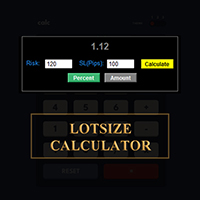
메타트레이더에서 바로 랏사이즈를 계산하세요!!!
안녕하세요, 트레이더 여러분. 위험 관리에 중점을 두시는 트레이더이신가요? 그렇다면 바로 이 기능이 도움이 될 것입니다. 저는 이브라힘입니다. 계좌 잔액 대비 위험 비율을 기반으로 랏사이즈를 계산하는 도구를 개발했습니다. 위험 비율을 %로 지정하는 대신 절대값을 지정하여 랏사이즈를 계산할 수도 있습니다. 예를 들어, 잔액에서 $100를 위험에 빠뜨리고 싶다고 지정할 수 있습니다.
MT4 버전: https://www.mql5.com/en/market/product/155026
무료입니다. 꼭 확인해 보세요. 댓글로 추가했으면 하는 기능이나 커뮤니티를 위해 개발했으면 하는 다음 도구에 대한 의견을 남겨주세요.
즐거운 트레이딩, 즐거운 자동화 되세요!!!
FREE

Info Exporter MT5는 터미널 정보, 계좌 정보, 거래 내역 및 주문 내역을 로컬 CSV 파일로 내보내고, 이메일을 발송하고, 앱 스크립트에 배포된 URL을 사용하여 Google 스프레드시트로 직접 내보낼 수 있도록 지원합니다. CSV로 내보내거나, 이메일을 사용하거나, Google 스프레드시트로 내보낼 수 있으며, 내보낸 파일 이름과 시트 이름도 수정할 수 있습니다. 사용된 입력 매개변수: export terminal informations? : 터미널 정보를 내보낼지 여부를 선택합니다. 값은 true 또는 false로 변경할 수 있습니다. terminal info file or sheet name : 기본값은 "Terminal_Info"이지만 입력 프롬프트에서 변경할 수 있습니다. export historical deals? : 거래 내역을 내보낼지 여부를 선택합니다. 값은 true 또는 false로 변경할 수 있습니다. 기본값은 false입니다. 즉, 내보내지 않습니
FREE

Key Features Real-time P&L in $ Running P&L in Pips P&L converted to INR BUY / SELL direction Lot size Entry price Separate display for each open position Supports multiple open positions Works independently on multiple charts Follow Current Price mode Stay At Entry Price mode Adjustable vertical spacing in pixels Adjustable distance below the Bid price Adjustable candle offset Customizable text size and font Profit, loss and breakeven colors Automatic removal when a position is closed
FREE

This is a utility indicator that creates mini charts on left side of the chart you are looking at.
It is very useful to watch many timeframes simultaneously, without having to change between multiple charts. Its configuration is very simple. You can have up to 4 mini charts opened. They automatically load the template of the "parent" chart. If you have any doubt please contact me. Enjoy!
This is a free indicator, but it took hours to develop. If you want to pay me a coffee, I appreciate a lot
FREE

English Description Title: Chart Cleaner (Eye Tool) Subtitle: Clean your charts instantly with 1 click while preserving your technical analysis. Inspired by TradingView's eye tool. Description: Have you ever wanted to look at clean price action without cluttering your chart with trendlines, support/resistance levels, and Fibonacci studies? Deleting and redrawing everything takes too much time. Chart Cleaner (Eye Tool) is designed to solve this exact problem. Featuring a minimalist design—a small
FREE

FX Monitor EA is a free utility that turns your raw MetaTrader account into a fully analyzed, monitored trading record. It reads your account's trading data — balance, equity, open positions, and closed trade history — and sends it securely over HTTPS to your FX Monitor account (fx-monitor.com), where it becomes the foundation for deep performance analytics. Once connected, you can monitor all your accounts online from any device and dig into your trading the way professionals do: profit factor,
FREE

동일한 계좌에서 두 개 이상의 EA를 실행하면, 어떤 전략이 실제로 자산 가치에 기여하고 있는지, 아니면 손실을 초래하고 있는지 한눈에 파악하기 어렵습니다.
Phoenix Magic Number Dashboard는 매직 넘버별로 미결제 및 청산된 거래를 자동으로 그룹화하므로, 각 EA의 실시간 및 청산된 실적을 계좌 전체 합계와 함께 나란히 확인할 수 있습니다.
다중 EA 계정을 명확하게 관리하는 방법
- 활성 매직 넘버를 자동으로 탐지하거나 수동 목록을 추적
- EA별 미결제 포지션, 미실현 이익, 청산된 거래 및 실현 이익
- 각 EA가 거래하는 상품 수를 보여주는 선택적 상품 수 열
- 집계 총계 및 마지막 업데이트 시간을 포함한 계정 전체 요약 행
- 색상으로 구분된 손익 임계값
알림
EA의 실적이 사용자가 설정한 손익 임계값을 넘을 때 소리 및 푸시 알림을 제공합니다.
Phoenix Magic Number 대시보드를 사용하여 다음을
FREE

Korean CCI Cross Alert EA for MT5 CCI Cross Alert EA는 상품 채널 지수 (CCI) 가 일반적인 과매수 또는 과매도 수준에 도달할 때 알림을 보내는 MetaTrader 5용 간단한 도구입니다. 차트를 계속 확인하지 않아도 CCI 상태를 모니터링할 수 있습니다. 차트에 설치하면 EA가 CCI를 확인하고 중요한 수준을 돌파할 때 팝업 알림 을 표시합니다. 이를 통해 차트를 빠르게 확인하고 잠재적인 거래 기회를 평가할 수 있습니다. 기능 CCI가 과매수 수준(기본값 100)을 상향 돌파할 때 감지
CCI가 과매도 수준(기본값 -100)을 하향 돌파할 때 감지
MetaTrader 5 팝업 알림
모든 심볼과 시간대에서 사용 가능
가볍고 사용하기 쉬움 작동 방식 EA는 차트의 CCI를 모니터링합니다. CCI가 과매수 수준 위로 올라가거나 과매도 수준 아래로 내려가면 팝업 알림이 나타납니다. CCI 기간과 알림 수준은 설정에서 조정할 수 있습니다. 이 EA
FREE

A powerful and intuitive trade management tool designed for scalpers and intraday traders.
Created to complement the Nampim Samba Scalper strategy , it allows traders to open, manage, and close positions quickly without leaving the chart. Key Features: Customizable trading panel – choose position (left, right, center, top, bottom). One-click trading buttons – instantly open Buy/Sell trades with pre-set lot sizes. Close management – close last 1/2/3 trades or all Buy/Sell positions with one clic
FREE

Boleta Prime Essential — one-click trading panel for MetaTrader 5 Open trades with the right lot size in one click. Boleta Prime Essential automatically calculates your position size from the risk percentage you choose and sends the order with stop loss and take profit already set. Features
• One-click market buy and sell
• Risk calculator: enter the account % and stop in points, and the panel calculates the lot
• Automatic stop loss and take profit, re-anchored to the actual fill price (exact
FREE

This Tool is designed to automate one of the most critical aspects of trade management — setting and managing Stop Loss, Take Profit , and Trailing Stop levels — directly on your MetaTrader 5 platform.
Key Features:
Automatic SL, TSL and TP Placement: Instantly sets initial Stop Loss and Take Profit levels on any new position based on customizable parameters, helping to enforce disciplined risk and reward management.
Dynamic Trailing Stop: Automatically moves the Stop Loss to lock in profits
FREE

BuffersHunter — 범용 인디케이터 버퍼 리더 BuffersHunter 는 모든 MetaTrader 5 인디케이터의 버퍼를 읽고 분석하는 스크립트입니다. 어떤 버퍼에 매수 신호가 들어있는지, 레벨이 어디에 있는지, 어떤 버퍼에 인디케이터 라인이 들어있는지 더 이상 추측할 필요가 없습니다. 스크립트를 실행하면 — 1초 만에 모든 버퍼의 완전한 구조와 자동 유형 감지를 얻을 수 있습니다. 이 스크립트는 누구를 위한 것인가? EA 개발자용. 흥미로운 인디케이터를 찾았고 그 신호를 로봇에서 사용하고 싶지만 버퍼 번호나 그 내용을 모르는 경우. BuffersHunter는 한 번의 실행으로 모든 것을 보여줍니다. 트레이더-연구자용. 새로운 인디케이터를 연구 중이며 어떤 데이터를 전송하는지 이해하고 싶은 경우. 차트에서 보이지 않는 유용한 정보가 담긴 숨겨진 버퍼가 있을 수 있습니다. 마켓에서 인디케이터를 구매하는 분들께. 모든 개발자가 버퍼 구조를 문서화하는 것은 아닙니다.
FREE
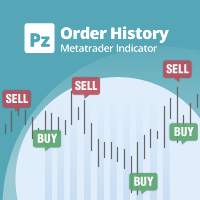
전략 테스터의 시각적 모드와 매우 유사한 라이브 차트의 거래/주문 내역을 표시하는 범용 지표입니다. 교육, 개선, 리버스 엔지니어링 또는 진단 목적으로 특정 기호의 실제 거래 내역을 조사할 수 있습니다. 마스터 비밀번호와 투자자 비밀번호 모두 성공적으로 사용할 수 있습니다.
[ 설치 가이드 | 업데이트 가이드 | 문제 해결 | 자주하는 질문 | 모든 제품 ]
몇 가지 주요 기능은 다음과 같습니다.
방향 분석
모든 거래에 대한 손익 레이블
사용자 정의 가능한 색상 및 크기 이익 계수의 계산 요일 및 시간별 거래 활동 내역
입력 매개변수 구매 화살표: 구매 화살표의 색상
판매 화살표: 판매 화살표의 색상
구매 화살표 크기: 구매 및 판매 화살표의 크기
닫기 구매: 구매 주문 마감 색상
마감 매도: 매도 주문 마감 색상
닫기 화살표 크기: 닫기 주문 화살표의 크기
Winning Trade Line: 수익성 있는 거래를 표시하는 라인의 색상
손실 트레이드 라인: 손실 트레이드를 표시하
FREE

Smart Trade Assistant Pro for MT5 The Forex market is full of EAs that try to trade automatically for you. However, many EAs may not fit your personal trading style, market perspective, or unique strategy. Your trading decisions come from your own experience. You decide when to enter the market. You control the risk. You manage the trade using your own strategy and confidence.
• The Challenge However, most traders face the same problem... When the market starts moving quickly, you may need to

InvestraAI Forex Heatmap InvestraAI Forex Heatmap은 MetaTrader 5용 통화 강도 시각화 대시보드입니다. 주요 Forex 통화를 서로 비교하고 결과를 차트 위에 히트맵으로 표시합니다. 이 EA는 강한 통화와 약한 통화를 빠르게 확인하고, Buy/Sell 신호를 확인하며, 신호 차트를 한 번의 클릭으로 열 수 있도록 도와줍니다. 작동 방식 EA는 선택된 통화 EUR, USD, AUD, GBP, NZD, CAD, CHF, JPY를 분석합니다. 각 통화는 입력 설정에서 활성화하거나 비활성화할 수 있습니다. 활성화된 각 통화 조합에 대해 EA는 선택한 시간대의 퍼센트 변화를 계산합니다. 예를 들어 broker에서 EURUSD를 사용할 수 있으면, EA는 EUR 대 USD에 EURUSD를 사용합니다. USD 대 EUR의 경우 같은 EURUSD 데이터를 반대 방향으로 사용합니다. 히트맵 색상: 녹색은 기준 통화가 상대 통화보다 강함을 의미합니다 빨
FREE

One Click Close Lite 是一款專為 MT5 手動交易者與多持倉使用者設計的簡易平倉工具。
當帳戶中同時存在多張交易持倉時,不需要再逐張點擊關閉,只需要透過圖表上的按鈕,即可快速執行批量平倉。
工具提供三個主要功能:
CLOSE ALL
一鍵關閉帳戶目前所有持倉。
例如帳戶中同時存在:
XAUUSD BUY EURUSD BUY GBPUSD SELL USDJPY BUY 按下:
CLOSE ALL
工具會依序嘗試關閉目前帳戶中的全部持倉。
---
CLOSE BUY
只關閉帳戶目前所有 BUY 持倉。
例如:
XAUUSD BUY EURUSD BUY GBPUSD SELL USDJPY BUY
按下:
CLOSE BUY
則會關閉:
XAUUSD BUY EURUSD BUY USDJPY BUY
而:
GBPUSD SELL
會保持不變。
CLOSE SELL
只關閉帳戶目前所有 SELL 持倉。
BUY 持倉不會受到影響。
---
即時持倉資訊
工具面板會顯示目前帳戶的基本持倉資訊,包括:
* 總持倉
FREE

Prop Firm Trade Manager MT5 Managing risk and staying compliant with strict evaluation rules requires absolute precision. The Prop Firm Trade Manager MT5 is a professional trading panel MT5 designed to streamline your manual execution, automate complex calculations, and protect your funding account from rule violations.
Featuring mt5 advanced dashboards, this tool displays real-time data directly on your main chart. It functions as an all-in-one trade manager for mt5, combining a position siz
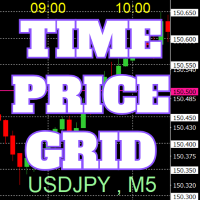
On the chart, draw grids for price and time at round numbers for easy reference.
"Parameter Input" allows for setting price intervals for each period. The grid lines for significant numbers (round numbers) are thicker and more prominent than other lines, making them easily distinguishable. The grid lines for significant numbers (round numbers) can be set to a different color than other lines. Colors at various points can be individually configured. Symbols and timeframes can be displayed, and t
FREE

U sing keyboard shortcuts to draw Fibonacci levels and rectangles quickly and efficiently.
Press F to create a Fibonacci retracement. Click with mouse (2x): -once on the chart to set the starting point and - again to set the ending point. The Fibonacci levels are drawn automatically using the configured ratios, colors, and styles.
Press T to instantly draw a pre defined rectangle at the closest highest or lowest price (based on trend).
All levels, colors, sizes, and styles ca
FREE

PropFirm Risk Gatekeeper MT5
MetaTrader 5 고급 계좌 리스크 보호 EA
PropFirm Risk Gatekeeper MT5는 계좌 전체의 위험을 관리하기 위해 설계된 Expert Advisor입니다. 일일 드로다운, 전체 최대 손실 및 개별 포지션 손실을 지속적으로 모니터링할 수 있습니다.
이 EA는 특정 매매 전략과 독립적으로 작동하며 다른 Expert Advisor가 실행한 거래와 수동으로 실행한 거래도 감시할 수 있습니다.
주요 기능
일일 드로다운 보호
설정된 기준값을 기준으로 일일 최대 손실 비율을 지정할 수 있습니다.
보호 한도에 도달하면 EA는 다음 작업을 수행할 수 있습니다.
- 신규 거래 중지 - 오픈 포지션 청산 - 대기 주문 삭제 - 보호 상태 유지
거래일 시작 시간은 브로커 서버 시간에 맞게 설정할 수 있습니다.
전체 드로다운 보호
계좌 전체의 최대 손실 비율을 설정할 수 있습니다.
EA는 Balance와 Eq
FREE
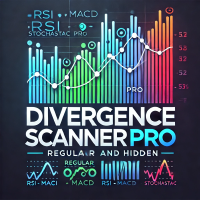
Divergence Scanner Pro is an advanced utility designed to detect both regular and hidden divergences across three powerful indicators: RSI , MACD , and Stochastic . With its robust algorithm and user-friendly interface, this tool is perfect for traders seeking an edge in the market. Key Features: Comprehensive Divergence Detection : Identifies regular and hidden divergences to highlight potential trend reversals or continuation opportunities. Multi-Indicator Support : Scans for divergences on RS
FREE

Simple Trade Terminal Simple Trade Terminal is a compact and performance-optimized on-chart panel for MetaTrader 5. It solves two of the biggest friction points in manual trading: time-consuming lot size calculations and inaccurate placement of Stop-Loss and Take-Profit levels. Instead of typing numbers into standard order masks, you plan your trade visually directly on the chart. The panel automatically calculates your exact position size based on your predefined risk and executes the order. Th
FREE
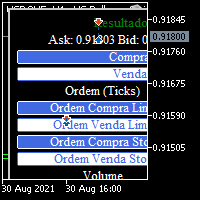
BOLETA TRADING PROFISSIONAL. Painel de negociação usado para facilitar operações manuais no MT5. -Botão para fechamento automático de ordens e posições. -Negociação facilitada usando teclado e mouse. -Sistema de ordens OCO (TP & SL pré configurados) -Normalização de volume para qualquer ativo. -Controle de limite horários para negociação. -Sistema de meta e limite de loss. -Martingale configurável. -Trailing Stop. -BreakEven. -Numero mágico (Expert Magic) para não entrar em conflito com outros r
FREE

GOLD ESCAVATOR TRADING BOT
NB: PLEASE NOTE THAT THIS PROJECT WAS TAKEN DOWN A YEAR AGO DUE TO THE FEAR THAT IT MIGHT BE OVERFITTED. I WILL WORK ON IT TO RESTORE. MEANWHILE USE THE US30 TRADE BOT OR ACCOUNT FLIPPER BOTS WHICH ARE ALL FREE IN 2025. THANK YOU
A trading bot for XAUUSD. Lotsize is calculated by multiplying the lot factor by each 100 USD on account. You can adjust your risk level from 1 to 4 to suit your needs; Advisable to use account sizes of USD 200 and above. Account types: H
FREE

Dingji Risk Manager MT5 Formal Version V1.80 Author: Dingji
[Product Description]
Dingji Risk Manager MT5 is a MetaTrader 5 Expert Advisor for trade planning, risk-based position sizing, order management and visual chart assistance.
The user enters the maximum account-currency risk and defines Entry, Stop Loss and Risk/Reward values. The EA calculates a theoretical position size using the current symbol's contract specification, tick value, minimum volume, volume step and maximum volume.
Mai
FREE
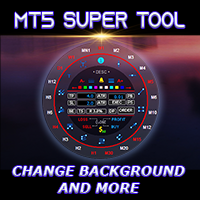
If you press the "Free Demo" button on the left it will not work since the Super Tool is an utility EA, it can not be tested on the Strategy Tester system.
Transform Your Trading Experience with the MT5 Super Tool How to install and use the MT5 Super Tool
Tired of fumbling through clunky menus, wasting precious seconds during volatile markets, or missing critical trading opportunities because MT5’s native tools slow you down? Say goodbye to inefficiency and hello to lightning-fast precision

Candle Flowing PnL on Chart
This indicator shows PnL realised profits or losses flowing live on chart above or below candle were it took place. The nice part is it groups the same candle result, for example if you closed a grid with multiple positions you will see the result of candle PnL grouped. Basically this indicator helps trading directly from the chart, no need for toolbox windows, you can see live current open PnL , already cloed positions PnL and Today realised PnL You can switch to mo
FREE
트레이딩 전략과 기술 지표를 판매하기에 가장 좋은 장소가 왜 MetaTrader 마켓인지 알고 계십니까? 광고나 소프트웨어 보호가 필요 없고, 지불 문제도 없습니다. 모든 것이 MetaTrader 마켓에서 제공됩니다.
