Chart Watermark

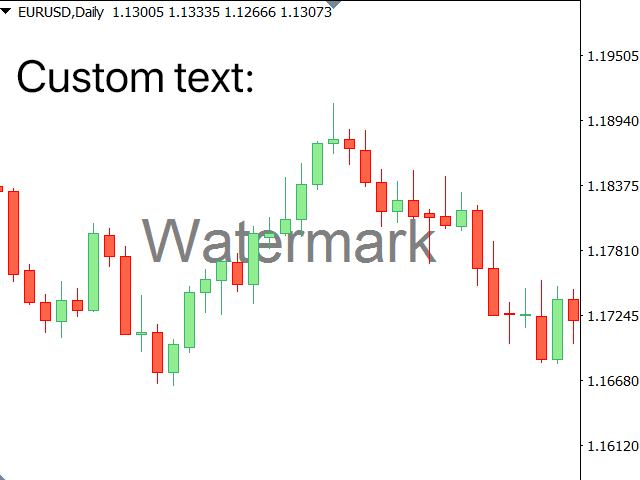
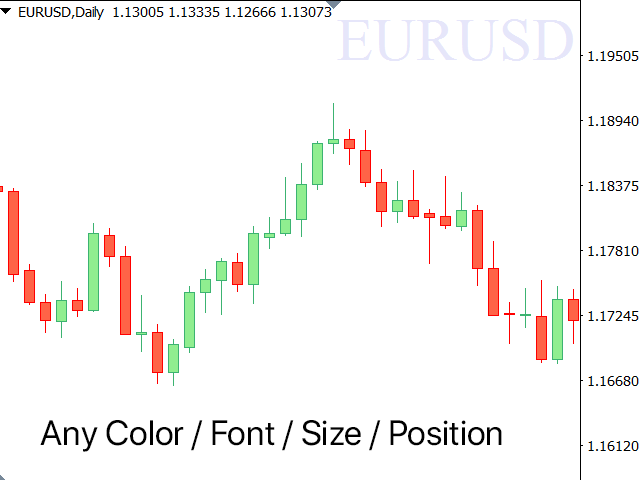
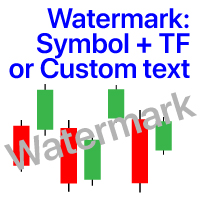
Filigrana sul grafico: Simbolo + Lasso di tempo / o il proprio testo

La mia utility #1: include 66 + funzioni / Contattami se hai domande
Nelle impostazioni dell'indicatore, è possibile configurare:
  • Dimensione carattere;
  • Colore testo;
  • Nome carattere;
  • Posizione:
    1 = In alto a sinistra;
    2 = In alto a destra;
    3 = In basso a sinistra;
    4 = In basso a destra;
    5 = Centro;
  • Mostra intervallo di tempo corrente: on / off;
  • Il prefisso del Simbolo da rimuovere ( n_AUDCAD > > AUDCAD );
  • Il suffisso del simbolo da rimuovere (USD CAD pro > > USD CAD );
  • Mostra testo personalizzato: se abilitato, verrà visualizzato il tuo testo, specificato di seguito:
  • La tua filigrana;
Prodotti consigliati
Signals for Telegram
Elidio Xavier Guimaraes
It is a utility that posts customized messages on Telegram based on account trading activity. Once the utility is on the chart, with each new position opened from the same chart symbol the utility is added, a customized message will be sent to the Telegram group defined in the input parameters. The utility will post to the Telegram group if a new position is opened and if it is the same symbol as the chart the utility is running on. If you are using an Expert Advisor for Buy and Sell and want to
Guardian Account Protector — the seatbelt for your trading account Your robots have no brakes. Guardian is the brakes. Guardian does not open trades. It has no grid, no martingale, and no entry logic of any kind. It does one job with complete discipline: it watches your ENTIRE account and enforces the risk limits you set, so that no robot, no strategy, and no bad day can destroy your balance. Think of it like a seatbelt for the driver. A seatbelt does not steer the car and does not make the d
Trade Dashboard MT5
Fatemeh Ameri
4.95 (132)
Trade Dashboard simplifies how you open, manage, and control your trades, with built-in lot size calculation. It allows you to execute trades, manage risk, and control positions directly on the chart, with tools such as partial close, breakeven, and trailing stop. Designed to reduce manual work and help you stay focused on your trading decisions. A demo version is available for testing. Detailed explanations of features are provided within the MQL5 platform. Installation instructions are include
TrendLine Pending Order Tool
Marcelo Guimaraes de Lima
Questa utility apre gli ordini quando la candela tocca la linea di tendenza posizionata manualmente, come se fosse un ordine pendente più articolato.  Può essere utilizzato su qualsiasi asset, quando apre l'ordine elimina la linea che ha toccato e crea Freccia. In questo caso viene utilizzata per operazioni di inversione del prezzo, apre un ordine di vendita quando la candela rialzista tocca la linea bottom-up e apre un ordine di acquisto quando la candela ribassista tocca la linea top-down. 
FREE
TradingX Hotkeys
Johannes Stephanus Lombard
Inputs Available Lotsizes Partial Close % You can change lotsizes as you require On an open chart click once to select chart to be able to use hotkeys on specific chart. All Pairs can be used with this expert We created this expert to be able to still trade C300 with a 0.06 Lotsize If you enter a 0.6 lot and close 0.90% you can trade with 0.06 Lot Keys to be used: B -Buy S -Sell C -Close Profitable D -Breakeven (Note if stoploss is set it won't break even) P -Partial close X -Close all
Boleta ata
Samuel Henrique Almeida Ferreira
BOLETA ATA is a quick-execution trading panel for MetaTrader 5, built for manual traders who want to buy, sell, and manage positions without leaving the chart. Compact, straightforward, and with built-in protection automations. Main Panel Stop Loss and Take Profit with an on/off checkbox and an editable field — click and type the value directly, no need to open settings Lot size field (Qty) , editable at any time 3 clickable lot presets : a single click applies the value to the Qty field; a doub
FREE
Questo prodotto è un EA di supporto alla chiusura automatica che aiuta i trader discrezionali a eseguire le regole di chiusura già decise. È possibile impostare condizioni di chiusura basate su un orario specificato, la conferma di una candela o un incrocio/avvicinamento di MA, e utilizzare TIME, CANDLE e MA CROSS separatamente o contemporaneamente. È inoltre possibile visualizzare le MA a 1H, 4H, giornaliero, settimanale e mensile sul grafico corrente. Non è un prodotto che automatizza le decis
Strategy Manager is a  Multi-Time-Frame & Multi-Currency  Dashboard for  Metatrader 4 and 5. Thanks to a free, external graphical user interface, build your own strategy by combining any indicators and loading them into the dashboard to see the result ! In addition, you can precisely  set-up your Auto-trading & Notifications and use indicators for Stop-Loss, partial profit or limit. Filter your automatic trading & notifications with forex calendar and more. Open and Manage your orders directly w
PZ Trade Pad MT5
PZ TRADING SLU
4.46 (24)
This simple visual expert advisor allows you to trade easily from the chart. It handles risk management for you and can perform several useful tasks with your existing trades, saving time and making risk-management for each individual trade easier.  [ Installation Guide | Update Guide | Troubleshooting | FAQ | All Products  |  Get Help ] Trade easily from the chart Trade with precise risk management, hassle free Trade pending order with drag and drop price selection Set SL and TP levels with d
FREE
One Click Breakeven Function: For multiple orders of the same currency but different order types (sell or buy), under the condition that the overall position is profitable, set the same stop-loss level or take-profit level. For example: there are currently 10 EURUSD orders, including 7 sell orders and 3 buy orders. When the overall position is profitable, if the overall take-profit for sell orders is set to 50 points: (1) When the total profit of the 7 sell orders is greater than the total loss
SMT Trade Planner e un calcolatore di rischio professionale e pannello di esecuzione ordini direttamente sul grafico MetaTrader. Calcola la dimensione del lotto, mostra linee visuali di entrata, Stop Loss e Take Profit trascinabili sul grafico, valida il trade contro regole di rischio configurabili e permette l'esecuzione con un clic.   Come funziona Allega il Trade Planner a qualsiasi grafico. Il pannello mostra le informazioni del conto e pulsanti di selezione rapida del rischio. Tre linee ori
Jabidabi Session Indicator The Market Session Indicator is a powerful tool used by traders to identify and track different trading sessions within the forex and stock markets. It visually highlights key trading periods, such as the Asian, European, and North American sessions, directly on the trading chart. This indicator is especially useful for traders who follow ICT (Inner Circle Trader) strategies, which emphasize the significance of various market sessions for optimal trading opportunities.
You set the limits. TEVSYS applies them across your account. Your risk rules are clear in your head. The hard part is executing them when the market speeds up, pressure rises, and the temptation for “one more” shows up. TEVSYS narrows the gap between what you decide and what happens in the terminal. No signals. No profit promises. Documented close precision. Account-level protection. Evidence you can cross-check in MetaTrader 5. What TEVSYS is TEVSYS is an operational governance system within Me
Prendi facilmente il controllo della tua routine di trading con il rivoluzionario Trades Time Manager. Questo potente strumento automatizza l'esecuzione degli ordini in orari prestabiliti, trasformando il tuo approccio al trading. Crea elenchi di attività personalizzati per diverse azioni di trading, dall'acquisto all'impostazione degli ordini, il tutto senza intervento manuale. Trades Time Manager Guida all'installazione e agli input Se desideri ricevere notifiche sull'EA, aggiungi il nostro UR
XBOOT BOLETA PRO Professional Manual Trading Panel for MetaTrader 5 XBOOT Boleta Pro is a complete trading panel designed for traders who execute manual trades and want greater speed, organization, and control during every trading session. More than a standard Buy and Sell panel, XBOOT Boleta Pro combines powerful trading tools into a single interface, helping traders analyze the market, manage risk, execute orders, and monitor trading performance without leaving the chart. Its purpose is to sim
Stop Loss with Profit Free Version*. Complete Version here. This utility / expert for MetaTrader 5 modifies the stop loss of all your operations dynamically and automatically to ensure the minimum benefits you want, and be able to operate with or without Take Profit. Maximize your benefits, by being able to trade with Unlimited Take Profit. You will ensure the number of minimum points you want to earn in each operation and the stop loss will be adjusted as long as the benefit of the operatio
FREE
Quick trade report separately by symbols 5   The  Quick trade report separately by symbols  advisor will be useful for simultaneous trading on multiple instruments. It provides the ability to assess the effectiveness of trading on each symbol separately. It is possible to set a time period for making the reports. Frequency and time of automatic generation and sending of reports via FTP. The report visualizes the changes in the balance for deals on each symbol. Also, the following key trading par
The Simple Manual Trading Panel (v2.11) Is a professional trade management tool designed with a clean, movable UI to streamline manual execution and automated exit strategies. Core Features Dynamic Visual Interface: A movable GUI panel that provides real-time information including a bar countdown timer, live spread, and advanced volume analysis. Flexible Lot Size setting, with 2 decimals (If broker supports it). Multi-Stage Take Profit: Supports three distinct Take Profit (TP) levels in either
Click Sent Order
Supanat Wiboonpanit
This program is a GUI for issuing orders that can be done more quickly. Faster TP SL setting This program is not an automated trading platform. Trading is risky, please manage your risk. We do not accept any responsibility. It should be tried with Demo before using it with Real. Normally, the setting sets the risk to 1:1 to shift manually or to enter the risk to x:1, where x can be entered and everything can move freely. Thank you to all customers who have purchased our products. We would like t
DDKiller Pro
Njaratahiry Michael Randrianiaina
Stop Blowing Your Account. Once and For All. DDKiller Pro is the MT5 risk guardian that runs silently on your chart and shuts down trading the moment you hit a limit — whether you're grinding a prop firm challenge or managing your own CFD account. The problem every trader knows: You set your rules. You break them anyway. One revenge trade. One overleveraged position. One session that erases a month of gains. DDKiller Pro removes that decision from your hands entirely. What it does: The second yo
Imagine flying a real aircraft without ever stepping into a flight simulator. That's what trading is like. You have to simulate your strategy before you can take it to a live market. It is good if you can simulate things speedily before even stepping into any live market, or before coming up with an automated system.  People don't have all day to stare at a higher timeframe chart until the entry signal finally arrives. That's why I built this so that you can simulate your strategy with speed. Th
FREE
Synchronizer
PATRICK PAARSCH
This Expert Advisor monitors all open positions across all symbols in MetaTrader 5. Whenever a Stop Loss (SL) or Take Profit (TP) is manually set or adjusted on any position, the EA automatically applies that value to all other open positions , regardless of symbol or order type (Buy/Sell). This ensures consistent and synchronized SL and TP levels across your account. Perfect for mobile trading via tablet or smartphone!
Multiple Positions
Emanuel Reynard Phillips
Hai bisogno di aprire più posizioni/operazioni contemporaneamente? Abbiamo creato la tua soluzione semplice. Ora puoi inserire più posizioni contemporaneamente. Puoi impostare la dimensione del lotto, il numero di posizioni, il take profit e lo stop loss. Ad esempio: desideri acquistare 3, 5, 10 o un numero qualsiasi di posizioni con una determinata dimensione del lotto. Ora puoi farlo semplicemente toccando il pulsante "Acquista". O Ad esempio: desideri vendere 3, 5, 10 o un numero qualsiasi d
Correlation Risk Manager
Eugenio Gustavo Guilarte Homayden
You think you're diversified. Your correlations say otherwise. MetaTrader shows you every position you hold. The margin, the floating P/L, the lot size, all of it. What it doesn't show you is whether your trades are secretly the same bet. And that's usually what takes the account down. Say you open five trades, 1% risk on each. Feels like 5% at stake. Spread out, sensible. But three of them are long the same dollar move under different tickers, so when one bad print hits, all three drop together
Magic Alert
Siyabonga Sandile Khanyile
Missing entry opportunities,profitable exits or the chance to make profitable set ups on the chart can be very frustrating for a trader.This tool will help you by giving you alerts if your criteria or conditions have been fully met.It will send you alerts based on conditions you have set and send them through email and mql5 notifications (laptop and mobile devices). 1.Creating Alerts In order to create an alert you must first give the alert its name and how frequent it send you those alerts if c
Phone Notification Send Information from VPS direct to Phone No TradingOperation only MessageNotification Send Information to your selected Time-Window Configure Time when want to receive the Message  What will be send:-Bull/Bear Candle Bull: 0 Bear: 0 Level that get Touched by Price most Level: 00000.00 any Question or modification ex5 Code write me a Message 
FREE
️ UMNi-CMND MT5 Remote Command & Trade Control System UMNi-CMND turns Telegram into a full remote control panel for your MetaTrader terminal. Send commands from your phone to open trades, manage positions, query account status, and receive complete trade telemetry — all without touching the platform. KEY FEATURES Full remote trade execution via Telegram Open, close, and manage positions by command Move SL/TP, set breakeven, partial close Live status, account, and position
Grid Trading EA is a semi-automated one-click trading EA for both Normal Trading and Grid/Martingale Trading . Normal Trading Simply click Buy or Sell directly from the chart. The EA will automatically manage trades by: Setting Stop Loss and Take Profit Managing Trailing Stop Grid / Martingale Trading (For Hedging Account Type Only) When Grid Trading mode is enabled, the EA will automatically open additional grid orders at specified distances while increasing the lot size based on your settings.
# Higher-Lower Pending Bot - Advanced Multi-Pending Orders System ## Revolutionize Your Trading with Smart Pending Order Automation Welcome to the **Higher-Lower Pending Bot** - the most sophisticated pending order management system available on MQL5. Designed for traders who want to maximize opportunities while minimizing manual effort, this EA combines intelligent order placement with comprehensive profit tracking in one powerful package. ## What Makes Our Bot Unique? ### Smart D
CChart
Rong Bin Su
Overview In the fast-paced world of forex and financial markets, quick reactions and precise decision-making are crucial. However, the standard MetaTrader 5 terminal only supports a minimum of 1-minute charts, limiting traders' sensitivity to market fluctuations. To address this issue, we introduce the Second-Level Chart Candlestick Indicator , allowing you to effortlessly view and analyze market dynamics from 1 second to 30 seconds on a sub-chart. Key Features Support for Multiple Second-Level
Gli utenti di questo prodotto hanno anche acquistato
Trade Assistant MT5
Evgeniy Kravchenko
4.41 (216)
It helps to calculate the risk per trade, the easy installation of a new order, order management with partial closing functions, trailing stop of 7 types and other useful functions. Additional materials and instructions Installation instructions - Application instructions - Trial version of the application for a demo account Line function -   shows on the chart the Opening line, Stop Loss, Take Profit. With this function it is easy to set a new order and see its additional characteristics bef
Forex Trade Manager MT5
InvestSoft
4.98 (675)
Benvenuto a Trade Manager EA, lo strumento definitivo per la gestione del rischio , progettato per rendere il trading più intuitivo, preciso ed efficiente. Non è solo uno strumento per l'esecuzione degli ordini, ma una soluzione completa per la pianificazione delle operazioni, la gestione delle posizioni e il controllo del rischio. Che tu sia un principiante, un trader avanzato o uno scalper che necessita di esecuzioni rapide, Trade Manager EA si adatta alle tue esigenze, offrendo flessibilità s
================================================================================ POC BREAKOUT - V20.72. Full Professional Grade Toolkit ================================================================================ POC Breakout is a full MetaTrader 5 trading dashboard for discretionary traders who want breakout signals, Point of Control (POC) context, volume profiles, order flow, market structure, news, alerts, and advanced trade planning in one professional workspace. Attached directly to you
TradePanel MT5
Alfiya Fazylova
4.88 (167)
Trade Panel è un assistente commerciale multifunzionale. L'applicazione contiene più di 50 funzioni di trading per il trading manuale e permette di automatizzare la maggior parte delle attività commerciali. Istruzioni per l'applicazione + video tutorial: https://www.mql5.com/it/blogs/post/762331 Versione di prova dell'applicazione per un conto demo: https://www.mql5.com/it/blogs/post/762419 Come installare l'applicazione: https://www.mql5.com/it/blogs/post/762362 Come testare l'applicazione in m
Versione Beta Telegram to MT5 Signal Trader è quasi pronto per il rilascio ufficiale in versione alpha. Alcune funzionalità sono ancora in fase di sviluppo e potresti riscontrare piccoli bug. Se riscontri problemi, ti preghiamo di segnalarli, il tuo feedback aiuta a migliorare il software per tutti. Telegram to MT5 Signal Trader è uno strumento potente che copia automaticamente segnali di trading da canali o gruppi Telegram al tuo account MetaTrader 5 . Supporta canali pubblici e privati e cons
Local Trade Copier EA MT5
Juvenille Emperor Limited
4.94 (148)
Sperimenta una copia di trading eccezionalmente veloce con il   Local Trade Copier EA MT5 . Con la sua facile configurazione in 1 minuto, questo copiatore di trading ti consente di copiare i trades tra diversi terminali di MetaTrader sullo stesso computer Windows o su Windows VPS con velocità di copia ultra veloci inferiori a 0.5 secondi. Che tu sia un trader principiante o professionista,   Local Trade Copier EA MT5   offre una vasta gamma di opzioni per personalizzarlo alle tue esigenze speci
EA Overfitter
Stephen J Martret
That backtest looks great. But will it still be making money tomorrow, next week, next month? EA Overfitter re-runs your EA on 100 price histories it has never seen. One score tells you if the edge is real. A backtest tells you what an EA did on one price history — the one that happened to occur. What you cannot tell from it is how much of that result was the strategy and how much was the particular path. EA Overfitter answers that. It builds up to 100 synthetic price histories your EA has n
Telegram to MT5 MultiChannel Copier
Sergio Marquez Uroz
4.46 (13)
Telegram to MT5 Multi-Channel Copier   copia automaticamente i segnali di trading dai tuoi canali Telegram direttamente su MetaTrader 5. Niente bot, niente estensioni del browser, niente copia manuale. Il segnale arriva su Telegram e l'EA apre l'operazione nel tuo terminale in pochi secondi. Il prodotto include due componenti: un'applicazione Windows che ascolta i tuoi canali Telegram, e questo Expert Advisor che esegue i segnali nel tuo terminale MT5. È disponibile anche una versione per MT4  
FarmedHedge Pair Trading Dashboard
Tanapisit Tepawarapruek
5 (4)
Farmed Hedge Yield Farming | All Markets (Manual - Hybrid - Semi/Automated EA) VERIFIED TRADING RESULTS - Farmed Hedge Yield Axi Copy:  https://www.mql5.com/en/signals/2356376 - Farmed Hedge Yield Exn Copy:   https://www.mql5.com/en/signals/2356404 - Farmed Hedge Yield V Copy:  https://www.mql5.com/en/signals/2357156 * Before purchasing, please feel free to send me a message if you have any questions about the product or setup. ** After purchase,  Contact me via private message to receive t
Astro Trade MT5
Indra Maulana
5 (4)
25% discount on the release of the tool: only for the next 3 buyers Send a message to receive a demo version. AstroTrade Trading Assistant AstroTrade is a comprehensive multi-functional trading utility developed for the MetaTrader 5 platform. It integrates essential tools for trade execution, risk management, and technical monitoring into a single unified interface. The application is designed to assist traders in managing their daily operations through a visual and structured environment. Vi
Telegram To MT5 Ultra
Mirel Daniel Gheonu
5 (5)
Telegram To MT5 — Copiatore di segnali Trasforma le indicazioni di trading dei tuoi canali Telegram in veri ordini MT5 — automaticamente, su quanti account vuoi, con rischio e regole totalmente sotto il tuo controllo. Telegram To MT5 collega i canali VIP / di segnali che già segui su Telegram al tuo terminale MetaTrader 5. Un'app desktop companion gratuita legge i messaggi (anche dai canali che bloccano i bot), e questo Expert Advisor li esegue sul tuo conto — applicando le tue impostazioni di r
Exp COPYLOT CLIENT for MT5
Vladislav Andruschenko
3.97 (35)
Copiatore professionale di trade per MetaTrader 5 Un copiatore di trade veloce, professionale e affidabile per MetaTrader . COPYLOT consente di copiare operazioni Forex tra terminali MT4 e MT5 con supporto per conti Hedge e Netting . La versione MT5 di COPYLOT supporta: - MT5 Hedge → MT5 Hedge - MT5 Hedge → MT5 Netting - MT5 Netting → MT5 Hedge - MT5 Netting → MT5 Netting - MT4 → MT5 Hedge - MT4 → MT5 Netting Versione MT4 Descrizione completa + DEMO + PDF Come acquistare Come installare Come ot
HINN MagicEntry Extra
ALGOFLOW OÜ
4.74 (19)
HINN MAGIC ENTRY – the ultimate tool for entry and position management! SIMPLE. FASTEST. INTUITIVE. MAX AUTOMATED. Place orders by selecting a level directly on the chart! full description   ::  demo-version  :: 60-sec-video-description Key features: - Market, limit, and pending orders - Automatic lot size calculation - Automatic spread and commission accounting - Unlimited partitial take-profits  - Breakeven and trailing stop-loss and take-profit  functions - Invalidation leves - Intuitive, a
Premium Trade Manager - Il pannello di trading con un coach integrato Premium Trade Manager porta un coach di trading direttamente nel tuo grafico, con un motore di esecuzione completo al di sotto. Imposta il trade come fai sempre, poi lascia che Max, il tuo coach di trading IA, legga esattamente quel setup rispetto al tuo conto live e ti dia un verdetto chiaro prima che tu confermi: lo stop rispetta un approccio disciplinato, il rischio è ragionevole, c'è un evento ad alto impatto tra pochi min
Anchor Trade Manager
Kalinskie Gilliam
5 (8)
Anchor: The EA Manager Your EAs cannot see each other, but Anchor can. Anchor gives you one place to coordinate your EAs, manage risk, and decide when trading is allowed. It works alongside the trading bots you already use without any changes to them. The Problem One EA opens a trade. Then another starts trading. The next thing you know, you wake up to multiple grids built across your account. Each EA may be doing exactly what it was designed to do, but together they can place far more risk on y
Ultimate Extractor
Clifton Creath
5 (8)
Ultimate Extractor - Professional Trading Analytics for MT5 *****this is the local HTML version of Ultimate Extractor. !!!!!it is not compatible with Cloud!!!! For the online version please reach out to me directly****** Ultimate EA manager also now available when you use cloud pro and above for free!! Ultimate Extractor transforms your MetaTrader 5 trading history into actionable insights with comprehensive analytics, interactive charts, and real-time performance tracking. What It Does Automa
X2 Copy MT5
Liubov' Shkandrii
Veloce. Preciso. Innovativo. Tecnologico. Scopri la copia istantanea delle operazioni con il rivoluzionario X2 Copy MT5. Con solo 10 secondi di semplice installazione, otterrai un potente strumento per sincronizzare le operazioni tra i terminali MetaTrader su un singolo computer o Windows VPS con una velocità senza precedenti. Che tu gestisca più account, segua segnali o espanda la tua strategia, X2 Copy MT5 si adatta al tuo flusso di lavoro con una precisione e un controllo senza pari. Lavora p
Trade copier MT5
Alfiya Fazylova
4.59 (54)
Trade Copier è un'utilità professionale progettata per copiare e sincronizzare le transazioni tra conti di trading. La copiatura avviene dal conto/terminale del fornitore al conto/terminale del destinatario, che sono installati sullo stesso computer o vps. PROMOZIONE - Se avete già acquistato il "Trade copier MT5", potete ottenere gratuitamente il "Trade copier MT4" (per la copia MT4 > MT5 e MT4 < MT5). Per maggiori informazioni sulle condizioni, vi preghiamo di contattarci tramite messaggi priv
Timeless Charts
Samuel Manoel De Souza
5 (8)
Timeless Charts è un'utilità di trading completa progettata per trader professionisti. Combina tipi di grafici personalizzati come Grafici a Secondi e Renko con analisi avanzata del flusso ordini tramite Footprints , Clusters , Profili di Volume , studi VWAP e strumenti di analisi ancorata per una visione più approfondita del mercato. Il trading e la gestione delle posizioni vengono eseguiti direttamente dal grafico tramite un pannello integrato di gestione delle operazioni , mentre Market Repla
FUTURES ORDERFLOW FOOTPRINT CHART Professional OrderFlow EA for MetaTrader 5 Version 1.01| Professional tool for real traders | Institutional-Grade Visualization STRATEGY TESTER USERS - PLEASE SELECT EVERY REAL TICK WHEN TESTING AND YOU HAVE DOWNLOADED HISTORICAL DATA. IF YOU SEE A WAITING SCREEN AND IT IS NOT DOWNLOADING, IT MEANS YOU HAVE LOW HISTORICAL DATA. TRY 1 MIN AND 5 MIN FIRST ON 1 DAY DATA. ONE DAY DATA SHOULD BE THE NEWEST AND MOST CURRENT DATE. PLEASE WAIT UNTIL THE MARKET HAS ROL
The product will copy all telegram signal to MT5 ( which you are member) , also it can work as remote copier.  Easy to set up, copy order instant, can work with almost signal formats, image signal,  s upport to translate other language to English Work with all type of channel or group, even channel have "Restrict Saving Content", work with  multi channel, multi MT5 Work as remote copier: with signal have ticket number, it will copy exactly via ticket number. Support to backtest signal. How to s
Power Candles Strategy Scanner - Strumento di ricerca configurazioni multi-simbolo con ottimizzazione automatica Power Candles Strategy Scanner utilizza lo stesso motore di auto-ottimizzazione che alimenta l'indicatore Power Candles, applicandolo a tutti i simboli presenti nel tuo Market Watch, uno accanto all'altro. Un unico pannello ti indica quali simboli sono statisticamente negoziabili in questo momento, quale strategia è vincente su ciascuno di essi, la coppia ottimale di Stop Loss / Take
MT5 to Telegram Signal Provider è un'utilità facile da usare e completamente personalizzabile che consente l'invio di segnali specificati a una chat, canale o gruppo Telegram, rendendo il tuo account un fornitore di segnali. A differenza della maggior parte dei prodotti concorrenti, non utilizza importazioni DLL. [ Dimostrativo ] [ Manuale ] [ Versione MT4 ] [ Versione Discord ] [ Canale Telegram ]  New: [ Telegram To MT5 ] Configurazione Una guida utente passo-passo è disponibile. Nessuna cono
YuClusters
Yury Kulikov
4.93 (43)
Attention: You can view the program operation in the free version  YuClusters DEMO .  YuClusters is a professional market analysis system. The trader has unique opportunities to analyze the flow of orders, trade volumes, price movements using various charts, profiles, indicators, and graphical objects. YuClusters operates on data based on Time&Sales or ticks information, depending on what is available in the quotes of a financial instrument. YuClusters allows you to build graphs by combining da
Prop Firm Os
Gayathiri Gopalakrishnan
5 (1)
PROP FIRM OS Structured Trading Assistant for MetaTrader 5 PROP FIRM OS is a structured trading assistant designed for MetaTrader 5 users who prefer rule-based market analysis and organized trading workflows. The Expert Advisor combines market analysis tools, scanner functions, dashboard monitoring, alerts, risk-control settings, and trade management features inside one system. PROP FIRM OS is designed to help traders follow selected rules, filters, and monitoring conditions during trading activ
News Filter EA
Rashed Samir
5 (2)
News Filter EA: Advanced Algo Trading Assistant News Filter EA is an advanced algo trading assistant designed to enhance your trading experience. By using the News Filter EA , you can integrate a Forex economic news filter into your existing expert advisor, even if you do not have access to its source code. In addition to the news filter, you can also specify trading days and hours for your expert. The News Filter EA also includes risk management  and equity protection features. MT4 Version Ma
EA Auditor
Stephen J Martret
5 (5)
EA Auditor is an independent analysis tool for traders evaluating Expert Advisors and trading signals on MetaTrader 5. It audits backtest reports, reviews posted developer signals, and cross-verifies the two against each other to help traders assess strategies before committing capital. The MQL5 market offers a wide range of Expert Advisors from many developers, with varying approaches, quality, and transparency. EA Auditor provides a consistent, data-driven framework for reviewing them, answer
Quant AI Agents
Ho Tuan Thang
5 (1)
Quant AI Agents are independent trading Expert Advisors. Instead of trading using a fixed strategy like other conventional EAs, Quant AI Agents   is a   multi-agent AI trading framework   that turns natural-language strategy prompts into live.  WANT THE SAME RESULTS AS MY LIVE SIGNAL?   Use the exact same brokers I do:   IC MARKETS , IC TRADING   .  Unlike the centralized stock market, Forex has no single, unified price feed.  Every broker sources liquidity from different providers, creating un
Trade Copier Ultimate
Janitha Sandaruwan Amaradasa Wickramasingha Arachchilage
5 (5)
Trade Copier Ultimate - Telegram to MT5 Signal Copier Trade Copier Ultimate automatically copies Telegram trading signals into MetaTrader 5. The EA can read signal messages, detect the symbol, order type, entry price, Stop Loss, Take Profit levels and selected update commands, then execute or manage the trade in MT5 using your lot and risk settings. It is more than a basic Telegram to MT5 copier. TCU also supports Bot API and user-account Bridge workflows, Discord signal routing, local MT5 to MT
Telegram to MT5 Coppy
Sergey Batudayev
5 (10)
Da Telegram a MT5:   la soluzione definitiva per la copia del segnale Semplifica il tuo trading con Telegram su MT5, il moderno strumento che copia i segnali di trading direttamente dai canali e dalle chat di Telegram sulla tua piattaforma MetaTrader 5, senza bisogno di DLL. Questa potente soluzione garantisce un'esecuzione precisa dei segnali, ampie opzioni di personalizzazione, fa risparmiare tempo e aumenta la tua efficienza. [ Instructions and DEMO ] Caratteristiche principali Integrazione d
Altri dall’autore
Trade Assistant 38 in 1
Makarii Gubaydullin
4.91 (23)
Strumento multifunzionale: Calcolatore di Lotto, Ordini Grid, Rapporto R/R, Gestore di Trade, Zone di Domanda e Offerta, Price Action e molto altro Versione Demo   |   Manuale Utente L'Assistente di Trading   non funziona nel tester di strategie : puoi scaricare la   Versione Demo QUI  per testare l' utilità . Contattami   per qualsiasi domanda  / idee di miglioramento / in caso di bug riscontrato Se hai bisogno di una versione MT4, è disponibile qui Semplifica, accelera e automatizza il tuo  
Auto Breakeven levels
Makarii Gubaydullin
Livelli automatici di break-even Utilizzando questa utility, puoi attivare lo spostamento automatico dello SL, quando il trade raggiunge un profitto desiderato. Particolarmente importante per i trader a breve termine. È disponibile anche l'opzione offset: parte del profitto può essere protetta. Utility multifunzione : 66+ funzioni, inclusi questo strumento | Contattami per qualsiasi domanda | Versione MT4 Processo di attivazione della funzione automatica di break-even: 1. Seleziona il Simbolo o
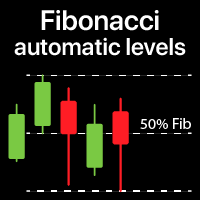
Traccia automaticamente i livelli di Fibonacci, basati sui prezzi Massimo e Minimo del timeframe specificato Più barre   possono essere unite: ad esempio, puoi ottenere un Fibonacci basato sui Massimi e Minimi di 10 giorni Il mio   #1   Strumento : 66+ funzionalità, incluso questo indicatore  |   Contattami  per qualsiasi domanda  |    Versione MT5 Aiuta a identificare potenziali livelli di inversione; I pattern formati ai livelli di Fibonacci tendono a essere più forti; Riduce   notevolmente  
Timer Countdown
Makarii Gubaydullin
5 (3)
Timer di conto alla rovescia fino alla chiusura del bar, + stato di avanzamento in %:  #1 utilità multifunzionale :   66+ funzioni, incluso questo strumento  |   Contattami  se hai domande   |    versione MT4 Nelle impostazioni dell'indicatore, puoi configurare: Timeframe per il calcolo; true / false:   Opzione timeframe superiore (successivo a quello attualmente usato: M15->M30, H4->D1...) Posizione: 1 = Angolo in basso a sinistra; 2 = Angolo in basso a destra; 3 = Angolo in alto a sinistra; 4
FREE
Countdown Bar Timer
Makarii Gubaydullin
Timer conto alla rovescia fino alla chiusura del bar, + stato di progresso %:  #1 utilità multifunzionale :   66+ funzioni, inclusa questo strumento  |   Contattami  se hai domande   |    versione MT5 Nelle impostazioni dell'indicatore, puoi configurare: Fascia temporale per il calcolo; true / false: Opzione Fascia Temporale Superiore (successiva a quella attualmente usata: M15->M30, H4->D1...) Posizione: 1 = Angolo in basso a sinistra; 2 = Angolo in basso a destra; 3 = Angolo in alto a sinistr
FREE
Swap and Spread
Makarii Gubaydullin
Mostra le informazioni attuali del mercato con un aggiornamento al secondo. Dimensione dello spread; Dimensione dello swap: per posizioni corte e lunghe; Ora locale (opzionale); Utility multifunzione : 66+ funzioni, inclusi questo strumento  |   Contattami  se hai domande   |    MT4 versione Nelle impostazioni dell'indicatore, puoi configurare: Dimensione del carattere; Colore del testo; Selezionare il posizionamento: angolo sinistro / destro del grafico; Ora locale: attiva/disattiva; Il file d
FREE
Spread and Swap
Makarii Gubaydullin
5 (1)
Mostra le informazioni di mercato attuali con aggiornamento al secondo. Dimensione dello spread; Dimensione dello swap: per posizioni corte e lunghe; Facoltativamente, puoi attivare la visualizzazione dell'ora corrente; Utility multifunzione : 66+ funzioni, inclusa questo strumento  |   Contattami  se hai domande   |  Versione MT5 Nelle impostazioni dell'indicatore, puoi configurare: Dimensione del carattere; Colore del testo; Selezionare il posizionamento: angolo sinistro/destro del grafico; A
FREE
Lot Size Calc
Makarii Gubaydullin
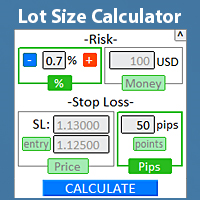
Trova rapidamente la dimensione del lotto  direttamente nel terminale , per rispettare la gestione del rischio. Guarda il mio  #1 Gestore di Trading : 66+ funzioni, inclusa la gestione del rischio PRO  |   Contattami  se hai domande funziona con qualsiasi strumento di trading: Forex, Azioni, Futures, Indici, CFD, Obbligazioni, Criptovalute; funzione di minimizzazione dell'interfaccia; flessibilità d'uso; gestione del denaro; Particolarmente utile per i trader a breve termine, quando hanno bisogn
Price Action Pro
Makarii Gubaydullin
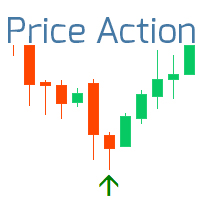
L'indicatore mostra i modelli di Price Action più importanti che indicano un potenziale inversione/continuazione del trend. Guarda il mio  #1 Pro Manager : 66+ funzioni, incluso questo indicatore |   Contattami  per domande Modelli disponibili: Pin bar; Engulfing; Inside bar (Harami); Morning star; Evening star; Dark Cloud Cover; Piercing Line; Caratteristiche: Puoi selezionare i modelli da visualizzare e disabilitare quelli non necessari; Notifiche : avvisi nel terminale, email e push-notifich
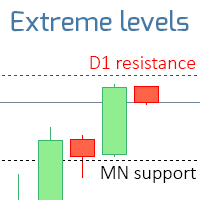
L'indicatore mostra i livelli che sono estremi per i time frame specificati. Il livello di resistenza è il prezzo massimo dell'ultima barra chiusa; Il livello di supporto è il prezzo minimo dell'ultima barra chiusa; Guarda il mio #1 Trade Assistant : 66+ funzionalità, incluso questo indicatore | Contattami per qualsiasi domanda 2 modalità di funzionamento: Corpi reali: Verranno utilizzati i prezzi di apertura e chiusura; Estremi: Verranno utilizzati i prezzi massimo e minimo; Questo indicatore
L'indicateur montre les heures d'ouverture des bourses mondiales. Vous aide à voir quels marchés sont actuellement les plus actifs Découvrez mon  #1 Pro  Utility : 66+ fonctionnalités, incluant cet outil  |   Contactez-moi  si vous avez des questions Aide à sélectionner les instruments les plus volatils en ce moment; Particulièrement utile pour les traders intraday; 1) Lors de l'utilisation sur des délais 1H et inférieurs: les lignes correspondront à la position réelle des barres sur le graphiq
Lines of risk
Makarii Gubaydullin
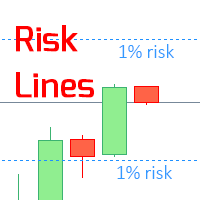
L'indicatore mostra il   livello di rischio specificato   sul grafico, per posizioni lunghe e corte. Guarda il mio  #1 Gestore di trading : 66+ funzionalità, inclusa questo strumento  |   Contattami  se hai domande Può essere utile quando si imposta il livello Stop Loss, il cui valore è visibile sull'asse dei prezzi a destra. Per calcolare il livello di rischio, viene utilizzata una dimensione del lotto   Fissa  / o   Ultima utilizzata   . Impostazioni di input: Ultimo lotto negoziato:  imposta
Candle Size
Makarii Gubaydullin
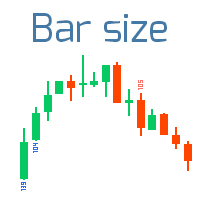
Trova le barre che superano la dimensione specificata Scopri il mio  #1 Assistente di Trading : 66+ funzioni, incluso questo indicatore |   Contattami  per qualsiasi domanda 2 modalità di funzionamento: Corpo reale:  verrà utilizzata la differenza tra i prezzi di  apertura e chiusura ; Estremi:  verrà utilizzata la differenza tra i prezzi massimo e minimo ; Questo indicatore: Utile per filtrare i pattern in periodi di bassa volatilità; Indica l' inizio di un trend ; Aiuta a identificare le bar
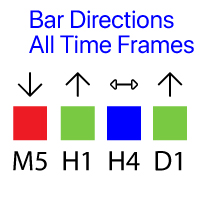
Mostra la direzione delle barre su tutti i timeframe principali. Utilità multifunzione : 66+ funzioni, incluso questo indicatore      |     Versione per MT5 Significato dei segnali visivi ( quadrati): Rosso : Il prezzo di chiusura è inferiore al prezzo di apertura: Close < Open;  Verde : Il prezzo di chiusura è superiore al prezzo di apertura: Close > Open; Blu : Il prezzo di chiusura è uguale al prezzo di apertura: Close = Open; È possibile impostare lo Spostamento della barra calcolata, rel
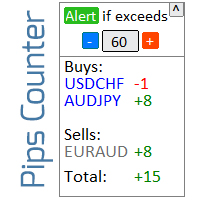
Informatore per calcolare i risultati delle operazioni aperte Guarda il mio  #1 Trade Manager : 66+ funzioni, incluso questo strumento  |   Contattami  se hai domande Il pannello informativo raggruppa gli ordini aperti in 2 categorie: Acquisti Vendite Per ogni categoria, vengono visualizzati il simbolo e il numero corrente di pip. Il risultato totale per tutte le operazioni aperte è mostrato di seguito. Le notifiche possono essere abilitate o disabilitate semplicemente cliccando sul pulsante: Q
Indicators 14 in 1
Makarii Gubaydullin
5 (1)
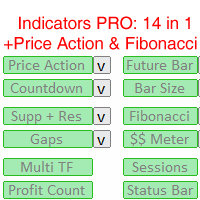
14 indicatori e strumenti ausiliari per un trading conveniente Questa utility contiene 14 strumenti aggiuntivi che possono essere utili per determinate azioni del trader,   semplificando e accelerando così il processo di trading. Dai un'occhiata al mio  #1 Trade Manager : include 66+ funzioni e indicatori  |   Contattami  se hai domande A causa delle diverse risoluzioni dei monitor, alcuni utenti potrebbero riscontrare che le etichette vengono visualizzate in sovrapposizione o troppo piccole. Se
Daily Pips Target
Makarii Gubaydullin
Informatore per monitorare i tuoi risultati di trading giornalieri Scopri il mio  #1 Assistente di Trading : 66+ funzionalità, incluso questo strumento  |   Contattami  se hai domande Nella parte superiore del pannello, imposti l'obiettivo di profitto giornaliero (in pip): Inserimento manuale di un valore; Uso dei pulsanti [+] e [-] (il passo di modifica può essere configurato nelle impostazioni); La dashboard raggruppa quindi le operazioni in 2 categorie: Risultato fluttuante corrente; Somma d
Gap indicator
Makarii Gubaydullin
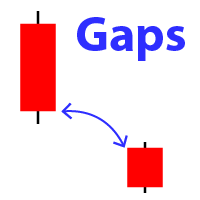
Mostra l'aspetto di un gap sul grafico (quando il prezzo di chiusura della barra precedente differisce dal prezzo di apertura della nuova barra). #1 utilità multifunzionale:  66+ funzioni, incluso questo indicatore  |   Contattami  se hai domande  |   MT5 versione Nelle impostazioni iniziali puoi configurare: La dimensione del gap (in punti): verranno visualizzati solo i gap che superano questo valore. Colore della freccia : separatamente per gap rialzisti e ribassisti. Quando passi il mouse su
Market information
Makarii Gubaydullin
Informazioni di mercato e statistiche dettagliate: analisi della volatilità e delle barre dei prezzi. Scopri il mio  # 1 Trade Assistant : 66+ funzionalità, incluso questo strumento  |   Contattami  se hai domande Specifica qualsiasi coppia di valute/strumento di trading per ottenere informazioni: Informazioni di mercato: Spread attuale; Swap per posizioni lunghe (acquisti); Swap per posizioni corte (vendite); Seleziona un timeframe e un numero di periodi per analizzare le variazioni di prezzo:
Market watch list
Makarii Gubaydullin
Monitora i tuoi simboli preferiti Utilità multifunzionale:  66+ funzioni, incluso questo strumento  |   Contattami  se hai domande   |   Versione MT5 Questo strumento si apre in una finestra separata: può essere spostato (trascinato ovunque) e minimizzato [v]. Puoi regolare la lista di osservazione sul pannello: Clicca su [edit list] per aggiungere / rimuovere simboli dalla lista di osservazione. Valore calcolato: può essere l’ultimo [bar chiuso] o l’attuale [bar fluttuante]. Seleziona il [time
Multi Timeframe
Makarii Gubaydullin
L'indicatore ti aiuta ad analizzare 3 diversi intervalli di tempo su un unico schermo: così puoi vedere l'azione complessiva del prezzo. Guarda il mio  #1 Trade Manager : 66+ funzionalità, incluso questo strumento  |   Contattami se hai domande Nelle impostazioni iniziali puoi configurare: TimeFrame 1; TimeFrame 2; TimeFrame 3; Il numero di barre da visualizzare; Colori delle barre rialziste e ribassiste; Il file del prodotto deve essere posizionato nella directory 'Indicators'.
Trade statistics
Makarii Gubaydullin
Statistiche dettagliate del tuo trading per il periodo di tempo selezionato Scopri il mio  #1 Trade Manager : 66+ funzioni, incluse statistiche estese  |   Contattami se hai domande Modalità di visualizzazione delle statistiche: Per la coppia di valute/strumento di trading  selezionato Statistiche per  tutte le operazioni   (" ALL ") Puoi selezionare il periodo per cui desideri ottenere statistiche: 1 giorno 1 settimana 1 mese 2  mesi 3  mesi 6  mesi 1 anno 2 anni Intera cronologia di trading In
Alert Levels PRO
Makarii Gubaydullin
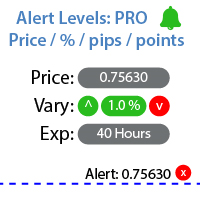
Utilità per impostare notifiche quando viene raggiunto un determinato livello di prezzo Guarda il mio  #1 Trade Manager : 66+ funzioni, inclusi Avvisi e Avvisi di Linea di Tendenza  |   Contattami  se hai domande L'avviso può essere impostato in tre modi: Inserimento manuale del livello di prezzo; Impostazione della variazione di prezzo: in percentuale / in pips / in punti di mercato; Spostamento del livello con il mouse: c'è anche una funzione magnete, quando attivata, il livello si aggancia a
Manage trades
Makarii Gubaydullin
Gestione degli ordini attivi e in sospeso: breakeven automatico, modifiche TP/SL, chiusura parziale/totale, visualizzazione visiva dei livelli sul grafico Scopri il mio #1  Utility : 66+ funzioni, inclusa la gestione PRO dei trade   |    Contattami  se hai domande 1) Finestra principale: per gestire gli ordini, puoi impostare un simbolo specifico [Symbol] o selezionare tutti i simboli [ALL] Chiudi tutte le posizioni attive [ALL] Chiudi tutti i trade in profitto [profits] Chiudi tutti i trade in
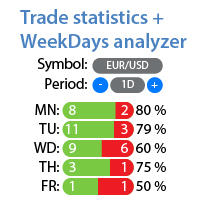
Statistiche dettagliate del tuo trading per il periodo selezionato Dai un'occhiata al mio #1 Assistente di Trading : 66+ funzionalità, incluso questo strumento | Contattami se hai domande L'utility include 2 strumenti separati: Statistiche di Trading Analizzatore dei Giorni della Settimana Modalità di visualizzazione delle statistiche: Per la coppia di valute/strumento di trading selezionato Statistiche per tutti i trade (" ALL ") Puoi selezionare il periodo per il quale desideri ottenere le sta
Future bar
Makarii Gubaydullin
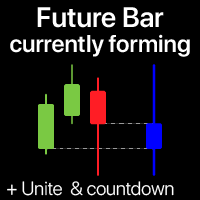
L'indicatore mostra la candela attualmente in formazione del timeframe selezionato Più barre   possono essere   opzionalmente   unite   in una singola candela: aiuta a vedere il quadro generale. Utility M ultifunzione #1 : 66+ funzioni, incluso questo indicatore  |   Contattami  per qualsiasi domanda  |   Versione MT5 Nelle impostazioni di input, seleziona il timeframe che verrà utilizzato per la barra futura: A destra del prezzo corrente, vedrai una barra in formazione nell'intervallo specifica
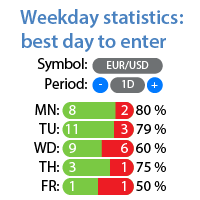
Statistiche di profitto/perdita per ogni giorno della settimana Guarda il mio  #1 Utility : 66+ funzioni, incluse statistiche estese  |   Contattami  se hai domande Modalità di visualizzazione delle statistiche: Per la coppia di valute/strumento di trading  selezionato Statistiche per  tutte le operazioni  (" ALL ") Puoi selezionare il periodo per cui desideri ottenere le statistiche: 1 giorno 1 settimana 1 mese 2 mesi 3 mesi 6 mesi 1 anno 2 anni Intera cronologia di trading Informazioni visuali
Trend on market
Makarii Gubaydullin
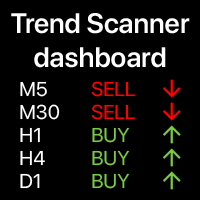
Dashboard delle tendenze: indicatore multi-timeframe, mostra il riepilogo della tendenza attuale Questo strumento  si basa su 3 indicatori principali: RSI,  Stocastico e Commodity Channel Index. L'   opzione degli avvisi   ti  aiuterà   a   non   perdere   l'inizio   della   tendenza. Utilità multifunzione : include 66+ funzioni  |   Contattami  se hai domande  |   Versione MT5 Una varietà di opzioni ti permetterà di personalizzare l'indicatore in base alle tue esigenze. Impostazioni: Barra cal
Multi TF Charts
Makarii Gubaydullin
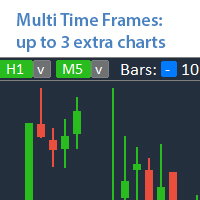
Analizza fino a 3 grafici aggiuntivi di altri timeframe , senza cambiare il grafico principale. Utilità multifunzionale : 66+ funzioni, inclusa questa tool  |   Contattami  se hai domande   |    Versione MT5 L'indicatore si apre in una  finestra separata : La finestra   può essere spostata   in qualsiasi punto del grafico (usando il pulsante   [<M>]   ). La finestra può anche essere minimizzata per risparmiare spazio ( [ <^>]  pulsante) Nella finestra che appare, puoi configurare : Il periodo  
Money Meter
Makarii Gubaydullin
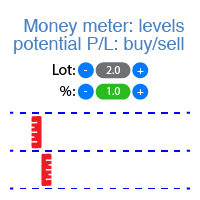
L'indicatore mostra i livelli di potenziale profitto/perdita per ogni direzione (acquisto e vendita). Guarda  #1 Trade Assistant : 66+ funzionalità, incluso questo strumento  |   Contattami  se hai domande Puoi impostare:  Dimensione del lotto (c'è anche un'opzione per impostare automaticamente l'ultimo lotto utilizzato); Passo della griglia : percentuale / quantità di denaro (interruttore verde); Numero di livelli per ogni direzione; Calcolo del rischio per l' saldo del conto corrente o per il
Filtro:
Nessuna recensione
Rispondi alla recensione