Exp COPYLOT CLIENT for MT4

4.69

Copiatore professionale di operazioni per MetaTrader 4

Un copiatore di operazioni veloce, affidabile e professionale per MetaTrader 4.

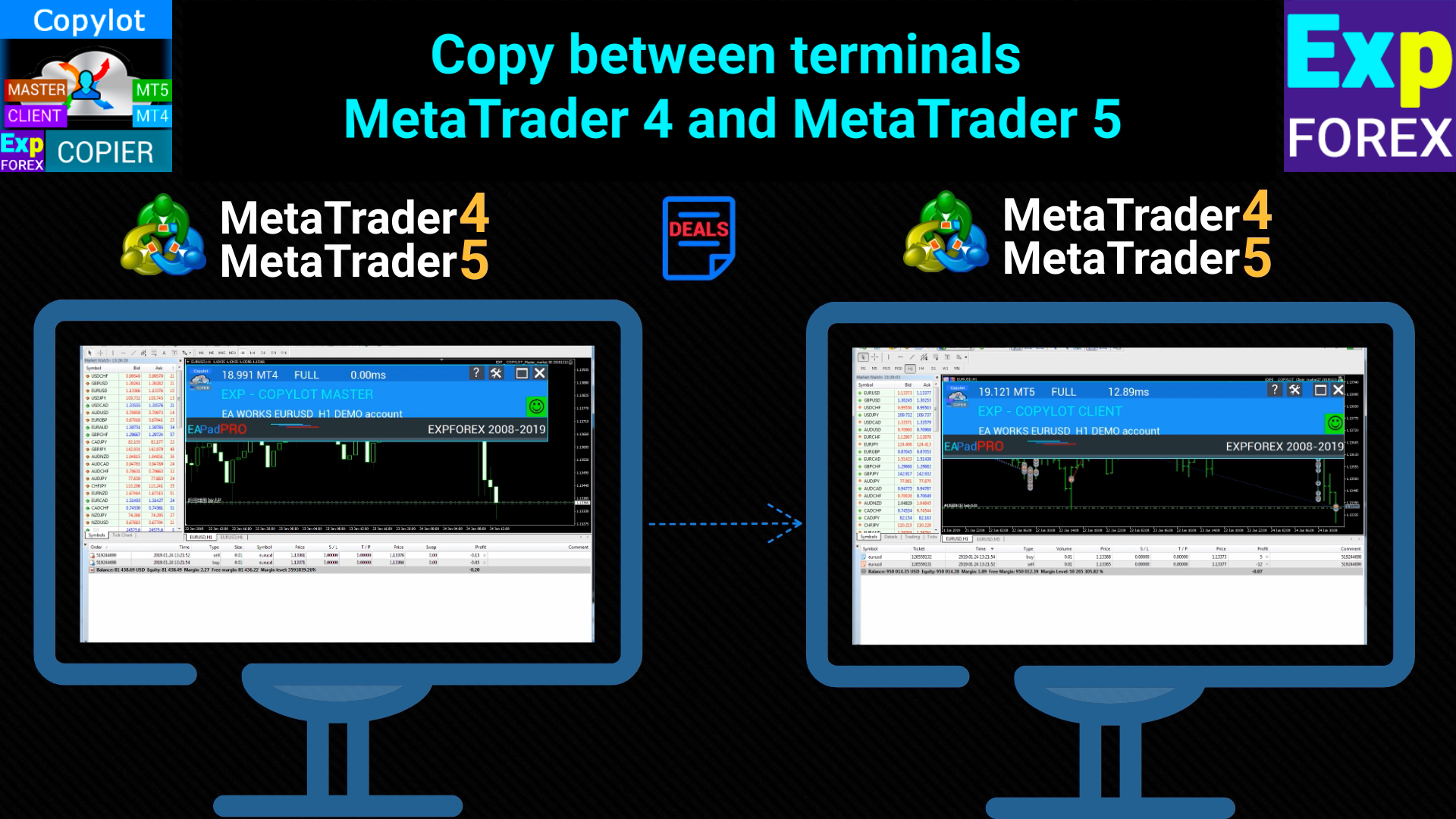
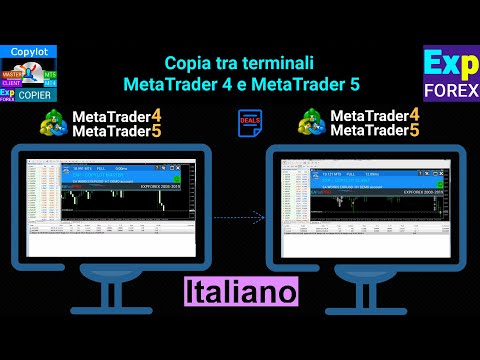
COPYLOT consente di copiare operazioni Forex tra i terminali MetaTrader 4 e MetaTrader 5, offrendo una sincronizzazione flessibile per diversi tipi di conto e modalità operative.

La versione COPYLOT MT4 supporta:

  • MetaTrader 4 → MetaTrader 4
  • MetaTrader 5 Hedge → MetaTrader 4
  • MetaTrader 5 Netting → MetaTrader 4

Puoi anche utilizzare la versione per MetaTrader 5 per copiare tra MetaTrader 5 → MetaTrader 5 e MetaTrader 4 → MetaTrader 5: COPYLOT CLIENT per MT5

COPYLOT è un copiatore di operazioni professionale progettato per funzionare in modo stabile con 2, 3 o perfino 10 terminali contemporaneamente.

  • Supporta la copia da conti demo e da conti aperti con password investitore
  • Può essere eseguito contemporaneamente su più terminali
  • Permette di sincronizzare le operazioni su più conti operando da un solo terminale principale

Modalità di copia supportate:

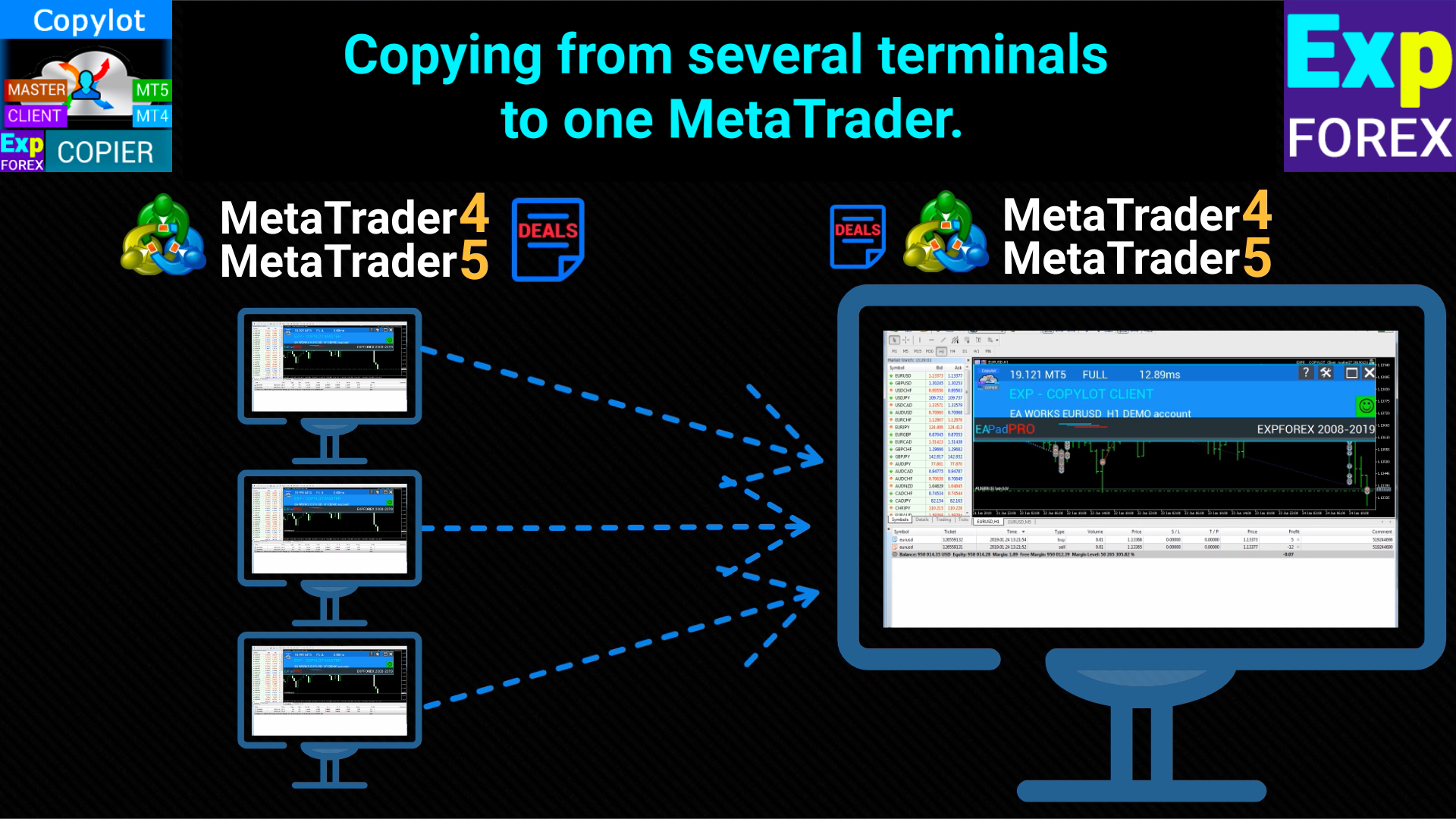
  • Da più terminali verso un solo terminale
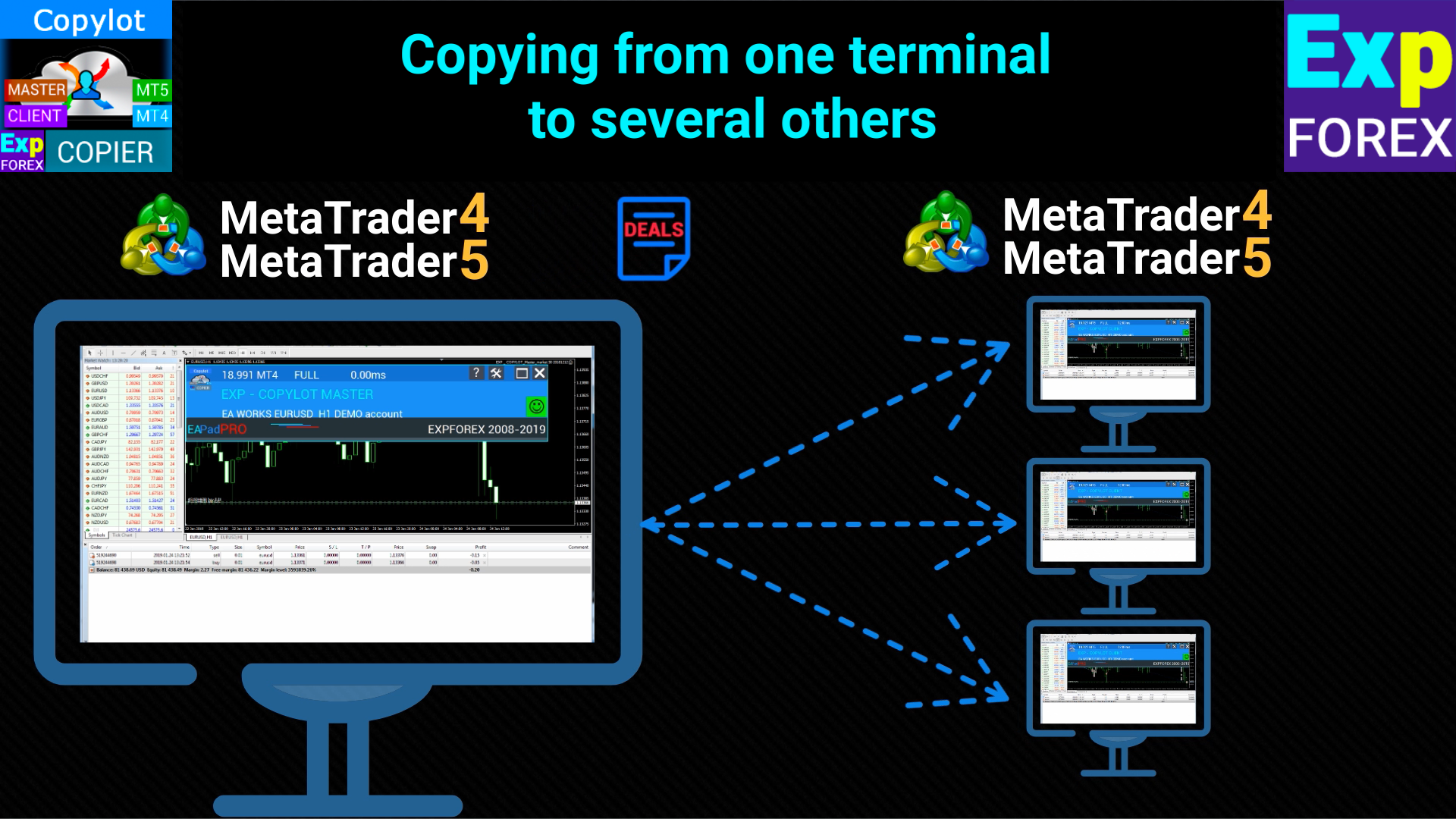
  • Da un terminale verso più terminali
  • Tra broker diversi
  • Da un conto aperto con password investitore
  • Da conti demo a conti reali
  • MetaTrader 4 e modalità compatibili di copia MetaTrader 5 → MetaTrader 4

Installazione

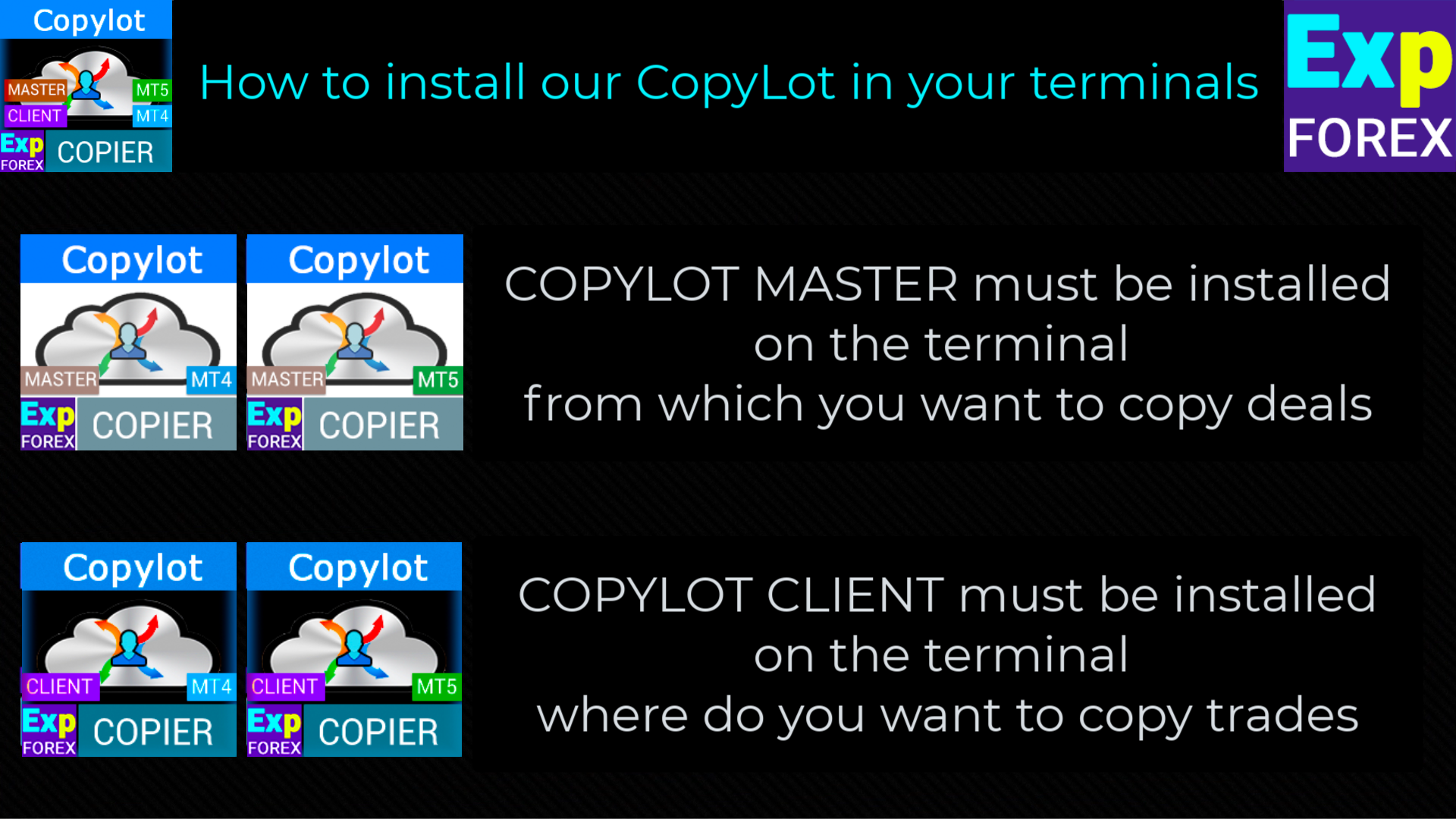
Per iniziare a copiare le operazioni, installa prima il copiatore master gratuito nel terminale sorgente da cui verranno inviati i trade: COPYLOT Master per MT4 oppure COPYLOT Master per MT5.

COPYLOT CLIENT (Slave)

  1. Installa l’Expert Advisor nel terminale MetaTrader 4 che riceverà le operazioni copiate.
  2. Aggiungi COPYLOT CLIENT a un solo grafico del terminale cliente.
  3. Nel parametro pathRead inserisci un nome testuale, ad esempio: "COPY". Questo valore deve corrispondere al parametro PathWrite del terminale master.
  4. L’Expert Advisor deve essere installato su un solo grafico.
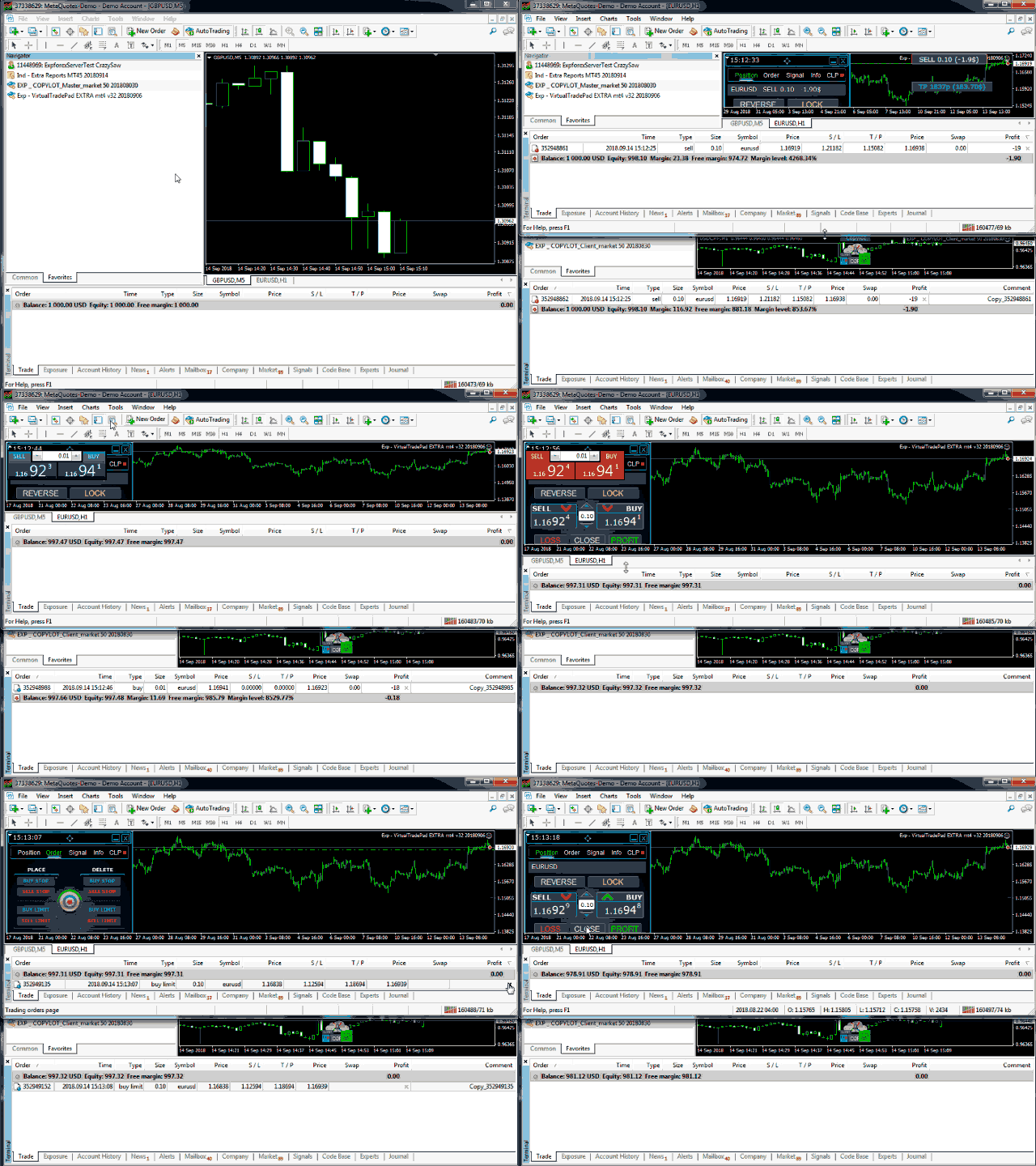
  5. Per impostazione predefinita, COPYLOT può copiare tutte le posizioni e gli ordini del conto master.

Nota: Se desideri duplicare le posizioni all’interno del tuo stesso conto, puoi utilizzare Exp4 Duplicator per MT4.

Caratteristiche della versione MT4

La chiusura parziale è supportata tra terminali MetaTrader 4.

Gli ordini pendenti sono supportati e possono essere copiati sul conto cliente in base alle tue impostazioni.

COPYLOT funziona solo tra terminali installati sullo stesso computer e non copia tramite Internet.

MetaQuotes VPS non è supportato.

Impostazioni del client

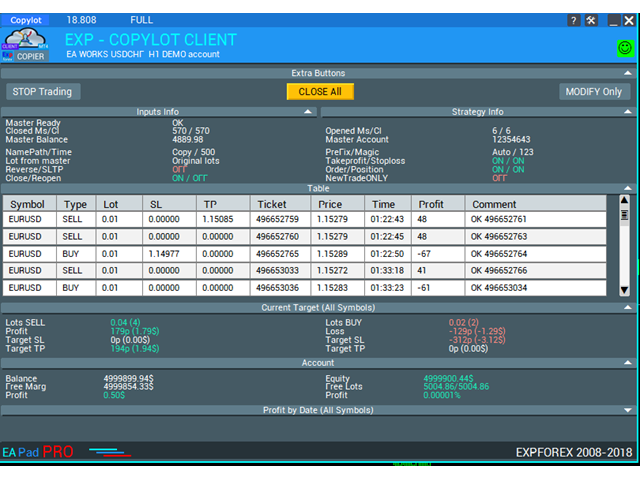
COPYLOT CLIENT offre un controllo flessibile su come le operazioni vengono ricevute, filtrate, aperte, gestite e chiuse nel terminale cliente.

Impostazioni di connessione e simboli: configura il percorso di comunicazione tra terminale master e terminale client, definisci i numeri Magic, adatta nomi o suffissi dei simboli, attiva avvisi sonori e visualizza sul grafico le informazioni relative alle operazioni copiate.

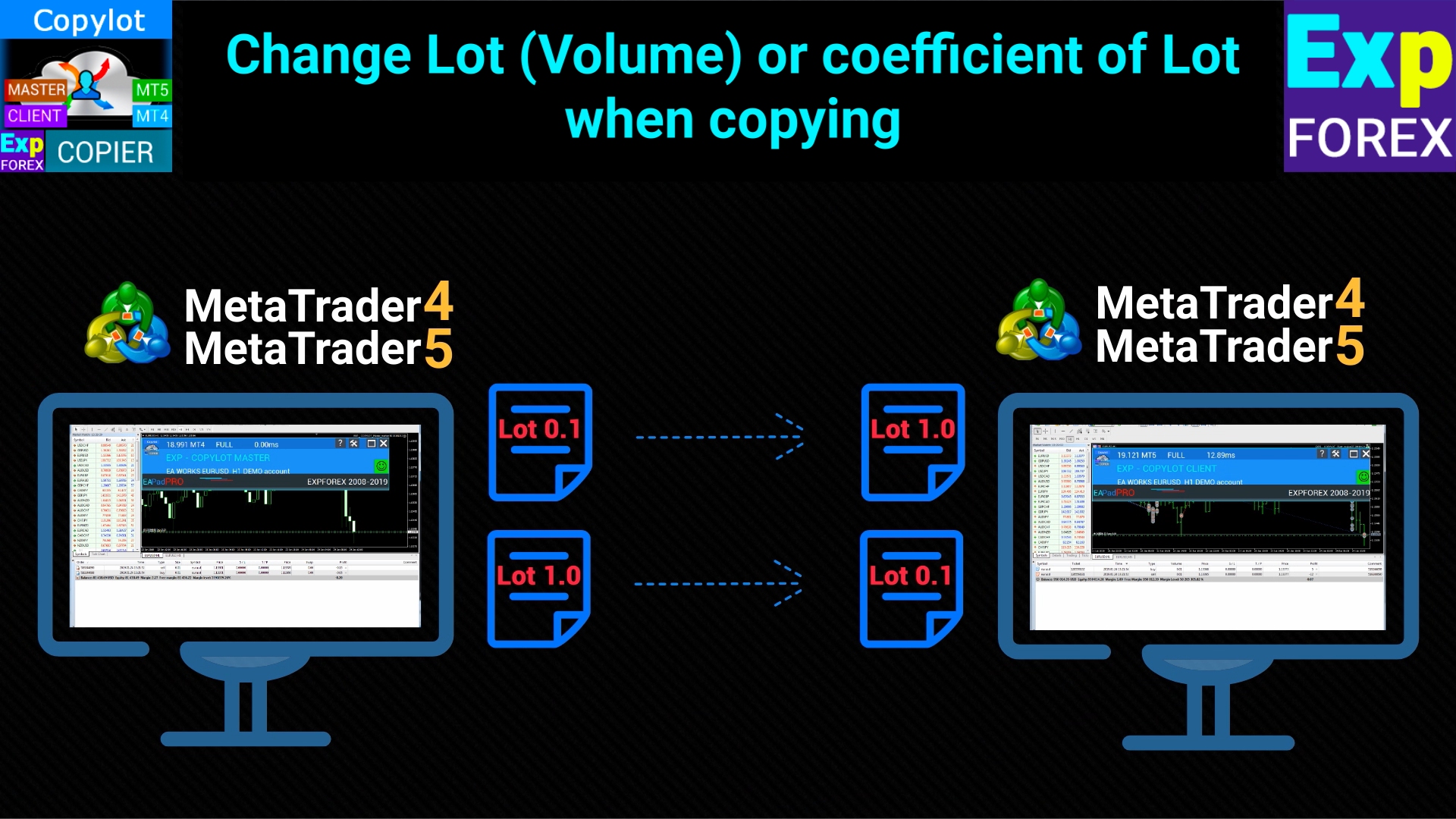
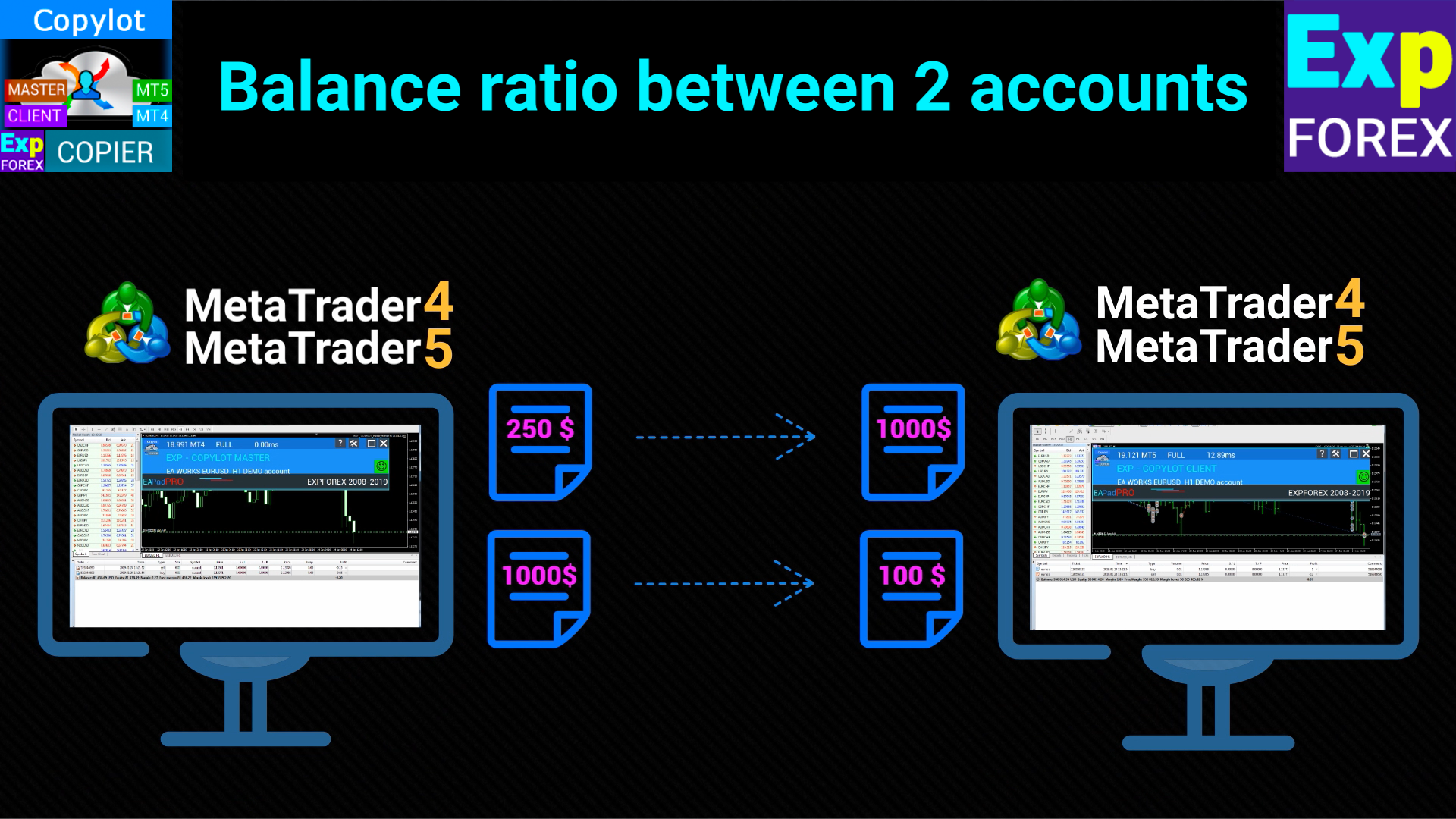
Gestione del lotto e del rischio: utilizza lotto fisso, calcolo dinamico del rischio, sincronizzazione del rischio con il master, moltiplicatori, regolazioni aggiuntive del lotto e limiti minimi o massimi per adattare la copia a qualsiasi dimensione di conto.

Esecuzione ordini e protezione: controlla slippage, deviazione massima di prezzo, tentativi di esecuzione, modalità operative per conti ECN, copia di stop loss e take profit, correzione dei livelli SL/TP rispetto al master e protezioni virtuali dedicate a MetaTrader 4.

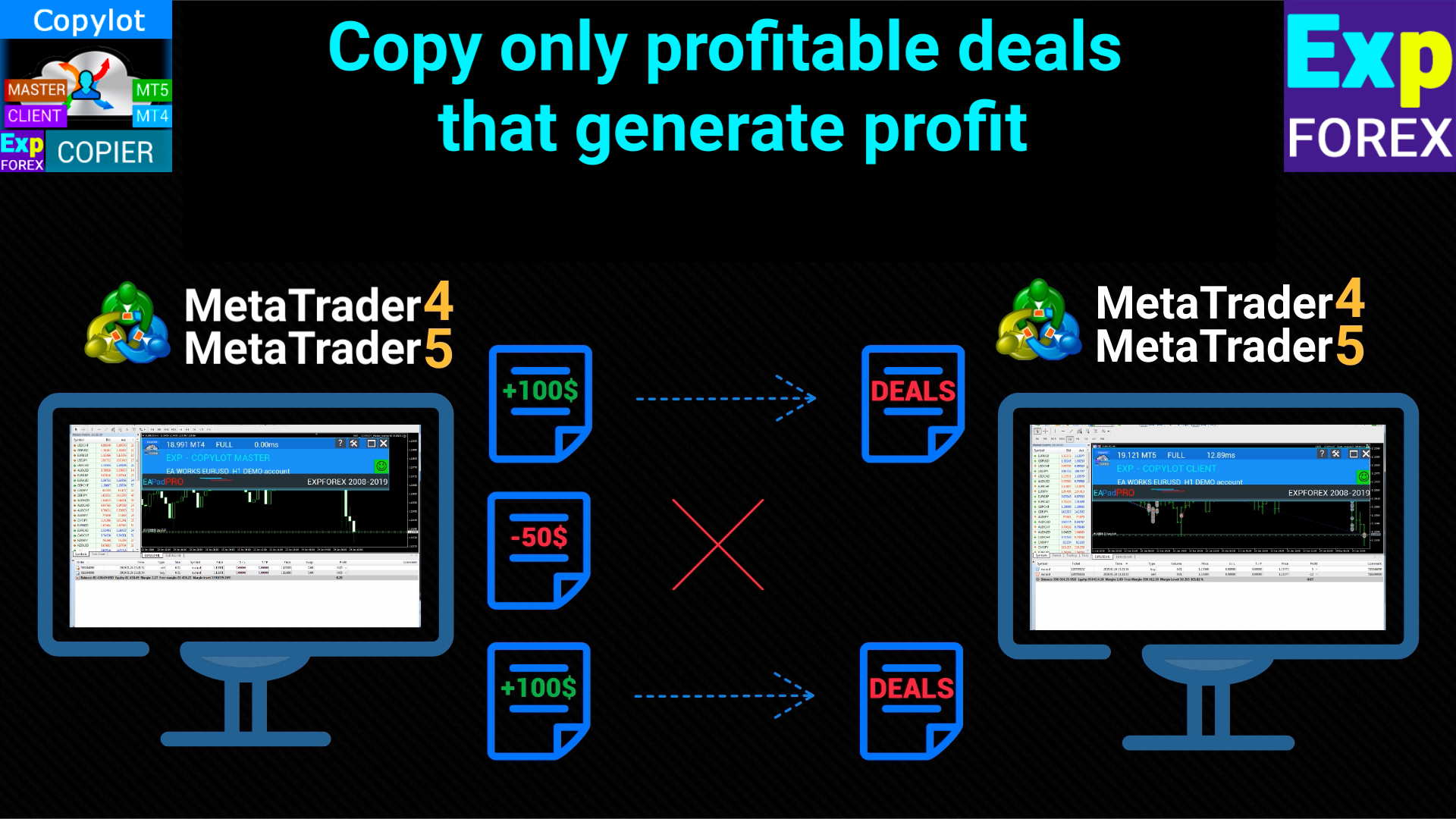
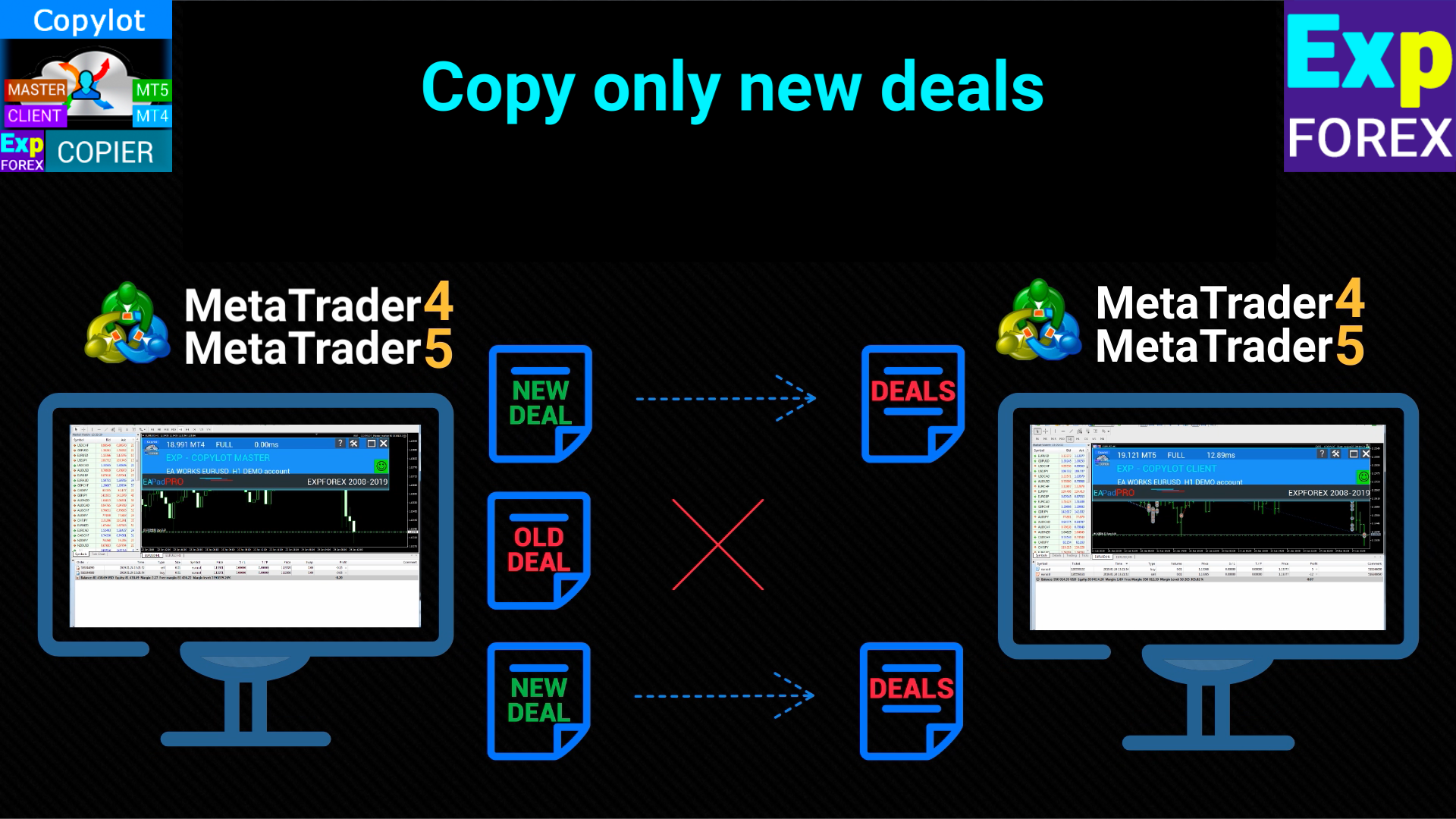
Modalità di copia e filtri: abilita o disabilita la copia di posizioni e ordini pendenti, copia solo nuove operazioni, applica filtri per simbolo, lotto, numero di posizioni o ordini, e definisci condizioni per copiare solo operazioni in profitto o in perdita.

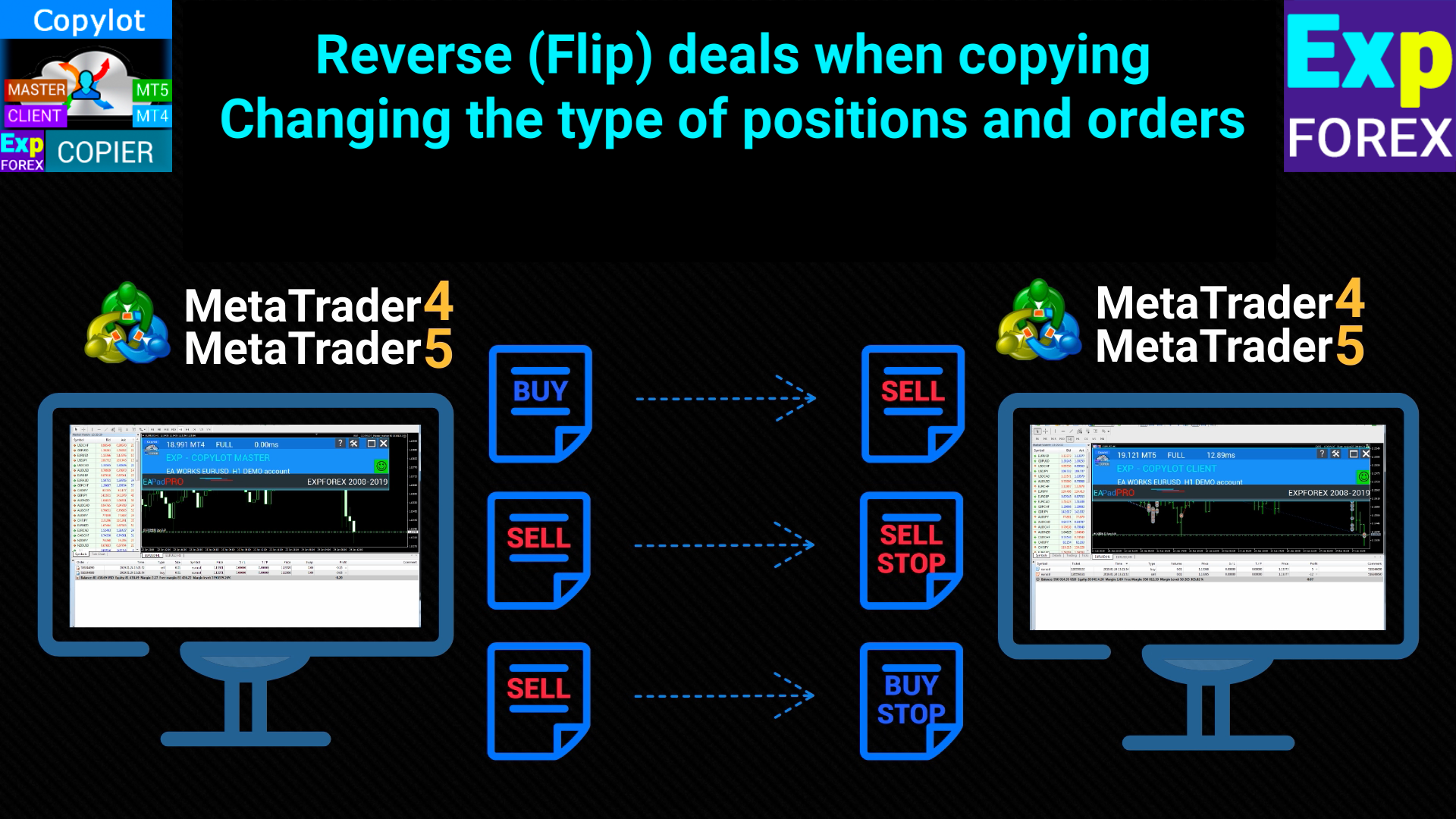
Direzione e sincronizzazione: usa copia normale o inversa, sincronizza le operazioni tra uno o più terminali, riapri posizioni se necessario, elimina ordini pendenti in base alle azioni del master, copia i commenti e inverti SL/TP nelle copie inverse.

Trailing e gestione dopo la chiusura del master: utilizza trailing stop, break-even, attivazione del trailing solo in profitto, spostamento progressivo dello stop e gestione avanzata delle posizioni client anche dopo la chiusura della posizione master.

Conversione ordini e ritardi: converti le posizioni copiate in ordini pendenti, definisci tipo e distanza dell’ordine, usa la logica specifica di MetaTrader 4 per convertire una posizione in ordine e applica ritardi aggiuntivi in secondi o punti per scenari di sincronizzazione avanzati.

#tags copiatore, copia operazioni, copiatore Forex, copiatore MetaTrader, copiatore MT4, MT5 verso MT4, conti Hedge, conti Netting, ordini pendenti, copia veloce, Expforex, Vladon, COPYLOT
Recensioni 106
Cristobal Giron
837
Cristobal Giron 2024.12.25 11:32 
 

Hello, I have a question. In the event that I do not want a transaction to enter because the SLIPPAGE that the account where it is being copied has is larger than the account to which it is copied, how should I set the parameter for the maximum SLIPPAGE price?

For example, in the master account the slippage is 15 and in the copy account the slippage varies from 100 to 20.

What should I put in the slippage box so that it does not appear if the copier slippage is greater than 30?

Hon Kwan Max Tse
135
Hon Kwan Max Tse 2024.12.19 16:11 
 

There is no IfProfTrail in MT4 client. Where IfProfTrail (Condition for Trailing Stop activation) Thanks

36345651
24
36345651 2024.08.31 05:50 
 

非常棒!

Prodotti consigliati
Trade Copier Professional — Soluzione di Copia Locale   Trade Copier Professional è un sistema affidabile di copia locale delle operazioni per MetaTrader 4/5. Consente ai trader di replicare istantaneamente posizioni su più conti nello stesso computer, con controlli di sicurezza integrati e un pannello professionale.   Panoramica   L’EA funziona sia in modalità Master che Slave da un unico file, con passaggio fluido tra le due. Le operazioni possono essere copiate tra terminali MT4 e MT5 senza
Copyist MS
Aleksei Moshkin
4 (4)
Copyist MS is a simple and easy to use trade copier. It works as a single-file Expert Advisor with toggled Master and Slave operation modes. Configurations Type of work - work mode selection: Master or Slave; Copy by magic number - copy trade orders by magic number (configure in master terminal) Will not copy currency pairs - list of unwanted currency pairs to copy (configure in master terminal) Master account number - master-terminal trading account number; Selective copying currency pairs - i
Binary Options Copier Remote is an EA that allows to copy binary options trades between MT4 accounts at different computers. This is an ideal solution for signal provider, who want to share his trade with the others globally on his own rules. Provider can give free bonus license to 10 receivers. That means those 10 receivers can copy from provider by using Binary Options Receiver Free (no cost). From 11th one, receiver have to buy Binary Options Receiver Pro (paid version) in order to copy from
FXA Trade Copier Pro
FX AutoTrader
1 (1)
FXA LTC is a trade copier for MT4 terminal. This is a fantastic tool for coping trades from one MT4 terminal to many others running on the same PC/VPS. It is extremely easy to setup with minimal settings you can be coping trades in minutes. FXA LTC also caters for Brokers that use different symbol names. FXA LTC will copy trades in 0.5 seconds or less. Please note this will only work on live charts, it will not do anything in the simulator Features Super fast trade coping less than 0.5s the cop
Currency Strength Trade Panel EA MT4
Juvenille Emperor Limited
5 (1)
Currency Strength Trade Panel EA MT4 è una soluzione innovativa per qualsiasi trader principiante o esperto! Porta il concetto di forza valutaria a un livello completamente nuovo, poiché lo combina con l'azione dei prezzi e può essere applicato su qualsiasi simbolo/coppia, a parte le solite 28 combinazioni delle 8 principali valute. Ciò significa che puoi scambiare la forza o la debolezza di qualsiasi coppia, comprese tutte le valute, le materie prime e le criptovalute (non gli indici). È un ve
Local Trade Copier EA MT4
Juvenille Emperor Limited
4.96 (110)
Sperimenta una copia di trading eccezionalmente veloce con il Local Trade Copier EA MT4 . Con la sua facile configurazione in 1 minuto, questo copiatore di trading ti consente di copiare i trades tra diversi terminali di MetaTrader sullo stesso computer Windows o su Windows VPS con velocità di copia ultra veloci inferiori a 0.5 secondi. Che tu sia un trader principiante o professionista, Local Trade Copier EA MT4 offre una vasta gamma di opzioni per personalizzarlo alle tue esigenze specifiche.
Customized Copy MT4
Kyra Nickaline Watson-gordon
Customized Copy is a Multi-Terminal visual trade copying utility that supports Metatrader4 and Metatrader5 for Trade Copying.  You can activate EA on 10 different PCs/VPS. On each PC/VPS can install on Unlimited Terminals. Specifications :     Real Time, Multi Terminal - Multi Account - MT4/MT5 trade copying (support over 50 accounts at same time)     All settings are input visually.     Visual display and modify of copy map and network     Each copy path can be used with different settings
Fast Trade Copier
Volodymyr Hrybachov
4.2 (5)
The trade copier is designed for a fast and accurate copying of orders between the MetaTrader 4 terminals. The trade copier copies trades from the Master account to the Slave account by writing information to the total file, which is located in the common directory of the MetaTrader 4 terminals. This allows the trade copier to either customize various schemes for receiving and transmitting trade signals by changing the file name. Reading and writing the copier file is performed by timer. The tra
Copy Master mt4
Evgenii Aksenov
5 (5)
Questa utility ti permetterà di copiare qualsiasi transazione da un terminale con L'impostazione Master ad altri terminali con L'impostazione Slave Allo stesso tempo, puoi scegliere quali coppie copiare, impostare la dimensione dell'ordine copiato su più parametri. Impostare il limite di perdita di prelievo o copiare solo le operazioni redditizie È possibile copiare le transazioni da MT4 o MT5 a MT4 o MT5 di altri broker Ora non sarà difficile copiare i segnali di qualsiasi esperto che lavor
Fast copier for sending trades to multiple MT4 / MT5 accounts. Perfect for copying trades from MT4 to MT5 accounts. MT4 Trade Copier Master EA sends trades instantly from your master account to one or multiple slave accounts. Supports copying to: • MT5 accounts • MT4 accounts Perfect for: • Multi-account traders • Signal providers • Account managers • Personal account mirroring Main Features • Fast local trade copying • Low latency execution • Multiple slave accounts support • Copy open position
Mk EURUSD ecn
Maryna Kauzova
Only 1 copies at the price of 99 USD. Last price 999 USD   EURUSD ECN - is a trading algorithm designed for trading on ECN accounts or any other accounts with small margins and small spread! EURUSD ECN trading strategy is based on historical axioms of breaking the daily price range. Why EURUSD ECN belongs to safe trading systems?! - each order has a short fixed Stop Loss - the EA will not open an order if the trading account conditions do not match the recommendations (if orders are not opened
Rua TrailingStop BreakEven Little
PHAM KIM QUY RuaCoder
4.5 (2)
Rua TrailingStop BreakEven Little The EA not for Real Account. You can EA for Real Account with link:   https://www.mql5.com/en/market/product/47635 Uses of EA - Trailingstop: Move stoploss continuously. - Breakeven: Move the stoploss once. Custom parameters: All OrderOpenTime:     + true: acts on all order     + false: only affect the order opened since EA run All OrderType:     + true: acts on all order.     + false: only the order is running (Buy, Sell) TraillingStop: true (Use), false (do n
FREE
Universal Counter-Trend Grid EA — Smart Grid Trading, Redefined. For MT5 version :  https://www.mql5.com/en/market/product/165598 Tired of EAs that only work in one market condition? Universal Counter-Trend Grid EA is engineered to capitalize on the market's most rewarding moments — when price stretches too far and is ready to snap back to equilibrium. With intelligent grid technology and a multi-layer confirmation system , this EA captures opportunities that manual traders often miss
Magic Curves
Aleksey Usachev
Indicator shows balance curves based on magic number for portfolio analysis. It allows to visually estimate different strategies performance on a single symbol. Any of magic number can be hidden by clicking on the value in legend. Parameters: HideAllOnStart - all magics are hidden and can be activated by clicking on its value; MAMode - shows average profit from trades; MAPeriod - Moving average period; Magics - a string with magic numbers separated by comma like "1,2,123". If this field is empty
Direct translation of blackcat's L3 Banker Fund Flow Trend Oscillator. Get push notifications on your phone app when a signal bar has formed. Historical signals are shown with buy/sell arrow right on the main chart. Indicator uses two data calculations to check for a cross below 25% level (a signal to go long) and above 75% level (a signal to short). For any further questions  feel free to contact me directly. Including requests for product improvements.
MTR BTC spot
Eduard Gluhov
MTR BTC spot - алгоритм данного эксперта  покажет, где можно оптимально набирать позиции на споте, открывая сделки в терминале имейте ввиду что торговля с плечом особенно на такой паре как BTC USD очень рискованная, и тем не менее эксперт справляется со своей задачей если не превышать риски. И всё же я бы советовал просто дублировать уровни покупок на споте, эти уровни покажет вам советник открывая сделки, и сообщит вам об открытии по MetaQuotes ID. Торговля ведётся на таймфрейме H4. Я рекомендо
Copier4Free
Vladimir Tkach
The utility copies trades from the signal provider accounts (master accounts, one or multiple providers) to unlimited number of receiver accounts (slave accounts). The provider is defined by the 'provider' parameter (any combination of numbers and letters). For example, there are two providers. Run the utility in master mode on them, and set different values to the provider parameter. On the account designated for copying these signals, run two utilities in slave mode in different windows, setti
Auto Trade Copier
Vu Trung Kien
4.76 (85)
Auto Trade Copier is designed to copy trades to multiple MT4, MT5 and cTrader accounts/terminals with 100% accuracy. The provider and receiver accounts must be on the same PC/VPS. With this tool, you can copy trades to receiver accounts on the same PC/VPS. All trading actions will be copied from provider to receiver perfectly. This version can be used on MT4 accounts only. For MT5 accounts, you must use Auto Trade Copier for MT5 . Reference: - For MT4 receiver, please download Trade Receiver Fre
XauUsd Net Strength
Pieter Gerhardus Van Zyl
The XauUsd Net Strength indicator is a professional-grade market strength tool designed to track and compare the relative performance of Gold (XAU) against the U.S. Dollar (USD) across a diversified basket of currency pairs. Instead of relying on a single chart, it aggregates information from multiple gold- and dollar-based pairs, applies weighting factors, and translates the results into an easy-to-read strength comparison. The indicator plots six components in a separate window: Green & Red Hi
Initial Stop Loss Setup : Automatically applies an initial stop loss (in points) immediately when a trade is opened. Provides peace of mind by ensuring every trade is protected against unfavorable price movements. Dynamic Trailing Stop : Adjusts the stop loss at the close of each candle based on a fixed point distance. Moves the stop loss incrementally closer to the current price, locking in profits as the market moves in your favor. Works Across All Timeframes : The EA adapts to any chart time
The indicator for presenting current spread in real time. It is a very simple still useful indicator for manual trading and market analysis. The indicator shows current spread (in 4-digit format) for the selected instrument. You can specify the place on the chart where indicator shall print the output as well as output color. Please contact the author if any changes are required.
Fever ESM
Evgenii Morozov
Trading Advisor for margin currency pairs and metals. Conservative trading of 100,000 units per 0.01 lot. The standard trade is 10,000 units per 0.01 lot. Aggressive trading with high risks of 1000 units per 0.01 lot. You can always pick up your starting lot.  The EA is fully automated, you only have to put up the initial lot depending on your initial deposit. The recommended timeframe is H1. 1. Test on any steam, iron and fuel oil 2. Try starting with convenient depots 3. When going into a dra
Adaptive Trade Master No need to say anything. It will prove itself. Here is the Login Information. Account No : 1420442547 Investor Password : ATM1002 Server : IronFX-Demo1 Images are not from the backtest. It is taken from order history (Forward Test).  Newer trust to backtest results. And you can use it on any pair, even on BTCUSD too. Please watch it and give me your review. The " Adaptive Trade Master " is an advanced MetaTrader Expert Advisor designed to automate trading decisions based
EA Paradise
Mohsen Ajalloueian
Paradise is a fully automated EA designed to trade   EURUSD H1   only. It is based on moving average strategy. Expert showed good results in 2010-2020 period. only ecn accounts. Minimum deposit: 500 $ Use Only EURUSD H1. Default setting . Some settings: Fast MA - settings for the connected Moving Average indicator: period, shift, MA method. The Moving Average is used, which is included in the MetaTrader 4 terminal. Slow MA - settings for the connected Moving Average indicator: period, shift, MA
Features - Showing BALANCE -   Showing  EQUITY -   Showing  PROFIT -   Showing  LOTS -   Showing  SPREAD -   Showing  SELLS & BUYS TOTAL(Current Pair) -   Showing  SELLS & BUYS TOTAL(ALL Pairs) -   Showing   ORDERS TOTAL -   Showing  Lots Value will be used -   Showing  Pips Value for SL/TP will be used -   Showing  Amount of order will be used -   Showing Clock for Current Candle - Button for RESET(Closing all Orders(Opened,Limit and Stop) - Button for  Clearing Open Orders - Butto
Account Protector Metatrader 4
Emmanuel Lovski Ijeawele Maduagwuna
Account Protector Meta Trader 4 This utility prevents risk of ruin per trading cycle.  Retail forex trading accounts are designed with stop-out levels that make it nearly impossible to restore lost capital after a trader — human or algorithmic — blows an account . This is especially frustrating for traders who have grown their account to multiples of its starting value, only to suffer irreparable losses from a series of bad trade entries. The Account Protector solves this by enforcing a specifie
AdvCopyTraders
Chukwudi Joshua Obiekwe
AdvCopyTraders PRO is a powerful and ultra-fast trade copier designed for traders who manage multiple MT4 accounts. It duplicates all trades from a Master account to one or more Slave accounts instantly — including entries, exits, modifications, SL/TP updates, and partial closes. Whether you're a signal provider, fund manager, or using multiple brokers, this copier guarantees perfect synchronization and zero execution delay on the same PC/VPS. Key Features Instant Copying (0–1ms) Lightning-f
HFT Fast Scalping EA
Sami George Saba Zeidan
HFT FAST SCALPING EA the High Frequency Trading which use stop orders to enter the trades when market is trending. best use for 1- Low slippage brokers for us30 and DE40 . 2- LOW OR ZERO COMMISSION BROKERS FOR EUR AND GOLD. 3-Prop firms like ftmo ,tff,.......etc This EA UNLIKE Other HFT EAs , You can see that in the parameters ,, CHOOSE LOT SIZE , MAX LOT , CHOOSE TIME , COMMENT AND OTHERS . IT STOPS 3 MINUTES AUTOMATICALLY EVERY 15 MINUTES TO PROTECT THE EQUITY FROM A BIG UNWANTED SLIPPAGE .
The Trendline Trade Panel was created to make it easier to train forex trading skills in backtester and at the same time make it easier to live trade using trendlines with the push of a button. This ea is perfect for beginners who want to learn to trade manually because all of its features are equipped with basic tools for trading forex. Other uses for Trendline Trade Panel: + Can be used to perform recovering loss positions made by other EA or positions that open manually. Fill in magic number
Financial Radar GFX
Yasir Mohammed Sachit Sachit
Gold Trend Rider – Automated Expert Advisor for XAUUSD Trading Disclaimer : Trading Gold (XAUUSD) involves significant risk. Past performance does not guarantee future results. Test on a demo account and apply proper risk management before live trading. Overview Gold Trend Rider is a fully automated Expert Advisor specifically designed for Gold trading. It leverages the Parabolic SAR indicator to detect trend direction and open trades accordingly. Its trailing stop mechanism manages positions d
Gli utenti di questo prodotto hanno anche acquistato
Forex Trade Manager MT4
InvestSoft
4.98 (439)
Benvenuto a Trade Manager EA, lo strumento definitivo per la gestione del rischio , progettato per rendere il trading più intuitivo, preciso ed efficiente. Non è solo uno strumento per l'esecuzione degli ordini, ma una soluzione completa per la pianificazione delle operazioni, la gestione delle posizioni e il controllo del rischio. Che tu sia un principiante, un trader avanzato o uno scalper che necessita di esecuzioni rapide, Trade Manager EA si adatta alle tue esigenze, offrendo flessibilità s
TradePanel MT4
Alfiya Fazylova
4.84 (95)
Trade Panel è un assistente commerciale multifunzionale. L'applicazione contiene più di 50 funzioni di trading per il trading manuale e permette di automatizzare la maggior parte delle attività commerciali. Prima dell'acquisto, è possibile testare la versione dimostrativa su un conto demo. Scaricare la versione di prova dell'applicazione per un account dimostrativo: https://www.mql5.com/it/blogs/post/762419 . Istruzioni complete qui . Commercio. Consente di effettuare operazioni di trading con u
Custom Alerts AIO: Monitora tutti i mercati — senza alcuna configurazione Panoramica Custom Alerts AIO è una soluzione di monitoraggio dei mercati pronta all’uso che non richiede alcuna configurazione. Tutti gli indicatori necessari — FX Power, FX Volume, FX Dynamic, FX Levels, IX Power — sono integrati internamente. Non vengono mostrati grafici, rendendolo ideale per generare alert in tempo reale in modo discreto ed efficiente. Supporta tutte le classi di asset offerte dal tuo broker: Forex,
Il MT4 to Discord Signal Provider è uno strumento facile da usare e completamente personalizzabile, progettato per inviare segnali di trading direttamente a Discord. Questo strumento trasforma il tuo account di trading in un efficiente fornitore di segnali. Personalizza i formati dei messaggi secondo il tuo stile! Per facilitarne l'uso, seleziona tra i modelli pre-progettati e scegli quali elementi del messaggio includere o escludere. [ Demo ] [ Manuale ] [ Versione MT5 ] [ Versione Telegram ] 
Telegram to MT4 Coppy
Sergey Batudayev
4 (10)
Da Telegram a MT4: la soluzione definitiva per la copia del segnale Semplifica il tuo trading con   Telegram su MT4   , l'utility all'avanguardia progettata per copiare i segnali di trading direttamente dai canali e dalle chat di Telegram sulla tua piattaforma MetaTrader 4, senza bisogno di DLL. Questa soluzione affidabile garantisce un'esecuzione impeccabile dei segnali con una precisione e opzioni di personalizzazione senza pari, risparmiando tempo e aumentando la tua efficienza. [ Instruction
The product will copy all telegram signal to MT4   ( which you are member  ) , also it can work as remote copier.  Easy to set up, copy order instant, can work with almost signal formats, image signal, s upport to translate other language to English Work with all type of channel or group, even channel have "Restrict Saving Content", work with  multi channel, multi MT5 Work as remote copier: with signal have ticket number, it will copy exactly via ticket number. Support to backtest signal. How to
Unlimited Trade Copier Pro
Vu Trung Kien
3.86 (7)
Unlimited Trade Copier Pro is a tool to copy trade remotely to multiple MT4, MT5 and cTrader accounts at different computers/locations over internet. This is an ideal solution for you if you are a signal provider and want to copy your trades to other receivers globally on your own rules. One provider can copy trades to multiple receivers and one receiver can get trade from multiple providers as well. The provider can even set the subscription expiry for each receiver, so that receiver will not b
Smart Channel M4
Vahidreza Heidar Gholami
The trend in the market can be predicted using trend lines but the problem is you don’t know where exactly the price is going to touch the trend line where you can put your pending orders on. Smart Channel Expert Advisor makes it possible to put an advanced channel around the price data, which can be configured to handle placing orders, opening and closing positions, managing risk per trade, spread, slippage, and trailing stop-loss and take-profit automatically. Features Money Management (Calcul
Ultimate Trailing Stop EA
BLAKE STEVEN RODGER
4.33 (15)
This EA Utility allows you to manage (with advanced filtering) unlimited open orders (manual or EA) with 16 trailing stop methods: fixed, percent, ATR Exit, Chandelier Exit, Moving Average, Candle High Low Exit, Bollinger Bands, Parabolic, Envelope, Fractal, Ichimoku Kijun-Sen, Alligator, Exit After X Minutes or Bars, RSI and Stochastic. The trailing stop can be either real or virtual, and you can exit fully or with a partial close percent on touch or bar close.  Moreover, you can add (overrid
Edge Zone EA
FXsolutions
5 (1)
With this Expert Advisor you will follow the sound trading principle Buy Low and Sell High by default ! And you can do that even with a normal day job . You will be even able to trade on lower timeframes which you could never do without such an Expert Advisor. And the best thing is that you are in control! You can tell the Edge Zone EA where it has to enter and where it has to exit. And you can do that even many hours before the trade will occur . This EA is therefore an excellent assistant for
Trade Manager MT4 DaneTrades
Levi Dane Benjamin
4.09 (11)
Trade Manager per aiutarti a entrare e uscire rapidamente dalle operazioni calcolando automaticamente il tuo rischio. Incluse funzionalità che ti aiutano a prevenire l'eccessivo trading, il vendetta trading e il trading emotivo. Le operazioni possono essere gestite automaticamente e i parametri di performance del conto possono essere visualizzati in un grafico. Queste caratteristiche rendono questo pannello ideale per tutti i trader manuali e aiuta a migliorare la piattaforma MetaTrader 4. Suppo
MultiOrder Assistent V3.0   - Your professional trading assistant for MetaTrader 4 The  MultiOrder Manager  is a powerful trading tool designed to optimize your trading while managing risk efficiently. With intuitive features and a user-friendly interface, this Tool is ideal for traders who want to manage multiple orders simultaneously without losing track.   Symbols: FX pairs, gold and cryptocurrencies Here you get a detailed description of the parameters and functions Manual     Features and
Crystal Trade Manager PRO – Sistema Avanzato di Gestione del Rischio e Controllo delle Operazioni per MT4 Versione Gratuita: https://www.mql5.com/en/market/product/150632 Panoramica Crystal Trade Manager PRO (CTM) è uno strumento professionale progettato per la gestione del rischio, il controllo delle operazioni e l’automazione avanzata su MetaTrader 4. È ideato per i trader che richiedono un'esecuzione disciplinata, una forte protezione del capitale e un sistema di controllo affidabile. Il sist
The product will copy all  Discord  signal   to MT4   ( which you are member  ) , also it can work as remote copier.  Easy to set up. Work with almost signal formats, support to translate other language to English Work with multi channel, multi MT4. Work with Image signal. Copy order instant, auto detect symbol. Work as remote copier: with signal have ticket number, it will copy exactly via ticket number. How to setup and guide: Let read all details about setup and download Discord To MetaTrader
ManHedger MT4
Peter Mueller
5 (2)
THIS EA IS A SEMI-AUTO EA, IT NEEDS USER INPUT. Manual & Test Version Please TEST this product before   BUYING  and watch my video about it. Contact me for user support or bug reports, or if you want the MT5 version! MT5 Version I do not guarantee any profits or financial success using this EA. With this Expert Advisor, you can: Implement your own   Zone Recovery   strategy to capitalize on trending markets. Create   Grid   trading strategies, to profit from ranging markets. Place orders easil
EchoTrade Telegram to MT4 Copier
Perpetual Chinemerem Vincent
5 (2)
EchoTrade Telegram to MT5 Copier Seamless, Instant, and Reliable Signal Copying - Direct from Telegram to MetaTrader 4! The product does not run in the strategy tester but you can get free trial version   here  for testing before purchase. Tired of manually executing trades from Telegram signals? EchoTrade automates the process, instantly copying trades from any Telegram channel or group directly into your MT5 account—accurately, efficiently, and without delay. Key Features: Universal Compatib
Comprehensive on chart trade panel with the unique ability to be controllable from mobile as well. Plus has a library of downloadable configuration, e.g. exit rules, extra panel buttons, pending order setup and more. Please see our product video. Works with all symbols not just currency pairs. Features On chart panel plus controllable from free app for Windows, iPhone and Android Built-in script engine with library of downloadable configuration, e.g. add 'Close All Trades in Profit' button, exit
Riskless Pyramid
Snapdragon Systems Ltd
5 (1)
Introduction This powerful MT4 trade mangement EA offers a way potentially to aggressively multiply trade profits in a riskfree manner. Once a trade has been entered with a defined stoploss and take profit target then the EA will add three pyramid add-on trades in order to increase the overall level of profit. The user sets the total combined profit target to be gained if everything works out. This can be specified either as a multiple of the original trade profit or as a total dollar amount. Fo
Il MT4 to Telegram Signal Provider è uno strumento facile da usare e completamente personalizzabile che consente l'invio di segnali a Telegram, trasformando il tuo account in un fornitore di segnali. Il formato dei messaggi è completamente personalizzabile! Tuttavia, per un uso semplice, puoi anche optare per un modello predefinito e abilitare o disabilitare parti specifiche del messaggio. [ Dimostrativo ]  [ Manuale ] [ Versione MT5 ] [ Versione Discord ] [ Canale Telegram ]  New: [ Telegram To
--------------Welcome to use [MQL5 Signal Analyze Master]------------------  Function: Draw order tracks of MQL5 MT4 and MT5 signal on MT4 chart. [Using guide] 1.Use it as Experts. 2.Download history record from MQL5 signal(MT4 signal or MT5 signal).  3.Paste history record file below "MQL4/Files/" 4.Load [Signal Analyze Master] on the symbol chart what you want to analyze. 5.Paste the history record file name to parameter 'FileName' 6.Select  SignalType  match the history you download on MT4
If you need an advisor on any arrow indicator signals - this utility will definitely help you.  You will be able, with the help of this utility to form an unlimited number of EAs on YOUR signals , with your set of settings, with your copyright and complete source code . You will be able to use the resulting EAs unlimitedly , including adding them to the Market and other resources. Free simple version of the generation script to help you understand how it works - here What does the utility do? 
Il Local Trade Copier EA è una soluzione per i singoli trader o account manager che devono eseguire segnali commerciali da fonti esterne o che devono gestire più account contemporaneamente, senza la necessità di un account MAM o PAMM. Copia da un massimo di 8 account master su account slave illimitati [ Guida all'installazione | Guida all'aggiornamento | Risoluzione dei problemi | Domande frequenti | Tutti i prodotti ] 100% self-hosted Facile da installare e utilizzare Nessun programma di insta
Speciale Trading – SCONTO DEL 40% Advanced Trade Manager – La soluzione completa definitiva per un trading manuale più veloce, intelligente e sicuro. Trasforma il tuo trading manuale con NextGen Trade Manager AI, il pannello professionale su grafico che combina esecuzione istantanea, pianificazione visiva delle operazioni e una potente gestione del rischio in un unico strumento intuitivo. Esegui ordini, gestisci il rischio e proteggi i profitti più velocemente che mai, il tutto senza uscire d
PZ Trade Pad Pro MT4
PZ TRADING SLU
5 (2)
Effortlessly calculate lot sizes and manage trades to save time and avoid costly errors The Trade Pad Pro EA is a tool for the Metatrader Platform that aims to help traders manage their trades more efficiently and effectively. It has a user-friendly visual interface that allows users to easily place and manage an unlimited number of trades, helping to avoid human errors and enhance their trading activity. [ Installation Guide | Update Guide | Troubleshooting | FAQ | All Products ] One of the k
TradeMirror è uno strumento locale di copia degli ordini progettato per le piattaforme MT4/MT5, con supporto alla sincronizzazione delle operazioni in tempo reale. Vantaggi del Prodotto In linea con gli elevati standard di sicurezza, stabilità e privacy per i software finanziari, abbiamo ottimizzato tre aspetti fondamentali: Interfaccia grafica intuitiva per un utilizzo semplificato Protezione rafforzata della privacy per l'isolamento di dati sensibili negli scenari finanziari Sincronizzazione d
MT4 Professional Copy Trading System (Edizione MT4) Copiador di trading LOCAL ultra veloce e di livello industriale, progettato per trader professionisti, fornitori di segnali e gestione multi-account. Architettura LOCAL industriale Funziona nello stesso ambiente Windows (stesso PC / stessa Windows VPS), con bassa latenza, alta stabilità e operatività 24/7. Master / Slave / Self + Cross Copy (MT4 ↔ MT5) Supporta modalità Master, Slave e Self-Copier. MT4→MT4, MT4→MT5, MT5→MT4, MT5→MT5. Import
MetaQuant Pro
Mohamed Hassan
MetaQuant PRO is a professional account analytics dashboard for MetaTrader 4, built to give traders a clear, visual, and data-driven view of their trading performance directly inside MT4. It converts your account history into clean metrics, charts, and insights without relying on external websites or spreadsheets. Main features • Overview (full account) • Daily (today only) • Monthly (current month) • All-Time (entire history) Visual performance analysis • Smooth equity curve from real closed t
Length Movement
Pavel Verveyko
5 (1)
Measures the length of the selected movement in points, shows the duration of the movement, as well as the speed of movement.   Outputs the average value of each dimension. It is designed to calculate the expected target based on typical market movements. The intended goal will provide information about the ratio of the stop size to the possible profit and will allow you not to open positions with a small expected profit. It will also help you determine the point at which it is more logical to c
Ultimate MT4 to Telegram (UMT) sends controlled trades (via symbol, magic, comment) to your telegram channel. It sends open and closed trades, including pending orders and TP/SL modifications, along with chart screenshots, to any telegram channel. Additionally, you can send trade reports of open trades and summary profit/pip reports for day, week, or month. You can customize the design of the trade actions or reports with variables and emoticons.  A beautiful panel allows you to visualize all t
RedFox Copier Pro
Rui Manh Tien
4.7 (10)
Time saving and fast execution Whether you’re traveling or sleeping, always know that Telegram To Mt4 performs the trades for you. In other words, Our   Telegram MT4 Signal Trader  will analyze the trading signals you receive on your selected Telegram channels and execute them to your Telegram to MT4 account. Reduce The Risk Telegram To Mt4   defines the whole experience of copying signals from   Telegram signal copier to mt4 platforms. Users not only can follow all instructions from the signa
Altri dall’autore
Exp COPYLOT CLIENT for MT5

Vladislav Andruschenko
3.91 (33)
Copiatore professionale di trade per MetaTrader 5 Un copiatore di trade veloce, professionale e affidabile per MetaTrader . COPYLOT consente di copiare operazioni Forex tra terminali MT4 e MT5 con supporto per conti Hedge e Netting . La versione MT5 di COPYLOT supporta: - MT5 Hedge → MT5 Hedge - MT5 Hedge → MT5 Netting - MT5 Netting → MT5 Hedge - MT5 Netting → MT5 Netting - MT4 → MT5 Hedge - MT4 → MT5 Netting Versione MT4 Descrizione completa + DEMO + PDF Come acquistare Come installare Come ot


Exp TickSniper PRO FULL
Vladislav Andruschenko
3.95 (57)
TickSniper per MetaTrader 5 — scalper ad alta velocità con adattamento automatico dei parametri Un Expert Advisor completamente automatico, progettato per adattare la propria logica operativa allo strumento corrente senza richiedere configurazioni manuali complesse. TickSniper per MetaTrader 5 è stato creato per i trader che cercano un sistema veloce, intelligente e quasi pronto all’uso, senza dover ottimizzare manualmente decine di parametri per ogni coppia di valute. L’Expert Advisor analizza
Exp5 AI Sniper for MT5
Vladislav Andruschenko
2 (3)
AI Sniper per MetaTrader 5 — robot di trading intelligente progettato per la precisione AI Sniper è un robot di trading potente e intelligente per MetaTrader 5 , sviluppato per trader che desiderano molto più di un Expert Advisor tradizionale. Combina logica di mercato avanzata, comportamento adattivo e timing di ingresso preciso per individuare opportunità BUY e SELL ad alta probabilità in mercati dinamici e volatili. AI Sniper è un sistema di trading auto-ottimizzante per MT5, progettato per a
Exp5 The xCustomEA for MT5
Vladislav Andruschenko
4.27 (11)
The xCustomEA per MetaTrader 5 — Expert Advisor universale per indicatori personalizzati Trasforma praticamente qualsiasi indicatore personalizzato in una strategia di trading automatizzata. The xCustomEA per MetaTrader 5 è un Expert Advisor universale progettato per leggere i segnali dei tuoi indicatori personalizzati ed eseguire operazioni in base alla logica che definisci. È sufficiente indicare il nome dell’indicatore, i buffer di segnale e i parametri principali, e l’EA utilizzerà queste in
VirtualTradePad One Click Trading Panel
Vladislav Andruschenko
4.59 (74)
Pannello di trading per MetaTrader 5 — controllo professionale del trading in un clic dal grafico e dalla tastiera Un pannello di trading avanzato progettato per trader attivi, pensato per aprire, gestire e chiudere operazioni molto più velocemente rispetto all’interfaccia standard di MetaTrader. Questa soluzione è dedicata a chi desidera controllare posizioni, ordini pendenti, profitto totale ed esecuzione da un unico spazio di lavoro professionale. Non si tratta di un semplice utilitario. È u
Exp4 AI Sniper for MT4
Vladislav Andruschenko
2.33 (3)
AI Sniper per MetaTrader 4 — robot di trading intelligente progettato per la precisione AI Sniper è un robot di trading intelligente e adattivo, sviluppato specificamente per MetaTrader 4 . Non è stato creato per essere semplicemente l’ennesimo bot Forex, ma per offrire ai trader una soluzione più precisa, più strutturata e nettamente più professionale. AI Sniper per MT4 combina logica algoritmica avanzata, lettura del mercato in tempo reale ed esecuzione accuratamente progettata per individuare
CloseIfProfitorLoss with Trailing
Vladislav Andruschenko
4.87 (31)
Close If Profit or Loss with Trailing per MetaTrader 4 — chiusura automatica per profitto totale o perdita totale Un’utilità pratica per MetaTrader 4 che chiude automaticamente le posizioni quando il profitto totale o la perdita totale raggiunge il livello impostato. L’Expert Advisor monitora le operazioni aperte, calcola il risultato flottante, può usare Trailing Profit e aiuta a gestire le posizioni più rapidamente rispetto a una reazione manuale. MetaTrader 4 è ancora molto utilizzato da tra
Assistant EA premium per chiusura parziale e trailing stop per MetaTrader 5. Chiude automaticamente una parte di una posizione in profitto durante un rollback e continua a gestire il volume rimanente con una logica di trailing intelligente. Exp Trail Partial Close PRO for MT5 è un Expert Advisor professionale per la gestione delle operazioni, progettato per proteggere il profitto flottante passo dopo passo. L’EA monitora una posizione aperta in profitto, fissa i livelli di profitto mentre il p
Exp5 Duplicator
Vladislav Andruschenko
4.78 (9)
Duplicator per MetaTrader 5 — sistema professionale di duplicazione delle posizioni all'interno di un solo terminale Un Expert Advisor affidabile pensato per i trader che vogliono duplicare automaticamente posizioni già aperte in MetaTrader 5, aumentare il volume complessivo, applicare regole personalizzate sul lotto e gestire i duplicati con una logica precisa. È uno strumento pratico per il trading manuale, per i sistemi automatici e per una gestione più flessibile delle posizioni già esisten
Averager FULL
Vladislav Andruschenko
4.64 (14)
Averager per MetaTrader 5 — sistema professionale di mediazione e gestione di serie di posizioni Un Expert Advisor potente, progettato per mediare posizioni entrate in drawdown, con la possibilità di aprire operazioni aggiuntive sia nella direzione del trend sia contro trend. Questo prodotto non è un semplice strumento di mediazione, ma una soluzione flessibile per gestire una serie di operazioni, migliorare il prezzo medio di entrata e portare l’intero paniere verso un punto di uscita comune i
Exp5 Swing PRO for MT5
Vladislav Andruschenko
5 (1)
La strategia di trading basata sul modello Swing prevede l'immissione di due ordini pendenti opposti con lotti aumentati. Quando il prezzo di mercato si muove in una certa direzione, uno degli ordini viene attivato mentre la dimensione del lotto dell'altro viene aumentata. Questo approccio consente ai trader di ottenere profitti riducendo al minimo i rischi, rendendolo un modo affidabile per negoziare forex, azioni e materie prime. L’uso di questa strategia nel trading finanziario è stato ampiam
Profit or Loss Pad
Vladislav Andruschenko
4.27 (11)
Close If Profit or Loss with Trailing per MetaTrader 5 — chiusura automatica per profitto totale o perdita totale Un'utilità professionale di gestione del rischio per MetaTrader 5, progettata per chiudere automaticamente le posizioni quando il profitto totale o la perdita totale raggiunge il livello configurato. L'Expert Advisor monitora le posizioni aperte, calcola il risultato flottante, può applicare il trailing del profitto e chiudere le operazioni secondo le regole impostate. Non è un semp
Exp Assistant 5
Vladislav Andruschenko
4.77 (125)
Impostazione automatica, stop loss, take profit, trailing stop, livelli di pareggio, attivazione di stop loss e take profit   virtuali   . Exp Assistant   ti aiuterà a organizzare il mantenimento delle tue posizioni. Questo programma, l'Expert Advisor, è progettato per impostare automaticamente il   Reale o il Virtuale       Livelli   di Stop Loss e Take Profit   per le tue posizioni durante il trading. Puoi gestire facilmente tutte le operazioni dell'Expert Advisor dal pannello di controllo sul
FREE
Lib5 EAPadPRO for MT5
Vladislav Andruschenko
4.5 (6)
Library to add the Information Panel to your Expert Advisor for MetaTrader 5. We can not guarantee that the information and interface of the program will give you a profit on deals, but we will definitely say that even the simplest interface of the program can strengthen the first impression. Detailed description and instructions for adding our panel to your Expert Advisor are in our blog: LIB - EAPADPRO Step-by-step instruction Detailed description of our panel and instructions for using EAPADP
FREE
Exp5 Tester PAD for Strategy Tester
Vladislav Andruschenko
4.53 (30)
L'utilità ti consente di testare manualmente le tue strategie nel tester di strategia. Trading con un clic sul grafico di visualizzazione. Funzionalità comode e complete per testare le abilità di trading sono ora disponibili anche nel tester di strategia. Forex Tester Pad è un simulatore di trading per tester di strategia. Trading utilizzando gli indicatori. Le principali funzioni della nostra utilità Versione MT4 Descrizione completa +DEMO +PDF Come comprare Come installare     Come ottenere
FREE
Exp5 COPYLOT MASTER for MT5

Vladislav Andruschenko
4.42 (12)
Exp5 - COPYLOT MASTER è una copiatrice commerciale per МetaТrader 5 e MetaTrader 4. Copia le operazioni Forex da qualsiasi conto. Installazione Questo Expert Advisor è un master copiatore. Installa l'Expert Advisor nel terminale da cui vuoi copiare le operazioni. Specificare qualsiasi nome di etichetta di testo come pathWrite, ad esempio "COPY". Installa COPYLOT MASTER per MT5 sul terminale da cui vuoi copiare le operazioni. Quindi installa   COPYLOT Client MT4   sul   terminale MT4 su cui vuoi


FREE
Exp Swing
Vladislav Andruschenko
4.51 (59)
Utilizza il modello di una famosa strategia chiamata Swinger (Pendulum, Cheburashka) - posizionamento alternativo di ordini pendenti con aumento del lotto. La strategia consiste nel piazzare due ordini pendenti opposti. Quando il prezzo si muove in una determinata direzione, viene attivato un ordine pendente, mentre la dimensione del lotto dell'altro ordine viene aumentata. L'EA prevede tre tipologie di apertura degli ordini pendenti (TypeofTrade) Apertura automatica dopo il posizionamento (Ape
FREE
Exp SafetyLock PRO
Vladislav Andruschenko
4.57 (28)
SAFETYLOCK for MetaTrader 4 è una utility premium di protezione del trading progettata per difendere le posizioni aperte dalle improvvise inversioni del mercato, posizionando automaticamente un ordine di sicurezza opposto. Non appena un trader o un Expert Advisor (EA) apre una posizione, SAFETYLOCK for MT4 crea un corrispondente ordine pendente (Buy Stop o Sell Stop) nella direzione opposta. Se il mercato si muove contro il trade originale, l'ordine pendente viene attivato e crea un lock protett
SAFETYLOCK for MetaTrader 5 — sistema premium di blocco protettivo e gestione del rischio SAFETYLOCK for MT5 è una utility professionale per MetaTrader 5 che crea automaticamente un ordine pendente protettivo opposto per una posizione già aperta. Quando un trader o un altro Expert Advisor apre una posizione, SAFETYLOCK può posizionare un Buy Stop o Sell Stop protettivo alla distanza specificata. Se il mercato si muove contro la posizione originale, questo ordine viene attivato e forma una strutt
VirtualTradePad mt4 Extra
Vladislav Andruschenko
4.85 (61)
Pannello di trading per il trading in 1 clic.   Lavorare con posizioni e ordini!   Trading dal grafico o dalla tastiera. Utilizzando il nostro pannello di trading, puoi fare trading con un clic dal grafico ed eseguire operazioni di trading 30 volte più velocemente rispetto al controllo MetaTrader standard. Calcoli automatici di parametri e funzioni che semplificano la vita di un trader e lo aiutano a condurre le proprie attività di trading in modo molto più rapido e conveniente. Suggerimenti gra
Exp Tick Hamster MT5
Vladislav Andruschenko
3.59 (17)
Tick Hamster per MetaTrader 5 — Expert Advisor di trading completamente automatico Trading senza configurazioni complicate. Tick Hamster per MetaTrader 5 è stato creato per i trader che cercano una soluzione semplice, pronta all’uso e capace di ottimizzare automaticamente la propria logica interna per qualsiasi simbolo di trading. Questo prodotto è pensato per chi vuole iniziare rapidamente, evitare lunghi elenchi di parametri e utilizzare un sistema che si adatti in modo automatico alle condizi
Exp TickSniper
Vladislav Andruschenko
3.97 (30)
TickSniper per MetaTrader 4 — scalper ad alta velocità con adattamento automatico dei parametri Un Expert Advisor completamente automatico, progettato per adattare i propri parametri operativi a ogni coppia di valute senza richiedere configurazioni manuali complesse. TickSniper per MetaTrader 4 è stato creato per i trader che desiderano un sistema veloce, intelligente e praticamente pronto all’uso, senza perdere tempo nell’ottimizzazione manuale di decine di impostazioni per ogni strumento. L’E
Exp Tick Hamster MT4
Vladislav Andruschenko
3.62 (13)
Tick Hamster per MetaTrader 4 — Expert Advisor completamente automatico Trading senza configurazioni complicate. Tick Hamster è un Expert Advisor automatico per MetaTrader 4, progettato per i trader che cercano una soluzione semplice, pronta all’uso e con ottimizzazione interna automatica per qualsiasi simbolo di trading. Questo robot è pensato per chi desidera iniziare rapidamente, evitare impostazioni tecniche complesse e utilizzare un sistema capace di adattare automaticamente la propria logi
Ind5 Extra Report Pad
Vladislav Andruschenko
4.76 (34)
Traders Diary: questo è un pannello di statistiche che fornisce l'analisi del tuo conto di trading per MetaTrader 5. I risultati dell'analisi vengono visualizzati sul grafico in tempo reale. Il trading multivaluta è molto popolare. Versione MT4 Descrizione completa +PDF Come comprare Come installare     Come ottenere i file di registro     Come testare e ottimizzare     Tutti i prodotti di Expforex Tuttavia, maggiore è la quantità di operazioni, più difficile è analizzare la redditività di
FREE
Exp4 Duplicator
Vladislav Andruschenko
4.5 (22)
Duplicator per MetaTrader 4 — sistema professionale di duplicazione di operazioni e ordini all'interno di un solo terminale Un Expert Advisor potente pensato per i trader che vogliono duplicare automaticamente operazioni già aperte, aumentare il volume, applicare la propria logica sui lotti e gestire i duplicati con regole precise. È uno strumento pratico per il trading manuale, per i sistemi automatici e per la gestione flessibile di posizioni già presenti nel terminale. Duplicator non apre op
Exp Assistant 4
Vladislav Andruschenko
4.88 (76)
AutoSetting stop loss, take profit, trailing stop, livelli di pareggio, abilitazione di stop virtuali. Exp Assistant   ti aiuterà a organizzare il mantenimento delle tue posizioni. Questo Expert Advisor imposterà tutti i livelli di stop loss e take profit necessari per le tue posizioni. Tutte le operazioni di Expert Advisor sono gestite dal pannello di controllo sulla carta. Se hai posizioni aperte, ma il tuo Expert Advisor non può impostare stop loss, take profit, trailing stop o pareggio e se
FREE
Exp THE X FULL
Vladislav Andruschenko
4.79 (28)
Expert Advisor automatico universale per MetaTrader 5 che lavora su indicatori standard. UniversalEA Il costruttore EA è dotato di un ampio set di funzioni. Puoi selezionare uno dei 20 segnali per aprire una posizione e 5 dei 20 filtri per ordinare i segnali degli indicatori standard inclusi nel pacchetto MetaTrader. Inoltre, puoi regolare i parametri dell'indicatore, selezionare un intervallo di tempo e specificare una barra del segnale per ciascun segnale. Puoi anche scaricare The X EA per il
Exp COPYLOT MASTER for MT4

Vladislav Andruschenko
4.52 (27)
Copiatore commerciale per МetaТrader 4. Copia le operazioni, le posizioni e gli ordini forex da qualsiasi conto. # È una delle migliori fotocopiatrici   commerciali   МТ4   -   МТ4, МТ5   -   МТ5, МТ4   -   МТ5, МТ5   -   МТ4 oggi. #       L'algoritmo di copia unico copia esattamente tutte le operazioni dal conto principale al conto cliente. Elevata velocità di funzionamento. Difficile gestione degli errori. Un potente set di funzionalità. #       Tutte queste qualità sono combinate in un unico
FREE
Exp4 Tester PAD for Strategy Tester
Vladislav Andruschenko
4.9 (20)
L'utilità ti consente di testare manualmente le tue strategie nel tester di strategia. Trading con un clic sul grafico di visualizzazione. L'ultima versione dell'utilità offre funzionalità avanzate che consentono ai trader di testare manualmente le proprie strategie di trading. Con il tester di strategia ora puoi valutare l'efficacia delle tue strategie di trading in un ambiente simulato. Questa funzionalità ti consente di analizzare le prestazioni delle tue tecniche di trading e di perfezionarl
FREE
Ind5 InfoPad Information Panel
Vladislav Andruschenko
4.89 (9)
INFOPad è un pannello informativo che crea informazioni sulla coppia di valute selezionata nel terminale MetaTrader 5. Ci sono 5 funzioni di questo indicatore: Mostra le informazioni principali e principali sul simbolo selezionato: Ask BID, Spread, Stop Level, Swap, Tick value, Commissioni; Mostra gli obiettivi futuri del target SL e del target TP (il numero di punti dello stop loss e del take profit stabiliti, l'importo in dollari); Mostra il profitto ricevuto per i periodi: Oggi, Settimana, M
FREE
Filtro:
Nhut Anh Phan
1875
Nhut Anh Phan 2026.03.03 13:03 
 

L'utente non ha lasciato alcun commento sulla valutazione.

Guuelias
24
Guuelias 2025.03.31 19:10 
 

Boa tarde minha operação na conta master fecha positivo, mas as operações na conta cliente estão fechando negativo, algumas vezes . Oque pode ser ?

Vladislav Andruschenko
306841
Risposta dello sviluppatore Vladislav Andruschenko 2025.04.01 03:51
Olá Esta pode ser a diferença de cotações entre o mestre e o cliente. A diferença é derrapagem e recotações. A diferença nas condições de negociação. E assim por diante.
Cristobal Giron
837
Cristobal Giron 2024.12.25 11:32 
 

Hello, I have a question. In the event that I do not want a transaction to enter because the SLIPPAGE that the account where it is being copied has is larger than the account to which it is copied, how should I set the parameter for the maximum SLIPPAGE price?

For example, in the master account the slippage is 15 and in the copy account the slippage varies from 100 to 20.

What should I put in the slippage box so that it does not appear if the copier slippage is greater than 30?

Vladislav Andruschenko
306841
Risposta dello sviluppatore Vladislav Andruschenko 2024.12.25 11:46
Hello. The Slippage parameter can be set in the settings:
Slippage occurs when the execution price of a trade is different from its requested price. It occurs when the market orders could not be matched at preferred prices – usually in highly volatile and fast-moving markets prone to unexpected quick turns in certain trends. If Slippage (*Deviation) = 0 , then Slippage will be considered automatically and equal to the Spread But to set the maximum difference between master and client, you can use the PricePointSlip parameter: PricePointSlip = This is a restriction (filter) to copy a position if the price (Ask and Bid) on the Master and Client differ by PricePointSlip points.
That is when using PricePointSlip, the Client prohibits copying a position if the price difference between the Master and Client is greater than PricePointSlip points. Slippage = This is the allowed slippage (price change by the broker) when opening a position. A broker can change the price of a position when sending an order to open a position.
If the COPYLOT receives a requote from the broker, the COPYLOT will send a new order to open a position at the new prices. If you want to limit position copying when the difference between Master and Client prices is too big, you need to use PricePointSlip.
https://www.mql5.com/en/market/product/6226#!tab=comments&page=100&comment=55463350
Hon Kwan Max Tse
135
Hon Kwan Max Tse 2024.12.19 16:11 
 

There is no IfProfTrail in MT4 client. Where IfProfTrail (Condition for Trailing Stop activation) Thanks

Vladislav Andruschenko
306841
Risposta dello sviluppatore Vladislav Andruschenko 2024.12.19 16:38
If you are talking about the standard TrailingStop, then this parameter IfProfTrail is enabled by default. But I will bring it to the settings in the next update.
Amedeo123
41
Amedeo123 2024.12.13 10:17 
 

L'utente non ha lasciato alcun commento sulla valutazione.

Chow Raven
47
Chow Raven 2024.10.30 14:09 
 

How can I solve the problem of the panel showing "#-1 Forbidden to trade by advis"???

Vladislav Andruschenko
306841
Risposta dello sviluppatore Vladislav Andruschenko 2024.10.30 14:10
Hello. This error means that your broker has prohibited trading experts on your account. Please contact your broker. And attach a screenshot to the Discussions section.
36345651
24
36345651 2024.08.31 05:50 
 

非常棒!

Gary
92
Gary 2024.03.28 09:28 
 

I have just purchased COPYLOT Client. In future if I need to update/upgrade to the newer version of this EA, where can I download the updated version? Would I receive an email or other sources about the available update?

Vladislav Andruschenko
306841
Risposta dello sviluppatore Vladislav Andruschenko 2024.03.28 09:49
Hello.
All updates are free. You can download them from the terminal.
How to do it: Instructions: You can install/buy/update any advisor from the terminal/website: 🏬🏬🏬
MARKET MQL5.COM: HOW TO INSTALL ea from terminal?: https://www.mql5.com/en/blogs/post/734585
▶️Youtube: https://www.youtube.com/watch?v=zT76FoAjX9A
AscendCapital
2364
AscendCapital 2023.12.23 16:47 
 

L'utente non ha lasciato alcun commento sulla valutazione.

Heidi
52
Heidi 2023.11.02 07:22 
 

If I want to only copy market order but NOT position. I make "PositionCopy" false, and make "PendingOrdersCopy" true, but does it include market order or only limit and stop order?

Because I used "MaxPosBySymbol", when the deal remain in the queue was opened, the price was already a lot different with the OnlyProfitPips that I set. So I don't want to copy the position (in the queue), I want to copy the next coming market order instead.

Vladislav Andruschenko
306841
Risposta dello sviluppatore Vladislav Andruschenko 2023.11.02 07:32
Pending order = stop and limit orders.
Guney Akgul
130
Guney Akgul 2023.10.03 02:46 
 

L'utente non ha lasciato alcun commento sulla valutazione.

Vladislav Andruschenko
306841
Risposta dello sviluppatore Vladislav Andruschenko 2023.10.03 08:36
FULL INFO about your problem: How to make Files https://www.mql5.com/en/blogs/post/732566
King Yeung Chung
145
King Yeung Chung 2023.06.09 09:33 
 

L'utente non ha lasciato alcun commento sulla valutazione.

Vladislav Andruschenko
306841
Risposta dello sviluppatore Vladislav Andruschenko 2023.06.09 10:05
You can install Mt and download from terminal Instructions: You can install / buy / update any advisor from the terminal / website: 🏬🏬🏬
MARKET MQL5.COM: HOW TO INSTALL ea from terminal?: https://www.mql5.com/en/blogs/post/734585
Share Happy
131
Share Happy 2023.06.07 07:58 
 

L'utente non ha lasciato alcun commento sulla valutazione.

Vladislav Andruschenko
306841
Risposta dello sviluppatore Vladislav Andruschenko 2023.06.07 08:06
Hello Maybe you have suffix? FULL INFO about your problem: How to make Files https://www.mql5.com/en/blogs/post/732566
Versace26.-
83
Versace26.- 2023.04.27 23:16 
 

hi, I'm contacting you for help with an issue I'm experiencing with my two accounts. In the demo account, I have access to four different markets, while in the live account I've set a preference to only open positions for a single symbol. For example, in the demo account it opens a position on EUR/USD, which is automatically copied to the live account. Then, on the demo account, it opens a position on GBP/USD that isn't copied to the live account because the maximum number of symbols to copy has been set to one. The problem arises when the demo account closes the EUR/USD position and then opens a new position on GBP/USD, which shouldn't be opened because the symbol has already been opened previously. Instead, it should open another market, such as XAU/USD. Could you help me resolve this issue? Thank you very much for your support. Best regards,

Vladislav Andruschenko
306841
Risposta dello sviluppatore Vladislav Andruschenko 2023.04.28 08:09
Hello. Thanks for the feedback. I will be able to answer your question in the discussion section.
Sunny101010
19
Sunny101010 2023.03.23 17:29 
 

L'utente non ha lasciato alcun commento sulla valutazione.

Vladislav Andruschenko
306841
Risposta dello sviluppatore Vladislav Andruschenko 2023.03.23 18:45
Hello. all terminals and accounts must be turned on and working. if you turned off the account, then there will be no copying. the computer and the Internet must also be turned on. install 3 terminals and enable for copy to work.
Rosalind  Lakshmi Vasani
54
Rosalind Lakshmi Vasani 2023.01.22 17:09 
 

Im using martingale strategy and want to copy specific layers of positions to from my master account to my client account. I have read the downloaded copy user guide but still cannot find the answer. So, if it is the case, what step should l do? thanks for your help developer!!

Vladislav Andruschenko
306841
Risposta dello sviluppatore Vladislav Andruschenko 2023.01.22 18:08
specify which filters you want to use? post on the discussion page.
Yahaya Muhammad
43
Yahaya Muhammad 2023.01.19 05:18 
 

having problem wit this EA since I bought it. Its not copying some trades ... which is puzzling.. hv fwd the querry but got no response whatsoever.

Vladislav Andruschenko
306841
Risposta dello sviluppatore Vladislav Andruschenko 2023.01.19 08:18
If you have problem, you need to send all information. FULL INFO about your problem: How to make Files  https://www.mql5.com/en/blogs/post/732566 I answered your question right away in the comments. Why are you cheating? look at the message. I don't email. I write on the program page. Read the site rules.
josse correyero
30
josse correyero 2022.11.29 17:19 
 

hello, I have trouble copying on the dax40 and indices, with FOREX without problem. Any solution? Thank you

Vladislav Andruschenko
306841
Risposta dello sviluppatore Vladislav Andruschenko 2022.11.29 19:03
FULL INFO about your problem: How to make Files https://www.mql5.com/en/blogs/post/732566
Mohdasi
101
Mohdasi 2022.11.07 12:49 
 

it's a good tool, just needs to have a filter for "how many magic numbers per symbol" I hope to add this to the settings

hello008
72
hello008 2022.10.23 02:38 
 

It is good. I would like to copy again my previous traded currency, for example, I copied my master account nzdchf and copy to client account. Then I manually took profit. And I would re - copy nzdchf again from master account. What setting can I do this? Currently, I found once I copied the currency with the same lot no. to client account. I cannot copy the same lot of the same currency from the same master account. Please kindly advise. Thank you

Vladislav Andruschenko
306841
Risposta dello sviluppatore Vladislav Andruschenko 2022.10.23 08:11
You can use ReopenPosAfterClose (Only for MT4) Re-opening positions, if they were closed on the client but not yet closed on the master. Only for professionals !!! It helps to open a position again if it was closed, for example, by trailing stop on the client. But the master is not yet closed.
Rispondi alla recensione