
Kalifx Local trade copier
- Utilità
-
Calvin Andile Mahlangu
 I build both free and paid tools for MetaTrader 4 & 5.
🔹My goal is to keep things simple, useful, and realistic.
🔹Free tools are meant to be genuinely helpful — not limited trials.
🔹Paid tools are thoroughly backtested and created with care for practical use in live conditions. - Versione: 1.21
- Aggiornato: 2 ottobre 2026
Kalifx Local Trade Copier
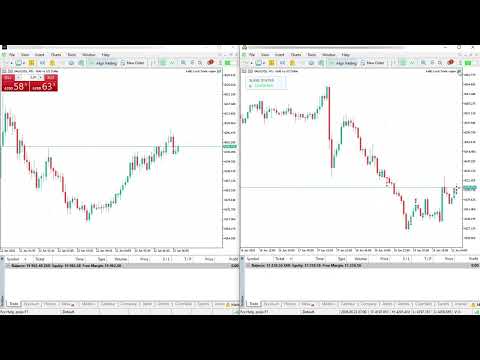
Kalifx Local Trade Copier is built to replicate trades from one trading account (Master) to another (Slave) in real time.
Its main purpose is to copy trading activity—such as opening, modifying, and closing trades—so that multiple accounts can follow the same strategy without manual intervention. This is especially useful for managing multiple accounts, testing strategies across different brokers, or mirroring trades between accounts.
The EA operates in two modes:
MASTER: Monitors trading activity and records all open positions and pending orders.
SLAVE: Reads this information and automatically duplicates the trades on another MT5 terminal, keeping both accounts synchronized.
This EA is designed for local copying between MT5 terminals using the Common Files folder , so both terminals can access the same snapshot file name.
Key Features
- Single EA utility for both MASTER and SLAVE modes.
- Copies positions and pending orders.
- Pending handling modes:
- Copy as pending orders.
- Wait for master pending trigger and copy only as market position (via POS record).
- Trade inversion option (BUY ↔ SELL).
- Symbol mapping and excluded symbols list.
- Fixed lot, lot multiplier, risk-% sizing, max lot.
- Daily risk controls for slave:
- Max trades per day.
- Max daily drawdown (% or money).
- Trade-copy count multiplier (duplicate each master trade into multiple slave trades).
- Spread filter.
- status panel displaying connection status between Master and Slave (shows "Connected" in green when both are successfully linked).
Important Notes
- Designed for MT5 terminals on the same machine/VPS (or environments sharing Common Files).
- Broker symbol specifications (contract size, step, min lot, digits, stops level) can differ.
Always test on demo first. - Copy speed depends on ticks + timer and terminal responsiveness.
Quick Start (Master/Slave Setup)
1) Install EA
- Put Local Trade Copier.mq5 in MQL5/Experts .
- Compile in MetaEditor.
2) MASTER terminal setup
- Attach EA to any chart.
- Set Mode = MODE_MASTER .
3) SLAVE terminal setup
- Attach EA to any chart.
- Set Mode = MODE_SLAVE .
- Use the same CopierFileName as master.
- Configure inputs (symbol mapping, lot/risk, pending mode, filters, daily limits).
4) Verify operation
- MASTER should keep updating the snapshot.
- SLAVE should open/modify/close according to MASTER snapshot.
- The status panel will display “Connected” in green when both Master and Slave are properly synchronized.
Snapshot file name in Common Files.
- Allows you to add a custom text label to copied trades for easy identification and tracking.
[ShowStatusPanel]
-Enable/disable to hide or show on-chart status panel

























































super fast , amazing and professional , many tanks KALIFX