
Virtual sl tp Manager
- Utilità
-
Calvin Andile Mahlangu
 I build both free and paid tools for MetaTrader 4 & 5.
🔹My goal is to keep things simple, useful, and realistic.
🔹Free tools are meant to be genuinely helpful — not limited trials.
🔹Paid tools are thoroughly backtested and created with care for practical use in live conditions. - Versione: 1.20
- Aggiornato: 24 giugno 2026
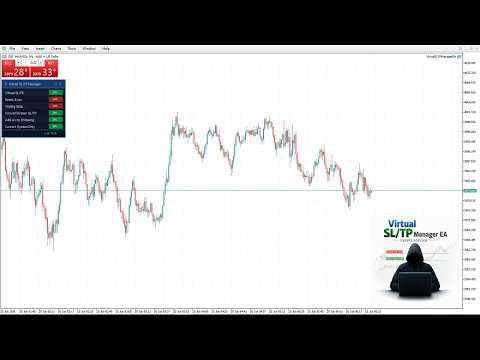
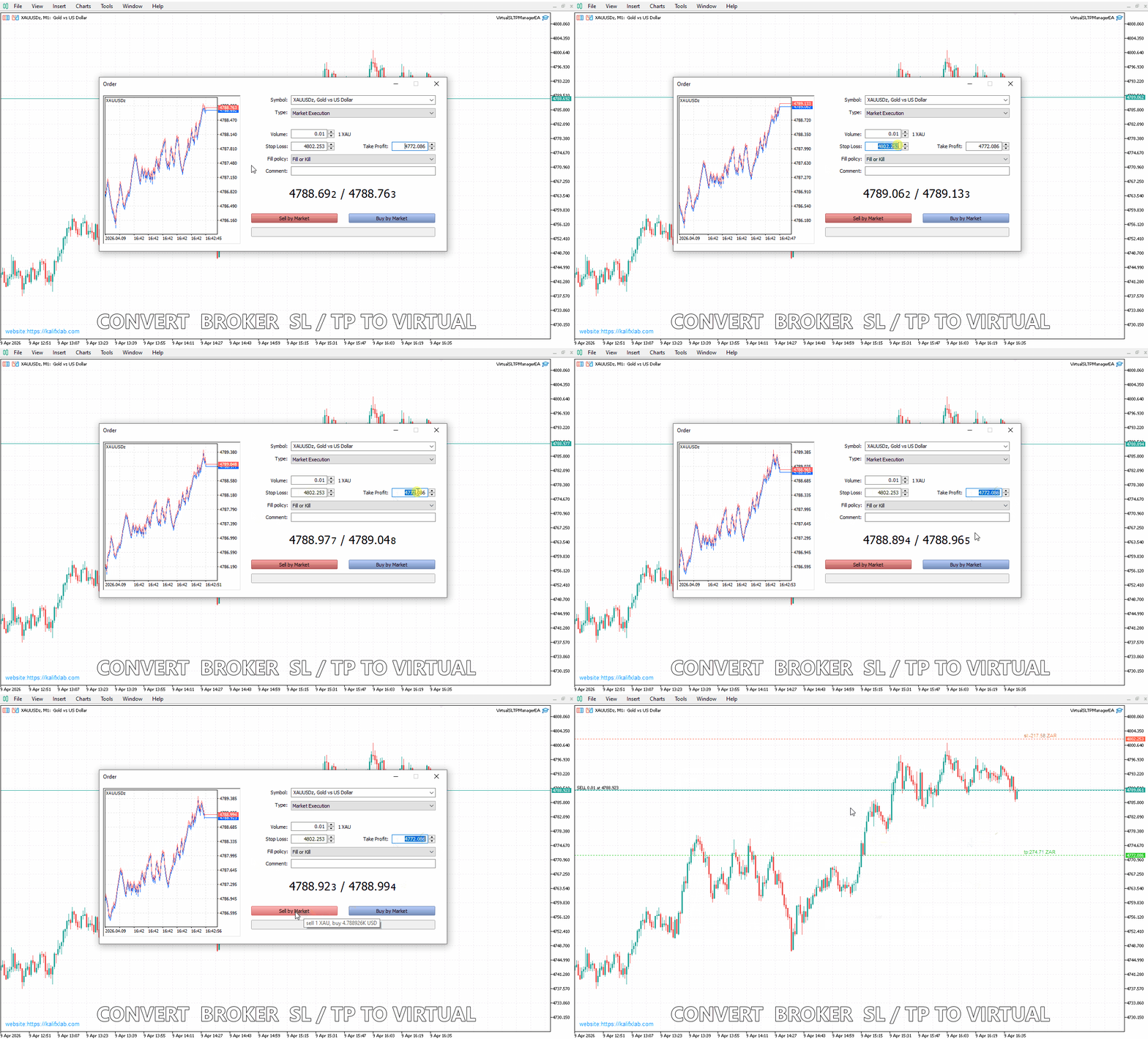
Virtual SL/TP Manager manages stop loss and take profit levels as virtual chart objects instead of relying on broker-side SL and TP orders. It draws horizontal lines with Labels showing the projected profit or loss at each virtual exit level.
This approach is useful for traders who want hidden exits, flexible post-entry trade management, and visual control over stop loss and take profit levels directly on the chart.
The EA does not need to place broker stop loss or take profit orders. Instead, it monitors open positions and closes them when market price reaches the virtual stop or target level.
What The EA Does
- Creates and manages virtual stop loss and take profit levels for open trades
- Draws horizontal SL and TP lines on the chart
- Displays line labels in this format:
sl:money
tp:money
- Calculates projected profit or loss in account currency for each virtual level
- Can convert existing broker SL and TP into virtual levels
- Can remove broker SL and TP after conversion
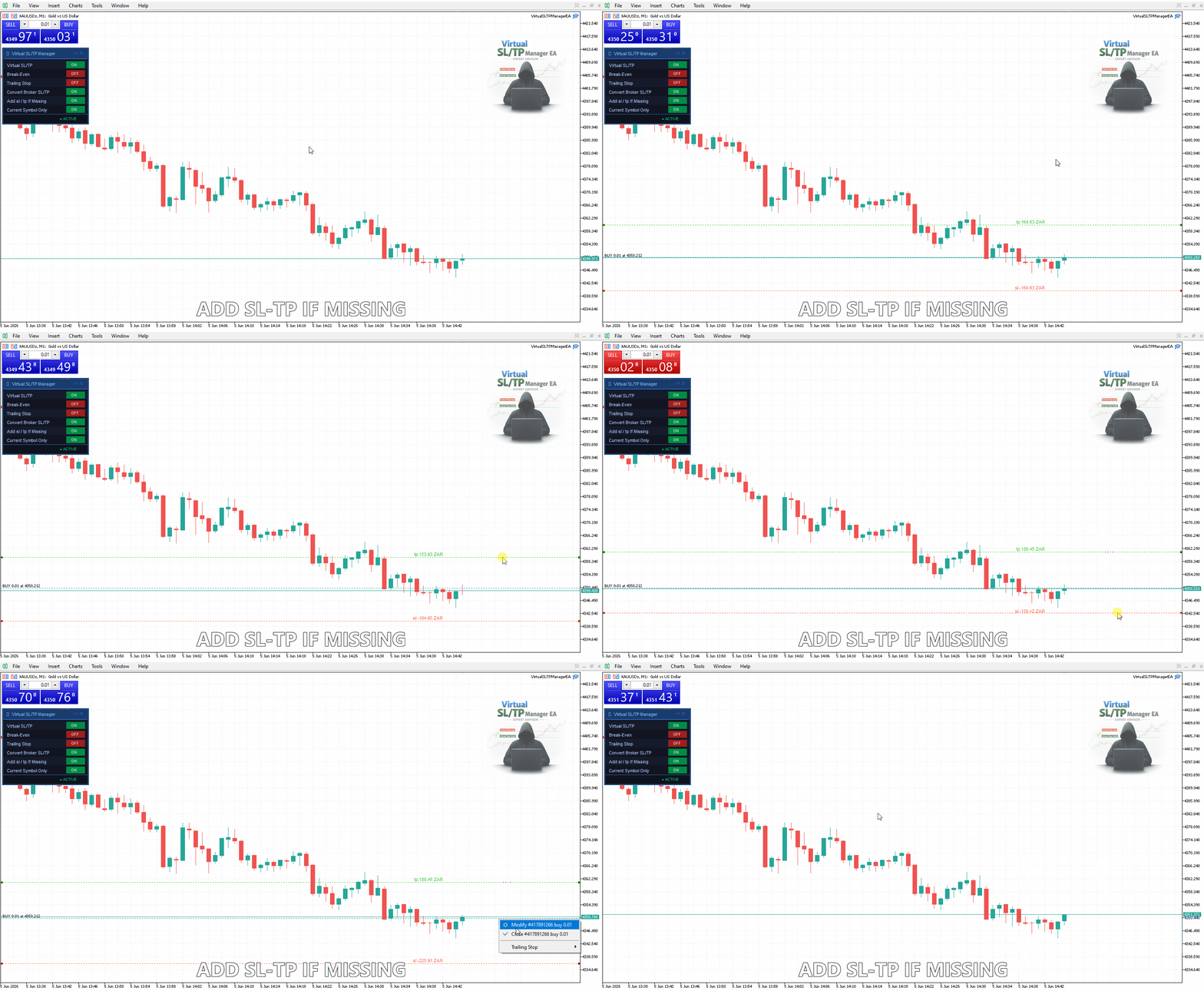
- Can automatically add missing virtual SL and TP levels using point-based distances
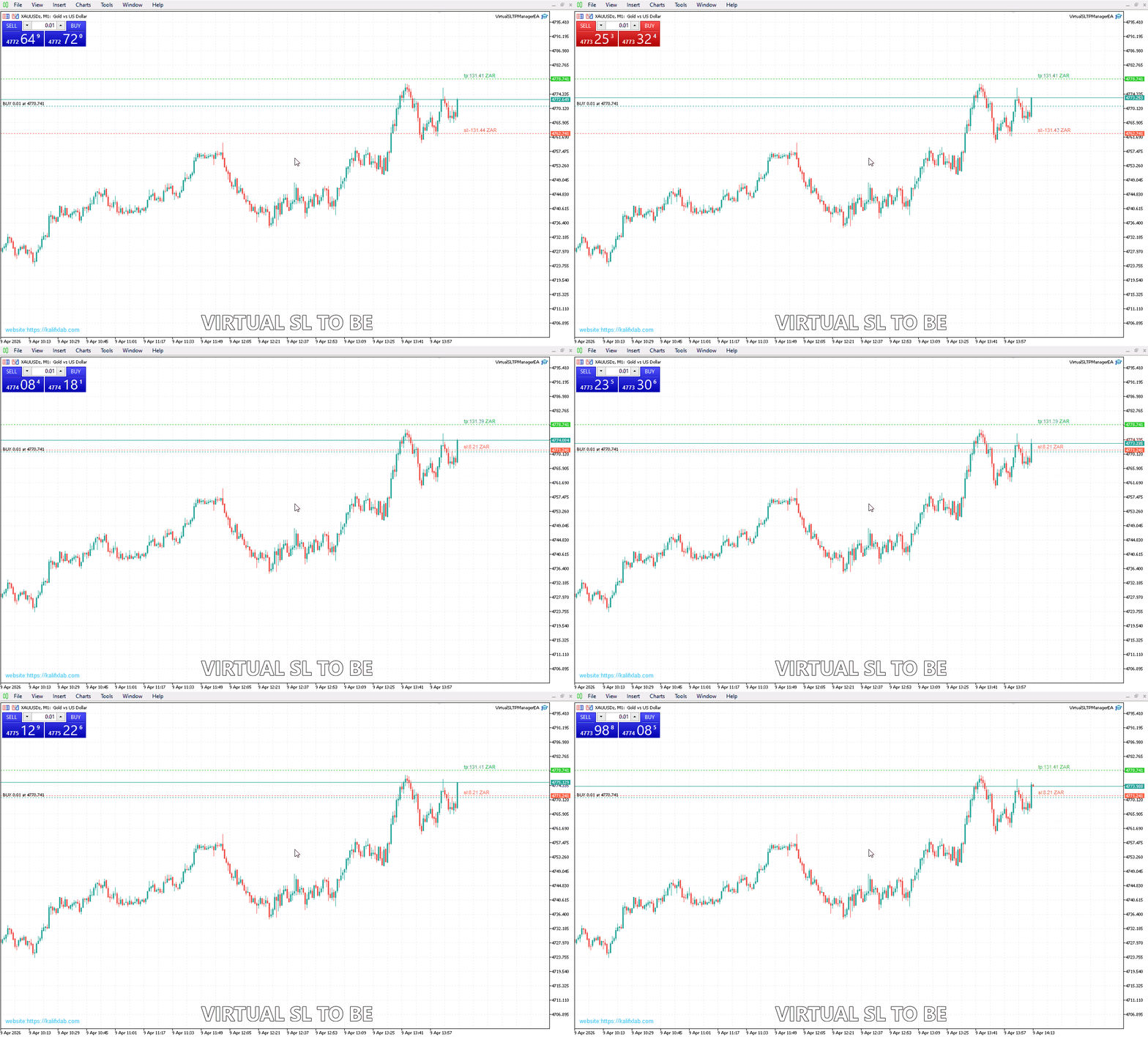
- Supports virtual break-even logic
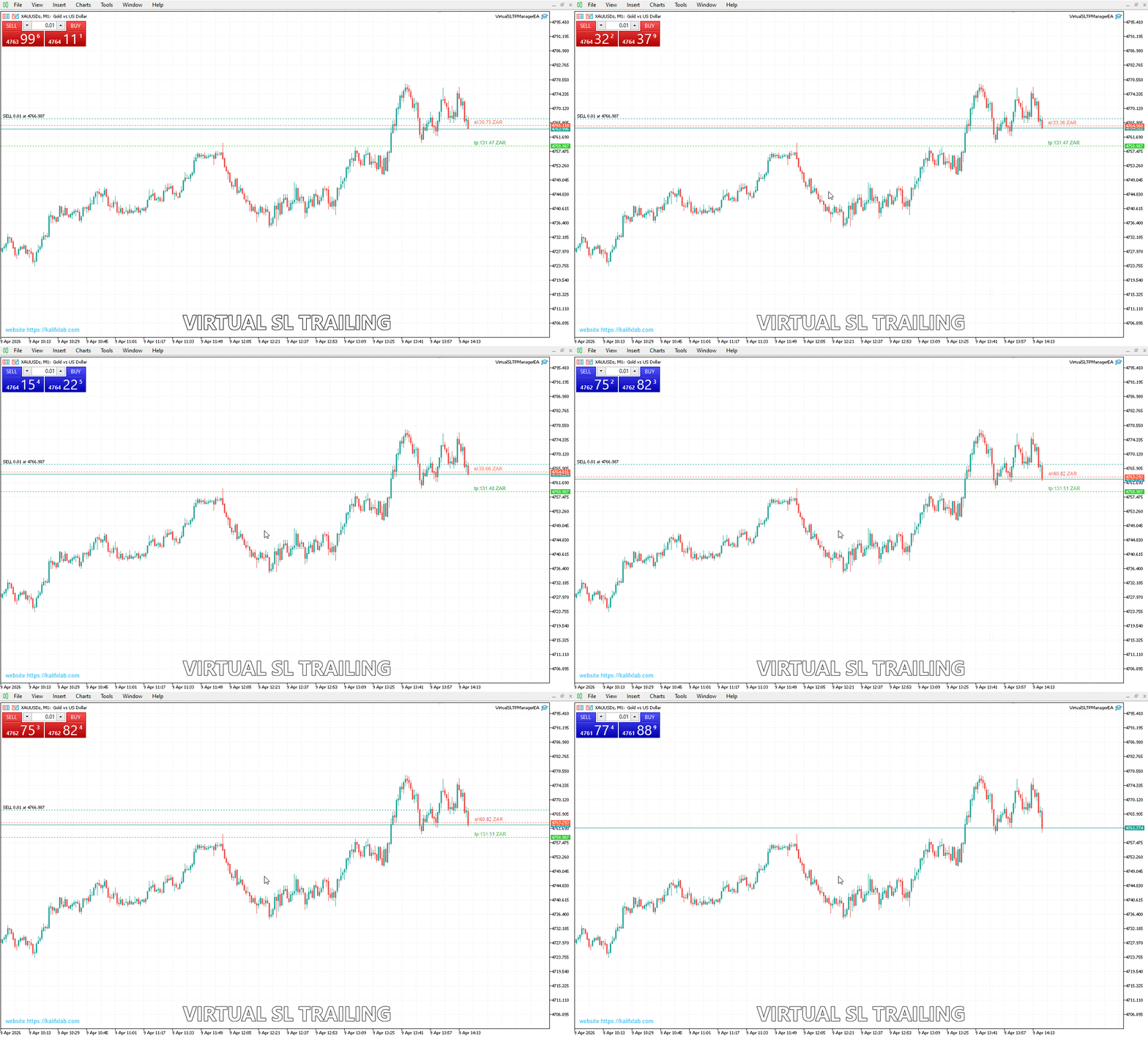
- Supports virtual trailing stop logic
- Allows the trader to drag the virtual lines manually on the chart
- Closes positions automatically when price reaches the virtual SL or TP
Main Features
1. Virtual Stop Loss And Take Profit
The EA replaces visible broker-side protection with internal virtual exit levels. This helps keep stop loss and take profit hidden from the broker while still managing exits automatically inside the expert advisor.
2. Clear Visual Trade Management
Each managed position gets virtual horizontal lines for stop loss and take profit. The chart labels show the expected monetary result at those exit points in the account currency, making trade risk and reward easier to read at a glance.
3. Convert Broker Stops To Virtual Stops
If a position already has a broker-side SL or TP, the EA can import those values as virtual levels. After conversion, it can optionally remove the real broker SL and TP.
4. Add Missing Virtual Levels Automatically
If no virtual stop or target exists, the EA can create them automatically using user-defined point distances from the open price.
5. Virtual Break-Even
The EA can move the virtual stop loss to break-even after price reaches a user-defined percentage of the target distance. A positive offset can also be applied to lock in profit.
6. Virtual Trailing Stop
The EA can trail the virtual stop loss after the trade moves into profit. Trailing start, trailing step, and trailing distance are all configurable.
7. Manual Line Adjustment
The trader can drag the virtual SL and TP lines on the chart, and the EA will continue managing the position using the updated levels.
Inputs And Settings
- Use virtual SL/TP
Enables or disables virtual stop loss and take profit management.
- Convert broker SL/TP to virtual
Imports broker-side SL and TP into virtual levels.
- Remove broker stops after conversion
Deletes the real SL and TP after they have been converted to virtual levels.
- Add virtual SL and TP if missing
Creates default virtual SL and TP levels when none exist.
- Virtual SL points
Distance in points used when creating a default virtual stop loss.
- Virtual TP points
Distance in points used when creating a default virtual take profit.
- Enable BE
Turns on virtual break-even management.
- BE start (% of TP)
The percentage of the TP distance price must travel before break-even activates.
- BE offset
Additional points beyond entry when moving the virtual stop to break-even.
- Enable virtual SL trailing
Turns on virtual trailing stop management.
- Trailing start points
Profit in points required before trailing begins.
- Trailing step points
Minimum improvement in the stop level before the trailing stop moves again.
- Trailing stop points
Distance in points between current price and the virtual trailing stop.
- Manage current symbol only
Limits management to positions on the chart symbol only.
- Magic number filter
Limits management to positions with a specific magic number. Use -1 to manage all.
- Close deviation points
Maximum allowed slippage when the EA closes a position.
- Timer interval
Frequency of timer-based checks in seconds.
Who This EA Is For
- Traders who do not want to expose SL and TP levels to the broker
- Traders who want a visual way to manage exits directly from the chart
- Traders who use manual trading and want automated virtual exit handling
- Traders who want break-even and trailing stop logic without broker-side stops
- Traders who need projected profit and loss shown directly on virtual exit labels
Important Notes
- The EA must remain active for virtual SL and TP to work
- If the terminal, VPS, or EA is stopped, virtual levels cannot be enforced until it is running again
- Virtual stop loss and take profit are not broker-side orders
- Fast market conditions, gaps, or slippage may cause execution at a different price than the virtual line
- The EA manages positions after they are open; it is primarily a trade management tool
If you like this tool, feel free to leave a positive review.
This expert advisor uses virtual internal trade management. Virtual exit levels work only while the EA and trading terminal are running. Execution price may differ from the displayed virtual level during volatile market conditions, slippage, or price gaps.
























































Good EA.. many thanks for sharing