Confirm Hub MT4
- Indicatori
- Part-time Day Trader
- Versione: 1.1
- Aggiornato: 3 febbraio 2026
- Attivazioni: 15
Confirm Hub provides instant, rule-based confirmation alerts to help traders execute their entry strategies with consistency and precision. Designed for repeated use without discretion creep, the tool supports long-term profitability through disciplined, rule-based decision-making.
Confirm Hub is activated with a single click and alerts the trader when predefined conditions are met — without constant screen watching.
The tool includes an optional multi-symbol tracking panel, allowing alerts to be activated and monitored across multiple symbols at once. The panel can be disabled for single-symbol use on a clean, clutter-free chart.
All confirmations included in the hub are triggered on candle close, making them reliable, objective, and easy to backtest or paper-test.
Future Expansion Included:
Confirm Hub currently provides candle break confirmation alerts, with more confirmation types planned. These additions will make Confirm Hub adaptable to virtually any strategy framework.
Purchase now at a lower price and receive all future confirmation updates at no extra cost. Pricing will increase as new confirmation types are added.
Key Features:
A growing suite of confirmation types, with additional algorithms added in upcoming updates
Semi-automatic alerting, giving full user control over when and where alerts are placed
Multi-symbol tracking panel to monitor active alerts across multiple symbols
Background alert processing — alerts remain active during terminal shutdowns and chart symbol changes
Customizable alert colors for untriggered and triggered states
How It Works
When triggered, the “Alert” label and an alert bell are displayed on the chart. The line and button colors change to indicate the triggered state.
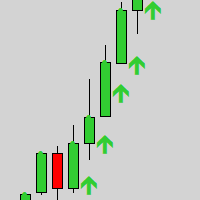
The candle that triggered the alert is indicated with an arrow.
Click the button again to remove the alert instantly.
Confirmations Included in the Hub:
Confirm Hub currently includes the following confirmation types:
- Candle Body Break
- Candle Wick Break
- Break of Structure (BoS)
Confirmations Explained
- Candle Body Break: Triggers when price closes beyond the body of the previous candle, confirming directional momentum.
- Candle Wick Break: Triggers when price closes beyond the previous candle’s wick, confirming a stronger extension beyond recent extremes.
- Break of Structure (BoS): Triggers when price closes beyond a prior swing high or swing low, confirming a shift in market structure.
Input settings Explained
Show Multi-Symbol Panel: Set to false when using the tool on a single chart symbol only. This removes the panel and provides a clean, clutter-free chart.
Number of Symbols in Panel: The panel is automatically populated using symbols from the Market Watch list. This setting defines how many symbols are included in the panel.
Show Show Clear-All-Alerts Button: When enabled, a small 'Clear' button is displayed below the panel. Clicking this button resets the entire panel and clears all active alerts.
Hide Broker Prefix / Infix / Suffix from Symbol: For brokers that append additional characters to symbol names. When enabled, the tool attempts to remove these additions so that standard symbol names are displayed in the panel.
Font Size Adjustment: Intended for high-resolution monitors to correct cases where panel text appears too large.
Notes & Limitations
- Active alerts are tied to the timeframe on which they are placed. Changing the chart timeframe or symbol does not affect existing alerts.
- Alerts remain active after the terminal is closed. On restart, Confirm Hub checks whether any confirmation conditions were met while offline and issues notifications immediately.
- Each symbol supports one active alert at a time.
- Confirm Hub may not be compatible with Expert Advisors (EAs) attached to the same chart window. Running both on the same chart may cause temporary freezes when switching symbols.
- Symbol names displayed in the panel act as clickable buttons for quick symbol loading. While this improves ease of use, MetaTrader 5 limitations can cause delays. For the fastest symbol switching, drag-and-drop from the Market Watch window is recommended.
- Confirm Hub can be tested in the Strategy Tester; however, the multi-symbol tracking panel is disabled.