Orca
- Experts
- Noriyuki Suzuki
- Versione: 3.12
- Aggiornato: 10 marzo 2026
Orca is a trend-following EA tuned specifically for Gold(XAUUSD).
It detects the direction of the trend and slight stagnations in price movement, aiming to take positions upon a breakout in the direction of the trend.
By avoiding tricky price movements in ranges and targeting breakouts, it achieves tight stop losses.
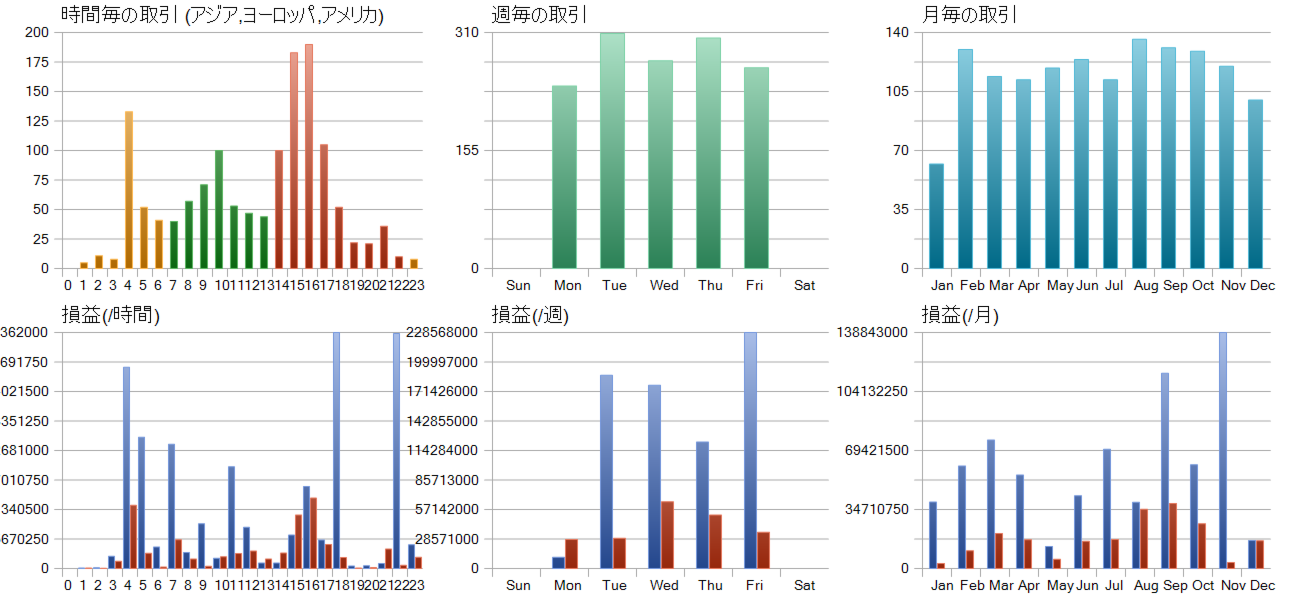
While it excels in markets where trends are likely to form, its performance may stagnate if irregular price movements persist.
This EA operates on the 1-hour (H1) timeframe.
By default, it supports brokers that are in winter time GMT+2 (summer time GMT+3).
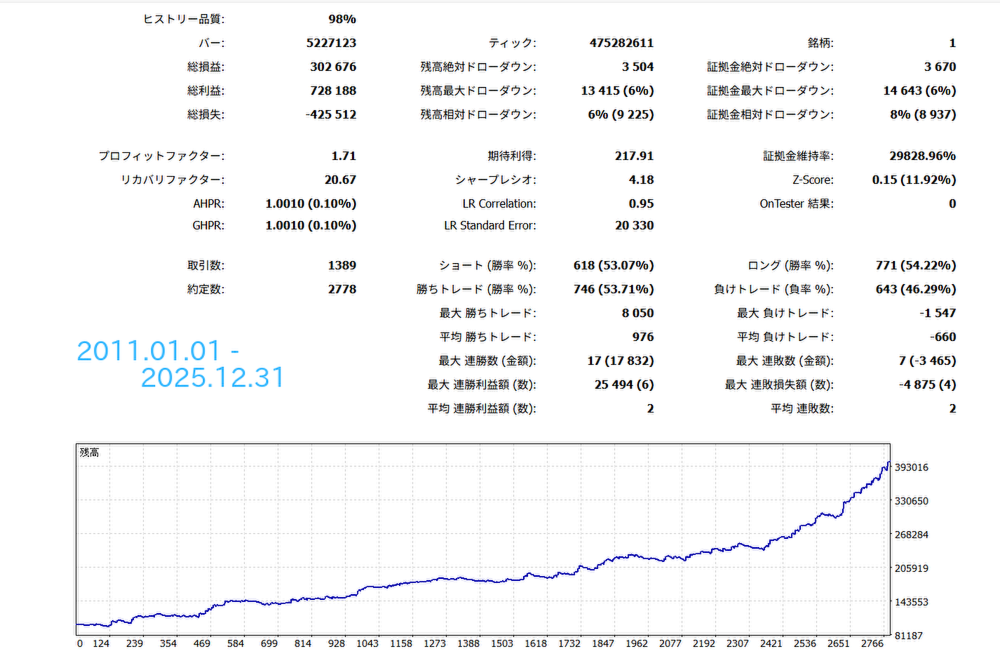
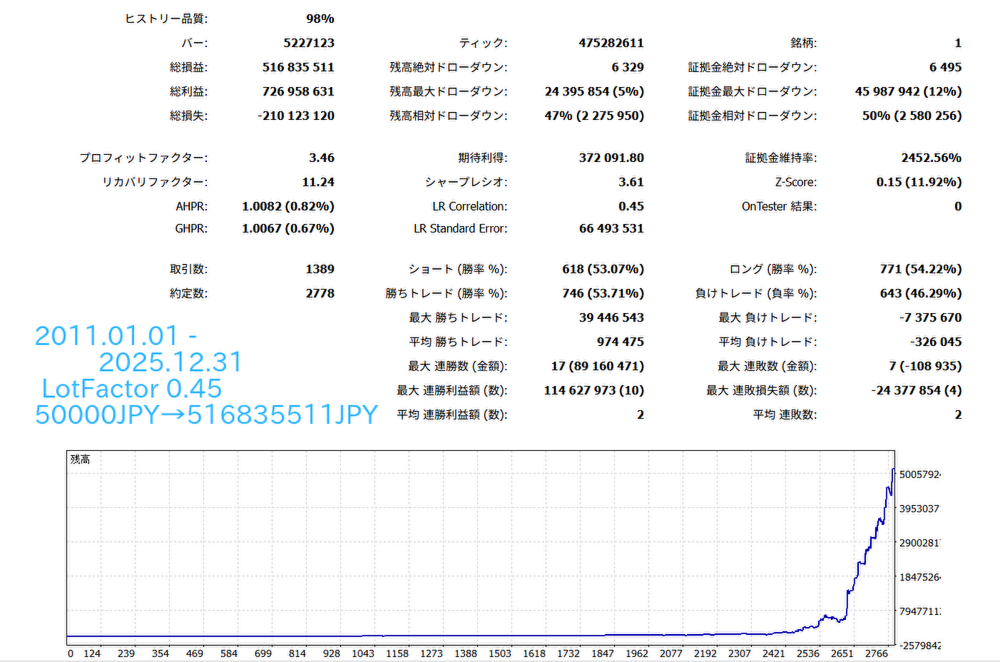
Note : Backtest results do not necessarily guarantee future performance.
■Parameter Descriptions
■Choose Strategy --- Sets the trade direction. You can set it to Buy only, Sell only, etc.
■TakeProfit --- Take profit, with the unit in points.
■StopLoss --- Stop loss, also in points.
■TrendDetectionPeriod --- Sets the number of daily bars used to detect the trend direction.
■DynamicAutoRangeSize --- When set to true, it automatically calculates the size of the range to be defined.
■RangeSize --- Sets the width of the range prior to a breakout. If the price stays within this width while a trend is occurring, the EA will place a stop order in the direction of the breakout. A smaller value increases the win rate but reduces the number of trades. Conversely, a larger value increases the number of trades but tends to lower the win rate.
■TrailingStop --- When set to true, a trailing stop is applied.
■TrailingBars --- When TrailingStop is true, this determines how many bars back the stop loss will be moved based on the H1 candle highs or lows.
■BreakEven --- When set to true, the break-even function is enabled.
■BreakEvenTrigger --- When the current price moves in a profitable direction by this number of points from the entry price, the stop loss is moved to the point level set in BreakEvenOffset.
■BreakEvenOffset --- When break-even is enabled, the stop loss is moved to the number of points set here.
■MaxSpread --- The maximum number of points of spread allowed when placing an order.
■MagicNumber --- The identification number for the EA. This EA identifies whether a position belongs to itself based on the combination of the currency pair it is running on and the MagicNumber. When running multiple instances of this EA on the same instrument, please use different MagicNumbers.
■OrderComment --- A comment attached to the positions.
■StartHour --- The time the EA starts operating. If set to 4, it will start operating at exactly 04:00 MT5 time. For example, if UseDaylightSavingTime is set to true, it will start at 05:00 (+1 hour) during Daylight Saving Time.
■EndHour --- The time the EA stops operating. If set to 17, the operating time will be until 17:59. If UseDaylightSavingTime is set to true, it will be +1 hour during Daylight Saving Time.
■AvoidNewYearTrade --- Since the EA tends to struggle with price movements at the beginning of the new year, setting this to true will prevent trading until January 14th.
■WeekEndClose --- Determines whether to close positions held over the weekend. If true, positions will be closed before the weekend.
■WeekEndCloseTime --- The time to close positions for the weekend. Positions will be closed at this MT5 time on Friday. If UseDaylightSavingTime is set to true, it will be +1 hour during Daylight Saving Time.
■UseDaylightSavingTime --- When set to true, times such as OrderOpenTime will automatically be adjusted by +1 hour during Daylight Saving Time.
■LotManagement --- When set to true, the compound interest function is enabled.
■LotFactor --- When LotManagement is true, the lot size is calculated based on this value.
■FixedLot --- When LotManagement is false, this value will be the fixed lot size.
■MaxLot --- The upper limit for the number of lots to trade. Trades will not be executed with a lot size exceeding this setting.
■MiniLot --- The lower limit for the number of lots to trade. Trades will not be executed with a lot size below this setting.
■RecoveryMode --- When set to true, Recovery Mode is enabled. During Recovery Mode, the EA remembers the original balance; if the balance decreases due to trade losses, it will increase the lot size for each subsequent trade until the balance returns to the original amount. The lot size during Recovery Mode is calculated as: (Base Lot Size × RecoveryCount × RecoveryLotMultiplier). RecoveryCount increases by +1 for each trade until the original capital is recovered.
The target account balance is displayed on the chart as RecoveryGoalBalance. It is not reset even if MT5 is restarted, but it will be initialized along with the RecoveryCount if you change the Magic Number or press the "Reset RecoveryMode" button on the chart.
■MaxRecoveryCount --- Specifies the maximum limit for RecoveryCount.
■RecoveryLotMultiplier --- For each increment of 1 in RecoveryCount, the lot size is calculated by multiplying it by this value.
■DisplayTextOnChart --- When set to true, text is displayed on the chart. Setting it to false slightly speeds up the operation during backtesting.