
Atori
- Experts
- Noriyuki Suzuki
- Versione: 1.4
- Aggiornato: 17 aprile 2026
Atori is a scalping EA designed specifically for XAUUSD.
While the EA references the 1-hour timeframe, it will execute trades in the same manner regardless of which timeframe is displayed on the chart.
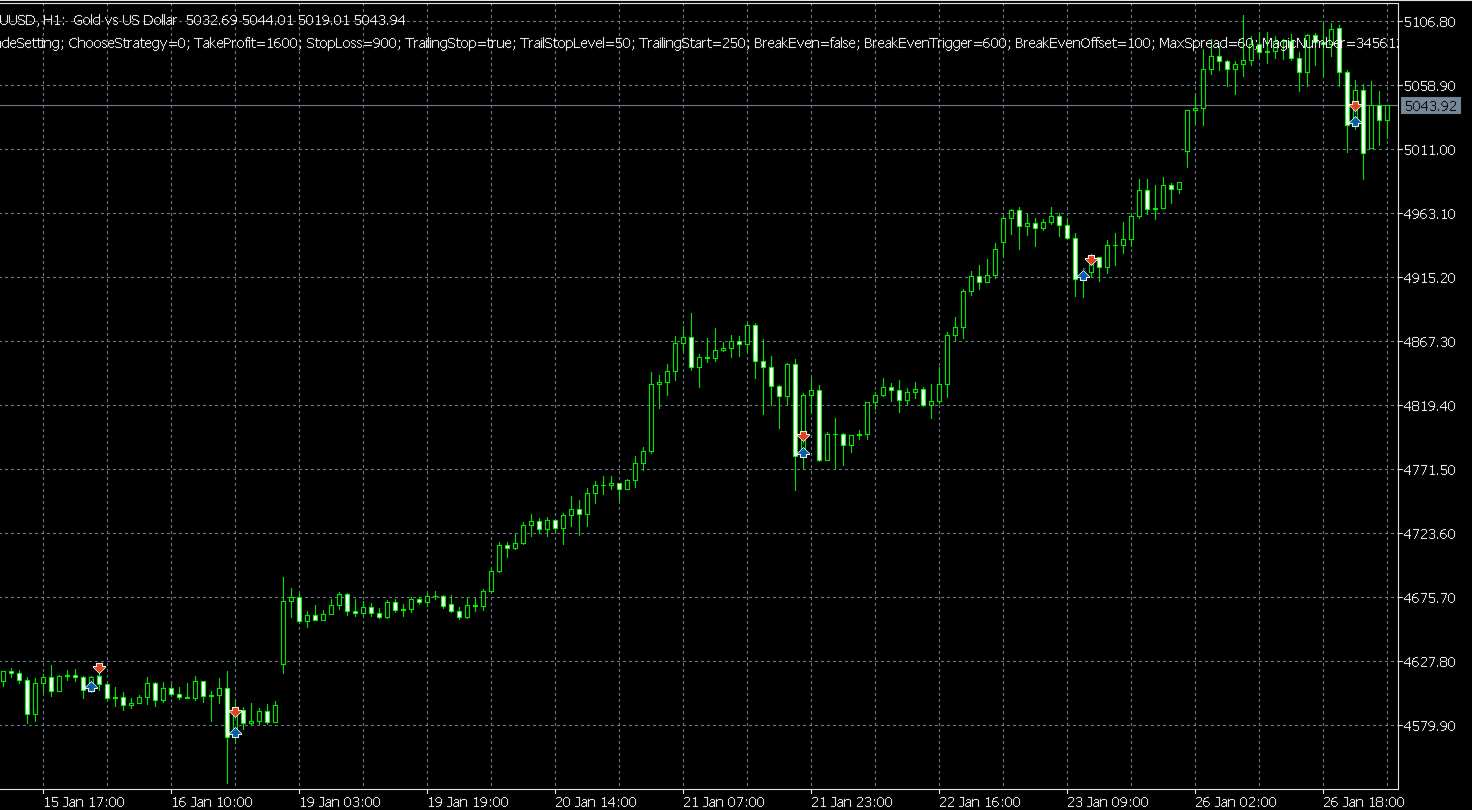
It performs scalping by following trends with a focus on buying dips and selling rallies, making it well-suited for the strong gold trend movements seen since 2024.
A broker with narrow spreads is recommended.
Please try it first on a demo account or with small lot sizes.
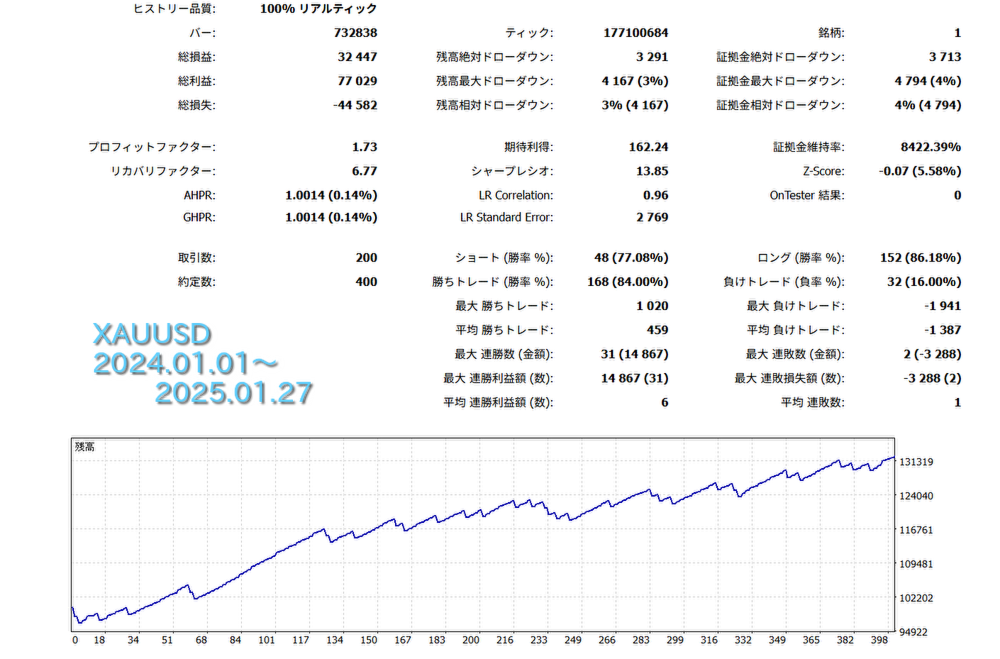
Note: Backtesting results do not necessarily guarantee future performance. This is strictly a free EA. Stability comparable to commercial EAs cannot be promised.
■Parameter Descriptions
■ChooseStrategy --- You can select your strategy from BuyAndSell, Buy_Only, or Sell_Only.
■TakeProfit --- Take profit setting in points.
■StopLoss --- Stop loss setting in points.
■TrailingStop --- Set to true to enable trailing stops.
■TrailingStopLevel --- When TrailingType is set to Normal, the stop loss follows the price at a distance of the points specified here.
■TrailingStart --- When TrailingType is set to Normal, the trailing stop begins once the profit reaches this number of points from the entry price.
■BreakEven --- Set to true to enable the BreakEven function.
■BreakEvenTrigger --- When BreakEven is true, if the price moves in a profitable direction by this many points from the entry price, the stop loss is moved to the entry price plus the BreakEvenOffset points.
■BreakEvenOffset --- The stop loss is moved to the position of the points set here relative to the entry price.
■MaxSpread --- Sets the maximum allowable spread for placing orders. If set to 60, no order will be placed if the spread exceeds 60 points.
■MagicNumber --- The identification number for the EA. The EA identifies its own positions based on the combination of the currency pair and the MagicNumber. If running multiple instances of this EA on the same symbol, please use different MagicNumbers.
■OrderComment --- A comment attached to the positions.
■WeekEndClose --- Determines whether to close positions held over the weekend. If true, positions will be closed before the weekend.
■WeekEndCloseTime --- The time for weekend closing. Positions will be closed at this MT5 server time on Friday. If UseDaylightSavingTime is true, the time is adjusted by +1 hour during Summer Time (DST).
■LotManagement --- Set to true to enable the compound interest (auto-lot) function.
■LotFactor --- When LotManagement is true, the lot size is calculated based on this value.
■FixedLot --- When LotManagement is false, this value is used as a fixed lot size.
■MaxLot --- The upper limit for the lot size. Trades will not exceed this lot size.
■MiniLot --- The lower limit for the lot size. Trades will not be executed below this lot size.
■RecoveryMode --- Set to true to enable Recovery Mode. In this mode, the EA remembers the original balance; if funds decrease due to a loss, the lot size increases with each subsequent trade until the original balance is restored. The lot size during Recovery Mode is calculated as: (Base Lot × RecoveryCount × RecoveryLotMultiplier). The RecoveryCount increases by 1 for each trade until the original capital is recovered.
The target account balance is displayed on the chart as RecoveryGoalBalance. This value is not reset when MT5 is restarted, but it will be initialized along with the RecoveryCount if you change the MagicNumber or press the "Reset RecoveryMode" button on the chart.
■MaxRecoveryCount --- Specifies the maximum limit for the RecoveryCount.
■RecoveryLotMultiplier --- This multiplier is applied to the lot size for each increment of the RecoveryCount.



















































Good!