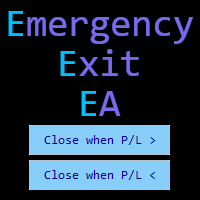
Emergency Exit EA
- Utilità
- Versione: 1.1
- Aggiornato: 19 giugno 2025

Emergency Exit is an MT5 expert advisor I developed to solve a specific problem: monitoring and managing overall account risk across multiple positions. Unlike traditional EAs that focus on entry signals or complex trading algorithms, Emergency Exit has one job - to watch your total floating P/L and take action when your predefined thresholds are hit.
The main functionality revolves around two simple conditions:
Close when P/L >: Triggers when profit exceeds a value (take profit) OR when losses recover to a certain level.
Close when P/L <: Triggers when losses exceed a value (stop loss) OR when profit falls below a level (protect gains).
These thresholds work independently and can be active simultaneously, giving you flexible risk management options.
You can choose how the EA behaves after a threshold is triggered:
Deactivate Mode: The original behavior - when a threshold is hit, it closes all positions and resets the threshold to 0. You need to manually re-enter your values for the next batch of trades.
Hold Settings Mode: Perfect for scalpers - when a threshold is hit, it closes all positions but keeps the threshold active with the same values. As soon as you open new trades and hit that threshold again, it automatically closes them. No need to re-enter values repeatedly.
Beyond the threshold monitoring, you get:
Close All positions with one click
Close only Buy positions
Close only Sell positions
Close only Profitable positions
Close only Losing positions
Deactivate button to reset all thresholds (works in both modes)
Adjustable UI scale for different screen resolutions.
Position the window in any position on your chart.
Vertical or horizontal layout.
This tool is best suited for:
Scalpers who want to set profit targets once and have them automatically re-arm.
Multi-pair traders who need to monitor overall account exposure.
Traders who want an emergency "eject button" for their positions.
Anyone who wants to protect profits after a good run.
Traders who need to limit overall drawdown across multiple positions.
Here are some honest, practical ways traders use Emergency Exit:
Traditional Trading (Deactivate Mode):
Account-Wide Stop Loss: "I don't want to lose more than $200 today" → Set Close when P/L < -200
Profit Target: "I want to secure $500 profit today" → Set Close when P/L > 500
Profit Protection: "If my $300 profit drops to $150, close everything" → Set Close when P/L < 150
Loss Recovery Exit: "If my $200 loss improves to -$50, take it and walk away" → Set Close when P/L > -50
Scalping (Hold Settings Mode):
Repetitive Profit Taking: Set "Close when P/L > 100" once, and every time you hit $100 profit, all positions close and the threshold immediately re-arms for your next trades
Consistent Risk Management: Set "Close when P/L < -50" and never worry about manually resetting your stop loss between trading sessions
Quick Turnaround: Perfect for traders who open and close multiple batches of positions throughout the day with the same risk parameters
Emergency Controls (Both Modes):
Manual close options for when you need to exit specific position types quickly
Instant "Close All" button for emergency situations
Selective closing (buys only, sells only, winners only, losers only)
Technical Details
Written for MetaTrader 5
Uses asynchronous trading operations for reliable execution
Efficient position tracking that doesn't bog down your system
Proper memory management and cleanup when removed
New: Persistent threshold settings for scalping workflows
Final Thoughts
Emergency Exit won't make you a better trader or generate amazing signals. What it will do is give you a safety net and emergency controls for managing your overall account risk.
The new Hold Settings mode makes it particularly valuable for scalpers and active traders who use the same risk parameters repeatedly. Set your profit target once at the start of your trading session, and let the EA handle the repetitive closing and re-arming automatically.
It's a specialized tool designed to do one job well: monitor your total P/L and take action when your predefined thresholds are hit. If that specific functionality fills a gap in your trading setup, it might be worth considering.
If you have any questions about how it works or want to discuss specific use cases, feel free to reach out. Any update suggestion is most welcome.
Thank you for reading and wishing you nice trades.
Elie
Thank you for reading and wishing you nice trades.
Elie


















































At first, I thought it would be just another EA like any other, but its actually very cleverly built and simple to use, for people like me who trade multiple positions at the same time. Tool's simple to configure and easy to use and I could exit positions at global breakeven when one was paying for the others while doing the chores and taking care of other work. It may not look like much, but it's a great utility with a great idea behind! It's crazy that nobody thought about it before! Please make sure to keep it updated in the future!