Wen Lambo
- Experts
-
Viktor Mitrofanov
 I started trading almost 10 years ago, back during Trump's first coming. I've tried a lot since then, but the main thing I've learned about myself is that I don't trust myself to trade by hand. Too many emotions. You understand everything in your head, and then you look at the chart and it starts
- Version: 11.9
- Activations: 5
WEN LAMBO EA
Trendline breakouts on XAUUSD, traded with the trend: 150 ready strategy sets matched to your account size, with built-in risk limits.
Ever watched price approach a trendline several times, only to break through just as you step away? WEN LAMBO keeps watch for you. This MetaTrader 5 Expert Advisor draws trendlines on XAUUSD, monitors breakouts and checks market direction before entering. You choose a set and review the risk instead of keeping an eye on every candle.
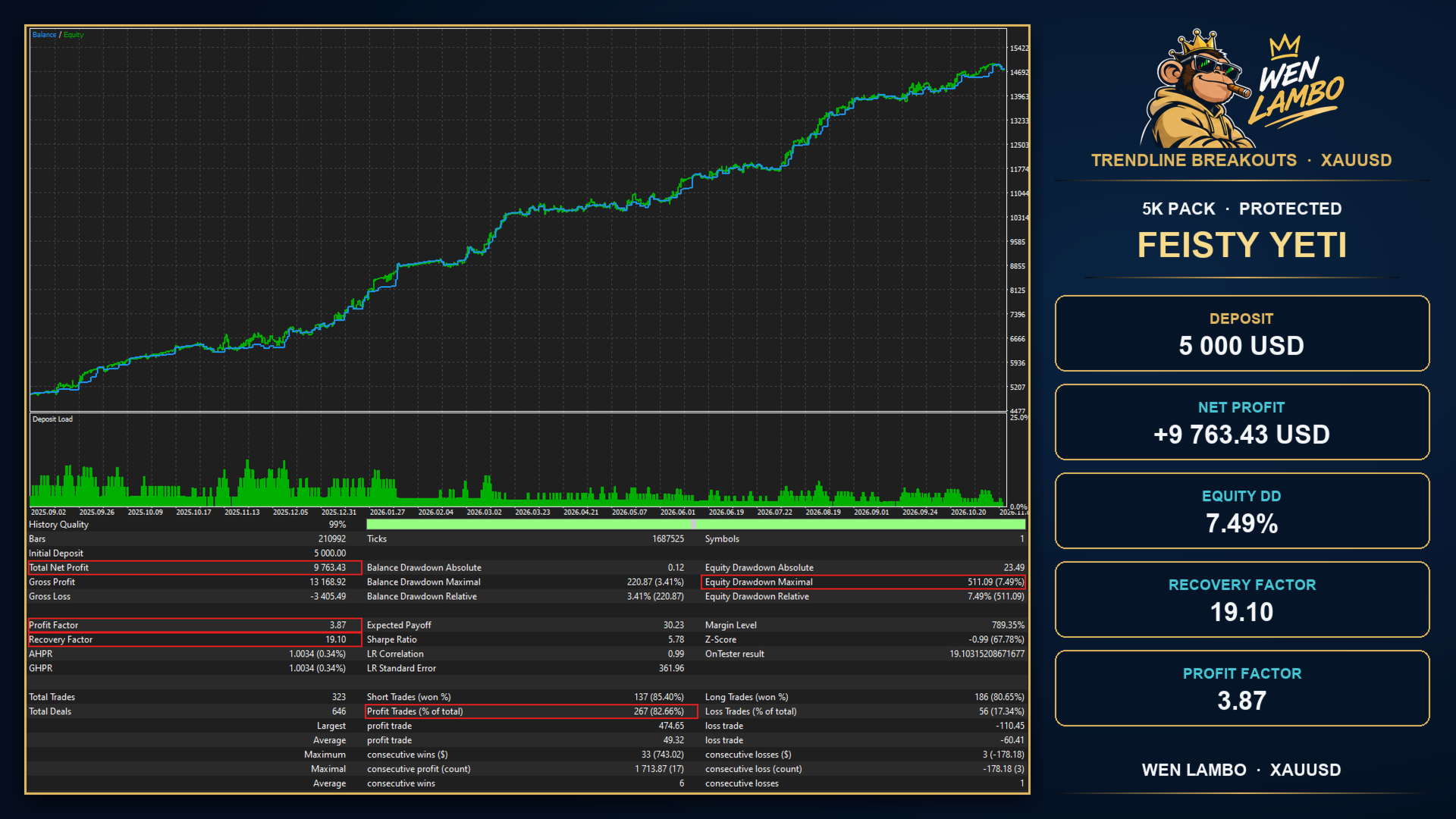
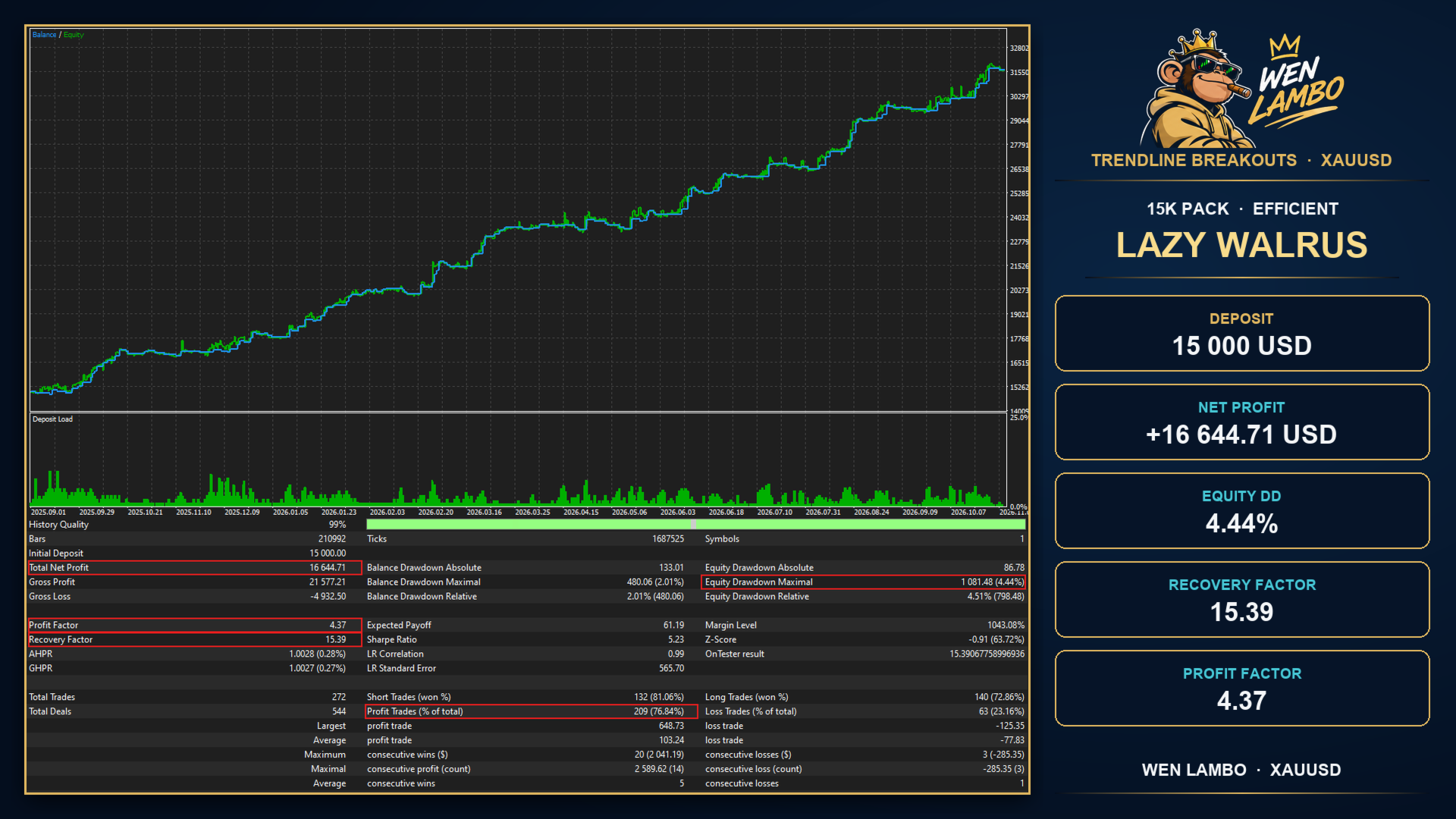
There are 150 ready sets in five deposit packs: 3K, 5K, 10K, 15K and 25K USD, with 30 sets in each. Every pack has three groups of ten. Protected sets were selected with lower historical drawdown as a priority. Efficient sets focus on the relationship between historical results and drawdown. High yield sets offer choices with higher historical results and somewhat higher drawdown. These names describe the selection approach, not what your account will achieve in future trading.
How it trades
The entry logic uses trendline breakouts only. Each system draws a line through two confirmed swing points on its own timeframe. A price crossing creates an entry condition. Some strategies also wait for a candle to close beyond the line to confirm the breakout.
Trend Consensus determines market direction: 13 analysis methods, including moving averages, ADX, RSI and MACD, vote across 11 timeframes, from M30 to monthly. Buys are allowed only in an uptrend, sells only in a downtrend. Without a clear lead in the votes, the EA waits.
A volatility gearbox
Gold changes pace: small moves one day, a much livelier market the next. The ATR gearbox identifies the volatility regime and allows strategies with matching settings to trade. Each system in a set has its own gear; systems with an active ATR filter wait for the matching regime.
There are six positions, ATR 0-5. ATR 0, OFF, is neutral: that strategy's ATR filter is disabled, not the entire EA. ATR 1, QUIET, is the quiet-market regime; ATR 5, EXTREME, is the extreme-volatility regime. Gear settings are already part of the ready strategies, so you do not need to adjust thresholds every time the market changes.
Your own set with CUSTOM
Want to put a set together yourself? Select CUSTOM in Choose your strategy and fill in CUSTOM STRATEGY SET. Its six slots correspond to the six ATR gears. Enter a strategy number from the built-in library in Strategy and set that slot's volume multiplier in Multiplier. Choose the strategies and gears you need, then set the risk per trade.
Ready packs start at 3K USD. For a budget below 3K, you can assemble a custom set, but your broker's minimum lot still applies. If the calculated volume is smaller, the minimum lot will be used and the actual risk may exceed your setting. CUSTOM does not automatically make a small account safe.
How the strategies were tested
Not one lucky backtest. Sets went through an elimination process across five historical windows, from early 2024 through 9 November 2026. Settings were optimized, checked on data not used in that process, then reviewed on a recent market window. Drawdown measured from the starting balance had to stay at or below 15% in every window.
The sets then underwent a Monte Carlo check: 10,000 runs of daily results, reshuffled in week-long blocks. Tougher variants removed the best 5% of days and multiplied losses by 1.2. The one-year criterion was that drawdown above 15% could occur in no more than 15% of runs. This checked dependence on the order of events and a handful of strong days. It is a historical check, not a promise about the future.
The screenshots show historical tests of individual sets. All displayed results relate to past data.
EXTRA PROTECTION for account risk
Master stop is enabled by default. It checks account-wide limits, while the default risk per trade is 0.5%.
Daily limit. The default is 8% of the starting amount. Loss is measured on equity relative to the daily baseline, including open positions. When the limit is reached, the EA attempts to close all positions and blocks new entries until the next server day.
Overall limit. The default is 20% of the starting amount, with a static threshold. At that threshold, the EA attempts to close all positions and stops further entries.
Open risk. A new trade is blocked if the calculated loss at the stop losses of existing positions, together with the new trade, would exceed 3% of the starting amount.
The starting amount is fixed from account equity at the first launch. Please note: protection closes all positions on the account, including manual trades and trades from other EAs. A separate account for WEN LAMBO can help avoid unwanted interactions. Slippage, price gaps and execution delays can take losses beyond the configured threshold. The 15% historical selection criterion and the 20% overall protection threshold serve different purposes.
Every trade opens with a stop loss. Break-even is available: when enabled in a strategy, the stop moves beyond entry after the specified price move. There is no martingale, grid or averaging.
Co-Pilot for manual trades
Prefer to choose your own entry? Open a trade manually and let Co-Pilot help manage the exit using your settings. It works independently of the selected set and manages manual positions on this symbol. This block does not change exits for positions opened by ready sets.
FIX or SMART: initial stop loss and TP at a fixed distance in points, or at levels with a buffer, where the position does not already have them.
Trade management: configurable break-even, trailing stop, group stop loss and group TP.
Allow Co-Pilot manage manual trades in CO-PILOT EXIT SETTINGS is enabled by default. Review it and your exit rules before opening a manual trade. Account-wide EXTRA PROTECTION still applies to the whole account.
It does not trade blind
By default, new entries are blocked from 10 minutes before until 30 minutes after selected important US dollar news. An entry is also skipped when the spread exceeds the configured limit, which defaults to 100 symbol points. New trades are allowed from 01:10 to 23:00 server time. The end of the session does not by itself close existing positions.
Getting started
1. Open an XAUUSD chart in MetaTrader 5 and attach the EA.
2. In Choose your strategy, select a ready set or CUSTOM.
3. Review Risk per trade % and the EXTRA PROTECTION limits, and make sure Master stop is enabled.
4. Explore your chosen set in the strategy tester and on a demo account, and check your broker's conditions. Then enable AutoTrading with a risk setting you have deliberately chosen.
Main inputs
Choose your strategy: select a ready set or CUSTOM.
CUSTOM STRATEGY SET: six Strategy / Multiplier slots for your own set.
Co-Pilot: manual position management through CO-PILOT EXIT SETTINGS.
Risk per trade %: risk per trade, 0.5% by default.
Master stop (EXTRA PROTECTION): enable account protection and configure its limits.
News filter: choose the news filter.
Max spread points: spread limit in symbol points; zero disables this filter.
A word about risk
Historical results show how the EA behaved in the past and do not promise a repeat in the future. Stop losses and limits help manage risk, but cannot eliminate losses. Start with an amount you can afford to lose and give yourself time to get familiar with your chosen set.