FRATO Smart GEX Gamma Exposure 0DTE Dashboard
- Utilities
-
Francisco Felipe Alves Da Silva Rocha
 I’m Felipe Frato, passionate about technology, finance, and building solutions for the financial market. On my website frato.com.br I share content, strategies, and tools tailored for traders and investors who want to improve their market performance. Here you’ll find indicators, analyses, and
 - Version: 4.0
- Updated: 18 May 2026
- Activations: 5
Elevate your trading to the institutional level with FRATO Smart GEX. This is not just another lagging technical indicator. It is a quantitative intelligence tool that reads the positioning of large Market Makers through real-time GEX (Gamma Exposure) and Open Interest (OI) analysis.
Understand where big players are pushing the price and identify support and resistance zones that are invisible on a standard candle chart!
🔥 KEY FEATURES:
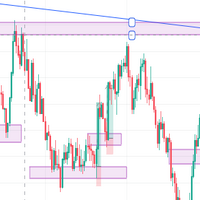
- Real-Time GEX Analysis: Visualize Call Wall, Put Wall, and Gamma Flip levels that act as magnet zones or hard barriers for the price.
- Special 0DTE Module: Focused on options expiring the same day (0DTE), perfect for Day Traders trading high intraday volatility.
- Dealer Sentiment: Know if market makers are net long or short and anticipate acceleration moves (Gamma Squeezes).
- Premium Minimalist Dashboard: A sleek, floating HUD that adapts to your screen resolution, available in Light and Dark themes.
- Advanced Quant Metrics: Access to Max Pain, Net GEX, and Volume Concentration data.
- Native Multi-Language: Full support for English, Russian, Spanish, and Chinese.
📈 WHY TRADE WITH GEX? In modern markets, the options market dictates the direction of the spot market. By monitoring Gamma Exposure (GEX), you are not guessing based on the past; you are seeing where real orders are positioned for the near future.
⚠️ IMPORTANT: HOW TO INSTALL (Step-by-Step) For the indicator to work and fetch updated GEX data from our server, you need to authorize our domain in your MetaTrader 5. Follow these simple steps:
- Open your MetaTrader 5.
- Go to the top menu and click Tools -> Options (or use shortcut Ctrl + O ).
- In the window that opens, go to the Expert Advisors tab.
- Check the option: "Allow WebRequest for listed URL:".
- Double-click the + button (add) and paste exactly this address: https://frato.com.br
- Click OK.
Done! Now you can drag the indicator onto the chart.
Disclaimer: This product is an analytical tool and visual utility. It does not perform automatic trading operations. Past performance is not a guarantee of future results.