 MetaTrader 5
 Experts
 Indicators
 Libraries
 Utilities
 Widgets
 Rules
Rules
Watch the Market tutorial videos on YouTube
How to buy а trading robot or an indicator
Run your EA on
virtual hosting
virtual hosting
Test аn indicator/trading robot before buying
Want to earn in the Market?
How to present a product for a sell-through
Expert Advisors and Indicators for MetaTrader 5 - 5
 Use trading robots and indicators to make Forex trading more profitable. Trading robots allow you to automate opening and closing deals, while indicators help you predict market behavior more accurately.
The page features the catalog of MetaTrader 5 applications.
Use trading robots and indicators to make Forex trading more profitable. Trading robots allow you to automate opening and closing deals, while indicators help you predict market behavior more accurately.
The page features the catalog of MetaTrader 5 applications. 
Tired of adjusting the indicator settings losing precious time? Tired of the uncertainty regarding their efficiency? Afraid of the uncertainty in their profitability? Then the indicator ACI (automatically calibrateable indicator) is designed exactly for you. Launching it, you can easily solve these three issues just performing the simplest action: clicking a single Calibrate button. To achieve the highest efficiency, you should perform another additional action: move the power slider to the maxi
FREE

Watch Osw: Simple and Effective Candle Stopwatch Lightweight indicator for MetaTrader that shows the remaining time for the current candle's close directly on the chart. It is a basic and functional utility tool designed for traders to always visualize how much time is left for a new bar to form without additional complications in their technical analysis.
Parameter Guide (Input Menu) Watch Color: Color assigned to the stopwatch text on the chart. Text size: Font size of the time digits on the
FREE

Tokyo Gotobi Clock - a chart clock for the Japanese trading day. It draws the Tokyo session, the fixing time, and the Japanese calendar dates the yen market settles on. It is free.
== IT DOES NOT TRADE ==
This is an indicator. It never places an order, never modifies one and never closes one. There is no trading code inside it. It does not predict anything, and it makes no claim about profit or performance. It draws, and that is all.
== WHAT IT DRAWS ==
The Tokyo session, as a band across t
FREE

Backstop enforces the two rules that end funded accounts. A daily loss limit and a maximum loss limit, applied to everything on the account — every Expert Advisor, every symbol, and every trade you place by hand. Attach it to any one chart and it governs the whole terminal. It does not trade. It has no strategy, no signals and no opinion about the market. It is a governor. What it does Daily loss limit — measured from balance at the reset, equity at the reset, or a fixed account size. Firms diff
FREE

BTD2 Market Data Exporter for MT5 BTD2 Market Data Exporter is a high-performance utility script designed to extract M1 historical bar data, symbol properties, and daily reset schedules from MetaTrader 5 into optimized binary files ( .btd ). Built specifically for quantitative research, backtesting engines, and custom analytics pipelines. Key Features UTC+0 Timestamp Standardization: Automatically normalizes server time candles to UTC+0 end-label timestamps, eliminating broker server timezone sh
FREE

Record your MetaTrader 5 trading to your SureInsight journal automatically, including the stop loss you actually set.
SureInsight Journal Sync is the official MetaTrader 5 companion for SureInsight. It watches your account and sends each closed trade to your journal, so your record is built from platform data rather than from memory.
Important
This is not a trading robot, signal provider, copy-trading service or automated strategy.
It does not open, close, modify or manage trades.
Its onl
FREE

PropFirmGuard – Your Automatic Prop Firm Safety Net
Are you trading a prop firm challenge or a funded account and worried about accidentally breaking the rules? PropFirmGuard watches your account for you, around the clock, and automatically closes your trades before you breach your daily loss limit, your maximum drawdown limit, or once you've hit your profit target. No more manually checking your equity every five minutes — let the EA do the worrying for you.
WHAT DOES IT DO?
PropFirmGuard i
FREE

Manual Trade and Risk Manager Pro MT5 is an MT5 manual Trade Manager and Prop Firm Risk Manager for discretionary traders who need disciplined account risk control. Use it as an MT5 risk management tool and manual trading panel MT5 when you trade your own strategy, a prop firm challenge, an evaluation account, or a funded account. It combines MT5 position size calculation, drawdown protection MT5 monitors, and a trade execution panel MT5 so you can size, check limits, then execute manually. This
FREE

Nova Hourly Map PRO Discover when your market has historically been most active. Nova Hourly Map PRO turns completed H1 candles into an interactive 24-hour dashboard, helping you compare volatility, directional tendencies and typical hourly ranges before planning your trading session. Attach it to any chart timeframe. The indicator automatically analyses H1 history for that symbol. Key features Colour-coded hourly volatility map. Ranked hours to identify historically active periods. Bullish, bea
FREE

Broker Clock and New York Session answers a question every MetaTrader user meets sooner or later: what time is it on my broker's server, and what time is it in New York? Broker servers run on many different clocks: UTC all year, GMT+2/+3 following US summer time, or GMT+2/+3 following European summer time. For a few weeks every spring and autumn, when the US and Europe change their clocks on different dates, a fixed offset is wrong by one hour. This indicator finds the right one for you. What it
FREE
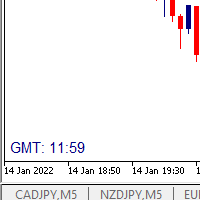
I wrote a small label to show GMT time. I t helps me to know the trading hours in Europe. I searched in the market but couldn't find it, hope it helps those who need it.
Functions: X_: Horizontal distance from border. Y_: Vertical distance from border. FontType: label color. FontSize : label font. Color3 : label color. WhatCorner : which chart corner will be drawn. If you have any request or errors please tell me to help it better.
Donate us , Thank u!
Telegram: 0388894014
FREE

Candle Timer displays a real-time countdown to the next candle close, directly on your chart. Perfect for traders who need precise timing for entries, exits, or news events — without constantly watching the clock. FEATURES
• Millisecond precision countdown (100ms refresh via EventSetMillisecondTimer)
• Works on all timeframes: M1 through Monthly
• Colour warning system — timer changes colour as the candle nears close → Orange
FREE

The Freedom Orb Europe is a professional-grade multi-utility trading dashboard designed for MetaTrader 5. It combines Time-Based Volatility, Market Structure, and Trend Bias into a single, high-contrast visual interface. Here is a breakdown of its core features and the benefits it provides to a trader: 1. Dynamic Session & ORB Selection The Feature: A custom dropdown menu allows you to switch instantly between Asia, London, and New York opening ranges. The Benefit: It eliminates the need for mu
FREE

Market Time Watch X For Macbook! A clean, lightweight and essential time-tracking tool for every trader Market Time Watch is a professional on-chart time display designed for traders who need an accurate real-time clock and precise candle timing while analyzing the markets. This tool helps you instantly see current local time , server time , and candle countdown directly on your chart without any clutter or heavy UI components. Whether you scalp fast markets, swing-trade sessions, or simply need
FREE

OVERVIEW
Tanin EA17 Second Chart is a professional-grade utility EA built specifically for ultra-scalpers. Since MetaTrader 5 does not natively support second timeframes (like S10, S15), scalpers often face execution delays when analyzing external platforms and executing on MT5. EA17 bridges this gap by generating smooth, real-time custom second charts directly within your terminal. THE STORY BEHIND THE TOOL
As a scalper myself, I needed absolute speed and precision. I built this tool to elimin
FREE

DO NOT DOWNLOAD UNLESS YOU OWN "Tick Chart - Constant Volume Generator EA" - This indicator acts as remote control of the specifc EA. The link for "Tick Chart - Constant Volume Generator EA" : https://www.mql5.com/en/market/product/171018 1. Tick Chart Monitor 1.1 What It Does The Monitor is an indicator that runs directly on the generated tick chart. It provides a graphical control panel that lets you change the EA’s style, volume, start date, or trigger a full rebuild — without touching the
FREE

Before you install: what this tool does not do. Read this first. If one of these is what you came for, this is the wrong tool, and it is better to know that before it is on your chart. No virtual or hidden stops, ever. Every stop is a real broker-side stop, visible to your broker and to your prop firm. Nothing is concealed from either, by design. One symbol per chart. The free version trades the symbol of the chart it is attached to. Its headroom projection covers this panel's own trading on thi
FREE

Fundamental Bias Dashboard for MetaTrader 5 Overview MacroEdge Pro is a comprehensive fundamental analysis panel that surfaces macro data, institutional positioning, and session timing in a single clean dashboard — directly on your chart. Designed for discretionary traders who need economic context without switching between tabs, terminals, or external tools. Rather than displaying raw numbers, MacroEdge Pro interprets them: beats vs misses, consecutive streaks, COT trend direction, kill zone ti
FREE

FWS Tide Clock — Session Clock & Activity Monitor Know when to trade — at a glance. FWS Tide Clock is a real-time session clock that shows you exactly what's happening across global forex markets. See which sessions are active, when they overlap, and whether conditions favour trading — all from a compact on-chart panel with a stunning browser-based web dashboard. Part of the Forex Weather Station suite. This free module gives you instant market timing awareness — right where you need it. W
FREE

HCS SessionPulse is a free, read-only global trading session monitor for MetaTrader 5.
A compact on-chart panel shows the current status of the Sydney, Tokyo, London, and New York trading sessions and continuously counts down to upcoming session transitions.
SessionPulse displays:
• Sydney session OPEN/CLOSED status • Tokyo session OPEN/CLOSED status • London session OPEN/CLOSED status • New York session OPEN/CLOSED status • Time remaining until each session's next open or close • Currently
FREE

THIS IS DEMO VERSION AND ONLY WORKS ON
* GOLD
* EURUSD
* NASDAQ
FULL VERSION : BUY HERE
----------------------
Trading Dashboard by Ash_TheTrader The all-in-one scalper's control panel for MetaTrader 5 Stop switching between the New Order window, a calculator, and your own willpower. Trading Dashboard puts every decision a scalper makes — size, risk, entries, exits, and discipline — into one draggable, collapsible, fully editable panel that lives right on your chart. Built for traders
FREE

Server Clock and Daily Reset Hour is a small read-only chart panel that answers one question: what hour, in your broker's server time, does your trading day actually reset? Prop firm and funded account rules are usually written in a time zone that is not yours and not your broker's. A rule that says the day resets at 5:00 pm New York has to be converted into broker server time before it is any use to you, and the answer changes twice a year when clocks shift. Getting it wrong means every daily l
FREE

Time Panel: Server Time, Local Time and Open and closed clocks for TOKYO, London and New York.
Time Panel + Horizontal Bar: Server/Local + Main markets Sessions
Example: TIMES SERVER HH:MM:SS LOCAL HH:MM:SS TOKYO OPEN 00:00 - 09:00 UTC cls 02:34:15 LONDON CLOSED 08:00 - 17:00 UTC opn 05:12:33 NEW YORK OPEN 13:00 - 22:00 UTC cls 07:45:22
https://t.me/Tonic_Trades_Signals
FREE

Session & Spread HUD A lightweight display utility that places a real-time information panel in the top-right corner of any chart. No trading logic, no alerts — just clean, always-visible data while you trade. What It Shows The HUD displays four pieces of information, updated on every tick: Session — The currently active trading session based on your broker's server time. Automatically identifies Asia, London, New York, and the London/NY overlap. Displays "Closed" outside all sessions. Spread —
FREE

Real Time Account Overview MT5 — Account & Magic Number P&L Monitor Real-time account overview and per-strategy P&L tracking, all in one clean panel. Overview Dashboard MT5 is a lightweight Expert Advisor that overlays a live information panel directly on your MetaTrader 5 chart. It gives you an instant snapshot of your account health and the performance of each trading strategy — identified by magic number — without ever leaving the platform. Whether you run a single EA or a dozen simultaneous
FREE

Hard limits for prop firm and challenge accounts Prop firm rules are not suggestions. Breach the daily loss limit by one dollar and the account is gone, whatever the equity curve looked like an hour earlier. The problem is that the rule lives on the firm's server while your positions live in your terminal, and nothing in MetaTrader 5 connects the two. Prop Firm Circuit Breaker sits on one chart and watches the whole account. The name is literal: an exchange halts trading when a threshold is bre
FREE

ALBA GMT Detector PRO: The Ultimate Time-Sync Engine for MT5 Stop destroying your Expert Advisors with inaccurate backtests! Discover your broker's exact GMT offset instantly, flawlessly, and in real-time. The Silent Assassin of Algorithmic Trading Every professional trader and EA developer knows the backtesting nightmare. You buy or build a genius Expert Advisor, run a backtest, and get phenomenal results. But in live trading, it fails miserably. Why? GMT Offset Mismatch. Brokers change thei
FREE

SHORT DESCRIPTION Shows your broker's GMT offset and daylight-saving schedule, measured from the price data, plus today's major market opens on your broker's clock. Works live and in the Strategy Tester.
DESCRIPTION Every broker runs its server on its own clock: GMT+2, GMT+3, GMT+0, with or without daylight saving, following New York or London. Anything that trades or marks sessions needs to know which.
The usual shortcut, comparing server time with TimeGMT(), breaks in the MT5 Strategy Teste
FREE

Smart Candle Timer is a lightweight, high-performance visual tool designed for MetaTrader 5 that displays the exact time remaining before the current candle closes. Perfect for price action, scalping, and intraday traders who need precise timing to execute their strategies. Unlike standard timers that freeze during low-liquidity market hours, this indicator combines a 1-second precise hardware timer with real-time tick synchronization. This ensures the countdown remains completely fluid and acc
FREE

️ FWS Storm Watch — Economic News Radar & Storm Warning System Never get blindsided by news again. Storm Watch monitors the MT5 Economic Calendar in real time, filters upcoming events by currency and impact level, calculates a weather-style severity rating, and alerts you before high-impact releases. All from a compact on-chart panel with a stunning browser-based web dashboard. Part of the Forex Weather Station suite. Uses MT5's built-in calendar. What It Shows Severity Rating — Weather-styl
FREE

COS COPY TRADE EA: USER MANUAL It must be used in conjunction with the master file. Cos copy trade client | Buy Trading Utility for MetaTrader 5
1. System Overview & Architecture The COS Copy Trade system is a local, high-speed copying solution designed to replicate trades across accounts running on the same computer . It fully supports copying between different brokers and can mirror trades from an Investor Password account. 2. Installation & Setup Guide Step 1: Deploying the Mas
FREE

XFChart simplifies trading strategies with customizable options for informed decision-making across various styles, from scalping to position trading.
1. Risk Management: - XFChart offers automatic breakeven and trailing stop features to protect profits and reduce emotional decisions. - Auto Breakeven is disabled by default and can be enabled through the indicator properties window. - The "Auto Trailing Stop Loss" adjusts the stop loss based on market movement, facilitating profit lock
FREE

It adds the symbols listed on Binance Spot to the Metatrader5 market clock. With this free file you can list the entire list in seconds. You can easily upload it to your demo account. It is the first file uploaded for Binance Spot Tick and is available for free. Tools menu / Options / Expert Advisors / You need to select Use WebRequest for listed URL You can watch videos to add Metatrader.
FREE
Simple countdown indicator for the next candle. Only claim is to be light! The indicator inserts a text object to the right of the current price and calculates how much time is left for the new bar, showing this to the trader. Leave your comment if the indicator helped you in any way! If you have any suggestions, let me know to evaluate the improvements. Success and Good Trades!
FREE

GMG KILL ZONE DISCIPLINE ENFORCER — FREE =========================================
The free discipline and risk management EA for MetaTrader 5 — for prop firm traders who trade the New York Kill Zone (ICT-style) manually, and need their rules enforced automatically.
You know the rules. One trade per session. Trade only the window. Be flat before the close. The problem was never knowing the rules — it is keeping them at the exact moment the market moves against you. This EA keeps them for you.
FREE

Introducing our cutting-edge Trade Copier Expert Advisor for MetaTrader 5 (MT5) – the ultimate solution for seamless trade replication across multiple accounts on the same server or computer. Elevate your trading experience and take control of your investment strategy like never before with our professional-grade Trade Copier. Key Features: Effortless Trade Replication: Our Trade Copier effortlessly duplicates trades from a master account to multiple slave accounts, ensuring that you never miss
FREE

News Shield – Protect Your Trades from Volatile News Events News Event Backtest
Short Description: In financial markets, economic news can trigger sudden and unpredictable volatility. News Shield is designed to protect your trading account during news releases — automatically, accurately, and without manual intervention. Features: Real-time display of all major economic news directly on your chart Customizable trade lock: block trading a few minutes before and after each news event Compatib
FREE

ZeroG CyberClock Pro is not just another standard MetaTrader clock—it is a premium, beautifully crafted, cyberpunk-style desktop utility designed for the modern algorithmic and manual trader. Tired of basic, ugly text overlapping your charts? CyberClock Pro introduces a sleek, draggable Neon HUD that seamlessly blends into your trading environment without cluttering your analysis. Stay perfectly synchronized with the world’s major financial hubs thanks to its real-time Smart Session Engine.
FREE

NHS Prop Firm Guardian NHS Prop Firm Guardian is a dedicated, single-panel risk monitor and drawdown protection overlay for MetaTrader 5, built around one core idea: watch the account relentlessly, and enforce the limit the moment it's crossed — even if the trader isn't looking . It is a pure risk-monitor companion tool, not an order-entry or trade-management system: it does not place trades, manage stops, or run automation strategies. Its job is tracking Daily drawdown on the current chart symb
FREE

DS Risk Calculator works out your lot size from the stop you actually intend to use, and shows how much room is left before your daily loss limit, your overall drawdown limit and your consistency rule are reached. It is built for funded account rules, and it works just as well on an ordinary account with rules you set yourself.
It does not place, modify or close orders. There are no trading functions in it. It reads your account and shows you arithmetic.
WHAT IT SHOWS
- Lot size for the sto
FREE

Free MetaTrader 5 indicator that displays "CALL IT A DAY" when London & New York sessions close. Customizable alerts, session tracking, and a guilt-free reminder to log off. Perfect for workaholic traders!
Tired of staring at charts when the market’s already clocked out? Session Guardian is your sassy trading assistant that slaps a giant "CALL IT A DAY" on your screen when both London and New York sessions are closed—because even traders deserve happy hour. Key Features:
Big, Bo
FREE

Broker & Account Info / Network Connection / Historical Order Benchmarks / Market Watch Symbols / Current Order Status
Features:
1. Symbol’s Trading Privileges – Ensure the symbol is tradable.
2. Order Execution Mode – Check the broker’s execution type.
3. Trade Session Hours – Verify the trading hours.
4. Min/Max Lot Sizes – Check the allowed lot range.
5. Max Pending Orders – Confirm the maximum number of pending orders allowed.
6. Freeze Point & Pending Order Distance – Minimum distance re
FREE

Gold Worldender is an Expert Advisor for gold (XAUUSD) on the H1 chart of a hedging account. It runs two engines on one account. The trend engine places breakout orders, each with its own stop-loss and take-profit. The basket engine trades pullbacks in small baskets of equal-size positions. One equity stop watches the whole account. In a Strategy Tester simulation on IC Markets XAUUSD, every tick, from 1 January 2019 to 21 October 2026 with USD 5,000 at 1:500, the default Max Growth preset had a

Aurelia Gold Edge is an Expert Advisor for gold (XAUUSD) that places stop orders at confirmed swing levels on the H1 chart, in the direction of the move in progress. Every order carries a stop loss and a take profit with the broker from the moment it is placed. An account guard stops trading before the daily and maximum loss limits of the program you select, so a bad day ends early instead of ending the account.
HOW IT WORKS - Swing levels: a high or low counts only after 18 closed H1 bars on

Boom Boom Gold Session is an Expert Advisor for MetaTrader 5, designed for Gold trading with two selectable IST entry sessions and an on-chart account dashboard. Platform and setup Platform: MetaTrader 5 Instrument: XAUUSD, including compatible broker suffixes Chart timeframe: M1 Account mode: Hedging Account currency used in the supplied tests: US cents (USC) Capital used in the supplied tests: US cents (USC) 350,000 USD 350,000 is historical tested capital, not a validated minimum deposit or

How much room is left before a funded-account challenge's loss limit? Prop Floor Monitor shows it on the chart at a glance: the daily-loss floor, the maximum-loss floor, which one is closer, and the price at which this symbol's open position would reach it. The daily reset follows the time zone you choose, with its daylight saving: the reset moment was checked against the IANA time zone database at 18,688 moments from 2024 to 2027, including every clock change, with no difference. Every number i
FREE

StopFirst Account Guard watches your whole account and enforces the loss limits you set: a daily loss limit, a maximum overall loss, and if you want, a profit target and time rules. When a limit is reached it closes every position on the account, deletes every pending order, and keeps the account flat until the limit resets.
It is built for prop-firm challenges and funded accounts, where one breach of the daily or overall limit ends the account and the rules are measured to the cent on equity,

Synthetic Machine – SuperTrend Cloud, Trade Levels & Trading Coach A complete trend-following and trade management indicator built for Synthetic Indices Synthetic indices move around the clock. There are no traditional market sessions to wait for, which means your analysis tools need to be just as flexible. Synthetic Machine combines a clean SuperTrend system, automatic trade levels, multi-timeframe trend analysis, a trading coach dashboard and built-in backtesting into one practical MT5 indicat

Mega MNFM MT5
Mega MNFM brings ten technical readings, a seven-timeframe trend map, regional session clocks and account-deal statistics into one MetaTrader 5 dashboard.
Technical dashboard RSI, MACD histogram, Stochastic, EMA trend, ADX, Bollinger Bands, an asset technical Fear & Greed proxy, an indicative synthetic dollar basket, ATR rank and OBV flow. Readings use completed candles. The timeframe map covers M1, M5, M15, M30, H1, H4 and D1. The dashboard includes a directional summary, trend

All In One Trade Manager is a trade manager and one-click trading panel for manual traders on MetaTrader 5. It works as a trading assistant, risk manager and position size calculator in one dashboard. It brings together everything below in one panel:
order entry with risk sizing automatic trade management advanced order types account protection statistics
Its entry checks run in the background and tell you, before you click BUY or SELL, when something speaks against the trade.
Also available

SAOTrade Replay — Historical Market Replay & Virtual Trading Simulator for MT5 Practice your trading decisions on historical charts without risking real money. SAOTrade Replay is an interactive historical chart replay and virtual trading practice utility for MetaTrader 5. Revisit market movements, practice entries and exits, and evaluate your trading decisions using historical price data available in your MT5 terminal. This is a manual trading practice tool, not an automated trading robot. All o

Spring Break An automated imbalance strategy for the Nasdaq 100 index, designed to run on the 1 minute chart. Spring Break began as a discretionary method I traded by hand. Over three years it has been developed, refined and retested into the automated version offered here. How it trades The strategy works from areas of imbalance. When price leaves a level quickly it can leave an unbalanced area behind it, and those areas often matter again when price returns to them. Spring Break measures these

[ INSTITUTIONAL RISK ENGINE • METATRADER 5 ] — [ A MUST-HAVE FOR EVERY TRADER ] Trader Toolkit Pro MT5 An essential trading console, precision risk engine, and prop drawdown guardian for MetaTrader 5. Engineered for professional discretionary traders, evaluation challenges, and rapid intraday execution. KEY CAPABILITIES: Risk & Position Hub • 6-in-1 HUD • Margin Call Projections • Daily Loss Breaker • Dark & White Skins • 12 Themes • Streamer Privacy • Stealth Virtual Orders • Dynamic R:R Lock

Trading sessions set in each city's own clock, with daylight saving handled for you, and each session measured against the average daily range (ADR).
With Meridian Sessions you enter London, New York, Tokyo and Sydney in their own city time. The indicator converts them to your broker's clock day by day, including the weeks when Europe, the United States and Australia change their clocks on different dates. For each session the panel tells you how big its range is, what share of the ADR it used

Account Guard watches your account and does one job. When a limit is reached it closes every position and every pending order. It keeps closing any new trade until the lock ends. It opens no trades of its own. It works for manual trading and for any EA on the same account.
I built it from a set of tested modules. Each module came out of my own MQL5 articles about trading days, drawdown peaks, open risk, and order checks.
What it checks
- Daily loss limit (percent or money, the stricter one w

Grid Envelopes EA - v3.05 (MetaTrader 5, hedging account) Download the free demo and test it in the Strategy Tester before you buy - every setting is open to you there. Questions, set files or setup help: send me a private message, I answer every buyer. Send a screenshot of your order after purchase and receive one of my free products as a thank-you gift. Why traders keep asking for an envelope grid that does not panic Envelopes are one of the oldest tools on any MetaTrader chart, and for good r

FXEA365 Gold Tripwire Breakout — H1 swing breakout for XAUUSD with a performance breaker
IMPORTANT — attach the EA to one XAUUSD chart (any timeframe works; M15 recommended). The EA reads the H1 swings itself. A hedging account is recommended. In the Strategy Tester, choose XAUUSD and "Every tick based on real ticks".
Risk warning first: four run modes are in one dropdown. The default, Ultra, gives the highest return and the deepest drawdown. Pick the mode that matches your tolerance and start

Download Manual and Preset ===================================================================== EA TEMPUR PENCOPET v1.34 — MQL5 MARKET DESCRIPTION =====================================================================
--------------------------------------------------------------------- ENGLISH ---------------------------------------------------------------------
PRODUCT NAME EA Tempur Pencopet
SHORT DESCRIPTION (one line) Three trading tools on one dashboard: one-click manual layer baskets,

Mihenk Signal Trader turns a signal or your own trade idea into a correctly sized position and then manages that position for you: it protects the stop, locks in profit and follows the move until the trade is done. You decide the entry; the panel takes care of everything after it. Launch price: 49 USD. Two ways to enter, one press Take a signal. When a new BUY or SELL badge appears on the chart, the panel prepares the trade for you: a proposed stop beyond the recent swing and a lot size calculat

What this Expert Advisor does KEC Prop Pass Gold trades XAUUSD and keeps the account inside the rules of a proprietary trading firm. It is built for an evaluation account and for the funded account that follows it. The trading logic and the rule guards are one program. The guards are not a separate add-on that can fall out of step with the trades, and they are not a reminder that asks you to act. They close positions and stand the account down on their own. It runs on one chart. There is no grid

VELTIS VECTOR — Bitcoin, engineered.
Two independent engines. One disciplined Bitcoin system. A hard stop on every trade. No grid. No martingale. One input.
Launch price — limited to the first 100 purchases. Final price: $1399 VELTIS MQL5 channel — updates, results and new releases: CLICK HERE
WHAT IS VECTOR
Vector is a fully automated Expert Advisor for Bitcoin (BTCUSD) on MetaTrader 5. It runs two independent trading engines, Prime and Orbit, that read the market in different ways and ma

MAX BLUE – Automated Breakout Trading Expert Advisor MAX BLUE is an automated trading Expert Advisor developed for MetaTrader 5. The system uses configurable pending-order breakout levels, take-profit and stop-loss management, and trailing-stop functionality to automate trade execution. MAX BLUE is primarily configured for gold trading (XAUUSD). Users can change the trading symbol in the Expert Advisor settings to match the exact instrument name provided by their broker. 1. Trading Strategy MAX

Aurum Pulse is a tick-driven scalping Expert Advisor for XAUUSD on MetaTrader 5. It evaluates market microstructure on every incoming tick and sends an order only when a defined hypothesis is met and the expected move is large enough to cover the real cost of entering and exiting. Screenshots are with 0.01 Lots ANALYSIS ENGINE
A circular buffer holds up to 4000 ticks. A single backward pass, limited to 1500 ticks and recalculated at most every 100 ms, derives all of the following at once:
- N

OrionXAU MT5 — Automated trading for Gold and Bitcoin
OrionXAU trades gold (XAUUSD) and Bitcoin (BTCUSD) on MetaTrader 5. It offers two independent strategies in one Expert Advisor: an intraday strategy that trades inside a time window you control, and a multi-strategy engine that runs eight sub-strategies around the clock. Attach it to a gold chart, a BTCUSD chart, or both.
No grid and no martingale in the recommended settings. Every trade is protected by a stop-loss.
TWO STRATEGIES - Strat

Opening Bell Algo for MT5 trades Micro E-mini and E-mini Nasdaq-100 futures (MNQ, NQ) with two independent strategies that share one position: Strategy 1, trend. Enters in the direction of a confirmed multi-timeframe trend during the European and US sessions, with a fixed stop loss and take profit. Entries are blocked when momentum is stretched or the market is too quiet. Strategy 2, New York opening range breakout. Measures the first minutes after the 9:30 New York open and trades a breakout of

NDX OPEN: one trade per day on the US open The first minutes after the US cash open often set the direction of the NASDAQ 100 for the rest of the session. The EA reads the direction of the first 10-minute candle after 9:30 New York and opens one trade in that direction. The stop is 0.1 × daily ATR and the target is 10 × the stop; otherwise the trade is closed at 15:50 New York. How it works At 9:40 New York the EA builds the opening candle from M1 bars (9:30–9:40). An up candle opens a buy, a do

News widens the spread. Kairos waits until it is back.
One chart guards the whole terminal: a lock before a release, and it only lifts when the live spread has returned to normal, not when a timer runs out. One chart for every symbol and every EA Waits for the market, not the clock Position size 100% → 50% → 0% instead of only on/off Anomaly detection without a calendar event Broker rollover and triple-swap warning Never opens a trade 100% native MQL5, no DLLs, no web

LAUNCH PROMO: $149, Regular price: $229. Important Setup Note for Multi-Asset Mode: To comply with automated MQL5 validation, this Expert Advisor comes with Custom Mode enabled by default (targeting the current chart symbol). To unlock the full Multi-Asset portfolio (US100, US30, GER40, HK50), simply go to the EA inputs and set "Activate Custom Mode?" to FALSE . Note for Brazilian B3 Operators (WIN): The WIN asset input is left blank by default for international store compliance. To trade the

Caelion Gold Pro is a basket Expert Advisor for XAUUSD on a hedging account, H1 chart. Eight strategy families trade side by side; positions are added at fixed steps without multiplying lots, and each basket closes at a common target. Four presets are built in and chosen from the Preset input. Strategy Tester, IC Markets XAUUSD, January 2019 to 16 October 2026, USD 5,000, 1:100: largest equity drawdown 50.7% on the default preset and 33.1% on Shield; no preset ended in a stop-out. These are simu

OnePunchBuddy No grids. No martingale. No averaging down. At most one daily entry per currency pair. One Punch Buddy is a MetaTrader 5 Expert Advisor with a nighttime trading schedule in UTC and a selective approach to entries. Its model is intended for comparatively quiet market conditions. The advisor waits for its internal price and timing criteria to align before opening a position. Nighttime trading does not exclude news events, sharp price moves or wider spreads.
The advisor opens one po
MetaTrader Market - trading robots and technical indicators for traders are available right in your trading terminal.
The MQL5.community payment system is available to all registered users of the MQL5.com site for transactions on MetaTrader Services. You can deposit and withdraw money using WebMoney, PayPal or a bank card.

You are missing trading opportunities:
- Free trading apps
- Over 8,000 signals for copying
- Economic news for exploring financial markets
Registration
Log in
You agree to website policy and terms of use
If you do not have an account, please register