Mihenk Signal Trader
- Utilities
-
Oguzhan Senturk
 Algorithmic Trading Systems Developer
I develop automated trading systems and risk-control tools for MetaTrader 5. I do not see a trading system as a strategy alone. Research, order execution, position management, account protection and the user interface all need to work as one coherent system. - Version: 1.0
- Activations: 10
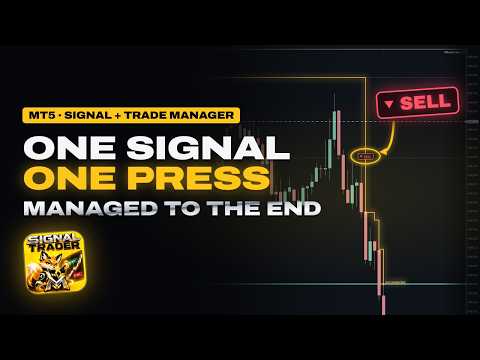
Mihenk Signal Trader turns a signal or your own trade idea into a correctly sized position and then manages that position for you: it protects the stop, locks in profit and follows the move until the trade is done. You decide the entry; the panel takes care of everything after it.
Launch price: 49 USD.
Two ways to enter, one press
- Take a signal. When a new BUY or SELL badge appears on the chart, the panel prepares the trade for you: a proposed stop beyond the recent swing and a lot size calculated from your risk. Check it and press Long or Short.
- Trade your own idea. Drag the white dashed stop line to your level. The lot is recalculated from your risk while you move it. Press Long or Short.
From that moment the trade belongs to the manager. Nothing is ever opened without your press.
Position management that keeps working for you
An open trade is not handed to a single trailing rule. The manager reads the timeframe and the stop distance to know how long the trade is expected to live, and it measures every distance in the trade's own risk and in the volatility of its timeframe, never in fixed pips. A scalp and a swing, a currency pair and gold: the same logic, each on its own scale.
It looks at the trade again on every new bar, on every meaningful step of the price, on every new peak of the trade, and every few seconds when the market is quiet. Its decisions are checked in a fixed order, and only one acts at a time:
- Exit when the idea is broken. One bad candle is not enough. The trade is closed before the stop only when several independent signs show it breaking down together.
- Keep what was earned. If a trade that went well starts to give back too much of its peak before it is protected, the stop moves past the entry as soon as the price allows.
- Protect. Once the trade has gained about as much as it risked, the stop moves beyond the entry and part of the profit is locked in.
- Follow (smart trailing). As the move extends, the stop follows behind the price with enough room for the normal swing of the candles, and holds the profit more tightly the further the trade has come.
Your first stop is the limit: the stop only moves forward from there. Every step is drawn on the chart as a gold marker with its reason and written in the panel's message line, so you always see what was done and why. If you move the stop to a safer level yourself, the manager adopts it. After a terminal restart it continues where it left off. At the nightly forex rollover it can give the stop room for the wider spread, always inside your first risk.
The Trade page lists every open Mihenk position of the account, on any symbol; press one to go to its chart. There you can take a single position under your own control and hand it back to Mihenk later, or close the chart's trades at market price with a second press to confirm.
Direction signals as BUY and SELL badges
The signal engine follows an adaptive price centre with a volatility band around it. A BUY or SELL badge appears only when a closed candle changes the confirmed direction. In sideways markets a turn is shown only after a real move or a clear break, which keeps ranges quiet.
- Fixed once drawn. A signal is decided when its candle has closed. Once a badge is on the chart, it does not move and does not disappear.
- One engine everywhere. The same engine draws the badges, prepares the trade and feeds the scanner, so the chart, the panel and the scanner always show the same signal.
- Alerts. A pop-up window on every new signal (on by default), the same alert on the MetaTrader app of your phone if you wish, and a short sound when a trade opens and closes.
- Three switches on the Signals page, each kept for its chart: the BUY and SELL badges on the chart (on by default; with them hidden, the panel signal, its alert and the prepared trade go on); an optional trend filter that uses a BUY only when its candle closed above both the H4 EMA 100 and the M30 EMA 50, and a SELL only when it closed below both (off by default); and Mihenk's 9 and 13 count marks as extra context.
Scanner
The scanner looks for signals on up to 60 symbols at once, on M15, H1, H4 or D1. Symbols with a fresh signal (within the last 10 candles) come first, the newest at the top, with its direction and how many candles ago it came. It reads your Market Watch by default; to scan only your own list, write the symbols in the input Scanner symbols. Press a row to open that chart, or to bring it to the front when it is already open. A chart that manages an open trade is never switched to another symbol: a new chart opens instead, so its management goes on.
Risk and lot size
Set how much a new trade may lose at its stop: a percentage of the account (0.5% by default, 0.1% to 5% with the panel's − and + buttons) or a fixed amount in account currency. The lot is calculated from the stop distance, the symbol's tick value and the broker's volume step.
Before entry, the Entering now row checks two things every second: the cost, meaning spread and commission against a normal candle of the chart, and whether the market's most active hours are on. When a check is against you, the panel holds your press and explains why; you can still send the trade exactly as shown, so the decision stays yours.
A coloured line under the status card shows what all open trades would book if every stop were hit now: green when the stops already lock in profit, red with the worst-case amount.
Optional controls: the Account total risk cap on the main panel limits the total stop risk of all positions and pending orders when it is switched ACTIVE (INACTIVE by default), and the input Trading capital in account currency sizes trades from a part of the account instead of the whole balance.
Compatibility
Works with the symbols your broker offers in MetaTrader 5, including forex, metals, indices and cryptocurrencies, on every standard timeframe from M1 to MN1. All calculations use the symbol's own tick size, tick value and volume rules, so there is nothing to configure per instrument. Hedging and netting accounts are both supported. The panel and its built-in guide are available in eleven languages: English, Turkish, German, Spanish, Portuguese, Russian, Chinese, Japanese, French, Italian and Korean.
Good to know
- The manager works while MetaTrader 5 is running with the chart open and Algo Trading allowed. For round-the-clock management, run it on a VPS. The broker keeps your stop in place while the terminal is closed.
- Trades are managed per symbol: keep one Mihenk chart open for each symbol you trade.
- Signals start after 257 closed candles of history.
- To try it in the Strategy Tester, choose your broker's EURUSD, H1, a recent full week, a 10,000 USD deposit and 1:100 leverage, with visual mode and Every tick based on real ticks. Place the stop and press Long or Short.