Creyes Local Trade Copier: copy MT5 positions between accounts on the same PC, no DLL and no internet

Many traders run more than one MetaTrader 5 account on the same computer or VPS: a main account and a second one with different risk settings, or a demo account used to test how a copy behaves. Opening the same trade by hand in each terminal is slow and easy to get wrong. Creyes Local Trade Copier is a utility that copies open positions from one MT5 terminal to another on the same machine, using a small file in the shared Common folder: no DLL, no internet, no WebRequest and no third-party service.
How it works
It is one Expert Advisor with two modes, Master and Slave. The master never opens or closes trades: it only publishes its open positions to the file. The slave reads the file and opens, modifies and closes its own positions to follow the master. The file carries a checksum, and the slave never closes anything because of a missing or damaged file.
Setup in 3 steps
- Attach the program to a chart of the terminal whose trades you want to copy and set Mode = Master.
- Attach the same program to a chart of the other terminal (a hedging account) and set Mode = Slave. Use the same channel name in both terminals.
- Allow algorithmic trading on the slave chart. The status panel on each chart shows the mode, the channel, the status and the last event.
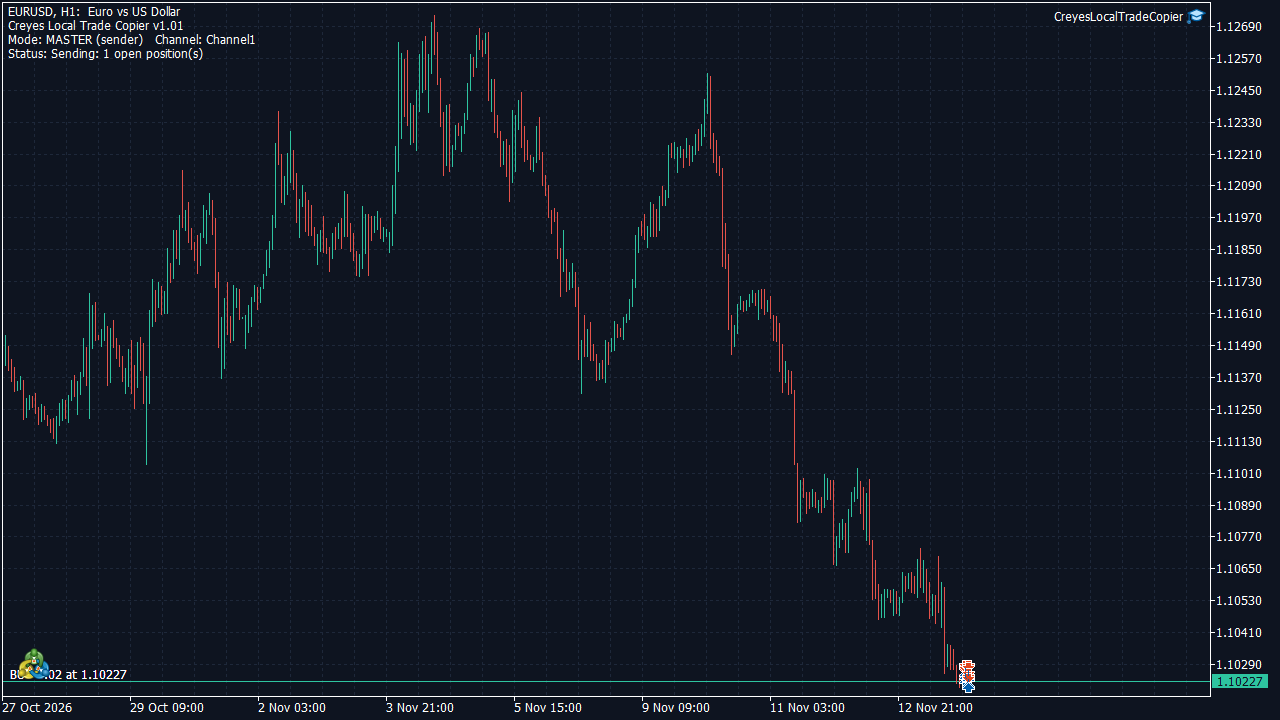
Master chart: the panel shows the mode, the channel and the number of open positions being sent.
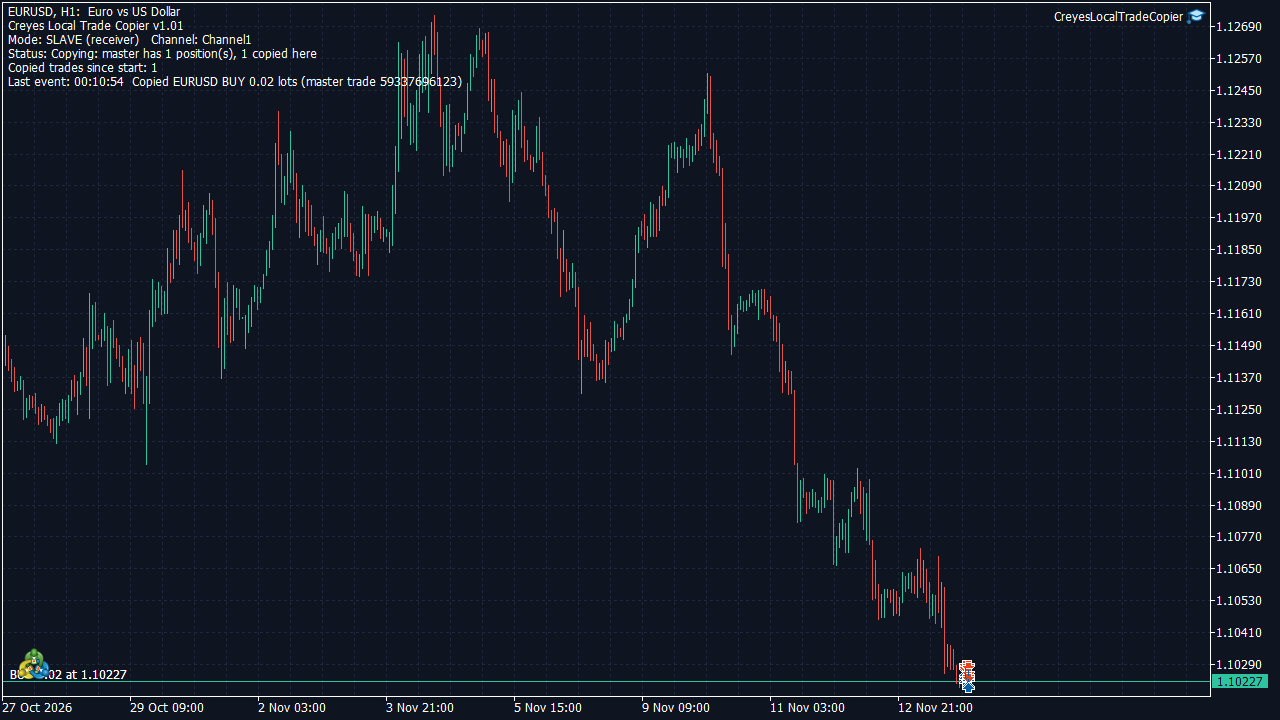
Slave chart: the panel shows the copied trade and the last event. Demo account, EURUSD, example only.
What you can set
- Lot size on the copy: master lot x multiplier, fixed lot, or balance ratio (slave balance / master balance). Lots are rounded down to the symbol step, with an optional minimum and maximum lot per trade.
- Stop loss and take profit are copied with the trade and updated when the master changes them (same price levels or same distance from the entry).
- Partial closes on the master are followed proportionally.
- Close with master: the copy closes shortly after the master position closes.
- Reverse mode (buys become sells and the other way round) and filters by direction, symbol or magic number.
- Symbol names: remove text, add a prefix or suffix, or use a custom map, for brokers that name instruments differently.
- Safety options: trades older than a set number of seconds are not copied, maximum spread, maximum number of positions, maximum total lots, free margin check, maximum slippage and an accepted master account number.
- If the master goes offline, the copies are kept open. A trade that was copied once is never opened twice.
Limits you should know before buying
- Both terminals must run on the same computer or VPS and under the same Windows user. It is not a copier between different computers or a signal service.
- The copying account must be a hedging account.
- It copies open positions only, not pending orders.
- It does not generate trade ideas. It only repeats what you do on the master account.
- Copies can open at a different price than the master because of spread, slippage and latency, and lot sizes are rounded, so results will not be identical.
Please test it on two demo accounts first and check lot sizes, symbol names and stop levels before using it on a real account.
Product page: Creyes Local Trade Copier. If you also manage risk per trade, see Creyes Trade Manager Pro.
We also build custom indicators, utilities and EAs to each client's specifications. You can contact us through MQL5.
Risk warning: trading leveraged products such as Forex and CFDs involves a high risk of loss. A trade copier repeats the trades of another account, including the losing ones, and does not remove or reduce the risk or guarantee any result. This article is not financial advice. Use only money you can afford to lose.
Author: Creyes EA - mql5.com/en/users/creyes_88. Comments and questions are welcome.