A useful way to understand an Expert Advisor is to follow a single decision through MetaTrader. Start with the information the EA reads, then ask what rule it applies, whether it can send an order, and how you know what happened. That sequence is easier to verify on a demo account than trying to interpret the outcome of a month of trades.
What an Expert Advisor actually does
A forex Expert Advisor, or EA, is a program used in MetaTrader to automate analysis, trading decisions or trade management. Depending on its design and permissions, it can monitor market information and submit instructions to open, change or close trades. The term describes software functionality, not evidence of profitability.
An EA does not have to trade continuously, use artificial intelligence or make every decision for you. Some programs manage positions you open manually; others implement a complete trading strategy. Before installing one, establish which tasks it performs and which decisions remain yours.
This guide explains the operating basics. For the separate question of whether a particular product deserves consideration, use our EA evaluation checklist.
EA, indicator, script or copy-trading service?
These terms describe different tools, even when they appear in the same platform:
- Expert Advisor: a program that can automate ongoing analysis or trading activity, subject to its code and permissions.
- Indicator: a tool for displaying calculations or analysing market information. A chart signal alone is not an automatically executed trade.
- Script: a program generally used to perform a specific task, rather than the ongoing operation expected of an EA.
- Copy-trading service: a mechanism for reproducing activity from another account or strategy under that service's rules. It is a different operating arrangement from installing and configuring your own EA.
MetaQuotes describes the distinction between robots and indicators in its MT5 application documentation. Names such as “robot”, “bot” or “AI system” do not establish what a product actually does. Read its documented behaviour.
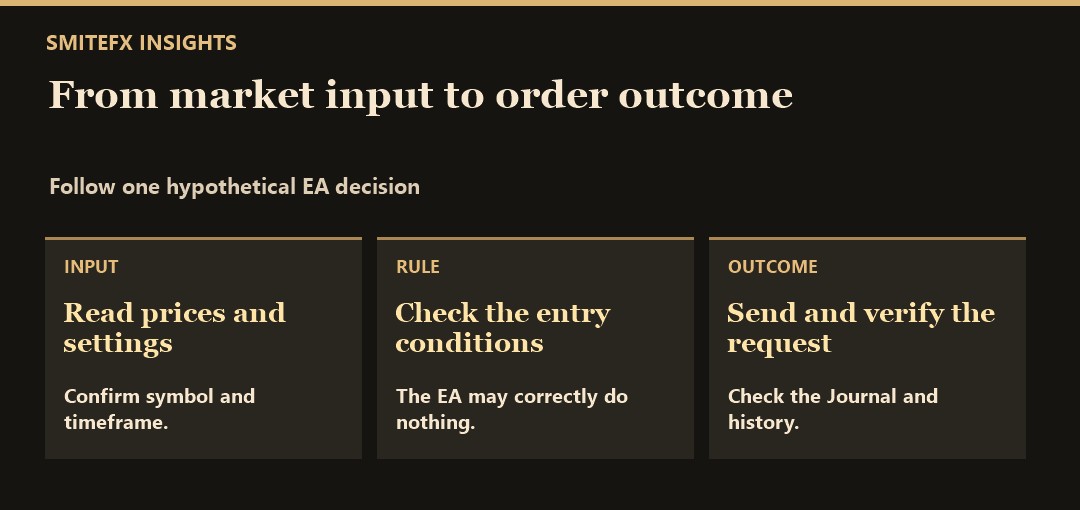
How an EA turns information into an order request
Think of an EA as a sequence of decisions rather than a button that produces returns:
- Read: obtain the prices, indicator values, time information or account data its rules require.
- Check: evaluate its entry conditions and operating filters.
- Request: send a trading instruction if the conditions and permissions allow it.
- Review: handle the broker's response and manage any resulting position according to the program.
This is a conceptual workflow, not a claim about every program's architecture. An EA can run code without receiving a successful fill. A request may be rejected or executed at a different price from the one expected. Processing speed, network conditions and trading conditions are separate questions; there is no universal execution-time promise.
For example, a hypothetical program might consider an entry after a completed bar crosses a defined level, but skip its request if a spread filter fails. “No trade” could be the intended outcome. This illustrates a conditional decision, not a tested strategy or a description of SmiteFX's rules. The hero artwork is also conceptual, not a trading result.
MT4 and MT5 EAs are different software
MT4 Expert Advisors use MQL4; MT5 development uses MQL5 and MetaEditor. Check the product's exact platform version before obtaining or installing it.
An MT4 EA is not a drop-in MT5 program. A developer may provide separate versions, but similar names do not establish identical functionality, settings or results. Changing platforms is a software-compatibility decision as well as an account decision.
For the detailed comparison, including portability and testing considerations, read MT4 vs MT5 for Expert Advisors. Do not assume an EA will work in every interface that can display your trading account.
What has to keep running?
The environment hosting the EA must be available when its program needs to act. Decide whether that will be your own computer or a compatible hosted environment, and establish how you will check it after a restart or interruption.
MetaTrader virtual hosting provides one way to keep a supported trading environment operating. Hosting does not demonstrate a trading edge or guarantee uninterrupted execution. A general-purpose VPS and MetaTrader's virtual platform are not interchangeable products; check the actual software requirements and migration restrictions.
Viewing an account from another device does not, by itself, establish that the EA is running. Identify the intended active instance, account and settings. Avoid accidentally running a second copy while troubleshooting the first.
A cautious first setup
Follow the exact platform and product instructions in an appropriate non-live environment first. For an MT5 EA, MetaQuotes documents attaching the application to a chart and checking both platform-wide and application-level trading permissions.
Keep a simple setup record:
- Product version and the source from which you obtained it.
- Supported platform, account type, instrument and any required chart settings.
- Inputs used, including how position size and exit behaviour are defined.
- Required permissions or dependencies, and why they are needed.
- The intended running environment and evidence that the application started.
- How to inspect errors, stop the program and manage any open positions.
Do not enable unfamiliar dependencies merely to dismiss a warning. The platform documentation specifically cautions about DLL permissions for untrusted applications.
Turning off automated trading is not the same instruction as closing existing positions. Establish what remains open and how it will be managed before changing a live setup. Never place an unnecessary live trade simply to prove that installation worked.
What testing can establish
A backtest applies a program to historical data under specified assumptions. It can help investigate whether the implementation behaves as expected in that test. It cannot establish the price, cost or outcome of a future trade.
The MT5 Strategy Tester offers historical testing and execution-delay settings. The MQL5 testing reference also documents limitations: some external communication and notification functions do not execute in the tester. A clean historical run therefore does not validate every live dependency.
Record the software version, settings, dates, data and cost assumptions with the results. Then investigate operation on newly arriving data in a suitable non-live environment. Our backtesting vs forward-testing guide explains these different kinds of evidence without treating either as a guarantee.
Automation changes the work; it does not remove risk
An EA can repeat coded decisions without a fresh manual click. The owner still chooses the software, permissions, exposure, operating environment and response to an error. Automating an unsuitable rule can repeat the same problem across many orders.
Execution costs matter too. Spread, commission, financing and the difference between expected and actual fills can change a result. Use our spread and slippage guide to separate those effects rather than assuming the chart price was obtainable.
An account can also carry an unrealised loss while closed-trade figures appear calm. Read the drawdown guide before relying on a headline return. Historical drawdown is an observation, not a maximum possible future loss.
Questions beginners often ask
Do I need to code to use an EA?
Not necessarily. A supplied program may expose settings without requiring source-code changes. Building or changing its underlying logic is a different task. Confirm which controls the developer provides instead of assuming every parameter can be customised.
Does an EA need AI?
No. A program can automate explicit rules without machine learning. If a vendor uses “AI”, ask what that means for the product's inputs, operation and limitations; the label does not establish trading quality.
Can an EA guarantee a profit or pass an evaluation?
No guarantee follows from automation. Any evaluation has its own current terms, permissions and loss calculations. Check the exact product and rules instead of treating an EA's marketing label as approval from an evaluation provider.
Can I leave it completely unattended?
A program may operate without a manual decision for each order, but that does not remove responsibility for monitoring, settings, account conditions or failures. Define those responsibilities before operating it.
Automated trading can lose money. Leveraged forex and CFDs carry substantial risk; the FCA's CFD guidance describes these products as high risk and unsuitable for some retail consumers. This article is education, not personalised investment advice or a recommendation to trade.
Follow one hypothetical decision through the system
Suppose a demo EA waits for a completed bar, checks a permitted trading window and calculates a volume from a defined stop. A valid signal creates an order request, not an automatic fill. The broker can accept, reject or execute under the account's conditions.
After acceptance, the program must identify the resulting position and manage it according to its rules. If the response is uncertain, it should reconcile account state rather than assume nothing happened and submit another order. That distinction explains why working automation includes more than an entry condition.
During your first test, trace one such sequence through non-sensitive logs and observed positions. Confirm the instrument, direction, volume and exit responsibility. A profitable outcome with the wrong volume is still an operating fault, while a correctly managed losing trade can be consistent with the specification.
Where SmiteFX Fits
Review Fortune, Fortress and Frontier through the current Systems page, then check the specific product documentation rather than transferring assumptions between systems. Separate what the program does, how you will operate it and what evidence supports evaluating it. The testing guide and EA evaluation framework address those next decisions, while copy trading is a separate operating route. None establishes that your account will reproduce a reported result.
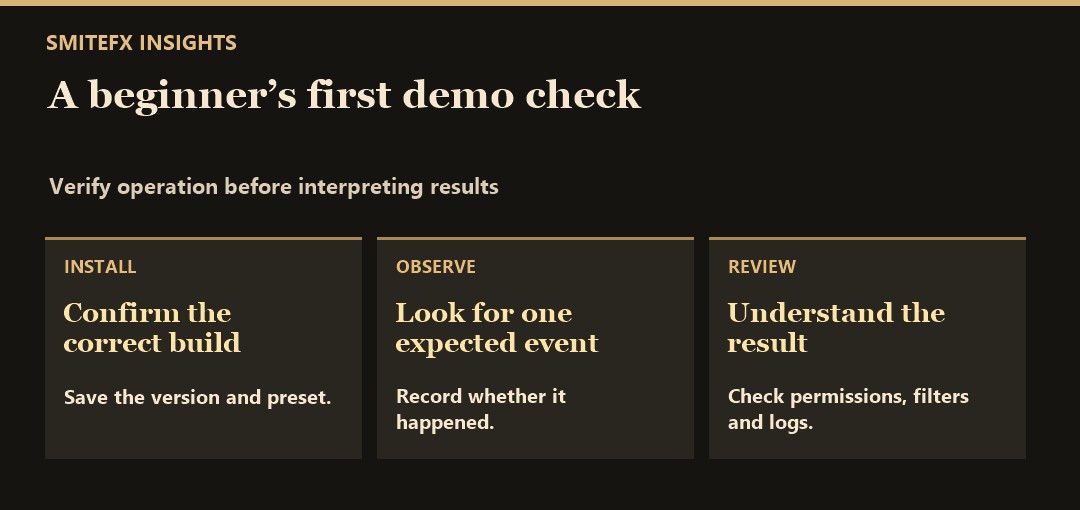
Try a first-run observation on demo
Set up a supported platform and symbol, save the preset, and confirm from the Journal that the EA loaded. Pick one rule you can observe safely and write down the expected condition before looking at the result. If no trade appears, check whether the entry conditions were met, whether algorithmic trading was permitted, and whether the broker rejected a request. No trade is a valid outcome when the rule or account conditions did not permit one.
When a test position does appear, check that it belongs to the EA and that it used the intended symbol and direction. Note the request time and fill time separately. Then repeat the observation after a planned demo terminal restart to learn how the setup behaves when its connection is interrupted. This is an operating exercise, not a test that establishes profitability.
For a SmiteFX product reference, see Fortress MT5. Use the listing as a concrete example of what to look for in an EA description. Identify its supported terminal and setup requirements first, then compare those requirements with the environment you can actually operate.