Prop-firm news rules: the 2-minute and 5-minute windows, and how to automate them in MT5
7 November 2026, 13:37

0
7
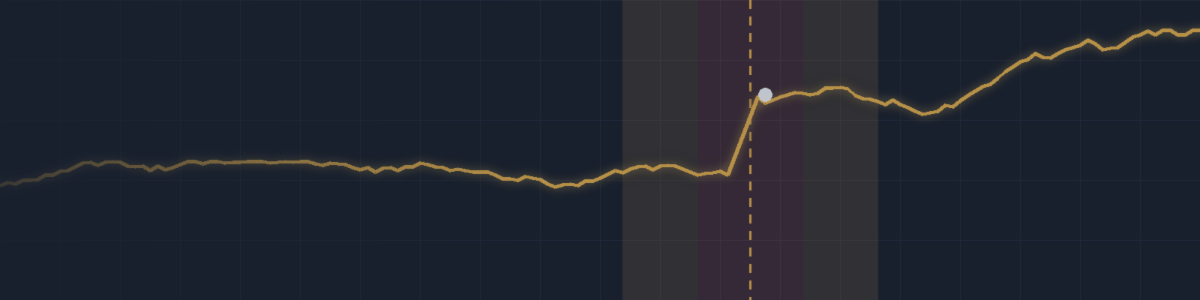
Big economic news can move gold or a currency pair more in one minute than in the whole hour before it. Spreads widen, stops slip and pending orders fill at prices nobody planned. That is why many prop firms limit trading around high-impact releases on their funded accounts. The rules differ from firm to firm, and breaking them by accident is one of the easiest ways to lose a payout.
1. Two common rules (checked November 2026)
FTMO, funded account with the Standard type: no trade may be opened or closed from 2 minutes before to 2 minutes after a restricted high-impact release on the instruments it affects. This includes a stop-loss, take-profit or pending order that fills inside that window. It does not apply in the Challenge or Verification, and Swing accounts are exempt.
FundedNext, Stellar funded accounts: trades opened or closed from 5 minutes before to 5 minutes after a high-impact release on a correlated pair count only 40 % of their profit. Losses count in full. The challenge phases are not restricted.
Rules change, so always read the current version on your firm's own website before you trade.
2. The trap most traders miss
You do not have to click anything to break a news rule. A stop-loss hit by the spike, a take-profit filled by it, or a pending order you left from the morning can all count as trading inside the window. The safe routine is to look at the calendar every morning and decide, before the release, what happens to every open trade and every pending order.
3. Which news counts?
High-impact releases on the currencies of the symbol you trade. Gold (XAUUSD) reacts to US releases such as NFP, CPI and FOMC. USDJPY reacts to both US and Japanese releases. EURUSD reacts to US and euro-area releases. Your firm publishes its own list of restricted events.
4. Time zones: the silent killer
The MT5 economic calendar, your broker's server clock and your own clock can all show different times. While building a news filter I found a terminal that returned calendar times in GMT while the broker's server ran at GMT+2. A two-hour error is enough to trade straight into NFP while your filter thin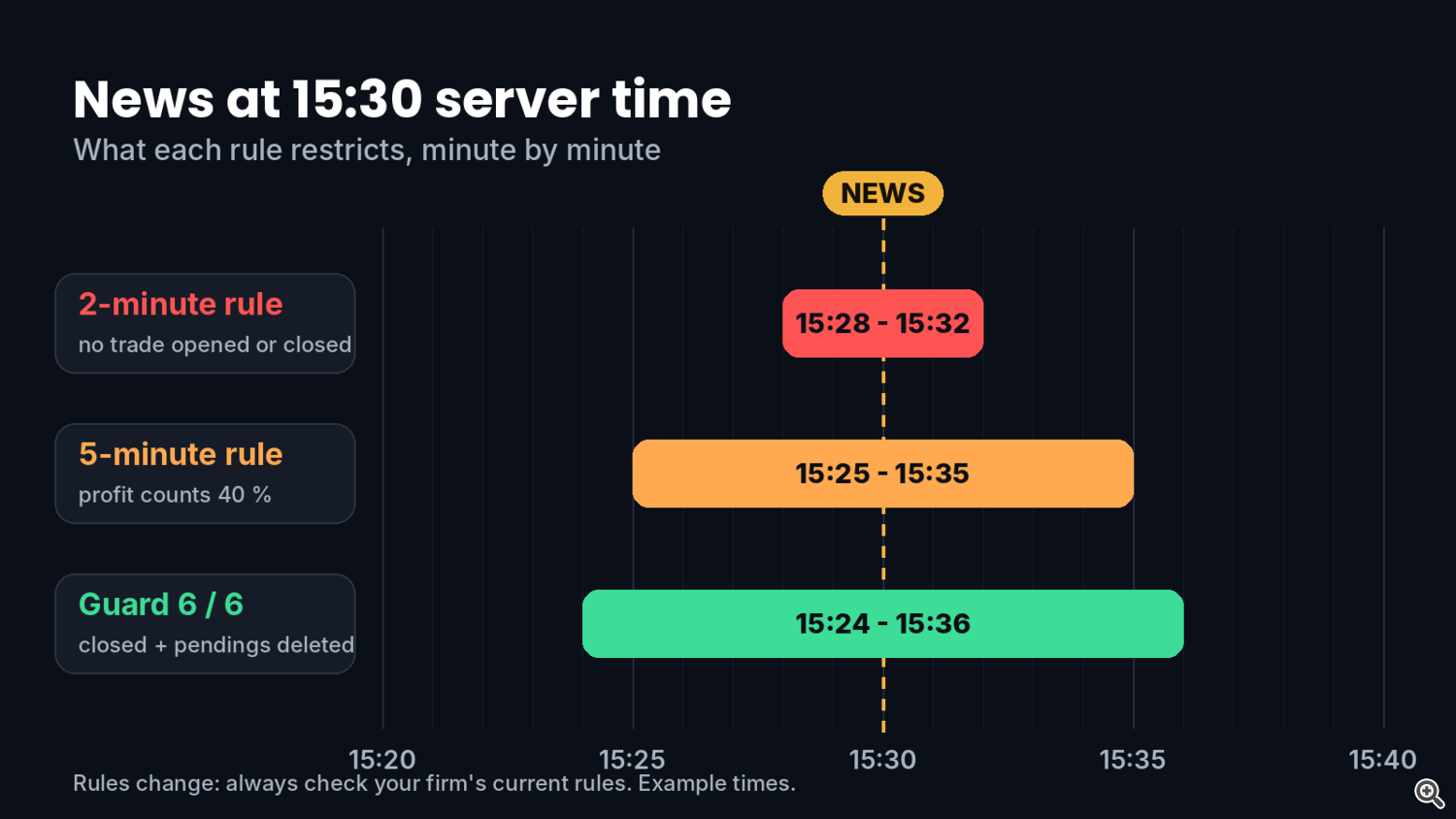 ks the news is still far away. Whatever tool you use, check that it shows the next release at the right server time before you rely on it.
5. A simple routine
- Every morning: list today's high-impact releases for the currencies you trade.
- Cancel pending orders before the window, or move them away from the release.
- Decide for each open trade: close it before the window, or keep it with a stop-loss you accept.
- Do not open new trades inside the window.
- After the window: wait for the spread to return to normal before you trade again.
6. How I automated it
I built this routine into a small MT5 utility, AlgoForge NewsGuard. It reads the MT5 economic calendar, detects the calendar's time base by itself, and in the window you choose it can close positions, delete pending orders and remove new trades on the affected symbols only. The panel shows a countdown and the next releases in server time. The default window, 5 minutes before and 5 minutes after, already covers a 2-minute rule. For a 5-minute rule, set it to 6 or 7 minutes on each side, so everything is closed before the restricted window starts and nothing new opens on its last second.
You can try the free demo in the Strategy Tester: (your NewsGuard product page link)
Questions about a specific firm's rule are welcome in the comments.
1. Two common rules (checked November 2026)
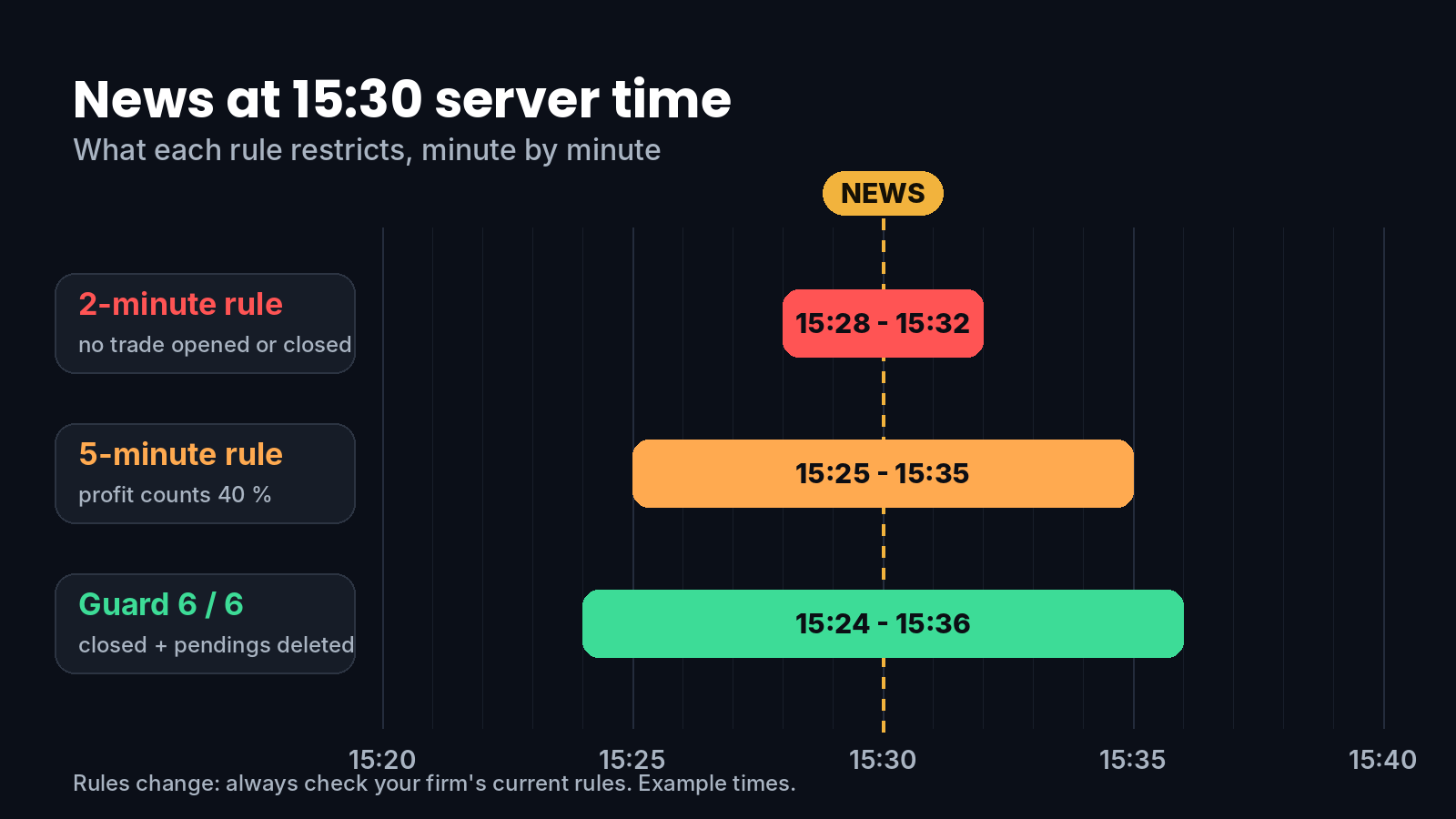
FTMO, funded account with the Standard type: no trade may be opened or closed from 2 minutes before to 2 minutes after a restricted high-impact release on the instruments it affects. This includes a stop-loss, take-profit or pending order that fills inside that window. It does not apply in the Challenge or Verification, and Swing accounts are exempt.
FundedNext, Stellar funded accounts: trades opened or closed from 5 minutes before to 5 minutes after a high-impact release on a correlated pair count only 40 % of their profit. Losses count in full. The challenge phases are not restricted.
Rules change, so always read the current version on your firm's own website before you trade.
2. The trap most traders miss
You do not have to click anything to break a news rule. A stop-loss hit by the spike, a take-profit filled by it, or a pending order you left from the morning can all count as trading inside the window. The safe routine is to look at the calendar every morning and decide, before the release, what happens to every open trade and every pending order.
3. Which news counts?
High-impact releases on the currencies of the symbol you trade. Gold (XAUUSD) reacts to US releases such as NFP, CPI and FOMC. USDJPY reacts to both US and Japanese releases. EURUSD reacts to US and euro-area releases. Your firm publishes its own list of restricted events.
4. Time zones: the silent killer
The MT5 economic calendar, your broker's server clock and your own clock can all show different times. While building a news filter I found a terminal that returned calendar times in GMT while the broker's server ran at GMT+2. A two-hour error is enough to trade straight into NFP while your filter thin
 ks the news is still far away. Whatever tool you use, check that it shows the next release at the right server time before you rely on it.
5. A simple routine
- Every morning: list today's high-impact releases for the currencies you trade.
- Cancel pending orders before the window, or move them away from the release.
- Decide for each open trade: close it before the window, or keep it with a stop-loss you accept.
- Do not open new trades inside the window.
- After the window: wait for the spread to return to normal before you trade again.
6. How I automated it
I built this routine into a small MT5 utility, AlgoForge NewsGuard. It reads the MT5 economic calendar, detects the calendar's time base by itself, and in the window you choose it can close positions, delete pending orders and remove new trades on the affected symbols only. The panel shows a countdown and the next releases in server time. The default window, 5 minutes before and 5 minutes after, already covers a 2-minute rule. For a 5-minute rule, set it to 6 or 7 minutes on each side, so everything is closed before the restricted window starts and nothing new opens on its last second.
You can try the free demo in the Strategy Tester: (your NewsGuard product page link)
Questions about a specific firm's rule are welcome in the comments.