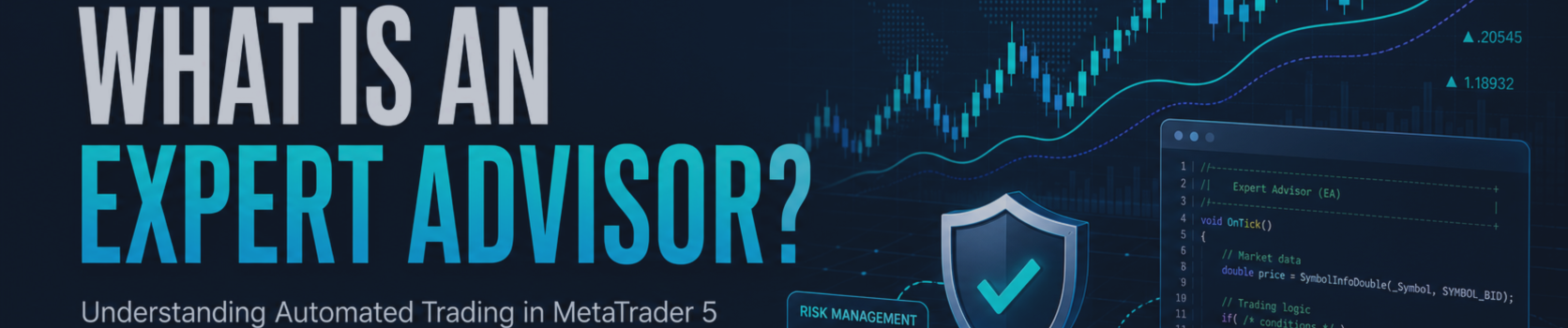

An Expert Advisor, often called an EA, is a trading program designed to run in the MetaTrader 5 (MT5) platform. It is written in the MQL5 programming language and can analyze market information, apply a predefined trading strategy, manage open positions, and send trade requests when its programmed conditions are met.
In simple terms, an EA is a set of trading rules converted into software. Instead of manually watching charts and placing every order yourself, you define the conditions in code. The EA then follows those instructions consistently while it is running.
For example, an EA may be programmed to buy EURUSD when a fast moving average crosses above a slow moving average, only during the London session, only if the spread is below a specified limit, and only when the account risk for the trade remains within a defined percentage.
An EA Is Not a Guarantee of Profit
Automation can improve consistency and reduce manual workload, but it does not make a trading strategy profitable by itself. An EA can only execute the logic it was given. If the entry rules, exit rules, position sizing, assumptions about costs, or market-regime filters are weak, the EA can produce losses just as consistently as it can produce trades.
An EA does not have human judgment unless that judgment has been translated into measurable rules. It does not automatically understand whether a market is unusually volatile, whether liquidity is poor, or whether a major economic event has changed market behavior. Those conditions must be considered during strategy design, testing, and risk management.
Important: Trading involves substantial risk. Past test results and past trading results do not guarantee future performance. Always test an EA on a demo account or in the Strategy Tester before using it on a live account, and use risk levels appropriate for your financial situation.
How an Expert Advisor Works
Most EAs operate through events generated by MetaTrader 5. The most common event is a new market tick. When a new price arrives, the EA can evaluate the market and decide whether it should take action.
A typical EA may perform the following sequence:
- Receive a new price tick or timer event.
- Read price data, indicator values, account information, and current positions.
- Check whether trading is allowed for the symbol, session, spread, and account conditions.
- Evaluate its entry and exit rules.
- Calculate an appropriate trade volume and protective stop-loss level.
- Send a trading request if all conditions are satisfied.
- Monitor open positions and manage exits, trailing stops, break-even rules, or partial closes.
Although many EAs evaluate every tick, a strategy does not always need to trade on every tick. Some systems make decisions only when a new bar opens, at a scheduled time, after an economic-calendar event, or when an indicator changes state.
The Four Main Layers of a Robust EA
A well-structured EA separates its responsibilities. This makes the code easier to test, maintain, and improve. While every strategy is different, most reliable trading systems contain the following layers.
1. Signal Layer
The signal layer determines whether there is a possible trading opportunity. It answers the question: Does the strategy currently see a valid long or short setup?
Signals can be based on many forms of analysis, including:
- Moving-average crossovers and trend direction.
- RSI, Stochastic, MACD, ATR, Bollinger Bands, or custom indicators.
- Breakouts from a price range or prior-session high and low.
- Support and resistance levels.
- Price-action patterns defined with objective rules.
- Multi-timeframe trend alignment.
- Statistical models, machine-learning models, or externally calculated signals.
A signal should be precise enough to test. For example, “buy when the market looks strong” is not a testable rule. “Buy when the 20-period moving average closes above the 50-period moving average and the RSI is above 55 at the close of a new H1 candle” is a measurable rule.
2. Filter Layer
The filter layer prevents trades when market or account conditions are not suitable. A filter does not necessarily create a trade; instead, it blocks lower-quality or higher-risk situations.
Common filters include:
- Trading-session filters, such as trading only during London or New York hours.
- Spread filters that avoid execution when transaction costs are unusually high.
- News filters that pause trading near scheduled high-impact economic events.
- Volatility filters based on ATR, range, or recent price movement.
- Maximum number of open positions.
- Maximum number of trades per day.
- Trend filters that prevent countertrend entries.
- Correlation filters to avoid excessive exposure to closely related instruments.
For example, a breakout strategy may work best during active market hours. A session filter can prevent the EA from entering the same type of trade during low-liquidity periods, when spreads may be wider and false breakouts may occur more often.
3. Risk-Management Layer
The risk-management layer determines how much the EA can lose if a trade fails. This is one of the most important parts of any automated strategy because position size and exit protection often have a larger effect on long-term account survival than the entry signal alone.
Risk-management rules may include:
- Fixed lot size.
- Fixed-percentage risk per trade.
- Position sizing based on stop-loss distance.
- ATR-based stop-loss placement.
- Maximum daily loss limits.
- Maximum equity drawdown limits.
- Maximum total exposure across symbols.
- Automatic trading pause after a defined number of consecutive losses.
A common approach is fixed-fractional risk. In this model, the EA calculates volume so that a stop-loss trade represents a chosen percentage of account equity. For example, if a trader chooses 0.5% risk per trade, the EA adjusts the lot size based on the stop-loss distance, tick value, contract specification, and available account equity.
This approach does not eliminate losses. Its purpose is to make the size of potential losses more consistent across trades and market conditions.
4. Execution and Position-Management Layer
The execution layer handles the practical details of placing and managing orders. A good trading idea can perform differently in live trading if execution is not handled carefully.
Execution logic may include:
- Checking whether automated trading is enabled in the terminal.
- Verifying that the symbol is available for trading.
- Checking minimum volume, maximum volume, and volume step requirements.
- Checking stop-level and freeze-level restrictions.
- Handling market orders, pending orders, stop orders, limit orders, and stop-limit orders.
- Validating spread and price conditions before sending a request.
- Responding appropriately to rejected, requoted, or partially filled orders.
- Applying trailing stops, break-even rules, partial closes, and time-based exits.
Broker conditions matter. Spreads, commission, swap, symbol specifications, execution type, slippage, and available leverage can vary between brokers and account types. An EA should be tested using settings that are as close as possible to the intended live trading environment.
Example: From Manual Rule to EA Logic
Consider a simple trend-following concept on EURUSD:
- Trade only on the H1 chart.
- Buy when the 20-period moving average is above the 50-period moving average.
- Require RSI to be above 55 before entering.
- Trade only during selected market hours.
- Skip entries if the spread exceeds a chosen maximum.
- Place a stop loss based on recent ATR.
- Risk a fixed percentage of equity on each trade.
- Close the trade if the trend condition reverses or if a protective exit is reached.
Once these rules are written clearly, they can be coded into an EA and tested. The important point is that every rule must be objective. If two people cannot look at the same chart and reach the same decision using the written rules, the strategy may not yet be defined well enough for automation.
What an EA Needs to Run
An EA normally needs MetaTrader 5 to be open, connected to the broker, and permitted to use automated trading. It is usually attached to a chart, although it may analyze other symbols and timeframes depending on its design.
For continuous operation, traders often use a virtual private server (VPS). A VPS can keep the MT5 terminal running even when a personal computer is switched off or disconnected. However, a VPS does not remove trading risk. It simply helps maintain availability of the terminal and the EA.
Before using an EA, verify the following:
- The correct account and broker server are selected.
- Automated trading is enabled in MetaTrader 5.
- The EA is attached to the intended chart and symbol.
- Input settings match the account type and symbol specification.
- The expected lot size, stop loss, and take profit levels are understood.
- The terminal journal and EA log show no important errors.
- The system has first been tested in the Strategy Tester and, where possible, on a demo account.
Backtesting an EA in MetaTrader 5
MetaTrader 5 includes the Strategy Tester, which allows traders to test an EA against historical market data. Backtesting is useful because it can reveal how a strategy behaved over different market periods before risking live capital.
However, a backtest is not proof that a strategy will work in the future. Historical testing can be affected by data quality, spread assumptions, commissions, execution delays, optimization bias, and market conditions that may not repeat.
A more careful evaluation process may include:
- Testing on sufficient historical data across different market conditions.
- Using realistic spread, commission, and swap settings.
- Checking the number of trades, drawdown, profit factor, and trade distribution.
- Testing out-of-sample data that was not used to create or optimize the strategy.
- Performing forward testing on a demo account or with appropriately small live risk.
- Reviewing whether the strategy depends on unusually favorable assumptions.
Be cautious with strategies that show exceptionally smooth historical equity curves but use rapidly increasing position sizes, averaging methods, or very wide emergency stops. These techniques can make earlier results appear stable while concentrating risk in rare but potentially severe market movements.
Common EA Terms for Beginners
| Term | Meaning |
|---|---|
| Lot size | The trade volume used when opening a position. |
| Stop loss | A protective price level intended to close a losing position if price moves against it. |
| Take profit | A predefined price level intended to close a position after a favorable move. |
| Drawdown | A decline in account equity from a previous peak. |
| Spread | The difference between the bid and ask price; it is part of trading cost. |
| Slippage | The difference between the requested price and the actual execution price. |
| Optimization | Testing different input values to identify settings that may suit historical data. |
| Forward test | Testing a strategy on new data after development or optimization. |
EA, Indicator, Script, or Service?
MetaTrader 5 supports several types of MQL5 programs. They serve different purposes.
- Expert Advisor: Can analyze markets and manage or send trading requests according to its programmed rules.
- Custom Indicator: Performs analysis and displays values or signals on a chart, but does not automatically trade by itself.
- Script: Performs a task once, such as closing positions, exporting information, or placing a predefined order.
- Service: Runs independently of a chart and can be used for background tasks.
An indicator can be useful for visual analysis, while an EA is used when the goal is to automate a complete process that may include entries, exits, and risk controls.
Final Thoughts
An Expert Advisor is best understood as a disciplined execution tool. It can monitor markets, apply rules without emotion, and operate continuously while the trading environment is available. Its quality depends on the quality of its strategy logic, risk controls, execution design, testing process, and ongoing supervision.
New traders should begin with simple, understandable systems. Learn what every input does, test under realistic conditions, use conservative risk, and avoid treating automation as a substitute for risk management. A well-designed EA can support a trading process; it cannot remove uncertainty from financial markets.
Risk disclosure: This article is for educational purposes only and does not constitute investment advice, a recommendation, or a guarantee of results. Trading foreign exchange, CFDs, futures, and other leveraged instruments involves substantial risk and may not be suitable for all traders.