

As of version 20.9, this instruction is only relevant for Trade Panel 4. For Trade Panel 5, no additional steps are required. Open the visual testing mode, select the application, and click the Start button - https://www.mql5.com/en/blogs/post/774731
How to test the Trade Panel:
▶️ YouTube: https://youtu.be/5Xw51MCCuRg
With the Trade Panel app, you can test your manual trading in the strategy tester.
Limitations when running the application in the strategy tester
The Strategy Tester does not support events such as moving a graphic object with the mouse, clicking on a graphic object, or editing text in an input field. These limitations prevent full use of the application interface, as it would be on a regular chart. As a result of these shortcomings, the application interface when working in the Strategy Tester is simplified and may contain only the following elements:
- The "Volume" section.
- The "Take Profit and Stop Loss" section.
- Buttons for opening Buy and Sell positions.
- Buttons for fully or partially closing positions.
- A button for setting a stop loss at the breakeven price.
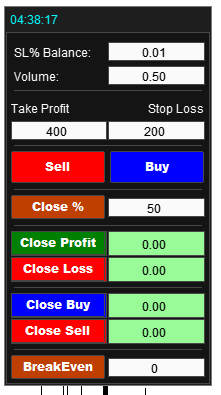
How to set up applications for testing a trading strategy in the strategy tester
To configure the settings, place the application on the chart. Only the first tab of the panel is displayed in the strategy tester, so place all the necessary sections on the first tab.
Next, set the trading settings:
Set the risk size, stop loss size, and take profit. If necessary, enable the function for opening a grid of orders and position management functions (closing positions when a certain profit is reached, trailing stop, partial closing of positions, etc.).
After setting up all the features, you need to save these settings for the Strategy Tester. To do this, go to the application settings and click the "Import into Strategy Tester" button:
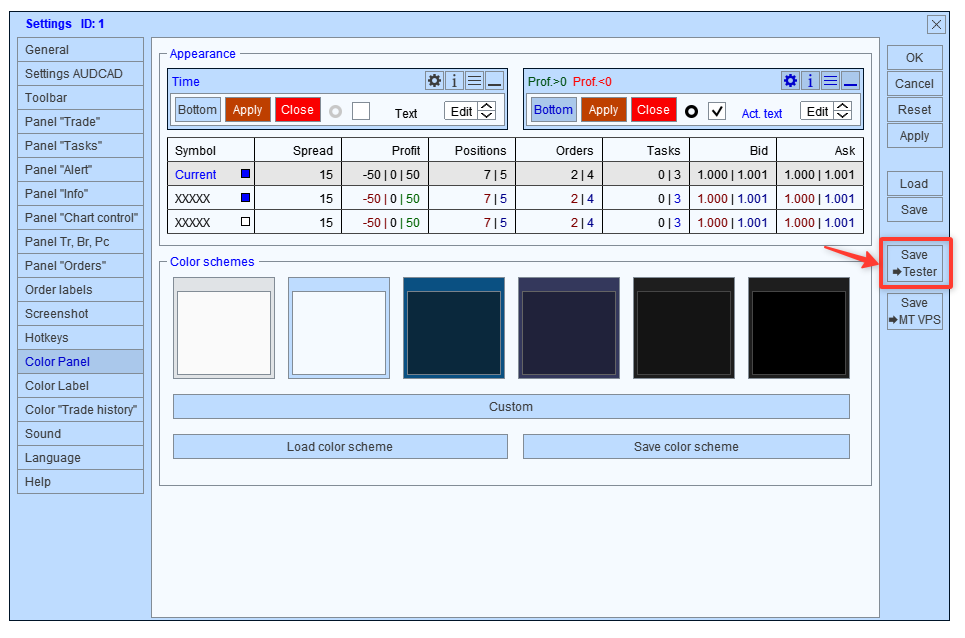
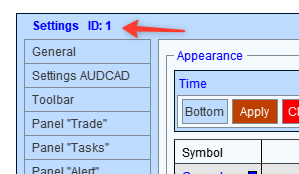
Remember the identifier under which you saved the settings. This identification number will be useful to us when launching the application in the Strategy Tester:
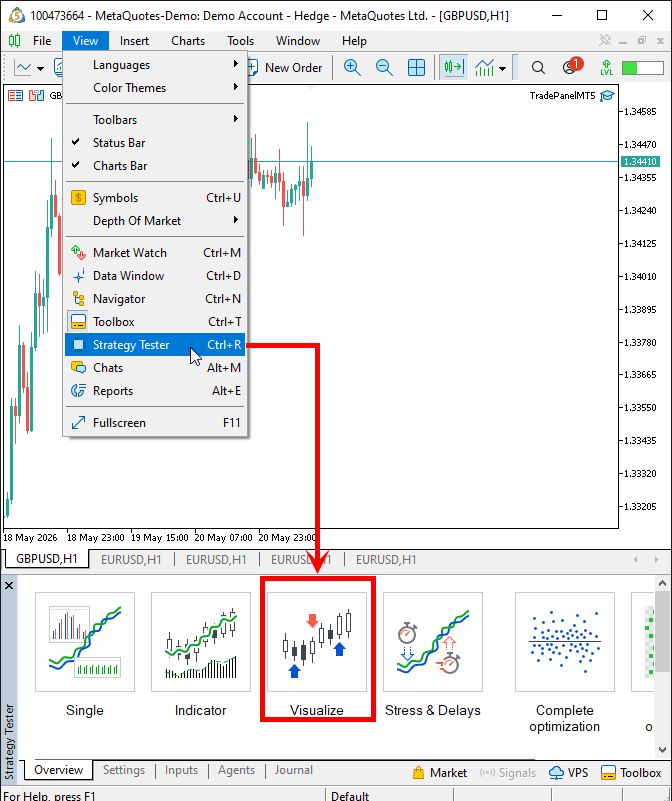
After saving the settings, go to the Strategy Tester, then to the Visual mode:
Set the testing parameters:
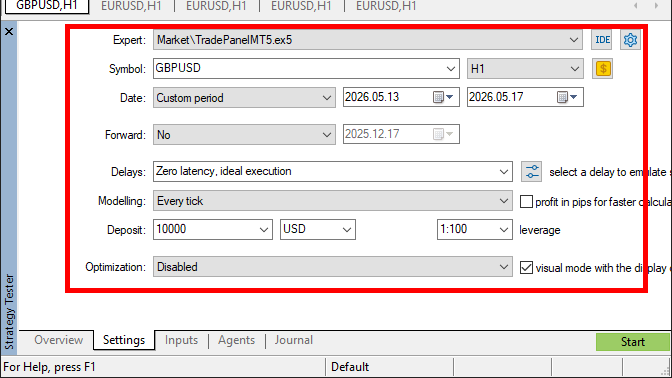
Then go to the app settings and enter the ID under which you saved the settings:
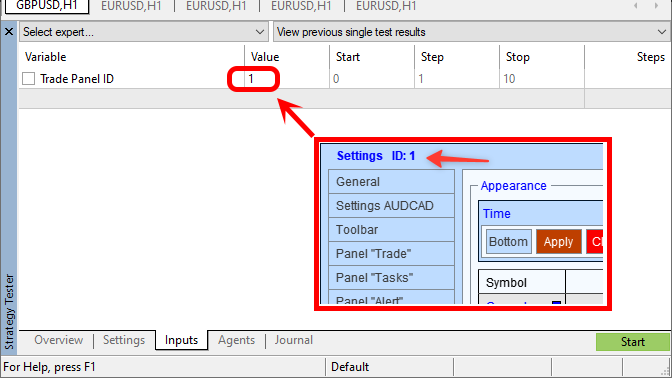
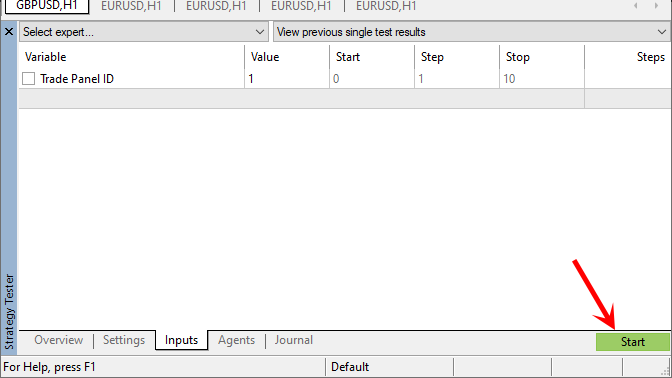
Ready. Now you can start testing your trading strategy:
If you need to change the application settings during testing, repeat all the steps: go to the regular chart where the application is installed, set new settings for it, then go to the settings and click the 'Import to Strategy Tester' button.