

The View and Controller components for tables in the MQL5 MVC paradigm: Containers
 1 530
1 530
 3
3

Contents
- Introduction
- Singleton Class as a Shared Data Manager
- Classes for Organizing Auto-Repeat of Button Clicks
- Refining Base Classes
- Object List Class
- Base Class of a Graphic Element
- Refining Simple Controls
- Container Classes for Placing Controls
- Testing the Result
- Conclusion
Introduction
In modern user interfaces, it is quite often necessary to compactly and conveniently display large amounts of various data. For these purposes, special controls called containers with support for scrolling content are used. This approach allows for placing tables and other graphical elements in a limited window space, providing the user with quick and intuitive access to information.
As part of the development of TableView control in MVC (Model-View-Controller) paradigm, we have already created Model component - a table model and started creating the View and Controller components. In the last article, simple but quite functional controls were created. Complex controls will be assembled from such elements. Today we will write such control classes as Panel, GroupBox and Container — all three elements are containers for placing various controls on them.
- The Panel control is a panel that enables to place any number of other controls on it. When moving the panel to new coordinates, all the controls located on it also move along with the panel. Thus, the panel is a container for the controls located on it. However, this element does not have scrollbars that allow for scrolling through container contents if it goes beyond the panel boundaries. Such content is simply clipped to the container boundaries.
- GroupBox control is a set of elements organized into one group. It is inherited from the panel and enables to group up elements according to some common purpose, for example, a group of RadioButton elements, where only one element from the entire group can be selected, and the rest of the group elements are deselected.
- The Container control. Allows attaching only one control to yourself. If the attached element extends beyond the container, scrollbars appear at the container. They enable to scroll through the contents of the container. To place any number of controls in a container, it is necessary to place a panel in it, and attach the required number of controls to the panel. Thus, the container will scroll through the panel, and the latter will shift its contents after scrolling.
Thus, in addition to the three specified main controls, we have to create classes for creating scrollbars — the thumb class (Thumb) and the scrollbar class (ScrollBar). There will be two such classes — for vertical and horizontal scrollbars.
If you look closely at the operation of scroll buttons located at the edges of scroll bars, notice that when holding the button down for a long time, automatic scrolling turns on. I.e., the button automatically starts sending click events. For this behavior, we will create two more auxiliary classes — the delay counter class and the actual event auto-repeat class.
The delay counter class can be used to organize waiting without freezing the program run, and the event auto-repeat class will be implemented so that we can specify for it which event it should send. This will make it possible to use it not only to organize an auto-repeat of button clicks, but also for any other algorithms that require repeating events after a certain time with a certain frequency.
At the final stage, tables will be placed inside a universal container, which will provide scrolling using scrollbars. Such a container will become the basis for building complex and flexible interfaces, allowing not only to work with tables, but also to use it in other components, for example, when creating a multi—page notepad or other user elements for MetaTrader 5 client terminal.
It is worth noting how the controls work. Each control element is equipped with event-based functionality (Controller component) and reacts appropriately to interaction with the mouse cursor.
With certain actions, the element that is being interacted with sends an event to the chart. That event should be received and handled by another control. But all the elements receive such events. It is necessary to determine which element is active (over which the cursor is currently located), and process only the messages coming from that element. That is, when you hover the mouse cursor over a control, it should be marked as active, while the rest — inactive elements — should not be handled.
To organize selection of an active element, it is necessary to make sure that each control has access to such information. There are different ways to do this. For example, you can create a list in which names of all the elements created will be registered, search for a match in it for the name of the object that the cursor is currently on, and work with the found object in this list.
This approach is possible, but it results in complicating the code and working with it. It's easier to make a single object that is globally accessible in the program, and record the name of the active control into it. The remaining elements will immediately see the name of the active element and decide whether to handle incoming messages or not, without additional search in any database.
A singleton class can be such a public class:
A singleton class is a design pattern that guarantees the existence of only one instance of a given class during the program lifetime and provides a global access point to that instance.
The purpose of singleton
Singleton is used when it is necessary that some object has only one instance, and this instance is accessible from any part of the program. Examples: settings manager, logger, database connection pool, resource manager, etc.
How singleton works
- A hidden constructor: The class constructor is declared private or protected to prevent the creation of instances from the outside.
- Static variable: A static variable is created inside the class, storing a single instance of the class.
- Static access method: To get an instance of a class, a static method is used (for example, Instance() or getInstance() ), which creates an object on the first access and returns it on subsequent calls.
Singleton is a class that can only be created once, and that single instance is globally accessible. This is useful for managing shared resources or application status.
Let’s implement such a class.
Singleton Class as a Shared Data Manager
In the last article, all the library codes were located at \MQL5\Indicators\Tables\Controls\. Here we are interested in both files: Base.mqh and Control.mqh. We will refine them today.
Open Base.mqh file and write the following code in the class block:
//+------------------------------------------------------------------+
//| Classes                                                          |
//+------------------------------------------------------------------+
//+------------------------------------------------------------------+
//| Singleton class for common flags and events of graphical elements|
//+------------------------------------------------------------------+
class CCommonManager
  {
private:
   static CCommonManager *m_instance;                          // Class instance
   string            m_element_name;                           // Active element name

//--- Constructor/destructor
                     CCommonManager(void) : m_element_name("") {}
                    ~CCommonManager() {}
public:
//--- Method for getting a Singleton instance
   static CCommonManager *GetInstance(void)
                       {
                        if(m_instance==NULL)
                           m_instance=new CCommonManager();
                        return m_instance;
                       }
//--- Method for destroying a Singleton instance
   static void       DestroyInstance(void)
                       {
                        if(m_instance!=NULL)
                          {
                           delete m_instance;
                           m_instance=NULL;
                          }
                       }
//--- (1) Set and (2) return the name of the active current element
   void              SetElementName(const string name)         { this.m_element_name=name;   }
   string            ElementName(void)                   const { return this.m_element_name; }
  };
//--- Initialize a static instance variable of a class
CCommonManager* CCommonManager::m_instance=NULL;
//+------------------------------------------------------------------+
//| Base class of graphical elements                                 |
//+------------------------------------------------------------------+
A private class constructor and a static method for accessing an instance of the class ensures that only one instance exists in the application.
- A method static CCommonManager* GetInstance(void) — returns a pointer to a single instance of the class, creating it the first time it is accessed.
- A method static void DestroyInstance(void) — destroys an instance of the class and frees up memory.
- A method void SetElementName(const string name) — sets the name of the active graphic element.
- A method string ElementName(void) const — returns the name of the active graphic element.
Now each of the graphic elements can access an instance of this class to read and write the name of the active element. All elements share the same variable This ensures that each of the multiple objects reads and writes data to the same variable.
Since we cannot have more than one control active at the same time, such an implementation of the active element manager is quite sufficient without the access control functionality (so that two or more elements cannot write their data to a variable).
Later, other data can be added to this data manager class, for example, permission flags for the work chart. At the moment, each of the graphic elements is being created trying to remember the states of chart flags. This data can also be transferred to this class in the appropriate variables.
Classes for Organizing Auto-Repeat of Button Clicks
Above, we talked about creating an auto-repeat functionality for sending events from scrollbar buttons while holding the button for a long time. This behavior is standard for most OS applications. Therefore, I think there is no reason not to do the same here. When you press and hold the button, the time counter for holding the button starts first (usually this period is 350-500 ms). Further, if the button has not been released before the expiration of the hold time, the second counter is started — the counter for the interval of sending button press events. And such events are sent with a frequency of about 100 ms until the button is released.
To implement this behavior, implement two auxiliary classes — the millisecond timer class and the automatic event dispatch class.
Continue writing the code in the same file Base.mqh:
//+------------------------------------------------------------------+
//| Millisecond counter class                                        |
//+------------------------------------------------------------------+
class CCounter : public CBaseObj
  {
private:
   bool              m_launched;                               // Launched countdown flag
//--- Start the countdown
   void              Run(const uint delay)
                       {
                        //--- If the countdown has already started, leave
                        if(this.m_launched)
                           return;
                        //--- If a non-zero delay value is passed, set a new value
                        if(delay!=0)
                           this.m_delay=delay;
                        //--- Save the start time and set a flag that the countdown has already started
                        this.m_start=::GetTickCount64();
                        this.m_launched=true;
                       }
protected:
   ulong             m_start;                                  // Countdown start time
   uint              m_delay;                                  // Delay

public:
//--- (1) Set a delay, start the countdown with the (2) set and (3) specified delay
   void              SetDelay(const uint delay)                { this.m_delay=delay;            }
   void              Start(void)                               { this.Run(0);                   }
   void              Start(const uint delay)                   { this.Run(delay);               }
//--- Return the countdown end flag
   bool              IsDone(void)
                       {
                        //--- If the countdown has not started, return 'false'
                        if(!this.m_launched)
                           return false;
                        //--- If more milliseconds have passed than the timeout
                        if(::GetTickCount64()-this.m_start>this.m_delay)
                          {
                           //--- reset the flag of the launched countdown and return true
                           this.m_launched=false;
                           return true;
                          }
                        //--- The specified time has not yet passed
                        return false;
                       }

//--- Virtual methods of (1) saving to file, (2) loading from file and (3) object type
   virtual bool      Save(const int file_handle);
   virtual bool      Load(const int file_handle);
   virtual int       Type(void)                          const { return(ELEMENT_TYPE_COUNTER);  }

//--- Constructor/destructor
                     CCounter(void) : m_start(0), m_delay(0), m_launched(false) {}
                    ~CCounter(void) {}
  };
//+------------------------------------------------------------------+
//| CCounter::Save to file                                           |
//+------------------------------------------------------------------+
bool CCounter::Save(const int file_handle)
  {
//--- Save the parent object data
   if(!CBaseObj::Save(file_handle))
      return false;

//--- Save the delay value
   if(::FileWriteInteger(file_handle,this.m_delay,INT_VALUE)!=INT_VALUE)
      return false;

//--- All is successful
   return true;
  }
//+------------------------------------------------------------------+
//| CCounter::Load from file                                         |
//+------------------------------------------------------------------+
bool CCounter::Load(const int file_handle)
  {
//--- Load parent object data
   if(!CBaseObj::Load(file_handle))
      return false;

//--- Load the delay value
   this.m_delay=::FileReadInteger(file_handle,INT_VALUE);

//--- All is successful
   return true;
  }
The millisecond timer class is designed to track the expiration of a specified time interval (delay) in milliseconds. It is inherited from the CBaseObj base class and can be used to implement timers, delays, and time control for various operations in MQL5 applications.
- A method void SetDelay(const uint delay) sets the delay value (in milliseconds).
- A method void Start(const uint delay) starts the countdown with a new delay.
- A method bool IsDone(void) returns true, if countdown is completed, otherwise - false.
- A method virtual bool Save(const int file_handle) is a virtual method for saving a state to a file.
- A method virtual bool Load(const int file_handle) is a virtual method for downloading a state from a file.
- A method virtual int Type(void) const returns the object type to identify in the system.
Based on this class, create an event auto-repeat class:
//+------------------------------------------------------------------+
//| Event auto-repeat class                                          |
//+------------------------------------------------------------------+
class CAutoRepeat : public CBaseObj
  {
private:
   CCounter          m_delay_counter;                          // Counter for delay before auto-repeat
   CCounter          m_repeat_counter;                         // Counter for periodic sending of events
   long              m_chart_id;                               // Chart for sending a custom event
   bool              m_button_pressed;                         // Flag indicating whether the button is pressed
   bool              m_auto_repeat_started;                    // Flag indicating whether auto-repeat has started
   uint              m_delay_before_repeat;                    // Delay before auto-repeat starts (ms)
   uint              m_repeat_interval;                        // Frequency of sending events (ms)
   ushort            m_event_id;                               // Custom event ID
   long              m_event_lparam;                           // long parameter of the user event
   double            m_event_dparam;                           // double parameter of the custom event
   string            m_event_sparam;                           // string parameter of the custom event

//--- Send a custom event
   void              SendEvent() { ::EventChartCustom((this.m_chart_id<=0 ? ::ChartID() : this.m_chart_id), this.m_event_id, this.m_event_lparam, this.m_event_dparam, this.m_event_sparam); }
public:
//--- Object type
   virtual int       Type(void)                          const { return(ELEMENT_TYPE_AUTOREPEAT_CONTROL);   }

//--- Constructors
                     CAutoRepeat(void) :
                        m_button_pressed(false), m_auto_repeat_started(false), m_delay_before_repeat(350), m_repeat_interval(100),
                        m_event_id(0), m_event_lparam(0), m_event_dparam(0), m_event_sparam(""), m_chart_id(::ChartID()) {}

                     CAutoRepeat(long chart_id, int delay_before_repeat=350, int repeat_interval=100, ushort event_id=0, long event_lparam=0, double event_dparam=0, string event_sparam="") :
                        m_button_pressed(false), m_auto_repeat_started(false), m_delay_before_repeat(delay_before_repeat), m_repeat_interval(repeat_interval),
                        m_event_id(event_id), m_event_lparam(event_lparam), m_event_dparam(event_dparam), m_event_sparam(event_sparam), m_chart_id(chart_id) {}

//--- Set the chart ID
   void              SetChartID(const long chart_id)              { this.m_chart_id=chart_id;         }
   void              SetDelay(const uint delay)                   { this.m_delay_before_repeat=delay; }
   void              SetInterval(const uint interval)             { this.m_repeat_interval=interval;  }

//--- Set the ID and parameters of a custom event
   void              SetEvent(ushort event_id, long event_lparam, double event_dparam, string event_sparam)
                       {
                        this.m_event_id=event_id;
                        this.m_event_lparam=event_lparam;
                        this.m_event_dparam=event_dparam;
                        this.m_event_sparam=event_sparam;
                       }

//--- Return flags
   bool              ButtonPressedFlag(void)                const { return this.m_button_pressed;     }
   bool              AutorepeatStartedFlag(void)            const { return this.m_auto_repeat_started;}
   uint              Delay(void)                            const { return this.m_delay_before_repeat;}
   uint              Interval(void)                         const { return this.m_repeat_interval;    }

//--- Handle a button click (starting auto-repeat)
   void              OnButtonPress(void)
                       {
                        if(this.m_button_pressed)
                           return;
                        this.m_button_pressed=true;
                        this.m_auto_repeat_started=false;
                        this.m_delay_counter.Start(this.m_delay_before_repeat);  // Start the delay counter
                       }

//--- Handle button release (stopping auto-repeat)
   void              OnButtonRelease(void)
                       {
                        this.m_button_pressed=false;
                        this.m_auto_repeat_started=false;
                       }

//--- Method for performing auto-repeat (started in the timer)
   void              Process(void)
                       {
                        //--- If the button is held down
                        if(this.m_button_pressed)
                          {
                           //--- Check if the delay before starting the auto-repeat has expired
                           if(!this.m_auto_repeat_started && this.m_delay_counter.IsDone())
                             {
                              this.m_auto_repeat_started=true;
                              this.m_repeat_counter.Start(this.m_repeat_interval); // Start the auto-repeat counter
                             }
                           //--- If auto-repeat has started, check the frequency of sending events
                           if(this.m_auto_repeat_started && this.m_repeat_counter.IsDone())
                             {
                              //--- Send an event and restart the counter
                              this.SendEvent();
                              this.m_repeat_counter.Start(this.m_repeat_interval);
                             }
                          }
                       }
  };
This class allows you to send user events automatically with a set frequency while the button is held down. This ensures user-friendly interface behavior (as in standard OS scrollbars).
- The OnButtonPress() method is called when the button is pressed; it starts counting the delay before auto—repeat.
- The OnButtonRelease() method is called when the button gets released; it stops auto-repeat.
- The Process() method is the main method that should be called in the timer. It ensures that events are sent at the required frequency if the button is held down.
- The SetEvent(...) method — setting the parameters of a custom event.
- Methods SetDelay(...), setInterval(...) — setting the delay and auto-repeat interval.
Declare an object of the auto-repeat class in the base class of graphic element canvas CCanvasBase. Thus, it will be possible to use event auto-repeat in any object of graphic elements. It will be enough to set the delay and interval parameters and start auto-repeat in required situations.
Refining Base Classes
A lot of work has been done on the library to fix bugs and errors. Improvements affected almost every class. We will not describe every step of the work done here. But the key points will be announced, of course.
In Base.mqh declare all the classes we are going to implement today:
//+------------------------------------------------------------------+
//|                                                         Base.mqh |
//|                                  Copyright 2025, MetaQuotes Ltd. |
//|                                             https://www.mql5.com |
//+------------------------------------------------------------------+
#property copyright "Copyright 2025, MetaQuotes Ltd."
#property link      "https://www.mql5.com"

//+------------------------------------------------------------------+
//| Include libraries                                                |
//+------------------------------------------------------------------+
#include <Canvas\Canvas.mqh>              // CCanvas class
#include <Arrays\List.mqh>                // CList class

//--- Forward declaration of control element classes
class    CCounter;                        // Delay counter class
class    CAutoRepeat;                     // Event auto-repeat class
class    CImagePainter;                   // Image drawing class
class    CLabel;                          // Text label class
class    CButton;                         // Simple button class
class    CButtonTriggered;                // Two-position button class
class    CButtonArrowUp;                  // Up arrow button class
class    CButtonArrowDown;                // Down arrow button class
class    CButtonArrowLeft;                // Left arrow button class
class    CButtonArrowRight;               // Right arrow button class
class    CCheckBox;                       // CheckBox control class
class    CRadioButton;                    // RadioButton control class
class    CScrollBarThumbH;                // Horizontal scrollbar slider class
class    CScrollBarThumbV;                // Vertical scrollbar slider class
class    CScrollBarH;                     // Horizontal scrollbar class
class    CScrollBarV;                     // Vertical scrollbar class
class    CPanel;                          // Panel control class
class    CGroupBox;                       // GroupBox control class
class    CContainer;                      // Container control class
Such a forward declaration of classes is necessary for error-free compilation of included Base.mqh and Controls.mqh files, since access to these classes was performed even before their actual declaration in the files.
Add new types to the enumeration of types of graphic elements and specify the range of constants of the types of objects that can participate in interaction with the user:
//+------------------------------------------------------------------+
//| Enumerations                                                     |
//+------------------------------------------------------------------+
enum ENUM_ELEMENT_TYPE                    // Enumeration of graphical element types
  {
   ELEMENT_TYPE_BASE = 0x10000,           // Basic object of graphical elements
   ELEMENT_TYPE_COLOR,                    // Color object
   ELEMENT_TYPE_COLORS_ELEMENT,           // Color object of the graphical object element
   ELEMENT_TYPE_RECTANGLE_AREA,           // Rectangular area of the element
   ELEMENT_TYPE_IMAGE_PAINTER,            // Object for drawing images
   ELEMENT_TYPE_COUNTER,                  // Counter object
   ELEMENT_TYPE_AUTOREPEAT_CONTROL,       // Event auto-repeat object
   ELEMENT_TYPE_CANVAS_BASE,              // Basic canvas object for graphical elements
   ELEMENT_TYPE_ELEMENT_BASE,             // Basic object of graphical elements
   ELEMENT_TYPE_LABEL,                    // Text label
   ELEMENT_TYPE_BUTTON,                   // Simple button
   ELEMENT_TYPE_BUTTON_TRIGGERED,         // Two-position button
   ELEMENT_TYPE_BUTTON_ARROW_UP,          // Up arrow button
   ELEMENT_TYPE_BUTTON_ARROW_DOWN,        // Down arrow button
   ELEMENT_TYPE_BUTTON_ARROW_LEFT,        // Left arrow button
   ELEMENT_TYPE_BUTTON_ARROW_RIGHT,       // Right arrow button
   ELEMENT_TYPE_CHECKBOX,                 // CheckBox control
   ELEMENT_TYPE_RADIOBUTTON,              // RadioButton control
   ELEMENT_TYPE_SCROLLBAR_THUMB_H,        // Horizontal scroll bar slider
   ELEMENT_TYPE_SCROLLBAR_THUMB_V,        // Vertical scroll bar slider
   ELEMENT_TYPE_SCROLLBAR_H,              // ScrollBarHorisontal control
   ELEMENT_TYPE_SCROLLBAR_V,              // ScrollBarVertical control
   ELEMENT_TYPE_PANEL,                    // Panel control
   ELEMENT_TYPE_GROUPBOX,                 // GroupBox control
   ELEMENT_TYPE_CONTAINER,                // Container control
  };
#define  ACTIVE_ELEMENT_MIN   ELEMENT_TYPE_LABEL         // Minimum value of the list of active elements
#define  ACTIVE_ELEMENT_MAX   ELEMENT_TYPE_SCROLLBAR_V   // Maximum value of the list of active elements
When interacting with the mouse cursor, each graphical element is basically able to handle incoming event messages. But not every element should do this. In other words, it is necessary to check the type of the element and make a decision based on it — whether this element processes events or not. If following the path of checking object types, in the condition we get a long list of elements that cannot be handled. This is inconvenient. It's easier to add another property, a flag that indicates whether this element is active for interaction or static. Then we can only check this property to decide whether the event should be handled or not. Here we have specified the initial and final values of constants of graphic element types. When making a decision on event handling, it is enough only to check whether the element type is within this range of values. And on this basis a decision can be made.
Add an enumeration of properties by which you can sort base objects and search for them (CBaseObj):
enum ENUM_BASE_COMPARE_BY                 // Compared properties of base objects
  {
   BASE_SORT_BY_ID   =  0,                // Compare base objects by ID
   BASE_SORT_BY_NAME,                     // Compare base objects by name
   BASE_SORT_BY_X,                        // Compare base objects by X coordinate
   BASE_SORT_BY_Y,                        // Compare base objects by Y coordinate
   BASE_SORT_BY_WIDTH,                    // Compare base objects by width
   BASE_SORT_BY_HEIGHT,                   // Compare base objects by height
   BASE_SORT_BY_ZORDER,                   // Compare by objects' Z-order
  };
Now all objects inherited from the base one can be sorted by the properties specified in the enumeration, if an object has such properties, which will add more flexibility when creating new descendant classes of CBaseObj.
In the function that returns the element type as a string add the output of letters "V" and "H" to the readable "Vertical" and "Horizontal":
//+------------------------------------------------------------------+
//|  Return the element type as a string                             |
//+------------------------------------------------------------------+
string ElementDescription(const ENUM_ELEMENT_TYPE type)
  {
   string array[];
   int total=StringSplit(EnumToString(type),StringGetCharacter("_",0),array);
   if(array[array.Size()-1]=="V")
      array[array.Size()-1]="Vertical";
   if(array[array.Size()-1]=="H")
      array[array.Size()-1]="Horisontal";

   string result="";
   for(int i=2;i<total;i++)
     {
      array[i]+=" ";
      array[i].Lower();
      array[i].SetChar(0,ushort(array[i].GetChar(0)-0x20));
      result+=array[i];
     }
   result.TrimLeft();
   result.TrimRight();
   return result;
  }
This will make the element descriptions more readable.
When creating new elements and adding them to the list of those attached to the container, object names will have to be created. Implement a function that returns short abbreviations of the types of elements that can be used to create an element, and then use this abbreviation in the object name to understand what kind of element it is:
//+------------------------------------------------------------------+
//|  Return the short name of the element by type                    |
//+------------------------------------------------------------------+
string ElementShortName(const ENUM_ELEMENT_TYPE type)
  {
   switch(type)
     {
      case  ELEMENT_TYPE_ELEMENT_BASE     :  return "BASE";    // Basic object of graphical elements
      case  ELEMENT_TYPE_LABEL            :  return "LBL";     // Text label
      case ELEMENT_TYPE_BUTTON            :  return "SBTN";    // Simple button
      case ELEMENT_TYPE_BUTTON_TRIGGERED  :  return "TBTN";    // Toggle button
      case ELEMENT_TYPE_BUTTON_ARROW_UP   :  return "BTARU";   // Up arrow button
      case ELEMENT_TYPE_BUTTON_ARROW_DOWN :  return "BTARD";   // Down arrow button
      case ELEMENT_TYPE_BUTTON_ARROW_LEFT :  return "BTARL";   // Left arrow button
      case ELEMENT_TYPE_BUTTON_ARROW_RIGHT:  return "BTARR";   // Right arrow button
      case ELEMENT_TYPE_CHECKBOX          :  return "CHKB";    // CheckBox control
      case ELEMENT_TYPE_RADIOBUTTON       :  return "RBTN";    // RadioButton control
      case ELEMENT_TYPE_SCROLLBAR_THUMB_H :  return "THMBH";   // Horizontal scroll bar slider
      case ELEMENT_TYPE_SCROLLBAR_THUMB_V :  return "THMBV";   // Vertical scroll bar slider
      case ELEMENT_TYPE_SCROLLBAR_H       :  return "SCBH";    // ScrollBarHorisontal control
      case ELEMENT_TYPE_SCROLLBAR_V       :  return "SCBV";    // ScrollBarVertical control
      case ELEMENT_TYPE_PANEL             :  return "PNL";     // Panel control
      case ELEMENT_TYPE_GROUPBOX          :  return "GRBX";    // GroupBox control
      case ELEMENT_TYPE_CONTAINER         :  return "CNTR";    // Container control
      default                             :  return "Unknown"; // Unknown
     }
  }
When attaching elements to a container, their names will be realised subject to the hierarchy of objects: "container -- an attached element to the container --- an attached element to an attached element", etc.
Delimiters between names of the elements in the name string will be underscores ("_"). We can use the full name to create a list of names for the entire hierarchy of objects. To do this, implement the following function:
//+------------------------------------------------------------------+
//| Return the array of element hierarchy names                      |
//+------------------------------------------------------------------+
int GetElementNames(string value, string sep, string &array[])
  {
   if(value=="" || value==NULL)
     {
      PrintFormat("%s: Error. Empty string passed");
      return 0;
     }
   ResetLastError();
   int res=StringSplit(value, StringGetCharacter(sep,0),array);
   if(res==WRONG_VALUE)
     {
      PrintFormat("%s: StringSplit() failed. Error %d",__FUNCTION__, GetLastError());
      return WRONG_VALUE;
     }
   return res;
  }
The function returns the number of objects in the hierarchy and fills in the array of names of all the elements.
In the CBound rectangular area class, write a method for comparing two objects:
//+------------------------------------------------------------------+
//| CBound::Compare two objects                                      |
//+------------------------------------------------------------------+
int CBound::Compare(const CObject *node,const int mode=0) const
  {
   if(node==NULL)
      return -1;
   const CBound *obj=node;
   switch(mode)
     {
      case BASE_SORT_BY_NAME  :  return(this.Name()   >obj.Name()    ? 1 : this.Name()    <obj.Name()    ? -1 : 0);
      case BASE_SORT_BY_X     :  return(this.X()      >obj.X()       ? 1 : this.X()       <obj.X()       ? -1 : 0);
      case BASE_SORT_BY_Y     :  return(this.Y()      >obj.Y()       ? 1 : this.Y()       <obj.Y()       ? -1 : 0);
      case BASE_SORT_BY_WIDTH :  return(this.Width()  >obj.Width()   ? 1 : this.Width()   <obj.Width()   ? -1 : 0);
      case BASE_SORT_BY_HEIGHT:  return(this.Height() >obj.Height()  ? 1 : this.Height()  <obj.Height()  ? -1 : 0);
      default                 :  return(this.ID()     >obj.ID()      ? 1 : this.ID()      <obj.ID()      ? -1 : 0);
     }
  }
Previously, the comparison was carried out using the parent class method of the same name. This enabled to compare only two properties: object’s name and identifier.
The lion’s share of improvements concerned the base class of CCanvasBase graphic element canvas object, since it is it that accumulates the main properties of all graphic elements.
In the protected section of the class, declare new variables and three methods for working with the shared resource manager:
//+------------------------------------------------------------------+
//| Base class of graphical elements canvas                          |
//+------------------------------------------------------------------+
class CCanvasBase : public CBaseObj
  {
private:
   bool              m_chart_mouse_wheel_flag;                 // Flag for sending mouse wheel scroll messages
   bool              m_chart_mouse_move_flag;                  // Flag for sending mouse cursor movement messages
   bool              m_chart_object_create_flag;               // Flag for sending messages about the graphical object creation event
   bool              m_chart_mouse_scroll_flag;                // Flag for scrolling the chart with the left button and mouse wheel
   bool              m_chart_context_menu_flag;                // Flag of access to the context menu using the right click
   bool              m_chart_crosshair_tool_flag;              // Flag of access to the Crosshair tool using the middle click
   bool              m_flags_state;                            // State of the flags for scrolling the chart with the wheel, the context menu, and the crosshair

//--- Set chart restrictions (wheel scrolling, context menu, and crosshair)
   void              SetFlags(const bool flag);

protected:
   CCanvas           m_background;                             // Background canvas
   CCanvas           m_foreground;                             // Foreground canvas
   CBound            m_bound;                                  // Object boundaries
   CCanvasBase      *m_container;                              // Parent container object
   CColorElement     m_color_background;                       // Background color control object
   CColorElement     m_color_foreground;                       // Foreground color control object
   CColorElement     m_color_border;                           // Border color control object

   CColorElement     m_color_background_act;                   // Activated element background color control object
   CColorElement     m_color_foreground_act;                   // Activated element foreground color control object
   CColorElement     m_color_border_act;                       // Activated element frame color control object

   CAutoRepeat       m_autorepeat;                             // Event auto-repeat control object

   ENUM_ELEMENT_STATE m_state;                                 // Control state (e.g. buttons (on/off))
   long              m_chart_id;                               // Chart ID
   int               m_wnd;                                    // Chart subwindow index
   int               m_wnd_y;                                  // Cursor Y coordinate offset in the subwindow
   int               m_obj_x;                                  // Graphical object X coordinate
   int               m_obj_y;                                  // Graphical object Y coordinate
   uchar             m_alpha_bg;                               // Background transparency
   uchar             m_alpha_fg;                               // Foreground transparency
   uint              m_border_width_lt;                        // Left frame width
   uint              m_border_width_rt;                        // Right frame width
   uint              m_border_width_up;                        // Top frame width
   uint              m_border_width_dn;                        // Bottom frame width
   string            m_program_name;                           // Program name
   bool              m_hidden;                                 // Hidden object flag
   bool              m_blocked;                                // Blocked element flag
   bool              m_movable;                                // Moved element flag
   bool              m_focused;                                // Element flag in focus
   bool              m_main;                                   // Main object flag
   bool              m_autorepeat_flag;                        // Event sending auto-repeat flag
   bool              m_scroll_flag;                            // Flag for scrolling content using scrollbars
   bool              m_trim_flag;                              // Flag for clipping the element to the container borders
   int               m_cursor_delta_x;                         // Distance from the cursor to the left edge of the element
   int               m_cursor_delta_y;                         // Distance from the cursor to the top edge of the element
   int               m_z_order;                                // Graphical object Z-order

//--- (1) Set and (2) return the active element name and (3) flag
   void              SetActiveElementName(const string name)   { CCommonManager::GetInstance().SetElementName(name);                               }
   string            ActiveElementName(void)             const { return CCommonManager::GetInstance().ElementName();                               }
   bool              IsCurrentActiveElement(void)        const { return this.ActiveElementName()==this.NameFG();                                   }

//--- Return the offset of the initial drawing coordinates on the canvas relative to the canvas and the object coordinates
   int               CanvasOffsetX(void)                 const { return(this.ObjectX()-this.X());                                                  }
   int               CanvasOffsetY(void)                 const { return(this.ObjectY()-this.Y());                                                  }
//--- Return the adjusted coordinate of a point on the canvas, taking into account the offset of the canvas relative to the object
   int               AdjX(const int x)                   const { return(x-this.CanvasOffsetX());                                                   }
   int               AdjY(const int y)                   const { return(y-this.CanvasOffsetY());                                                   }

//--- Returns the adjusted chart ID
   long              CorrectChartID(const long chart_id) const { return(chart_id!=0 ? chart_id : ::ChartID());                                     }

public:
- CAutoRepeat m_autorepeat — an event auto-repeat object; any of the graphic elements can have functionality provided by the class of this object.
- uint m_border_width_lt — border width on the left; the border is the boundary of the visible area of the container, and the indentation of the visible area from the edge of the element can be of different sizes on different sides.
- uint m_border_width_rt — border width on the right.
- uint m_border_width_up — border width on the top.
- uint m_border_width_dn — border width on the bottom.
- bool m_movable — a flag for the object to be moved; for example, a button is a non—movable element, a scrollbar thumb is a movable one, etc.
- bool m_main — the flag of the main element; the main element is the very first one in the hierarchy of linked objects, for example, a panel on which other controls are located; this is usually a form object.
- bool m_autorepeat_flag — the flag for using an event auto-repeat by the element.
- bool m_scroll_flag — the flag for scrolling an element with scroll bars.
- bool m_trim_flag — the flag for cropping an element at the edges of container’s visible area; for example, scrollbars are outside the visible area of the container, but are not cropped at its edges.
- int m_cursor_delta_x — an auxiliary variable that stores the cursor's distance from the left bound of the element.
- int m_cursor_delta_y — an auxiliary variable that stores the cursor's distance from the upper bound of the element.
- int m_z_order — priority of a graphic object to receive a mouse click event on the chart; when objects overlap, the CHARTEVENT_CLICK event will retrieve only one object which priority is higher than that of others.
- A method void SetActiveElementName(const string name) — sets the name of the currently active element in the shared data manager.
- A method string ActiveElementName(void) — returns the name of the current active element.
- A method bool IsCurrentActiveElement(void) — returns a flag indicating that this object is currently active.
In the protected section of the class, add handlers for moving the mouse cursor and changing the control:
//--- Cursor hovering (Focus), (2) button clicks (Press), (3) cursor moving (Move),
//--- (4) wheel scrolling (Wheel), (5) leaving focus (Release) and (6) graphical object creation (Create) event handlers. Redefined in descendants.
   virtual void      OnFocusEvent(const int id, const long lparam, const double dparam, const string sparam);
   virtual void      OnPressEvent(const int id, const long lparam, const double dparam, const string sparam);
   virtual void      OnMoveEvent(const int id, const long lparam, const double dparam, const string sparam);
   virtual void      OnReleaseEvent(const int id, const long lparam, const double dparam, const string sparam);
   virtual void      OnCreateEvent(const int id, const long lparam, const double dparam, const string sparam);
   virtual void      OnWheelEvent(const int id, const long lparam, const double dparam, const string sparam)         { return;   }  // handler is disabled here

//--- Handlers for custom events of the element when hovering, clicking, and scrolling the wheel in the object area, as well as changing it
   virtual void      MouseMoveHandler(const int id, const long lparam, const double dparam, const string sparam)     { return;   }  // handler is disabled here
   virtual void      MousePressHandler(const int id, const long lparam, const double dparam, const string sparam)    { return;   }  // handler is disabled here
   virtual void      MouseWheelHandler(const int id, const long lparam, const double dparam, const string sparam)    { return;   }  // handler is disabled here
   virtual void      ObjectChangeHandler(const int id, const long lparam, const double dparam, const string sparam)  { return;   }  // handler is disabled here
When moving the cursor over an object, such events must be handled, and some controls will later be able to resize with the mouse. We have announced the handlers of such events here.
In the public section of the class, add methods for working with some variables of the class:
public:
//--- Return the pointer to (1) a container and (2) event auto-repeat class object
   CCanvasBase      *GetContainer(void)                  const { return this.m_container;                                                          }
   CAutoRepeat      *GetAutorepeatObj(void)                    { return &this.m_autorepeat;                                                        }
...
//--- (1) Set and (2) return z-order
   bool              ObjectSetZOrder(const int value);
   int               ObjectZOrder(void)                  const { return this.m_z_order;                                                            }

//--- Return (1) the object's belonging to the program, the flag (2) of a hidden element, (3) a blocked element,
//--- (4) moved, (5) main element, (6) in focus, (7) graphical object name (background, text)
   bool              IsBelongsToThis(const string name)  const { return(::ObjectGetString(this.m_chart_id,name,OBJPROP_TEXT)==this.m_program_name);}
   bool              IsHidden(void)                      const { return this.m_hidden;                                                             }
   bool              IsBlocked(void)                     const { return this.m_blocked;                                                            }
   bool              IsMovable(void)                     const { return this.m_movable;                                                            }
   bool              IsMain(void)                        const { return this.m_main;                                                               }
   bool              IsFocused(void)                     const { return this.m_focused;                                                            }
   string            NameBG(void)                        const { return this.m_background.ChartObjectName();                                       }
   string            NameFG(void)                        const { return this.m_foreground.ChartObjectName();                                       }
...
//--- (1) Return and (2) set the left border width
    uint             BorderWidthLeft(void)               const { return this.m_border_width_lt;                                                    }
    void             SetBorderWidthLeft(const uint width)      { this.m_border_width_lt=width;                                                     }

//--- (1) Return and (2) set the right border width
    uint             BorderWidthRight(void)              const { return this.m_border_width_rt;                                                    }
    void             SetBorderWidthRight(const uint width)     { this.m_border_width_rt=width;                                                     }

//--- (1) Return and (2) set the top border width
    uint             BorderWidthTop(void)                const { return this.m_border_width_up;                                                    }
    void             SetBorderWidthTop(const uint width)       { this.m_border_width_up=width;                                                     }

//--- (1) Return and (2) set the bottom border width
    uint             BorderWidthBottom(void)             const { return this.m_border_width_dn;                                                    }
    void             SetBorderWidthBottom(const uint width)    { this.m_border_width_dn=width;                                                     }

//--- Set the same border width on all sides
    void             SetBorderWidth(const uint width)
                       {
                        this.m_border_width_lt=this.m_border_width_rt=this.m_border_width_up=this.m_border_width_dn=width;
                       }

//--- Set the frame width
    void             SetBorderWidth(const uint left,const uint right,const uint top,const uint bottom)
                       {
                        this.m_border_width_lt=left;
                        this.m_border_width_rt=right;
                        this.m_border_width_up=top;
                        this.m_border_width_dn=bottom;
                       }
...
Some methods should be made virtual, as they must work differently for different elements.
//--- Set (1) movability and (2) main object flag for the object
   void              SetMovable(const bool flag)               { this.m_movable=flag;                                                              }
   void              SetAsMain(void)                           { this.m_main=true;                                                                 }

//--- Limit the graphical object by the container dimensions
   virtual bool      ObjectTrim(void);

//--- Resize the object
   virtual bool      ResizeW(const int w);
   virtual bool      ResizeH(const int h);
   virtual bool      Resize(const int w,const int h);

//--- Set the new (1) X, (2) Y, (3) XY coordinate for the object
   virtual bool      MoveX(const int x);
   virtual bool      MoveY(const int y);
   virtual bool      Move(const int x,const int y);

//--- Shift the object by (1) X, (2) Y, (3) XY xis by the specified offset

   virtual bool      ShiftX(const int dx);
   virtual bool      ShiftY(const int dy);
   virtual bool      Shift(const int dx,const int dy);
...
//--- Event handler
   virtual void      OnChartEvent(const int id,const long& lparam,const double& dparam,const string& sparam);

//--- (1) Timer and (2) timer event handler
   virtual void      OnTimer()                                 { this.TimerEventHandler();         }
   virtual void      TimerEventHandler(void)                   { return;                           }
In class constructors, all new variables are initialized with default values:
//--- Constructors/destructor
                     CCanvasBase(void) :
                        m_program_name(::MQLInfoString(MQL_PROGRAM_NAME)), m_chart_id(::ChartID()), m_wnd(0), m_alpha_bg(0), m_alpha_fg(255),
                        m_hidden(false), m_blocked(false), m_focused(false), m_movable(false), m_main(false), m_autorepeat_flag(false), m_trim_flag(true), m_scroll_flag(false),
                        m_border_width_lt(0), m_border_width_rt(0), m_border_width_up(0), m_border_width_dn(0), m_z_order(0),
                        m_state(0), m_wnd_y(0), m_cursor_delta_x(0), m_cursor_delta_y(0) { this.Init(); }
                     CCanvasBase(const string object_name,const long chart_id,const int wnd,const int x,const int y,const int w,const int h);
                    ~CCanvasBase(void);
  };
//+------------------------------------------------------------------+
//| CCanvasBase::Constructor                                         |
//+------------------------------------------------------------------+
CCanvasBase::CCanvasBase(const string object_name,const long chart_id,const int wnd,const int x,const int y,const int w,const int h) :
   m_program_name(::MQLInfoString(MQL_PROGRAM_NAME)), m_wnd(wnd<0 ? 0 : wnd), m_alpha_bg(0), m_alpha_fg(255),
   m_hidden(false), m_blocked(false), m_focused(false), m_movable(false), m_main(false), m_autorepeat_flag(false), m_trim_flag(true), m_scroll_flag(false),
   m_border_width_lt(0), m_border_width_rt(0), m_border_width_up(0), m_border_width_dn(0), m_z_order(0),
   m_state(0), m_cursor_delta_x(0), m_cursor_delta_y(0)
  {
...
Add implementation of the virtual Compare method:
//+------------------------------------------------------------------+
//| CCanvasBase::Compare two objects                                 |
//+------------------------------------------------------------------+
int CCanvasBase::Compare(const CObject *node,const int mode=0) const
  {
   if(node==NULL)
      return -1;
   const CCanvasBase *obj=node;
   switch(mode)
     {
      case BASE_SORT_BY_NAME  :  return(this.Name()         >obj.Name()          ? 1 : this.Name()          <obj.Name()          ? -1 : 0);
      case BASE_SORT_BY_X     :  return(this.X()            >obj.X()             ? 1 : this.X()             <obj.X()             ? -1 : 0);
      case BASE_SORT_BY_Y     :  return(this.Y()            >obj.Y()             ? 1 : this.Y()             <obj.Y()             ? -1 : 0);
      case BASE_SORT_BY_WIDTH :  return(this.Width()        >obj.Width()         ? 1 : this.Width()         <obj.Width()         ? -1 : 0);
      case BASE_SORT_BY_HEIGHT:  return(this.Height()       >obj.Height()        ? 1 : this.Height()        <obj.Height()        ? -1 : 0);
      case BASE_SORT_BY_ZORDER:  return(this.ObjectZOrder() >obj.ObjectZOrder()  ? 1 : this.ObjectZOrder()  <obj.ObjectZOrder()  ? -1 : 0);
      default                 :  return(this.ID()           >obj.ID()            ? 1 : this.ID()            <obj.ID()            ? -1 : 0);
     }
  }
Refine a method that trims a graphic object along the container contour:
//+-----------------------------------------------------------------------+
//| CCanvasBase::Crop a graphical object to the outline of its container  |
//+-----------------------------------------------------------------------+
bool CCanvasBase::ObjectTrim()
  {
//--- Check the element cropping permission flag and
//--- if the element should not be clipped by the container borders, return 'false'
   if(!this.m_trim_flag)
      return false;
//--- Get the container boundaries
   int container_left   = this.ContainerLimitLeft();
   int container_right  = this.ContainerLimitRight();
   int container_top    = this.ContainerLimitTop();
   int container_bottom = this.ContainerLimitBottom();

//--- Get the current object boundaries
   int object_left   = this.X();
   int object_right  = this.Right();
   int object_top    = this.Y();
   int object_bottom = this.Bottom();

//--- Check if the object is completely outside the container and hide it if it is
   if(object_right <= container_left || object_left >= container_right ||
      object_bottom <= container_top || object_top >= container_bottom)
     {
      this.Hide(true);
      if(this.ObjectResize(this.Width(),this.Height()))
         this.BoundResize(this.Width(),this.Height());
      return false;
     }
//--- The object is fully or partially located within the visible area of the container
   else
     {
      //--- If the element is completely inside the container
      if(object_right<=container_right && object_left>=container_left &&
         object_bottom<=container_bottom && object_top>=container_top)
        {
         //--- If the width or height of the graphical object does not match the width or height of the element,
         //--- modify the graphical object according to the element dimensions and return 'true'
         if(this.ObjectWidth()!=this.Width() || this.ObjectHeight()!=this.Height())
           {
            if(this.ObjectResize(this.Width(),this.Height()))
               return true;
           }
        }
      //--- If the element is partially within the container visible area
      else
        {
         //--- If the element is vertically within the container visible area
         if(object_bottom<=container_bottom && object_top>=container_top)
           {
            //--- If the height of the graphic object does not match the height of the element,
            //--- modify the graphical object by the element height
            if(this.ObjectHeight()!=this.Height())
               this.ObjectResizeH(this.Height());
           }
         else
           {
            //--- If the element is horizontally within the container visible area
            if(object_right<=container_right && object_left>=container_left)
              {
               //--- If the width of the graphic object does not match the width of the element,
               //--- modify the graphical object by the element width
               if(this.ObjectWidth()!=this.Width())
                  this.ObjectResizeW(this.Width());
              }
           }
        }
     }

//--- Check whether the object extends horizontally and vertically beyond the container boundaries
   bool modified_horizontal=false;     // Horizontal change flag
   bool modified_vertical  =false;     // Vertical change flag

//--- Horizontal cropping
   int new_left = object_left;
   int new_width = this.Width();
//--- If the object extends beyond the container left border
   if(object_left<=container_left)
     {
      int crop_left=container_left-object_left;
      new_left=container_left;
      new_width-=crop_left;
      modified_horizontal=true;
     }
//--- If the object extends beyond the container right border
   if(object_right>=container_right)
     {
      int crop_right=object_right-container_right;
      new_width-=crop_right;
      modified_horizontal=true;
     }
//--- If there were changes horizontally
   if(modified_horizontal)
     {
      this.ObjectSetX(new_left);
      this.ObjectResizeW(new_width);
     }

//--- Vertical cropping
   int new_top=object_top;
   int new_height=this.Height();
//--- If the object extends beyond the top edge of the container
   if(object_top<=container_top)
     {
      int crop_top=container_top-object_top;
      new_top=container_top;
      new_height-=crop_top;
      modified_vertical=true;
     }
//--- If the object extends beyond the bottom border of the container
   if(object_bottom>=container_bottom)
     {
      int crop_bottom=object_bottom-container_bottom;
      new_height-=crop_bottom;
      modified_vertical=true;
     }
//--- If there were vertical changes
   if(modified_vertical)
     {
      this.ObjectSetY(new_top);
      this.ObjectResizeH(new_height);
     }

//--- After calculations, the object may be hidden, but is now in the container area - display it
   this.Show(false);

//--- If the object has been changed, redraw it
   if(modified_horizontal || modified_vertical)
     {
      this.Update(false);
      this.Draw(false);
      return true;
     }
   return false;
  }
First of all, the method was implemented with the bool type in order to be able to understand the need to redraw the chart after the method has run. In various testing modes, a flaw in the method was discovered. It manifested itself in the fact that the trimmed elements did not restore their dimensions. This happened if the element went beyond the container bounaries and then it again returned to the visible area of the container. An element is cropped by changing the coordinates and dimensions of its graphic object. After the dimensions were changed, they never restored again. Now, this is fixed.
A method that sets the z-order of a graphic object:
//+------------------------------------------------------------------+
//| CCanvasBase::Set the z-order of a graphical object               |
//+------------------------------------------------------------------+
bool CCanvasBase::ObjectSetZOrder(const int value)
  {
//--- If an already set value is passed, return 'true'
   if(this.ObjectZOrder()==value)
      return true;
//--- If failed to set a new value to the background and foreground graphical objects, return 'false'
   if(!::ObjectSetInteger(this.m_chart_id,this.NameBG(),OBJPROP_ZORDER,value) || !::ObjectSetInteger(this.m_chart_id,this.NameFG(),OBJPROP_ZORDER,value))
      return false;
//--- Set the new z-order value to the variable and return 'true'
   this.m_z_order=value;
   return true;
  }
First, the passed z-order value is set to the background and foreground graphic objects, then to a variable. If the value could not be set in the graphic objects, then leave the method with the return of false.
Methods for resizing a graphic element:
//+------------------------------------------------------------------+
//| CCanvasBase::Change the object width                             |
//+------------------------------------------------------------------+
bool CCanvasBase::ResizeW(const int w)
  {
   if(!this.ObjectResizeW(w))
      return false;
   this.BoundResizeW(w);
   if(!this.ObjectTrim())
     {
      this.Update(false);
      this.Draw(false);
     }
   return true;
  }
//+------------------------------------------------------------------+
//| CCanvasBase::Change the object height                            |
//+------------------------------------------------------------------+
bool CCanvasBase::ResizeH(const int h)
  {
   if(!this.ObjectResizeH(h))
      return false;
   this.BoundResizeH(h);
   if(!this.ObjectTrim())
     {
      this.Update(false);
      this.Draw(false);
     }
   return true;
  }
//+------------------------------------------------------------------+
//| CCanvasBase::Resize the object                                   |
//+------------------------------------------------------------------+
bool CCanvasBase::Resize(const int w,const int h)
  {
   if(!this.ObjectResize(w,h))
      return false;
   this.BoundResize(w,h);
   if(!this.ObjectTrim())
     {
      this.Update(false);
      this.Draw(false);
     }
   return true;
  }
If the physical size of the graphic object could not be changed, the method returns false. Upon successful resizing of the graphic object, we set new values to the rectangular area object that describes the size of the element and call the method for cropping the element along container bounds. If the ObjectTrim method returns false, it means either it has not changed anything in the object, or this object is not modifiable. In this case, the object still should be updated and redrawn, but without redrawing the chart. Finally, return true.
In the methods of moving an element, the unmodifiable coordinate must be adjusted according to its actual location relative to the container, which is what the AdjX and AdjY methods do:
//+------------------------------------------------------------------+
//| CCanvasBase::Set the object new X coordinate                     |
//+------------------------------------------------------------------+
bool CCanvasBase::MoveX(const int x)
  {
   return this.Move(x,this.AdjY(this.ObjectY()));
  }
//+------------------------------------------------------------------+
//| CCanvasBase::Set the object new Y coordinate                     |
//+------------------------------------------------------------------+
bool CCanvasBase::MoveY(const int y)
  {
   return this.Move(this.AdjX(this.ObjectX()),y);
  }
In the class initialization method initialize the millisecond timer:
//+------------------------------------------------------------------+
//| CCanvasBase::Class initialization                                |
//+------------------------------------------------------------------+
void CCanvasBase::Init(void)
  {
//--- Remember permissions for the mouse and chart tools
   this.m_chart_mouse_wheel_flag   = ::ChartGetInteger(this.m_chart_id, CHART_EVENT_MOUSE_WHEEL);
   this.m_chart_mouse_move_flag    = ::ChartGetInteger(this.m_chart_id, CHART_EVENT_MOUSE_MOVE);
   this.m_chart_object_create_flag = ::ChartGetInteger(this.m_chart_id, CHART_EVENT_OBJECT_CREATE);
   this.m_chart_mouse_scroll_flag  = ::ChartGetInteger(this.m_chart_id, CHART_MOUSE_SCROLL);
   this.m_chart_context_menu_flag  = ::ChartGetInteger(this.m_chart_id, CHART_CONTEXT_MENU);
   this.m_chart_crosshair_tool_flag= ::ChartGetInteger(this.m_chart_id, CHART_CROSSHAIR_TOOL);
//--- Set permissions for the mouse and chart
   ::ChartSetInteger(this.m_chart_id, CHART_EVENT_MOUSE_WHEEL, true);
   ::ChartSetInteger(this.m_chart_id, CHART_EVENT_MOUSE_MOVE, true);
   ::ChartSetInteger(this.m_chart_id, CHART_EVENT_OBJECT_CREATE, true);

//--- Initialize the object default colors
   this.InitColors();
//--- Initialize the millisecond timer
   ::EventSetMillisecondTimer(16);
  }
Now, refine the class event handler. Practice user's usual behavior, as in the operating system. When you hover the cursor over the active element, its color should change, and when you move the cursor away, it should return to its original color. When you click on an element, its color also changes and the element is ready for interaction. If it is a simple button, then releasing the mouse button in the button area will generate a click event. If you move the cursor away from the object while the button is pressed and held down, its color will change, and when the button is released, a click event will not be generated. If it is a movable element, then holding down the button and moving the cursor will cause the held element to move. And it doesn't matter if the cursor is on the object or outside it at the moment of holding, the element will move until the mouse button is released.
Let's see what improvements have been made to the class event handler for this:
//+------------------------------------------------------------------+
//| CCanvasBase::Event handler                                       |
//+------------------------------------------------------------------+
void CCanvasBase::OnChartEvent(const int id,const long& lparam,const double& dparam,const string& sparam)
  {
//--- Chart change event
   if(id==CHARTEVENT_CHART_CHANGE)
     {
      //--- adjust the distance between the upper frame of the indicator subwindow and the upper frame of the chart main window
      this.m_wnd_y=(int)::ChartGetInteger(this.m_chart_id,CHART_WINDOW_YDISTANCE,this.m_wnd);
     }

//--- Graphical object creation event
   if(id==CHARTEVENT_OBJECT_CREATE)
     {
      this.OnCreateEvent(id,lparam,dparam,sparam);
     }

//--- If the element is blocked or hidden, leave
   if(this.IsBlocked() || this.IsHidden())
      return;

//--- Mouse cursor coordinates
   int x=(int)lparam;
   int y=(int)dparam-this.m_wnd_y;  // Adjust Y by the height of the indicator window

//--- Cursor move event
   if(id==CHARTEVENT_MOUSE_MOVE)
     {
      //--- Do not handle inactive elements, except for the main one
      if(!this.IsMain() && (this.Type()<ACTIVE_ELEMENT_MIN || this.Type()>ACTIVE_ELEMENT_MAX))
         return;

      //--- Hold down the mouse button
      if(sparam=="1")
        {
         //--- Cursor within the object
         if(this.Contains(x, y))
           {
            //--- If this is the main object, disable the chart tools
            if(this.IsMain())
               this.SetFlags(false);

            //--- If the mouse button was clicked on the chart, there is nothing to handle, leave
            if(this.ActiveElementName()=="Chart")
               return;

            //--- Fix the name of the active element over which the cursor was when the mouse button was clicked
            this.SetActiveElementName(this.ActiveElementName());

            //--- If this is the current active element, handle its movement
            if(this.IsCurrentActiveElement())
              {
               this.OnMoveEvent(id,lparam,dparam,sparam);

               //--- If the element has auto-repeat events active, indicate that the button is clicked
               if(this.m_autorepeat_flag)
                  this.m_autorepeat.OnButtonPress();
              }
           }
         //--- Cursor outside the object
         else
           {
            //--- If this is the active main object, or the mouse button is clicked on the chart, enable the chart tools
            if(this.IsMain() && (this.ActiveElementName()==this.NameFG() || this.ActiveElementName()=="Chart"))
               this.SetFlags(true);

            //--- If this is the current active element
            if(this.IsCurrentActiveElement())
              {
               //--- If the element is not movable
               if(!this.IsMovable())
                 {
                  //--- call the mouse hover handler
                  this.OnFocusEvent(id,lparam,dparam,sparam);
                  //--- If the element has auto-repeat events active, indicate that the button is released
                  if(this.m_autorepeat_flag)
                     this.m_autorepeat.OnButtonRelease();
                 }
               //--- If the element is movable, call the move handler
               else
                  this.OnMoveEvent(id,lparam,dparam,sparam);
              }
           }
        }

      //--- Mouse button not pressed
      else
        {
         //--- Cursor within the object
         if(this.Contains(x, y))
           {
            //--- If this is the main element, disable the chart tools
            if(this.IsMain())
               this.SetFlags(false);

            //--- Call the cursor hover handler and
            //--- set the element as the current active one
            this.OnFocusEvent(id,lparam,dparam,sparam);
            this.SetActiveElementName(this.NameFG());
           }
         //--- Cursor outside the object
         else
           {
            //--- If this is the main object
            if(this.IsMain())
              {
               //--- Enable chart tools and
               //--- set the chart as the currently active element
               this.SetFlags(true);
               this.SetActiveElementName("Chart");
              }
            //--- Call the handler for removing the cursor from focus
            this.OnReleaseEvent(id,lparam,dparam,sparam);
           }
        }
     }

//--- Event of clicking the mouse button on an object (releasing the button)
   if(id==CHARTEVENT_OBJECT_CLICK)
     {
      //--- If the click (releasing the mouse button) was performed on this object
      if(sparam==this.NameFG())
        {
         //--- Call the mouse click handler and release the current active object
         this.OnPressEvent(id, lparam, dparam, sparam);
         this.SetActiveElementName("");

         //--- If the element has auto-repeat events active, indicate that the button is released
         if(this.m_autorepeat_flag)
            this.m_autorepeat.OnButtonRelease();
        }
     }

//--- Mouse wheel scroll event
   if(id==CHARTEVENT_MOUSE_WHEEL)
     {
      if(this.IsCurrentActiveElement())
         this.OnWheelEvent(id,lparam,dparam,sparam);
     }

//--- If a custom chart event has arrived
   if(id>CHARTEVENT_CUSTOM)
     {
      //--- do not handle its own events
      if(sparam==this.NameFG())
         return;

      //--- bring the custom event in line with the standard ones
      ENUM_CHART_EVENT chart_event=ENUM_CHART_EVENT(id-CHARTEVENT_CUSTOM);
      //--- In case of the mouse click on the object, call the user event handler
      if(chart_event==CHARTEVENT_OBJECT_CLICK)
        {
         this.MousePressHandler(chart_event, lparam, dparam, sparam);
        }
      //--- If the mouse cursor is moving, call the user event handler
      if(chart_event==CHARTEVENT_MOUSE_MOVE)
        {
         this.MouseMoveHandler(chart_event, lparam, dparam, sparam);
        }
      //--- In case of scrolling the mouse wheel, call the user event handler
      if(chart_event==CHARTEVENT_MOUSE_WHEEL)
        {
         this.MouseWheelHandler(chart_event, lparam, dparam, sparam);
        }
      //--- If the graphical element changes, call the user event handler
      if(chart_event==CHARTEVENT_OBJECT_CHANGE)
        {
         this.ObjectChangeHandler(chart_event, lparam, dparam, sparam);
        }
     }
  }
The entire logic of the method is described in the comments to the code and currently corresponds to the stated functionality.
Cursor Move Handler:
//+------------------------------------------------------------------+
//| CCanvasBase::Cursor move handler                                 |
//+------------------------------------------------------------------+
void CCanvasBase::OnMoveEvent(const int id,const long lparam,const double dparam,const string sparam)
  {
//--- The element is in focus when clicked on
   this.m_focused=true;
//--- If the object colors are not for Pressed mode
   if(!this.CheckColor(COLOR_STATE_PRESSED))
     {
      //--- set the Pressed colors and redraw the object
      this.ColorChange(COLOR_STATE_PRESSED);
      this.Draw(true);
     }
//--- Calculate the cursor offset from the upper left corner of the element along the X and Y axes
   if(this.m_cursor_delta_x==0)
      this.m_cursor_delta_x=(int)lparam-this.X();
   if(this.m_cursor_delta_y==0)
      this.m_cursor_delta_y=(int)::round(dparam-this.Y());
  }
When holding the mouse button on the element, set the flag that the element is in the pressed state. Change the element color and calculate the cursor distance from the upper-left corner of the element by two axes. These offsets will be used when handling the movement of the mouse cursor — so that the object shifts after the cursor, anchoring to it not with the origin point (upper-left corner), but with the indentation recorded in these variables.
In handlers of cursor focus, leaving focus, and clicking on an object, initialize the indentation values with zeros:
//+------------------------------------------------------------------+
//| CCanvasBase::Out of focus handler                                |
//+------------------------------------------------------------------+
void CCanvasBase::OnReleaseEvent(const int id,const long lparam,const double dparam,const string sparam)
  {
//--- The element is not in focus when the cursor is moved away
   this.m_focused=false;
//--- restore the original colors, reset the Focused flag and redraw the object
   if(!this.CheckColor(COLOR_STATE_DEFAULT))
     {
      this.ColorChange(COLOR_STATE_DEFAULT);
      this.Draw(true);
     }
//--- Initialize the cursor offset from the upper left corner of the element along the X and Y axes
   this.m_cursor_delta_x=0;
   this.m_cursor_delta_y=0;
  }
//+------------------------------------------------------------------+
//| CCanvasBase::Hover positioning handler                           |
//+------------------------------------------------------------------+
void CCanvasBase::OnFocusEvent(const int id,const long lparam,const double dparam,const string sparam)
  {
//--- Element in focus
   this.m_focused=true;
//--- If the object colors are not for Focused mode
   if(!this.CheckColor(COLOR_STATE_FOCUSED))
     {
      //--- set the colors and the Focused flag and redraw the object
      this.ColorChange(COLOR_STATE_FOCUSED);
      this.Draw(true);
     }
//--- Initialize the cursor offset from the upper left corner of the element along the X and Y axes
   this.m_cursor_delta_x=0;
   this.m_cursor_delta_y=0;
  }
//+------------------------------------------------------------------+
//| CCanvasBase::Object click handler                                |
//+------------------------------------------------------------------+
void CCanvasBase::OnPressEvent(const int id,const long lparam,const double dparam,const string sparam)
  {
//--- The element is in focus when clicked on
   this.m_focused=true;
//--- If the object colors are not for Pressed mode
   if(!this.CheckColor(COLOR_STATE_PRESSED))
     {
      //--- set the Pressed colors and redraw the object
      this.ColorChange(COLOR_STATE_PRESSED);
      this.Draw(true);
     }
//--- Initialize the cursor offset from the upper left corner of the element along the X and Y axes
   this.m_cursor_delta_x=0;
   this.m_cursor_delta_y=0;
//--- send a custom event to the chart with the passed values in lparam, dparam, and the object name in sparam
   ::EventChartCustom(this.m_chart_id, (ushort)CHARTEVENT_OBJECT_CLICK, lparam, dparam, this.NameFG());
  }
In addition to initializing variables, in the click handler, to the chart send a custom click event on an element with the name of the foreground graphic object.
Such changes (and some other minor but mandatory ones) affected the file with classes of base objects.
Now, refine the file Controls.mqh of graphic elements classes.
Add new macro substitutions and constants of enumeration of graphic element properties:
//+------------------------------------------------------------------+
//| Macro substitutions                                              |
//+------------------------------------------------------------------+
#define  DEF_LABEL_W                50          // Text label default width
#define  DEF_LABEL_H                16          // Text label default height
#define  DEF_BUTTON_W               60          // Default button width
#define  DEF_BUTTON_H               16          // Default button height
#define  DEF_PANEL_W                80          // Default panel width
#define  DEF_PANEL_H                80          // Default panel height
#define  DEF_SCROLLBAR_TH           13          // Default scrollbar width
#define  DEF_THUMB_MIN_SIZE         8           // Minimum width of the scrollbar slider
#define  DEF_AUTOREPEAT_DELAY       500         // Delay before launching auto-repeat
#define  DEF_AUTOREPEAT_INTERVAL    100         // Auto-repeat frequency

//+------------------------------------------------------------------+
//| Enumerations                                                     |
//+------------------------------------------------------------------+
enum ENUM_ELEMENT_SORT_BY                       // Compared properties
  {
   ELEMENT_SORT_BY_ID   =  BASE_SORT_BY_ID,     // Comparison by element ID
   ELEMENT_SORT_BY_NAME =  BASE_SORT_BY_NAME,   // Comparison by element name
   ELEMENT_SORT_BY_X    =  BASE_SORT_BY_X,      // Comparison by element X coordinate
   ELEMENT_SORT_BY_Y    =  BASE_SORT_BY_Y,      // Comparison by element Y coordinate
   ELEMENT_SORT_BY_WIDTH=  BASE_SORT_BY_WIDTH,  // Comparison by element width
   ELEMENT_SORT_BY_HEIGHT= BASE_SORT_BY_HEIGHT, // Comparison by element height
   ELEMENT_SORT_BY_ZORDER= BASE_SORT_BY_ZORDER, // Comparison by element Z-order
   ELEMENT_SORT_BY_TEXT,                        // Comparison by element text
   ELEMENT_SORT_BY_COLOR_BG,                    // Comparison by element background color
   ELEMENT_SORT_BY_ALPHA_BG,                    // Comparison by element background transparency
   ELEMENT_SORT_BY_COLOR_FG,                    // Comparison by element foreground color
   ELEMENT_SORT_BY_ALPHA_FG,                    // Comparison by element foreground transparency color
   ELEMENT_SORT_BY_STATE,                       // Comparison by element state
   ELEMENT_SORT_BY_GROUP,                       // Comparison by element group
  };
The first seven constants correspond to the similar constants of enumeration of base object properties. Thus, this enumeration continues the list of properties of the base object.
In the CImagePainter image drawing class, declare a new method for drawing the borders of a group of elements:
//--- Clear the area
   bool              Clear(const int x,const int y,const int w,const int h,const bool update=true);
//--- Draw a filled (1) up, (2) down, (3) left and (4) right arrow
   bool              ArrowUp(const int x,const int y,const int w,const int h,const color clr,const uchar alpha,const bool update=true);
   bool              ArrowDown(const int x,const int y,const int w,const int h,const color clr,const uchar alpha,const bool update=true);
   bool              ArrowLeft(const int x,const int y,const int w,const int h,const color clr,const uchar alpha,const bool update=true);
   bool              ArrowRight(const int x,const int y,const int w,const int h,const color clr,const uchar alpha,const bool update=true);

//--- Draw (1) checked and (2) unchecked CheckBox
   bool              CheckedBox(const int x,const int y,const int w,const int h,const color clr,const uchar alpha,const bool update=true);
   bool              UncheckedBox(const int x,const int y,const int w,const int h,const color clr,const uchar alpha,const bool update=true);

//--- Draw (1) checked and (2) unchecked RadioButton
   bool              CheckedRadioButton(const int x,const int y,const int w,const int h,const color clr,const uchar alpha,const bool update=true);
   bool              UncheckedRadioButton(const int x,const int y,const int w,const int h,const color clr,const uchar alpha,const bool update=true);

//--- Draw a frame for a group of elements
   bool              FrameGroupElements(const int x,const int y,const int w,const int h,const string text,
                                        const color clr_text,const color clr_dark,const color clr_light,
                                        const uchar alpha,const bool update=true);

//--- Virtual methods of (1) comparing, (2) saving to file, (3) loading from file, (4) object type
and outside of the class body, write its implementation:
//+------------------------------------------------------------------+
//| Draw a frame for a group of elements                             |
//+------------------------------------------------------------------+
bool CImagePainter::FrameGroupElements(const int x,const int y,const int w,const int h,const string text,
                                       const color clr_text,const color clr_dark,const color clr_light,
                                       const uchar alpha,const bool update=true)
  {
//--- If the image area is not valid, return 'false'
   if(!this.CheckBound())
      return false;

//--- Adjust the Y coordinate
   int tw=0, th=0;
   if(text!="" && text!=NULL)
      this.m_canvas.TextSize(text,tw,th);
   int shift_v=int(th!=0 ? ::ceil(th/2) : 0);

//--- Frame coordinates and size
   int x1=x;                  // Frame region upper left corner, X
   int y1=y+shift_v;          // Frame region upper left corner, Y
   int x2=x+w-1;              // Frame region lower right corner, X
   int y2=y+h-1;              // Frame region lower right corner, Y

//--- Draw the top-left part of the frame
   int arrx[3], arry[3];
   arrx[0]=arrx[1]=x1;
   arrx[2]=x2-1;
   arry[0]=y2;
   arry[1]=arry[2]=y1;
   this.m_canvas.Polyline(arrx, arry, ::ColorToARGB(clr_dark, alpha));
   arrx[0]++;
   arrx[1]++;
   arry[1]++;
   arry[2]++;
   this.m_canvas.Polyline(arrx, arry, ::ColorToARGB(clr_light, alpha));
//--- Draw the right-bottom part of the frame
   arrx[0]=arrx[1]=x2-1;
   arrx[2]=x1+1;
   arry[0]=y1;
   arry[1]=arry[2]=y2-1;
   this.m_canvas.Polyline(arrx, arry, ::ColorToARGB(clr_dark, alpha));
   arrx[0]++;
   arrx[1]++;
   arry[1]++;
   arry[2]++;
   this.m_canvas.Polyline(arrx, arry, ::ColorToARGB(clr_light, alpha));

   if(tw>0)
      this.m_canvas.FillRectangle(x+5,y,x+7+tw,y+th,clrNULL);
   this.m_canvas.TextOut(x+6,y-1,text,::ColorToARGB(clr_text, alpha));

   if(update)
      this.m_canvas.Update(false);
   return true;
  }
The method draws an embossed border in two colors, which are passed to the method — light and dark. If an empty text is passed, then a border is simply drawn around the perimeter of the group object. If the text contains anything, then the upper part of the border is drawn below the upper boundary of the group by half the height of the text.
Refine the method for comparing the image drawing class:
//+------------------------------------------------------------------+
//| CImagePainter::Compare two objects                               |
//+------------------------------------------------------------------+
int CImagePainter::Compare(const CObject *node,const int mode=0) const
  {
   if(node==NULL)
      return -1;
   const CImagePainter *obj=node;
   switch(mode)
     {
      case ELEMENT_SORT_BY_NAME     :  return(this.Name()   >obj.Name()    ? 1 : this.Name()    <obj.Name()    ? -1 : 0);
      case ELEMENT_SORT_BY_ALPHA_FG :
      case ELEMENT_SORT_BY_ALPHA_BG :  return(this.Alpha()  >obj.Alpha()   ? 1 : this.Alpha()   <obj.Alpha()   ? -1 : 0);
      case ELEMENT_SORT_BY_X        :  return(this.X()      >obj.X()       ? 1 : this.X()       <obj.X()       ? -1 : 0);
      case ELEMENT_SORT_BY_Y        :  return(this.Y()      >obj.Y()       ? 1 : this.Y()       <obj.Y()       ? -1 : 0);
      case ELEMENT_SORT_BY_WIDTH    :  return(this.Width()  >obj.Width()   ? 1 : this.Width()   <obj.Width()   ? -1 : 0);
      case ELEMENT_SORT_BY_HEIGHT   :  return(this.Height() >obj.Height()  ? 1 : this.Height()  <obj.Height()  ? -1 : 0);
      default                       :  return(this.ID()     >obj.ID()      ? 1 : this.ID()      <obj.ID()      ? -1 : 0);
     }
  }
Now the sorting will be based on all available properties of the object.
Object List Class
In the article in this series about tables “Implementation of a table model in MQL5: Applying the MVC concept" we have already discussed the linked list class. Simply transfer this class to Controls.mqh file:
//+------------------------------------------------------------------+
//| Linked object list class                                         |
//+------------------------------------------------------------------+
class CListObj : public CList
  {
protected:
   ENUM_ELEMENT_TYPE m_element_type;   // Created object type in CreateElement()
public:
//--- Set the element type
   void              SetElementType(const ENUM_ELEMENT_TYPE type) { this.m_element_type=type;   }

//--- Virtual method (1) for loading a list from a file, (2) for creating a list element
   virtual bool      Load(const int file_handle);
   virtual CObject  *CreateElement(void);
  };
//+------------------------------------------------------------------+
//| Load a list from the file                                        |
//+------------------------------------------------------------------+
bool CListObj::Load(const int file_handle)
  {
//--- Variables
   CObject *node;
   bool     result=true;
//--- Check the handle
   if(file_handle==INVALID_HANDLE)
      return(false);
//--- Load and check the list start marker - 0xFFFFFFFFFFFFFFFF
   if(::FileReadLong(file_handle)!=MARKER_START_DATA)
      return(false);
//--- Load and check the list type
   if(::FileReadInteger(file_handle,INT_VALUE)!=this.Type())
      return(false);
//--- Read the list size (number of objects)
   uint num=::FileReadInteger(file_handle,INT_VALUE);

//--- Sequentially recreate the list elements by calling the Load() method of node objects
   this.Clear();
   for(uint i=0; i<num; i++)
     {
      //--- Read and check the object data start marker - 0xFFFFFFFFFFFFFFFF
      if(::FileReadLong(file_handle)!=MARKER_START_DATA)
         return false;
      //--- Read the object type
      this.m_element_type=(ENUM_ELEMENT_TYPE)::FileReadInteger(file_handle,INT_VALUE);
      node=this.CreateElement();
      if(node==NULL)
         return false;
      this.Add(node);
      //--- Now the file pointer is offset relative to the beginning of the object marker by 12 bytes (8 - marker, 4 - type)
      //--- Set the pointer to the beginning of the object data and load the object properties from the file using the Load() method of the node element.
      if(!::FileSeek(file_handle,-12,SEEK_CUR))
         return false;
      result &=node.Load(file_handle);
     }
//--- Result
   return result;
  }
//+------------------------------------------------------------------+
//| List element creation method                                     |
//+------------------------------------------------------------------+
CObject *CListObj::CreateElement(void)
  {
//--- Create a new object depending on the object type in m_element_type
   switch(this.m_element_type)
     {
      case ELEMENT_TYPE_BASE              :  return new CBaseObj();           // Basic object of graphical elements
      case ELEMENT_TYPE_COLOR             :  return new CColor();             // Color object
      case ELEMENT_TYPE_COLORS_ELEMENT    :  return new CColorElement();      // Color object of the graphical object element
      case ELEMENT_TYPE_RECTANGLE_AREA    :  return new CBound();             // Rectangular area of the element
      case ELEMENT_TYPE_IMAGE_PAINTER     :  return new CImagePainter();      // Object for drawing images
      case ELEMENT_TYPE_CANVAS_BASE       :  return new CCanvasBase();        // Basic object of graphical elements
      case ELEMENT_TYPE_ELEMENT_BASE      :  return new CElementBase();       // Basic object of graphical elements
      case ELEMENT_TYPE_LABEL             :  return new CLabel();             // Text label
      case ELEMENT_TYPE_BUTTON            :  return new CButton();            // Simple button
      case ELEMENT_TYPE_BUTTON_TRIGGERED  :  return new CButtonTriggered();   // Toggle button
      case ELEMENT_TYPE_BUTTON_ARROW_UP   :  return new CButtonArrowUp();     // Up arrow button
      case ELEMENT_TYPE_BUTTON_ARROW_DOWN :  return new CButtonArrowDown();   // Down arrow button
      case ELEMENT_TYPE_BUTTON_ARROW_LEFT :  return new CButtonArrowLeft();   // Left arrow button
      case ELEMENT_TYPE_BUTTON_ARROW_RIGHT:  return new CButtonArrowRight();  // Right arrow button
      case ELEMENT_TYPE_CHECKBOX          :  return new CCheckBox();          // CheckBox control
      case ELEMENT_TYPE_RADIOBUTTON       :  return new CRadioButton();       // RadioButton control
      case ELEMENT_TYPE_PANEL             :  return new CPanel();             // Panel control
      case ELEMENT_TYPE_GROUPBOX          :  return new CGroupBox();          // GroupBox control
      case ELEMENT_TYPE_CONTAINER         :  return new CContainer();         // GroupBox control
      default                             :  return NULL;
     }
  }
In objects of this class, we will store UI elements that are linked to the parent element, and if necessary, we will implement lists of various objects as part of classes of graphical elements. The class will also be required in the methods for loading element properties from files.
Base Class of a Graphical Element
All graphical elements have properties inherent to each of the entire list of elements. To manage these properties, save them to a file, and load them from a file, put them in a separate class, from which all graphic elements will inherit. This will simplify their further development.
Implement a new base class of a araphical element:
//+------------------------------------------------------------------+
//| Graphical element base class                                     |
//+------------------------------------------------------------------+
class CElementBase : public CCanvasBase
  {
protected:
   CImagePainter     m_painter;                                // Drawing class
   int               m_group;                                  // Group of elements
public:
//--- Return the pointer to the drawing class
   CImagePainter    *Painter(void)                             { return &this.m_painter;           }

//--- (1) Set the coordinates and (2) change the image area size
   void              SetImageXY(const int x,const int y)       { this.m_painter.SetXY(x,y);        }
   void              SetImageSize(const int w,const int h)     { this.m_painter.SetSize(w,h);      }
//--- Set the area coordinates and image area dimensions
   void              SetImageBound(const int x,const int y,const int w,const int h)
                       {
                        this.SetImageXY(x,y);
                        this.SetImageSize(w,h);
                       }
//--- Return the (1) X, (2) Y coordinate, (3) width, (4) height, (5) right, (6) bottom image area border
   int               ImageX(void)                        const { return this.m_painter.X();        }
   int               ImageY(void)                        const { return this.m_painter.Y();        }
   int               ImageWidth(void)                    const { return this.m_painter.Width();    }
   int               ImageHeight(void)                   const { return this.m_painter.Height();   }
   int               ImageRight(void)                    const { return this.m_painter.Right();    }
   int               ImageBottom(void)                   const { return this.m_painter.Bottom();   }

//--- (1) Set and (2) return the group of elements
   virtual void      SetGroup(const int group)                 { this.m_group=group;               }
   int               Group(void)                         const { return this.m_group;              }

//--- Return the object description
   virtual string    Description(void);

//--- Virtual methods of (1) comparing, (2) saving to file, (3) loading from file, (4) object type
   virtual int       Compare(const CObject *node,const int mode=0) const;
   virtual bool      Save(const int file_handle);
   virtual bool      Load(const int file_handle);
   virtual int       Type(void)                          const { return(ELEMENT_TYPE_ELEMENT_BASE);}

//--- Constructors/destructor
                     CElementBase(void) {}
                     CElementBase(const string object_name, const string text, const long chart_id, const int wnd, const int x, const int y, const int w, const int h);
                    ~CElementBase(void) {}
  };
Parametric constructor:
//+-------------------------------------------------------------------------------------------+
//| CElementBase::Parametric constructor. Builds an element in the specified                  |
//| window of the specified chart with the specified text, coordinates and dimensions         |
//+-------------------------------------------------------------------------------------------+
CElementBase::CElementBase(const string object_name,const string text,const long chart_id,const int wnd,const int x,const int y,const int w,const int h) :
   CCanvasBase(object_name,chart_id,wnd,x,y,w,h),m_group(-1)
  {
//--- Assign the foreground canvas to the drawing object and
//--- reset the coordinates and dimensions, which makes it inactive
   this.m_painter.CanvasAssign(this.GetForeground());
   this.m_painter.SetXY(0,0);
   this.m_painter.SetSize(0,0);
  }
In the initialization list, values of formal constructor parameters are passed to the constructor of the parent class. And then a canvas is assigned for drawing images. Its size is reset. Where it is necessary to use a drawing object, set its coordinates and dimensions. The zero size of the drawing area makes it inactive.
A method for comparing two objects:
//+------------------------------------------------------------------+
//| CElementBase::Compare two objects                                |
//+------------------------------------------------------------------+
int CElementBase::Compare(const CObject *node,const int mode=0) const
  {
   if(node==NULL)
      return -1;
   const CElementBase *obj=node;
   switch(mode)
     {
      case ELEMENT_SORT_BY_NAME     :  return(this.Name()         >obj.Name()          ? 1 : this.Name()          <obj.Name()          ? -1 : 0);
      case ELEMENT_SORT_BY_X        :  return(this.X()            >obj.X()             ? 1 : this.X()             <obj.X()             ? -1 : 0);
      case ELEMENT_SORT_BY_Y        :  return(this.Y()            >obj.Y()             ? 1 : this.Y()             <obj.Y()             ? -1 : 0);
      case ELEMENT_SORT_BY_WIDTH    :  return(this.Width()        >obj.Width()         ? 1 : this.Width()         <obj.Width()         ? -1 : 0);
      case ELEMENT_SORT_BY_HEIGHT   :  return(this.Height()       >obj.Height()        ? 1 : this.Height()        <obj.Height()        ? -1 : 0);
      case ELEMENT_SORT_BY_COLOR_BG :  return(this.BackColor()    >obj.BackColor()     ? 1 : this.BackColor()     <obj.BackColor()     ? -1 : 0);
      case ELEMENT_SORT_BY_COLOR_FG :  return(this.ForeColor()    >obj.ForeColor()     ? 1 : this.ForeColor()     <obj.ForeColor()     ? -1 : 0);
      case ELEMENT_SORT_BY_ALPHA_BG :  return(this.AlphaBG()      >obj.AlphaBG()       ? 1 : this.AlphaBG()       <obj.AlphaBG()       ? -1 : 0);
      case ELEMENT_SORT_BY_ALPHA_FG :  return(this.AlphaFG()      >obj.AlphaFG()       ? 1 : this.AlphaFG()       <obj.AlphaFG()       ? -1 : 0);
      case ELEMENT_SORT_BY_STATE    :  return(this.State()        >obj.State()         ? 1 : this.State()         <obj.State()         ? -1 : 0);
      case ELEMENT_SORT_BY_GROUP    :  return(this.Group()        >obj.Group()         ? 1 : this.Group()         <obj.Group()         ? -1 : 0);
      case ELEMENT_SORT_BY_ZORDER   :  return(this.ObjectZOrder() >obj.ObjectZOrder()  ? 1 : this.ObjectZOrder()  <obj.ObjectZOrder()  ? -1 : 0);
      default                       :  return(this.ID()           >obj.ID()            ? 1 : this.ID()            <obj.ID()            ? -1 : 0);
     }
  }
The method compares two objects by all available properties.
A Method That Returns Description of the Object:
//+------------------------------------------------------------------+
//| CElementBase::Return the object description                      |
//+------------------------------------------------------------------+
string CElementBase::Description(void)
  {
   string nm=this.Name();
   string name=(nm!="" ? ::StringFormat(" \"%s\"",nm) : nm);
   string area=::StringFormat("x %d, y %d, w %d, h %d",this.X(),this.Y(),this.Width(),this.Height());
   return ::StringFormat("%s%s (%s, %s): ID %d, Group %d, %s",ElementDescription((ENUM_ELEMENT_TYPE)this.Type()),name,this.NameBG(),this.NameFG(),this.ID(),this.Group(),area);
  }
The method creates and returns a string from some object properties that are convenient for debugging, for example:
Container "Main" (ContainerBG, ContainerFG): ID 1, Group -1, x 100, y 40, w 300, h 200
A container object with the user name "Main", with the names of canvas background ContainerBG and foreground ContainerFG; object ID 1, group -1 (not assigned), coordinate x 100, y 40, width 300, height 200.
A Method for Operating Files:
//+------------------------------------------------------------------+
//| CElementBase::Save to file                                       |
//+------------------------------------------------------------------+
bool CElementBase::Save(const int file_handle)
  {
//--- Save the parent object data
   if(!CCanvasBase::Save(file_handle))
      return false;

//--- Save the image object
   if(!this.m_painter.Save(file_handle))
      return false;
//--- Save the group
   if(::FileWriteInteger(file_handle,this.m_group,INT_VALUE)!=INT_VALUE)
      return false;

//--- All is successful
   return true;
  }
//+------------------------------------------------------------------+
//| CElementBase::Load from file                                     |
//+------------------------------------------------------------------+
bool CElementBase::Load(const int file_handle)
  {
//--- Load parent object data
   if(!CCanvasBase::Load(file_handle))
      return false;

//--- Load the image object
   if(!this.m_painter.Load(file_handle))
      return false;
//--- Load the group
   this.m_group=::FileReadInteger(file_handle,INT_VALUE);

//--- All is successful
   return true;
  }
Refining Simple Controls
Since some properties have now been moved to the new base object of graphical elements, remove them from the class of text label object:
//+------------------------------------------------------------------+
//| Text label class                                                 |
//+------------------------------------------------------------------+
class CLabel : public CCanvasBase
  {
protected:
   CImagePainter     m_painter;                                // Drawing class
   ushort            m_text[];                                 // Text
   ushort            m_text_prev[];                            // Previous text
   int               m_text_x;                                 // Text X coordinate (offset relative to the object left border)
   int               m_text_y;                                 // Text Y coordinate (offset relative to the object upper border)

//--- (1) Set and (2) return the previous text
   void              SetTextPrev(const string text)            { ::StringToShortArray(text,this.m_text_prev);  }
   string            TextPrev(void)                      const { return ::ShortArrayToString(this.m_text_prev);}

//--- Delete the text
   void              ClearText(void);

public:
//--- Return the pointer to the drawing class
   CImagePainter    *Painter(void)                             { return &this.m_painter;                       }

//--- (1) Set and (2) return the text
   void              SetText(const string text)                { ::StringToShortArray(text,this.m_text);       }
   string            Text(void)                          const { return ::ShortArrayToString(this.m_text);     }

//--- Return the text (1) X and (2) Y coordinate
   int               TextX(void)                         const { return this.m_text_x;                         }
   int               TextY(void)                         const { return this.m_text_y;                         }

//--- Set the text (1) X and (2) Y coordinate
   void              SetTextShiftH(const int x)                { this.m_text_x=x;                              }
   void              SetTextShiftV(const int y)                { this.m_text_y=y;                              }

//--- (1) Set the coordinates and (2) change the image area size
   void              SetImageXY(const int x,const int y)       { this.m_painter.SetXY(x,y);                    }
   void              SetImageSize(const int w,const int h)     { this.m_painter.SetSize(w,h);                  }
//--- Set the area coordinates and image area dimensions
   void              SetImageBound(const int x,const int y,const int w,const int h)
                       {
                        this.SetImageXY(x,y);
                        this.SetImageSize(w,h);
                       }
//--- Return the (1) X, (2) Y coordinate, (3) width, (4) height, (5) right, (6) bottom image area border
   int               ImageX(void)                        const { return this.m_painter.X();                    }
   int               ImageY(void)                        const { return this.m_painter.Y();                    }
   int               ImageWidth(void)                    const { return this.m_painter.Width();                }
   int               ImageHeight(void)                   const { return this.m_painter.Height();               }
   int               ImageRight(void)                    const { return this.m_painter.Right();                }
   int               ImageBottom(void)                   const { return this.m_painter.Bottom();               }

//--- Display the text
   void              DrawText(const int dx, const int dy, const string text, const bool chart_redraw);

//--- Draw the appearance
   virtual void      Draw(const bool chart_redraw);

//--- Virtual methods of (1) comparing, (2) saving to file, (3) loading from file, (4) object type
   virtual int       Compare(const CObject *node,const int mode=0) const;
   virtual bool      Save(const int file_handle);
   virtual bool      Load(const int file_handle);
   virtual int       Type(void)                          const { return(ELEMENT_TYPE_LABEL);                   }

//--- Constructors/destructor
                     CLabel(void);
                     CLabel(const string object_name, const string text, const int x, const int y, const int w, const int h);
                     CLabel(const string object_name, const string text, const int wnd, const int x, const int y, const int w, const int h);
                     CLabel(const string object_name, const long chart_id, const int wnd, const string text, const int x, const int y, const int w, const int h);
                    ~CLabel(void) {}
  };
And to avoid prescribing parameter settings in each constructor and in each object, put them in separate methods:
//+------------------------------------------------------------------+
//| Text label class                                                 |
//+------------------------------------------------------------------+
class CLabel : public CElementBase
  {
protected:

   ushort            m_text[];                                 // Text
   ushort            m_text_prev[];                            // Previous text
   int               m_text_x;                                 // Text X coordinate (offset relative to the object left border)
   int               m_text_y;                                 // Text Y coordinate (offset relative to the object upper border)

//--- (1) Set and (2) return the previous text
   void              SetTextPrev(const string text)            { ::StringToShortArray(text,this.m_text_prev);  }
   string            TextPrev(void)                      const { return ::ShortArrayToString(this.m_text_prev);}

//--- Delete the text
   void              ClearText(void);

public:
//--- (1) Set and (2) return the text
   void              SetText(const string text)                { ::StringToShortArray(text,this.m_text);       }
   string            Text(void)                          const { return ::ShortArrayToString(this.m_text);     }

//--- Return the text (1) X and (2) Y coordinate
   int               TextX(void)                         const { return this.m_text_x;                         }
   int               TextY(void)                         const { return this.m_text_y;                         }

//--- Set the text (1) X and (2) Y coordinate
   void              SetTextShiftH(const int x)                { this.ClearText(); this.m_text_x=x;            }
   void              SetTextShiftV(const int y)                { this.ClearText(); this.m_text_y=y;            }

//--- Display the text
   void              DrawText(const int dx, const int dy, const string text, const bool chart_redraw);

//--- Draw the appearance
   virtual void      Draw(const bool chart_redraw);

//--- Virtual methods of (1) comparing, (2) saving to file, (3) loading from file, (4) object type
   virtual int       Compare(const CObject *node,const int mode=0) const;
   virtual bool      Save(const int file_handle);
   virtual bool      Load(const int file_handle);
   virtual int       Type(void)                          const { return(ELEMENT_TYPE_LABEL);                   }

//--- Initialize (1) the class object and (2) default object colors
   void              Init(const string text);
   virtual void      InitColors(void){}

//--- Constructors/destructor
                     CLabel(void);
                     CLabel(const string object_name, const string text, const int x, const int y, const int w, const int h);
                     CLabel(const string object_name, const string text, const int wnd, const int x, const int y, const int w, const int h);
                     CLabel(const string object_name, const string text, const long chart_id, const int wnd, const int x, const int y, const int w, const int h);
                    ~CLabel(void) {}
  };
Now, instead of using this type of all object constructors (as it was before)
//+------------------------------------------------------------------+
//| CLabel::Default constructor. Build a label in the main window    |
//| of the current chart at coordinates 0,0 with default dimensions  |
//+------------------------------------------------------------------+
CLabel::CLabel(void) : CCanvasBase("Label",::ChartID(),0,0,0,DEF_LABEL_W,DEF_LABEL_H), m_text_x(0), m_text_y(0)
  {
//--- Assign the foreground canvas to the drawing object and
//--- reset the coordinates and dimensions, which makes it inactive
   this.m_painter.CanvasAssign(this.GetForeground());
   this.m_painter.SetXY(0,0);
   this.m_painter.SetSize(0,0);
//--- Set the current and previous text
   this.SetText("Label");
   this.SetTextPrev("");
//--- Background is transparent, foreground is not
   this.SetAlphaBG(0);
   this.SetAlphaFG(255);
  }
They all will look as follows:
//+------------------------------------------------------------------+
//| CLabel::Default constructor. Build a label in the main window    |
//| of the current chart at coordinates 0,0 with default dimensions  |
//+------------------------------------------------------------------+
CLabel::CLabel(void) : CElementBase("Label","Label",::ChartID(),0,0,0,DEF_LABEL_W,DEF_LABEL_H), m_text_x(0), m_text_y(0)
  {
//--- Initialization
   this.Init("Label");
  }
//+-----------------------------------------------------------------------------+
//| CLabel::Parametric constructor. Build a label in the main window            |
//| of the current chart with the specified text, coordinates and dimensions    |
//+-----------------------------------------------------------------------------+
CLabel::CLabel(const string object_name, const string text,const int x,const int y,const int w,const int h) :
   CElementBase(object_name,text,::ChartID(),0,x,y,w,h), m_text_x(0), m_text_y(0)
  {
//--- Initialization
   this.Init(text);
  }
//+-------------------------------------------------------------------------------+
//| CLabel::Parametric constructor. Builds a label in the specified window        |
//| of the current chart with the specified text, coordinates and dimensions      |
//+-------------------------------------------------------------------------------+
CLabel::CLabel(const string object_name, const string text,const int wnd,const int x,const int y,const int w,const int h) :
   CElementBase(object_name,text,::ChartID(),wnd,x,y,w,h), m_text_x(0), m_text_y(0)
  {
//--- Initialization
   this.Init(text);
  }
//+---------------------------------------------------------------------------------------+
//| CLabel::Parametric constructor. Builds a label in the specified window                |
//| of the specified chart with the specified text, coordinates and dimensions            |
//+---------------------------------------------------------------------------------------+
CLabel::CLabel(const string object_name,const string text,const long chart_id,const int wnd,const int x,const int y,const int w,const int h) :
   CElementBase(object_name,text,chart_id,wnd,x,y,w,h), m_text_x(0), m_text_y(0)
  {
//--- Initialization
   this.Init(text);
  }
Implement the initialization method:
//+------------------------------------------------------------------+
//| CLabel::Initialization                                           |
//+------------------------------------------------------------------+
void CLabel::Init(const string text)
  {
//--- Set the current and previous text
   this.SetText(text);
   this.SetTextPrev("");
//--- Background is transparent, foreground is not
   this.SetAlphaBG(0);
   this.SetAlphaFG(255);
  }
Now, for classes inherited from the CLabel class, it is possible to assign a method for setting default colors using a virtual method InitColors().
The number of properties to compare in the comparison method is now maximized. You can compare by all available properties of a graphical element + label text:
//+------------------------------------------------------------------+
//| CLabel::Compare two objects                                      |
//+------------------------------------------------------------------+
int CLabel::Compare(const CObject *node,const int mode=0) const
  {
   if(node==NULL)
      return -1;
   const CLabel *obj=node;
   switch(mode)
     {
      case ELEMENT_SORT_BY_NAME     :  return(this.Name()         >obj.Name()          ? 1 : this.Name()          <obj.Name()          ? -1 : 0);
      case ELEMENT_SORT_BY_TEXT     :  return(this.Text()         >obj.Text()          ? 1 : this.Text()          <obj.Text()          ? -1 : 0);
      case ELEMENT_SORT_BY_X        :  return(this.X()            >obj.X()             ? 1 : this.X()             <obj.X()             ? -1 : 0);
      case ELEMENT_SORT_BY_Y        :  return(this.Y()            >obj.Y()             ? 1 : this.Y()             <obj.Y()             ? -1 : 0);
      case ELEMENT_SORT_BY_WIDTH    :  return(this.Width()        >obj.Width()         ? 1 : this.Width()         <obj.Width()         ? -1 : 0);
      case ELEMENT_SORT_BY_HEIGHT   :  return(this.Height()       >obj.Height()        ? 1 : this.Height()        <obj.Height()        ? -1 : 0);
      case ELEMENT_SORT_BY_COLOR_BG :  return(this.BackColor()    >obj.BackColor()     ? 1 : this.BackColor()     <obj.BackColor()     ? -1 : 0);
      case ELEMENT_SORT_BY_COLOR_FG :  return(this.ForeColor()    >obj.ForeColor()     ? 1 : this.ForeColor()     <obj.ForeColor()     ? -1 : 0);
      case ELEMENT_SORT_BY_ALPHA_BG :  return(this.AlphaBG()      >obj.AlphaBG()       ? 1 : this.AlphaBG()       <obj.AlphaBG()       ? -1 : 0);
      case ELEMENT_SORT_BY_ALPHA_FG :  return(this.AlphaFG()      >obj.AlphaFG()       ? 1 : this.AlphaFG()       <obj.AlphaFG()       ? -1 : 0);
      case ELEMENT_SORT_BY_STATE    :  return(this.State()        >obj.State()         ? 1 : this.State()         <obj.State()         ? -1 : 0);
      case ELEMENT_SORT_BY_ZORDER   :  return(this.ObjectZOrder() >obj.ObjectZOrder()  ? 1 : this.ObjectZOrder()  <obj.ObjectZOrder()  ? -1 : 0);
      default                       :  return(this.ID()           >obj.ID()            ? 1 : this.ID()            <obj.ID()            ? -1 : 0);
     }
  }
In the methods for working with files, we now refer to a method of parent class not of CCanvasBase, but to a new one — CElementBase:
//+------------------------------------------------------------------+
//| CLabel::Save to file                                             |
//+------------------------------------------------------------------+
bool CLabel::Save(const int file_handle)
  {
//--- Save the parent object data
   if(!CElementBase::Save(file_handle))
      return false;

//--- Save the text
   if(::FileWriteArray(file_handle,this.m_text)!=sizeof(this.m_text))
      return false;
//--- Save the previous text
   if(::FileWriteArray(file_handle,this.m_text_prev)!=sizeof(this.m_text_prev))
      return false;
//--- Save the text X coordinate
   if(::FileWriteInteger(file_handle,this.m_text_x,INT_VALUE)!=INT_VALUE)
      return false;
//--- Save the text Y coordinate
   if(::FileWriteInteger(file_handle,this.m_text_y,INT_VALUE)!=INT_VALUE)
      return false;

//--- All is successful
   return true;
  }
//+------------------------------------------------------------------+
//| CLabel::Load from file                                           |
//+------------------------------------------------------------------+
bool CLabel::Load(const int file_handle)
  {
//--- Load parent object data
   if(!CElementBase::Load(file_handle))
      return false;

//--- Load the text
   if(::FileReadArray(file_handle,this.m_text)!=sizeof(this.m_text))
      return false;
//--- Load the previous text
   if(::FileReadArray(file_handle,this.m_text_prev)!=sizeof(this.m_text_prev))
      return false;
//--- Load the text X coordinate
   this.m_text_x=::FileReadInteger(file_handle,INT_VALUE);
//--- Load the text Y coordinate
   this.m_text_y=::FileReadInteger(file_handle,INT_VALUE);

//--- All is successful
   return true;
  }
In the simple button class declare the same two initialization methods and a timer event handler:
//+------------------------------------------------------------------+
//| Simple button class                                              |
//+------------------------------------------------------------------+
class CButton : public CLabel
  {
public:
//--- Draw the appearance
   virtual void      Draw(const bool chart_redraw);

//--- Virtual methods of (1) comparing, (2) saving to file, (3) loading from file, (4) object type
   virtual int       Compare(const CObject *node,const int mode=0) const;
   virtual bool      Save(const int file_handle)               { return CLabel::Save(file_handle); }
   virtual bool      Load(const int file_handle)               { return CLabel::Load(file_handle); }
   virtual int       Type(void)                          const { return(ELEMENT_TYPE_BUTTON);      }

//--- Initialize (1) the class object and (2) default object colors
   void              Init(const string text);
   virtual void      InitColors(void){}

//--- Timer event handler
   virtual void      TimerEventHandler(void);

//--- Constructors/destructor
                     CButton(void);
                     CButton(const string object_name, const string text, const int x, const int y, const int w, const int h);
                     CButton(const string object_name, const string text, const int wnd, const int x, const int y, const int w, const int h);
                     CButton(const string object_name, const string text, const long chart_id, const int wnd, const int x, const int y, const int w, const int h);
                    ~CButton (void) {}
  };
The timer event handler the counters of the auto-repeat event class will run.
In class constructors, just like in the text label class, simply call the class initialization method:
//+-------------------------------------------------------------------+
//| CButton::Default constructor. Builds a button in the main window  |
//| of the current chart at coordinates 0,0 with default dimensions   |
//+-------------------------------------------------------------------+
CButton::CButton(void) : CLabel("Button","Button",::ChartID(),0,0,0,DEF_BUTTON_W,DEF_BUTTON_H)
  {
//--- Initialization
   this.Init("");
  }
//+------------------------------------------------------------------------------+
//| CButton::Parametric constructor. Builds a button in the main window          |
//| of the current chart with the specified text, coordinates and dimensions     |
//+------------------------------------------------------------------------------+
CButton::CButton(const string object_name,const string text,const int x,const int y,const int w,const int h) :
   CLabel(object_name,text,::ChartID(),0,x,y,w,h)
  {
//--- Initialization
   this.Init("");
  }
//+-------------------------------------------------------------------------------+
//| CButton::Parametric constructor. Builds a button in the specified window      |
//| of the current chart with the specified text, coordinates and dimensions      |
//+-------------------------------------------------------------------------------+
CButton::CButton(const string object_name,const string text,const int wnd,const int x,const int y,const int w,const int h) :
   CLabel(object_name,text,::ChartID(),wnd,x,y,w,h)
  {
//--- Initialization
   this.Init("");
  }
//+--------------------------------------------------------------------------------+
//| CButton::Parametric constructor. Builds a button in the specified window       |
//| of the specified chart with the specified text, coordinates and dimensions     |
//+--------------------------------------------------------------------------------+
CButton::CButton(const string object_name,const string text,const long chart_id,const int wnd,const int x,const int y,const int w,const int h) :
   CLabel(object_name,text,chart_id,wnd,x,y,w,h)
  {
//--- Initialization
   this.Init("");
  }
Since all buttons of different types are inherited from this simple button class, it is sufficient to set the auto-repeat event flag and initialize an object of the auto-repeat event class. And then the button will be vested with this functionality. Here, for a simple button, the auto-repeat event flag is reset in the initialization method:
//+------------------------------------------------------------------+
//| CButton::Initialization                                          |
//+------------------------------------------------------------------+
void CButton::Init(const string text)
  {
//--- Set the default state
   this.SetState(ELEMENT_STATE_DEF);
//--- Background and foreground - opaque
   this.SetAlpha(255);
//--- The default text offset from the left edge of the button
   this.m_text_x=2;
//--- Keystroke auto-repeat disabled
   this.m_autorepeat_flag=false;
  }
The method for comparing two objects returns the result of calling the similar method of the parent class:
//+------------------------------------------------------------------+
//| CButton::Compare two objects                                     |
//+------------------------------------------------------------------+
int CButton::Compare(const CObject *node,const int mode=0) const
  {
   return CLabel::Compare(node,mode);
  }
In fact, you can simply remove the declaration and implementation of this virtual method from this class. And it will work exactly the same way — the method of the parent class will be called. But let's leave it that way for now, since the library is still under development, and it may be necessary to refine this method here. As a result, at the end of development, the need for this method will be visible here (and in subsequent classes of simple elements that will be refined).
In the timer event handler, the main method of the event auto-repeat class is triggered if the event auto-repeat flag is set for the class:
//+------------------------------------------------------------------+
//| Timer event handler                                              |
//+------------------------------------------------------------------+
void CButton::TimerEventHandler(void)
  {
   if(this.m_autorepeat_flag)
      this.m_autorepeat.Process();
  }
Changes to the two-position button class:
//+------------------------------------------------------------------+
//| Toggle button class                                              |
//+------------------------------------------------------------------+
class CButtonTriggered : public CButton
  {
public:
//--- Draw the appearance
   virtual void      Draw(const bool chart_redraw);

//--- Virtual methods of (1) comparing, (2) saving to file, (3) loading from file, (4) object type
   virtual int       Compare(const CObject *node,const int mode=0) const;
   virtual bool      Save(const int file_handle)               { return CButton::Save(file_handle);      }
   virtual bool      Load(const int file_handle)               { return CButton::Load(file_handle);      }
   virtual int       Type(void)                          const { return(ELEMENT_TYPE_BUTTON_TRIGGERED);  }

//--- Mouse button click event handler (Press)
   virtual void      OnPressEvent(const int id, const long lparam, const double dparam, const string sparam);

//--- Initialize (1) the class object and (2) default object colors
   void              Init(const string text);
   virtual void      InitColors(void);

//--- Constructors/destructor
                     CButtonTriggered(void);
                     CButtonTriggered(const string object_name, const string text, const int x, const int y, const int w, const int h);
                     CButtonTriggered(const string object_name, const string text, const int wnd, const int x, const int y, const int w, const int h);
                     CButtonTriggered(const string object_name, const string text, const long chart_id, const int wnd, const int x, const int y, const int w, const int h);
                    ~CButtonTriggered (void) {}
  };
//+------------------------------------------------------------------+
//| CButtonTriggered::Default constructor.                           |
//| Builds a button in the main window of the current chart          |
//| at 0,0 coordinates with default dimensions                       |
//+------------------------------------------------------------------+
CButtonTriggered::CButtonTriggered(void) : CButton("Button","Button",::ChartID(),0,0,0,DEF_BUTTON_W,DEF_BUTTON_H)
  {
//--- Initialization
   this.Init("");
  }
//+------------------------------------------------------------------+
//| CButtonTriggered::Parametric constructor.                        |
//| Builds a button in the main window of the current chart          |
//| with the specified text, coordinates and dimensions              |
//+------------------------------------------------------------------+
CButtonTriggered::CButtonTriggered(const string object_name,const string text,const int x,const int y,const int w,const int h) :
   CButton(object_name,text,::ChartID(),0,x,y,w,h)
  {
//--- Initialization
   this.Init("");
  }
//+------------------------------------------------------------------+
//| CButtonTriggered::Parametric constructor.                        |
//| Builds a button in the specified window of the current chart     |
//| with the specified text, coordinates and dimensions              |
//+------------------------------------------------------------------+
CButtonTriggered::CButtonTriggered(const string object_name,const string text,const int wnd,const int x,const int y,const int w,const int h) :
   CButton(object_name,text,::ChartID(),wnd,x,y,w,h)
  {
//--- Initialization
   this.Init("");
  }
//+------------------------------------------------------------------+
//| CButtonTriggered::Parametric constructor.                        |
//| Builds a button in the specified window of the specified chart   |
//| with the specified text, coordinates and dimensions              |
//+------------------------------------------------------------------+
CButtonTriggered::CButtonTriggered(const string object_name,const string text,const long chart_id,const int wnd,const int x,const int y,const int w,const int h) :
   CButton(object_name,text,chart_id,wnd,x,y,w,h)
  {
//--- Initialization
   this.Init("");
  }
//+------------------------------------------------------------------+
//| CButtonTriggered::Initialization                                 |
//+------------------------------------------------------------------+
void CButtonTriggered::Init(const string text)
  {
//--- Initialize the default colors
   this.InitColors();
  }
In general, everything here is simply brought to a common standard for classes of simple elements: call the Init() method in the class constructor, and there prescribe necessary steps for initializing the class. This has now been done for all classes of simple UI elements.
In the arrow button classes, in their initialization methods, it is necessary to set flags for using event auto-repeat and set parameters of the object of the event auto-repeat class.
See how this is done using an example of the up arrow button class:
//+------------------------------------------------------------------+
//| Up arrow button class                                            |
//+------------------------------------------------------------------+
class CButtonArrowUp : public CButton
  {
public:
//--- Draw the appearance
   virtual void      Draw(const bool chart_redraw);

//--- Virtual methods of (1) comparing, (2) saving to file, (3) loading from file, (4) object type
   virtual int       Compare(const CObject *node,const int mode=0) const;
   virtual bool      Save(const int file_handle)               { return CButton::Save(file_handle);   }
   virtual bool      Load(const int file_handle)               { return CButton::Load(file_handle);   }
   virtual int       Type(void)                          const { return(ELEMENT_TYPE_BUTTON_ARROW_UP);}

//--- Initialize (1) the class object and (2) default object colors
   void              Init(const string text);
   virtual void      InitColors(void){}

//--- Constructors/destructor
                     CButtonArrowUp(void);
                     CButtonArrowUp(const string object_name, const string text, const int x, const int y, const int w, const int h);
                     CButtonArrowUp(const string object_name, const string text, const int wnd, const int x, const int y, const int w, const int h);
                     CButtonArrowUp(const string object_name, const string text, const long chart_id, const int wnd, const int x, const int y, const int w, const int h);
                    ~CButtonArrowUp (void) {}
  };
//+------------------------------------------------------------------+
//| CButtonArrowUp::Default constructor.                             |
//| Builds a button in the main window of the current chart          |
//| at 0,0 coordinates with default dimensions                       |
//+------------------------------------------------------------------+
CButtonArrowUp::CButtonArrowUp(void) : CButton("Arrow Up Button","",::ChartID(),0,0,0,DEF_BUTTON_W,DEF_BUTTON_H)
  {
//--- Initialization
   this.Init("");
  }
//+------------------------------------------------------------------+
//| CButtonArrowUp::Parametric constructor.                          |
//| Builds a button in the main window of the current chart          |
//| with the specified text, coordinates and dimensions              |
//+------------------------------------------------------------------+
CButtonArrowUp::CButtonArrowUp(const string object_name, const string text,const int x,const int y,const int w,const int h) :
   CButton(object_name,text,::ChartID(),0,x,y,w,h)
  {
//--- Initialization
   this.Init("");
  }
//+------------------------------------------------------------------+
//| CButtonArrowUp::Parametric constructor.                          |
//| Builds a button in the specified window of the current chart     |
//| with the specified text, coordinates and dimensions              |
//+------------------------------------------------------------------+
CButtonArrowUp::CButtonArrowUp(const string object_name,const string text,const int wnd,const int x,const int y,const int w,const int h) :
   CButton(object_name,text,::ChartID(),wnd,x,y,w,h)
  {
//--- Initialization
   this.Init("");
  }
//+------------------------------------------------------------------+
//| CButtonArrowUp::Parametric constructor.                          |
//| Builds a button in the specified window of the specified chart   |
//| with the specified text, coordinates and dimensions              |
//+------------------------------------------------------------------+
CButtonArrowUp::CButtonArrowUp(const string object_name, const string text,const long chart_id,const int wnd,const int x,const int y,const int w,const int h) :
   CButton(object_name,text,chart_id,wnd,x,y,w,h)
  {
//--- Initialization
   this.Init("");
  }
//+------------------------------------------------------------------+
//| CButtonArrowUp::Initialization                                   |
//+------------------------------------------------------------------+
void CButtonArrowUp::Init(const string text)
  {
//--- Initialize the default colors
   this.InitColors();
//--- Set the offset and dimensions of the image area
   this.SetImageBound(1,1,this.Height()-2,this.Height()-2);

//--- Initialize the auto-repeat counters
   this.m_autorepeat_flag=true;

//--- Initialize the properties of the event auto-repeat control object
   this.m_autorepeat.SetChartID(this.m_chart_id);
   this.m_autorepeat.SetID(0);
   this.m_autorepeat.SetName("ButtUpAutorepeatControl");
   this.m_autorepeat.SetDelay(DEF_AUTOREPEAT_DELAY);
   this.m_autorepeat.SetInterval(DEF_AUTOREPEAT_INTERVAL);
   this.m_autorepeat.SetEvent(CHARTEVENT_OBJECT_CLICK,0,0,this.NameFG());
  }
The same thing is done in the classes of down, left, and right arrow buttons.
Container Classes for Placing Controls
All previously created elements are simple controls. They are quite functional and have customizable behavior for user interaction. But..., these are simple controls. Now it is necessary to develop container elements that allow you to attach other graphical components to themselves and provide joint management of a linked group of objects. And the very first element from the list of containers is the "Panel".
“Panel” Class
The Panel graphical element is a base container element of user interface. It is designed to group up and organize other graphical elements in the general concept of program’s graphical interface. The panel serves as the basis for building complex elements: buttons, labels, input fields, and other controls are placed on it. Using the panel, you can structure the visual space, create logical blocks, groups of settings, and any other component elements of the interface. The panel not only visually combines linked elements, but also controls their position, visibility, locking, event handling, and stateful behavior.
The panel class will enable to locate many different controls on it. All elements that go beyond panel boundaries will be cropped at its edges. All manipulations being performed programmatically with the panel will also affect all the controls included in the panel — hiding, displaying, moving, etc.
Continue writing the code in Controls.mqh file:
//+------------------------------------------------------------------+
//| Panel class                                                      |
//+------------------------------------------------------------------+
class CPanel : public CLabel
  {
private:
   CElementBase      m_temp_elm;                // Temporary object for element searching
   CBound            m_temp_bound;              // Temporary object for area searching
protected:
   CListObj          m_list_elm;                // List of attached elements
   CListObj          m_list_bounds;             // List of areas
//--- Add a new element to the list
   bool              AddNewElement(CElementBase *element);

public:
//--- Return the pointer to the list of (1) attached elements and (2) areas
   CListObj         *GetListAttachedElements(void)             { return &this.m_list_elm;                         }
   CListObj         *GetListBounds(void)                       { return &this.m_list_bounds;                      }
//--- Return the element by (1) index in the list, (2) ID and (3) specified object name
   CElementBase     *GetAttachedElementAt(const uint index)    { return this.m_list_elm.GetNodeAtIndex(index);    }
   CElementBase     *GetAttachedElementByID(const int id);
   CElementBase     *GetAttachedElementByName(const string name);

//--- Return the area by (1) index in the list, (2) ID and (3) specified area name
   CBound           *GetBoundAt(const uint index)              { return this.m_list_bounds.GetNodeAtIndex(index); }
   CBound           *GetBoundByID(const int id);
   CBound           *GetBoundByName(const string name);

//--- Create and add (1) a new and (2) a previously created element to the list
   virtual CElementBase *InsertNewElement(const ENUM_ELEMENT_TYPE type,const string text,const string user_name,const int dx,const int dy,const int w,const int h);
   virtual CElementBase *InsertElement(CElementBase *element,const int dx,const int dy);

//--- Create and add a new area to the list
   CBound           *InsertNewBound(const string name,const int dx,const int dy,const int w,const int h);

//--- Draw the appearance
   virtual void      Draw(const bool chart_redraw);

//--- Virtual methods of (1) comparing, (2) saving to file, (3) loading from file, (4) object type
   virtual int       Compare(const CObject *node,const int mode=0) const;
   virtual bool      Save(const int file_handle);
   virtual bool      Load(const int file_handle);
   virtual int       Type(void)                          const { return(ELEMENT_TYPE_PANEL);                      }

//--- Initialize (1) the class object and (2) default object colors
   void              Init(void);
   virtual void      InitColors(void);

//--- Set new XY object coordinates
   virtual bool      Move(const int x,const int y);
//--- Shift the object by XY axes by the specified offset
   virtual bool      Shift(const int dx,const int dy);

//--- (1) Hide and (2) display the object on all chart periods,
//--- (3) bring the object to the front, (4) block, (5) unblock the element,
   virtual void      Hide(const bool chart_redraw);
   virtual void      Show(const bool chart_redraw);
   virtual void      BringToTop(const bool chart_redraw);
   virtual void      Block(const bool chart_redraw);
   virtual void      Unblock(const bool chart_redraw);

//--- Display the object description in the journal
   virtual void      Print(void);

//--- Print a list of (1) attached objects and (2) areas
   void              PrintAttached(const uint tab=3);
   void              PrintBounds(void);

//--- Event handler
   virtual void      OnChartEvent(const int id,const long& lparam,const double& dparam,const string& sparam);

//--- Timer event handler
   virtual void      TimerEventHandler(void);

//--- Constructors/destructor
                     CPanel(void);
                     CPanel(const string object_name, const string text, const int x, const int y, const int w, const int h);
                     CPanel(const string object_name, const string text, const int wnd, const int x, const int y, const int w, const int h);
                     CPanel(const string object_name, const string text, const long chart_id, const int wnd, const int x, const int y, const int w, const int h);
                    ~CPanel (void) { this.m_list_elm.Clear(); this.m_list_bounds.Clear(); }
  };
In constructors, in the initialization string, all formal parameters are passed to the parent class, and then the object initialization method is called:
//+------------------------------------------------------------------+
//| CPanel::Initialization                                           |
//+------------------------------------------------------------------+
void CPanel::Init(void)
  {
//--- Initialize the default colors
   this.InitColors();
//--- Background is transparent, foreground is not
   this.SetAlphaBG(0);
   this.SetAlphaFG(255);
//--- Set the offset and dimensions of the image area
   this.SetImageBound(0,0,this.Width(),this.Height());
//--- Border width
   this.SetBorderWidth(2);
  }
Default Object Color Initialization Method:
//+------------------------------------------------------------------+
//| CPanel::Initialize the object default colors                     |
//+------------------------------------------------------------------+
void CPanel::InitColors(void)
  {
//--- Initialize the background colors for the normal and activated states and make it the current background color
   this.InitBackColors(clrWhiteSmoke,clrWhiteSmoke,clrWhiteSmoke,clrWhiteSmoke);
   this.InitBackColorsAct(clrWhiteSmoke,clrWhiteSmoke,clrWhiteSmoke,clrWhiteSmoke);
   this.BackColorToDefault();

//--- Initialize the foreground colors for the normal and activated states and make it the current text color
   this.InitForeColors(clrBlack,clrBlack,clrBlack,clrSilver);
   this.InitForeColorsAct(clrBlack,clrBlack,clrBlack,clrSilver);
   this.ForeColorToDefault();

//--- Initialize the border colors for the normal and activated states and make it the current border color
   this.InitBorderColors(clrNULL,clrNULL,clrNULL,clrNULL);
   this.InitBorderColorsAct(clrNULL,clrNULL,clrNULL,clrNULL);
   this.BorderColorToDefault();

//--- Initialize the border color and foreground color for the disabled element
   this.InitBorderColorBlocked(clrNULL);
   this.InitForeColorBlocked(clrSilver);
  }
In the method for comparing two objects the result of running the similar method of the parent class is returned:
//+------------------------------------------------------------------+
//| CPanel::Compare two objects                                      |
//+------------------------------------------------------------------+
int CPanel::Compare(const CObject *node,const int mode=0) const
  {
   return CLabel::Compare(node,mode);
  }
The Method of Drawing the Panel Appearance:
//+------------------------------------------------------------------+
//| CPanel::Draw the appearance                                      |
//+------------------------------------------------------------------+
void CPanel::Draw(const bool chart_redraw)
  {
//--- Fill the button with the background color
   this.Fill(this.BackColor(),false);

//--- Clear the drawing area
   this.m_painter.Clear(this.AdjX(this.m_painter.X()),this.AdjY(this.m_painter.Y()),this.m_painter.Width(),this.m_painter.Height(),false);
//--- Set the color for the dark and light lines and draw the panel frame
   color clr_dark =(this.BackColor()==clrNULL ? this.BackColor() : this.GetBackColorControl().NewColor(this.BackColor(),-20,-20,-20));
   color clr_light=(this.BackColor()==clrNULL ? this.BackColor() : this.GetBackColorControl().NewColor(this.BackColor(),  6,  6,  6));
   this.m_painter.FrameGroupElements(this.AdjX(this.m_painter.X()),this.AdjY(this.m_painter.Y()),
                                     this.m_painter.Width(),this.m_painter.Height(),this.Text(),
                                     this.ForeColor(),clr_dark,clr_light,this.AlphaFG(),true);

//--- Update the background canvas without redrawing the chart
   this.m_background.Update(false);

//--- Draw the list elements
   for(int i=0;i<this.m_list_elm.Total();i++)
     {
      CElementBase *elm=this.GetAttachedElementAt(i);
      if(elm!=NULL)
         elm.Draw(false);
     }
//--- If specified, update the chart
   if(chart_redraw)
      ::ChartRedraw(this.m_chart_id);
  }
First, the panel is drawn, and then all the controls attached to it are looped.
A Method That Adds a New Element to the List:
//+------------------------------------------------------------------+
//| CPanel::Add a new element to the list                            |
//+------------------------------------------------------------------+
bool CPanel::AddNewElement(CElementBase *element)
  {
//--- If an empty pointer is passed, report this and return 'false'
   if(element==NULL)
     {
      ::PrintFormat("%s: Error. Empty element passed",__FUNCTION__);
      return false;
     }
//--- Set the sorting flag for the list by ID
   this.m_list_elm.Sort(ELEMENT_SORT_BY_ID);
//--- If such an element is not in the list, return the result of adding it to the list
   if(this.m_list_elm.Search(element)==NULL)
      return(this.m_list_elm.Add(element)>-1);
//--- An element with this ID is already in the list - return 'false'
   return false;
  }
A pointer to the element to be placed in the list is passed to the method. If the item with the ID assigned to it is not yet in the list, return the result of adding the element to the list. Otherwise, return false.
A Method That Implements and Adds a New Element to the List:
//+------------------------------------------------------------------+
//| CPanel::Create and add a new element to the list                 |
//+------------------------------------------------------------------+
CElementBase *CPanel::InsertNewElement(const ENUM_ELEMENT_TYPE type,const string text,const string user_name,const int dx,const int dy,const int w,const int h)
  {
//--- Create a graphical object name
   int elm_total=this.m_list_elm.Total();
   string obj_name=this.NameFG()+"_"+ElementShortName(type)+(string)elm_total;
//--- Calculate the coordinates
   int x=this.X()+dx;
   int y=this.Y()+dy;
//--- Create a new object depending on the object type
   CElementBase *element=NULL;
   switch(type)
     {
      case ELEMENT_TYPE_LABEL             :  element = new CLabel(obj_name,text,this.m_chart_id,this.m_wnd,x,y,w,h);             break;   // Text label
      case ELEMENT_TYPE_BUTTON            :  element = new CButton(obj_name,text,this.m_chart_id,this.m_wnd,x,y,w,h);            break;   // Simple button
      case ELEMENT_TYPE_BUTTON_TRIGGERED  :  element = new CButtonTriggered(obj_name,text,this.m_chart_id,this.m_wnd,x,y,w,h);   break;   // Toggle button
      case ELEMENT_TYPE_BUTTON_ARROW_UP   :  element = new CButtonArrowUp(obj_name,text,this.m_chart_id,this.m_wnd,x,y,w,h);     break;   // Up arrow button
      case ELEMENT_TYPE_BUTTON_ARROW_DOWN :  element = new CButtonArrowDown(obj_name,text,this.m_chart_id,this.m_wnd,x,y,w,h);   break;   // Down arrow button
      case ELEMENT_TYPE_BUTTON_ARROW_LEFT :  element = new CButtonArrowLeft(obj_name,text,this.m_chart_id,this.m_wnd,x,y,w,h);   break;   // Left arrow button
      case ELEMENT_TYPE_BUTTON_ARROW_RIGHT:  element = new CButtonArrowRight(obj_name,text,this.m_chart_id,this.m_wnd,x,y,w,h);  break;   // Right arrow button
      case ELEMENT_TYPE_CHECKBOX          :  element = new CCheckBox(obj_name,text,this.m_chart_id,this.m_wnd,x,y,w,h);          break;   // CheckBox control
      case ELEMENT_TYPE_RADIOBUTTON       :  element = new CRadioButton(obj_name,text,this.m_chart_id,this.m_wnd,x,y,w,h);       break;   // RadioButton control
      case ELEMENT_TYPE_PANEL             :  element = new CPanel(obj_name,"",this.m_chart_id,this.m_wnd,x,y,w,h);               break;   // Panel control
      case ELEMENT_TYPE_GROUPBOX          :  element = new CGroupBox(obj_name,text,this.m_chart_id,this.m_wnd,x,y,w,h);          break;   // GroupBox control
      case ELEMENT_TYPE_SCROLLBAR_THUMB_H :  element = new CScrollBarThumbH(obj_name,text,this.m_chart_id,this.m_wnd,x,y,w,h);   break;   // Horizontal ScrollBar
      case ELEMENT_TYPE_SCROLLBAR_THUMB_V :  element = new CScrollBarThumbV(obj_name,text,this.m_chart_id,this.m_wnd,x,y,w,h);   break;   // Vertical ScrollBar
      case ELEMENT_TYPE_SCROLLBAR_H       :  element = new CScrollBarH(obj_name,text,this.m_chart_id,this.m_wnd,x,y,w,h);        break;   // Horizontal ScrollBar control
      case ELEMENT_TYPE_SCROLLBAR_V       :  element = new CScrollBarV(obj_name,text,this.m_chart_id,this.m_wnd,x,y,w,h);        break;   // Vertical ScrollBar control
      case ELEMENT_TYPE_CONTAINER         :  element = new CContainer(obj_name,text,this.m_chart_id,this.m_wnd,x,y,w,h);         break;   // Container control
      default                             :  element = NULL;
     }

//--- If the new element is not created, report this and return NULL
   if(element==NULL)
     {
      ::PrintFormat("%s: Error. Failed to create graphic element %s",__FUNCTION__,ElementDescription(type));
      return NULL;
     }
//--- Set the element ID, name, container, and z-order
   element.SetID(elm_total);
   element.SetName(user_name);
   element.SetContainerObj(&this);
   element.ObjectSetZOrder(this.ObjectZOrder()+1);

//--- If the created element is not added to the list, report this, remove the created element and return NULL
   if(!this.AddNewElement(element))
     {
      ::PrintFormat("%s: Error. Failed to add %s element with ID %d to list",__FUNCTION__,ElementDescription(type),element.ID());
      delete element;
      return NULL;
     }
//--- Get the parent element the children ones are attached to
   CElementBase *elm=this.GetContainer();
//--- If the parent element is of Container type, then it has scrollbars
   if(elm!=NULL && elm.Type()==ELEMENT_TYPE_CONTAINER)
     {
      //--- Convert CElementBase to CContainer
      CContainer *container_obj=elm;
      //--- If the horizontal scrollbar is visible,
      if(container_obj.ScrollBarHorIsVisible())
        {
         //--- get the pointer to the horizontal scrollbar and move it to the front
         CScrollBarH *sbh=container_obj.GetScrollBarH();
         if(sbh!=NULL)
            sbh.BringToTop(false);
        }
      //--- If the vertical scrollbar is visible,
      if(container_obj.ScrollBarVerIsVisible())
        {
         //--- get the pointer to the vertical scrollbar and move it to the front
         CScrollBarV *sbv=container_obj.GetScrollBarV();
         if(sbv!=NULL)
            sbv.BringToTop(false);
        }
     }
//--- Return the pointer to the created and attached element
   return element;
  }
In comments to the method, all its logic is described in detail. Let me note that when creating new classes of new controls, here we will record new types of elements to create them.
A Method That Adds a Specified Element to the List:
//+------------------------------------------------------------------+
//| CPanel::Add the specified item to the list                       |
//+------------------------------------------------------------------+
CElementBase *CPanel::InsertElement(CElementBase *element,const int dx,const int dy)
  {
//--- If empty or invalid pointer to the object is passed, return NULL
   if(::CheckPointer(element)==POINTER_INVALID)
     {
      ::PrintFormat("%s: Error. Empty element passed",__FUNCTION__);
      return NULL;
     }
//--- If a base element is passed, return NULL
   if(element.Type()==ELEMENT_TYPE_BASE)
     {
      ::PrintFormat("%s: Error. The base element cannot be used",__FUNCTION__);
      return NULL;
     }
//--- Remember the element ID and set a new one
   int id=element.ID();
   element.SetID(this.m_list_elm.Total());

//--- Add an element to the list; if adding fails, report it, set the initial ID, and return NULL
   if(!this.AddNewElement(element))
     {
      ::PrintFormat("%s: Error. Failed to add element %s to list",__FUNCTION__,ElementDescription((ENUM_ELEMENT_TYPE)element.Type()));
      element.SetID(id);
      return NULL;
     }
//--- Set new coordinates, container, and z-order of the element
   int x=this.X()+dx;
   int y=this.Y()+dy;
   element.Move(x,y);
   element.SetContainerObj(&this);
   element.ObjectSetZOrder(this.ObjectZOrder()+1);

//--- Return the pointer to the attached element
   return element;
  }
The method, unlike the previous one, does not create a new element, but adds an existing one to the list, a pointer to which is passed to the method. If the element was deleted, or the pointer to the element is NULL, the method returns. If an element still cannot be placed in the list, its identifier which was set to it before attempting to join to the list is returned to it. If an element is added to the list, it is provided with new coordinates specified in the formal method parameters, as well a container and a z-order value are assigned to it.
A Method That Returns an Element by ID:
//+------------------------------------------------------------------+
//| CPanel::Returns an element by ID                                 |
//+------------------------------------------------------------------+
CElementBase *CPanel::GetAttachedElementByID(const int id)
  {
   for(int i=0;i<this.m_list_elm.Total();i++)
     {
      CElementBase *elm=this.GetAttachedElementAt(i);
      if(elm!=NULL && elm.ID()==id)
         return elm;
     }
   return NULL;
  }
In a loop through all the linked elements, search for an element with the specified identifier. If found, return the pointer to the element in the list. If not found, return NULL.
A Method That Returns an Element by Assigned Object Name:
//+------------------------------------------------------------------+
//| CPanel::Return an element by the assigned object name            |
//+------------------------------------------------------------------+
CElementBase *CPanel::GetAttachedElementByName(const string name)
  {
   for(int i=0;i<this.m_list_elm.Total();i++)
     {
      CElementBase *elm=this.GetAttachedElementAt(i);
      if(elm!=NULL && elm.Name()==name)
         return elm;
     }
   return NULL;
  }
In a loop through all the linked elements, search for an element with the specified user name. If found, return the pointer to the element in the list. If not found, return NULL. The method offers convenient search by the name assigned to the graphical element. It is more convenient to name an element and refer to it by its unique name than to remember impersonal identifiers to refer to the element.
A Method That Implements and Adds a New Area to the List:
//+------------------------------------------------------------------+
//| Create and add a new area to the list                            |
//+------------------------------------------------------------------+
CBound *CPanel::InsertNewBound(const string name,const int dx,const int dy,const int w,const int h)
  {
//--- Check whether the list contains a region with the specified name and, if it does, report this and return NULL
   this.m_temp_bound.SetName(name);
   if(this.m_list_bounds.Search(&this.m_temp_bound)!=NULL)
     {
      ::PrintFormat("%s: Error. An area named \"%s\" is already in the list",__FUNCTION__,name);
      return NULL;
     }
//--- Create a new area object; if unsuccessful, report it and return NULL
   CBound *bound=new CBound(dx,dy,w,h);
   if(bound==NULL)
     {
      ::PrintFormat("%s: Error. Failed to create CBound object",__FUNCTION__);
      return NULL;
     }
//--- If failed to add the new object to the list, report this, remove the object and return NULL
   if(this.m_list_bounds.Add(bound)==-1)
     {
      ::PrintFormat("%s: Error. Failed to add CBound object to list",__FUNCTION__);
      delete bound;
      return NULL;
     }
//--- Set the area name and ID, and return the pointer to the object
   bound.SetName(name);
   bound.SetID(this.m_list_bounds.Total());
   return bound;
  }
Several independent areas can be marked up on the panel. They can be controlled separately. What should be placed in each individual area is up to the programmer to decide, but separate areas add flexibility in planning and building graphical interfaces. All areas are stored in a list, and the above method creates a new area object and adds it to the list, assigning it a name being passed in formal parameters of the method and an identifier which depends on the total number of areas in the list.
A Method That Outputs Object Description to the Log:
//+------------------------------------------------------------------+
//| Display the object description in the journal                    |
//+------------------------------------------------------------------+
void CPanel::Print(void)
  {
   CBaseObj::Print();
   this.PrintAttached();
  }
Print out description of the object and all the associated elements in the log.
A Method That Prints Out a List of Attached Objects:
//+------------------------------------------------------------------+
//| CPanel::Print a list of attached objects                         |
//+------------------------------------------------------------------+
void CPanel::PrintAttached(const uint tab=3)
  {
//--- In the loop by all bound elements
   int total=this.m_list_elm.Total();
   for(int i=0;i<total;i++)
     {
      //--- get the next element
      CElementBase *elm=this.GetAttachedElementAt(i);
      if(elm==NULL)
         continue;
      //--- Get the element type and, if it is a scrollbar, skip it
      ENUM_ELEMENT_TYPE type=(ENUM_ELEMENT_TYPE)elm.Type();
      if(type==ELEMENT_TYPE_SCROLLBAR_H || type==ELEMENT_TYPE_SCROLLBAR_V)
         continue;
      //--- Print the element description in the journal
      ::PrintFormat("%*s[%d]: %s",tab,"",i,elm.Description());
      //--- If the element is a container, print the list of its bound elements to the journal
      if(type==ELEMENT_TYPE_PANEL || type==ELEMENT_TYPE_GROUPBOX || type==ELEMENT_TYPE_CONTAINER)
        {
         CPanel *obj=elm;
         obj.PrintAttached(tab*2);
        }
     }
  }
The method logs descriptions of all the elements located in the list of attached objects.
A Method That Prints Out the List of Areas to the Log:
//+------------------------------------------------------------------+
//| CPanel::Print a list of areas                                    |
//+------------------------------------------------------------------+
void CPanel::PrintBounds(void)
  {
//--- In a loop through the list of element areas
   int total=this.m_list_bounds.Total();
   for(int i=0;i<total;i++)
     {
      //--- get the next area and print its description in the journal
      CBound *obj=this.GetBoundAt(i);
      if(obj==NULL)
         continue;
      ::PrintFormat("  [%d]: %s",i,obj.Description());
     }
A Method That Sets New X and Y Coordinates For an Object:
//+------------------------------------------------------------------+
//| CPanel::Set new X and Y coordinates for an object                |
//+------------------------------------------------------------------+
bool CPanel::Move(const int x,const int y)
  {
   //--- Calculate the element movement distance
   int delta_x=x-this.X();
   int delta_y=y-this.Y();

   //--- Move the element to the specified coordinates
   bool res=this.ObjectMove(x,y);
   if(!res)
      return false;
   this.BoundMove(x,y);
   this.ObjectTrim();

//--- Move all bound elements by the calculated distance
   int total=this.m_list_elm.Total();
   for(int i=0;i<total;i++)
     {
      //--- Move the bound element taking into account the offset of the parent element
      CElementBase *elm=this.GetAttachedElementAt(i);
      if(elm!=NULL)
         res &=elm.Move(elm.X()+delta_x, elm.Y()+delta_y);
     }
//--- Return the result of moving all bound elements
   return res;
  }
First, the distance by which the element will be shifted is calculated. Then the element is shifted to the specified coordinates. After that all the attached elements are shifted by the distance calculated at the very beginning.
A Method That Shifts an Object Along the X and Y Axes by a Specified Distance of Shifting:
//+-------------------------------------------------------------------------+
//| CPanel::Offset the object along the X and Y axes by the specified offset|
//+-------------------------------------------------------------------------+
bool CPanel::Shift(const int dx,const int dy)
  {
//--- Move the element by the specified distance
   bool res=this.ObjectShift(dx,dy);
   if(!res)
      return false;
   this.BoundShift(dx,dy);
   this.ObjectTrim();

//--- Shift all bound elements
   int total=this.m_list_elm.Total();
   for(int i=0;i<total;i++)
     {
      CElementBase *elm=this.GetAttachedElementAt(i);
      if(elm!=NULL)
         res &=elm.Shift(dx,dy);
     }
//--- Return the result of shifting all bound elements
   return res;
  }
A Method That Hides an Object On All Chart Periods:
//+------------------------------------------------------------------+
//| CPanel::Hide the object on all chart periods                     |
//+------------------------------------------------------------------+
void CPanel::Hide(const bool chart_redraw)
  {
//--- If the object is already hidden, leave
   if(this.m_hidden)
      return;

//--- Hide the panel
   CCanvasBase::Hide(false);
//--- Hide attached objects
   for(int i=0;i<this.m_list_elm.Total();i++)
     {
      CElementBase *elm=this.GetAttachedElementAt(i);
      if(elm!=NULL)
         elm.Hide(false);
     }
//--- If specified, redraw the chart
   if(chart_redraw)
      ::ChartRedraw(this.m_chart_id);
  }
A Method That Displays an Object On All Chart Periods:
//+------------------------------------------------------------------+
//| CPanel::Display the object on all chart periods                  |
//+------------------------------------------------------------------+
void CPanel::Show(const bool chart_redraw)
  {
//--- If the object is already visible, leave
   if(!this.m_hidden)
      return;

//--- Display the panel
   CCanvasBase::Show(false);
//--- Display attached objects
   for(int i=0;i<this.m_list_elm.Total();i++)
     {
      CElementBase *elm=this.GetAttachedElementAt(i);
      if(elm!=NULL)
         elm.Show(false);
     }
//--- If specified, redraw the chart
   if(chart_redraw)
      ::ChartRedraw(this.m_chart_id);
  }
A Method That Puts an Object in the Foreground:
//+------------------------------------------------------------------+
//| CPanel::Bring an object to the foreground                        |
//+------------------------------------------------------------------+
void CPanel::BringToTop(const bool chart_redraw)
  {
//--- Bring the panel to the foreground
   CCanvasBase::BringToTop(false);
//--- Bring attached objects to the foreground
   for(int i=0;i<this.m_list_elm.Total();i++)
     {
      CElementBase *elm=this.GetAttachedElementAt(i);
      if(elm!=NULL)
         elm.BringToTop(false);
     }
//--- If specified, redraw the chart
   if(chart_redraw)
      ::ChartRedraw(this.m_chart_id);
  }
A Method That Blocks the Element:
//+------------------------------------------------------------------+
//| CPanel::Block the element                                        |
//+------------------------------------------------------------------+
void CPanel::Block(const bool chart_redraw)
  {
//--- If the element has already been blocked, leave
   if(this.m_blocked)
      return;

//--- Block the panel
   CCanvasBase::Block(false);
//--- Block attached objects
   for(int i=0;i<this.m_list_elm.Total();i++)
     {
      CElementBase *elm=this.GetAttachedElementAt(i);
      if(elm!=NULL)
         elm.Block(false);
     }
//--- If specified, redraw the chart
   if(chart_redraw)
      ::ChartRedraw(this.m_chart_id);
  }
A Method That Unblocks the Element:
//+------------------------------------------------------------------+
//| CPanel::Unblock the element                                      |
//+------------------------------------------------------------------+
void CPanel::Unblock(const bool chart_redraw)
  {
//--- If the element has already been unblocked, leave
   if(!this.m_blocked)
      return;

//--- Unblock the panel
   CCanvasBase::Unblock(false);
//--- Unblock attached objects
   for(int i=0;i<this.m_list_elm.Total();i++)
     {
      CElementBase *elm=this.GetAttachedElementAt(i);
      if(elm!=NULL)
         elm.Unblock(false);
     }
//--- If specified, redraw the chart
   if(chart_redraw)
      ::ChartRedraw(this.m_chart_id);
  }
A Method for Operating Files:
//+------------------------------------------------------------------+
//| CPanel::Save to file                                             |
//+------------------------------------------------------------------+
bool CPanel::Save(const int file_handle)
  {
//--- Save the parent object data
   if(!CElementBase::Save(file_handle))
      return false;

//--- Save the list of attached elements
   if(!this.m_list_elm.Save(file_handle))
      return false;
//--- Save the list of areas
   if(!this.m_list_bounds.Save(file_handle))
      return false;

//--- All is successful
   return true;
  }
//+------------------------------------------------------------------+
//| CPanel::Load from file                                           |
//+------------------------------------------------------------------+
bool CPanel::Load(const int file_handle)
  {
//--- Load parent object data
   if(!CElementBase::Load(file_handle))
      return false;

//--- Load the list of attached elements
   if(!this.m_list_elm.Load(file_handle))
      return false;
//--- Load the list of areas
   if(!this.m_list_bounds.Load(file_handle))
      return false;

//--- All is successful
   return true;
  }
Event handler:
//+------------------------------------------------------------------+
//| CPanel::Event handler                                            |
//+------------------------------------------------------------------+
void CPanel::OnChartEvent(const int id,const long &lparam,const double &dparam,const string &sparam)
  {
//--- Call the parent class event handler
   CCanvasBase::OnChartEvent(id,lparam,dparam,sparam);
//--- In the loop by all bound elements
   int total=this.m_list_elm.Total();
   for(int i=0;i<total;i++)
     {
      //--- get the next element and call its event handler
      CElementBase *elm=this.GetAttachedElementAt(i);
      if(elm!=NULL)
         elm.OnChartEvent(id,lparam,dparam,sparam);
     }
  }
First, the panel event handler is called, then the handlers of attached elements are called in a loop through the list of attached elements.
Timer Event Handler:
//+------------------------------------------------------------------+
//| CPanel::Timer event handler                                      |
//+------------------------------------------------------------------+
void CPanel::TimerEventHandler(void)
  {
//--- In the loop by all bound elements
   for(int i=0;i<this.m_list_elm.Total();i++)
     {
      //--- get the next element and call its timer event handler
      CElementBase *elm=this.GetAttachedElementAt(i);
      if(elm!=NULL)
         elm.TimerEventHandler();
     }
  }
First, the panel timer handler is called, then the handlers of attached elements are called in a loop through the list of attached elements. If a virtual handler is implemented for any element, it will handle the timer event. At the moment, such handlers are implemented for buttons.
The next control will be a Group of Objects — GroupBox. It can be used to create "group boxes", which are often found in program interfaces: these are visual blocks with a header, inside of which there are related controls (for example, a set of radio buttons, checkboxes, buttons, input fields, etc.). Such approach helps to structure the interface, increase its readability and user friendliness. The class will be inherited from the Panel object class, which will allow you to get all the panel's features from the parent class: adding/removing elements, managing their position, event handling, saving/loading state, etc.
GroupBox Class
Continue writing the code in Controls.mqh file:
//+------------------------------------------------------------------+
//| Object group class                                               |
//+------------------------------------------------------------------+
class CGroupBox : public CPanel
  {
public:
//--- Object type
   virtual int       Type(void)                          const { return(ELEMENT_TYPE_GROUPBOX); }

//--- Initialize a class object
   void              Init(void);

//--- Set a group of elements
   virtual void      SetGroup(const int group);

//--- Create and add (1) a new and (2) a previously created element to the list
   virtual CElementBase *InsertNewElement(const ENUM_ELEMENT_TYPE type,const string text,const string user_name,const int dx,const int dy,const int w,const int h);
   virtual CElementBase *InsertElement(CElementBase *element,const int dx,const int dy);

//--- Constructors/destructor
                     CGroupBox(void);
                     CGroupBox(const string object_name, const string text, const int x, const int y, const int w, const int h);
                     CGroupBox(const string object_name, const string text, const int wnd, const int x, const int y, const int w, const int h);
                     CGroupBox(const string object_name, const string text, const long chart_id, const int wnd, const int x, const int y, const int w, const int h);
                    ~CGroupBox(void) {}
  };
A new method for setting a group has been added here, and methods for creating and adding elements to the list will be redefined.
In the class constructors, in the initialization list, all values passed in formal parameters shall be passed to the parent class constructor. Then the initialization method is called:
//+------------------------------------------------------------------+
//| CGroupBox::Default constructor.                                  |
//| Builds an element in the main window of the current chart        |
//| at 0,0 coordinates with default dimensions                       |
//+------------------------------------------------------------------+
CGroupBox::CGroupBox(void) : CPanel("GroupBox","",::ChartID(),0,0,0,DEF_PANEL_W,DEF_PANEL_H)
  {
//--- Initialization
   this.Init();
  }
//+------------------------------------------------------------------+
//| CGroupBox::Parametric constructor.                               |
//| Builds an element in the main window of the current chart        |
//| with the specified text, coordinates and dimensions              |
//+------------------------------------------------------------------+
CGroupBox::CGroupBox(const string object_name,const string text,const int x,const int y,const int w,const int h) :
   CPanel(object_name,text,::ChartID(),0,x,y,w,h)
  {
//--- Initialization
   this.Init();
  }
//+------------------------------------------------------------------+
//| CGroupBox::Parametric constructor.                               |
//| Builds an element in the specified window of the current chart   |
//| with the specified text, coordinates and dimensions              |
//+------------------------------------------------------------------+
CGroupBox::CGroupBox(const string object_name,const string text,const int wnd,const int x,const int y,const int w,const int h) :
   CPanel(object_name,text,::ChartID(),wnd,x,y,w,h)
  {
//--- Initialization
   this.Init();
  }
//+------------------------------------------------------------------+
//| CGroupBox::Parametric constructor.                               |
//| Builds an element in the specified window of the specified chart |
//| with the specified text, coordinates and dimensions              |
//+------------------------------------------------------------------+
CGroupBox::CGroupBox(const string object_name,const string text,const long chart_id,const int wnd,const int x,const int y,const int w,const int h) :
   CPanel(object_name,text,chart_id,wnd,x,y,w,h)
  {
//--- Initialization
   this.Init();
  }
An element is initialized by calling the parent class initialization method:
//+------------------------------------------------------------------+
//| CGroupBox::Initialization                                        |
//+------------------------------------------------------------------+
void CGroupBox::Init(void)
  {
//--- Initialize using the parent class
   CPanel::Init();
  }
A Method That Sets a Group of Elements:
//+------------------------------------------------------------------+
//| CGroupBox::Set a group of elements                               |
//+------------------------------------------------------------------+
void CGroupBox::SetGroup(const int group)
  {
//--- Set the group for this element using the parent class method
   CElementBase::SetGroup(group);
//--- In a loop through the list of bound elements,
   for(int i=0;i<this.m_list_elm.Total();i++)
     {
      //--- get the next element and assign a group to it
      CElementBase *elm=this.GetAttachedElementAt(i);
      if(elm!=NULL)
         elm.SetGroup(group);
     }
  }
After setting a group for an element, a group is set for each subordinate control in a loop through the list of attached objects.
A Method That Creates and Adds a New Element to the List:
//+------------------------------------------------------------------+
//| CGroupBox::Create and add a new element to the list              |
//+------------------------------------------------------------------+
CElementBase *CGroupBox::InsertNewElement(const ENUM_ELEMENT_TYPE type,const string text,const string user_name,const int dx,const int dy,const int w,const int h)
  {
//--- Create and add a new element to the list of elements
   CElementBase *element=CPanel::InsertNewElement(type,text,user_name,dx,dy,w,h);
   if(element==NULL)
      return NULL;
//--- Set the created element to a group equal to the group of this object
   element.SetGroup(this.Group());
   return element;
  }
First, a new element is created and added to the list of linked objects using the parent class method. Then the newly created element is assigned a group of this object.
A Method That Adds a Specified Element to the List:
//+------------------------------------------------------------------+
//| CGroupBox::Add the specified item to the list                    |
//+------------------------------------------------------------------+
CElementBase *CGroupBox::InsertElement(CElementBase *element,const int dx,const int dy)
  {
//--- Add a new element to the list of elements
   if(CPanel::InsertElement(element,dx,dy)==NULL)
      return NULL;
//--- Set the added element's group to be equal to the object group
   element.SetGroup(this.Group());
   return element;
  }
Here, similar to the previous method, but the pointer passed to the method to a previously created element is added to the list.
All elements added to CGroupBox automatically get the same group ID assigned to the panel. This allows you to implement logic when, for example, only one element from a group can be active (relevant for radio buttons), or when massive control of the state of a group of elements is required. CGroupBox displays a border with a header, separating its area from the rest of the interface. The SetGroup method allows you to assign a new identifier to the entire group, automatically setting it to all linked elements.
Next up is the Container class, which is used to create interface areas where content can extend beyond the visible area. In such cases, the user is given the option to scroll through the content using a horizontal and/or vertical scrollbar. This is especially important for implementing scrollable lists, tables, large forms, charts, and other elements that may exceed the container size.
The container class will be inherited from the panel class. But to create it, you first need to create auxiliary elements: classes of vertical and horizontal scrollbars.
A scrollbar is a user interface element designed to scroll through content that does not fit in the window visible area (container). Scrollbars allow the user to navigate horizontally and vertically, controlling the display of large lists, tables, forms, and other elements. In graphical interfaces, scrollbars provide easy navigation and make working with a large amount of information user-friendly and familiar to the user.
Classes for Creating Scrollbars
Scrollbar class is composite elements that include:
- Two arrow buttons (left/right or up/down) for step-by-step scrolling.
- A thumb which can be dragged for fast scrolling.
- A track - the area where the thumb moves.
The scrollbar thumb will be made from the Button graphical element, the track will be made from the Panel element, and there will be ready-made arrow buttons. Scroll buttons and a slider will be attached to the panel (track).
- When you click on the arrow buttons, the thumb will move by a fixed pitch, and the contents of the container will scroll by a calculated value proportional to slider's shift relative to the track.
- When dragging the thumb with the mouse or scrolling with the wheel, its position will change, and the container contents will shift proportionally.
- The scrollbar will calculate the size of the track and thumb depending on the size of the content and container visible area.
Scrollbar Thumb Classes
Continue writing the code in Controls.mqh file.
Horizontal Scrollbar Thumb Class.
//+------------------------------------------------------------------+
//| Horizontal scrollbar slider class                                |
//+------------------------------------------------------------------+
class CScrollBarThumbH : public CButton
  {
protected:
   bool              m_chart_redraw;                           // Chart update flag
public:
//--- (1) Sets and (2) return the chart update flag
   void              SetChartRedrawFlag(const bool flag)       { this.m_chart_redraw=flag;               }
   bool              ChartRedrawFlag(void)               const { return this.m_chart_redraw;             }

//--- Virtual methods of (1) saving to file, (2) loading from file and (3) object type
   virtual bool      Save(const int file_handle);
   virtual bool      Load(const int file_handle);
   virtual int       Type(void)                          const { return(ELEMENT_TYPE_SCROLLBAR_THUMB_H); }

//--- Initialize (1) the class object and (2) default object colors
   void              Init(const string text);

//--- (1) Cursor movement and (2) wheel scrolling event handlers
   virtual void      OnMoveEvent(const int id, const long lparam, const double dparam, const string sparam);
   virtual void      OnWheelEvent(const int id, const long lparam, const double dparam, const string sparam);

//--- Constructors/destructor
                     CScrollBarThumbH(void);
                     CScrollBarThumbH(const string object_name, const string text, const long chart_id, const int wnd, const int x, const int y, const int w, const int h);
                    ~CScrollBarThumbH (void) {}
  };
The class is inherited from a simple button. Respectively, it inherits event handlers from it. A simple button does not handle the mouse wheel movement and scroll events. Therefore, these virtual methods will be implemented here. And the chart self-updating flag has been added here. What is the purpose of it? If use this class separately from the container (for example, for controls with thumbs), then when the thumb position changes, the chart must be redrawn to immediately display the changes. To do this, this flag is set to true. As part of the container, scrollbars and chart redrawing are controlled by the container. In this case, this flag should be reset here (this is its default value).
In the class constructors, in the initialization string to the parent class constructor the values passed in the formal constructor parameters are set, and then the class initialization method is called:
//+------------------------------------------------------------------+
//| CScrollBarThumbH::Default constructor.                           |
//| Builds an element in the main window of the current chart        |
//| at 0,0 coordinates with default dimensions                       |
//+------------------------------------------------------------------+
CScrollBarThumbH::CScrollBarThumbH(void) : CButton("SBThumb","",::ChartID(),0,0,0,DEF_PANEL_W,DEF_SCROLLBAR_TH)
  {
//--- Initialization
   this.Init("");
  }
//+------------------------------------------------------------------+
//| CScrollBarThumbH::Parametric constructor.                        |
//| Builds an element in the specified window of the specified chart |
//| with the specified text, coordinates and dimensions              |
//+------------------------------------------------------------------+
CScrollBarThumbH::CScrollBarThumbH(const string object_name,const string text,const long chart_id,const int wnd,const int x,const int y,const int w,const int h) :
   CButton(object_name,text,chart_id,wnd,x,y,w,h)
  {
//--- Initialization
   this.Init("");
  }
Class Initialization Method:
//+------------------------------------------------------------------+
//| CScrollBarThumbH::Initialization                                 |
//+------------------------------------------------------------------+
void CScrollBarThumbH::Init(const string text)
  {
//--- Initialize a parent class
   CButton::Init("");
//--- Set the chart relocation and update flags
   this.SetMovable(true);
   this.SetChartRedrawFlag(false);
  }
This element, being attached to another element, may shift. Therefore, the flag of relocation is set for it. The chart redrawing flag is reset by default. It can be installed at any time if necessary.
Cursor Move Handler:
//+------------------------------------------------------------------+
//| CScrollBarThumbH::Cursor movement handler                        |
//+------------------------------------------------------------------+
void CScrollBarThumbH::OnMoveEvent(const int id,const long lparam,const double dparam,const string sparam)
  {
//--- Base object cursor movement handler
   CCanvasBase::OnMoveEvent(id,lparam,dparam,sparam);
//--- Get the pointer to the base object ("horizontal scrollbar" control)
   CCanvasBase *base_obj=this.GetContainer();
//--- If the slider's movability flag is not set, or the pointer to the base object is not received, leave
   if(!this.IsMovable() || base_obj==NULL)
      return;

//--- Get the width of the base object and calculate the boundaries of the space for the slider
   int base_w=base_obj.Width();
   int base_left=base_obj.X()+base_obj.Height();
   int base_right=base_obj.Right()-base_obj.Height()+1;

//--- From the cursor coordinates and the slider size, calculate the movement limits
   int x=(int)lparam-this.m_cursor_delta_x;
   if(x<base_left)
      x=base_left;
   if(x+this.Width()>base_right)
      x=base_right-this.Width();
//--- Move the slider to the calculated X coordinate
   if(!this.MoveX(x))
      return;

//--- Calculate the slider position
   int thumb_pos=this.X()-base_left;

//--- Send a custom event to the chart with the slider position in lparam and the object name in sparam
   ::EventChartCustom(this.m_chart_id, (ushort)CHARTEVENT_MOUSE_MOVE, thumb_pos, dparam, this.NameFG());
//--- Redraw the chart
   if(this.m_chart_redraw)
      ::ChartRedraw(this.m_chart_id);
  }
Here, the dimensions of the Track within which the thumb can move are calculated based on the size of the base object. Next, the thumb moves after the cursor, but subject to track limitations. After that, the thumb offset relative to the left edge of the track is calculated and this value is sent to the chart in the user event, where it is indicated that this is the mouse movement event and the name of the thumb object. These values are necessary for the scrollbar, which owns the thumb, for further work on shifting the contents of the container, which owns the scrollbar, respectively.
Wheel scroll handler:
//+------------------------------------------------------------------+
//| CScrollBarThumbH::Wheel scroll handler                           |
//+------------------------------------------------------------------+
void CScrollBarThumbH::OnWheelEvent(const int id,const long lparam,const double dparam,const string sparam)
  {
//--- Get the pointer to the base object (the "horizontal scroll bar" control)
   CCanvasBase *base_obj=this.GetContainer();
//--- If the slider's movability flag is not set, or the pointer to the base object is not received, leave
   if(!this.IsMovable() || base_obj==NULL)
      return;

//--- Get the width of the base object and calculate the boundaries of the space for the slider
   int base_w=base_obj.Width();
   int base_left=base_obj.X()+base_obj.Height();
   int base_right=base_obj.Right()-base_obj.Height()+1;

//--- Set the offset direction depending on the mouse wheel rotation direction
   int dx=(dparam<0 ? 2 : dparam>0 ? -2 : 0);
   if(dx==0)
      dx=(int)lparam;

//--- If the slider goes beyond the left edge of its area when moving, set it to the left edge
   if(dx<0 && this.X()+dx<=base_left)
      this.MoveX(base_left);
//--- otherwise, if the slider moves beyond the right edge of its area, position it along the right edge
   else if(dx>0 && this.Right()+dx>=base_right)
      this.MoveX(base_right-this.Width());
//--- Otherwise, if the slider is within its area, move it by the offset value
   else if(this.ShiftX(dx))
      this.OnFocusEvent(id,lparam,dparam,sparam);

//--- Calculate the slider position
   int thumb_pos=this.X()-base_left;

//--- Send a custom event to the chart with the slider position in lparam and the object name in sparam
   ::EventChartCustom(this.m_chart_id, (ushort)CHARTEVENT_MOUSE_WHEEL, thumb_pos, dparam, this.NameFG());
//--- Redraw the chart
   if(this.m_chart_redraw)
      ::ChartRedraw(this.m_chart_id);
  }
The logic is about the same as that of the previous method. But the wheel scroll event is sent.
Methods of Manipulations With Files:
//+------------------------------------------------------------------+
//| CScrollBarThumbH::Save to file                                   |
//+------------------------------------------------------------------+
bool CScrollBarThumbH::Save(const int file_handle)
  {
//--- Save the parent object data
   if(!CButton::Save(file_handle))
      return false;

//--- Save the chart update flag
   if(::FileWriteInteger(file_handle,this.m_chart_redraw,INT_VALUE)!=INT_VALUE)
      return false;

//--- All is successful
   return true;
  }
//+------------------------------------------------------------------+
//| CScrollBarThumbH::Load from file                                 |
//+------------------------------------------------------------------+
bool CScrollBarThumbH::Load(const int file_handle)
  {
//--- Load parent object data
   if(!CButton::Load(file_handle))
      return false;

//--- Load the chart update flag
   this.m_chart_redraw=::FileReadInteger(file_handle,INT_VALUE);

//--- All is successful
   return true;
  }
Vertical Scrollbar Thumb Class:
//+------------------------------------------------------------------+
//| Vertical scrollbar slider class                                  |
//+------------------------------------------------------------------+
class CScrollBarThumbV : public CButton
  {
protected:
   bool              m_chart_redraw;                           // Chart update flag
public:
//--- (1) Sets and (2) return the chart update flag
   void              SetChartRedrawFlag(const bool flag)       { this.m_chart_redraw=flag;               }
   bool              ChartRedrawFlag(void)               const { return this.m_chart_redraw;             }

//--- Virtual methods of (1) saving to file, (2) loading from file and (3) object type
   virtual bool      Save(const int file_handle);
   virtual bool      Load(const int file_handle);
   virtual int       Type(void)                          const { return(ELEMENT_TYPE_SCROLLBAR_THUMB_V); }

//--- Initialize (1) the class object and (2) default object colors
   void              Init(const string text);

//--- (1) Cursor movement and (2) wheel scrolling event handlers
   virtual void      OnMoveEvent(const int id, const long lparam, const double dparam, const string sparam);
   virtual void      OnWheelEvent(const int id, const long lparam, const double dparam, const string sparam);

//--- Constructors/destructor
                     CScrollBarThumbV(void);
                     CScrollBarThumbV(const string object_name, const string text, const long chart_id, const int wnd, const int x, const int y, const int w, const int h);
                    ~CScrollBarThumbV (void) {}
  };
//+------------------------------------------------------------------+
//| CScrollBarThumbV::Default constructor.                           |
//| Builds an element in the main window of the current chart        |
//| at 0,0 coordinates with default dimensions                       |
//+------------------------------------------------------------------+
CScrollBarThumbV::CScrollBarThumbV(void) : CButton("SBThumb","",::ChartID(),0,0,0,DEF_SCROLLBAR_TH,DEF_PANEL_W)
  {
//--- Initialization
   this.Init("");
  }
//+------------------------------------------------------------------+
//| CScrollBarThumbV::Parametric constructor.                        |
//| Builds an element in the specified window of the specified chart |
//| with the specified text, coordinates and dimensions              |
//+------------------------------------------------------------------+
CScrollBarThumbV::CScrollBarThumbV(const string object_name,const string text,const long chart_id,const int wnd,const int x,const int y,const int w,const int h) :
   CButton(object_name,text,chart_id,wnd,x,y,w,h)
  {
//--- Initialization
   this.Init("");
  }
//+------------------------------------------------------------------+
//| CScrollBarThumbV::Initialization                                 |
//+------------------------------------------------------------------+
void CScrollBarThumbV::Init(const string text)
  {
//--- Initialize a parent class
   CButton::Init("");
//--- Set the chart relocation and update flags
   this.SetMovable(true);
   this.SetChartRedrawFlag(false);
  }
//+------------------------------------------------------------------+
//| CScrollBarThumbV::Cursor movement handler                        |
//+------------------------------------------------------------------+
void CScrollBarThumbV::OnMoveEvent(const int id,const long lparam,const double dparam,const string sparam)
  {
//--- Base object cursor movement handler
   CCanvasBase::OnMoveEvent(id,lparam,dparam,sparam);
//--- Get the pointer to the base object (the "vertical scroll bar" control)
   CCanvasBase *base_obj=this.GetContainer();
//--- If the slider's movability flag is not set, or the pointer to the base object is not received, leave
   if(!this.IsMovable() || base_obj==NULL)
      return;

//--- Get the height of the base object and calculate the boundaries of the space for the slider
   int base_h=base_obj.Height();
   int base_top=base_obj.Y()+base_obj.Width();
   int base_bottom=base_obj.Bottom()-base_obj.Width()+1;

//--- From the cursor coordinates and the slider size, calculate the movement limits
   int y=(int)dparam-this.m_cursor_delta_y;
   if(y<base_top)
      y=base_top;
   if(y+this.Height()>base_bottom)
      y=base_bottom-this.Height();
//--- Move the slider to the calculated Y coordinate
   if(!this.MoveY(y))
      return;

//--- Calculate the slider position
   int thumb_pos=this.Y()-base_top;

//--- Send a custom event to the chart with the slider position in lparam and the object name in sparam
   ::EventChartCustom(this.m_chart_id, (ushort)CHARTEVENT_MOUSE_MOVE, thumb_pos, dparam, this.NameFG());
//--- Redraw the chart
   if(this.m_chart_redraw)
      ::ChartRedraw(this.m_chart_id);
  }
//+------------------------------------------------------------------+
//| CScrollBarThumbV::Wheel scroll handler                           |
//+------------------------------------------------------------------+
void CScrollBarThumbV::OnWheelEvent(const int id,const long lparam,const double dparam,const string sparam)
  {
//--- Get the pointer to the base object (the "vertical scroll bar" control)
   CCanvasBase *base_obj=this.GetContainer();
//--- If the slider's movability flag is not set, or the pointer to the base object is not received, leave
   if(!this.IsMovable() || base_obj==NULL)
      return;

//--- Get the height of the base object and calculate the boundaries of the space for the slider
   int base_h=base_obj.Height();
   int base_top=base_obj.Y()+base_obj.Width();
   int base_bottom=base_obj.Bottom()-base_obj.Width()+1;

//--- Set the offset direction depending on the mouse wheel rotation direction
   int dy=(dparam<0 ? 2 : dparam>0 ? -2 : 0);
   if(dy==0)
      dy=(int)lparam;

//--- If the slider goes beyond the top edge of its area when moving, set it to the top edge
   if(dy<0 && this.Y()+dy<=base_top)
      this.MoveY(base_top);
//--- otherwise, if the slider moves beyond the bottom edge of its area, position it along the bottom edge
   else if(dy>0 && this.Bottom()+dy>=base_bottom)
      this.MoveY(base_bottom-this.Height());
//--- Otherwise, if the slider is within its area, move it by the offset value
   else if(this.ShiftY(dy))
      this.OnFocusEvent(id,lparam,dparam,sparam);

//--- Calculate the slider position
   int thumb_pos=this.Y()-base_top;

//--- Send a custom event to the chart with the slider position in lparam and the object name in sparam
   ::EventChartCustom(this.m_chart_id, (ushort)CHARTEVENT_MOUSE_WHEEL, thumb_pos, dparam, this.NameFG());
//--- Redraw the chart
   if(this.m_chart_redraw)
      ::ChartRedraw(this.m_chart_id);
  }
//+------------------------------------------------------------------+
//| CScrollBarThumbV::Save to file                                   |
//+------------------------------------------------------------------+
bool CScrollBarThumbV::Save(const int file_handle)
  {
//--- Save the parent object data
   if(!CButton::Save(file_handle))
      return false;

//--- Save the chart update flag
   if(::FileWriteInteger(file_handle,this.m_chart_redraw,INT_VALUE)!=INT_VALUE)
      return false;

//--- All is successful
   return true;
  }
//+------------------------------------------------------------------+
//| CScrollBarThumbV::Load from file                                 |
//+------------------------------------------------------------------+
bool CScrollBarThumbV::Load(const int file_handle)
  {
//--- Load parent object data
   if(!CButton::Load(file_handle))
      return false;

//--- Load the chart update flag
   this.m_chart_redraw=::FileReadInteger(file_handle,INT_VALUE);

//--- All is successful
   return true;
  }
The difference with the previous class is only in calculating constraints for the thumb offset, since here it is shifted vertically. The rest is identical to the horizontal scrollbar thumb class.
Classes CScrollBarThumbH (horizontal thumb) and CScrollBarThumbV (vertical thumb) implement movable elements in user interfaces. The classes are inherited from the button class, support moving the mouse along the scrollbar track, or other limiting element, and also respond to scrolling of the mouse wheel. When the thumb position is changed, classes send an event with the new position, which allows synchronizing the display of the container contents. The thumbs are limited in movement by track boundaries, they can save their state to a file and download it from a file, and control the need to redraw the chart. These classes provide for intuitive and familiar user interaction with scrollable interface areas.
In this context, the thumbs will work as part of the horizontal and vertical scrollbar classes.
Horizontal Scrollbar Class
Continue writing the code in Controls.mqh file:
//+------------------------------------------------------------------+
//| Horizontal scrollbar class                                       |
//+------------------------------------------------------------------+
class CScrollBarH : public CPanel
  {
protected:
   CButtonArrowLeft *m_butt_left;                              // Left arrow button
   CButtonArrowRight*m_butt_right;                             // Right arrow button
   CScrollBarThumbH *m_thumb;                                  // Scrollbar slider

public:
//--- Return the pointer to the (1) left, (2) right button and (3) slider
   CButtonArrowLeft *GetButtonLeft(void)                       { return this.m_butt_left;                                              }
   CButtonArrowRight*GetButtonRight(void)                      { return this.m_butt_right;                                             }
   CScrollBarThumbH *GetThumb(void)                            { return this.m_thumb;                                                  }

//--- (1) Sets and (2) return the chart update flag
   void              SetChartRedrawFlag(const bool flag)       { if(this.m_thumb!=NULL) this.m_thumb.SetChartRedrawFlag(flag);         }
   bool              ChartRedrawFlag(void)               const { return(this.m_thumb!=NULL ? this.m_thumb.ChartRedrawFlag() : false);  }

//--- Return (1) the track length (2) start and (3) the slider position
   int               TrackLength(void)    const;
   int               TrackBegin(void)     const;
   int               ThumbPosition(void)  const;

//--- Change the slider size
   bool              SetThumbSize(const uint size)       const { return(this.m_thumb!=NULL ? this.m_thumb.ResizeW(size) : false);      }

//--- Change the object width
   virtual bool      ResizeW(const int size);

//--- Draw the appearance
   virtual void      Draw(const bool chart_redraw);

//--- Object type
   virtual int       Type(void)                          const { return(ELEMENT_TYPE_SCROLLBAR_H);                                     }

//--- Initialize (1) the class object and (2) default object colors
   void              Init(void);
   virtual void      InitColors(void);

//--- Wheel scroll handler (Wheel)
   virtual void      OnWheelEvent(const int id, const long lparam, const double dparam, const string sparam);

//--- Constructors/destructor
                     CScrollBarH(void);
                     CScrollBarH(const string object_name, const string text, const long chart_id, const int wnd, const int x, const int y, const int w, const int h);
                    ~CScrollBarH(void) {}
  };
The declared methods show that the class has pointers to left/right arrow buttons and a thumb object. All these objects are implemented in the initialization method of the class. The class implements methods that return pointers to these objects. Methods for setting the flag for updating the chart with the scrollbar thumb, and for getting the status of this flag from the thumb object are also implemented.
In the class constructors, in the initialization string, the values of formal parameters are passed to the parent class constructor. And then the class initialization method is called:
//+------------------------------------------------------------------+
//| CScrollBarH::Default constructor.                                |
//| Builds an element in the main window of the current chart        |
//| at 0,0 coordinates with default dimensions                       |
//+------------------------------------------------------------------+
CScrollBarH::CScrollBarH(void) : CPanel("ScrollBarH","",::ChartID(),0,0,0,DEF_PANEL_W,DEF_PANEL_H),m_butt_left(NULL),m_butt_right(NULL),m_thumb(NULL)
  {
//--- Initialization
   this.Init();
  }
//+------------------------------------------------------------------+
//| CScrollBarH::Parametric constructor.                             |
//| Builds an element in the specified window of the specified chart |
//| with the specified text, coordinates and dimensions              |
//+------------------------------------------------------------------+
CScrollBarH::CScrollBarH(const string object_name,const string text,const long chart_id,const int wnd,const int x,const int y,const int w,const int h) :
   CPanel(object_name,text,chart_id,wnd,x,y,w,h),m_butt_left(NULL),m_butt_right(NULL),m_thumb(NULL)
  {
//--- Initialization
   this.Init();
  }
Class Initialization Method:
//+------------------------------------------------------------------+
//| CScrollBarH::Initialization                                      |
//+------------------------------------------------------------------+
void CScrollBarH::Init(void)
  {
//--- Initialize a parent class
   CPanel::Init();
//--- background - opaque
   this.SetAlphaBG(255);
//--- Frame width and text
   this.SetBorderWidth(0);
   this.SetText("");
//--- The element is not clipped by the container borders
   this.m_trim_flag=false;

//--- Create scroll buttons
   int w=this.Height();
   int h=this.Height();
   this.m_butt_left = this.InsertNewElement(ELEMENT_TYPE_BUTTON_ARROW_LEFT, "","ButtL",0,0,w,h);
   this.m_butt_right= this.InsertNewElement(ELEMENT_TYPE_BUTTON_ARROW_RIGHT,"","ButtR",this.Width()-w,0,w,h);
   if(this.m_butt_left==NULL || this.m_butt_right==NULL)
     {
      ::PrintFormat("%s: Init failed",__FUNCTION__);
      return;
     }
//--- Customize the colors and appearance of the left arrow button
   this.m_butt_left.SetImageBound(1,1,w-2,h-4);
   this.m_butt_left.InitBackColors(this.m_butt_left.BackColorFocused());
   this.m_butt_left.ColorsToDefault();
   this.m_butt_left.InitBorderColors(this.BorderColor(),this.m_butt_left.BackColorFocused(),this.m_butt_left.BackColorPressed(),this.m_butt_left.BackColorBlocked());
   this.m_butt_left.ColorsToDefault();

//--- Customize the colors and appearance of the right arrow button
   this.m_butt_right.SetImageBound(1,1,w-2,h-4);
   this.m_butt_right.InitBackColors(this.m_butt_right.BackColorFocused());
   this.m_butt_right.ColorsToDefault();
   this.m_butt_right.InitBorderColors(this.BorderColor(),this.m_butt_right.BackColorFocused(),this.m_butt_right.BackColorPressed(),this.m_butt_right.BackColorBlocked());
   this.m_butt_right.ColorsToDefault();

//--- Create a slider
   int tsz=this.Width()-w*2;
   this.m_thumb=this.InsertNewElement(ELEMENT_TYPE_SCROLLBAR_THUMB_H,"","ThumbH",w,1,tsz-w*4,h-2);
   if(this.m_thumb==NULL)
     {
      ::PrintFormat("%s: Init failed",__FUNCTION__);
      return;
     }
//--- Set the slider colors and set its movability flag
   this.m_thumb.InitBackColors(this.m_thumb.BackColorFocused());
   this.m_thumb.ColorsToDefault();
   this.m_thumb.InitBorderColors(this.m_thumb.BackColor(),this.m_thumb.BackColorFocused(),this.m_thumb.BackColorPressed(),this.m_thumb.BackColorBlocked());
   this.m_thumb.ColorsToDefault();
   this.m_thumb.SetMovable(true);
//--- prohibit independent chart redrawing
   this.m_thumb.SetChartRedrawFlag(false);
  }
Scrollbars are located at the bottom and right of the container outside of its field of view, where the container contents are located. All objects attached to the container are always cropped along the boundaries of the container visible area. Scrollbars are located outside the container visible area, which means they are cropped and become invisible. To avoid this behavior, all objects have a flag indicating the need to crop along the container boundaries. This flag is set by default. Here we set this flag to false i.e. the object will not be cropped along the container boundaries, but its visibility will be controlled by the container class.
In the initialization method, all controls are created and configured — arrow buttons and a thumb. The flag for controlling the chart redrawing with the thumb object is reset — the container class will control redrawing.
Default Object Color Initialization Method:
//+------------------------------------------------------------------+
//| CScrollBarH::Initialize the object default colors                |
//+------------------------------------------------------------------+
void CScrollBarH::InitColors(void)
  {
//--- Initialize the background colors for the normal and activated states and make it the current background color
   this.InitBackColors(clrWhiteSmoke,clrWhiteSmoke,clrWhiteSmoke,clrWhiteSmoke);
   this.InitBackColorsAct(clrWhiteSmoke,clrWhiteSmoke,clrWhiteSmoke,clrWhiteSmoke);
   this.BackColorToDefault();

//--- Initialize the foreground colors for the normal and activated states and make it the current text color
   this.InitForeColors(clrBlack,clrBlack,clrBlack,clrSilver);
   this.InitForeColorsAct(clrBlack,clrBlack,clrBlack,clrSilver);
   this.ForeColorToDefault();

//--- Initialize the border colors for the normal and activated states and make it the current border color
   this.InitBorderColors(clrLightGray,clrLightGray,clrLightGray,clrSilver);
   this.InitBorderColorsAct(clrLightGray,clrLightGray,clrLightGray,clrSilver);
   this.BorderColorToDefault();

//--- Initialize the border color and foreground color for the disabled element
   this.InitBorderColorBlocked(clrSilver);
   this.InitForeColorBlocked(clrSilver);
  }
The colors of different states are set to be the same so that there is no change in the color of the element when interacting with the mouse.
A method that draws the appearance:
//+------------------------------------------------------------------+
//| CScrollBarH::Draw the appearance                                 |
//+------------------------------------------------------------------+
void CScrollBarH::Draw(const bool chart_redraw)
  {
//--- Fill the button with the background color, draw the frame and update the background canvas
   this.Fill(this.BackColor(),false);
   this.m_background.Rectangle(this.AdjX(0),this.AdjY(0),this.AdjX(this.Width()-1),this.AdjY(this.Height()-1),::ColorToARGB(this.BorderColor(),this.AlphaBG()));
   this.m_background.Update(false);
//--- Update the background canvas without redrawing the chart
   this.m_background.Update(false);

//--- Draw the list elements without redrawing the chart
   for(int i=0;i<this.m_list_elm.Total();i++)
     {
      CElementBase *elm=this.GetAttachedElementAt(i);
      if(elm!=NULL)
         elm.Draw(false);
     }
//--- If specified, update the chart
   if(chart_redraw)
      ::ChartRedraw(this.m_chart_id);
  }
A Method That Returns the Track Length:
//+------------------------------------------------------------------+
//| CScrollBarH::Return the track length                             |
//+------------------------------------------------------------------+
int CScrollBarH::TrackLength(void) const
  {
   if(this.m_butt_left==NULL || this.m_butt_right==NULL)
      return 0;
   return(this.m_butt_right.X()-this.m_butt_left.Right());
  }
It returns the distance in pixels between the X coordinate of the right button and the right edge of the left button.
A Method That Returns the Beginning of the Track:
//+------------------------------------------------------------------+
//| CScrollBarH::Return the track start                              |
//+------------------------------------------------------------------+
int CScrollBarH::TrackBegin(void) const
  {
   return(this.m_butt_left!=NULL ? this.m_butt_left.Width() : 0);
  }
It returns the offset by the button width over the left edge of the element.
A Method That Returns Thumb Position:
//+------------------------------------------------------------------+
//| CScrollBarH::Return the slider position                          |
//+------------------------------------------------------------------+
int CScrollBarH::ThumbPosition(void) const
  {
   return(this.m_thumb!=NULL ? this.m_thumb.X()-this.TrackBegin()-this.X() : 0);
  }
It returns the thumb offset over the track beginning.
A Method That Changes the Object Width:
//+------------------------------------------------------------------+
//| CScrollBarH::Change the object width                             |
//+------------------------------------------------------------------+
bool CScrollBarH::ResizeW(const int size)
  {
//--- Get the pointers to the left and right buttons
   if(this.m_butt_left==NULL || this.m_butt_right==NULL)
      return false;
//--- Change the object width
   if(!CCanvasBase::ResizeW(size))
      return false;
//--- Move the buttons to a new location relative to the left and right borders of the resized element
   if(!this.m_butt_left.MoveX(this.X()))
      return false;
   return(this.m_butt_right.MoveX(this.Right()-this.m_butt_right.Width()+1));
  }
The horizontal scrollbar can only change its size in width. After resizing the element, the buttons should be moved to their new location so that they are located at the edges of the element.
Wheel scroll handler:
//+------------------------------------------------------------------+
//| CScrollBarH::Wheel scroll handler                                |
//+------------------------------------------------------------------+
void CScrollBarH::OnWheelEvent(const int id,const long lparam,const double dparam,const string sparam)
  {
//--- Call the scroll handler for the slider
   if(this.m_thumb!=NULL)
      this.m_thumb.OnWheelEvent(id,this.ThumbPosition(),dparam,this.NameFG());

//--- Send a custom event to the chart with the slider position in lparam and the object name in sparam
   ::EventChartCustom(this.m_chart_id,CHARTEVENT_MOUSE_WHEEL,this.ThumbPosition(),dparam,this.NameFG());
  }
In order for the scrollbar thumb to shift when the wheel is scrolling when the cursor is between the buttons and the thumb, the method delegates event handling to the thumb object and sends the scroll event to the chart.
All other handlers are called when the cursor is above the scrollbar elements — above the buttons and above the thumb. These objects already contain event handlers.
Vertical Scrollbar Class
Vertical scrollbar class is identical to the above horizontal scrollbar class. The only difference is in calculating the length and beginning of the track, and thumb position, as well as in resizing — here the size changes only vertically. Consider the entire class:
//+------------------------------------------------------------------+
//| Vertical scrollbar class                                         |
//+------------------------------------------------------------------+
class CScrollBarV : public CPanel
  {
protected:
   CButtonArrowUp   *m_butt_up;                                // Up arrow button
   CButtonArrowDown *m_butt_down;                              // Down arrow button
   CScrollBarThumbV *m_thumb;                                  // Scrollbar slider

public:
//--- Return the pointer to the (1) left, (2) right button and (3) slider
   CButtonArrowUp   *GetButtonUp(void)                         { return this.m_butt_up;      }
   CButtonArrowDown *GetButtonDown(void)                       { return this.m_butt_down;    }
   CScrollBarThumbV *GetThumb(void)                            { return this.m_thumb;        }

//--- (1) Sets and (2) return the chart update flag
   void              SetChartRedrawFlag(const bool flag)       { if(this.m_thumb!=NULL) this.m_thumb.SetChartRedrawFlag(flag);         }
   bool              ChartRedrawFlag(void)               const { return(this.m_thumb!=NULL ? this.m_thumb.ChartRedrawFlag() : false);  }

//--- Return (1) the track length (2) start and (3) the slider position
   int               TrackLength(void)    const;
   int               TrackBegin(void)     const;
   int               ThumbPosition(void)  const;

//--- Change the slider size
   bool              SetThumbSize(const uint size)       const { return(this.m_thumb!=NULL ? this.m_thumb.ResizeH(size) : false);      }

//--- Change the object height
   virtual bool      ResizeH(const int size);

//--- Draw the appearance
   virtual void      Draw(const bool chart_redraw);

//--- Object type
   virtual int       Type(void)                          const { return(ELEMENT_TYPE_SCROLLBAR_V);                                     }

//--- Initialize (1) the class object and (2) default object colors
   void              Init(void);
   virtual void      InitColors(void);

//--- Wheel scroll handler (Wheel)
   virtual void      OnWheelEvent(const int id, const long lparam, const double dparam, const string sparam);

//--- Constructors/destructor
                     CScrollBarV(void);
                     CScrollBarV(const string object_name, const string text, const long chart_id, const int wnd, const int x, const int y, const int w, const int h);
                    ~CScrollBarV(void) {}
  };
//+------------------------------------------------------------------+
//| CScrollBarV::Default constructor.                                |
//| Builds an element in the main window of the current chart        |
//| at 0,0 coordinates with default dimensions                       |
//+------------------------------------------------------------------+
CScrollBarV::CScrollBarV(void) : CPanel("ScrollBarV","",::ChartID(),0,0,0,DEF_PANEL_W,DEF_PANEL_H),m_butt_up(NULL),m_butt_down(NULL),m_thumb(NULL)
  {
//--- Initialization
   this.Init();
  }
//+------------------------------------------------------------------+
//| CScrollBarV::Parametric constructor.                             |
//| Builds an element in the specified window of the specified chart |
//| with the specified text, coordinates and dimensions              |
//+------------------------------------------------------------------+
CScrollBarV::CScrollBarV(const string object_name,const string text,const long chart_id,const int wnd,const int x,const int y,const int w,const int h) :
   CPanel(object_name,text,chart_id,wnd,x,y,w,h),m_butt_up(NULL),m_butt_down(NULL),m_thumb(NULL)
  {
//--- Initialization
   this.Init();
  }
//+------------------------------------------------------------------+
//| CScrollBarV::Initialization                                      |
//+------------------------------------------------------------------+
void CScrollBarV::Init(void)
  {
//--- Initialize a parent class
   CPanel::Init();
//--- background - opaque
   this.SetAlphaBG(255);
//--- Frame width and text
   this.SetBorderWidth(0);
   this.SetText("");
//--- The element is not clipped by the container borders
   this.m_trim_flag=false;

//--- Create scroll buttons
   int w=this.Width();
   int h=this.Width();
   this.m_butt_up = this.InsertNewElement(ELEMENT_TYPE_BUTTON_ARROW_UP, "","ButtU",0,0,w,h);
   this.m_butt_down= this.InsertNewElement(ELEMENT_TYPE_BUTTON_ARROW_DOWN,"","ButtD",0,this.Height()-w,w,h);
   if(this.m_butt_up==NULL || this.m_butt_down==NULL)
     {
      ::PrintFormat("%s: Init failed",__FUNCTION__);
      return;
     }
//--- Customize the colors and appearance of the up arrow button
   this.m_butt_up.SetImageBound(1,0,w-4,h-2);
   this.m_butt_up.InitBackColors(this.m_butt_up.BackColorFocused());
   this.m_butt_up.ColorsToDefault();
   this.m_butt_up.InitBorderColors(this.BorderColor(),this.m_butt_up.BackColorFocused(),this.m_butt_up.BackColorPressed(),this.m_butt_up.BackColorBlocked());
   this.m_butt_up.ColorsToDefault();

//--- Customize the colors and appearance of the down arrow button
   this.m_butt_down.SetImageBound(1,0,w-4,h-2);
   this.m_butt_down.InitBackColors(this.m_butt_down.BackColorFocused());
   this.m_butt_down.ColorsToDefault();
   this.m_butt_down.InitBorderColors(this.BorderColor(),this.m_butt_down.BackColorFocused(),this.m_butt_down.BackColorPressed(),this.m_butt_down.BackColorBlocked());
   this.m_butt_down.ColorsToDefault();

//--- Create a slider
   int tsz=this.Height()-w*2;
   this.m_thumb=this.InsertNewElement(ELEMENT_TYPE_SCROLLBAR_THUMB_V,"","ThumbV",1,w,w-2,tsz/2);
   if(this.m_thumb==NULL)
     {
      ::PrintFormat("%s: Init failed",__FUNCTION__);
      return;
     }
//--- Set the slider colors and set its movability flag
   this.m_thumb.InitBackColors(this.m_thumb.BackColorFocused());
   this.m_thumb.ColorsToDefault();
   this.m_thumb.InitBorderColors(this.m_thumb.BackColor(),this.m_thumb.BackColorFocused(),this.m_thumb.BackColorPressed(),this.m_thumb.BackColorBlocked());
   this.m_thumb.ColorsToDefault();
   this.m_thumb.SetMovable(true);
//--- prohibit independent chart redrawing
   this.m_thumb.SetChartRedrawFlag(false);
  }
//+------------------------------------------------------------------+
//| CScrollBarV::Initialize the object default colors                |
//+------------------------------------------------------------------+
void CScrollBarV::InitColors(void)
  {
//--- Initialize the background colors for the normal and activated states and make it the current background color
   this.InitBackColors(clrWhiteSmoke,clrWhiteSmoke,clrWhiteSmoke,clrWhiteSmoke);
   this.InitBackColorsAct(clrWhiteSmoke,clrWhiteSmoke,clrWhiteSmoke,clrWhiteSmoke);
   this.BackColorToDefault();

//--- Initialize the foreground colors for the normal and activated states and make it the current text color
   this.InitForeColors(clrBlack,clrBlack,clrBlack,clrSilver);
   this.InitForeColorsAct(clrBlack,clrBlack,clrBlack,clrSilver);
   this.ForeColorToDefault();

//--- Initialize the border colors for the normal and activated states and make it the current border color
   this.InitBorderColors(clrLightGray,clrLightGray,clrLightGray,clrSilver);
   this.InitBorderColorsAct(clrLightGray,clrLightGray,clrLightGray,clrSilver);
   this.BorderColorToDefault();

//--- Initialize the border color and foreground color for the disabled element
   this.InitBorderColorBlocked(clrSilver);
   this.InitForeColorBlocked(clrSilver);
  }
//+------------------------------------------------------------------+
//| CScrollBarV::Draw the appearance                                 |
//+------------------------------------------------------------------+
void CScrollBarV::Draw(const bool chart_redraw)
  {
//--- Fill the button with the background color, draw the frame and update the background canvas
   this.Fill(this.BackColor(),false);
   this.m_background.Rectangle(this.AdjX(0),this.AdjY(0),this.AdjX(this.Width()-1),this.AdjY(this.Height()-1),::ColorToARGB(this.BorderColor(),this.AlphaBG()));
   this.m_background.Update(false);
//--- Update the background canvas without redrawing the chart
   this.m_background.Update(false);

//--- Draw the list elements without redrawing the chart
   for(int i=0;i<this.m_list_elm.Total();i++)
     {
      CElementBase *elm=this.GetAttachedElementAt(i);
      if(elm!=NULL)
         elm.Draw(false);
     }
//--- If specified, update the chart
   if(chart_redraw)
      ::ChartRedraw(this.m_chart_id);
  }
//+------------------------------------------------------------------+
//| CScrollBarV::Return the track length                             |
//+------------------------------------------------------------------+
int CScrollBarV::TrackLength(void) const
  {
   if(this.m_butt_up==NULL || this.m_butt_down==NULL)
      return 0;
   return(this.m_butt_down.Y()-this.m_butt_up.Bottom());
  }
//+------------------------------------------------------------------+
//| CScrollBarV::Return the scrollbar start                          |
//+------------------------------------------------------------------+
int CScrollBarV::TrackBegin(void) const
  {
   return(this.m_butt_up!=NULL ? this.m_butt_up.Height() : 0);
  }
//+------------------------------------------------------------------+
//| CScrollBarV::Return the slider position                          |
//+------------------------------------------------------------------+
int CScrollBarV::ThumbPosition(void) const
  {
   return(this.m_thumb!=NULL ? this.m_thumb.Y()-this.TrackBegin()-this.Y() : 0);
  }
//+------------------------------------------------------------------+
//| CScrollBarV::Change the object height                            |
//+------------------------------------------------------------------+
bool CScrollBarV::ResizeH(const int size)
  {
//--- Get the pointers to the upper and lower buttons
   if(this.m_butt_up==NULL || this.m_butt_down==NULL)
      return false;
//--- Change the object height
   if(!CCanvasBase::ResizeH(size))
      return false;
//--- Move the buttons to a new location relative to the top and bottom borders of the resized element
   if(!this.m_butt_up.MoveY(this.Y()))
      return false;
   return(this.m_butt_down.MoveY(this.Bottom()-this.m_butt_down.Height()+1));
  }
//+------------------------------------------------------------------+
//| CScrollBarV::Wheel scroll handler                                |
//+------------------------------------------------------------------+
void CScrollBarV::OnWheelEvent(const int id,const long lparam,const double dparam,const string sparam)
  {
//--- Call the scroll handler for the slider
   if(this.m_thumb!=NULL)
      this.m_thumb.OnWheelEvent(id,this.ThumbPosition(),dparam,this.NameFG());

//--- Send a custom event to the chart with the slider position in lparam and the object name in sparam
   ::EventChartCustom(this.m_chart_id,CHARTEVENT_MOUSE_WHEEL,this.ThumbPosition(),dparam,this.NameFG());
  }
So, we have everything prepared to create the Container graphical element. Unlike a Panel and a Group of Elements, only one control can be placed in the container, for example, a Panel. Then the container will scroll only the panel with scrollbars, and various controls located on the panel will shift with it, correctly cropping along the boundaries of the container visible area. The visible area is set by four values — the border width at the top, bottom, left, and right.
CContainer is a universal container for user interfaces, designed to accommodate a single large element with the feature to automatically scroll the content horizontally and/or vertically. The class implements the logic of appearance and control of scrollbars depending on the size of a nested element over container visible area.
“Container” Class
Continue writing the code in Controls.mqh file:
//+------------------------------------------------------------------+
//| Container class                                                  |
//+------------------------------------------------------------------+
class CContainer : public CPanel
  {
private:
   bool              m_visible_scrollbar_h;                    // Visibility flag for the horizontal scrollbar
   bool              m_visible_scrollbar_v;                    // Vertical scrollbar visibility flag
//--- Return the type of the element that sent the event
   ENUM_ELEMENT_TYPE GetEventElementType(const string name);

protected:
   CScrollBarH      *m_scrollbar_h;                            // Pointer to the horizontal scrollbar
   CScrollBarV      *m_scrollbar_v;                            // Pointer to the vertical scrollbar

//--- Check the dimensions of the element to display scrollbars
   void              CheckElementSizes(CElementBase *element);
//--- Calculate and return the size (1) of the slider, (2) the full size, (3) the working size of the horizontal scrollbar track
   int               ThumbSizeHor(void);
   int               TrackLengthHor(void)                const { return(this.m_scrollbar_h!=NULL ? this.m_scrollbar_h.TrackLength() : 0);       }
   int               TrackEffectiveLengthHor(void)             { return(this.TrackLengthHor()-this.ThumbSizeHor());                             }
//--- Calculate and return the size (1) of the slider, (2) the full size, (3) the working size of the vertical scrollbar track
   int               ThumbSizeVer(void);
   int               TrackLengthVer(void)                const { return(this.m_scrollbar_v!=NULL ? this.m_scrollbar_v.TrackLength() : 0);       }
   int               TrackEffectiveLengthVer(void)             { return(this.TrackLengthVer()-this.ThumbSizeVer());                             }
//--- The size of the visible content area (1) horizontally and (2) vertically
   int               ContentVisibleHor(void)             const { return int(this.Width()-this.BorderWidthLeft()-this.BorderWidthRight());       }
   int               ContentVisibleVer(void)             const { return int(this.Height()-this.BorderWidthTop()-this.BorderWidthBottom());      }

//--- Full content size (1) horizontally and (2) vertically
   int               ContentSizeHor(void);
   int               ContentSizeVer(void);

//--- Content position (1) horizontally and (2) vertically
   int               ContentPositionHor(void);
   int               ContentPositionVer(void);
//--- Calculate and return the amount of content offset (1) horizontally and (2) vertically depending on the slider position
   int               CalculateContentOffsetHor(const uint thumb_position);
   int               CalculateContentOffsetVer(const uint thumb_position);
//--- Calculate and return the slider offset (1) horizontally and (2) vertically depending on the content position
   int               CalculateThumbOffsetHor(const uint content_position);
   int               CalculateThumbOffsetVer(const uint content_position);

//--- Shift the content (1) horizontally and (2) vertically by the specified value
   bool              ContentShiftHor(const int value);
   bool              ContentShiftVer(const int value);

public:
//--- Return pointers to scrollbars, buttons, and scrollbar sliders
   CScrollBarH      *GetScrollBarH(void)                       { return this.m_scrollbar_h;                                                     }
   CScrollBarV      *GetScrollBarV(void)                       { return this.m_scrollbar_v;                                                     }
   CButtonArrowUp   *GetScrollBarButtonUp(void)                { return(this.m_scrollbar_v!=NULL ? this.m_scrollbar_v.GetButtonUp()   : NULL);  }
   CButtonArrowDown *GetScrollBarButtonDown(void)              { return(this.m_scrollbar_v!=NULL ? this.m_scrollbar_v.GetButtonDown() : NULL);  }
   CButtonArrowLeft *GetScrollBarButtonLeft(void)              { return(this.m_scrollbar_h!=NULL ? this.m_scrollbar_h.GetButtonLeft() : NULL);  }
   CButtonArrowRight*GetScrollBarButtonRight(void)             { return(this.m_scrollbar_h!=NULL ? this.m_scrollbar_h.GetButtonRight(): NULL);  }
   CScrollBarThumbH *GetScrollBarThumbH(void)                  { return(this.m_scrollbar_h!=NULL ? this.m_scrollbar_h.GetThumb()      : NULL);  }
   CScrollBarThumbV *GetScrollBarThumbV(void)                  { return(this.m_scrollbar_v!=NULL ? this.m_scrollbar_v.GetThumb()      : NULL);  }

//--- Set the content scrolling flag
   void              SetScrolling(const bool flag)             { this.m_scroll_flag=flag;                                                       }

//--- Return the visibility flag of the (1) horizontal and (2) vertical scrollbar
   bool              ScrollBarHorIsVisible(void)         const { return this.m_visible_scrollbar_h;                                             }
   bool              ScrollBarVerIsVisible(void)         const { return this.m_visible_scrollbar_v;                                             }

//--- Create and add (1) a new and (2) a previously created element to the list
   virtual CElementBase *InsertNewElement(const ENUM_ELEMENT_TYPE type,const string text,const string user_name,const int dx,const int dy,const int w,const int h);
   virtual CElementBase *InsertElement(CElementBase *element,const int dx,const int dy);

//--- Draw the appearance
   virtual void      Draw(const bool chart_redraw);

//--- Object type
   virtual int       Type(void)                          const { return(ELEMENT_TYPE_CONTAINER);                                                }

//--- Handlers for custom events of the element when hovering, clicking, and scrolling the wheel in the object area
   virtual void      MouseMoveHandler(const int id, const long lparam, const double dparam, const string sparam);
   virtual void      MousePressHandler(const int id, const long lparam, const double dparam, const string sparam);
   virtual void      MouseWheelHandler(const int id, const long lparam, const double dparam, const string sparam);

//--- Initialize a class object
   void              Init(void);

//--- Constructors/destructor
                     CContainer(void);
                     CContainer(const string object_name, const string text, const int x, const int y, const int w, const int h);
                     CContainer(const string object_name, const string text, const int wnd, const int x, const int y, const int w, const int h);
                     CContainer(const string object_name, const string text, const long chart_id, const int wnd, const int x, const int y, const int w, const int h);
                    ~CContainer (void) {}
  };
When creating a container, scrollbars are immediately created, as well. They are initially hidden, and may appear if the size of the element nested in the container exceeds the width and/or height of container visible area. After scrollbars appear, the position of container contents is automatically controlled using scrollbars.
In the class constructors, in the initialization list, the values of constructor formal parameters are passed to the parent class constructor. And then the class initialization method is called:
//+------------------------------------------------------------------+
//| CContainer::Default constructor.                                 |
//| Builds an element in the main window of the current chart        |
//| at 0,0 coordinates with default dimensions                       |
//+------------------------------------------------------------------+
CContainer::CContainer(void) : CPanel("Container","",::ChartID(),0,0,0,DEF_PANEL_W,DEF_PANEL_H), m_visible_scrollbar_h(false), m_visible_scrollbar_v(false)
  {
//--- Initialization
   this.Init();
  }
//+------------------------------------------------------------------+
//| CContainer::Parametric constructor.                              |
//| Builds an element in the main window of the current chart        |
//| with the specified text, coordinates and dimensions              |
//+------------------------------------------------------------------+
CContainer::CContainer(const string object_name,const string text,const int x,const int y,const int w,const int h) :
   CPanel(object_name,text,::ChartID(),0,x,y,w,h), m_visible_scrollbar_h(false), m_visible_scrollbar_v(false)
  {
//--- Initialization
   this.Init();
  }
//+------------------------------------------------------------------+
//| CContainer::Parametric constructor.                              |
//| Builds an element in the specified window of the current chart   |
//| with the specified text, coordinates and dimensions              |
//+------------------------------------------------------------------+
CContainer::CContainer(const string object_name,const string text,const int wnd,const int x,const int y,const int w,const int h) :
   CPanel(object_name,text,::ChartID(),wnd,x,y,w,h), m_visible_scrollbar_h(false), m_visible_scrollbar_v(false)
  {
//--- Initialization
   this.Init();
  }
//+------------------------------------------------------------------+
//| CContainer::Parametric constructor.                              |
//| Builds an element in the specified window of the specified chart |
//| with the specified text, coordinates and dimensions              |
//+------------------------------------------------------------------+
CContainer::CContainer(const string object_name,const string text,const long chart_id,const int wnd,const int x,const int y,const int w,const int h) :
   CPanel(object_name,text,chart_id,wnd,x,y,w,h), m_visible_scrollbar_h(false), m_visible_scrollbar_v(false)
  {
//--- Initialization
   this.Init();
  }
Class Initialization Method:
//+------------------------------------------------------------------+
//| CContainer::Initialization                                       |
//+------------------------------------------------------------------+
void CContainer::Init(void)
  {
//--- Initialize the parent object
   CPanel::Init();
//--- Border width
   this.SetBorderWidth(0);
//--- Create a horizontal scrollbar
   this.m_scrollbar_h=dynamic_cast<CScrollBarH *>(CPanel::InsertNewElement(ELEMENT_TYPE_SCROLLBAR_H,"","ScrollBarH",0,this.Height()-DEF_SCROLLBAR_TH-1,this.Width()-1,DEF_SCROLLBAR_TH));
   if(m_scrollbar_h!=NULL)
     {
      //--- Hide the element and disable independent redrawing of the chart
      this.m_scrollbar_h.Hide(false);
      this.m_scrollbar_h.SetChartRedrawFlag(false);
     }
//--- Create a vertical scrollbar
   this.m_scrollbar_v=dynamic_cast<CScrollBarV *>(CPanel::InsertNewElement(ELEMENT_TYPE_SCROLLBAR_V,"","ScrollBarV",this.Width()-DEF_SCROLLBAR_TH-1,0,DEF_SCROLLBAR_TH,this.Height()-1));
   if(m_scrollbar_v!=NULL)
     {
      //--- Hide the element and disable independent redrawing of the chart
      this.m_scrollbar_v.Hide(false);
      this.m_scrollbar_v.SetChartRedrawFlag(false);
     }
//--- Allow content scrolling
   this.m_scroll_flag=true;
  }
First, initialize the object using the parent class initialization method, then create two hidden scrollbars and set the flag allowing scrolling of the container contents.
Drawing Method:
//+------------------------------------------------------------------+
//| CContainer::Draw the appearance                                  |
//+------------------------------------------------------------------+
void CContainer::Draw(const bool chart_redraw)
  {
//--- Draw the appearance
   CPanel::Draw(false);

//--- If scrolling is allowed
   if(this.m_scroll_flag)
     {
      //--- If both scrollbars are visible
      if(this.m_visible_scrollbar_h && this.m_visible_scrollbar_v)
        {
         //--- get pointers to two buttons in the lower right corner
         CButtonArrowDown *butt_dn=this.GetScrollBarButtonDown();
         CButtonArrowRight*butt_rt=this.GetScrollBarButtonRight();
         //--- Get the pointer to the horizontal scroll bar and take its background color
         CScrollBarH *scroll_bar=this.GetScrollBarH();
         color clr=(scroll_bar!=NULL ? scroll_bar.BackColor() : clrWhiteSmoke);

         //--- Determine the dimensions of the rectangle in the lower right corner based on the dimensions of the two buttons
         int bw=(butt_rt!=NULL ? butt_rt.Width() : DEF_SCROLLBAR_TH-3);
         int bh=(butt_dn!=NULL ? butt_dn.Height(): DEF_SCROLLBAR_TH-3);

         //--- Set the coordinates where the filled rectangle will be drawn
         int x1=this.Width()-bw-1;
         int y1=this.Height()-bh-1;
         int x2=this.Width()-3;
         int y2=this.Height()-3;

         //--- Draw a rectangle with the scrollbar background color in the lower right corner
         this.m_foreground.FillRectangle(x1,y1,x2,y2,::ColorToARGB(clr));
         this.m_foreground.Update(false);
        }
     }

//--- If specified, update the chart
   if(chart_redraw)
      ::ChartRedraw(this.m_chart_id);
  }
First, draw the panel, then check the scrollbar visibility flags. If both scrollbars are visible, then it is necessary to draw a filled rectangle with the background color of the scrollbar in the lower right corner at the intersection of the horizontal and vertical scrollbars to create the integrity of their display.
A Method That Implements and Adds a New Element to the List:
//+------------------------------------------------------------------+
//| CContainer::Create and add a new element to the list             |
//+------------------------------------------------------------------+
CElementBase *CContainer::InsertNewElement(const ENUM_ELEMENT_TYPE type,const string text,const string user_name,const int dx,const int dy,const int w,const int h)
  {
//--- Check that there are no more than three objects in the list - two scroll bars and the one being added
   if(this.m_list_elm.Total()>2)
     {
      ::PrintFormat("%s: Error. You can only add one element to a container\nTo add multiple elements, use the panel",__FUNCTION__);
      return NULL;
     }
//--- Create and add a new element using the parent class method
//--- The element is placed at coordinates 0,0 regardless of the ones set in the parameters
   CElementBase *elm=CPanel::InsertNewElement(type,text,user_name,0,0,w,h);
//--- Check the dimensions of the element to display scrollbars
   this.CheckElementSizes(elm);
//--- Return the pointer to the element
   return elm;
  }
You cannot add more than one element + 2 scrollbars to a container. All the added elements are contained in a single list. Two scrollbars are added to the list when the container is created, and there is only room for one graphical element that can be added to the container. It is this element that will represent the contents of the container and scroll with scrollbars if its dimensions exceed the width and/or height of container visible area. After adding an element, its dimensions are checked to display scrollbars if the element is larger than the visible part of the container.
A Method That Adds a Specified Element to the List:
//+------------------------------------------------------------------+
//| CContainer::Add the specified item to the list                   |
//+------------------------------------------------------------------+
CElementBase *CContainer::InsertElement(CElementBase *element,const int dx,const int dy)
  {
//--- Check that there are no more than three objects in the list - two scroll bars and the one being added
   if(this.m_list_elm.Total()>2)
     {
      ::PrintFormat("%s: Error. You can only add one element to a container\nTo add multiple elements, use the panel",__FUNCTION__);
      return NULL;
     }
//--- Add the specified element using the parent class method
//--- The element is placed at coordinates 0,0 regardless of the ones set in the parameters
   CElementBase *elm=CPanel::InsertElement(element,0,0);
//--- Check the dimensions of the element to display scrollbars
   this.CheckElementSizes(elm);
//--- Return the pointer to the element
   return elm;
  }
The method works similarly to the previous one, with the only difference being that an element that was already created earlier is added to the list.
A Method That Checks Element Size to Display Scrollbars:
//+------------------------------------------------------------------+
//| CContainer::Checks the dimensions of the element                 |
//| to display scrollbars                                            |
//+------------------------------------------------------------------+
void CContainer::CheckElementSizes(CElementBase *element)
  {
//--- If an empty element is passed, or scrolling is prohibited, leave
   if(element==NULL || !this.m_scroll_flag)
      return;

//--- Get the element type and, if it is a scrollbar, leave
   ENUM_ELEMENT_TYPE type=(ENUM_ELEMENT_TYPE)element.Type();
   if(type==ELEMENT_TYPE_SCROLLBAR_H || type==ELEMENT_TYPE_SCROLLBAR_V)
      return;

//--- Initialize the scrollbar display flags
   this.m_visible_scrollbar_h=false;
   this.m_visible_scrollbar_v=false;

//--- If the width of the element is greater than the width of the container visible area,
//--- set the flag for displaying the horizontal scrollbar
   if(element.Width()>this.ContentVisibleHor())
      this.m_visible_scrollbar_h=true;
//--- If the height of the element is greater than the height of the container visible area,
//--- set the flag for displaying the vertical scrollbar
   if(element.Height()>this.ContentVisibleVer())
      this.m_visible_scrollbar_v=true;

//--- If both scrollbars should be displayed
   if(this.m_visible_scrollbar_h && this.m_visible_scrollbar_v)
     {
      //--- Get the pointers to the two scroll buttons in the lower right corner
      CButtonArrowRight *br=this.m_scrollbar_h.GetButtonRight();
      CButtonArrowDown  *bd=this.m_scrollbar_v.GetButtonDown();

      //--- Get the sizes of the scroll buttons in height and width,
      //--- by which the scroll bars need to be reduced, and
      int v=(bd!=NULL ? bd.Height() : DEF_SCROLLBAR_TH);
      int h=(br!=NULL ? br.Width()  : DEF_SCROLLBAR_TH);
      //--- resize both scrollbars to the size of the buttons
      this.m_scrollbar_v.ResizeH(this.m_scrollbar_v.Height()-v);
      this.m_scrollbar_h.ResizeW(this.m_scrollbar_h.Width() -h);
     }
//--- If the horizontal scrollbar should be displayed
   if(this.m_visible_scrollbar_h)
     {
      //--- Reduce the size of the visible container window at the bottom by the scrollbar width + 1 pixel
      this.SetBorderWidthBottom(this.m_scrollbar_h.Height()+1);
      //--- Adjust the size of the slider to the new size of the scroll bar and
      //--- move the scrollbar to the foreground, making it visible
      this.m_scrollbar_h.SetThumbSize(this.ThumbSizeHor());
      this.m_scrollbar_h.BringToTop(false);
     }
//--- If the vertical scrollbar should be displayed
   if(this.m_visible_scrollbar_v)
     {
      //--- Reduce the size of the visible container window to the right by the scrollbar width + 1 pixel
      this.SetBorderWidthRight(this.m_scrollbar_v.Width()+1);
      //--- Adjust the size of the slider to the new size of the scroll bar and
      //--- move the scrollbar to the foreground, making it visible
      this.m_scrollbar_v.SetThumbSize(this.ThumbSizeVer());
      this.m_scrollbar_v.BringToTop(false);
     }
//--- If any of the scrollbars is visible, trim the anchored element to the new dimensions of the visible area
   if(this.m_visible_scrollbar_h || this.m_visible_scrollbar_v)
     {
      CElementBase *elm=this.GetAttachedElementAt(2);
      if(elm!=NULL)
         elm.ObjectTrim();
     }
  }
The method's logic is explained in comments to the code. The method is called only when an element representing its contents is added to the container.
Methods for Calculating the Size of Scrollbar Thumbs:
//+-------------------------------------------------------------------+
//|CContainer::Calculate the size of the horizontal scrollbar slider  |
//+-------------------------------------------------------------------+
int CContainer::ThumbSizeHor(void)
  {
   CElementBase *elm=this.GetAttachedElementAt(2);
   if(elm==NULL || elm.Width()==0 || this.TrackLengthHor()==0)
      return 0;
   return int(::round(::fmax(((double)this.ContentVisibleHor() / (double)elm.Width()) * (double)this.TrackLengthHor(), DEF_THUMB_MIN_SIZE)));
  }
//+------------------------------------------------------------------+
//| CContainer::Calculate the size of the vertical scrollbar slider  |
//+------------------------------------------------------------------+
int CContainer::ThumbSizeVer(void)
  {
   CElementBase *elm=this.GetAttachedElementAt(2);
   if(elm==NULL || elm.Height()==0 || this.TrackLengthVer()==0)
      return 0;
   return int(::round(::fmax(((double)this.ContentVisibleVer() / (double)elm.Height()) * (double)this.TrackLengthVer(), DEF_THUMB_MIN_SIZE)));
  }
The method calculates the size of the scrollbar thumb so that it is proportional to the ratio of the container visible area to the full size (width/height) of the content. The larger the visible part over the entire content, the larger the thumb will be. The minimum size is limited by the constant DEF_THUMB_MIN_SIZE .
- If there is no content ( elm==NULL or width is 0) or the scrollbar track is of zero length — the method returns 0.
- Otherwise, the method calculates:
(visible container size / full content size) * scrollbar track length. - The result is rounded and compared with the minimum size of the thumb so that it is not too small.
Methods that return the full size of the container contents:
//+------------------------------------------------------------------+
//| CContainer::Full content size horizontally                       |
//+------------------------------------------------------------------+
int CContainer::ContentSizeHor(void)
  {
   CElementBase *elm=this.GetAttachedElementAt(2);
   return(elm!=NULL ? elm.Width() : 0);
  }
//+------------------------------------------------------------------+
//| CContainer::Full content size vertically                         |
//+------------------------------------------------------------------+
int CContainer::ContentSizeVer(void)
  {
   CElementBase *elm=this.GetAttachedElementAt(2);
   return(elm!=NULL ? elm.Height() : 0);
  }
The methods return the width/height of the container contents. If the content could not be retrieved, zero is returned.
Methods That Return the Horizontal/Vertical Position of the Container Contents:
//+--------------------------------------------------------------------+
//|CContainer::Return the horizontal position of the container contents|
//+--------------------------------------------------------------------+
int CContainer::ContentPositionHor(void)
  {
   CElementBase *elm=this.GetAttachedElementAt(2);
   return(elm!=NULL ? elm.X()-this.X() : 0);
  }
//+------------------------------------------------------------------+
//|CContainer::Return the vertical position of the container contents|
//+------------------------------------------------------------------+
int CContainer::ContentPositionVer(void)
  {
   CElementBase *elm=this.GetAttachedElementAt(2);
   return(elm!=NULL ? elm.Y()-this.Y() : 0);
  }
The methods return the offset of the origin of the container content over the origin of the container. The upper-left corner is taken as the origin.
Methods That Calculate and Return the Value of Displacement of the Container Contents Based on Thumb Position:
//+------------------------------------------------------------------+
//| CContainer::Calculate and return the offset value                |
//| of the container contents horizontally based on slider position  |
//+------------------------------------------------------------------+
int CContainer::CalculateContentOffsetHor(const uint thumb_position)
  {
   CElementBase *elm=this.GetAttachedElementAt(2);
   int effective_track_length=this.TrackEffectiveLengthHor();
   if(elm==NULL || effective_track_length==0)
      return 0;
   return (int)::round(((double)thumb_position / (double)effective_track_length) * ((double)elm.Width() - (double)this.ContentVisibleHor()));
  }
//+------------------------------------------------------------------+
//| CContainer::Calculate and return the offset value                |
//| of the container contents vertically based on slider position    |
//+------------------------------------------------------------------+
int CContainer::CalculateContentOffsetVer(const uint thumb_position)
  {
   CElementBase *elm=this.GetAttachedElementAt(2);
   int effective_track_length=this.TrackEffectiveLengthVer();
   if(elm==NULL || effective_track_length==0)
      return 0;
   return (int)::round(((double)thumb_position / (double)effective_track_length) * ((double)elm.Height() - (double)this.ContentVisibleVer()));
  }
The methods calculate how many pixels the contents of the container should to be shifted depending on the current position of the scrollbar thumb.
- The effective scrollbar track length is determined (the track length minus the thumb size).
- If there is no content or the track is of zero length — 0 is returned.
- The content offset is calculated in proportion to the thumb position:
- Horizontal scrollbar:
(thumb position / track length) * (total width of the content is the width of the visible area) - Vertical scrollbar:
(thumb position / track length) * (total height of the content is the height of the visible area)
- Horizontal scrollbar:
- The result is rounded to the integer.
The methods synchronize the position of the thumb and scrolling of the content: when the user moves the thumb, the content scrolls by the appropriate distance.
Methods That Calculate and Return the Value of Thumb Displacement Depending on Contents Position:
//+----------------------------------------------------------------------+
//| CContainer::Calculate and return the slider horizontal offset value  |
//| depending on the content position                                    |
//+----------------------------------------------------------------------+
int CContainer::CalculateThumbOffsetHor(const uint content_position)
  {
   CElementBase *elm=this.GetAttachedElementAt(2);
   if(elm==NULL)
      return 0;
   int value=elm.Width()-this.ContentVisibleHor();
   if(value==0)
      return 0;
   return (int)::round(((double)content_position / (double)value) * (double)this.TrackEffectiveLengthHor());
  }
//+------------------------------------------------------------------+
//| CContainer::Calculate and return the slider vertical offset value|
//| depending on the content position                                |
//+------------------------------------------------------------------+
int CContainer::CalculateThumbOffsetVer(const uint content_position)
  {
   CElementBase *elm=this.GetAttachedElementAt(2);
   if(elm==NULL)
      return 0;
   int value=elm.Height()-this.ContentVisibleVer();
   if(value==0)
      return 0;
   return (int)::round(((double)content_position / (double)value) * (double)this.TrackEffectiveLengthVer());
  }
The methods calculate the position of the scrollbar thumb (horizontally or vertically) depending on the current offset of the container contents.
- The maximum possible offset of the content is determined (the content size minus the visible area size).
- If there is no content or it fits completely into the container — 0 is returned.
- The thumb position is calculated proportionally to the offset of the content:
- (content offset / maximum offset) * scrollbar track length
- The result is rounded to the integer.
The methods ensure synchronization: when the content is scrolled programmatically or manually, the scrollbar thumb automatically takes the appropriate position on the track.
Methods That Shift the Contents of the Container For the Specified Value:
//+-------------------------------------------------------------------+
//|CContainer::Shift the content horizontally by the specified value  |
//+-------------------------------------------------------------------+
bool CContainer::ContentShiftHor(const int value)
  {
//--- Get the pointer to the container contents
   CElementBase *elm=this.GetAttachedElementAt(2);
   if(elm==NULL)
      return false;
//--- Calculate the offset value based on the slider position
   int content_offset=this.CalculateContentOffsetHor(value);
//--- Return the result of shifting the content by the calculated value
   return(elm.MoveX(this.X()-content_offset));
  }
//+------------------------------------------------------------------+
//| CContainer::Shift the content vertically by the specified amount |
//+------------------------------------------------------------------+
bool CContainer::ContentShiftVer(const int value)
  {
//--- Get the pointer to the container contents
   CElementBase *elm=this.GetAttachedElementAt(2);
   if(elm==NULL)
      return false;
//--- Calculate the offset value based on the slider position
   int content_offset=this.CalculateContentOffsetVer(value);
//--- Return the result of shifting the content by the calculated value
   return(elm.MoveY(this.Y()-content_offset));
  }
Get a pointer to the container contents, by the thumb position calculate the contents shifting, and return the result of the container contents shifting for the resulting amount.
A Method That Returns the Type of the Scrollbar Element That Sent the Event:
//+------------------------------------------------------------------+
//| Return the type of the element that sent the event               |
//+------------------------------------------------------------------+
ENUM_ELEMENT_TYPE CContainer::GetEventElementType(const string name)
  {
//--- Get the names of all elements in the hierarchy (if an error occurs, return -1)
   string names[]={};
   int total = GetElementNames(name,"_",names);
   if(total==WRONG_VALUE)
      return WRONG_VALUE;

//--- If the name of the base element in the hierarchy does not match the name of the container, then this is not our event - leave
   string base_name=names[0];
   if(base_name!=this.NameFG())
      return WRONG_VALUE;

//--- Events that do not arrive from scrollbars are skipped
   string check_name=::StringSubstr(names[1],0,4);
   if(check_name!="SCBH" && check_name!="SCBV")
      return WRONG_VALUE;

//--- Get the name of the element the event came from and initialize the element type
   string elm_name=names[names.Size()-1];
   ENUM_ELEMENT_TYPE type=WRONG_VALUE;

//--- Check and write the element type
//--- Up arrow button
   if(::StringFind(elm_name,"BTARU")==0)
      type=ELEMENT_TYPE_BUTTON_ARROW_UP;
//--- Down arrow button
   else if(::StringFind(elm_name,"BTARD")==0)
      type=ELEMENT_TYPE_BUTTON_ARROW_DOWN;
//--- Left arrow button
   else if(::StringFind(elm_name,"BTARL")==0)
      type=ELEMENT_TYPE_BUTTON_ARROW_LEFT;
//--- Right arrow button
   else if(::StringFind(elm_name,"BTARR")==0)
      type=ELEMENT_TYPE_BUTTON_ARROW_RIGHT;
//--- Horizontal scroll bar slider
   else if(::StringFind(elm_name,"THMBH")==0)
      type=ELEMENT_TYPE_SCROLLBAR_THUMB_H;
//--- Vertical scroll bar slider
   else if(::StringFind(elm_name,"THMBV")==0)
      type=ELEMENT_TYPE_SCROLLBAR_THUMB_V;
//--- ScrollBarHorisontal control
   else if(::StringFind(elm_name,"SCBH")==0)
      type=ELEMENT_TYPE_SCROLLBAR_H;
//--- ScrollBarVertical control
   else if(::StringFind(elm_name,"SCBV")==0)
      type=ELEMENT_TYPE_SCROLLBAR_V;

//--- Return the element type
   return type;
  }
The method determines the type of the element (for example, a scrollbar button, thumb, etc.) that sent the event by the name of this element.
-
The element name is split into parts by the "_" character to get a hierarchy of nesting objects.
-
It checks that the base name (the first element in the hierarchy) matches the name of the current container. If not, the event does not apply to this container, WRONG_VALUE .
-
Next, it is checked that the second element in the hierarchy is a scrollbar (SCBH or SCBV). If not, the event is ignored.
-
The last part of the name (the name of the element itself) determines the element type:
- BTARU — Up Arrow Button
- BTARD — Down Arrow Button
- BTARL — Left Arrow Button
- BTARR — Right Arrow Button
- THMBH — horizontal thumb
- THMBV — vertical thumb
- SCBH — horizontal scrollbar
- SCBV — vertical scrollbar
-
The corresponding element type is returned ( ENUM_ELEMENT_TYPE ). If the type is not defined WRONG_VALUE is returned.
This method allows the container to quickly and reliably understand which scrollbar element triggered the event in order to process it correctly (for example, scroll through the content or shift the thumb).
The handler of a custom element event when moving the cursor in the object area:
//+------------------------------------------------------------------+
//| CContainer::Element custom event handler                         |
//| when moving the cursor in the object area                        |
//+------------------------------------------------------------------+
void CContainer::MouseMoveHandler(const int id,const long lparam,const double dparam,const string sparam)
  {
   bool res=false;
//--- Get the pointer to the container contents
   CElementBase *elm=this.GetAttachedElementAt(2);
//--- Get the type of the element the event arrived from
   ENUM_ELEMENT_TYPE type=this.GetEventElementType(sparam);
//--- If failed to get the element type or a pointer to the contents, exit
   if(type==WRONG_VALUE || elm==NULL)
      return;

//--- If the event is a horizontal scrollbar slider, shift the content horizontally
   if(type==ELEMENT_TYPE_SCROLLBAR_THUMB_H)
      res=this.ContentShiftHor((int)lparam);

//--- If the event is a vertical scrollbar slider, shift the content vertically
   if(type==ELEMENT_TYPE_SCROLLBAR_THUMB_V)
      res=this.ContentShiftVer((int)lparam);

//--- If the content is successfully shifted, we update the chart
   if(res)
      ::ChartRedraw(this.m_chart_id);
  }
Determine the event type and, if the event came from the scrollbar, call the method for shifting the container contents according to the scrollbar type — vertical or horizontal.
The handler of a custom element event when clicking in the object area:
//+------------------------------------------------------------------+
//| CContainer::Element custom event handler                         |
//| when clicking in the object area                                 |
//+------------------------------------------------------------------+
void CContainer::MousePressHandler(const int id,const long lparam,const double dparam,const string sparam)
  {
   bool res=false;
//--- Get the pointer to the container contents
   CElementBase *elm=this.GetAttachedElementAt(2);
//--- Get the type of the element the event arrived from
   ENUM_ELEMENT_TYPE type=this.GetEventElementType(sparam);
//--- If failed to get the element type or a pointer to the contents, exit
   if(type==WRONG_VALUE || elm==NULL)
      return;

//--- In case of the events of the horizontal scrollbar buttons,
   if(type==ELEMENT_TYPE_BUTTON_ARROW_LEFT || type==ELEMENT_TYPE_BUTTON_ARROW_RIGHT)
     {
      //--- Check the horizontal scrollbar pointer
      if(this.m_scrollbar_h==NULL)
         return;
      //--- get the pointer to the scrollbar slider
      CScrollBarThumbH *obj=this.m_scrollbar_h.GetThumb();
      if(obj==NULL)
         return;
      //--- determine the direction of the slider movement based on the type of button pressed
      int direction=(type==ELEMENT_TYPE_BUTTON_ARROW_LEFT ? 120 : -120);
      //--- Call the scroll handler of the slider object to move the slider in the specified 'direction'
      obj.OnWheelEvent(id,0,direction,this.NameFG());
      //--- Success
      res=true;
     }

//--- In case of the events of the vertical scrollbar buttons,
   if(type==ELEMENT_TYPE_BUTTON_ARROW_UP || type==ELEMENT_TYPE_BUTTON_ARROW_DOWN)
     {
      //--- Check the vertical scrollbar pointer
      if(this.m_scrollbar_v==NULL)
         return;
      //--- get the pointer to the scrollbar slider
      CScrollBarThumbV *obj=this.m_scrollbar_v.GetThumb();
      if(obj==NULL)
         return;
      //--- determine the direction of the slider movement based on the type of button pressed
      int direction=(type==ELEMENT_TYPE_BUTTON_ARROW_UP ? 120 : -120);
      //--- Call the scroll handler of the slider object to move the slider in the specified 'direction'
      obj.OnWheelEvent(id,0,direction,this.NameFG());
      //--- Success
      res=true;
     }

//--- If the click event is on the horizontal scrollbar (between the slider and the scroll buttons),
   if(type==ELEMENT_TYPE_SCROLLBAR_H)
     {
      //--- Check the horizontal scrollbar pointer
      if(this.m_scrollbar_h==NULL)
         return;
      //--- get the pointer to the scrollbar slider
      CScrollBarThumbH *thumb=this.m_scrollbar_h.GetThumb();
      if(thumb==NULL)
         return;
      //--- Slider shift direction
      int direction=(lparam>=thumb.Right() ? 1 : lparam<=thumb.X() ? -1 : 0);

      //--- Check the divisor for zero value
      if(this.ContentSizeHor()-this.ContentVisibleHor()==0)
         return;

      //--- Calculate the slider offset proportional to the content offset by one screen
      int thumb_shift=(int)::round(direction * ((double)this.ContentVisibleHor() / double(this.ContentSizeHor()-this.ContentVisibleHor())) * (double)this.TrackEffectiveLengthHor());
      //--- call the scroll handler of the slider object to move the slider in the direction of the scroll
      thumb.OnWheelEvent(id,thumb_shift,0,this.NameFG());
      //--- Set the result of the container content offset
      res=this.ContentShiftHor(thumb_shift);
     }

//--- If the click event is on the vertical scrollbar (between the slider and the scroll buttons),
   if(type==ELEMENT_TYPE_SCROLLBAR_V)
     {
      //--- Check the vertical scrollbar pointer
      if(this.m_scrollbar_v==NULL)
         return;
      //--- get the pointer to the scrollbar slider
      CScrollBarThumbV *thumb=this.m_scrollbar_v.GetThumb();
      if(thumb==NULL)
         return;
      //--- Slider shift direction
      int cursor=int(dparam-this.m_wnd_y);
      int direction=(cursor>=thumb.Bottom() ? 1 : cursor<=thumb.Y() ? -1 : 0);

      //--- Check the divisor for zero value
      if(this.ContentSizeVer()-this.ContentVisibleVer()==0)
         return;

      //--- Calculate the slider offset proportional to the content offset by one screen
      int thumb_shift=(int)::round(direction * ((double)this.ContentVisibleVer() / double(this.ContentSizeVer()-this.ContentVisibleVer())) * (double)this.TrackEffectiveLengthVer());
      //--- call the scroll handler of the slider object to move the slider in the direction of the scroll
      thumb.OnWheelEvent(id,thumb_shift,0,this.NameFG());
      //--- Set the result of the container content offset
      res=this.ContentShiftVer(thumb_shift);
     }

//--- If all is well, update the chart
   if(res)
      ::ChartRedraw(this.m_chart_id);
  }
The method handles mouse clicks on scrollbar elements (buttons, track, thumbs).
- When the buttons are clicked, the thumb shifting handling is delegated to the scrollbar thumb. And as a result, the thumb is shifted and the contents of the container scroll.
- When clicking on a track (between the thumb and scrollbar buttons), the content scrolls to one screen. Handling is delegated to the scrollbar thumb scroll handler. As a result, the contents of the container scroll to one screen.
This method provides for the standard behavior of scrollbars:
- Clicking on the arrow is a step-by-step scroll.
- Clicking on a track scrolls to the page.
- Everything is synchronized with the container contents and the thumb position.
This makes working with the scrollbar familiar and user-friendly.
The handler of a custom element event when scrolling the wheel in the scrollbar thumb area:
//+------------------------------------------------------------------+
//| CContainer::Element custom event handler                         |
//| when scrolling the wheel in the scrollbar slider area            |
//+------------------------------------------------------------------+
void CContainer::MouseWheelHandler(const int id,const long lparam,const double dparam,const string sparam)
  {
   bool res=false;
//--- Get the pointer to the container contents
   CElementBase *elm=this.GetAttachedElementAt(2);
//--- Get the type of the element the event arrived from
   ENUM_ELEMENT_TYPE type=this.GetEventElementType(sparam);
//--- If failed to get the pointer to the contents or element type, exit
   if(type==WRONG_VALUE || elm==NULL)
      return;

//--- If the event is a horizontal scrollbar slider, shift the content horizontally
   if(type==ELEMENT_TYPE_SCROLLBAR_THUMB_H)
      res=this.ContentShiftHor((int)lparam);

//--- If the event is a vertical scrollbar slider, shift the content vertically
   if(type==ELEMENT_TYPE_SCROLLBAR_THUMB_V)
      res=this.ContentShiftVer((int)lparam);

//--- If the content is successfully shifted, we update the chart
   if(res)
      ::ChartRedraw(this.m_chart_id);
  }
The method handles the event of the mouse wheel scrolling over the scrollbar thumb. Depending on which thumb triggered the event — a horizontal or a vertical one, the method shifts the container contents horizontally or vertically by the appropriate distance. After the content has been successfully shifted, the chart is updated.
And for today, this is all that we planned to implement.
Let’s check what we have. Make an indicator in a separate window of the chart. Implement a graphic element "Container", which will contain a "Group of Elements". In the group of elements, create a set of strings from the "Text label" elements. Make the GroupBox element larger than the container to display scrollbars. We will test them.
Testing the Result
In the terminal directory \MQL5\Indicators\ in the Tables\ subfolder, create a new indicator file in the chart subwindow named iTestContainer.mq5. Connect the library to it and declare a pointer to the Container graphical element:
//+------------------------------------------------------------------+
//|                                               iTestContainer.mq5 |
//|                                  Copyright 2025, MetaQuotes Ltd. |
//|                                             https://www.mql5.com |
//+------------------------------------------------------------------+
#property copyright "Copyright 2025, MetaQuotes Ltd."
#property link      "https://www.mql5.com"
#property version   "1.00"
#property indicator_separate_window
#property indicator_buffers 0
#property indicator_plots   0

//+------------------------------------------------------------------+
//| Include libraries                                                |
//+------------------------------------------------------------------+
#include "Controls\Controls.mqh"    // Controls library

CContainer       *container=NULL;   // Pointer to the Container graphical element

//+------------------------------------------------------------------+
//| Custom indicator initialization function                         |
//+------------------------------------------------------------------+
int OnInit()
  {
//---
   return(INIT_SUCCEEDED);
  }
//+------------------------------------------------------------------+
//| Custom deindicator initialization function                       |
//+------------------------------------------------------------------+
void OnDeinit(const int reason)
  {
  }
//+------------------------------------------------------------------+
//| Custom indicator iteration function                              |
//+------------------------------------------------------------------+
int OnCalculate(const int rates_total,
                const int prev_calculated,
                const datetime &time[],
                const double &open[],
                const double &high[],
                const double &low[],
                const double &close[],
                const long &tick_volume[],
                const long &volume[],
                const int &spread[])
  {
//--- return value of prev_calculated for the next call
   return(rates_total);
  }
//+------------------------------------------------------------------+
//| ChartEvent function                                              |
//+------------------------------------------------------------------+
void OnChartEvent(const int id,
                  const long &lparam,
                  const double &dparam,
                  const string &sparam)
  {
  }
//+------------------------------------------------------------------+
//| Timer                                                            |
//+------------------------------------------------------------------+
void OnTimer(void)
  {
  }
Create all the elements in indicator’s handler OnInit():
//+------------------------------------------------------------------+
//| Custom indicator initialization function                         |
//+------------------------------------------------------------------+
int OnInit()
  {
//--- Search for the chart subwindow
   int wnd=ChartWindowFind();

//--- Create "Container" graphical element
   container=new CContainer("Container","",0,wnd,100,40,300,200);
   if(container==NULL)
      return INIT_FAILED;
   container.SetID(1);           // ID
   container.SetAsMain();        // The chart should have one main element
   container.SetBorderWidth(1);  // Border width (one pixel margin on each side of the container)

//--- Attach the GroupBox element to the container
   CGroupBox *groupbox=container.InsertNewElement(ELEMENT_TYPE_GROUPBOX,"","Attached Groupbox",4,4,container.Width()*2+20,container.Height()*3+10);
   if(groupbox==NULL)
      return INIT_FAILED;
   groupbox.SetGroup(1);         // Group index

//--- In a loop, create and attach 30 rows of "Text label" elements to the GroupBox element
   for(int i=0;i<30;i++)
     {
      string text=StringFormat("This is test line number %d to demonstrate how scrollbars work when scrolling the contents of the container.",(i+1));
      int len=groupbox.GetForeground().TextWidth(text);
      CLabel *lbl=groupbox.InsertNewElement(ELEMENT_TYPE_LABEL,text,"TextString"+string(i+1),8,8+(20*i),len,20);
      if(lbl==NULL)
         return INIT_FAILED;
     }

//--- Draw all created elements on the chart and display their description in the journal
   container.Draw(true);
   container.Print();

//--- Successful
   return(INIT_SUCCEEDED);
  }
In the OnDeinit() handler of the indicator, delete the created Container and the library's shared resource manager:
//+------------------------------------------------------------------+
//| Custom deindicator initialization function                       |
//+------------------------------------------------------------------+
void OnDeinit(const int reason)
  {
//--- Remove the Container element and destroy the library's shared resource manager
   delete container;
   CCommonManager::DestroyInstance();
  }
In the OnChartEvent() handler, call the similar container handler:
//+------------------------------------------------------------------+
//| ChartEvent function                                              |
//+------------------------------------------------------------------+
void OnChartEvent(const int id,
                  const long &lparam,
                  const double &dparam,
                  const string &sparam)
  {
//--- Call the OnChartEvent handler of the Container element
   container.OnChartEvent(id,lparam,dparam,sparam);
  }
In the indicator’s OnTimer() handler, call the container’s OnTimer:
//+------------------------------------------------------------------+
//| Timer                                                            |
//+------------------------------------------------------------------+
void OnTimer(void)
  {
//--- Call the OnTimer handler of the Container element
   container.OnTimer();
  }
Compile the indicator and run it on the chart:
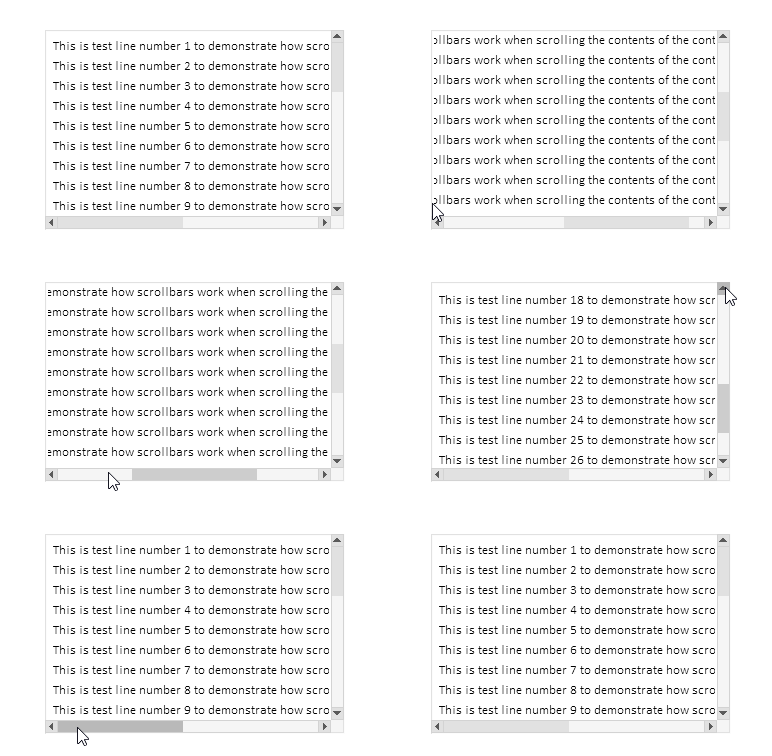
Shifting to full screen when clicking on a track works, shifting when clicking on buttons works, event auto-repeat when holding buttons works, wheel scrolling works.
After all the controls are created, descriptions of all the created elements will be printed out in the log:
Container (ContainerBG, ContainerFG): ID 1, Group -1, x 100, y 40, w 300, h 200
   [2]: Groupbox "Attached Groupbox" (ContainerFG_GRBX2BG, ContainerFG_GRBX2FG): ID 2, Group 1, x 100, y 40, w 620, h 610
      [0]: Label "TextString1" (ContainerFG_GRBX2FG_LBL0BG, ContainerFG_GRBX2FG_LBL0FG): ID 0, Group 1, x 108, y 48, w 587, h 20
      [1]: Label "TextString2" (ContainerFG_GRBX2FG_LBL1BG, ContainerFG_GRBX2FG_LBL1FG): ID 1, Group 1, x 108, y 68, w 587, h 20
      [2]: Label "TextString3" (ContainerFG_GRBX2FG_LBL2BG, ContainerFG_GRBX2FG_LBL2FG): ID 2, Group 1, x 108, y 88, w 587, h 20
      [3]: Label "TextString4" (ContainerFG_GRBX2FG_LBL3BG, ContainerFG_GRBX2FG_LBL3FG): ID 3, Group 1, x 108, y 108, w 587, h 20
      [4]: Label "TextString5" (ContainerFG_GRBX2FG_LBL4BG, ContainerFG_GRBX2FG_LBL4FG): ID 4, Group 1, x 108, y 128, w 587, h 20
      [5]: Label "TextString6" (ContainerFG_GRBX2FG_LBL5BG, ContainerFG_GRBX2FG_LBL5FG): ID 5, Group 1, x 108, y 148, w 587, h 20
      [6]: Label "TextString7" (ContainerFG_GRBX2FG_LBL6BG, ContainerFG_GRBX2FG_LBL6FG): ID 6, Group 1, x 108, y 168, w 587, h 20
      [7]: Label "TextString8" (ContainerFG_GRBX2FG_LBL7BG, ContainerFG_GRBX2FG_LBL7FG): ID 7, Group 1, x 108, y 188, w 587, h 20
      [8]: Label "TextString9" (ContainerFG_GRBX2FG_LBL8BG, ContainerFG_GRBX2FG_LBL8FG): ID 8, Group 1, x 108, y 208, w 587, h 20
      [9]: Label "TextString10" (ContainerFG_GRBX2FG_LBL9BG, ContainerFG_GRBX2FG_LBL9FG): ID 9, Group 1, x 108, y 228, w 594, h 20
      [10]: Label "TextString11" (ContainerFG_GRBX2FG_LBL10BG, ContainerFG_GRBX2FG_LBL10FG): ID 10, Group 1, x 108, y 248, w 594, h 20
      [11]: Label "TextString12" (ContainerFG_GRBX2FG_LBL11BG, ContainerFG_GRBX2FG_LBL11FG): ID 11, Group 1, x 108, y 268, w 594, h 20
      [12]: Label "TextString13" (ContainerFG_GRBX2FG_LBL12BG, ContainerFG_GRBX2FG_LBL12FG): ID 12, Group 1, x 108, y 288, w 594, h 20
      [13]: Label "TextString14" (ContainerFG_GRBX2FG_LBL13BG, ContainerFG_GRBX2FG_LBL13FG): ID 13, Group 1, x 108, y 308, w 594, h 20
      [14]: Label "TextString15" (ContainerFG_GRBX2FG_LBL14BG, ContainerFG_GRBX2FG_LBL14FG): ID 14, Group 1, x 108, y 328, w 594, h 20
      [15]: Label "TextString16" (ContainerFG_GRBX2FG_LBL15BG, ContainerFG_GRBX2FG_LBL15FG): ID 15, Group 1, x 108, y 348, w 594, h 20
      [16]: Label "TextString17" (ContainerFG_GRBX2FG_LBL16BG, ContainerFG_GRBX2FG_LBL16FG): ID 16, Group 1, x 108, y 368, w 594, h 20
      [17]: Label "TextString18" (ContainerFG_GRBX2FG_LBL17BG, ContainerFG_GRBX2FG_LBL17FG): ID 17, Group 1, x 108, y 388, w 594, h 20
      [18]: Label "TextString19" (ContainerFG_GRBX2FG_LBL18BG, ContainerFG_GRBX2FG_LBL18FG): ID 18, Group 1, x 108, y 408, w 594, h 20
      [19]: Label "TextString20" (ContainerFG_GRBX2FG_LBL19BG, ContainerFG_GRBX2FG_LBL19FG): ID 19, Group 1, x 108, y 428, w 594, h 20
      [20]: Label "TextString21" (ContainerFG_GRBX2FG_LBL20BG, ContainerFG_GRBX2FG_LBL20FG): ID 20, Group 1, x 108, y 448, w 594, h 20
      [21]: Label "TextString22" (ContainerFG_GRBX2FG_LBL21BG, ContainerFG_GRBX2FG_LBL21FG): ID 21, Group 1, x 108, y 468, w 594, h 20
      [22]: Label "TextString23" (ContainerFG_GRBX2FG_LBL22BG, ContainerFG_GRBX2FG_LBL22FG): ID 22, Group 1, x 108, y 488, w 594, h 20
      [23]: Label "TextString24" (ContainerFG_GRBX2FG_LBL23BG, ContainerFG_GRBX2FG_LBL23FG): ID 23, Group 1, x 108, y 508, w 594, h 20
      [24]: Label "TextString25" (ContainerFG_GRBX2FG_LBL24BG, ContainerFG_GRBX2FG_LBL24FG): ID 24, Group 1, x 108, y 528, w 594, h 20
      [25]: Label "TextString26" (ContainerFG_GRBX2FG_LBL25BG, ContainerFG_GRBX2FG_LBL25FG): ID 25, Group 1, x 108, y 548, w 594, h 20
      [26]: Label "TextString27" (ContainerFG_GRBX2FG_LBL26BG, ContainerFG_GRBX2FG_LBL26FG): ID 26, Group 1, x 108, y 568, w 594, h 20
      [27]: Label "TextString28" (ContainerFG_GRBX2FG_LBL27BG, ContainerFG_GRBX2FG_LBL27FG): ID 27, Group 1, x 108, y 588, w 594, h 20
      [28]: Label "TextString29" (ContainerFG_GRBX2FG_LBL28BG, ContainerFG_GRBX2FG_LBL28FG): ID 28, Group 1, x 108, y 608, w 594, h 20
      [29]: Label "TextString30" (ContainerFG_GRBX2FG_LBL29BG, ContainerFG_GRBX2FG_LBL29FG): ID 29, Group 1, x 108, y 628, w 594, h 20
The stated functionality operates correctly. There are some minor flaws, but they will be removed with further development of the TableView control.
Conclusion
Today we have implemented a fairly extensive and necessary functionality in the controls library being developed.
The CContainer class is a powerful and convenient tool for creating scrollable areas in user interfaces. It automates the operation of scrollbars, facilitates the management of large content, and provides user-friendly interaction with scrollable areas. Due to its flexible architecture and integration with other interface elements, the container is easy to use as part of complex graphical solutions.
Our next step will be to create a header that allows placing, for example, a list of table column headers, while the functionality will allow resizing each header cell. This will automatically resize the table columns.
Programs used in the article:
| # | Name | Type | Description |
|---|---|---|---|
| 1 | Base.mqh | Class Library | Classes for creating a base object of controls |
| 2 | Controls.mqh | Class Library | Control classes |
| 3 | iTestContainer.mq5 | Test indicator | Indicator for testing manipulations with classes of controls |
| 4 | MQL5.zip | Archive | An archive of the files above for unpacking into the MQL5 directory of the client terminal |
Translated from Russian by MetaQuotes Ltd.
Original article: https://www.mql5.com/ru/articles/18658
Warning: All rights to these materials are reserved by MetaQuotes Ltd. Copying or reprinting of these materials in whole or in part is prohibited.
This article was written by a user of the site and reflects their personal views. MetaQuotes Ltd is not responsible for the accuracy of the information presented, nor for any consequences resulting from the use of the solutions, strategies or recommendations described.

 Fortified Profit Architecture: Multi-Layered Account Protection
 Automating Trading Strategies in MQL5 (Part 45): Inverse Fair Value Gap (IFVG)
 Mastering Kagi Charts in MQL5 (Part 2): Implementing Automated Kagi-Based Trading
 Chaos Game Optimization (CGO)

- Free trading apps
- Over 8,000 signals for copying
- Economic news for exploring financial markets
You agree to website policy and terms of use
I'm not sure what happened, but when I build the original code and run it, it shows differently than what is described at the bottom of the article.
Remove the indicator from the chart. Press Ctrl+B, click "All" in the graphical objects list window that opens and delete all objects. Then re-launch the indicator.
But it would be better to specify what is written in the log - most likely there was an error when building objects.