Discussing the article: "The View and Controller components for tables in the MQL5 MVC paradigm: Containers"
Nguyen Tuấn Anh #:
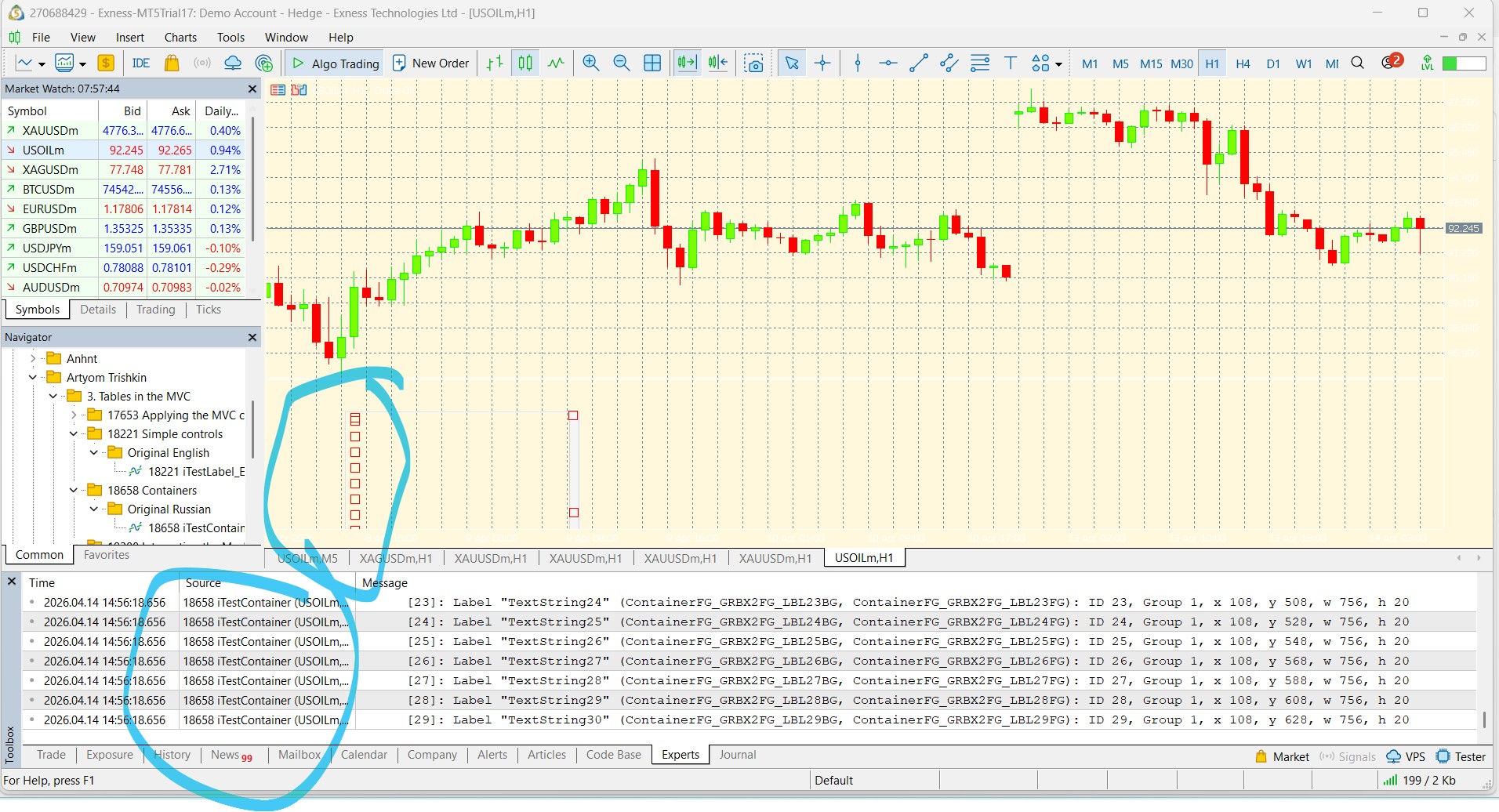
I'm not sure what happened, but when I build the original code and run it, it shows differently than what is described at the bottom of the article.
I'm not sure what happened, but when I build the original code and run it, it shows differently than what is described at the bottom of the article.
Remove the indicator from the chart. Press Ctrl+B, click "All" in the graphical objects list window that opens and delete all objects. Then re-launch the indicator.
But it would be better to specify what is written in the log - most likely there was an error when building objects.

You are missing trading opportunities:
- Free trading apps
- Over 8,000 signals for copying
- Economic news for exploring financial markets
Registration
Log in
You agree to website policy and terms of use
If you do not have an account, please register
Check out the new article: The View and Controller components for tables in the MQL5 MVC paradigm: Containers.
As part of the development of TableView control in MVC (Model-View-Controller) paradigm, we have already created Model component - a table model and started creating the View and Controller components. In the last article, simple but quite functional controls were created. Complex controls will be assembled from such elements. Today we will write such control classes as Panel, GroupBox and Container — all three elements are containers for placing various controls on them.
Thus, in addition to the three specified main controls, we have to create classes for creating scrollbars — the thumb class (Thumb) and the scrollbar class (ScrollBar). There will be two such classes — for vertical and horizontal scrollbars.
Compile the indicator and run it on the chart:
Shifting to full screen when clicking on a track works, shifting when clicking on buttons works, event auto-repeat when holding buttons works, wheel scrolling works.
Author: Artyom Trishkin